
What is a toast component?
Toasts display brief, temporary messages. They're meant to be noticed without disrupting a user's attention, and it should automatically disappear afterwards.
Think of it like a piece of toast popping up from a toaster - it pops up then goes back down.
Toasts are commonly seen in design patterns such as: Acknowledgement or Error handling.
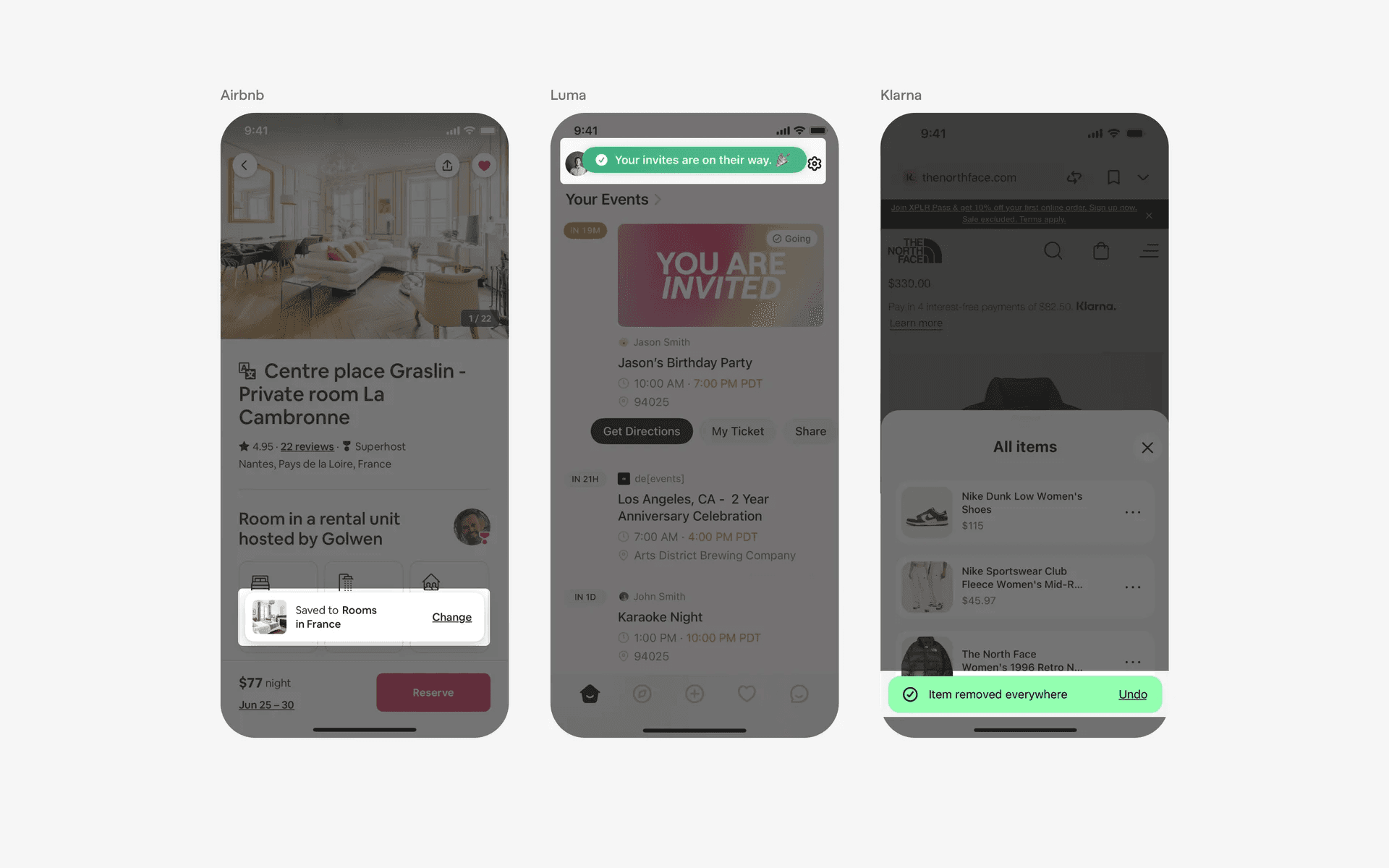
Examples of what toasts look like in mobile apps.
What is the anatomy of a toast component?
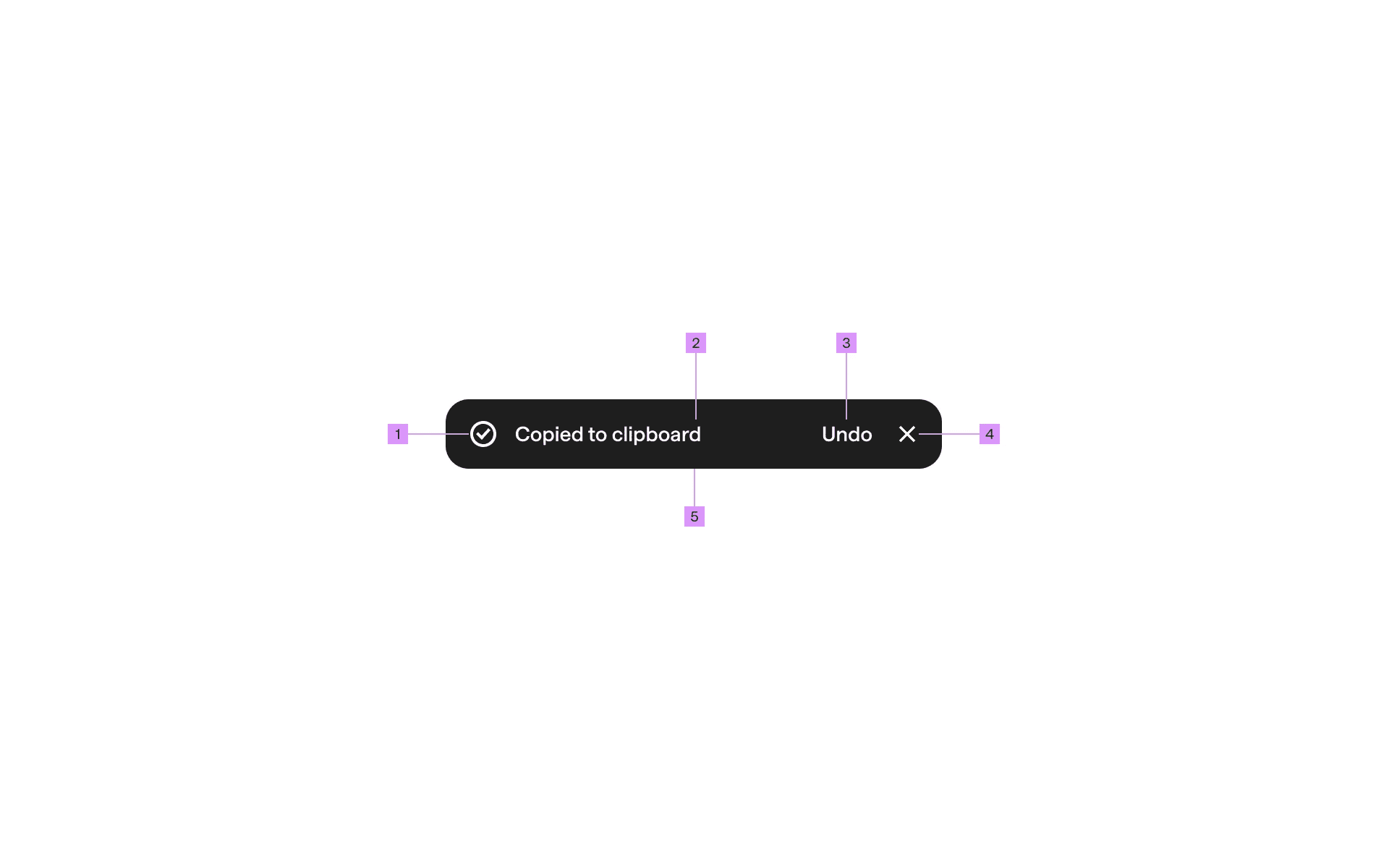
Anatomy of a toast
1
Container
2
Supporting icon (optional)
3
Supporting text
4
Action button (optional)
5
Close button (optional)
What are the design variants of a toast?
We studied over 2,500+ toast ui components on Mobbin, from real-world examples and found the following variants.
Placement
Mobile toast components are typically positioned above the content along the Y-axis (bottom, center, top alignment).
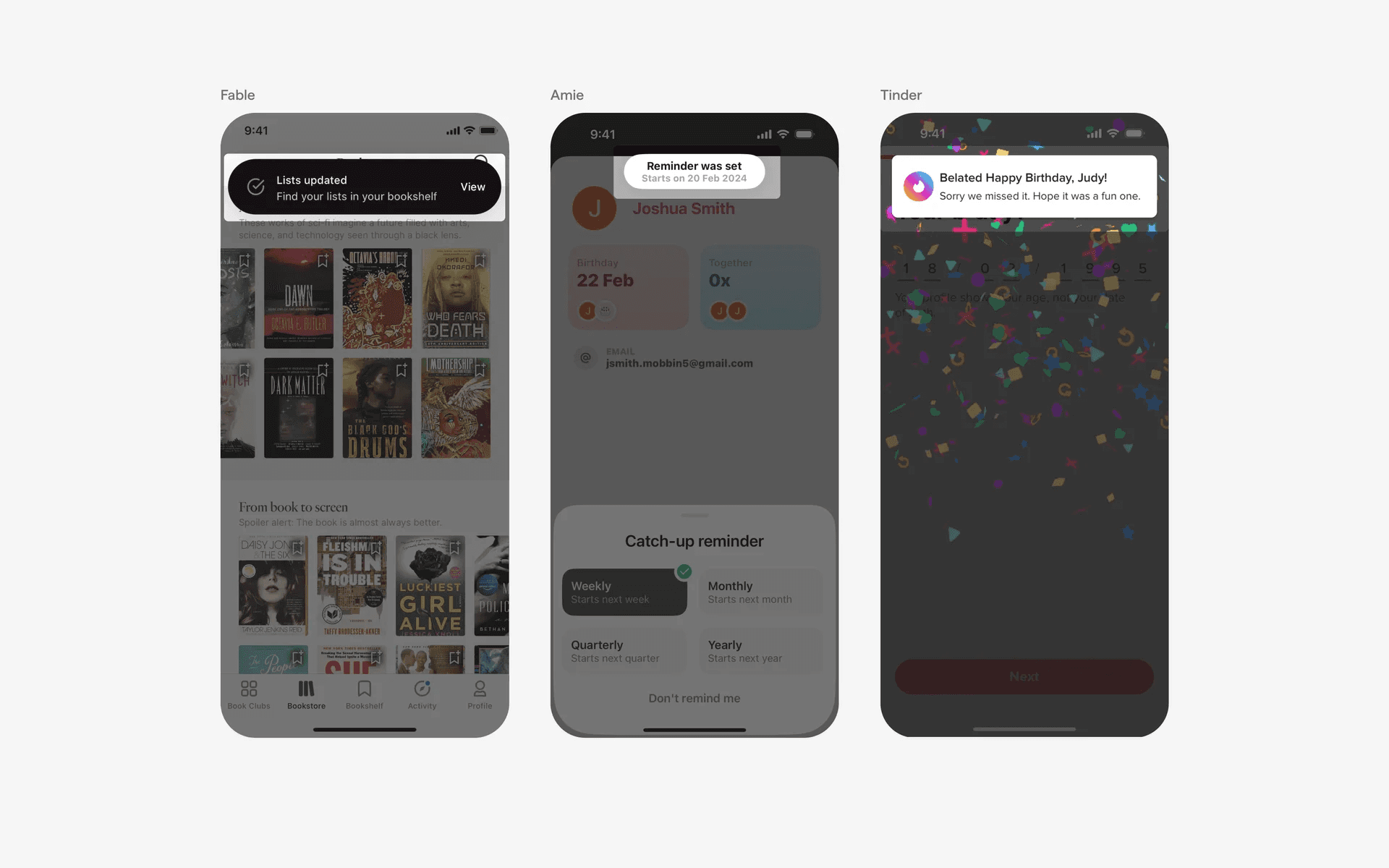
Top aligned toasts on mobile.
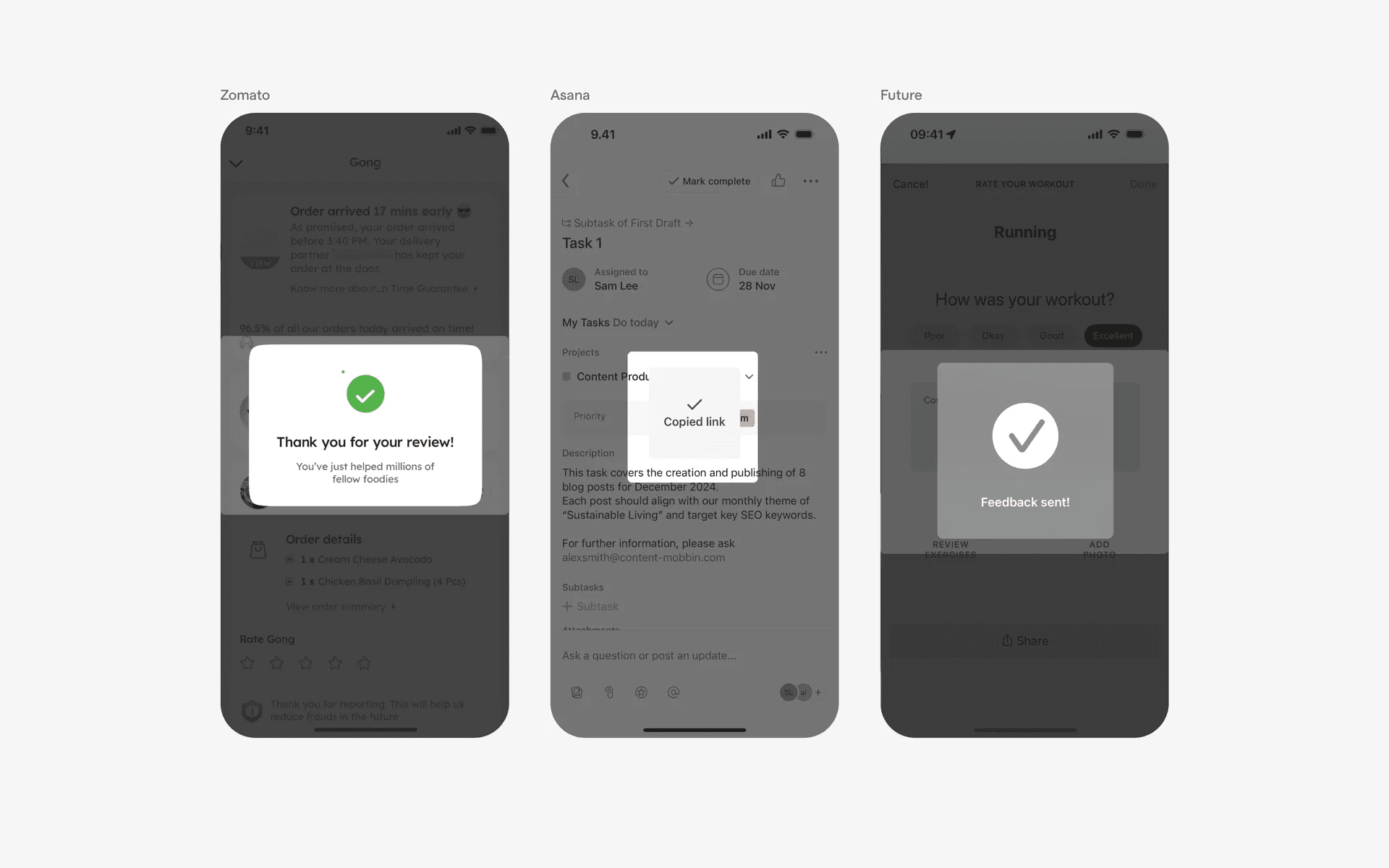
Center aligned toast on mobile.
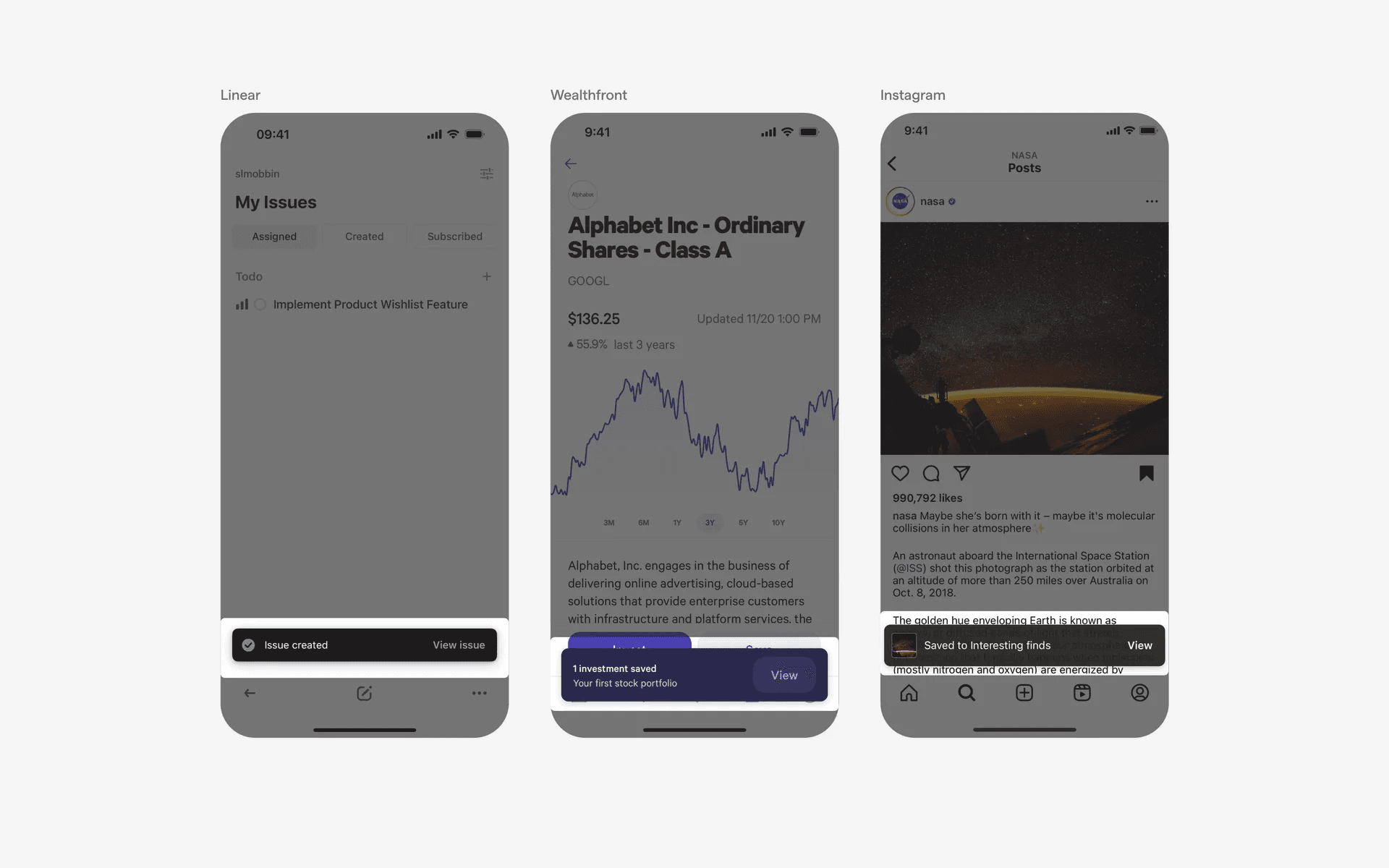
Bottom aligned toast on mobile.
In web layouts, designers can consider utilizing horizontal alignment (left, center, right), taking advantage of the expanded screen real estate compared to mobile interfaces.
Form
Depending on a brand's design system - there are 3 basic forms: Bar, Full-bleed, and Box.
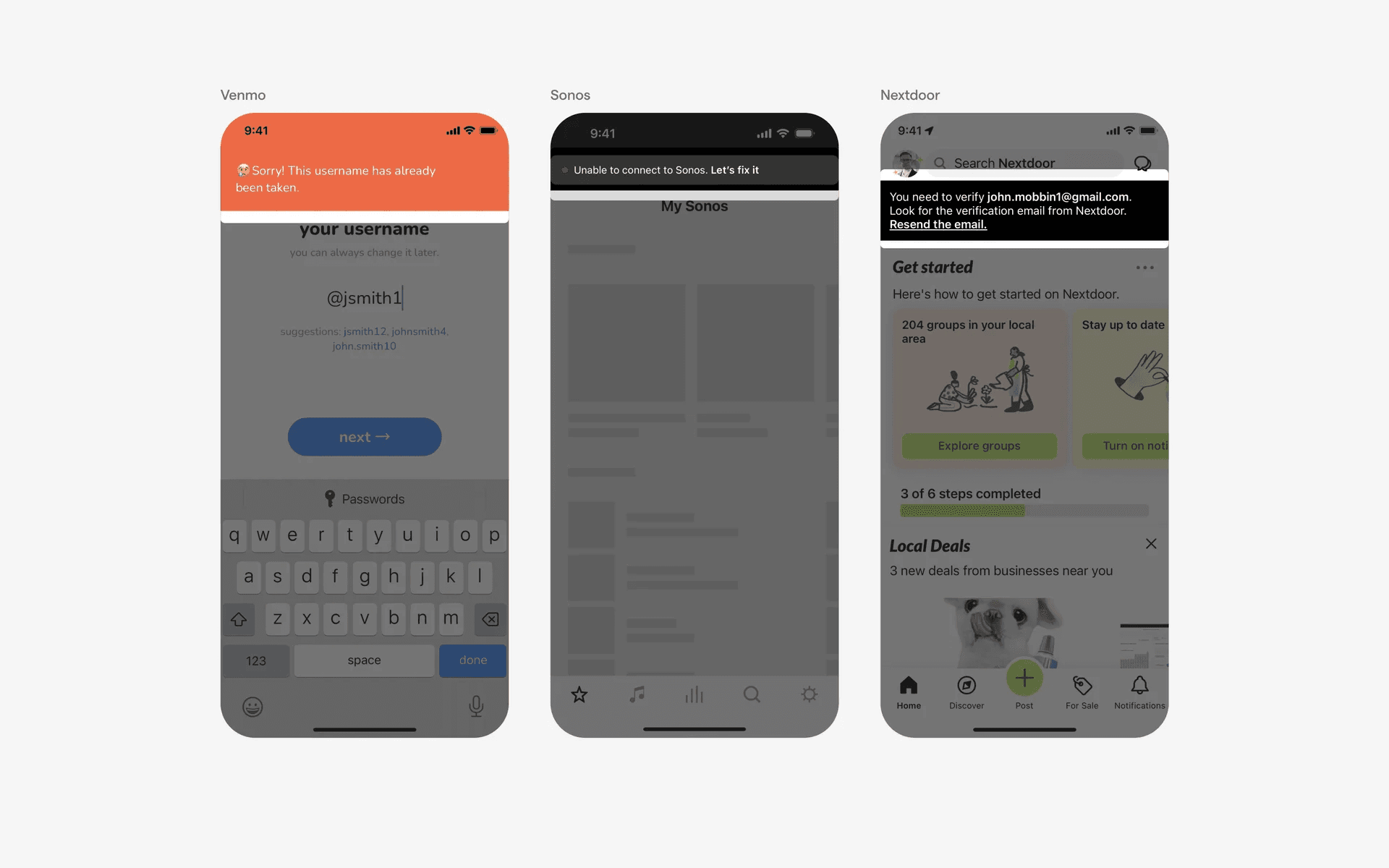
Box-style toast UI.
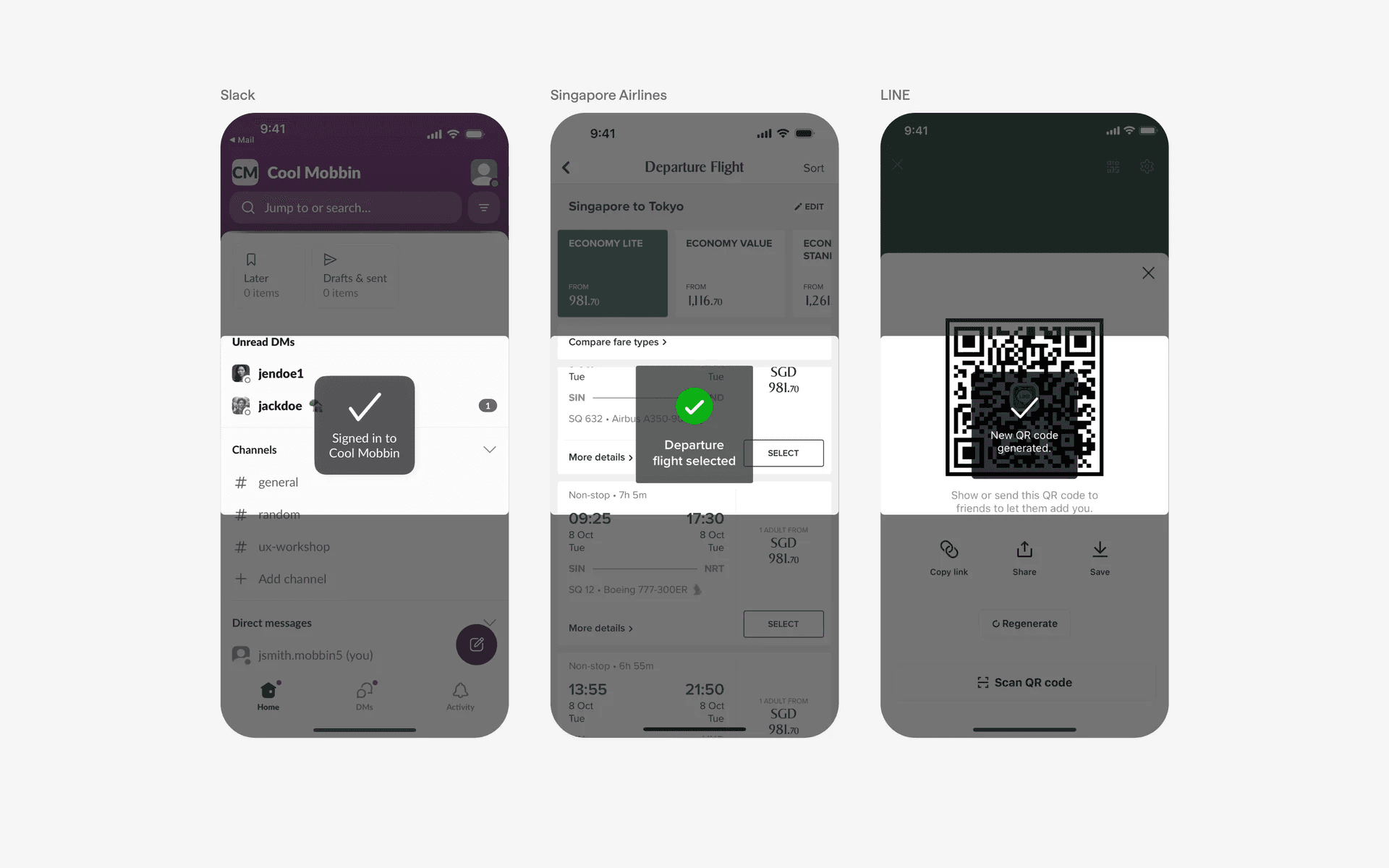
Full-bleed style toast UI.
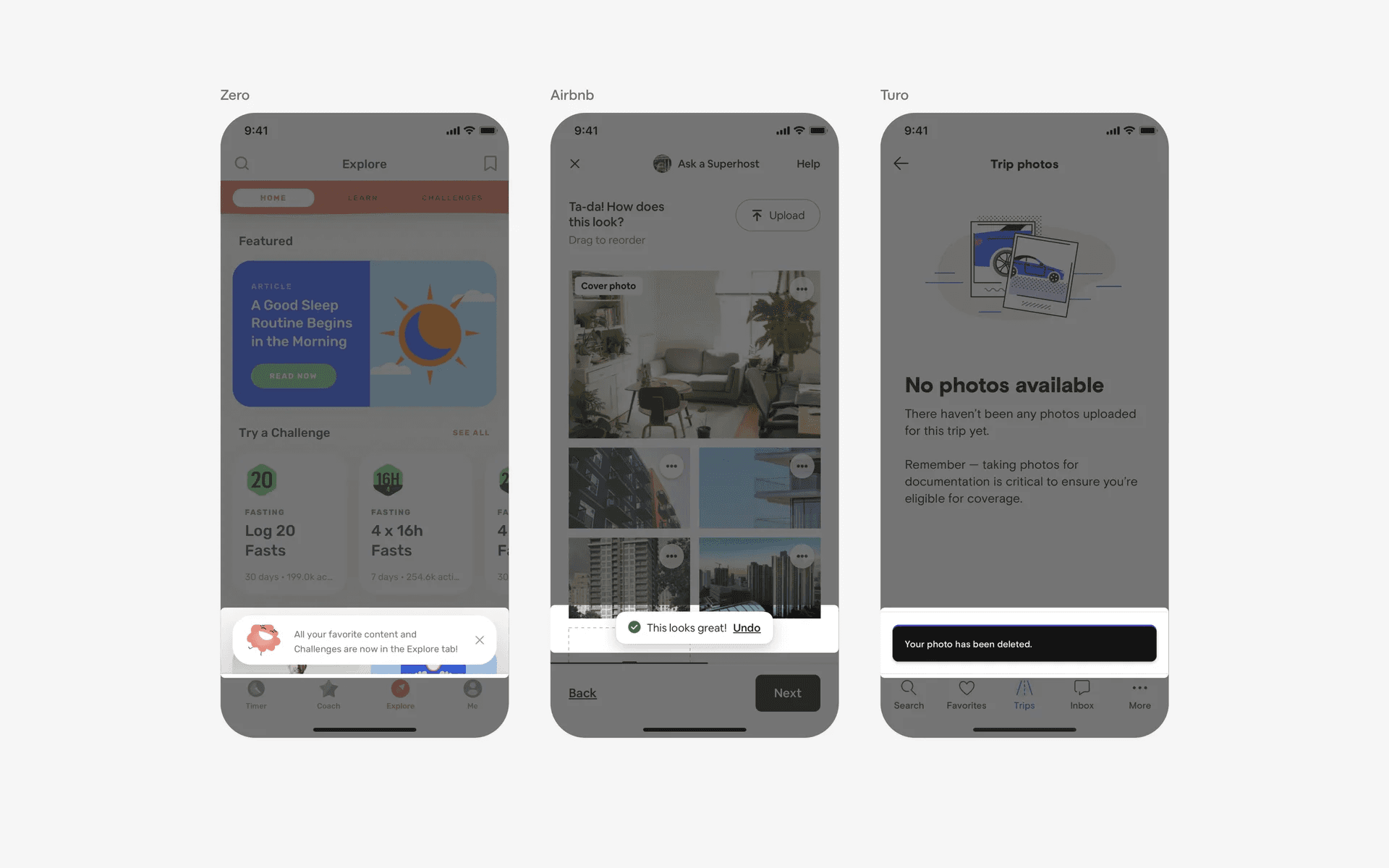
Bar-style toast UI (with different border radiuses)
Follow up action buttons
When adding an action button on a mobile app, bottom placement is ideal for easy thumb reach.
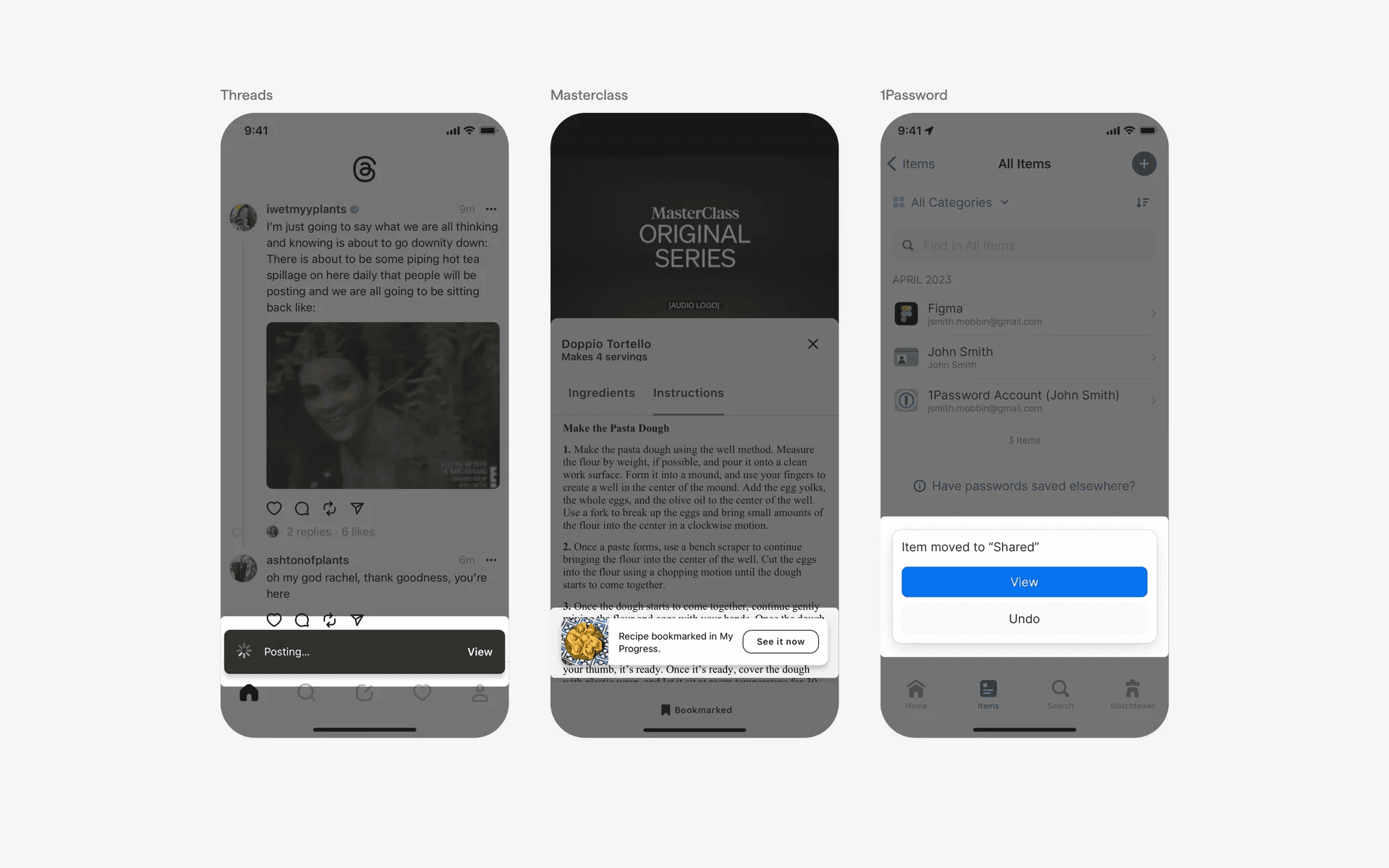
Bottom placement toasts with CTA button.
Caret tip
You can consider adding caret tips to your toasts if you need to directionally nudge users. However, this is not commonly used as a toast as it resembles a Tooltip.
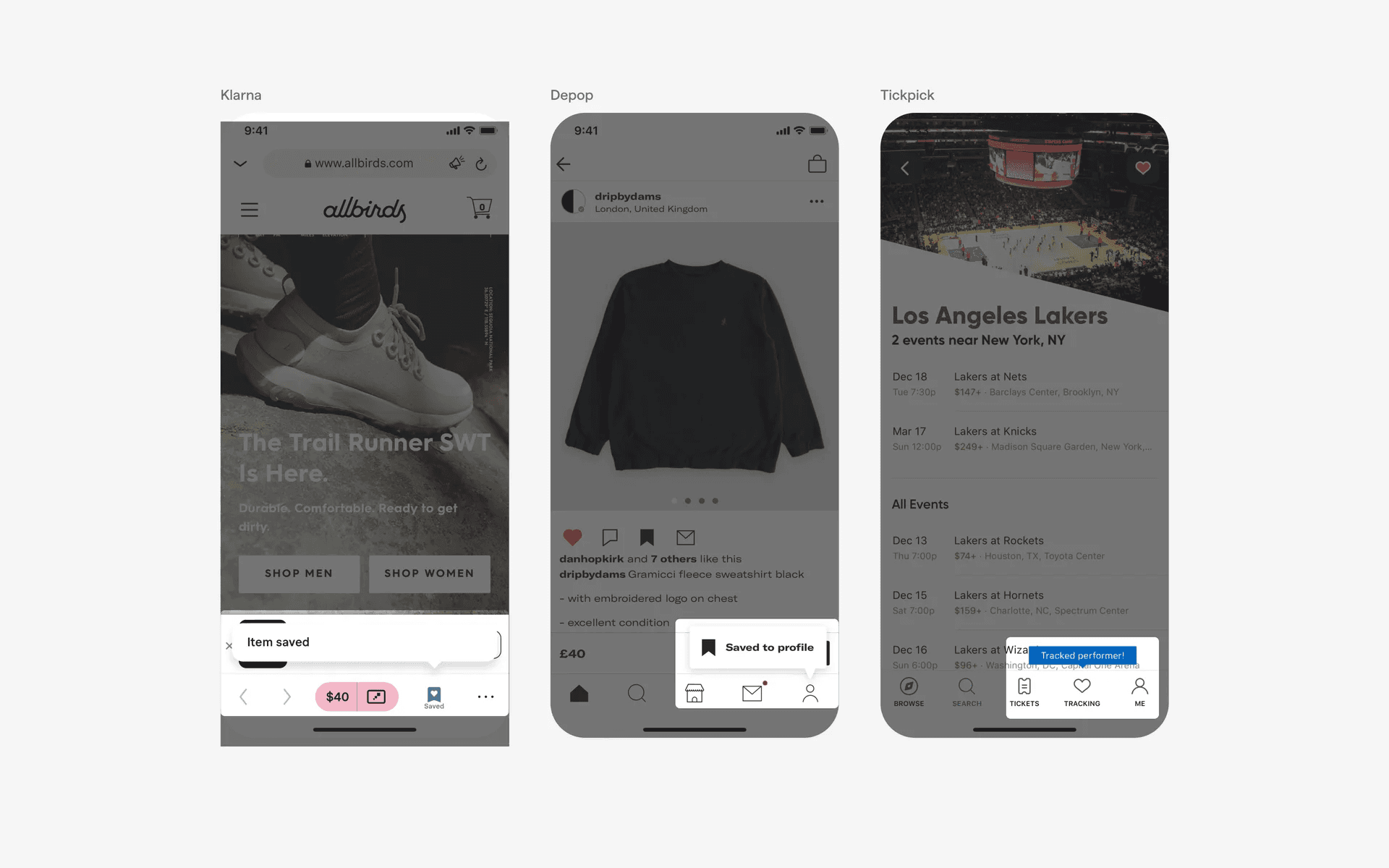
Toasts with carets that look like tooltips.
When to use a toast?
Success & acknowledgment
After a user performs an action, such as submitting a form or deleting an item, a toast can be used to confirm the action's successful completion. They usually use a positive semantic color (i.e: green), which indicates that an action has been successfully completed.
For example, a toast may display a message like "Task deleted" with an optional "Undo" action.
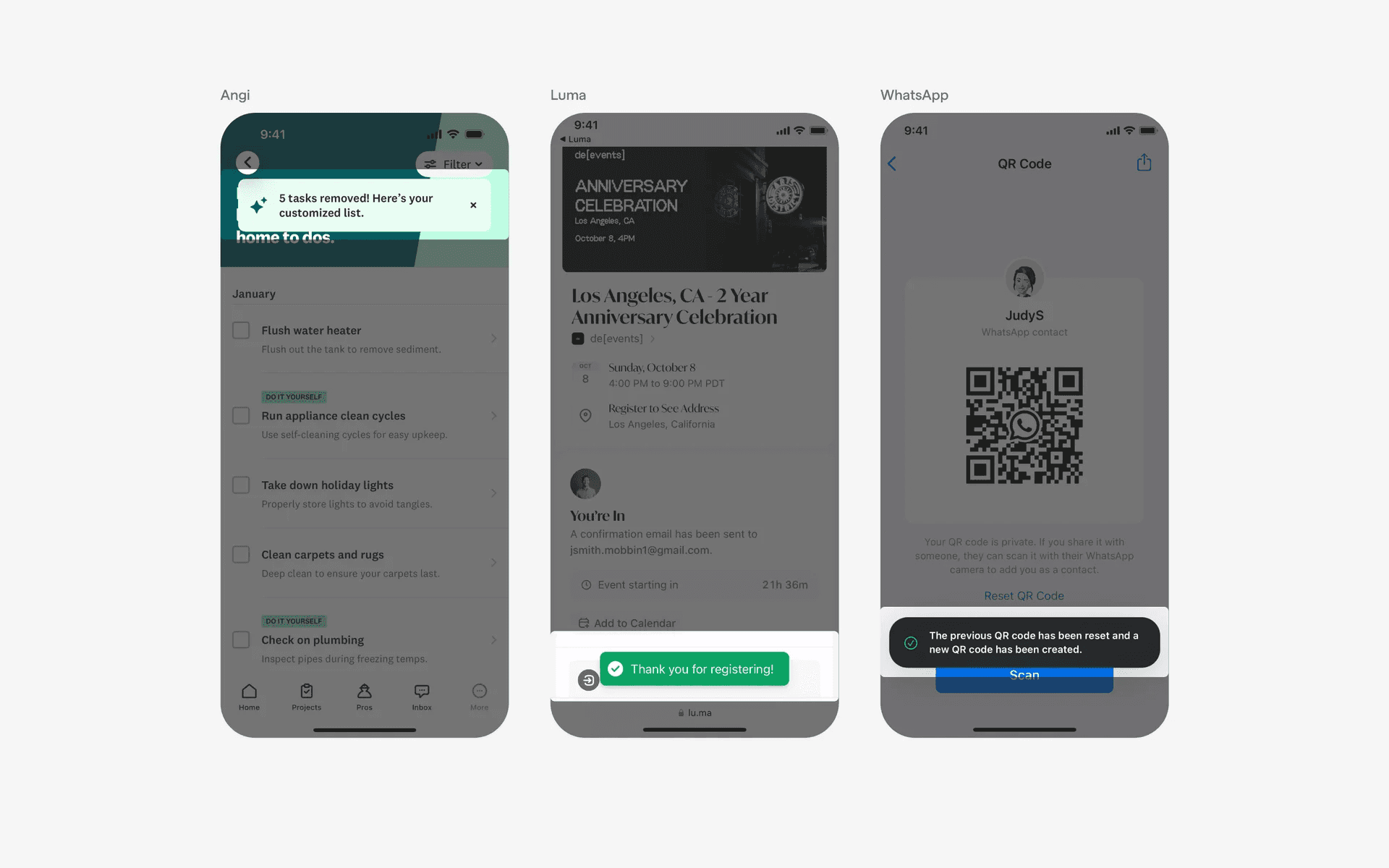
Examples of toasts used in success & acknowledgement
Error handling
When an error occurs during user interaction, a toast can be used to display an error message and provide relevant information. It can help users understand what went wrong and how to rectify the issue. They usually use a negative semantic color (i.e: red), which indicates error.
Examples include displaying a message like "Network connection lost" or "Invalid input."
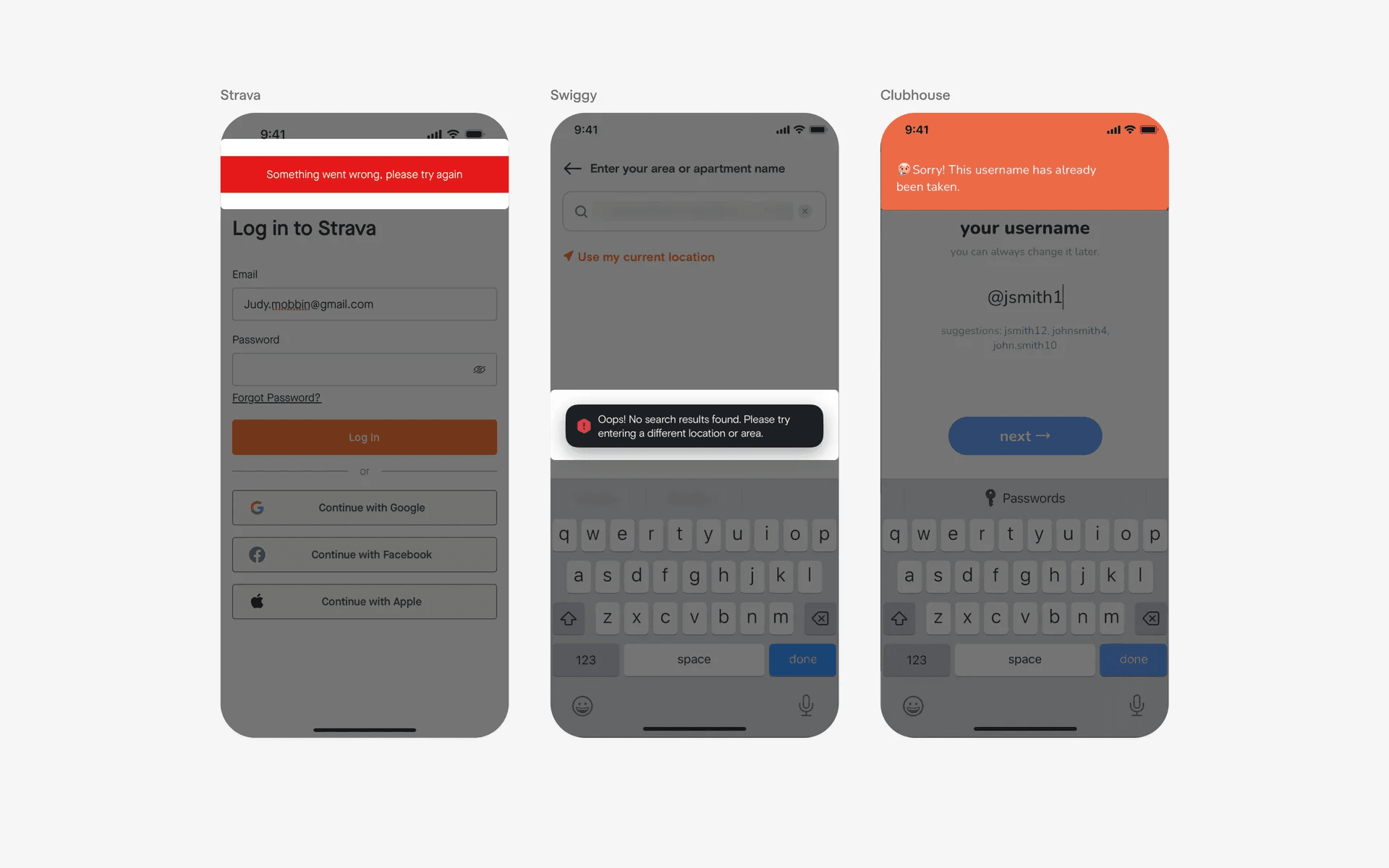
Examples of toasts used in error handling
Conflicting UI elements: Dialogs, Banners & Tooltips
Toast v.s. Dialogs
A dialog is a popup window that offers user choices or information and requires some kind of action to be taken.
Dialogs are more intrusive than toasts, as they require user interaction before they can be dismissed.
In situations where you need the user's complete attention, you should use a dialog instead.
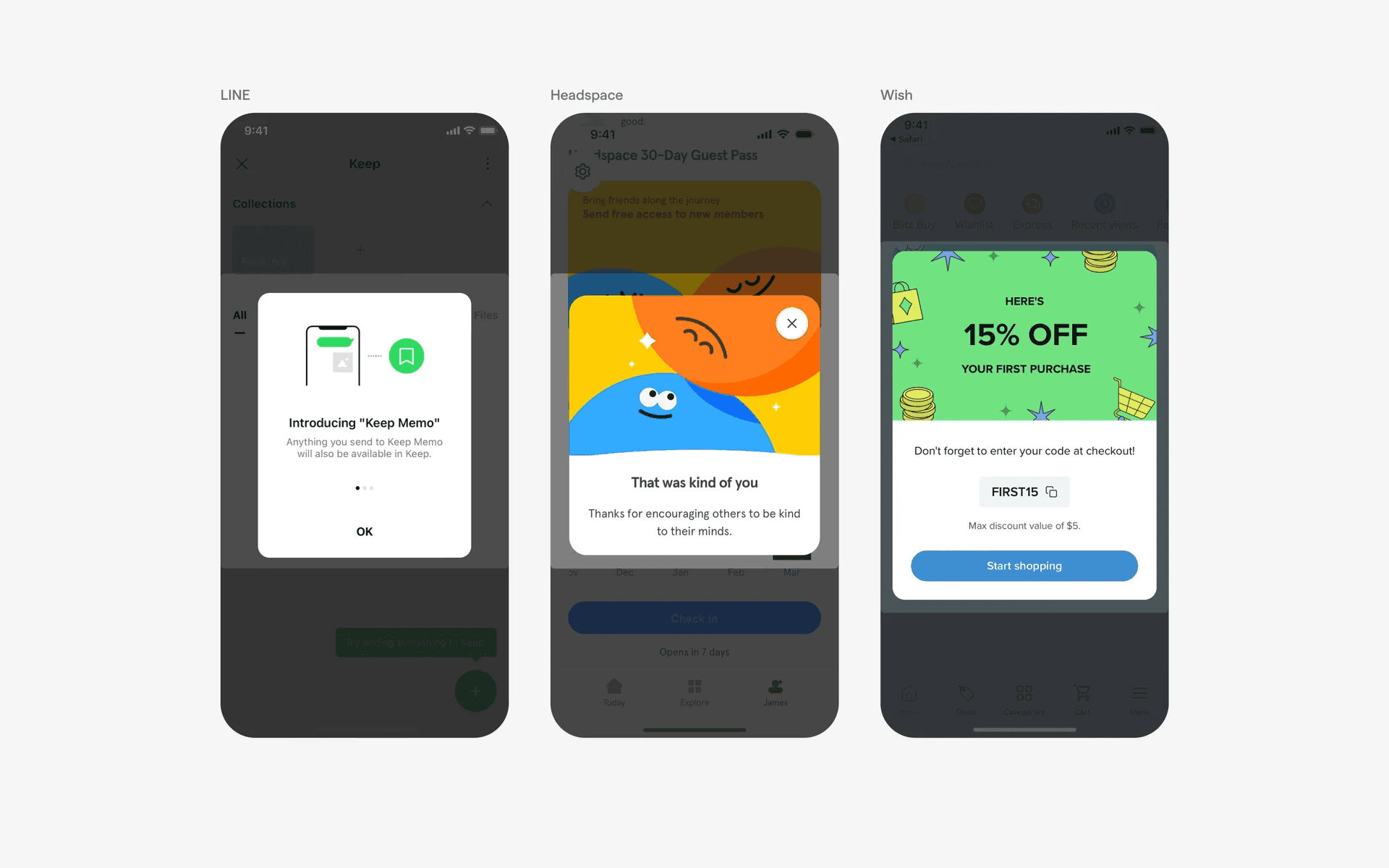
Examples of dialogs
Toast v.s. Banners
Toasts are intended to be short, non-intrusive notifications that usually quickly disappear from the screen after a few seconds. Toasts also do not persist as the user navigates through different pages of the app.
In situations where you need information to persist, you should use a Banner instead.
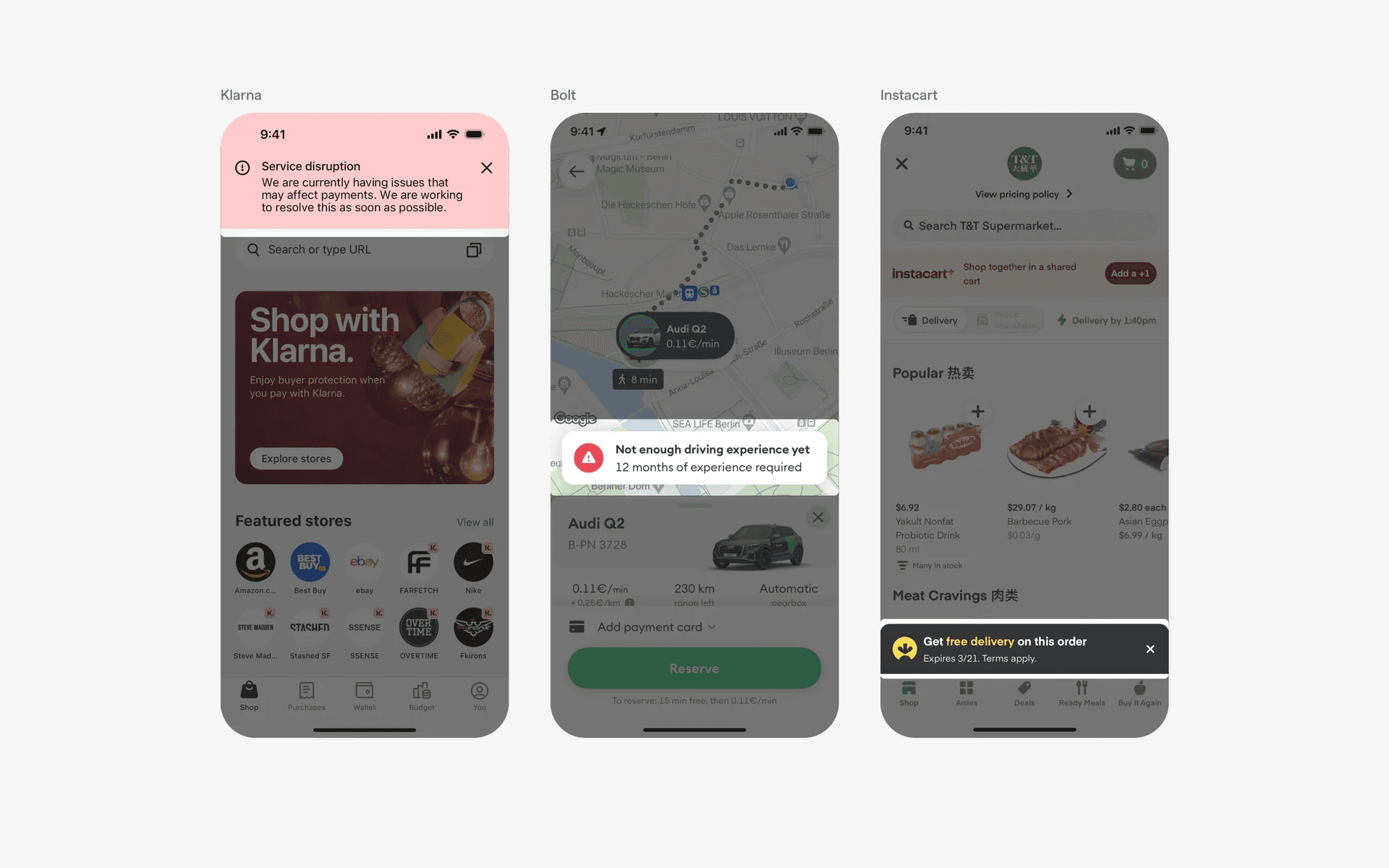
Examples of banners
Toast v.s. Tooltips
Tooltips are typically used to provide more detailed information about an element or to provide instructions on how to use the element.
Instead, toasts are typically used to provide brief feedback to an action taken by the user.
In situations where you want to give users more context or instructions, you should use a Tooltip instead.
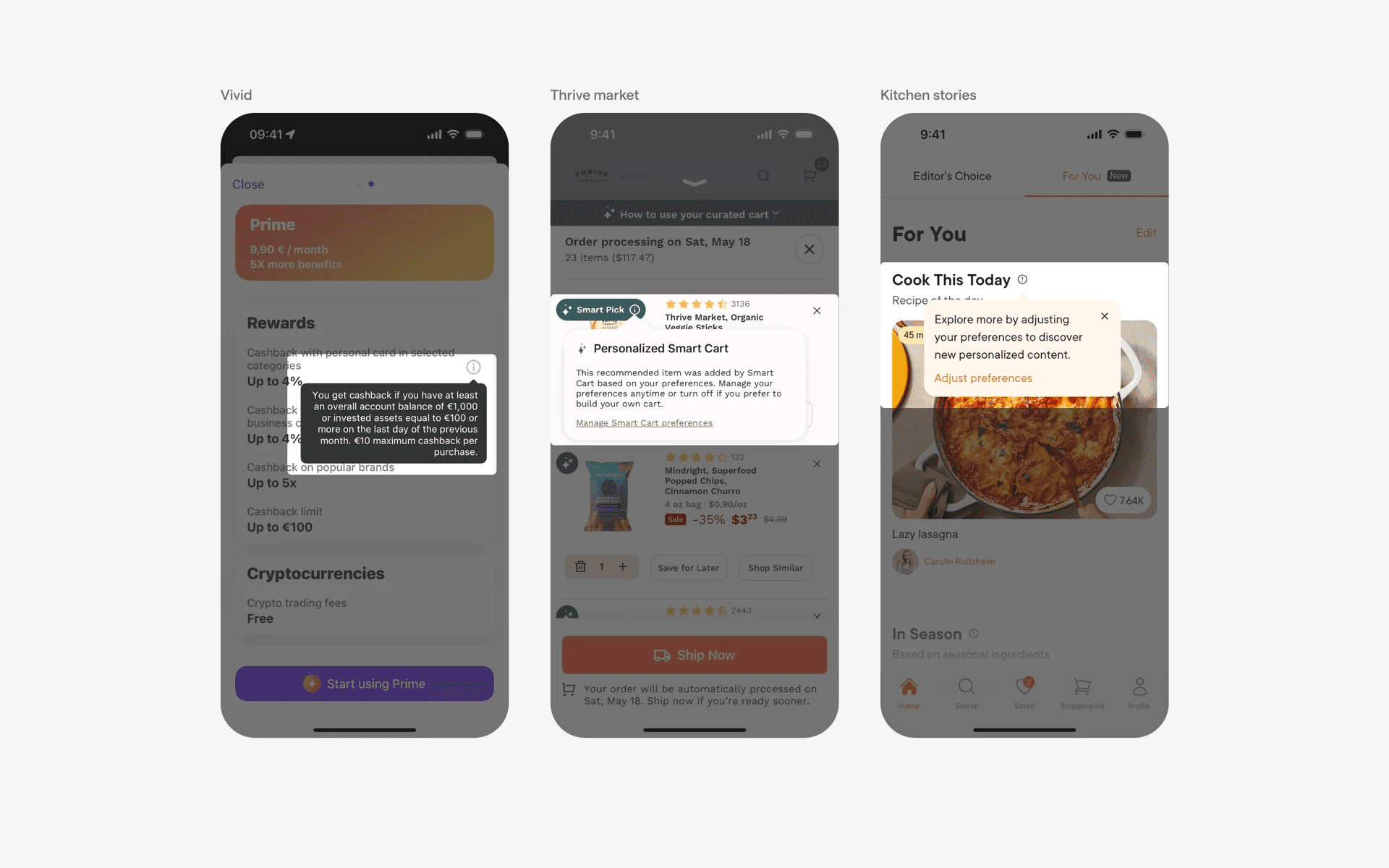
Examples of tooltips