Changelog
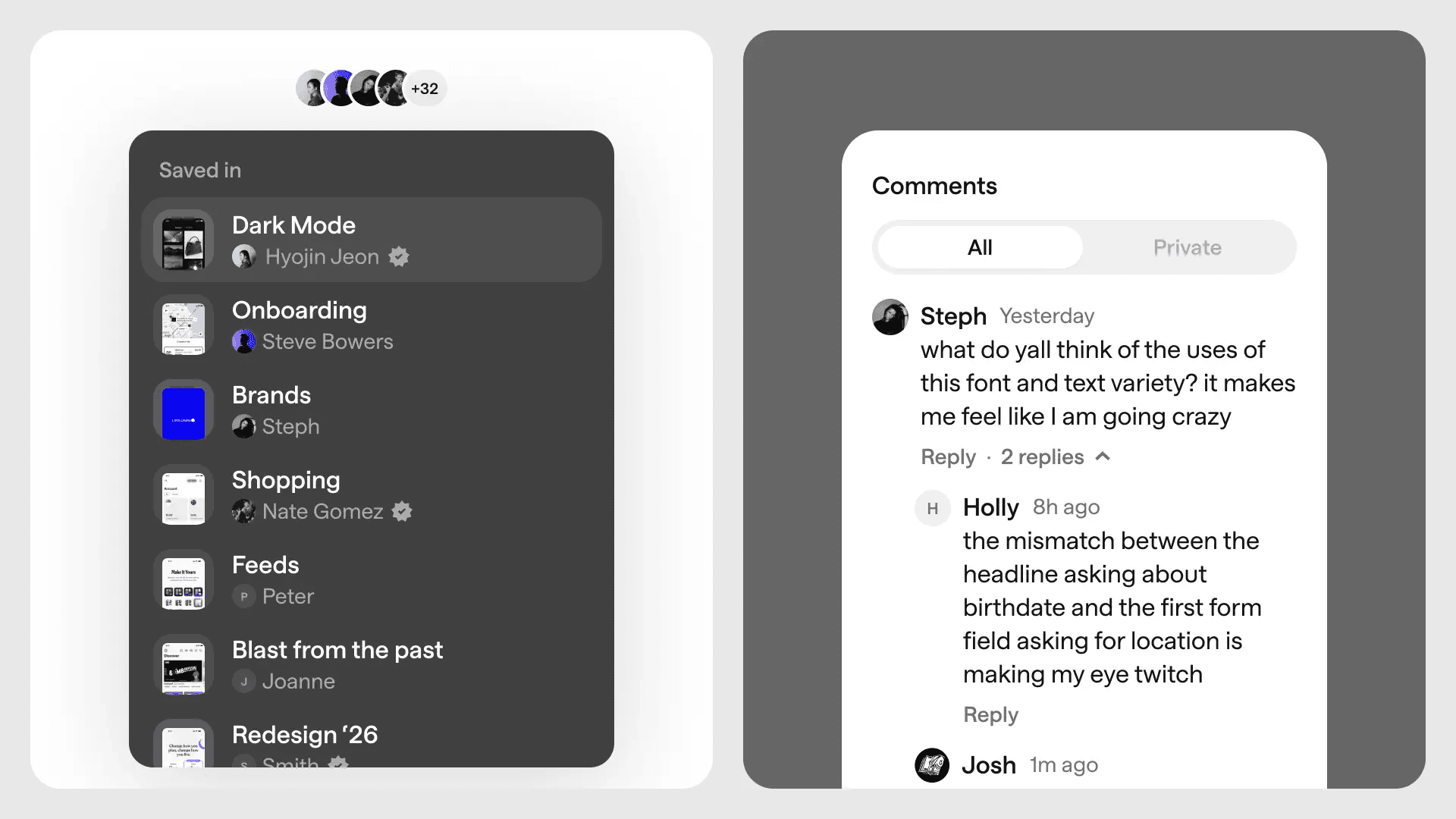
New community features
We’re introducing two new community features to make public collections more discoverable and Mobbin more collaborative:
"Saved in" collections: When viewing a screen or flow, you can now see the public collections it's been saved in — making it easier to discover collections that others have curated.
Public comments: You can now leave public comments on screens and flows to start a discussion, ask a question, share insights, or jump into existing conversations.
Other improvements
Teams/Enterprise: Workspace admins will now see a list of suggested members to invite on the team members page.
Fixes
Over the festive period, we fixed a number of minor issues and papercuts to make your experience on Mobbin even better. If you encounter anything else, no matter how small, please let us know!

Introducing Animations
Modern apps are full of motion, from subtle transitions to delightful micro-interactions — but static screenshots can't capture that.
That's why we're excited to launch Animations! Screens with interesting motion are now captured as short videos instead of static images, so you can see how apps guide users, provide feedback, and create delight.
When searching for screens or viewing an app, you can also filter results to show only screens with animations.
Other improvements
You can now specify your video auto-play preference on the settings page.
Teams/Enterprise: You can now invite teammates to your workspace using invite links.
Teams/Enterprise: You can now request to join your company's workspace when your email domain matches.
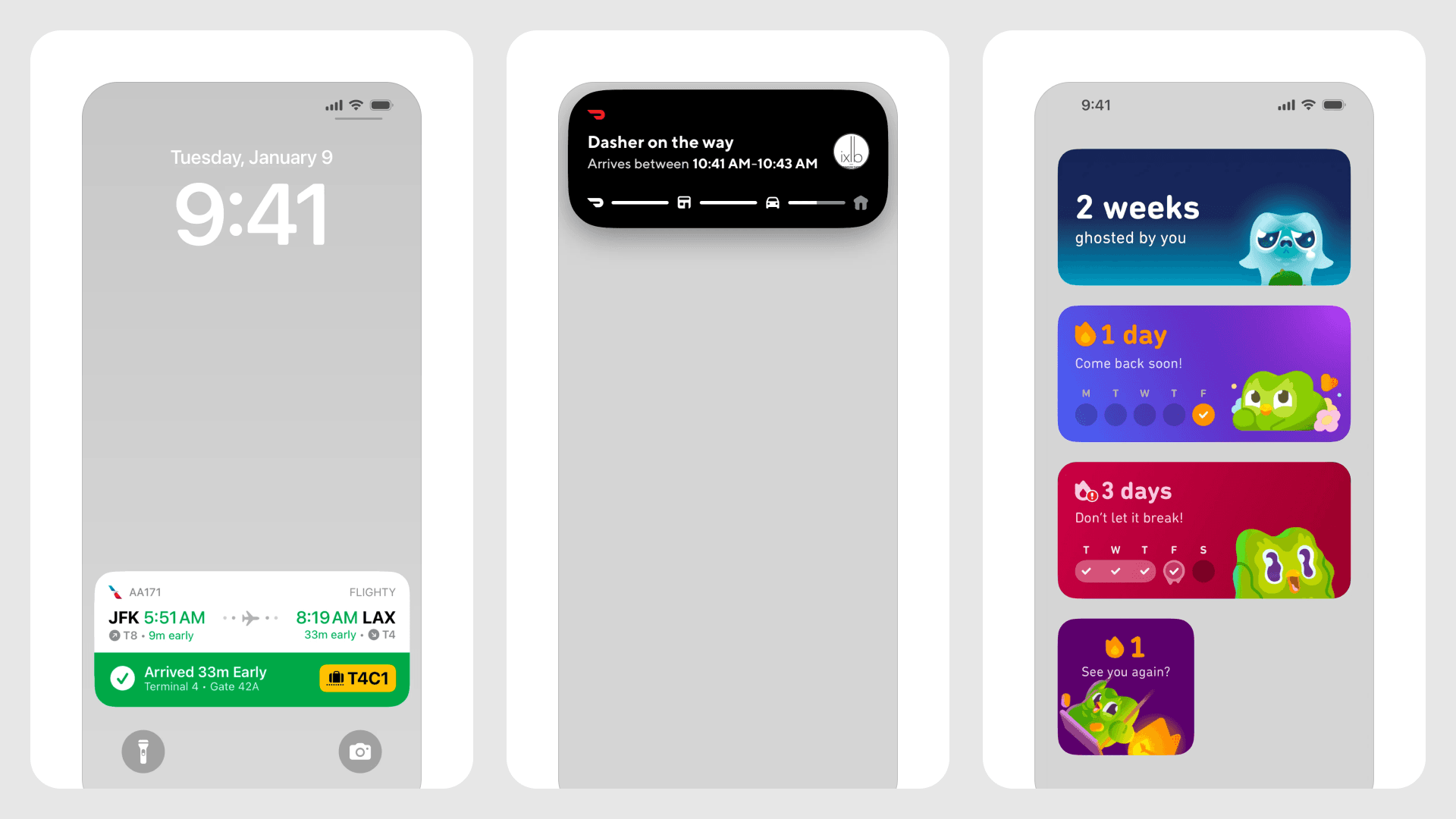
Live Activities and widgets
Out-of-app content — particularly Live Activities and widgets — has been one of our most requested features, and we're thrilled to announce that it's finally available on Mobbin.
iOS apps on Mobbin now include screenshots of Live Activities and widgets. To make these screens easier to find, we're also introducing three new filters: Live Activities, Dynamic Island, and Widgets.
Other improvements
Teams/Enterprise: You can now view the last active dates of fellow team members on the team members page.
Teams/Enterprise: Workspace admins can now download team activity reports on the team settings page.
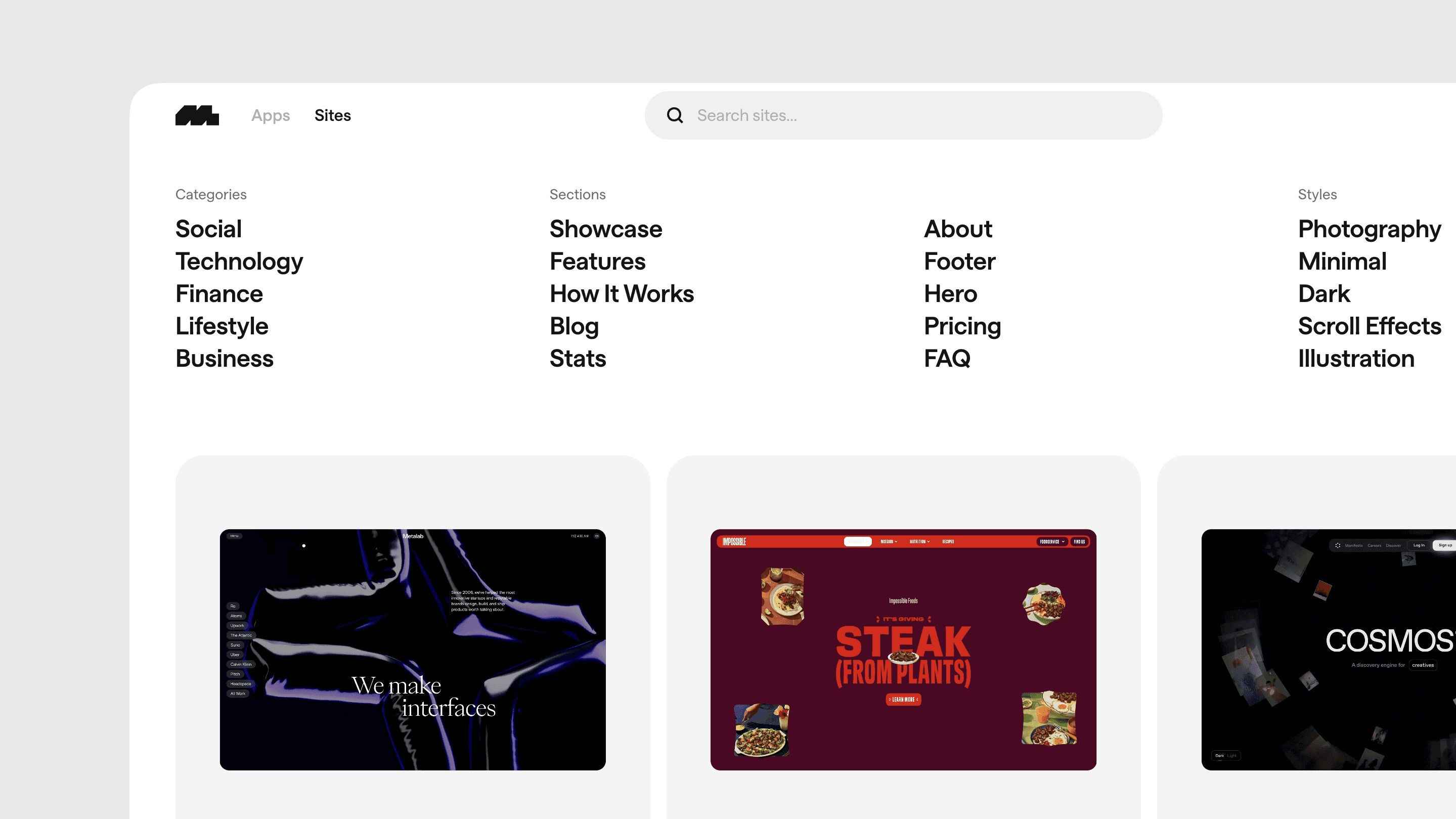
Introducing Mobbin Sites
Historically, Mobbin's focus has been on featuring beautifully designed apps — both mobile and web. However, over time, we realized that our app-centric approach overlooked a significant portion of the digital design world. After all, not every great website is an app.
That's why we're excited to launch Mobbin Sites — a growing collection of public-facing, marketing-oriented webpages. Think product landing pages, agency portfolios, online shopfronts, campaign microsites, and more.
With sites, we're also introducing new filters for Sections (Hero, Features, Pricing, etc.) and Styles (Brutalist, Editorial, Minimal, etc.) to make it even easier to find the right site for your needs.
Now you can discover and get inspired by both apps and sites — all in one place.
Full access to sites is included with all paid plans.
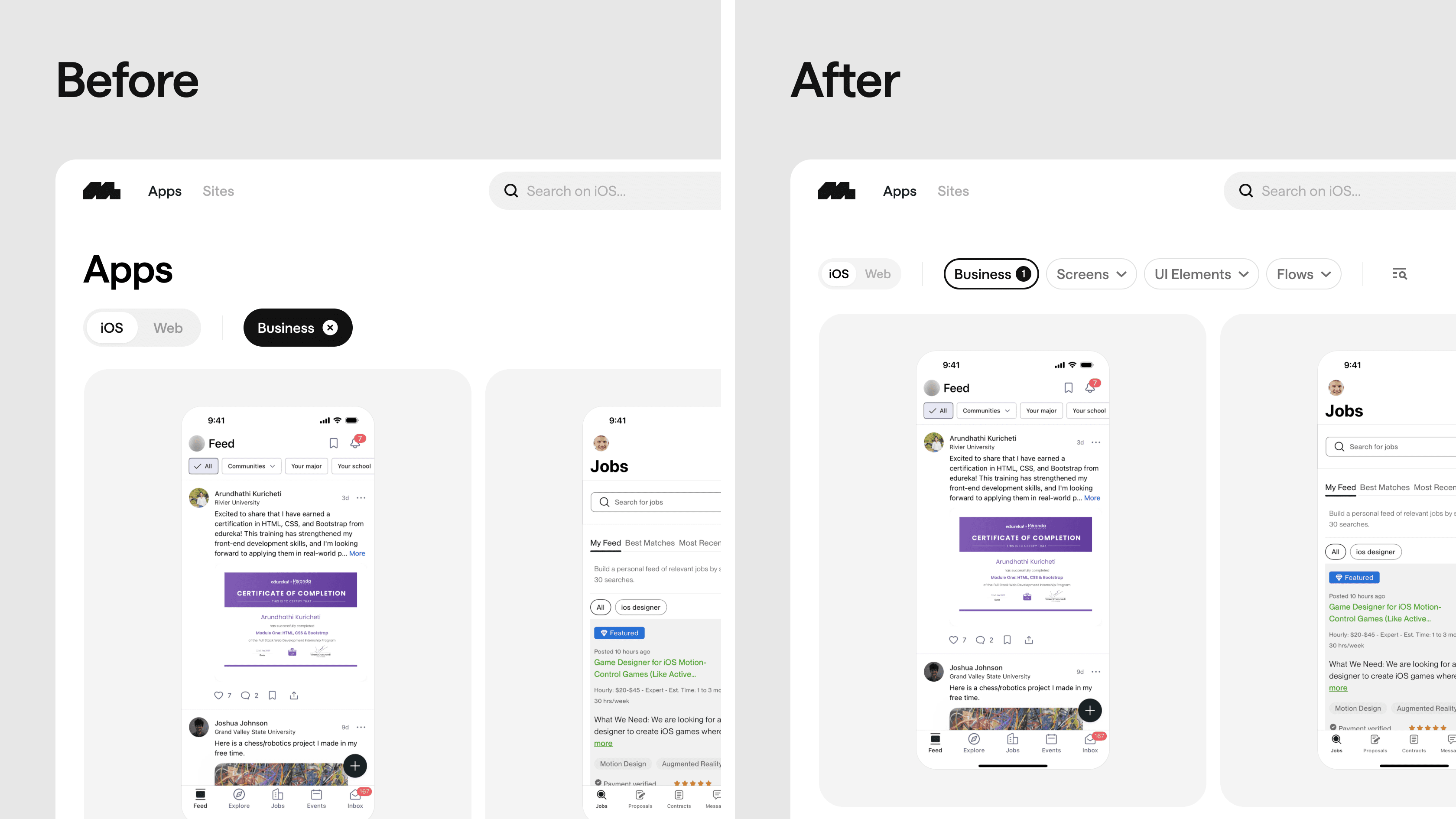
Improved search experience
To improve your experience of finding content on Mobbin, we've made some subtle yet impactful updates to the search page.
Visually, the headings have been removed, and the filters now have a more subtle design. This allows the search results to take center stage, without competing for attention with Mobbin's interface.
Previously, if you started your search with a category filter, the search results would comprise apps, with no option to layer on other types of filters. This resulted in a "dead-end" experience with no way to further refine your search.
In the new experience, after starting your search with a category filter, the search results still comprise apps, but this time, it's no longer a "dead-end". You'll now see options to layer on additional screens, UI elements, or flows filters. The search results will automatically adapt to your filters and always show your expected content type.
Lastly, we've also improved the overall performance of the search page. There's no longer any delay after selecting or clearing filters, and the page will immediately start loading the new search results.
Other improvements
The content type tabs on the app detail page are now sticky, so you no longer need to scroll back to the top just to switch tabs.
Fixes
Fixed an issue where some avatars and thumbnails were not loading.
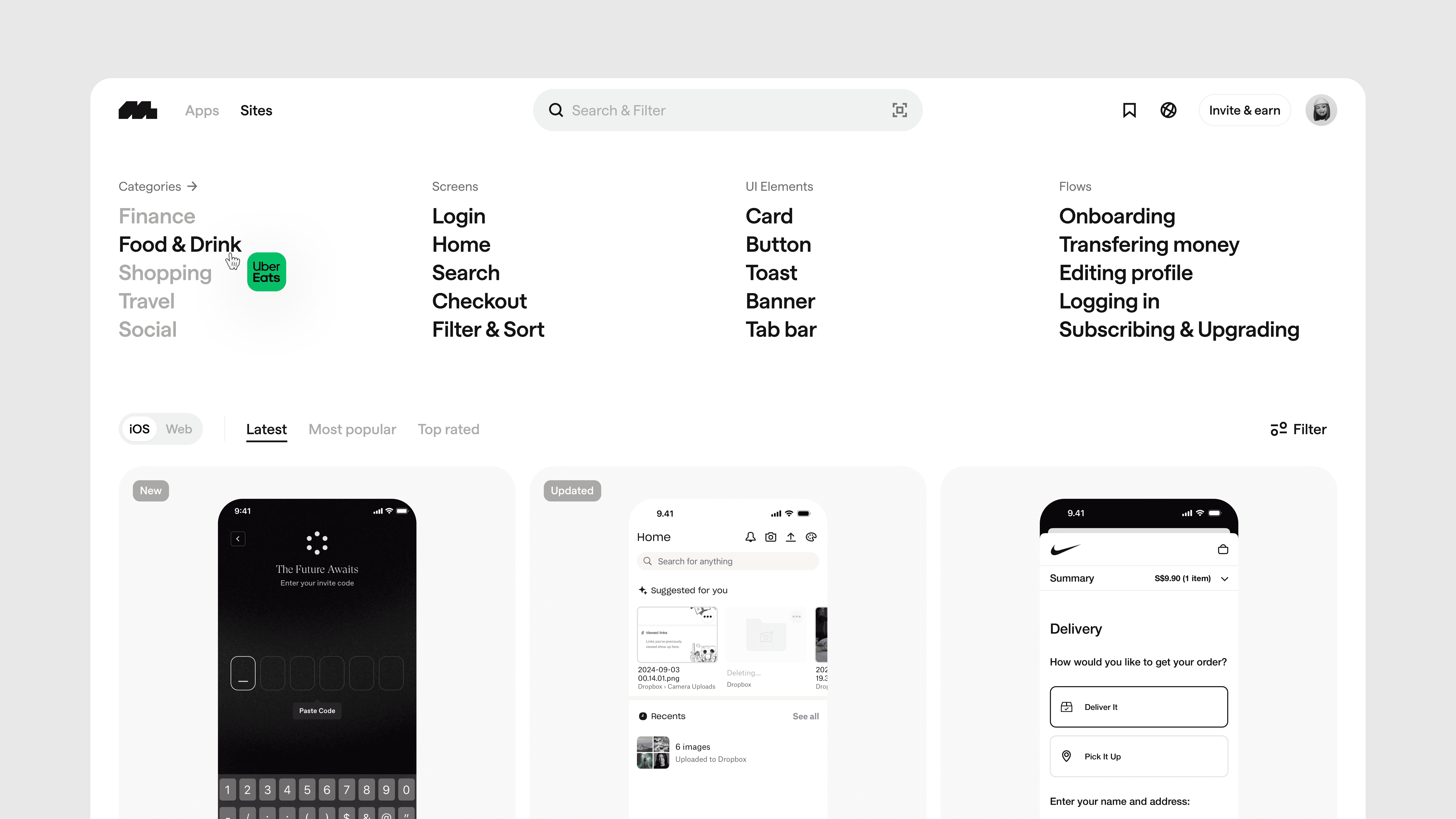
A new home
We've revamped our home page to make discovering new content on Mobbin easy and fun.
The suggested filters provide a quick overview of the various content types available on Mobbin and are a fun way to discover new filters. The new tabs—"Latest," "Most popular", and "Top rated"—help you keep up-to-date with our weekly app releases and find apps loved by other Mobbin users.
We've also moved the iOS/Web toggle down from the navigation bar so it sits closer to the actual content. This is in preparation for an exciting future release, so stay tuned!
Fixes
Fixed an issue where profile avatars got reset when logging in with Google.
Fixed an issue where the pricing page was blank for some users.
Fixed an issue where the "Download all screens" option for apps was not working.
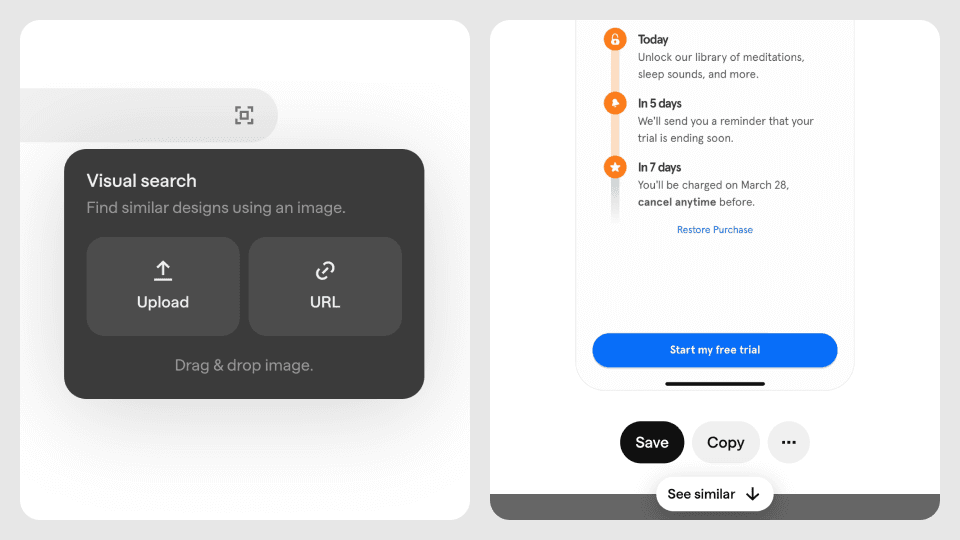
Visual search and similar screens
For the longest time, searching for content on Mobbin has been a text-based experience. Your search results are only as good as your ability to describe what you're looking for. With the introduction of visual search and similar screens*, we're changing this.
See something you like outside of Mobbin? Screenshot it and use our new visual search feature to find visually similar screens on Mobbin.
Found a screen you like on Mobbin and want to see similar ones? Simply click on the screen and scroll down to browse visually similar screens.
These seemingly simple features have been in the works for a while now, and we're excited to finally launch them. They're definitely not perfect yet, and so we hope to hear your feedback to help us continuously iterate and improve them.
Other improvements
You can now browse your previous searches in the search bar.
You can now hover on app logos and names to get a quick preview of the app.
When viewing a screen, you can now click anywhere on the screen to zoom in.
We've added a setting for Pro users to hide screen footers when copying or downloading screens.
We've improved the design of our app cells to ensure content is more breathable and videos now auto-play as well.
We've improved the design of our flows cells to make them easier to scan and more consistent with other content types on Mobbin.
We've improved the visual contrast of dropdowns and popovers on Mobbin.
Fixes
Fixed an issue where app cell videos were auto-playing even for reduced motion users.
Fixed an issue where scrolling through flows on Firefox was sometimes jumpy.
* Visual search and similar screens are currently only available for iOS and Android screens.
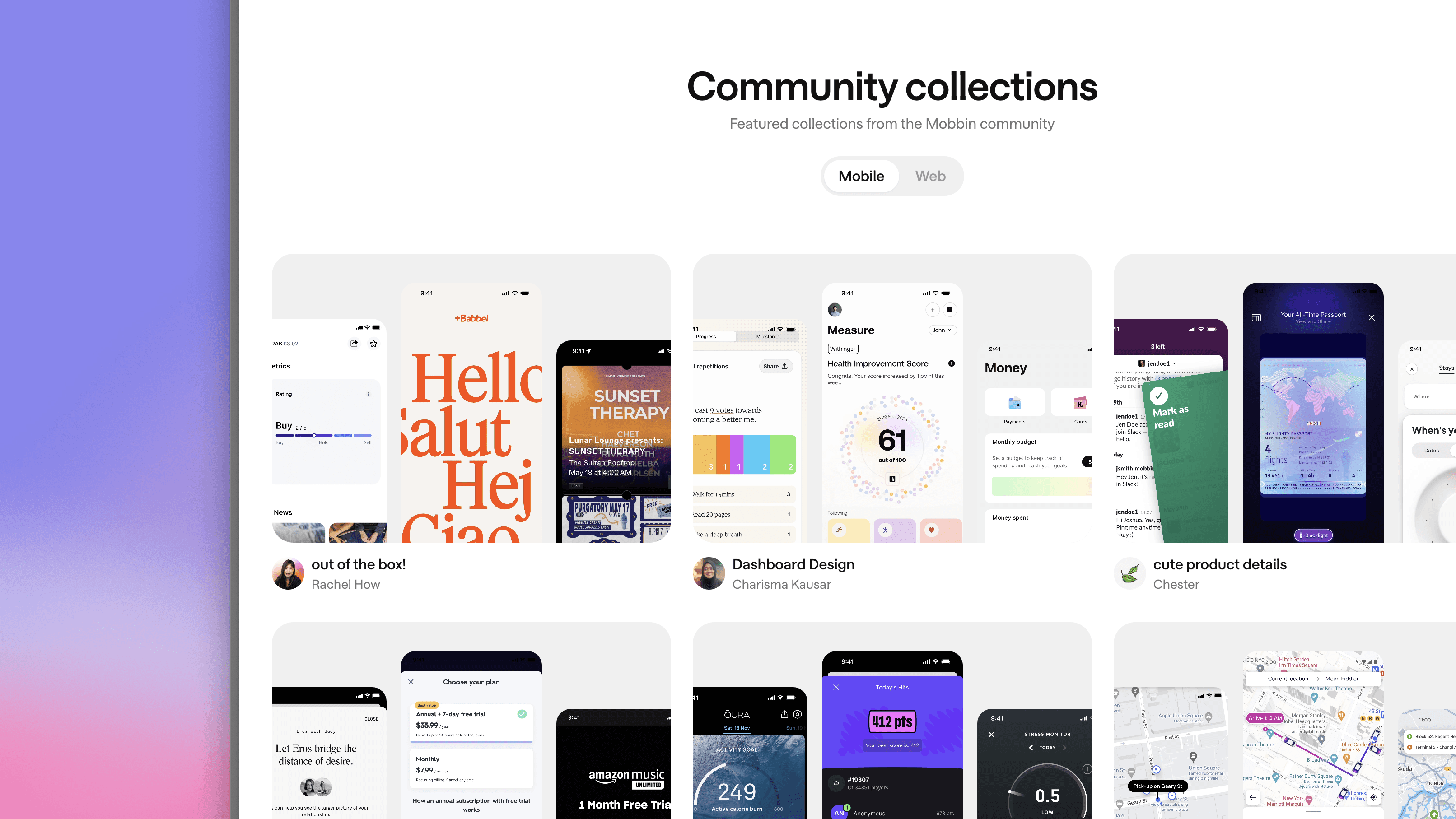
Community and public profiles
Introducing Mobbin Community — A new way to discover beautiful collections curated by fellow Mobbin members.
Alongside our new Community page, we are also launching Public profiles*. Your profile will be publicly available at mobbin.com/@[username], where you can showcase your collections.
Mobbin has been a largely single-player experience thus far. But with our growing user base of over 1M+ signups, we strongly believe in Mobbin's potential to evolve into something even better for you, the design community!
Our Community page and Public profiles are some of the first steps we take in this direction. It might not seem like much at the moment, but we are looking to actively expand the community aspect of Mobbin and your feedback is crucial to helping us get this right.
Other improvements
Collections are now public by default.
You can now search for apps from other platforms in the search bar.
You can now see the number of comments a screen or flow has on the Saved page as well as on your Collection pages.
We've improved the empty state for search results to suggest other popular filters.
Fixes
Fixed an issue where the screen watermarks were not rendering correctly.
Fixed an issue where filters were not persisted when switching platforms.
* Public profiles are completely optional, and your team collections will never appear on your profile.
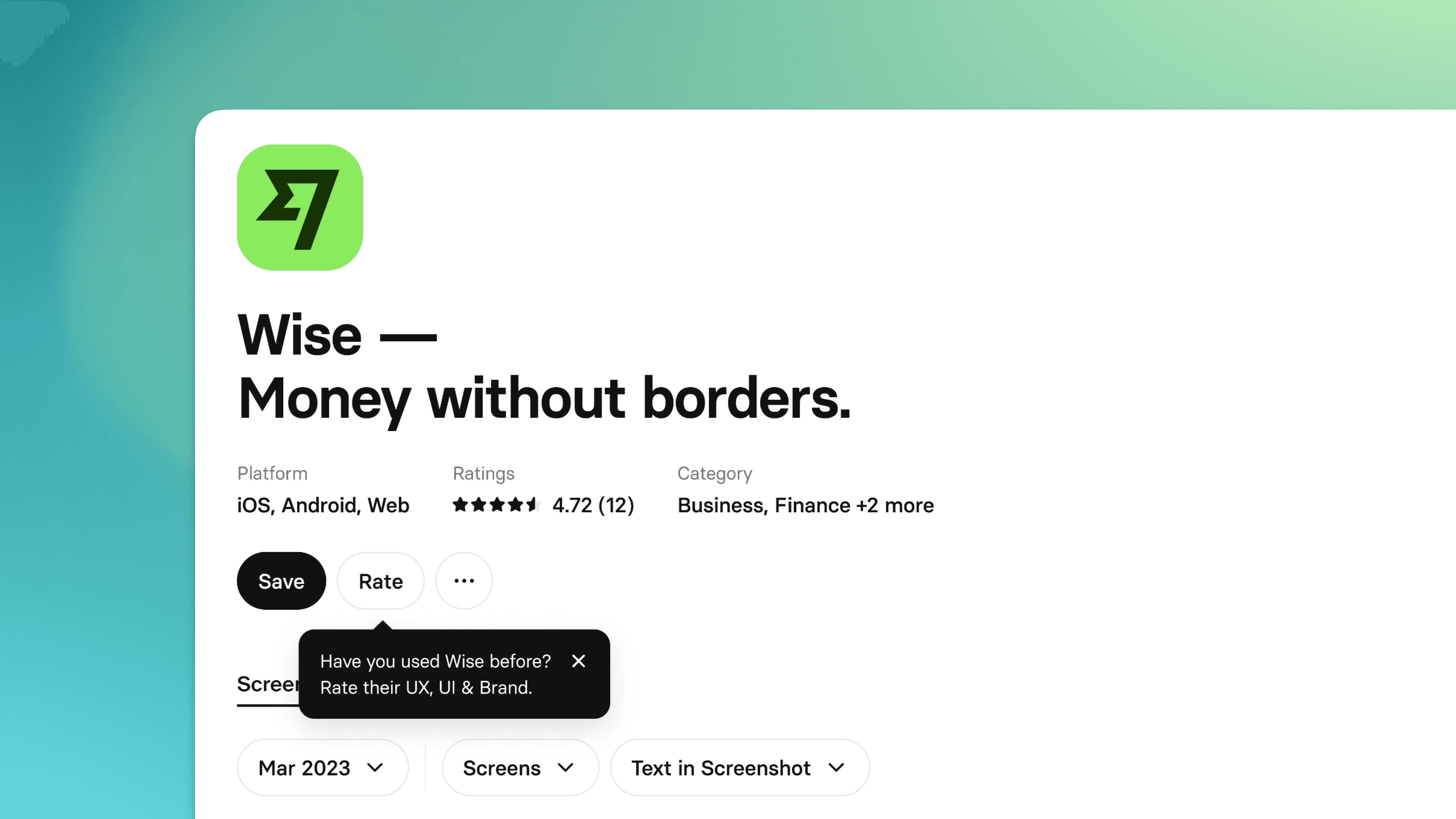
Revamped app detail page
We've given our app detail page a fresh makeover. It has a cleaner layout, hand-picked app highlights, and you can now rate and review your favorite app!
It's all about helping you find what you need. With the improved visual hierarchy, you can now quickly glance through an app's info and take actions. Scrolling down, app highlights will show you the most important screens at a glance. Now you can understand the main features and offerings of an app without going through all the screens.
And have you ever wondered how other designers find about an app? With our new app ratings and reviews, you'll gain valuable insights about an app's UX, UI and brand from the community.
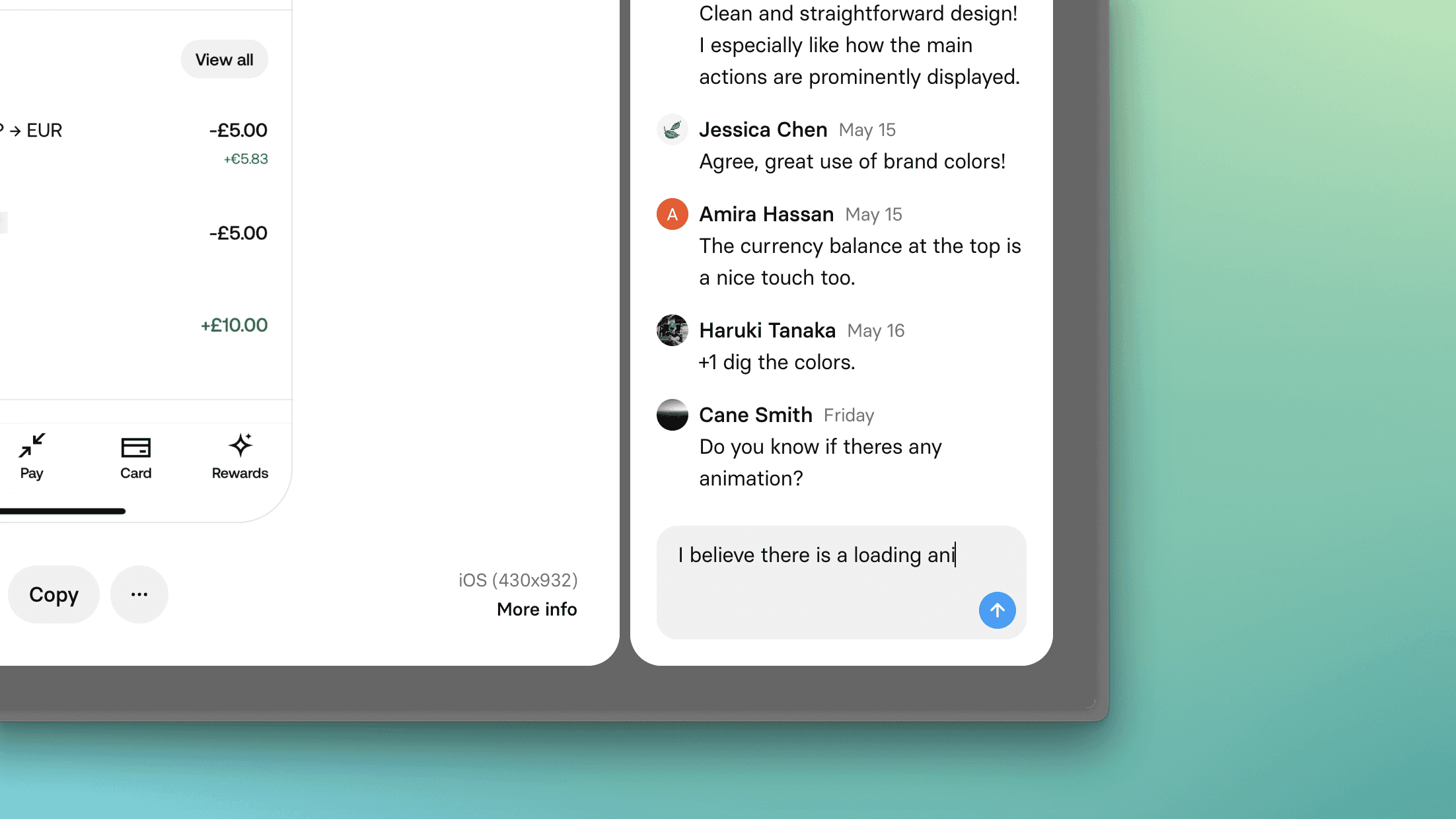
Comments
You can now leave comments on screens and flows that you've saved. Your comments are scoped to your workspace, and not publicly visible.
Comments provide a quick way to leave notes on saved screens and flows and document the context or rationale for future reference.
For users in a team workspace, you can leave comments for your teammates and start discussions directly in Mobbin. Multiplayer features such as mentions and notifications are in the works, and coming soon!
Other improvements
We are pleased to share that, after 6 years, Mobbin finally has a landing page! Check it out at mobbin.com.
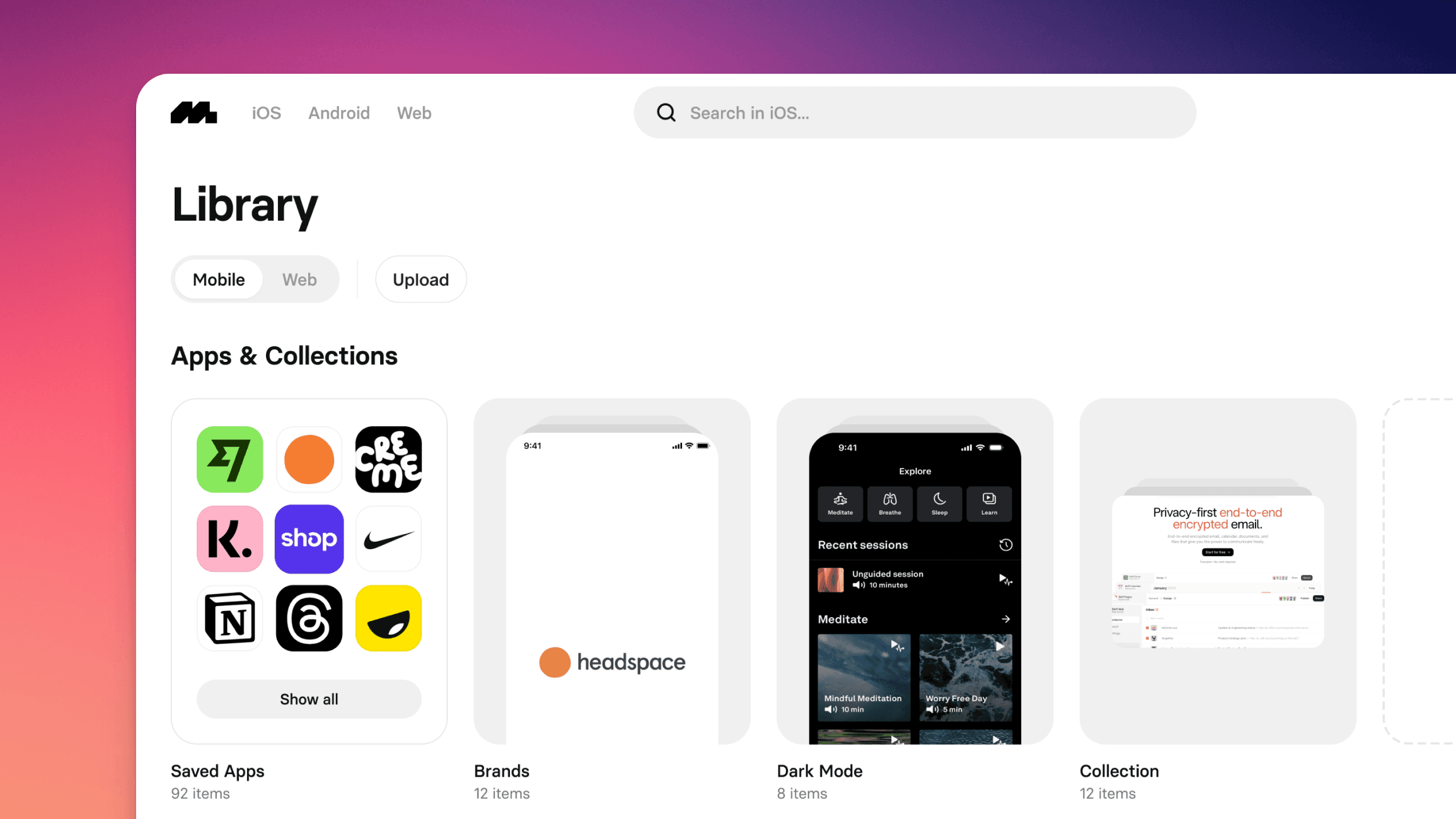
All-new Library
On top of helping you find inspiration, we also want Mobbin to be a place for saving and collecting inspiration. And so, we've completely overhauled our collection features.
Introducing the all-new Library — a new home for all your collections and favorite designs. It contains everything you've ever saved on Mobbin, be it Mobbin's content, the screens you've uploaded, or the collections you've created.
Now, when saving content on Mobbin, it goes straight to your Library. You no longer need to stop and think about which collections to select or create on each save. This allows you to focus on finding inspiration fast, and defer the task of organization for later.
Other improvements
We've completely revamped our settings page! It is now a page of its own instead of a modal. Check it out at /settings.
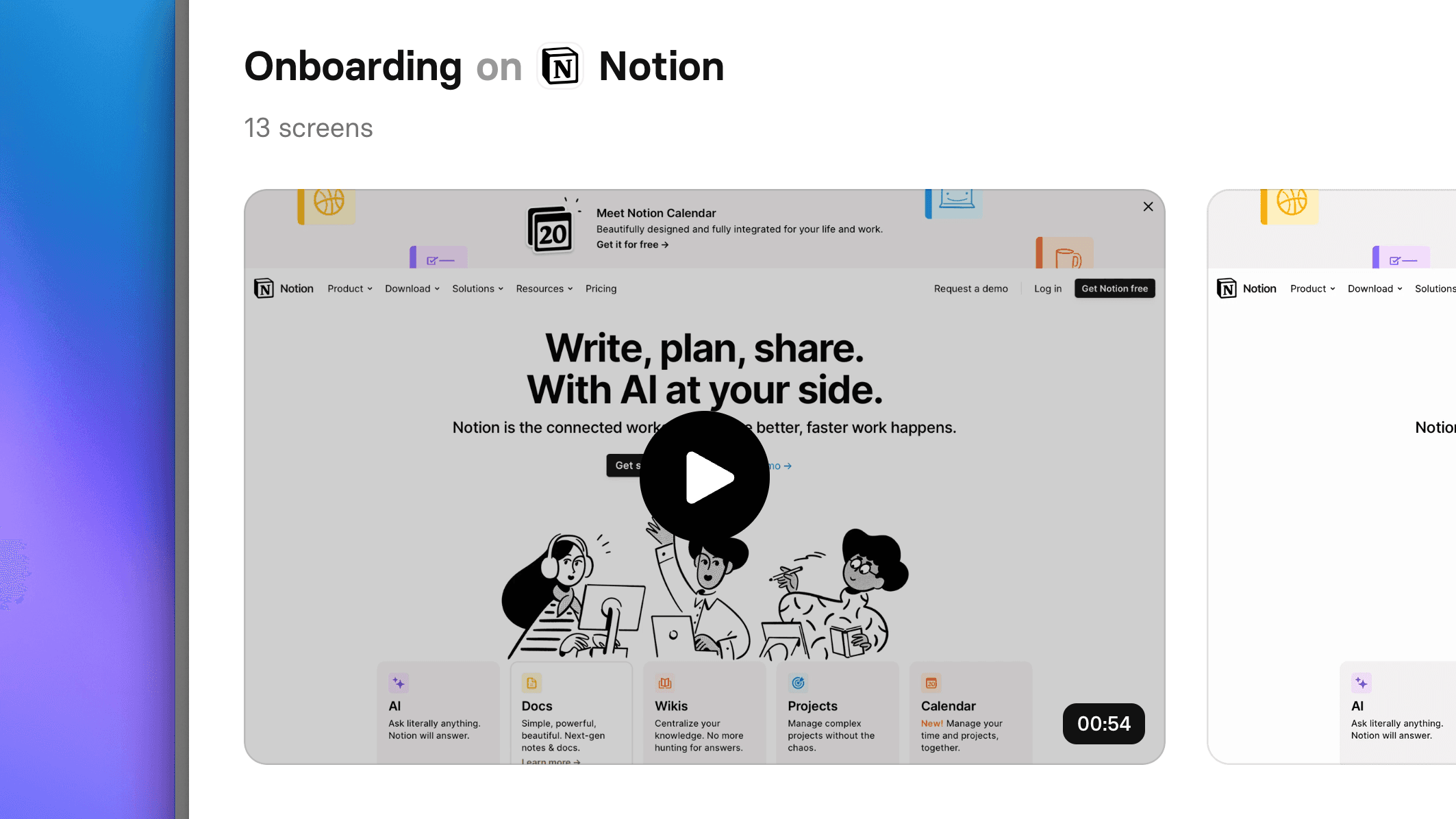
Flows in action
This has been one of the most requested features thus far, and we're thrilled to finally introduce the addition of videos to flows!
The apps we feature on Mobbin are beautifully designed and crafted with care. A huge part of the craft often includes transitions, micro-interactions, and animations, all of which, cannot be captured in a gallery of static screens. But now, with videos you can experience these flows the way they were designed to be experienced.
Other improvements
We've added a tutorial on how our search works, which can be accessed from within the search bar.
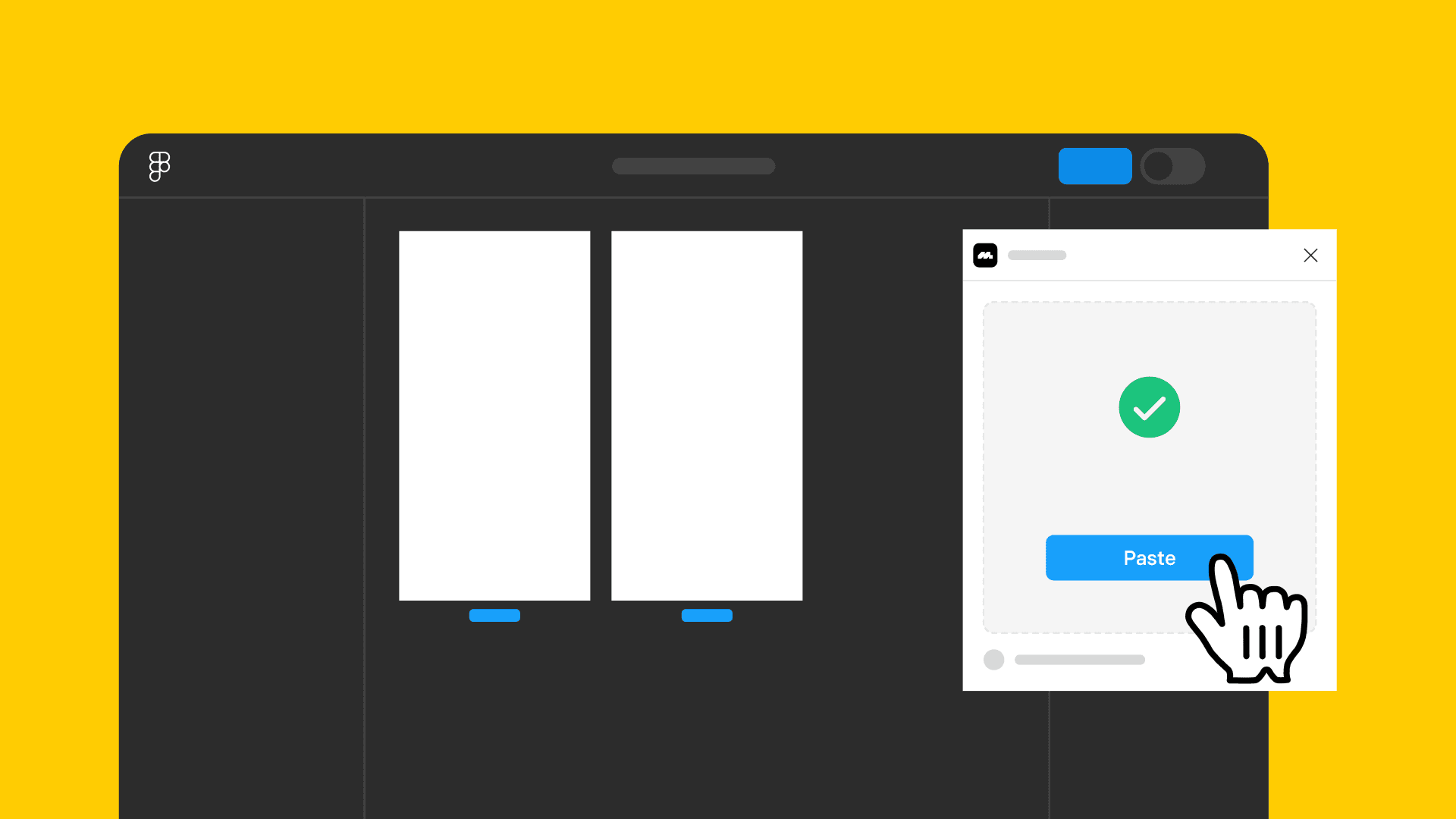
Copy to Figma
For many of you, your workflow involves exporting screens from Mobbin and importing them to Figma. The workflow is straightforward and simple when exporting single screens, just click "Copy" and then paste it in Figma. However, when it comes to exporting multiple screens or flows, the workflow become more tedious as you would have to first download the screens to your computer.
With the introduction of our new Figma plugin, we are now bringing the same copy-and-paste workflow to multiple screens and flows. Here's how it works:
On Mobbin, after selecting multiple screens or a flow, click "Copy to Figma".
Switch over to Figma.
On Figma, launch the Mobbin plugin and hit "Paste".
Your screens or flow will be automagically inserted onto your Figma canvas.
No more fumbling with files on your computer. Just copy and paste.
Other improvements
For web apps, we've split "Screens" and "Marketing Pages" into separate tabs.
Fixes
Fixed an issue where some users were not redirected back to their previous page after logging in.
Fixed an issue where screens or flows could not be saved to collections when viewing them from a modal.
Fixed an issue where multiple collections with the same name would be highlighted simultaneously when selecting a collection to save content into.
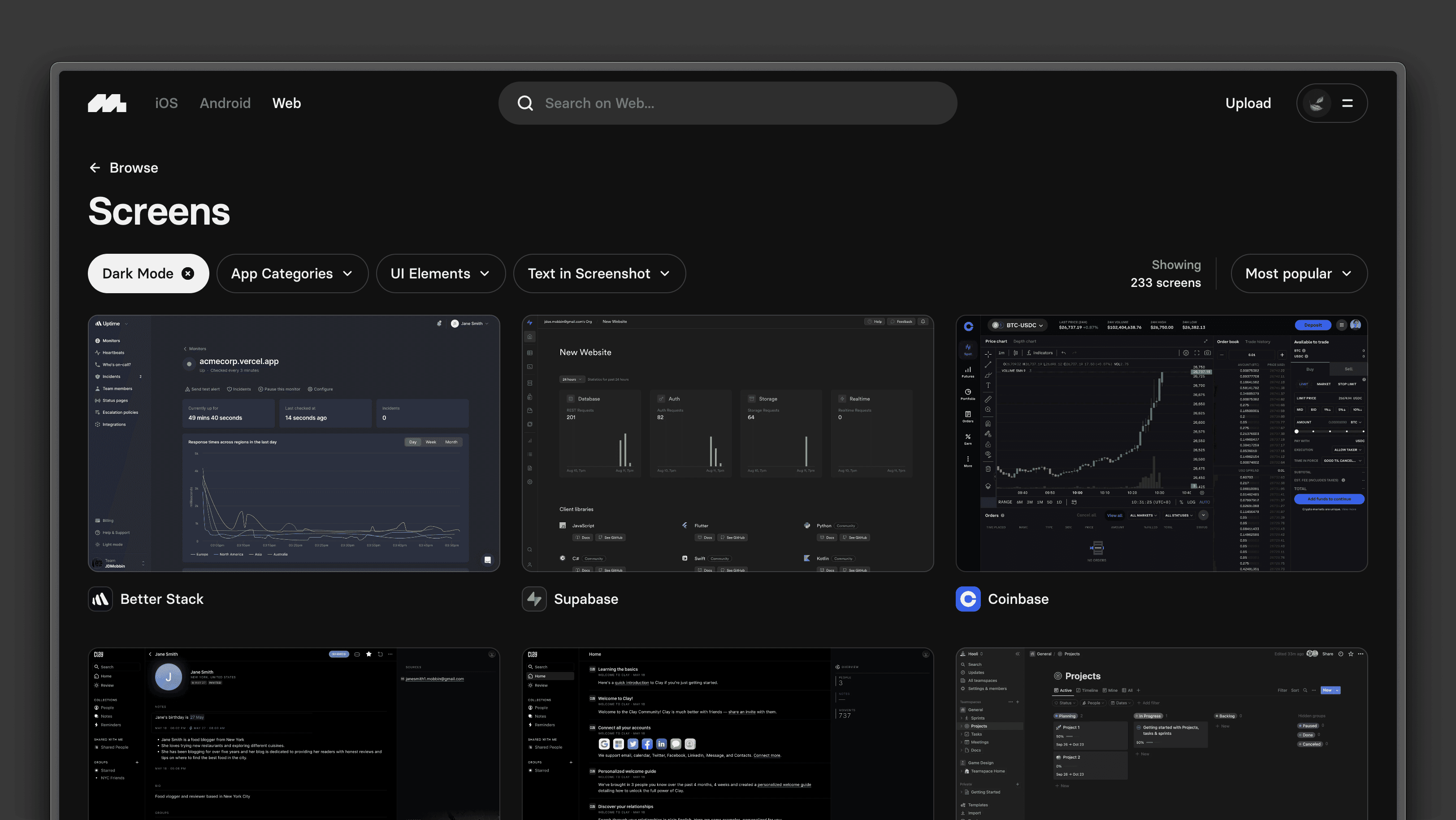
Dark mode
We've listened to your requests, and we're thrilled to unveil Dark Mode on Mobbin! For the night owls and dark mode fanatics, we hope this helps improve your browsing experience on Mobbin.
To switch to Dark Mode, access the dropdown menu in the top-right corner and select your preferred appearance setting. You can choose between the system, light, or dark mode.
Other improvements
We've refreshed the design of our App Category hover cards.
Teams/Enterprise: When adding new members to your team, you will now see how much you will be charged on the confirmation page.
Teams: You will now be billed immediately upon adding new members to your team, instead of receiving a shock bill later.
For customers based in India, we've enabled 3DS for this step. You will be prompted to enter the one-time pass code sent via SMS or email, to authenticate your purchase upon adding new members to your team.
Fixes
Fixed an issue where the search bar could not be closed via the
Esckey.Fixed an issue where clicking into a related flow from a screen caused the app to crash.
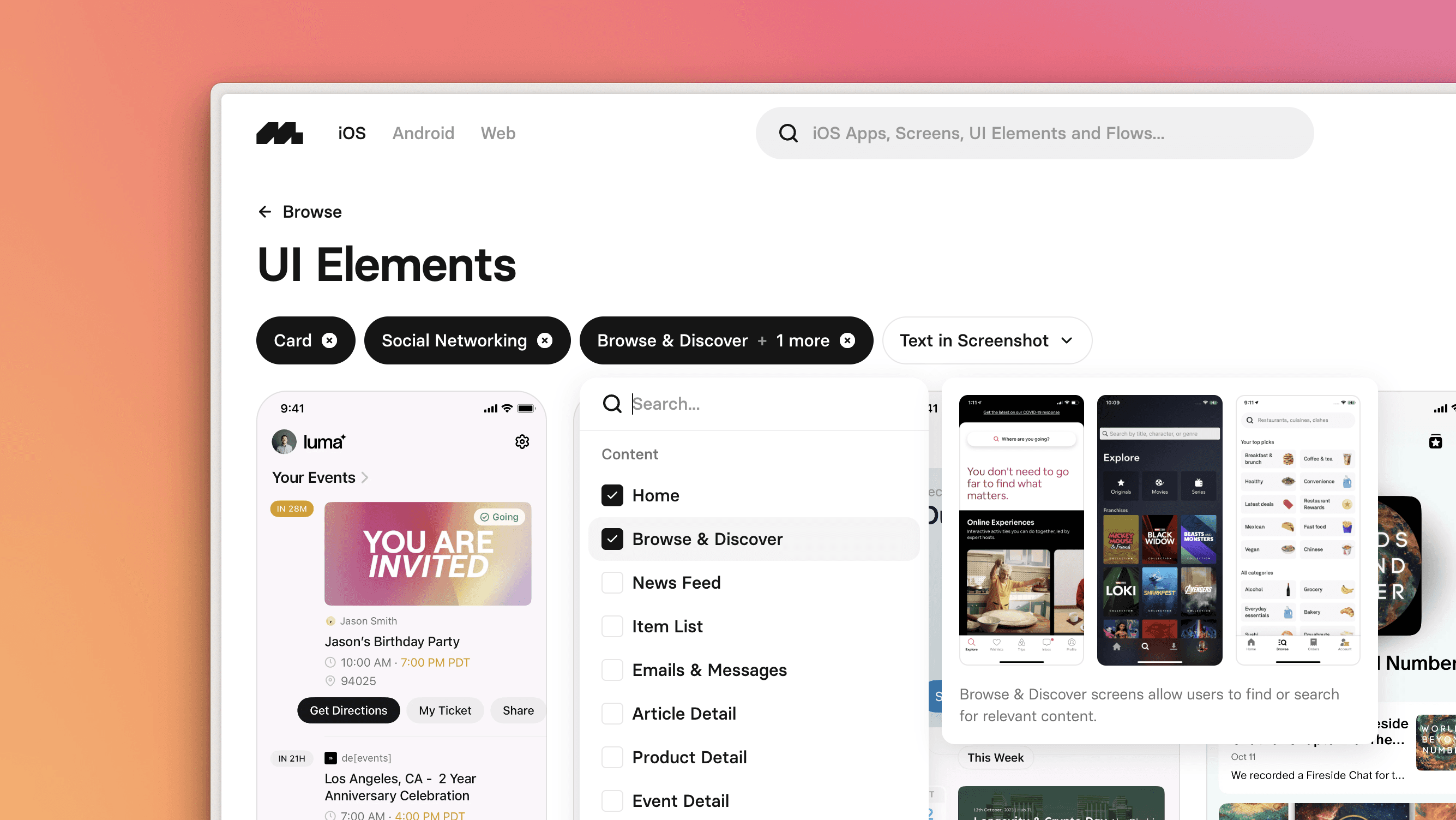
All-new search experience
Unlocking the potential of an extensive content library like Mobbin hinges on the ease of discovery. That's why we've gone back to the drawing board and reimagined Mobbin's core feature — search. And now let us introduce you to our all-new search experience.
If you're new to Mobbin or just here to browse, try out the quick filters! These filter chips showcase the most popular filters for each content type, and provide a glimpse into Mobbin's powerful search functionality.
And when you're ready to dig deeper, engage the search bar. Browse through all available filters or let Mobbin suggest filters related to your query as you type. Selecting an option here will bring you to the search results page, where you'll unlock Mobbin's full search capabilities. Here you can further refine your search by combining different filters, allowing you to find even the most specific examples.
Other improvements
You can now toggle between the iOS, Android or Web versions of the same app, if available.
Increased contrast of colors in the app for better accessibility.
Fixes
Fixed an issue where the flow modal does not scroll to the selected screen when opened.
Fixed an issue where downloading all screens in an app was not working on some devices.
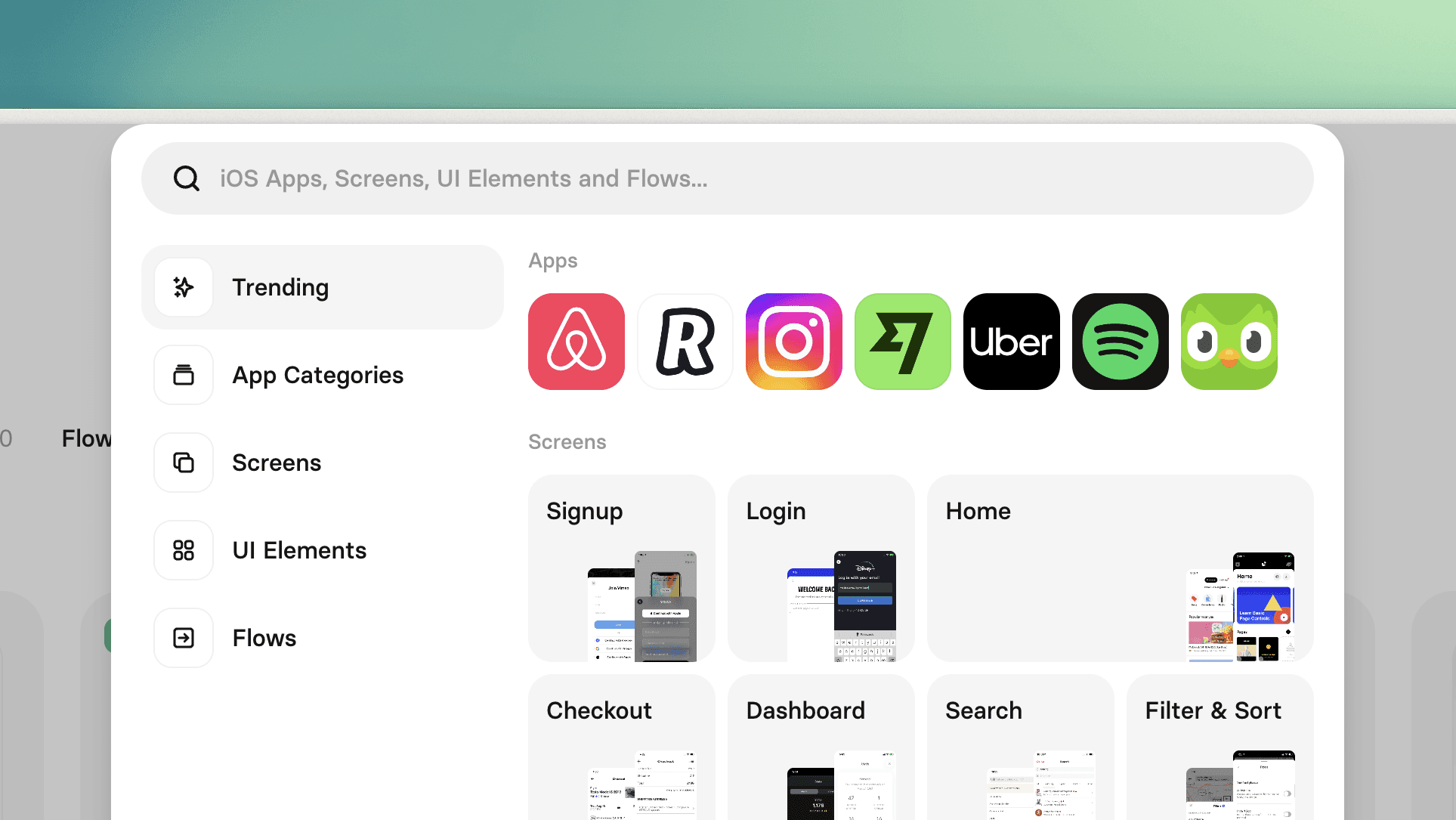
Improved search bar
Mobbin has a huge collection of content and tags, so finding what you're looking for can be challenging for both new and power users alike. In this update, we've made some improvements to our search bar that we believe everyone can benefit from.
Our search bar now has a "Trending" tab, showcasing the apps and tags that are currently trending. If you're new to Mobbin and not sure where to begin, try selecting an item from this tab. If you're a seasoned Mobbin expert, this tab might still surprise you with apps or tags that you didn't know we had!
When searching or browsing the items in the other tabs, a card now appears beside the search bar, providing a sneak peek into the app or tag you've selected. We believe this will give both new and power users a better understanding on what each tag is about.
Pro tip: you can use Tab or Shift Tab on your keyboard to switch between the tabs in the search bar.
Other improvements
We've unified the two dropdown menus in our navigation bar into a single dropdown, so everything is all in one place.
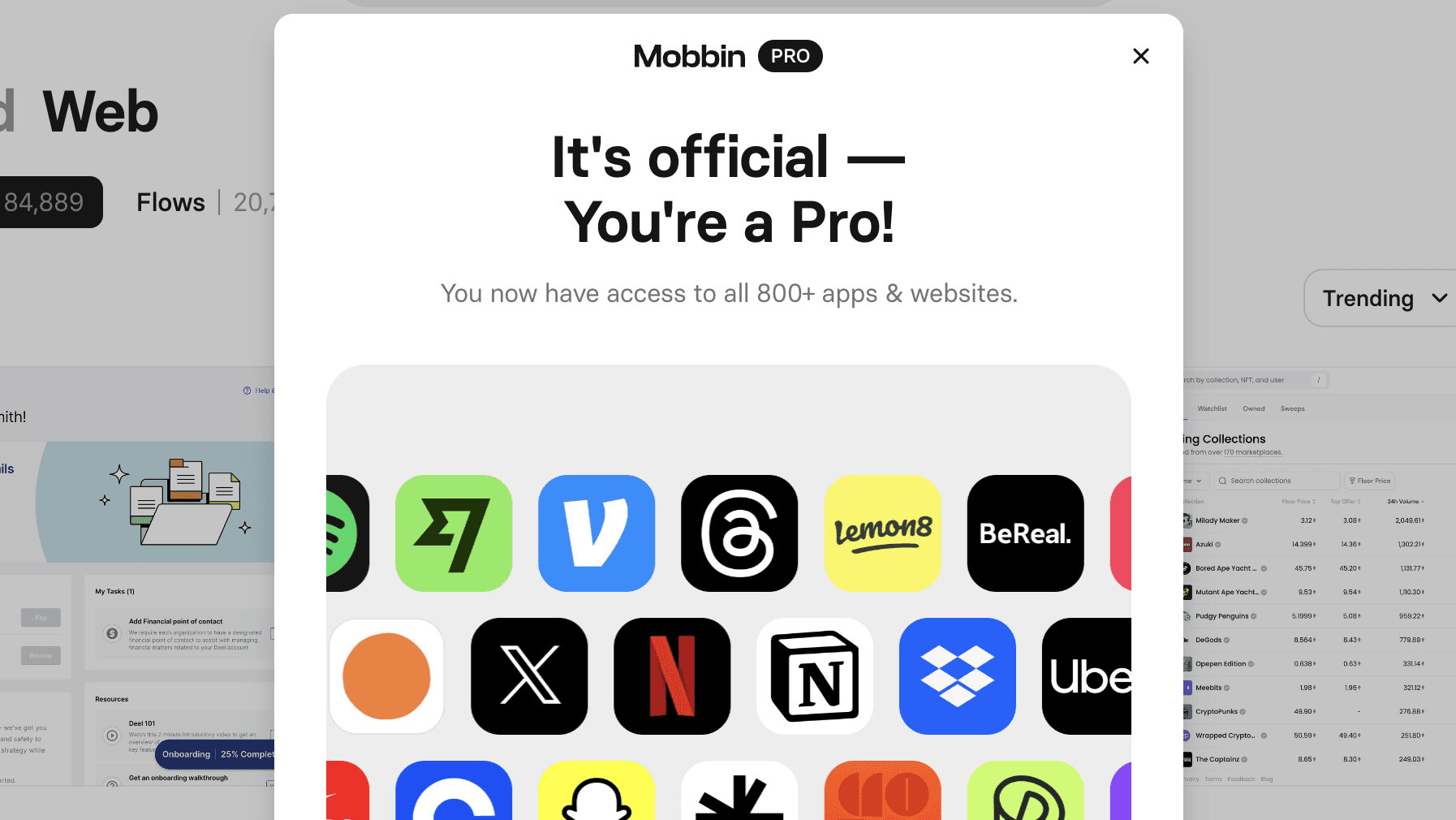
Pro features showcase
Mobbin's Pro plan is feature-packed, but after you upgrade, it might not be immediately obvious what was unlocked.
In this update, after upgrading you'll be introduced right away to the Pro features that you now have access to — from the full catalog of apps to unlimited filtering and collections. We hope this quick feature showcase helps you make the most out of your Mobbin subscription.
Other improvements
We've made some performance improvements to the way we are loading images on the app. Copying screens are now much snappier as well!
You can now right-click to copy or download individual screens in flows.
Sort by trending
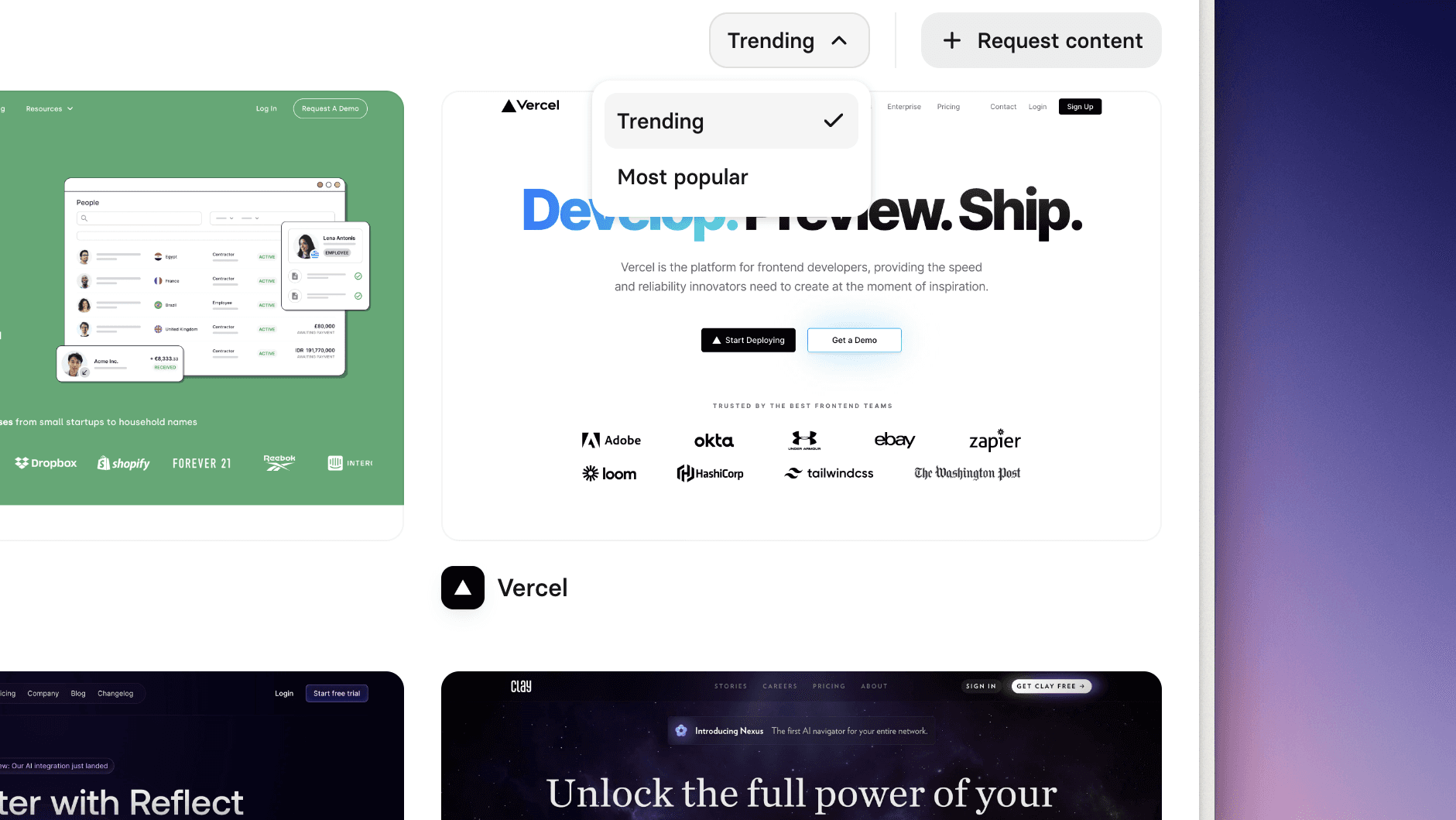
Previously, we added the "Most popular" sort option on Mobbin so you can browse the best apps, screens, and flows of all time. But, design trends are everchanging. What if you want to browse popular yet recent content instead?
In this update, we're introducing a new "Trending" sort option to do just that! You can now sort screens and flows by "Trending" to browse the hottest content today.
Other improvements
We've revamped our pricing page to better describe our available plans as well as include more relevant questions in the FAQ.
Text search highlights
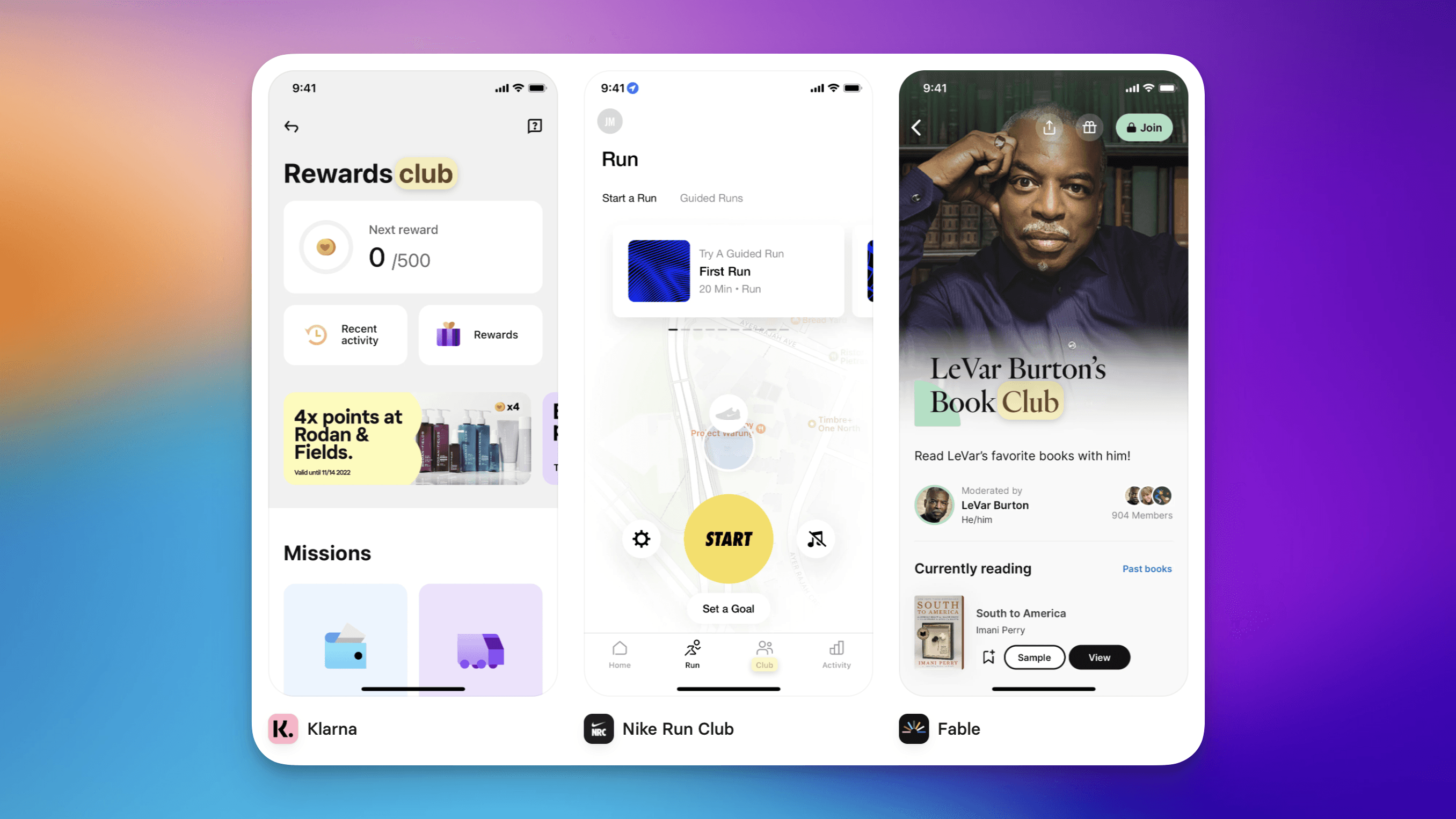
Did you know that Mobbin has a search by "Text in Screenshot" feature, which allows you to find screens containing a specific keyword? While this works incredibly well, you'll still need to eyeball the search results to find the keyword in those screens. More often than not, this can feel like finding a needle in a haystack.
We've done the searching for you, and you shouldn't have to do it again. So in this update, we've made it immediately obvious where the matched keywords are by highlighting them!
Other improvements
We've made some performance improvements to the app so it should feel much snappier now!
Fixes
Fixed an issue where some screens could not be clicked on.
Upload to your collections
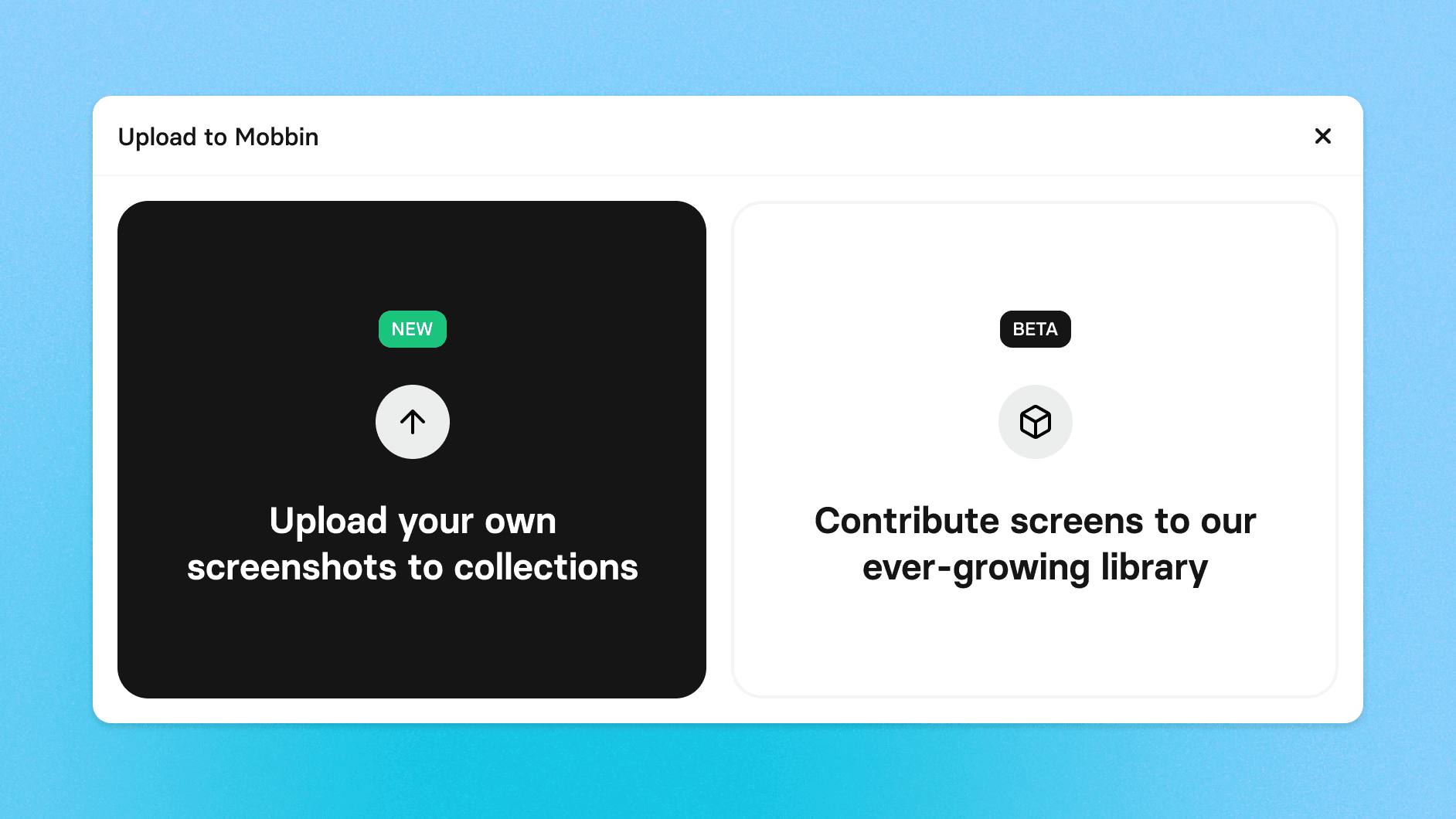
Collections provide an easy and convenient way to collect bits and pieces of inspiration you find on Mobbin. But what if you come across beautiful content that isn't on Mobbin (yet)?
In this new update, you can now upload screenshots* to your collections! You can expand your private collections or collaboratively curate shared collections with your team.
* Only iOS and Android screenshots are supported for now.
Other improvements
Interactive mode
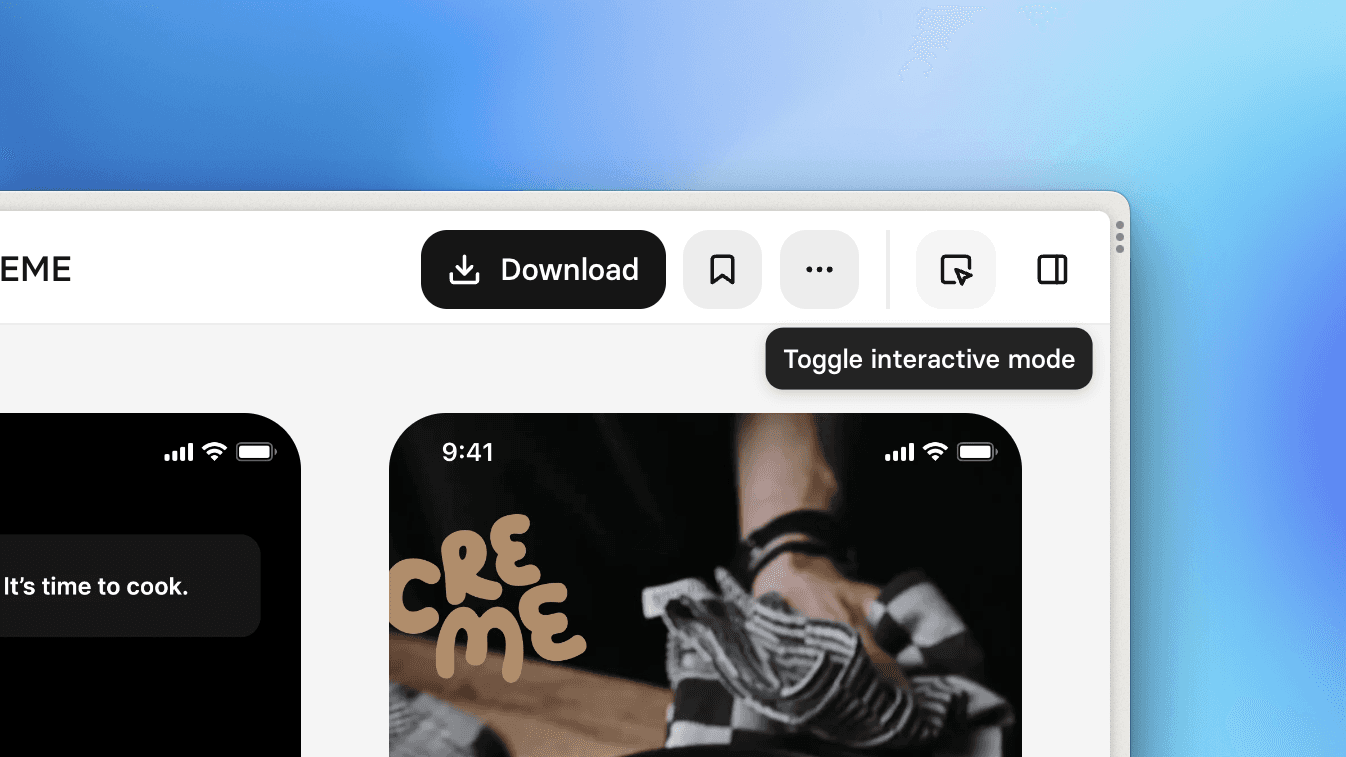
Introducing Interactive Mode, a new way to experience flows on Mobbin! While the default view gives you an overview of all screens in the flow, Interactive Mode shows you one screen at a time, allowing you to walk through the flow, step by step, by clicking on the hotspots (think Figma's Prototype presentation view).
Pro tip: if a screen has no hotspot, click anywhere on the screen to progress to the next screen!
Fixes
Fixed an issue where filtering using the search bar does not preserve the sorting preference.
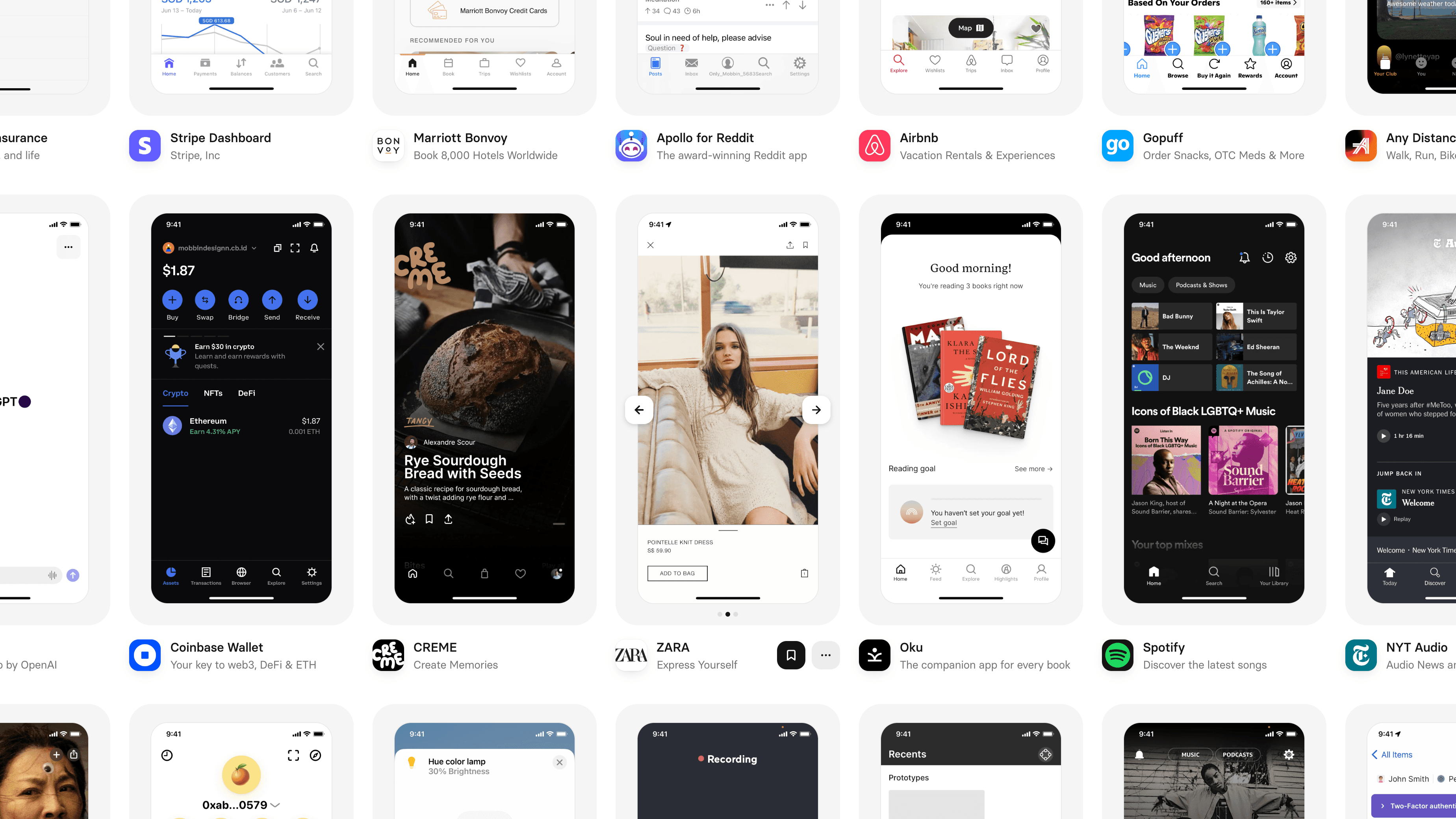
Better browsing
This month, we've shipped more updates to improve your browsing experience on Mobbin.
For apps, we've made some visual changes to how they are displayed on the browse page. With a more concise and streamlined design, you can now view more apps at a glance.
For screens and flows, they are now sorted by popularity by default. Previously, when browsing screens, you'll have to hover on the screen to see which app it was from. We've taken away this extra step by simply showing the app below each screen. These changes should provide more relevant results, and less repetitiveness when browsing screens and flows.
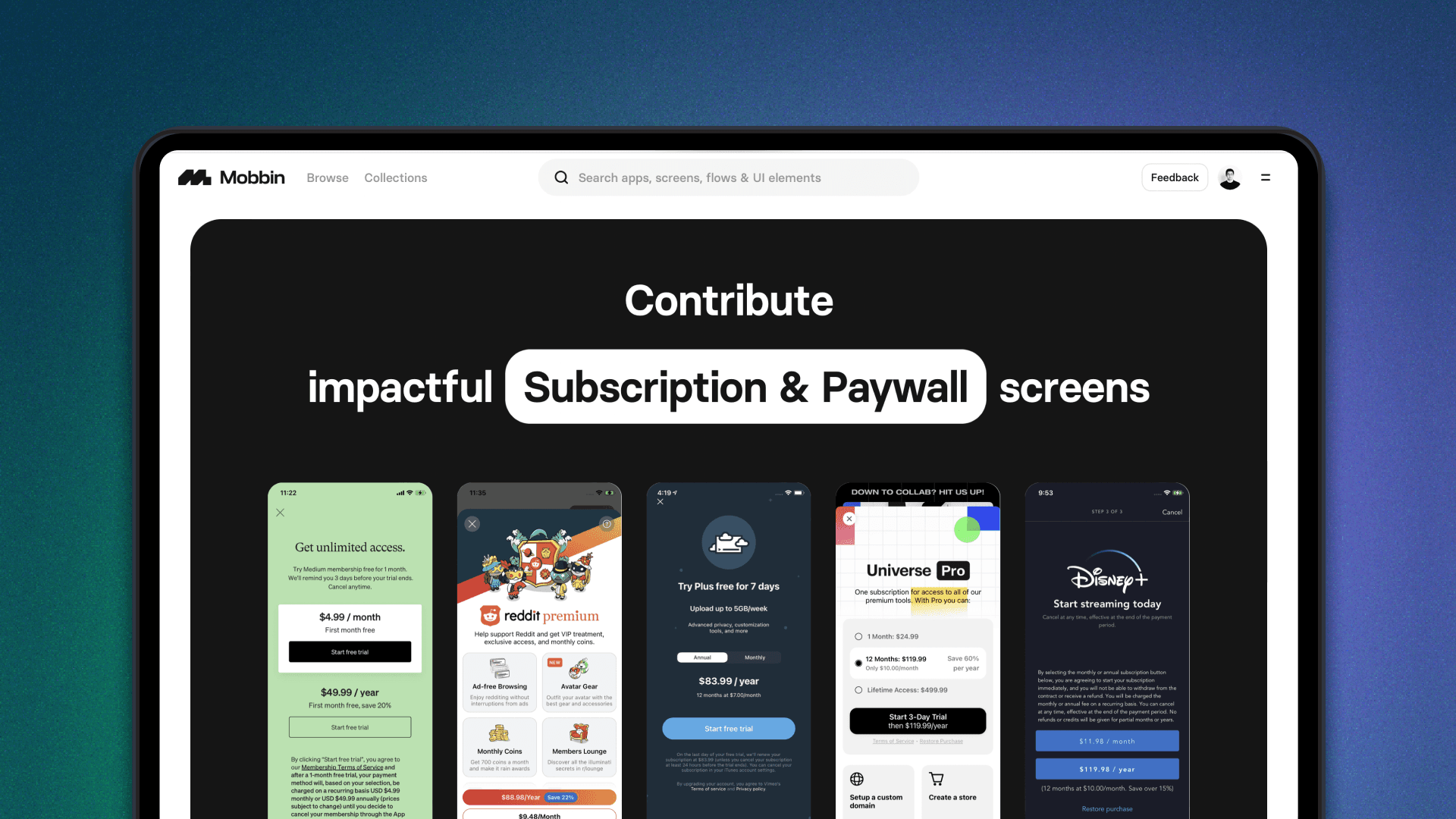
Contribute to Mobbin
We are excited to announce that the Mobbin Contributor Program (Beta) is finally here! You can now contribute screens to our ever-growing library and share great design patterns with thousands of product designers around the world.
To kickstart our beta program, we'll be starting off with Subscription & Paywall screens, so show us your favourite ones!
Other improvements
You can now switch between platforms (iOS/Android/Web) and content types (apps/screens/flows) without losing your active filters and sort preference.
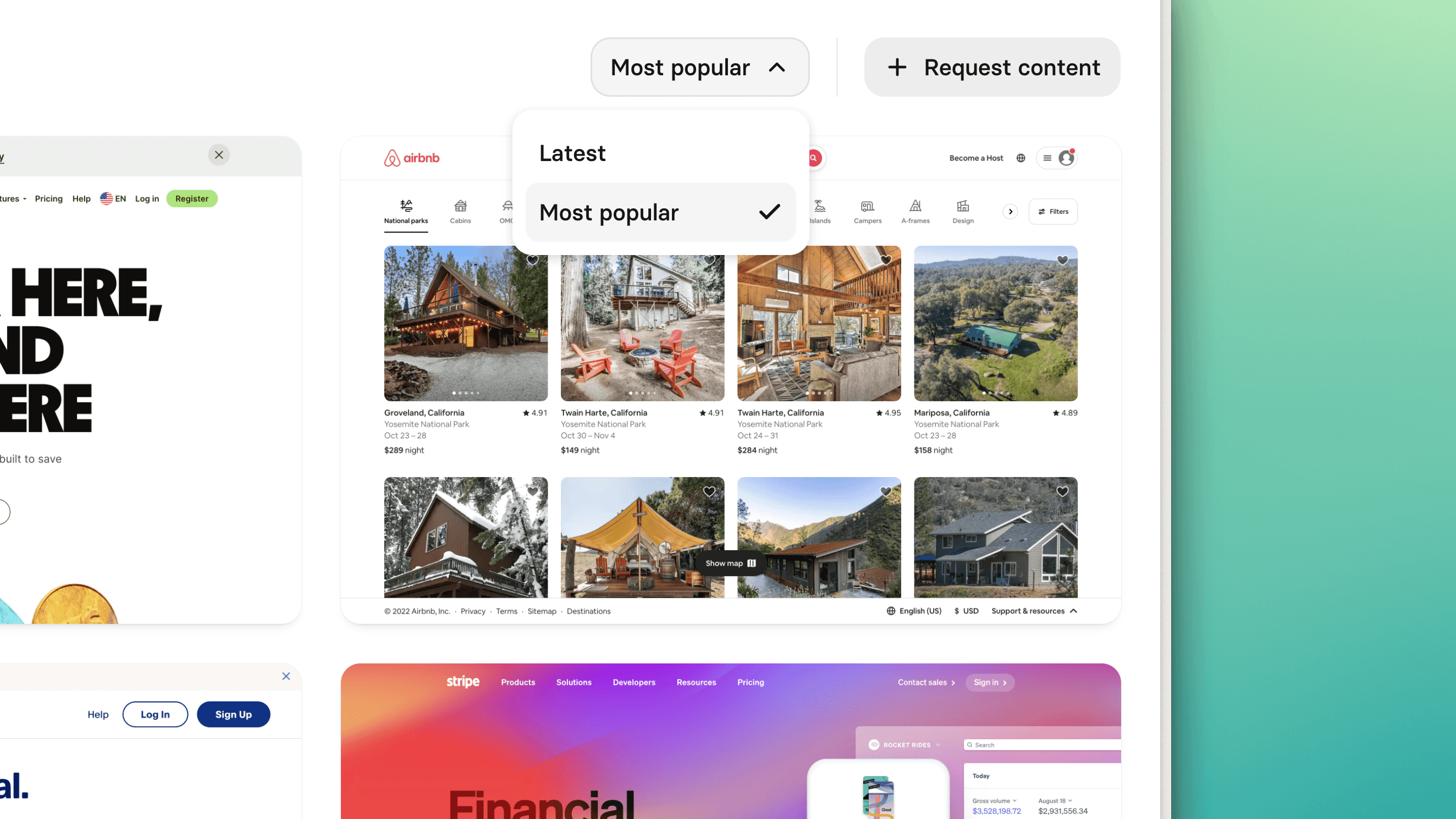
Sort by popularity
We know how fun it can be to browse through well-designed content on Mobbin (We do it too!). So to make your browsing experience even better, we're introducing sorting! Have you ever wondered which apps, screens, and flows on Mobbin are the most referenced or have inspired the most designers across the world? Try sorting by "Most popular" to find out!
Did you know we upload new content to Mobbin every single week? To browse the latest apps, screens and flows, try sorting by "Latest".
Other improvements
The search bar on the top of the page now supports searching for text in screenshots.
When clicking into a flow, the modal will open and scroll to the screen you selected.
Minor UI polish and improvements.
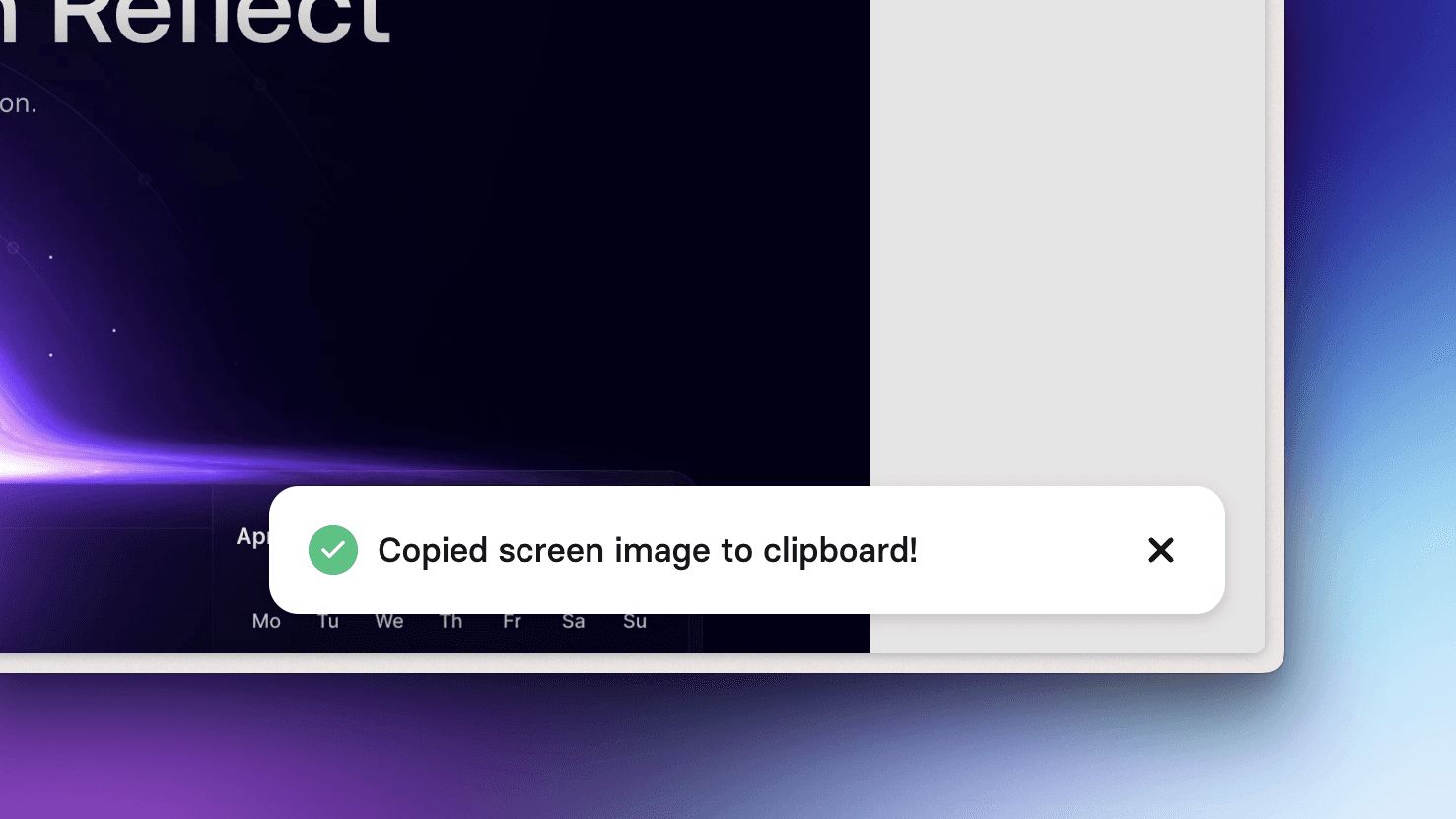
Snappier copying
Mobbin allows you to easily copy any screen to your clipboard for use elsewhere. We've heard your feedback regarding issues related to this feature, and so in this update, we've shipped a huge performance improvement! Copying a screen is now much snappier than before.
Pro tip: when viewing a screen, you can copy it with the ⌘ C (or Ctrl C) keyboard shortcut.
Other improvements
Dialogs are now scrollable if the contents are too long.
Fixes
Fixed an issue where some full page images were broken.
Fixed an issue where the scroll position does not reset when navigating across flows.
Fixed an issue where clicking on the "Forgot password" button when the password field is filled in would show an error.
Many more minor bug fixes.
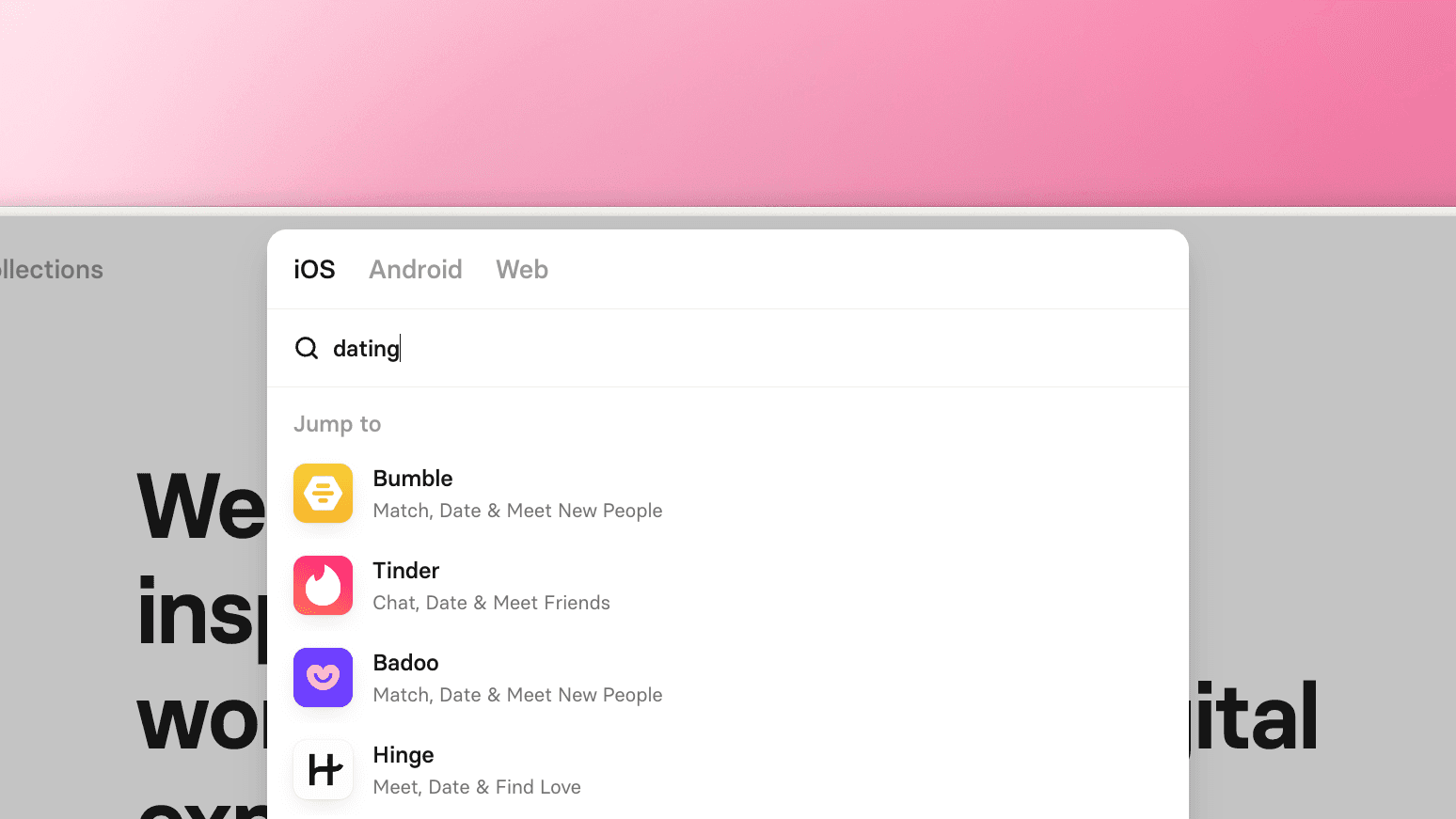
Enhanced searching
Mobbin has a huge catalog of apps and filters, and so sometimes searching for things feels like finding a needle in a haystack. In this update, we've greatly enhanced our search experience by allowing you to search for apps and filters using related words!
Previously, if you tried searching for "Splash screen" you might not get any relevant filters, because Mobbin uses the term "Launch screen" instead. But now, you can search for either one! The same goes for apps, go ahead and try searching for "Ridesharing" or "Payments" to browse related apps.
Other improvements
We've also quietly refreshed the colors and typography throughout the site! It's a subtle change that improves readability and visual consistency.
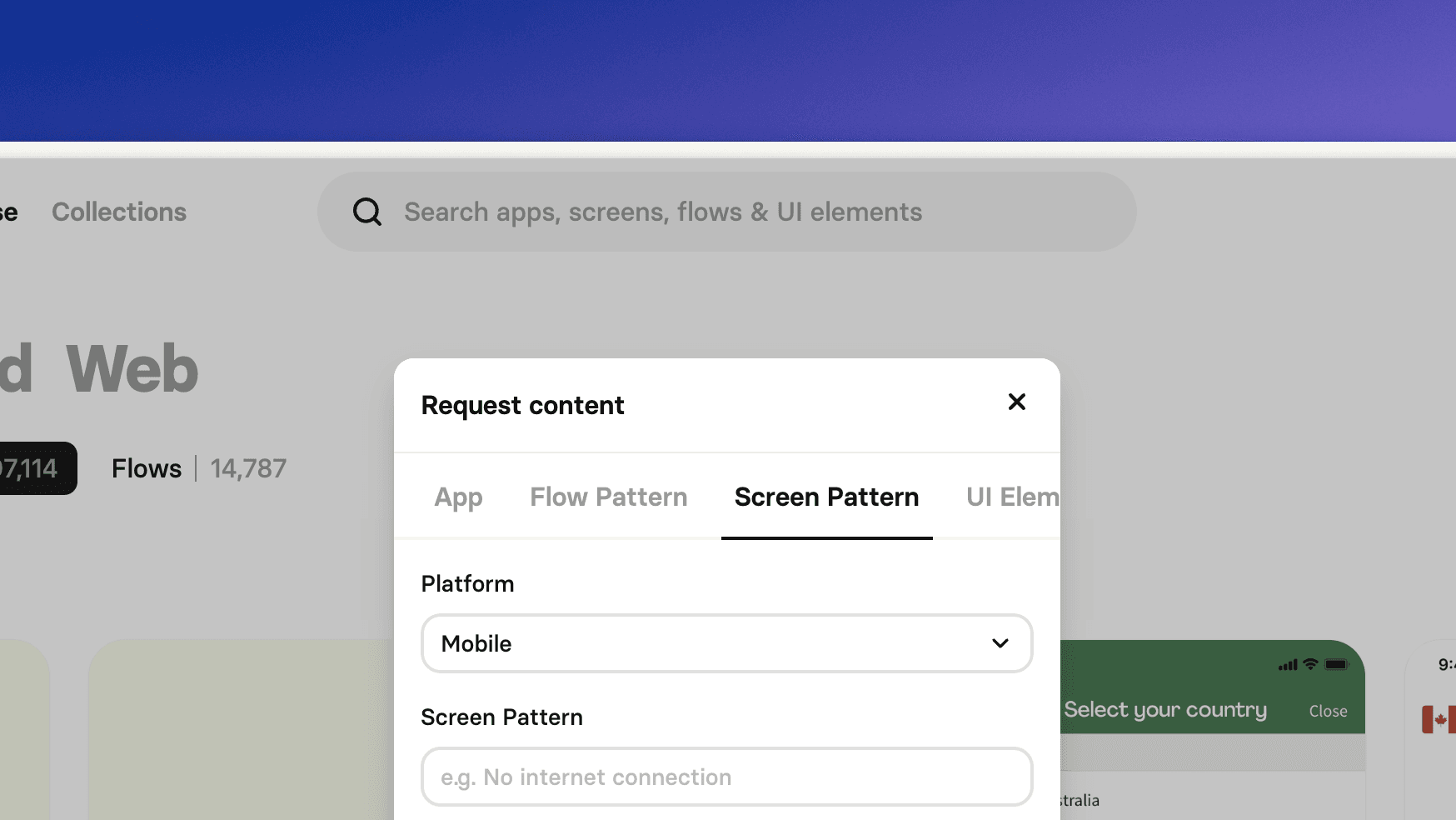
Request new patterns and UI elements
Last month, we shipped a feature that allows you to request new apps and version updates. Since then, we've received an overwhelming amount of requests, which has greatly helped us with deciding which apps to feature each week.
And so, we'd like to hear more from you! Is there a Flow Pattern, Screen Pattern or UI Element that you'd like to see on Mobbin? Hit the "Request content" button and let us know! Your suggestions will help us shape the Mobbin dictionary and provide a more comprehensive searching and filtering experience for everyone.
Fixes
Fixed an issue where copied and downloaded images were severely oversized.
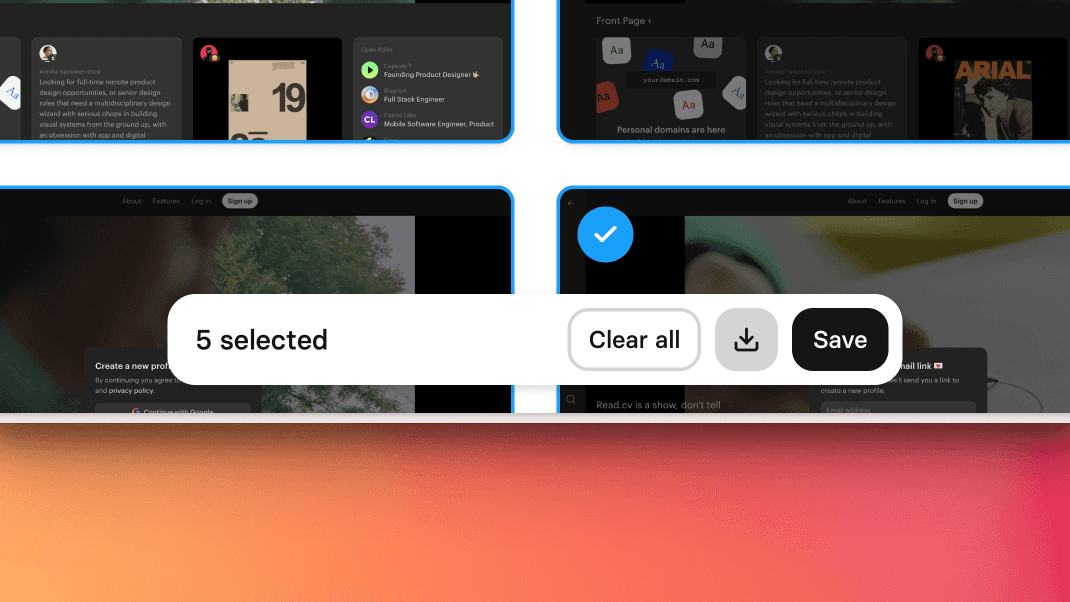
Improved screens selector
The previous process of selecting multiple screens on Mobbin was too unforgiving. One small misclick and your entire selection gets cleared. In this update, we've revamped this process to make it a more pleasant experience.
The new and improved screen selector requires much less precision and accuracy. You can now click anywhere without worrying about accidentally clearing your selection. You can even safely open and close a screen and have your selection remain intact! To clear your selection, click on the new "Clear all" button in the action bar below or hit the Esc key.
Other improvements
We've shipped a performance improvement to allow images on our site to load much faster than before!
Fixes
Fixed an issue on the apps' pages where the flows sidebar was getting hidden behind the navbar.
Fixed an issue on the Dictionary page where the sidebar was getting hidden behind the navbar.
Fixed an issue where the dropdown menus on a screen were stacking on top of each other.
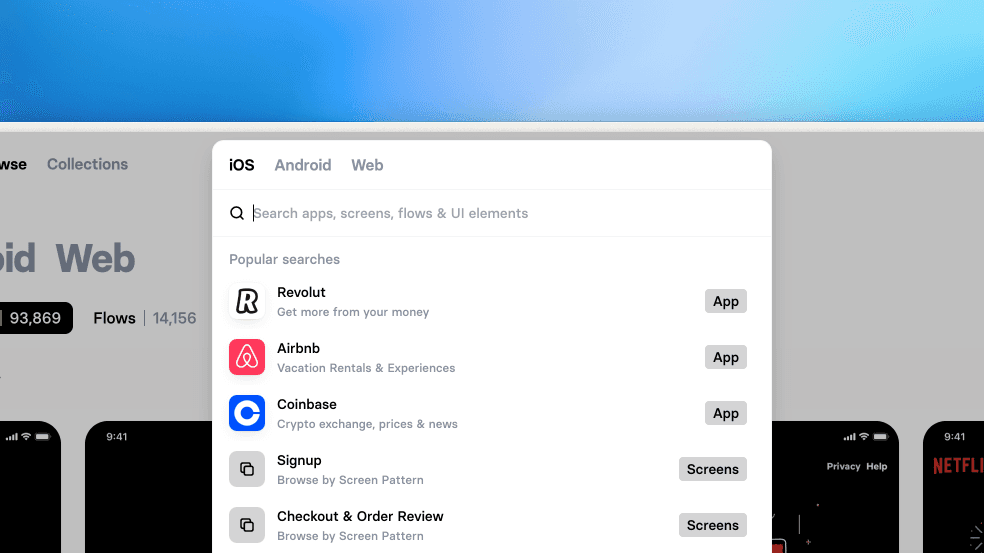
All-new search bar
Searching is one of the core features of Mobbin. To make sure you get the most out of our extensive library of apps, screens and flows, we’ve refined the search experience for you.
You can now search for both apps and filters using the same search bar (located right on top of the page). Use it to find an app by its name, or find inspiration with a filter.
Pro tip: you can use ⌘ K (or Ctrl K) on your keyboard to launch the search bar.
Other improvements
We've redesigned the appearance of our filters, so that they look and feel more like filters rather than a search bar, but they still work just the same.
Fixes
Fixed an issue where clicking the 1Password button in fields closes the login modal.
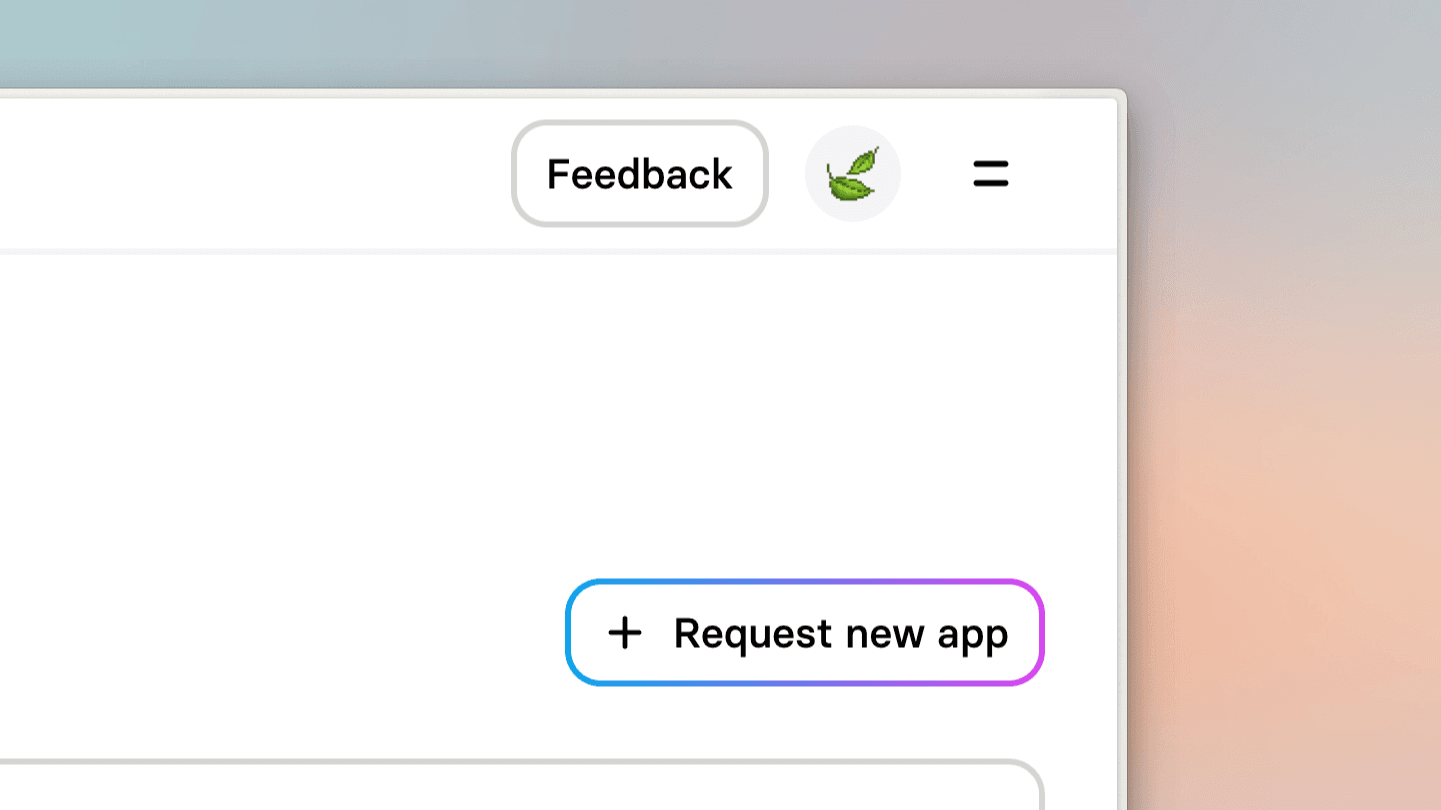
Request new apps and version updates
We know you would like to see more apps on Mobbin, and we want to hear your suggestions! You can now request for a new app or an update to an existing one in-app via the new request buttons.
Your suggestions will help us with deciding which apps to feature each week, and we'd love to hear from you on what you would like to see on Mobbin!
Other improvements
We’ve added support for drag-scrolling in our flows! You can now click and drag across the screen to scroll through flows.
Whenever you select a filter, you can now vote 👍🏻 or 👎🏻 to let us know how you find the results.