Time Picker UI

What is a time picker component?
Time pickers help users select and set a specific time, or a range of times.
It is common to see a date picker component come with a time picker component as well.
Choosing the right time picker depends on what time format is required - for example, some apps would require you to get precision down to the seconds like cooking timers. While medical appointment apps may have time pickers in blocks of hours.
There are a few common design variants of time pickers: Scroll wheels, Clock dials, Select option.
Time pickers are commonly used in the following user flows: Alarms & reminders, Booking & reservation, Fitness & workout.
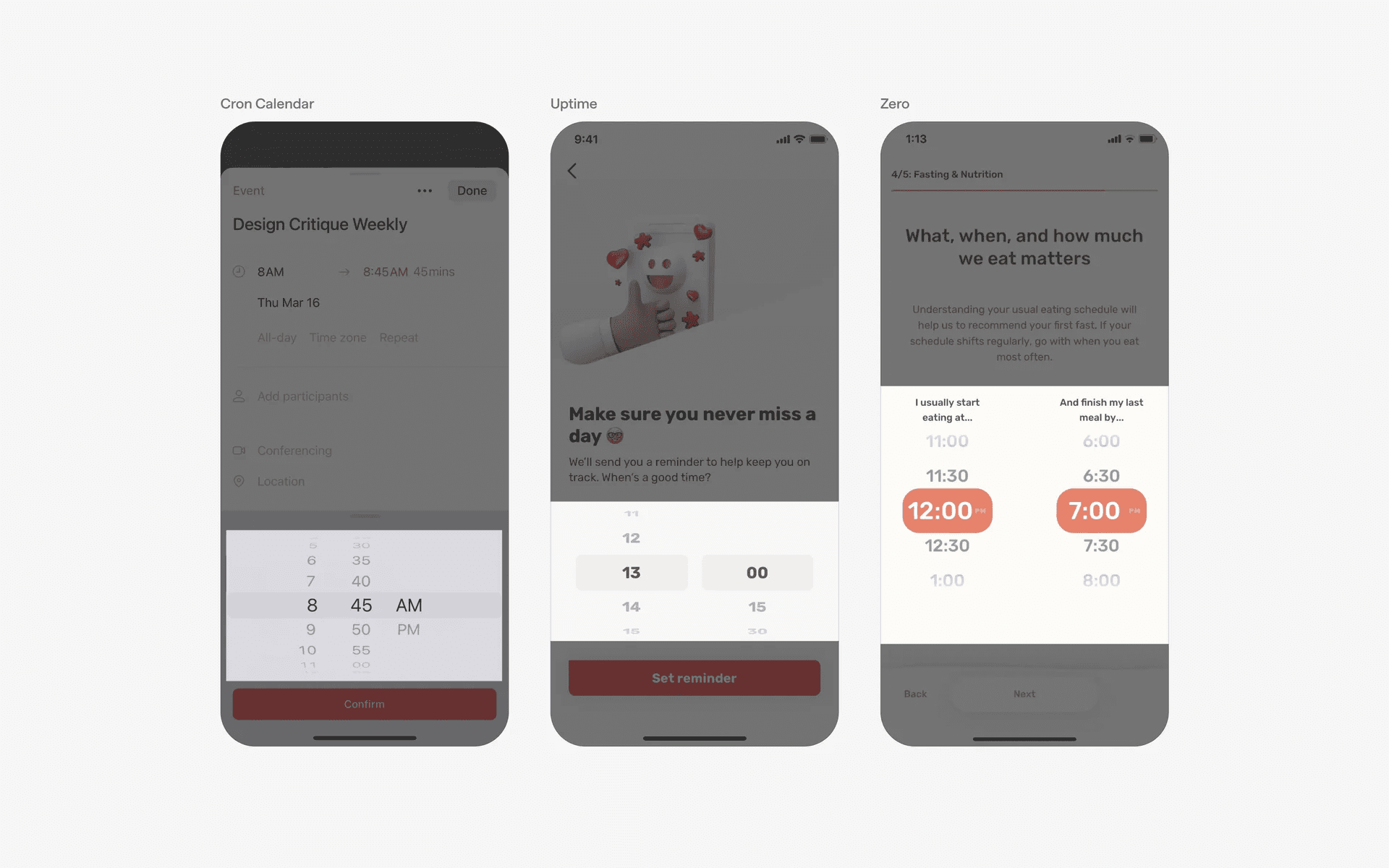
Examples of different time picker component
Here are the common types of time pickers used in UI/UX design.
Scroll Wheel: A wheel where users can scroll through and select hours and minutes. This is commonly found in mobile devices. Example Use Case: Setting alarm on iPhone, Scheduling an Uber.
Clock Dial: A clock interface that allows users to select time by tapping on hour and minute positions. Commonly found in Android devices. Example Use Case: Appointments or Events. Visually familiar.
Select option: A dropdown list of pre set times - usually in 15 minute, 30 minutes, or 1 hour increments. This is a compact design that saves space. Example Use Case: Booking systems - like scheduling doctor's appointments.
What is the anatomy of time pickers?
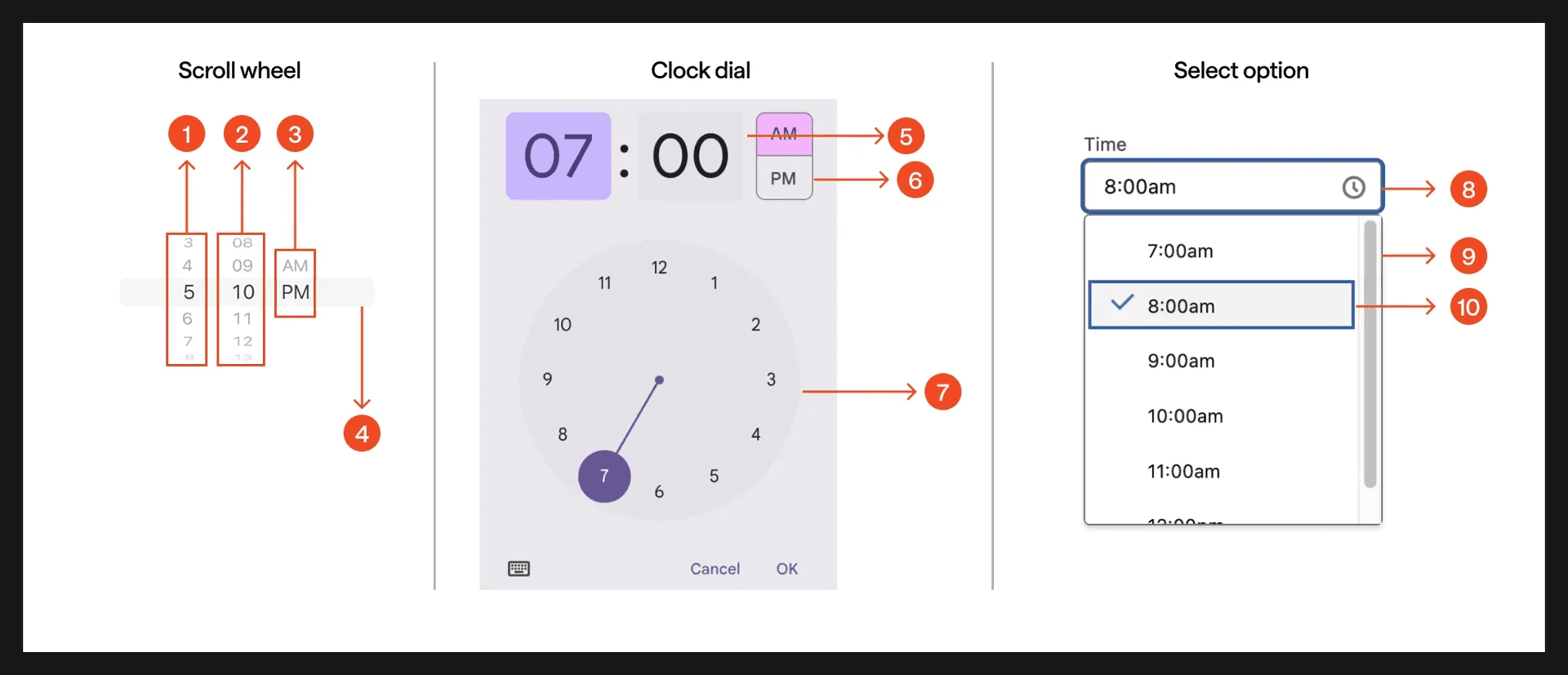
Anatomy of time pickers: Scroll wheel, Clock dial, selection option
1
Scroll wheel: Hour wheel
2
Scroll wheel: Minute wheel
3
Scroll wheel: Period wheel
4
Scroll wheel: Selected time
5
Clock dial: Input field
6
Clock dial: Period selector
7
Clock dial: Clock dial
8
Select option: Trigger/input field
9
Select option: Dropdown menu
10
Select option: Selected time
What are the design variants of a time picker?
We studied over 450+ time picker UI components on Mobbin, from real-world examples and found the following variants.
1. Native iOS and Android time pickers
Similar to the date picker component, the most common form of time picker is the scroll wheel.
Most people know this design intuitively from the alarm app on the iPhone - where users can configure their alarms with the time picker scroll wheel.
Here are some examples of the native iOS scroll wheel - if you look closely, they all have similar fonts that are different from that of the main content, which indicates that these are all native iOS scroll wheels.
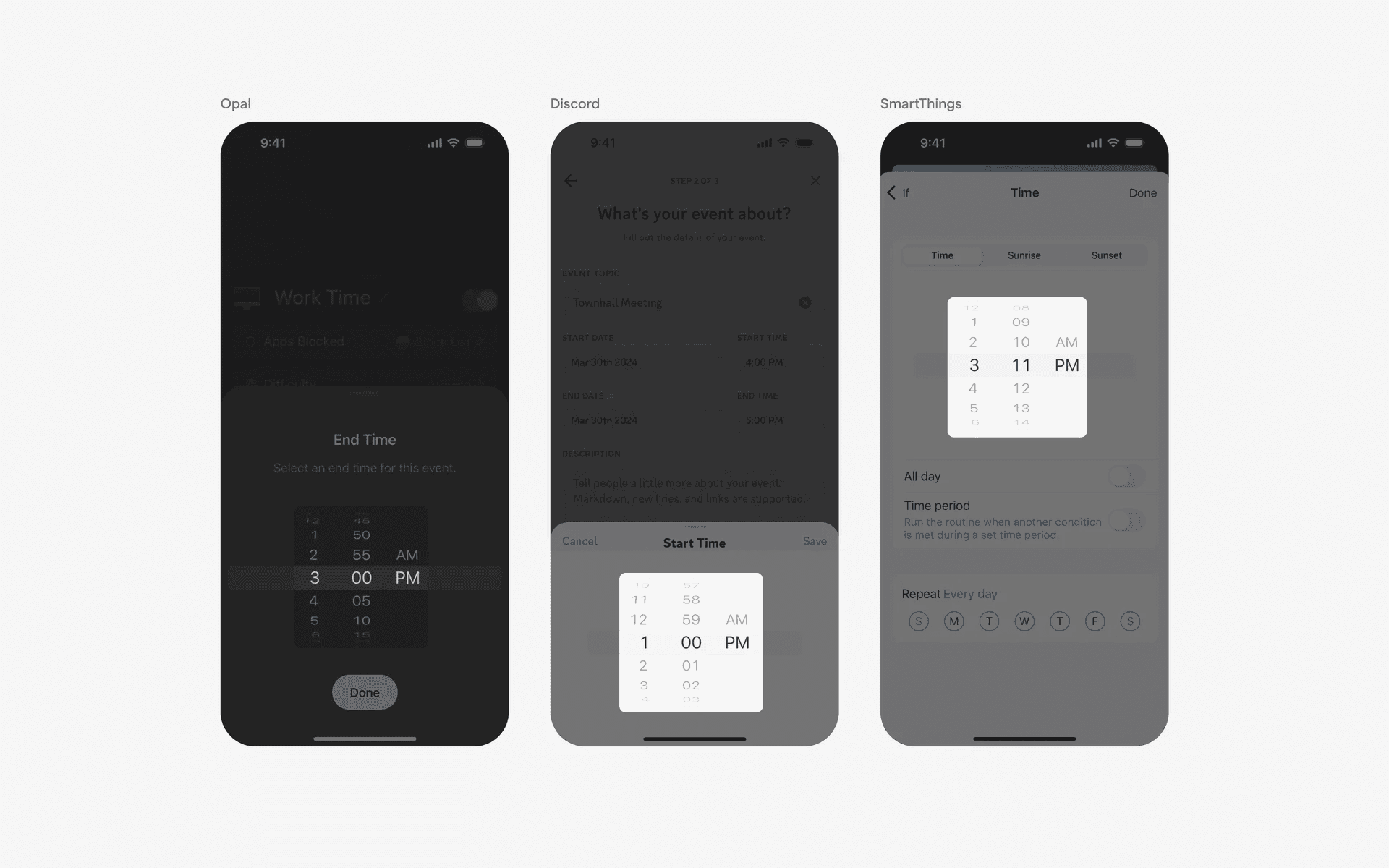
Examples of native time picker component
Here are some examples of the native android time picker. They come in two forms: Clock time picker and Scroll wheel time picker
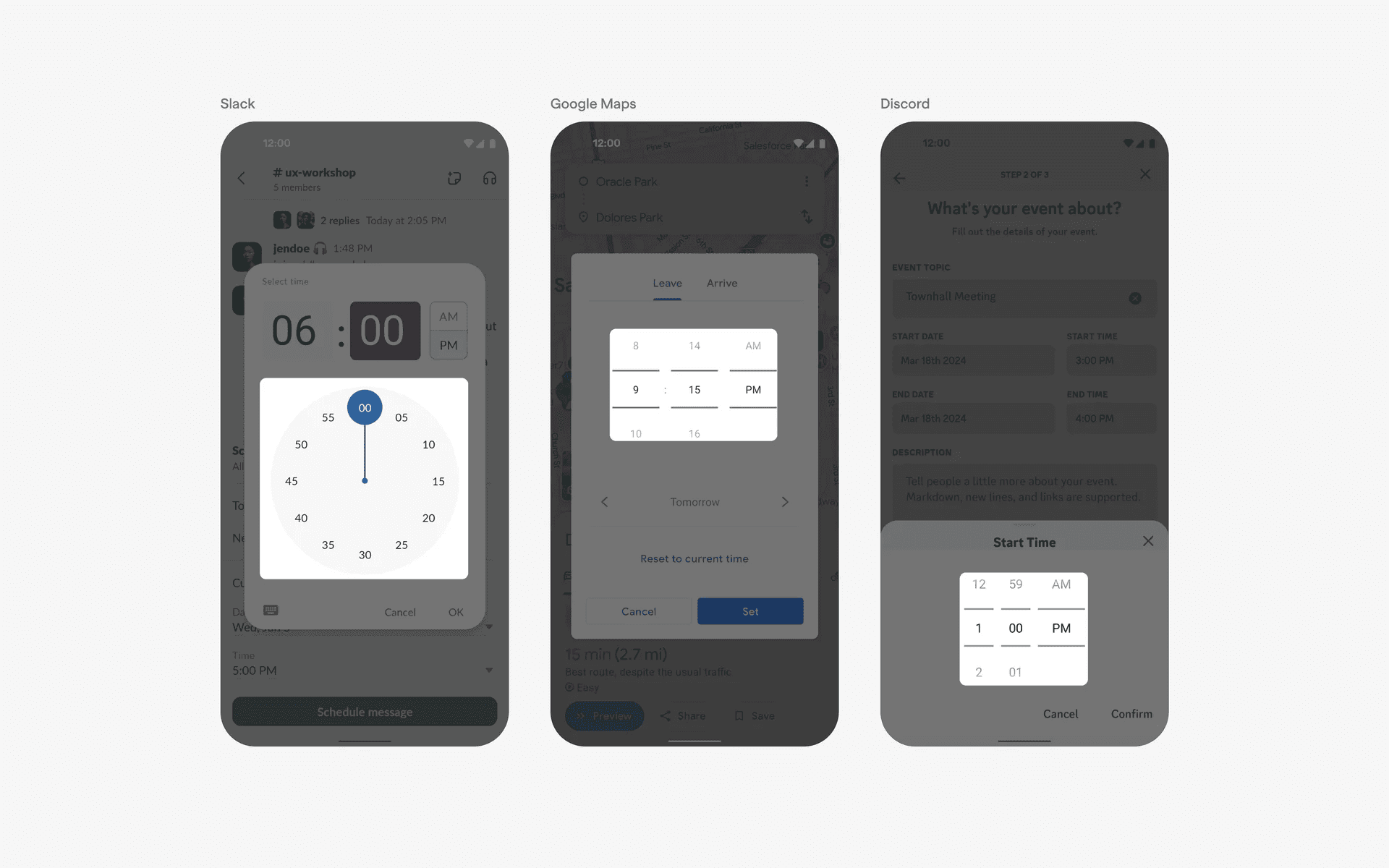
Examples of native android time picker
2. Standard and combo timepicker
How about non-native timepickers?
The standard timepicker has a scrollable list that is modeled after the native versions above.
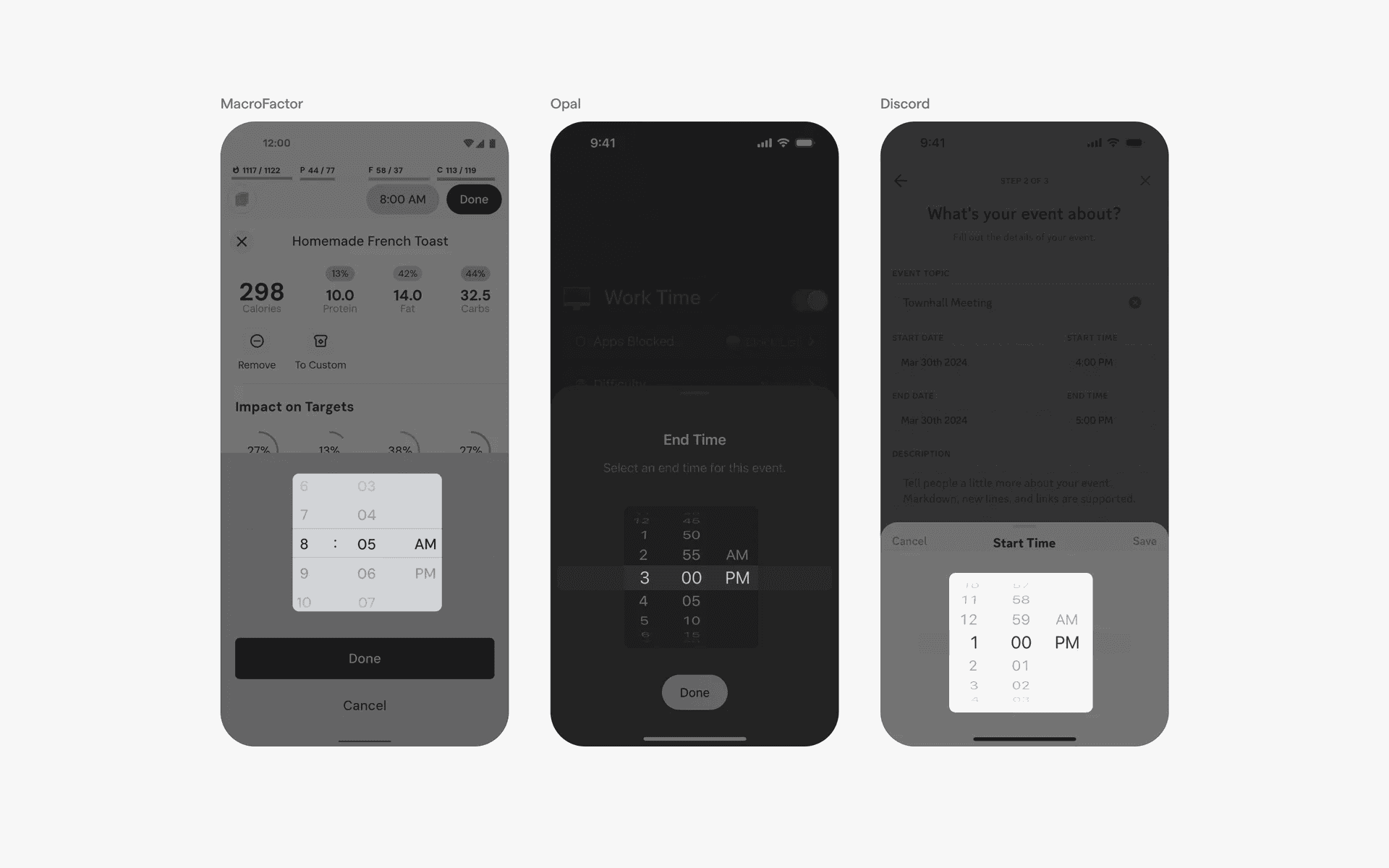
Examples of standard timepicker
Alternatively, if you need both date and time, you can opt for the combo timepicker, where users can choose both.
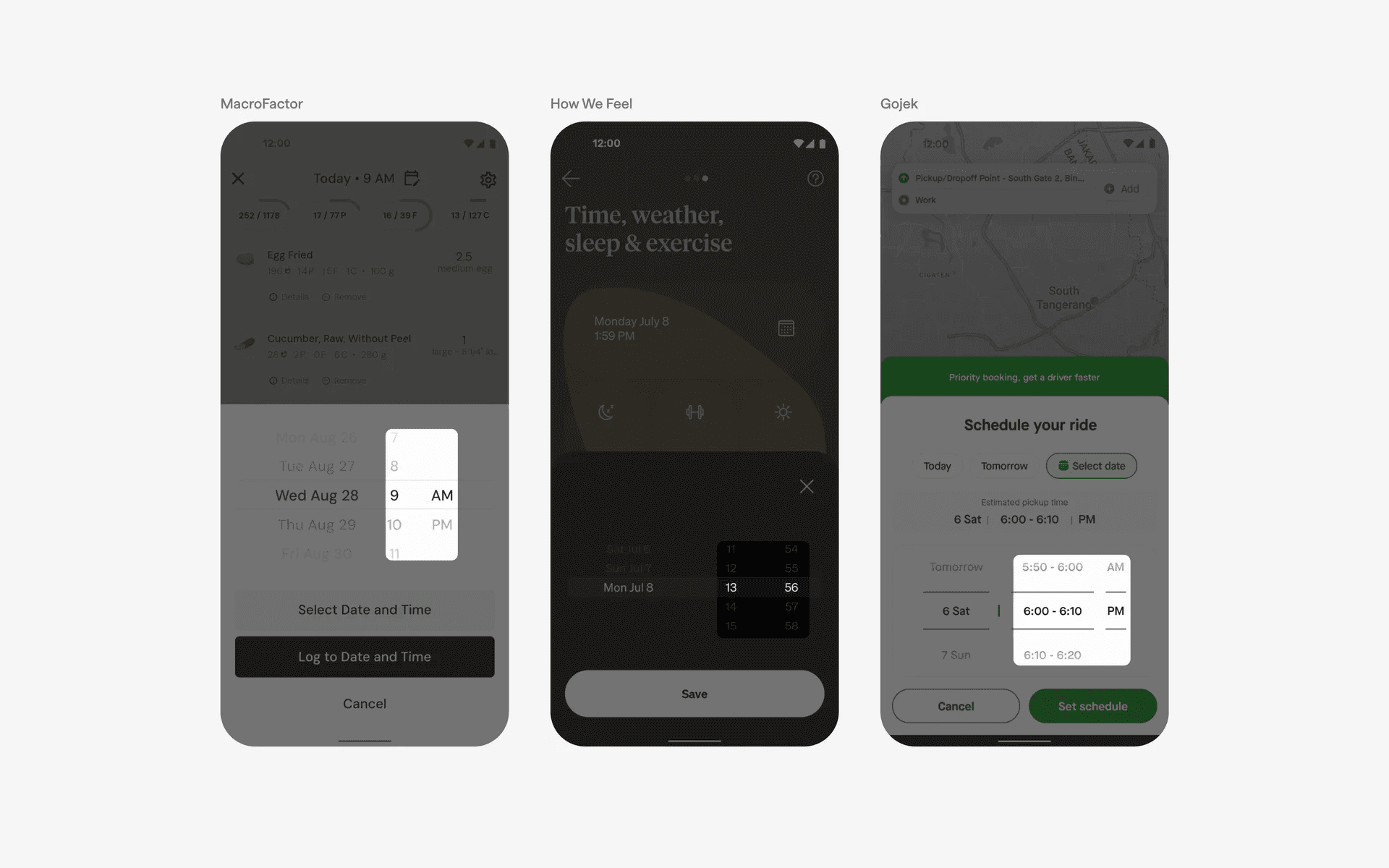
Examples of combo date & time picker
3. Tile based time picker
Another popular design pattern for time pickers are tile based time pickers. This allows users to pick from a list or grid of desired timings.
You often see this design pattern when you're booking a restaurant timing - this is because you can see which timings can be selected and which have already been booked by others.
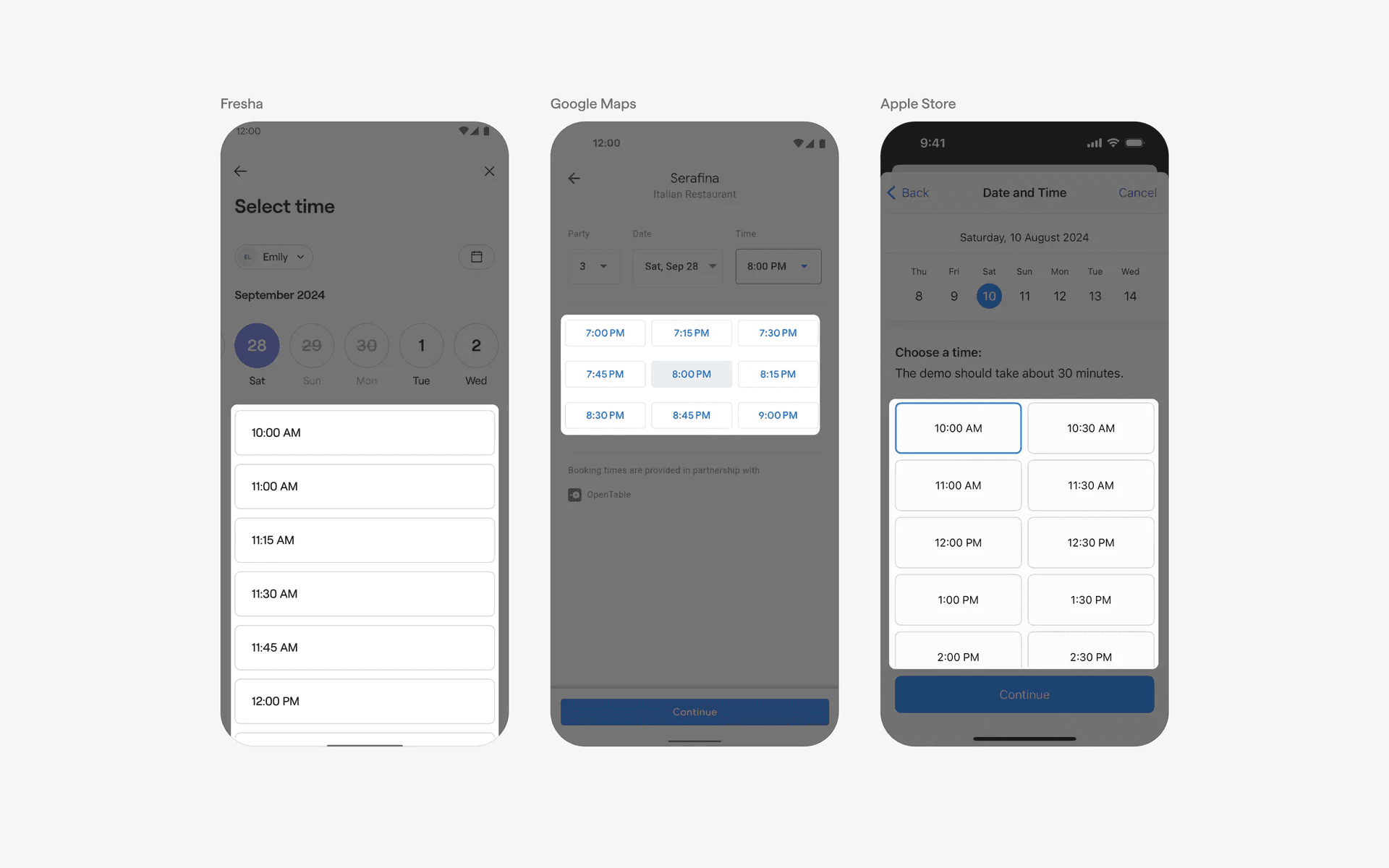
Examples of tile based time picker
3. Slider based time picker
Sliders are a popular form of time pickers for apps that have a start and end timing.
For example, Uber and Navan have pick up and return dates. They chose to use sliders since users can indicate both values at the same time whereas scroll wheels can only handle one input at a time.
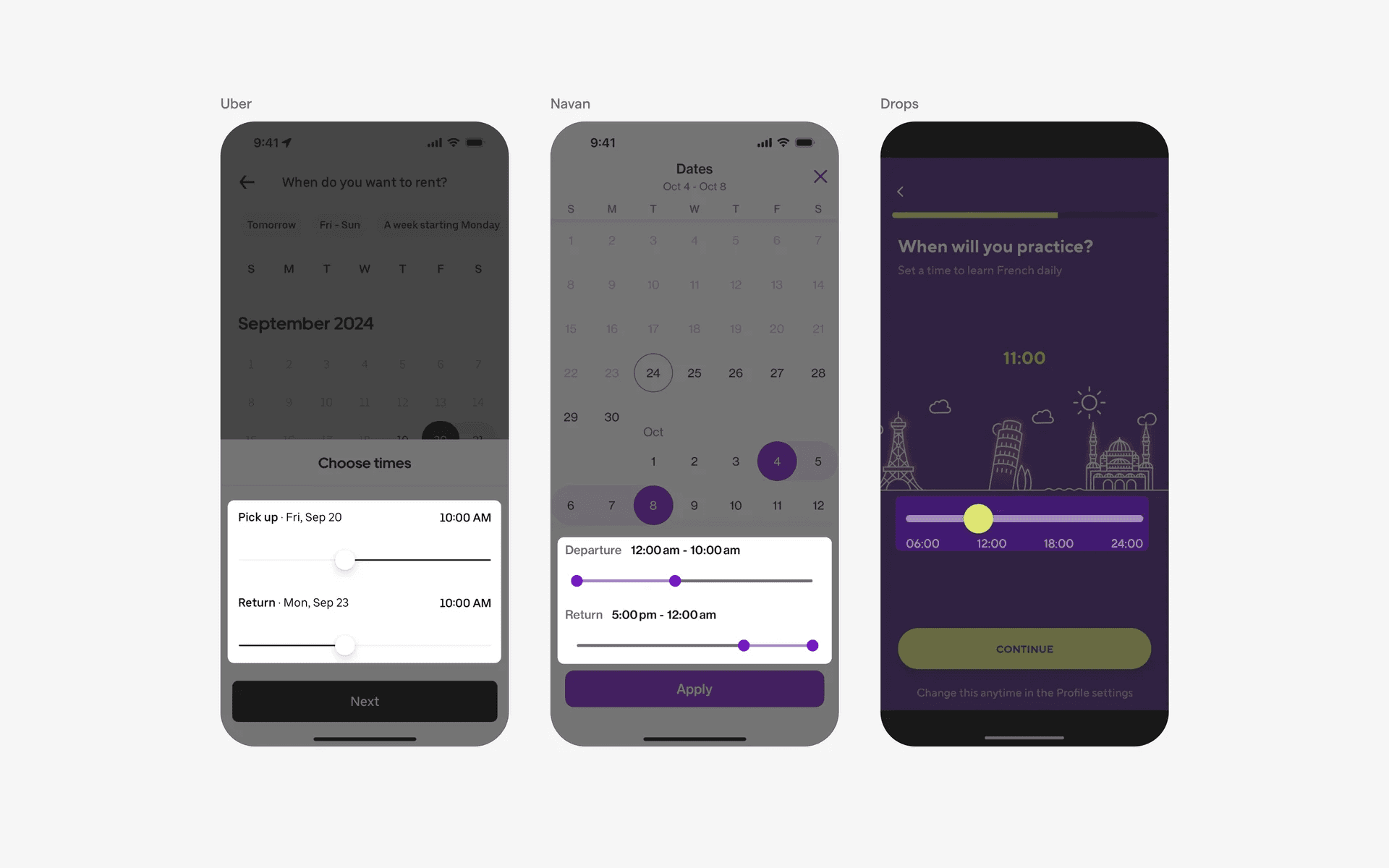
Examples of slider based time picker
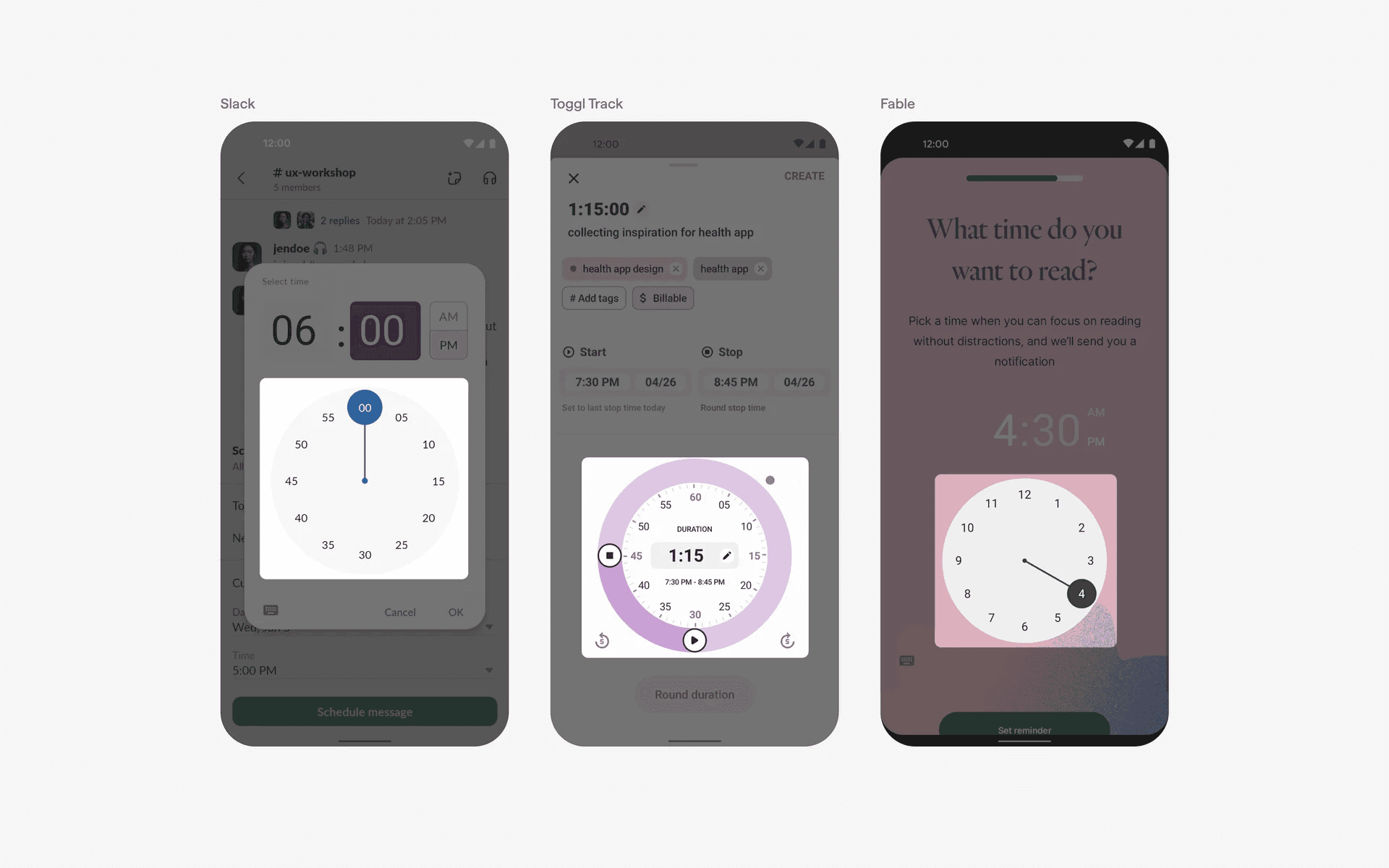
4. Clock based time picker
Some apps use a clock as a time picker - this is a direct reflection of our physical clocks, which could be a lot more intuitive for non-digital natives as a design pattern.
Examples of clock based time picker
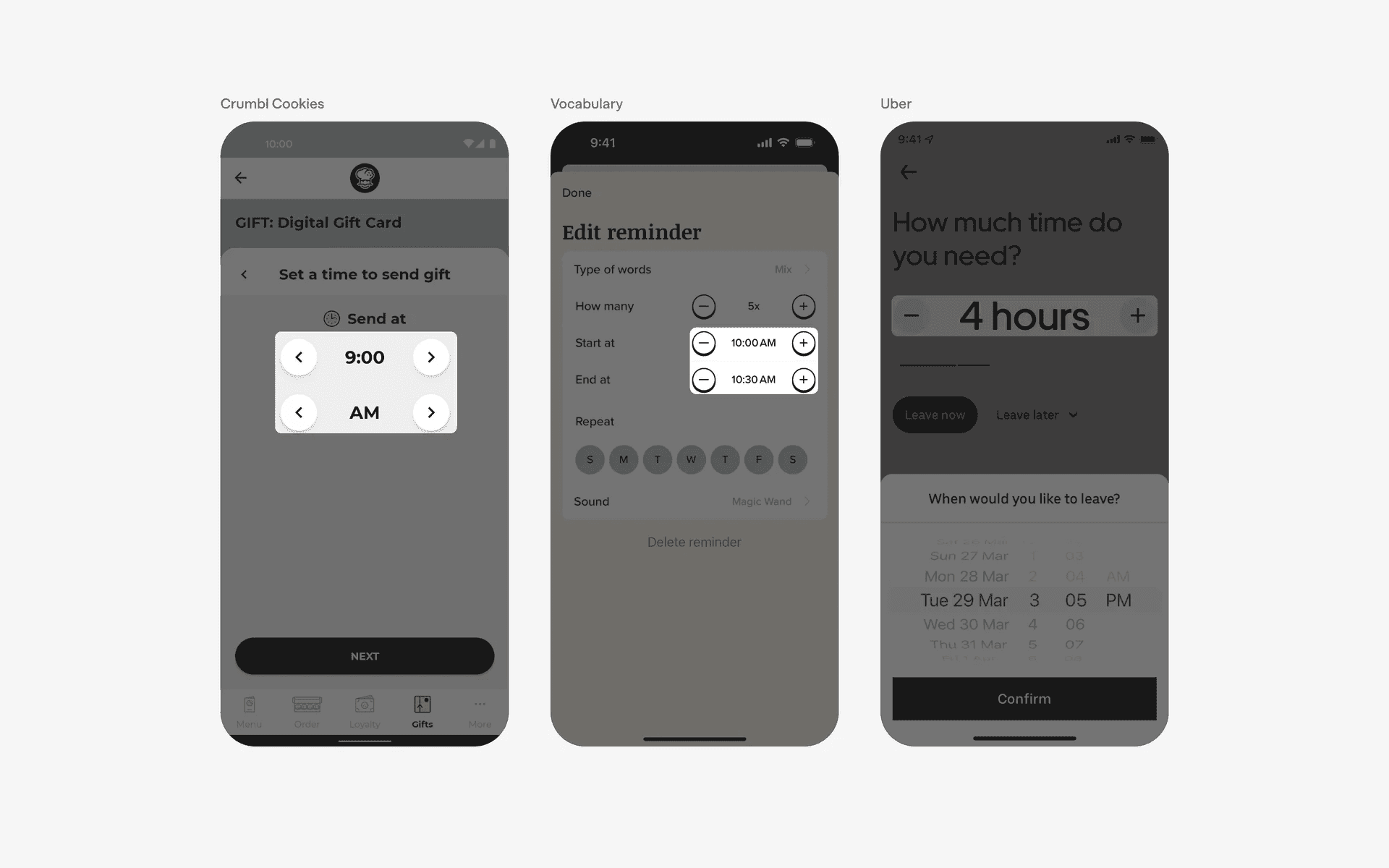
5. Steppers based time picker
Steppers can also be used to help users increment or decrement intervals of time.
This could be useful when you don't need precise timings, and want to pick time based on bigger intervals (i.e: 5 mins, 10 mins, 30 mins, 1 hour).
Examples of stepper based time picker
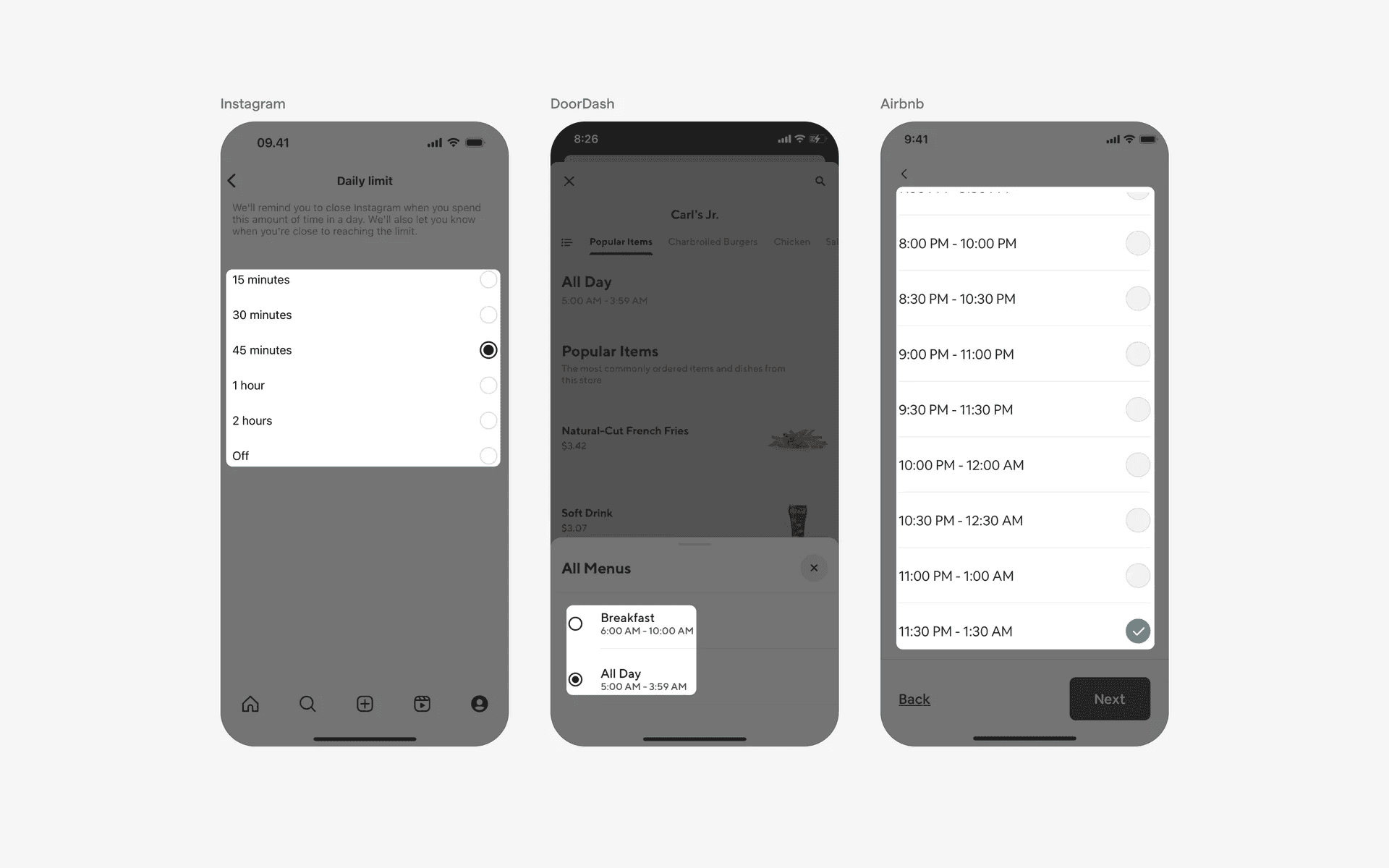
5. Radio button based time picker
Radio buttons are is an easy way for users to select a specific time from a list of timings.
Examples of radio button based time picker
When to use time pickers?
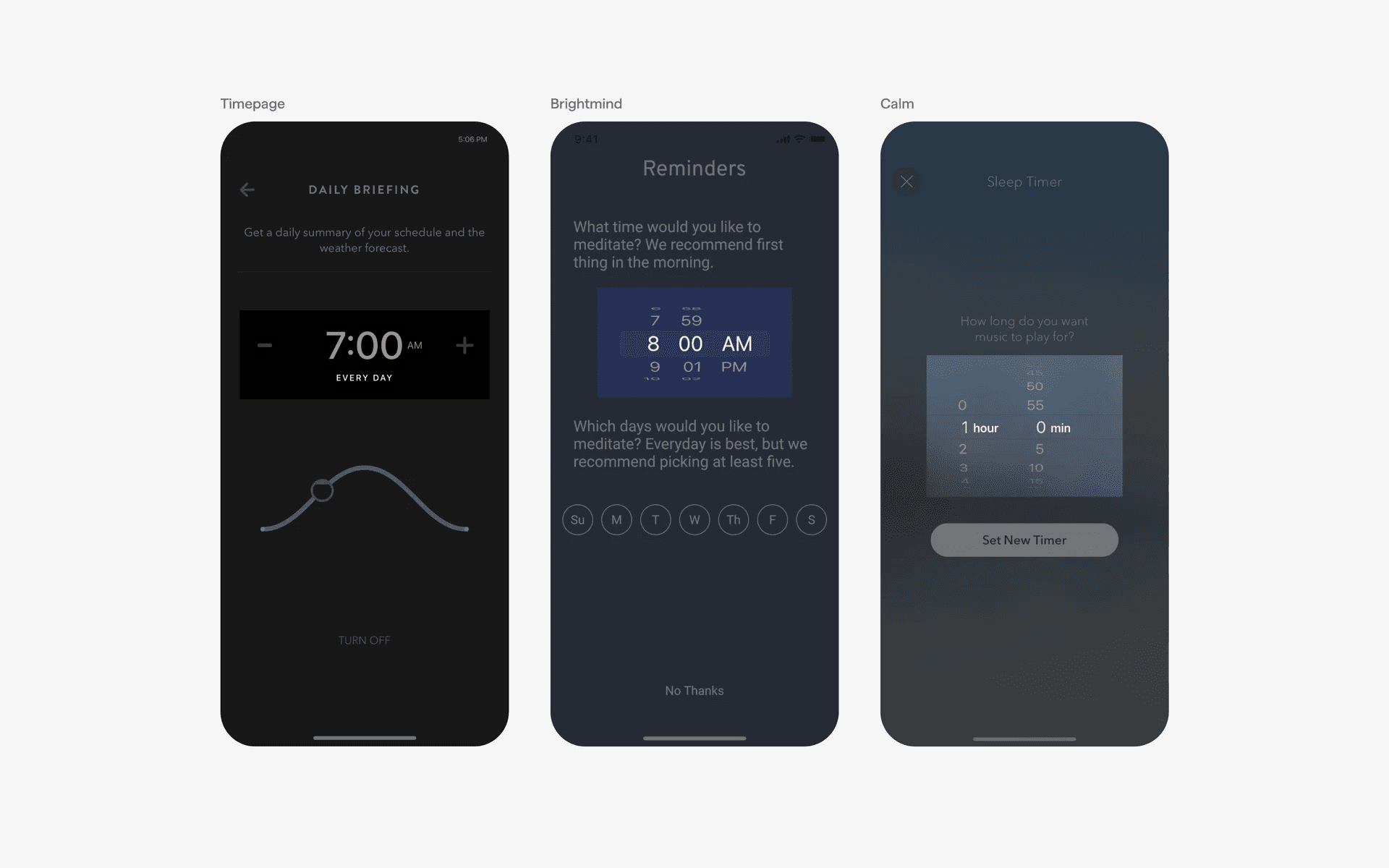
Alarms and reminders
To set the desired time for alarms and reminders. Users can select the hour and minute using a time picker UI element.
Examples of time pickers in alarms & reminders flows
Booking & reservation
To select the desired time slot for appointments, reservations, or services.
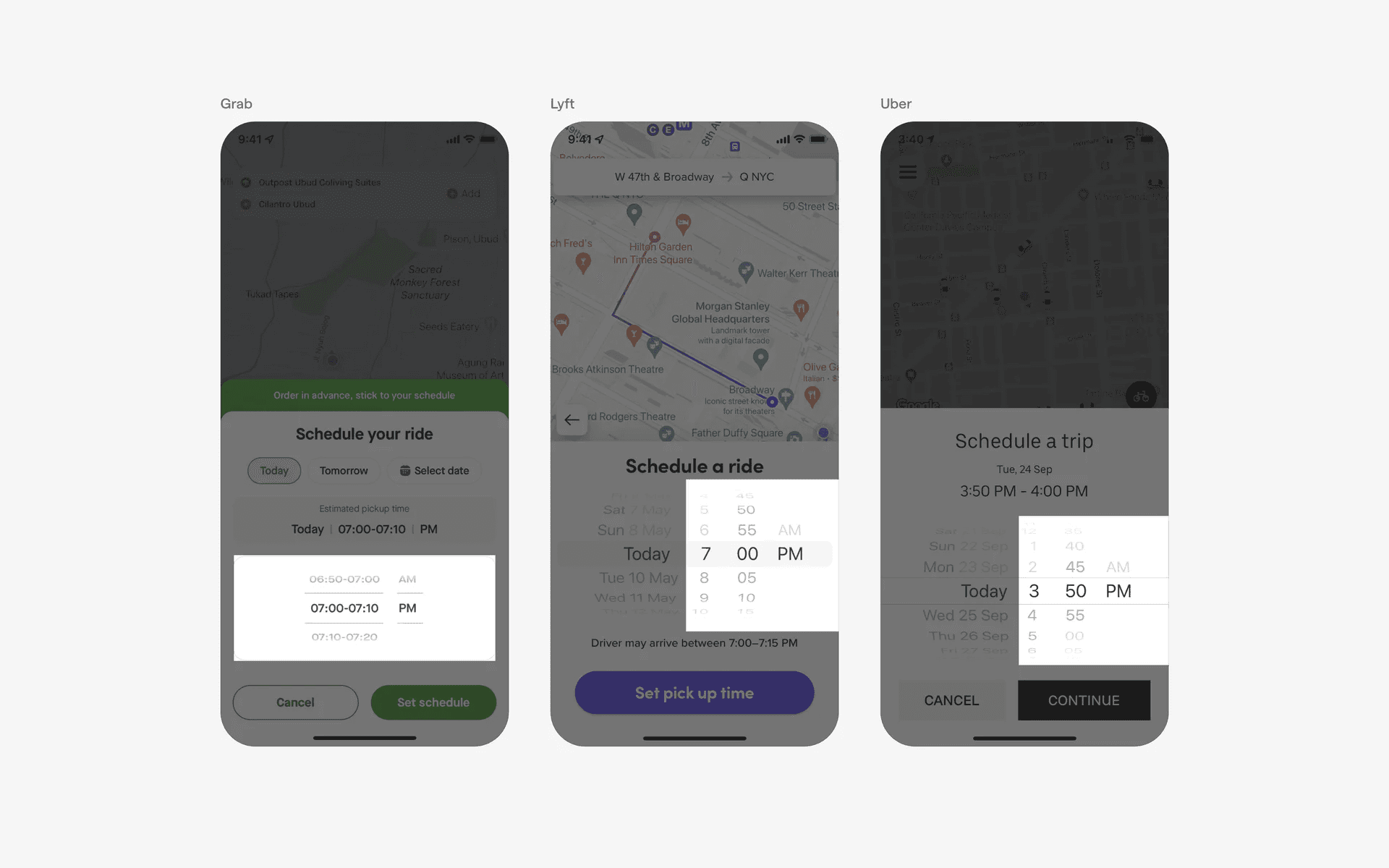
Examples of time pickers in booking & reservation flows
Fitness & workout
To set the duration of exercises, training sessions, or rest intervals.
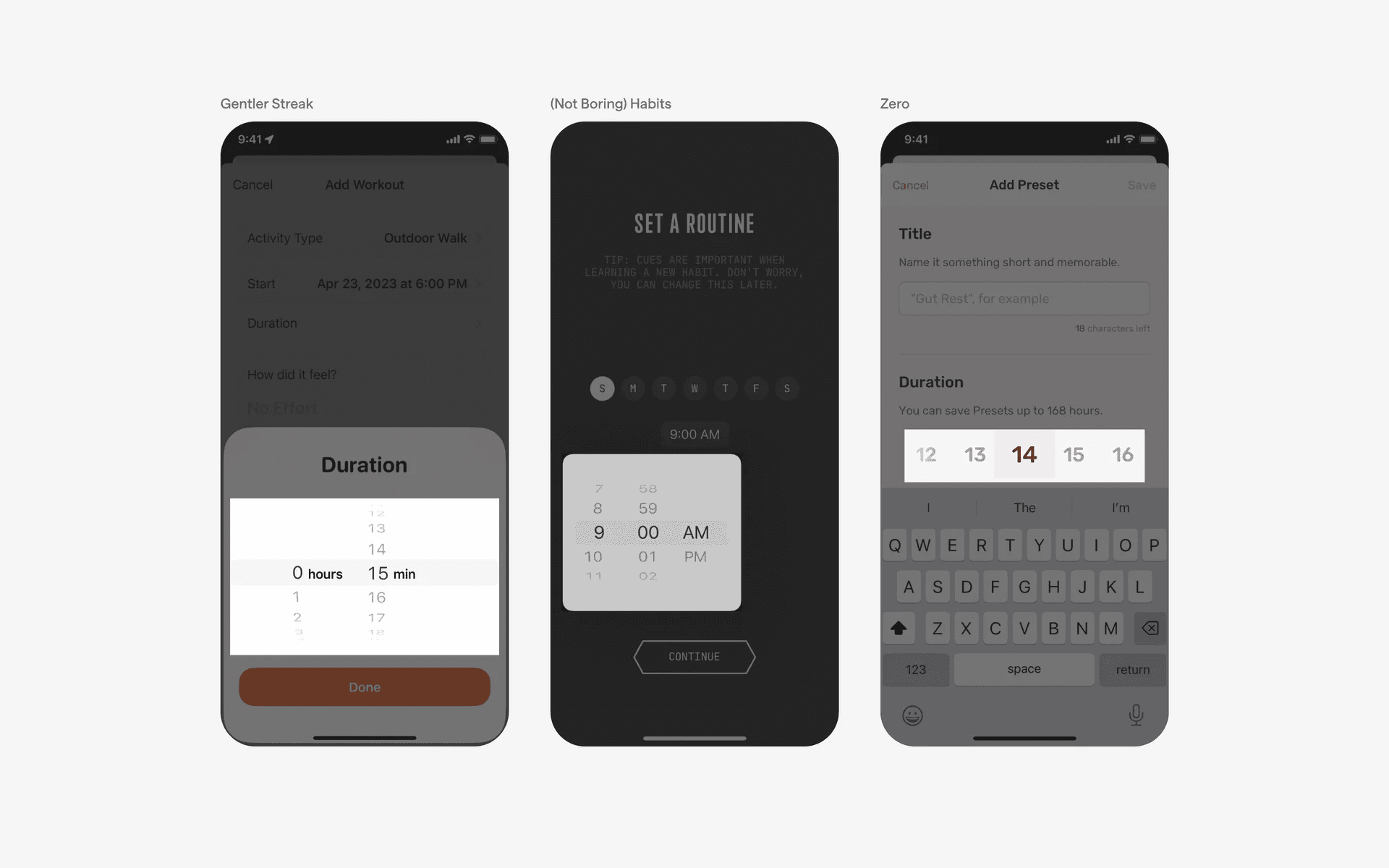
Examples of time pickers in fitness & workout flows