
What is a tile component?
A tile allows users to select single or multiple items from a list or grid.
Tiles are radio buttons or check boxes that are styled with icons or images.
They can have either multi or single select properties.
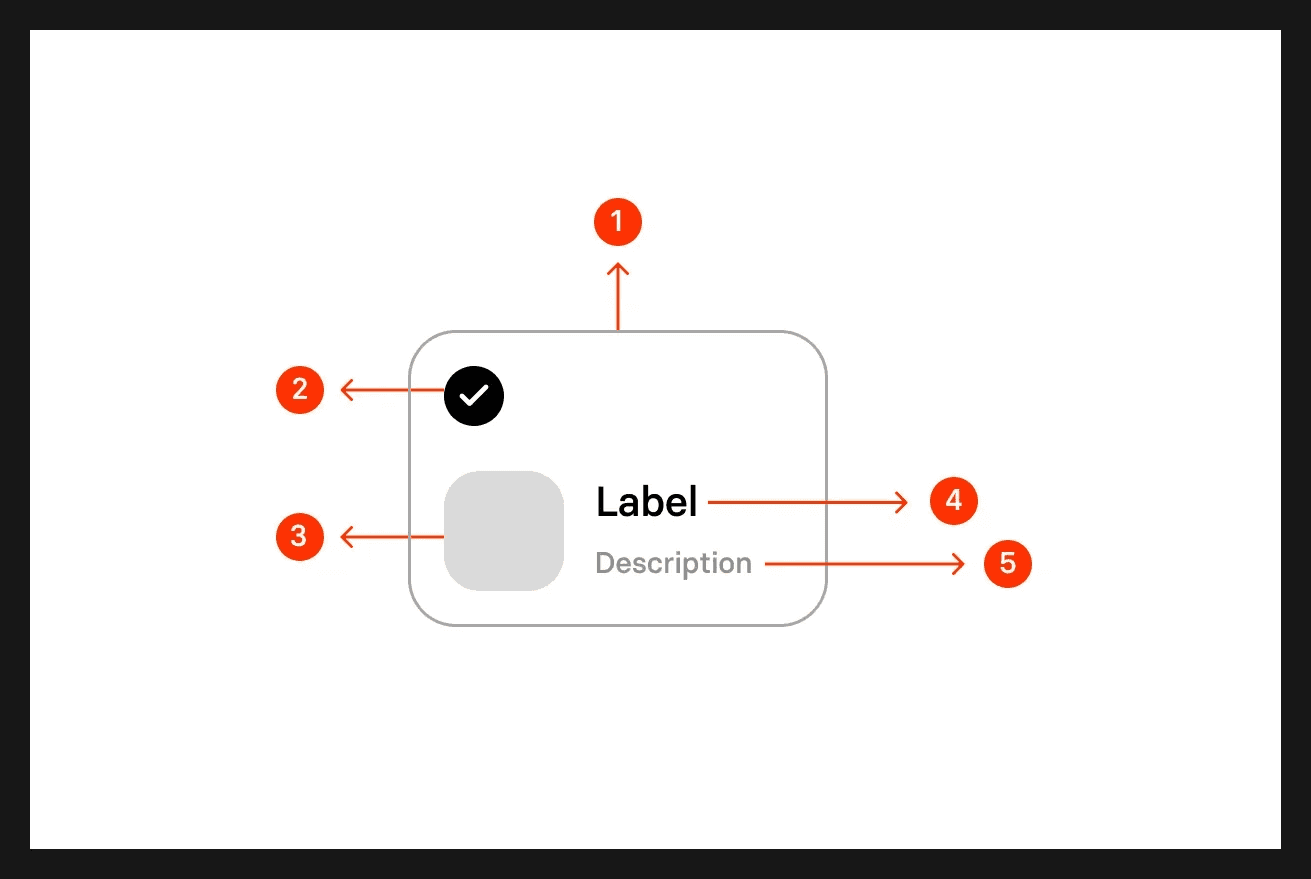
To indicate selection, it usually comes with a filled background, or outlined border radius, alongside a selection icon.
Tiles are commonly used in the following design patterns: Price selection, Filtering & sorting, Selecting user preferences.
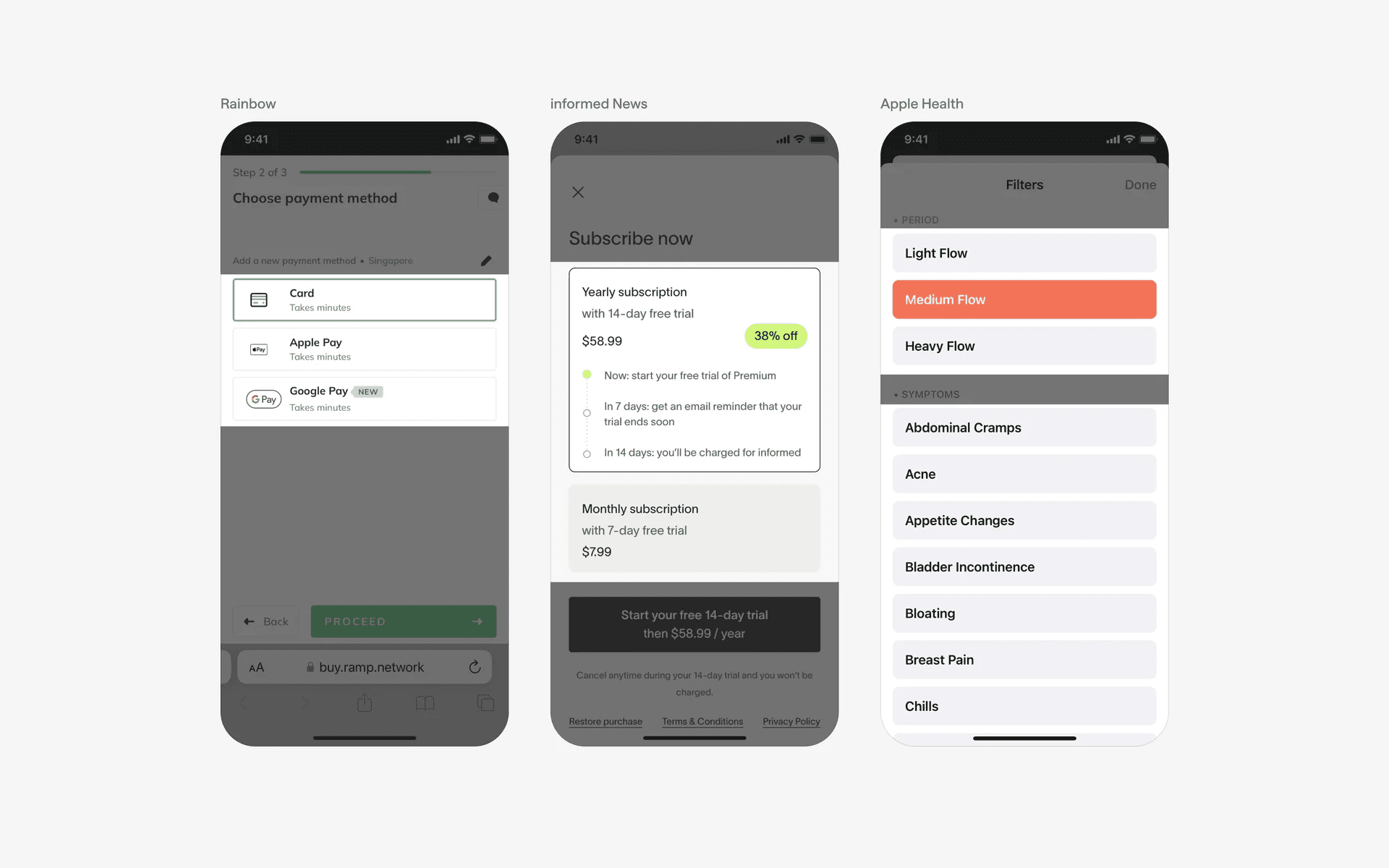
Examples of multiple tiles on the same page
What is the anatomy of a tile?
What are the design variants of a card?
We studied over 3,400+ tile UI components on Mobbin, from real-world examples and found the following variants.
1. Tiles may be arranged in a list or grid format
Depending on your design needs, we've seen tiles arranged in either the list or grid format.
Here are examples of tiles in the list format.
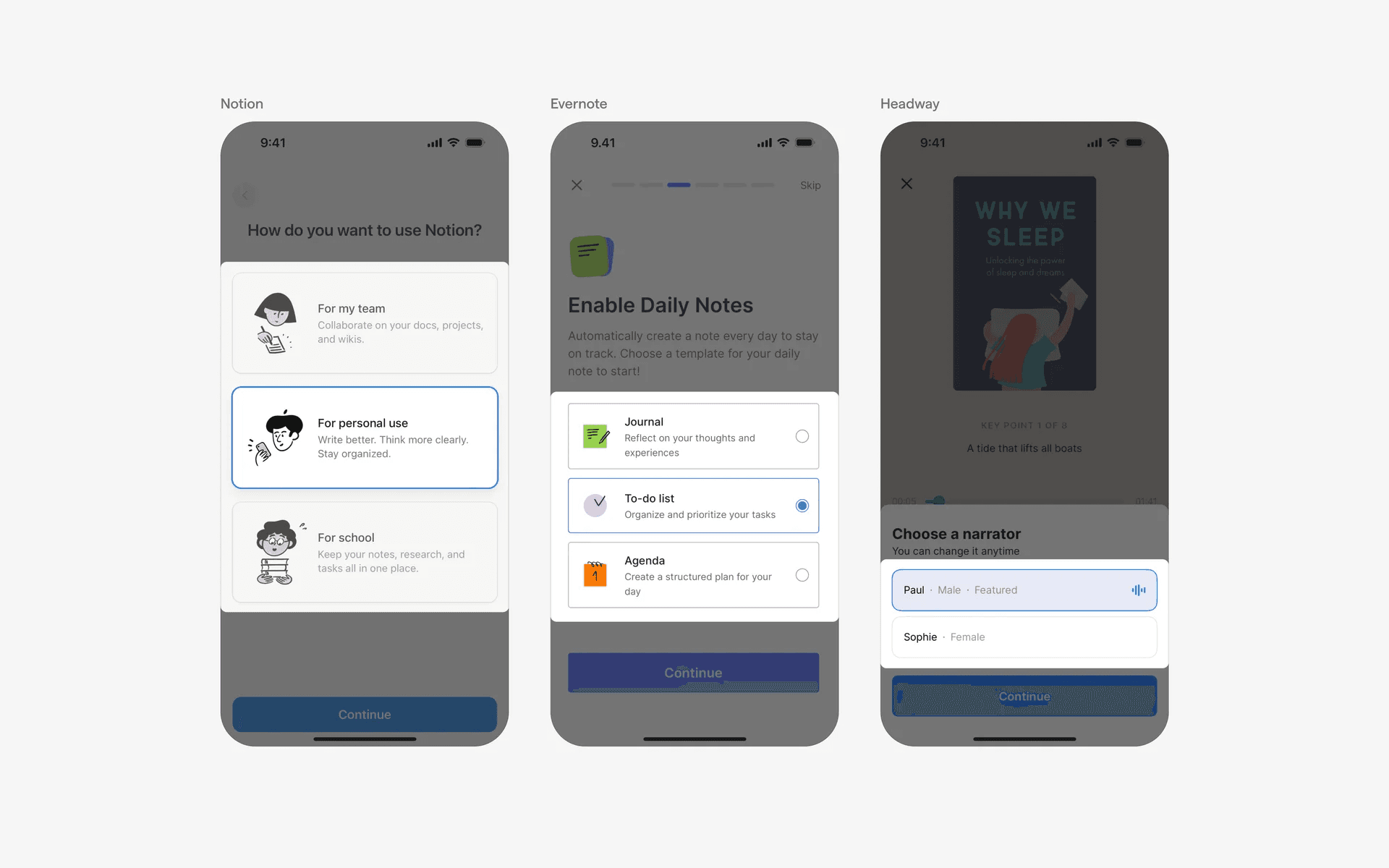
Examples of tiles in list format
Alternatively, you can use a grid format for your tiles if you want to save space, and the design is compact enough.
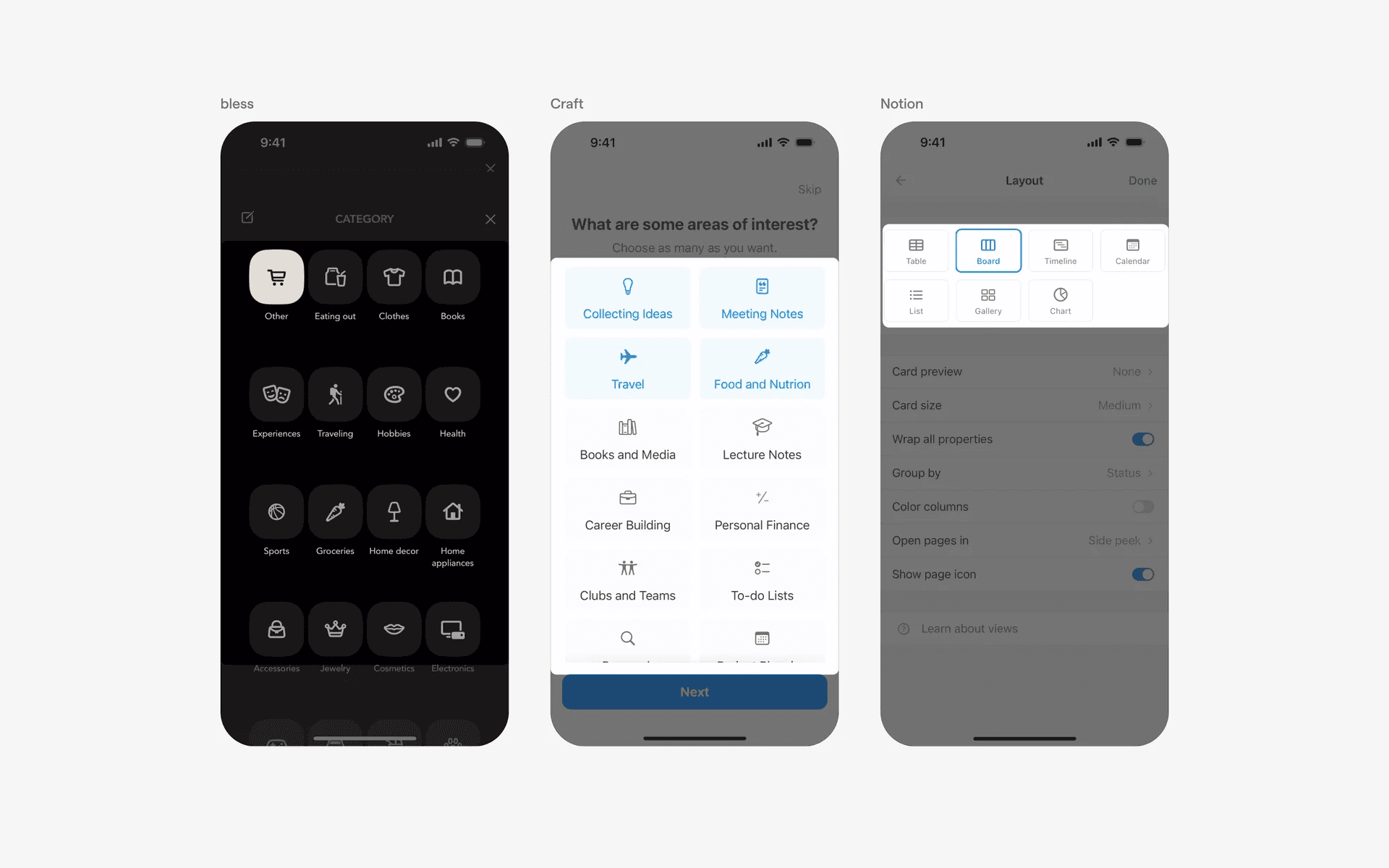
Examples of tiles in grid format
2. Tiles can have different types of select icons
Tiles generally have a selected and unselected state. As such, it is common for tiles to be used in conjunction with Radio buttons, and Checkboxes - especially since these UI elements have single and multi select properties.
Here is an example of tiles being used with Checkbox icons.
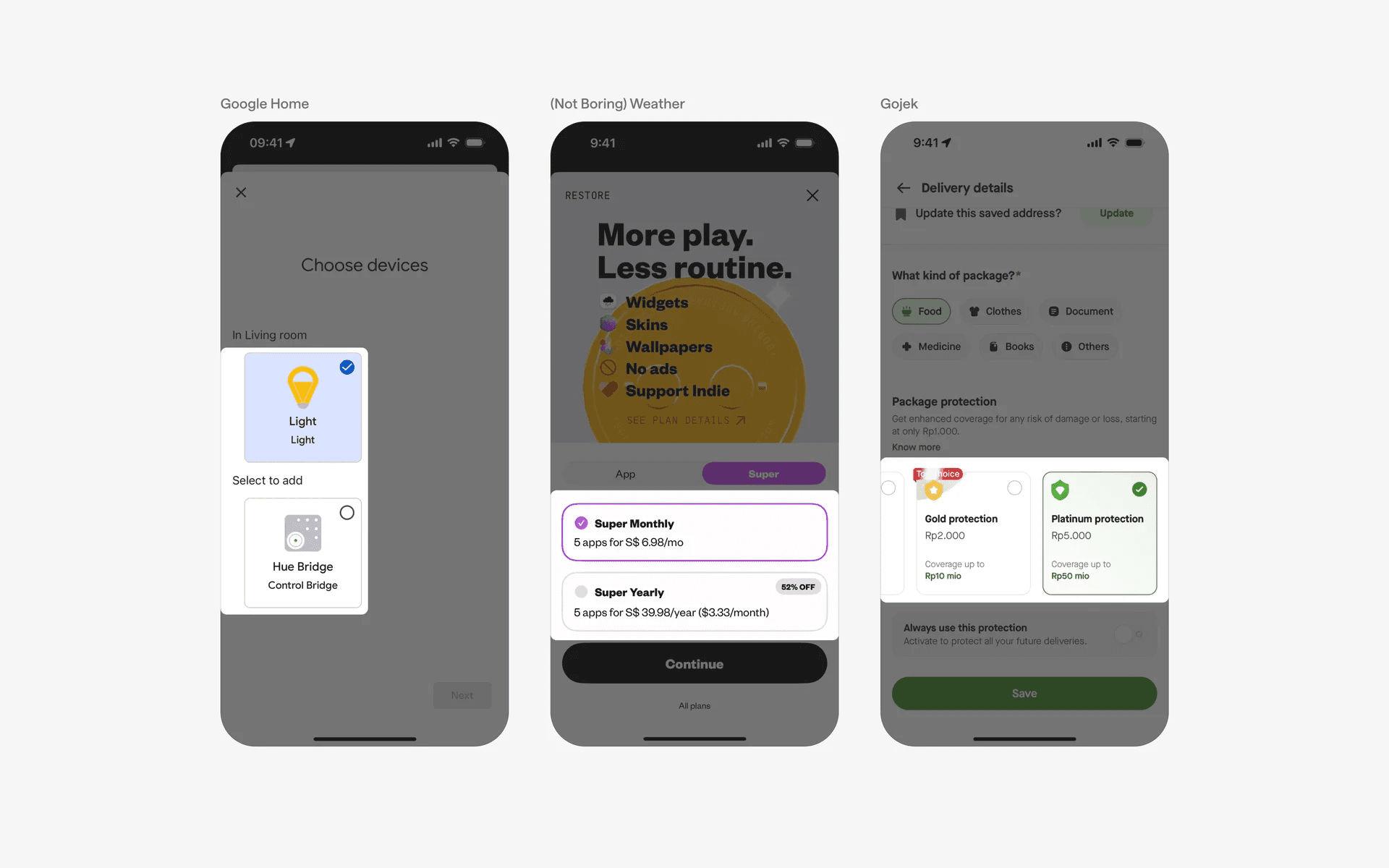
Examples of tiles used with checkbox icons
Alternatively, here are examples of tiles being used with the Radio button icons.
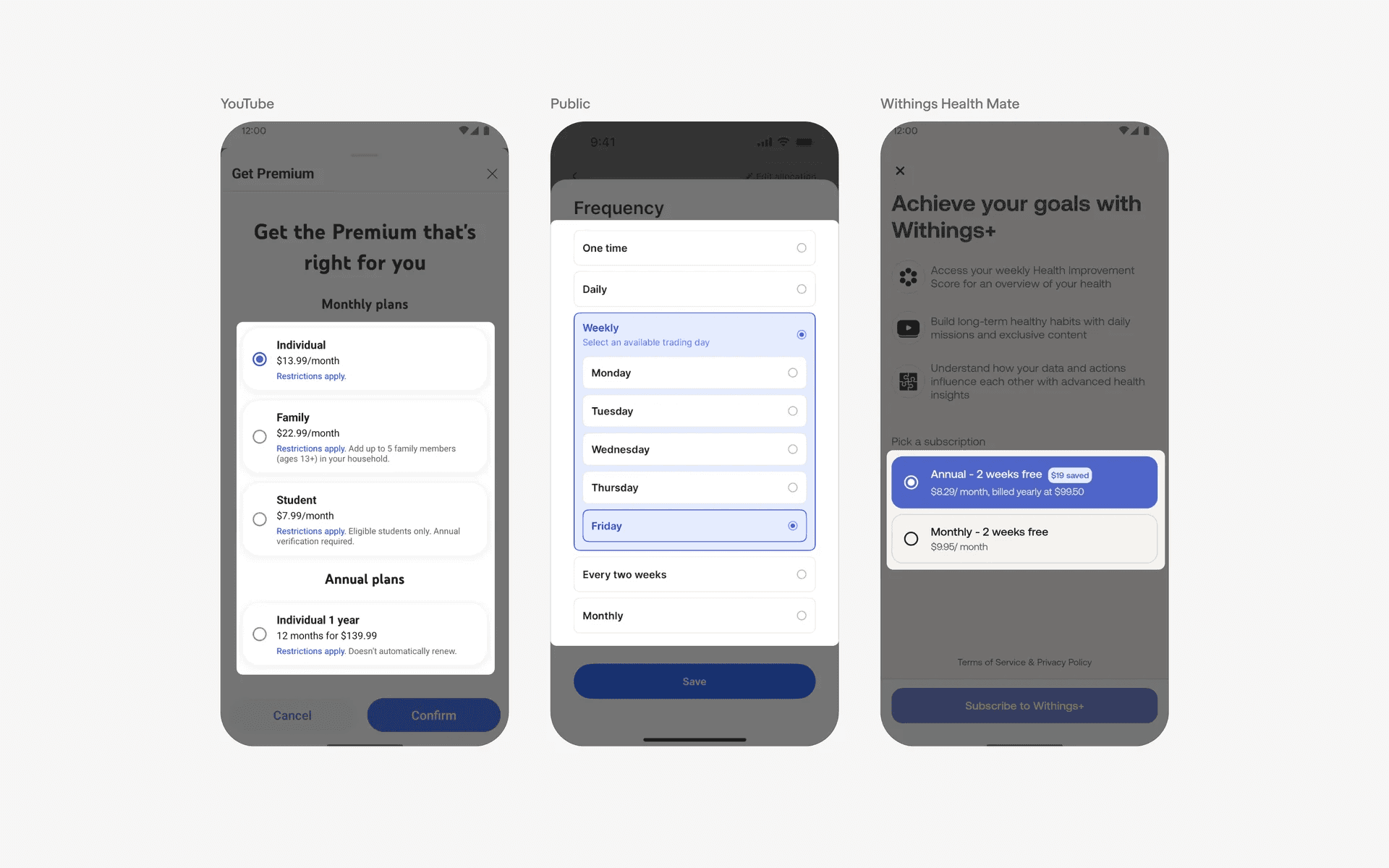
Examples of tiles used with radio button icons
3. Tiles can be circular in shape
Finally, we've also seen a rise in tiles coming in circular shapes - these look more friendly to users, and commonly come in the User Onboarding flow.
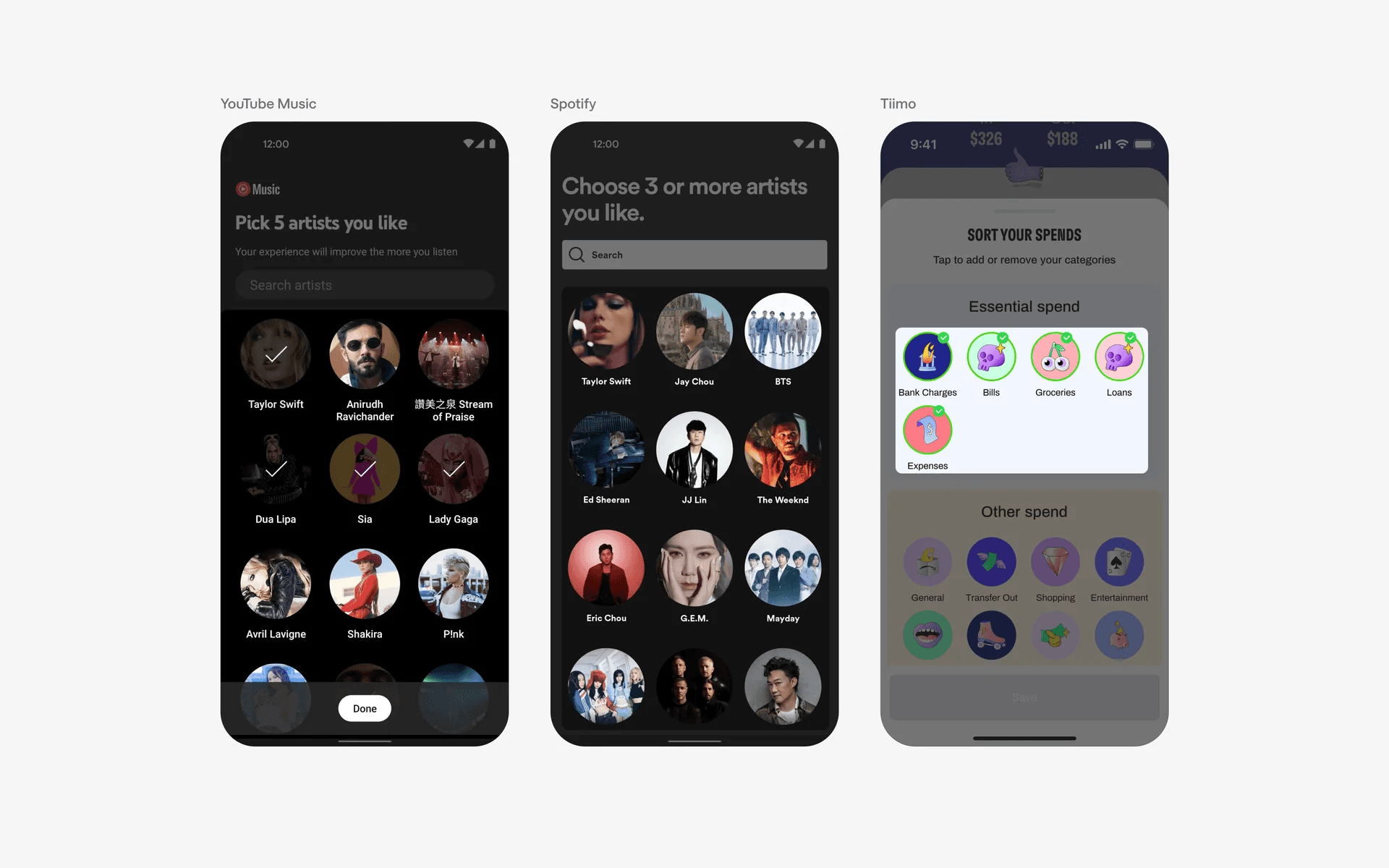
Examples of tiles in circular shape
When to use a tile component?
1. Choosing pricing option
A tile is often used in selecting pricing options (i.e: yearly or monthly plans).
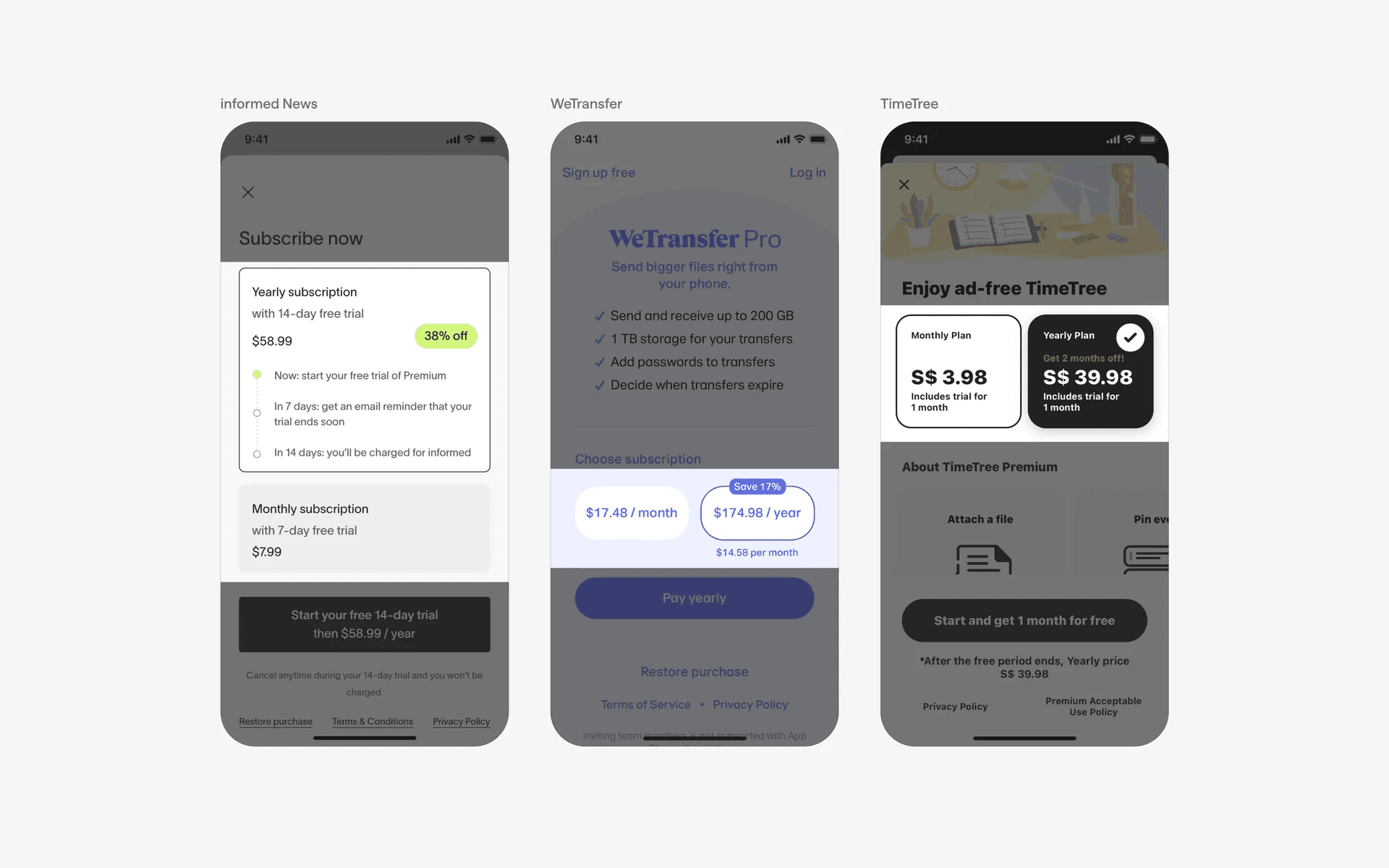
Examples of tiles used in choosing pricing options
2. Filtering & sorting
Tiles can also help users select various filter & sort options. They help to make filter options look more visual and engaging.
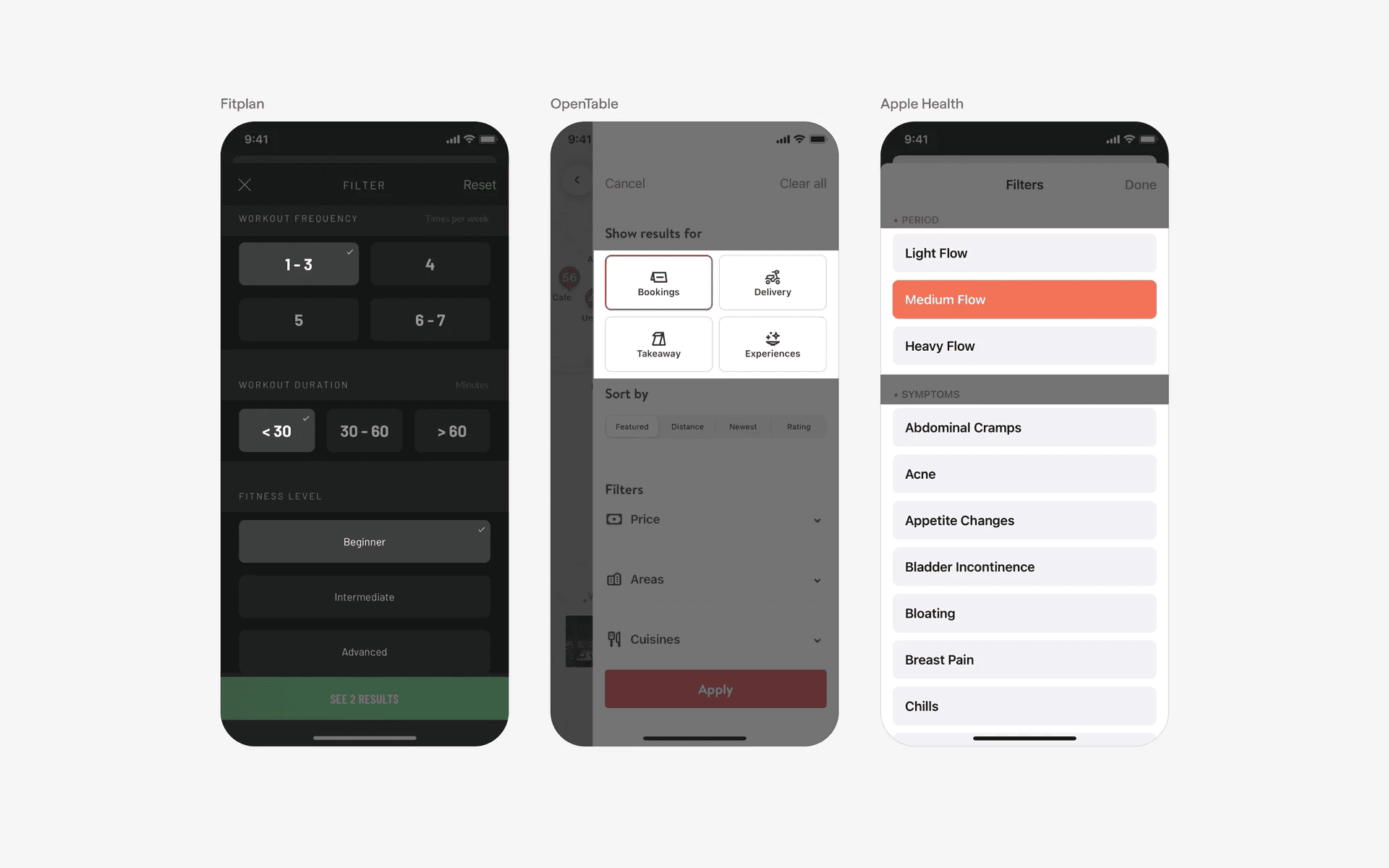
Examples of tiles used in filtering & sorting flows
3. Selecting user preferences
Tiles are also commonly used by users to select their preferences or interests during onboarding.
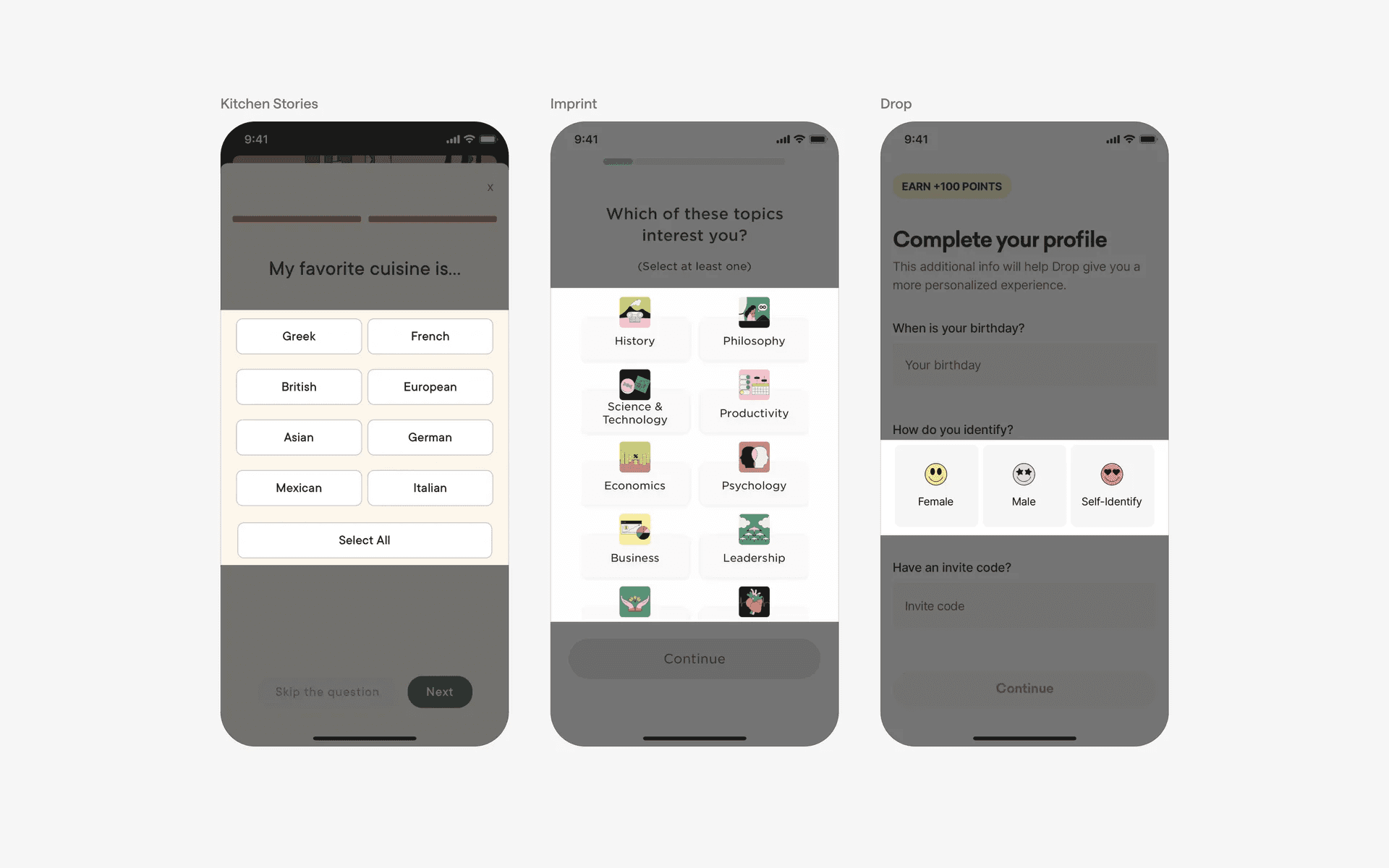
Examples of tiles used in onboarding flows
Conflicting UI elements: Chips, Cards, Tabs, Segmented controls
1. Tiles v.s. Chips
While both can be used for the same purpose of selecting and filtering options, the main difference is the size. Chips are usually more compact as compared to tiles.
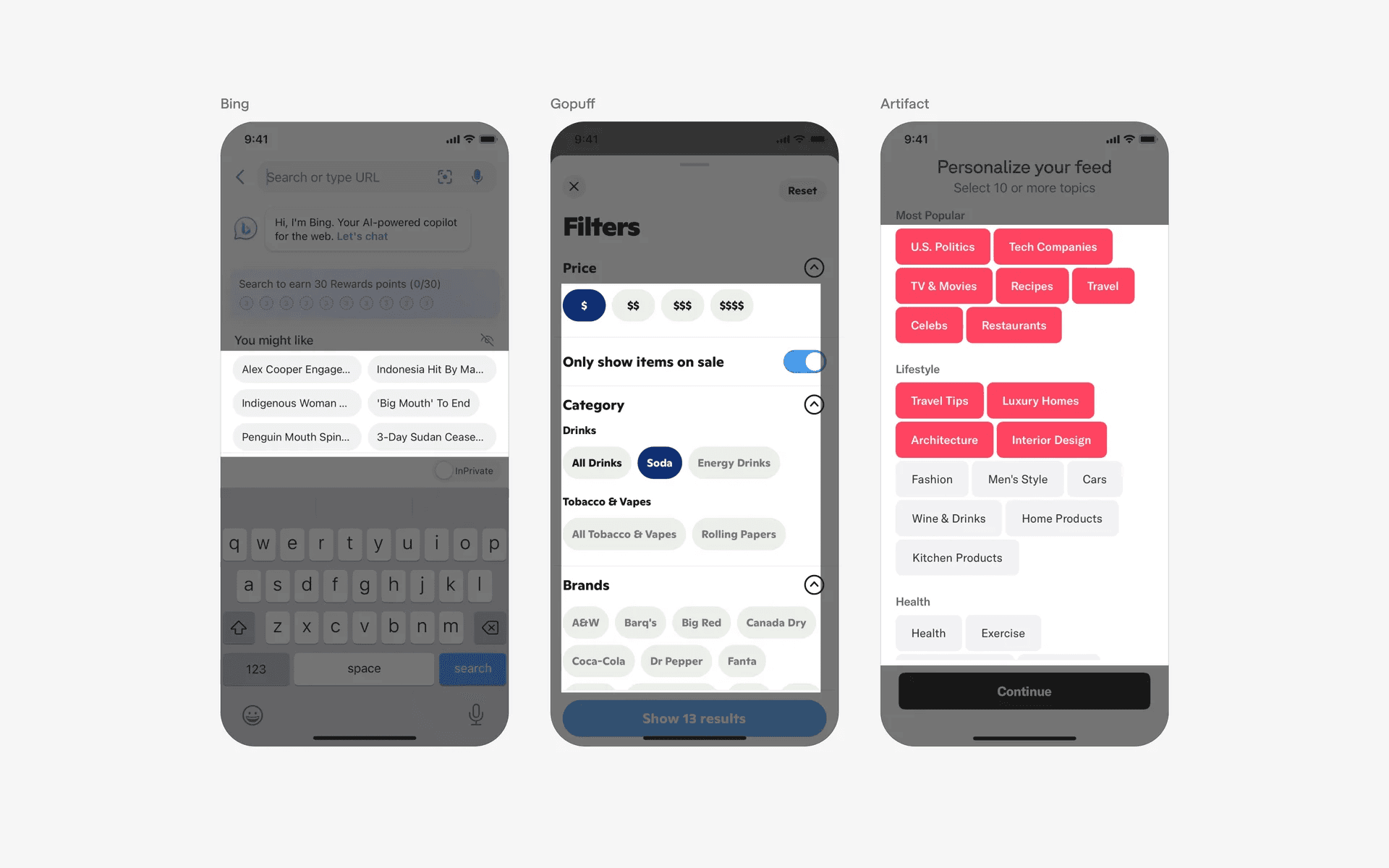
Examples of chips versus tiles
2. Tiles v.s. Cards
The purpose of a tile is to allow users to select one or more items from a list of options.
The purpose of a card is to display a collection of related items, such as products or services.
While both are interactable, tapping on a card will allow the user to view more information about the item, while tapping on a tile simply switches it to the selected state.
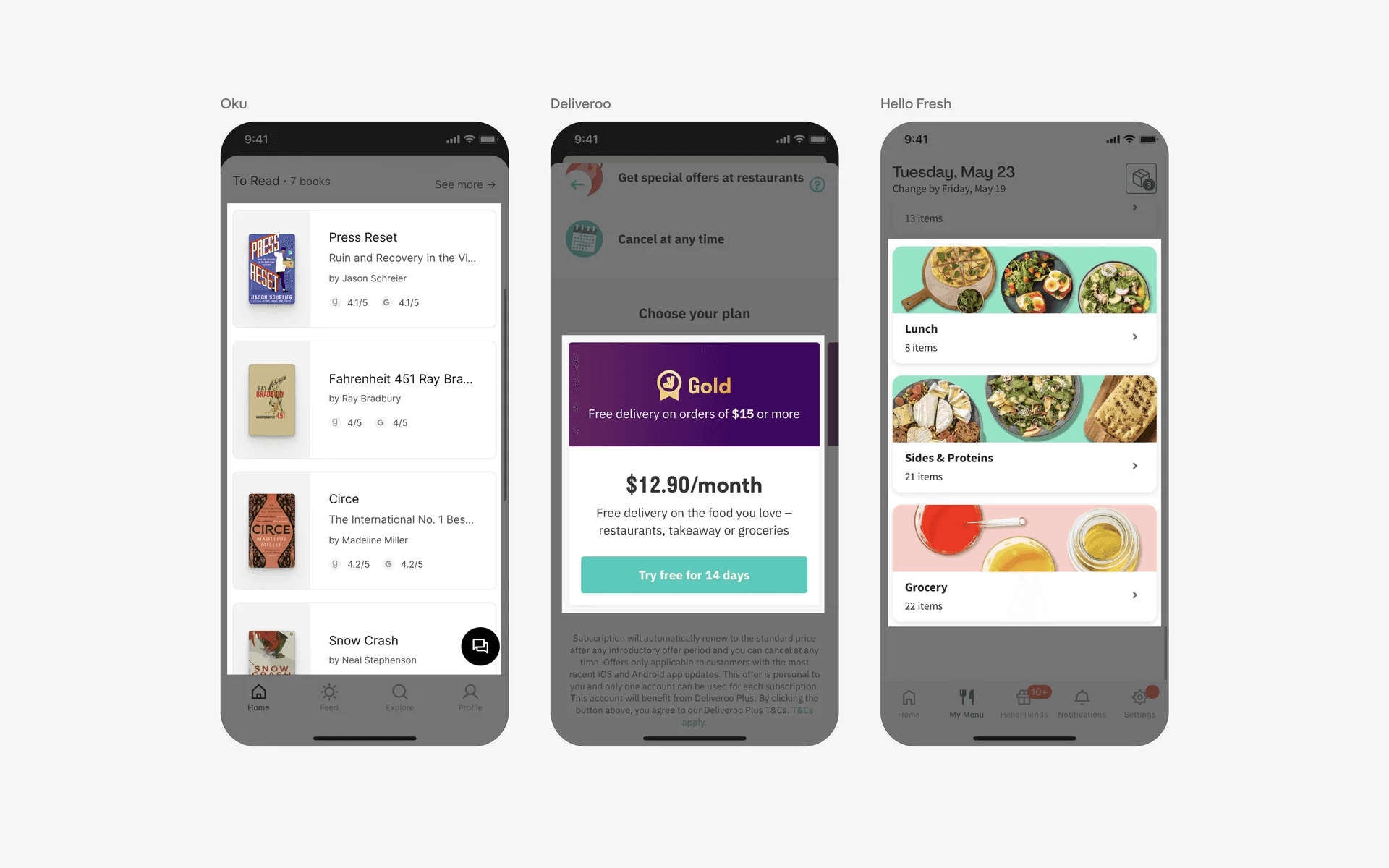
Examples of card versus tiles
3. Tiles v.s. Tabs
The purpose of tile is to allow users to select one or more items from a list, while the purpose of tabs is to switch between different views or sections of an application or website.
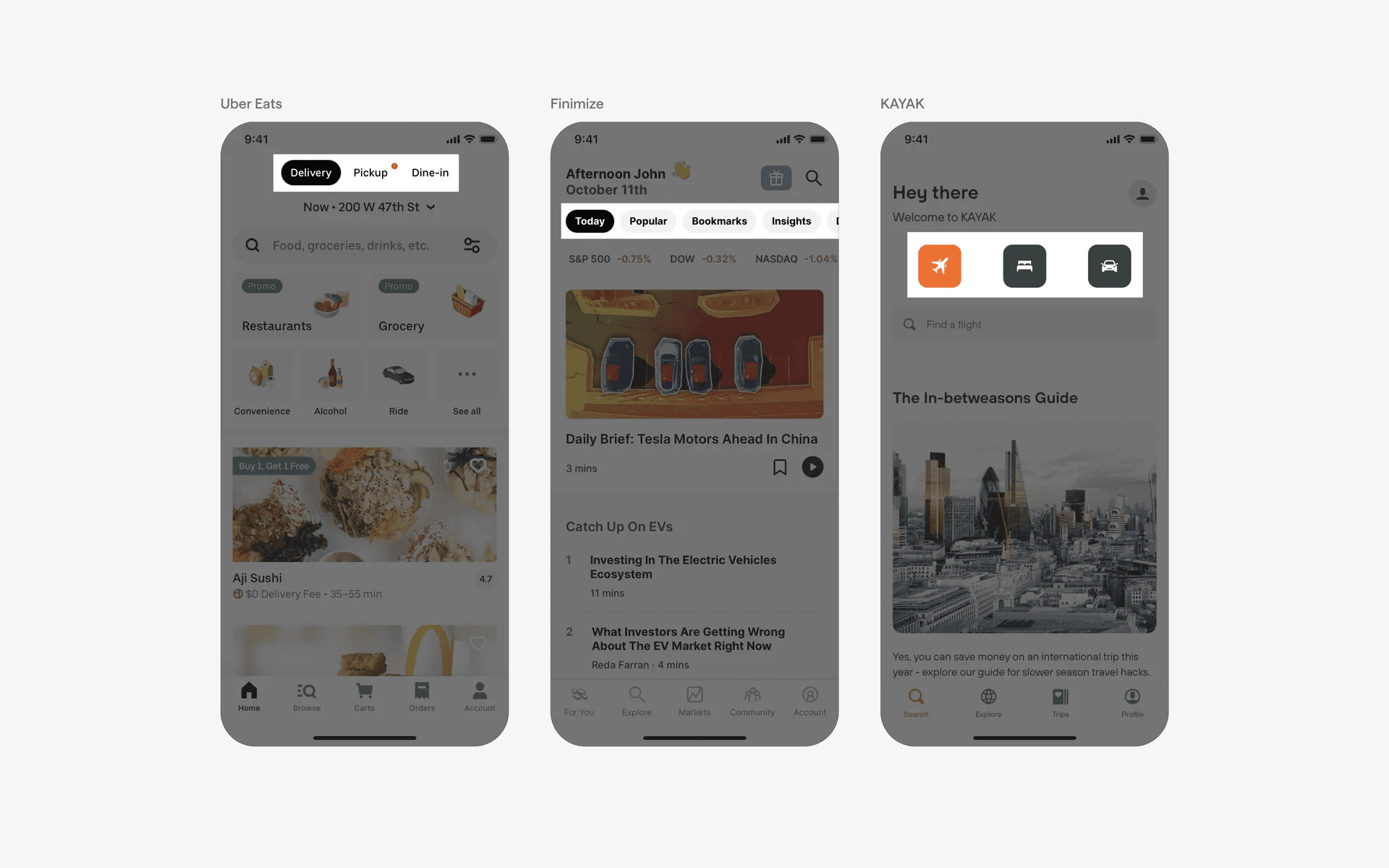
Examples of tabs versus tiles
4. Tiles v.s. Segmented control
Some segmented controls can be used to select options rather than switch content.
However, due to the presence of a track (i.e all options are connected by the same container), segmented controls cannot be considered tiles.
The items in tiles have distinct containers on their own.
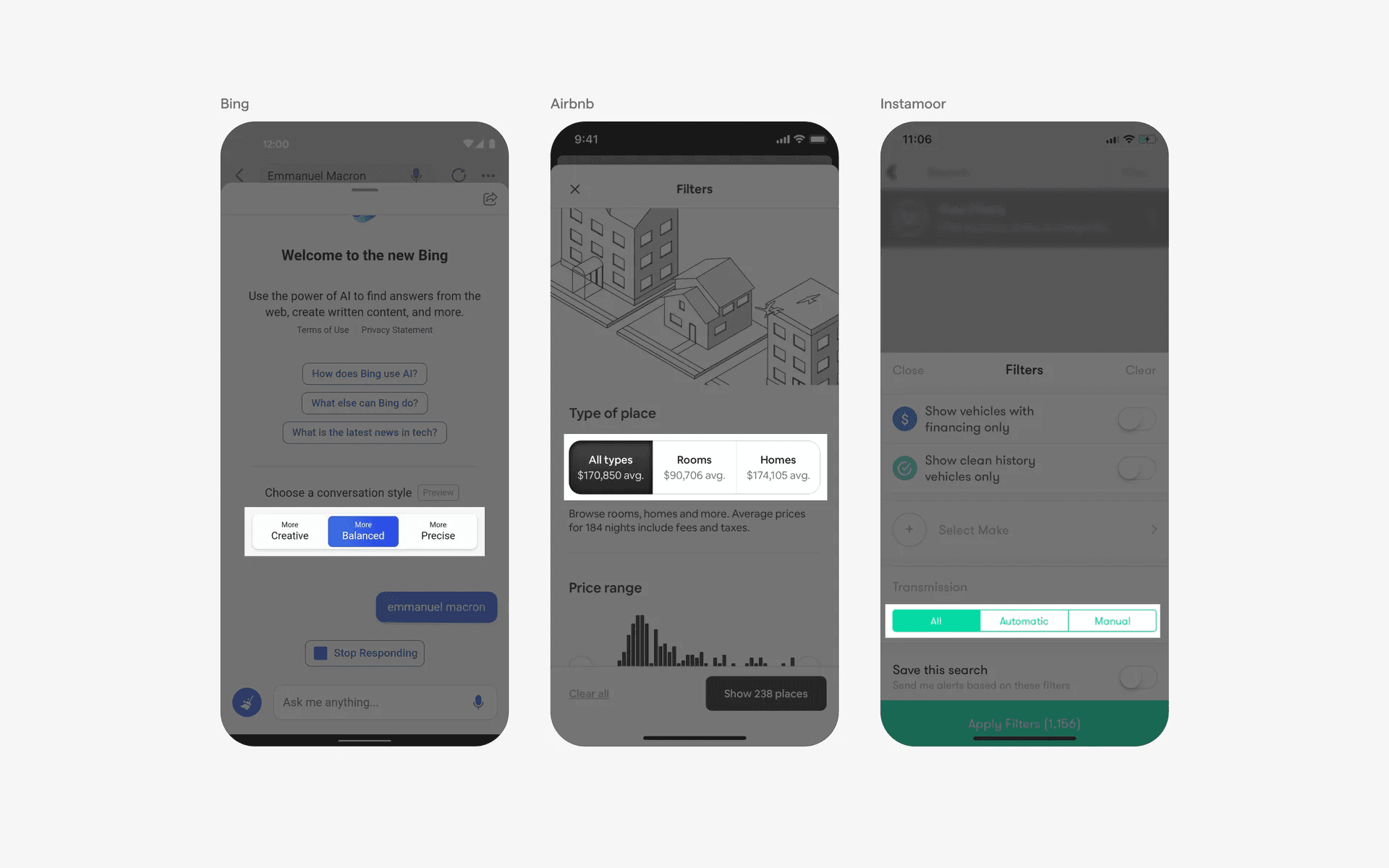
Examples of segmented controls versus tiles