Text Field UI

What is a text field component?
Text fields allow users to enter text into a UI.
It might come with description labels, helper text, placeholder text, and inline validation - depending on what data it's collecting.
It is a versatile way to collect a wide range of data types - it's commonly used for collecting: Email addresses, Password, Credit card numbers, Phone numbers, Verification codes, and more.
The text field UI design pattern is commonly found in: Data entry, Forms & surveys, Chat & messaging, Note-taking & writing.
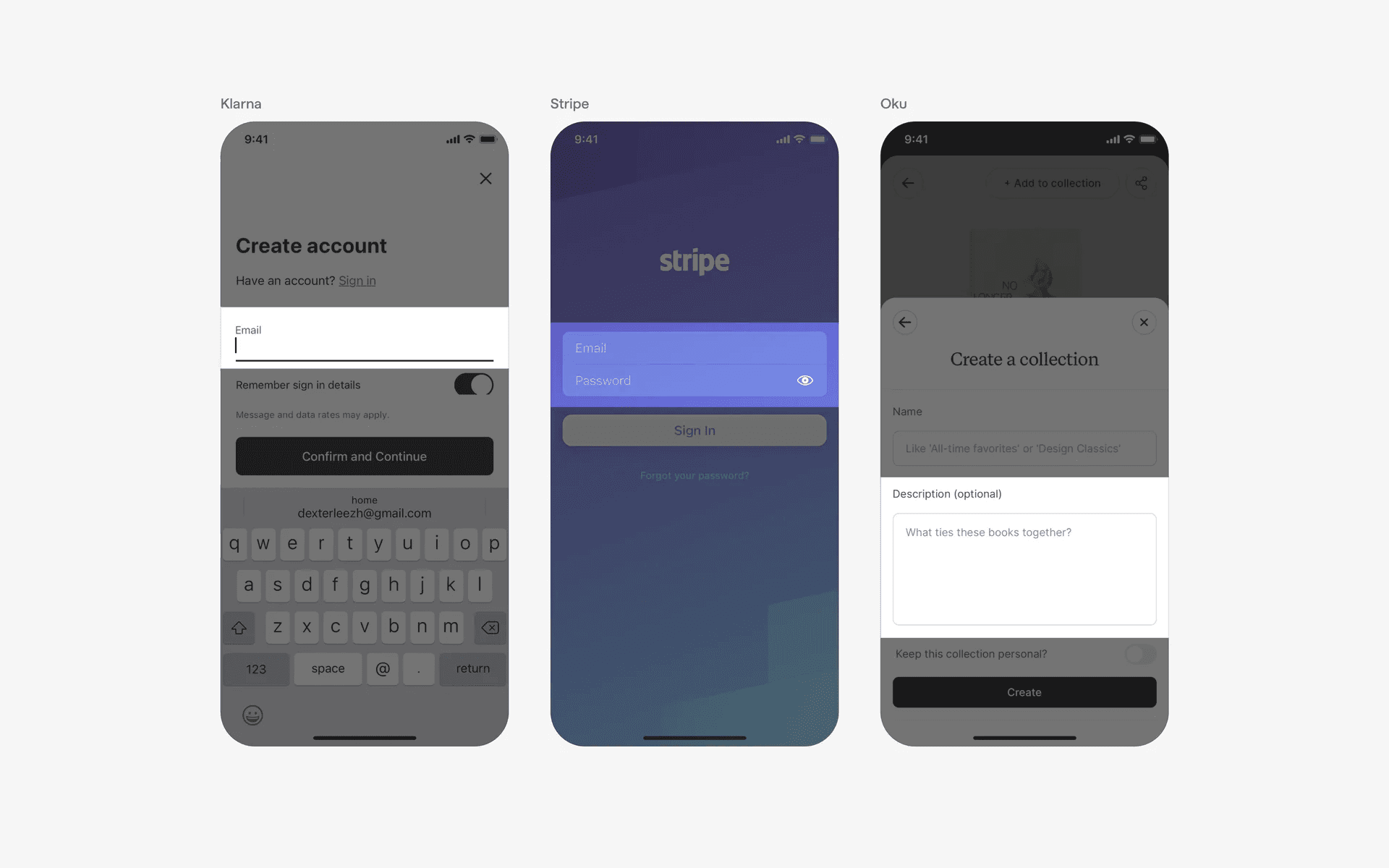
Text field and input box examples
What is the anatomy of a text field?
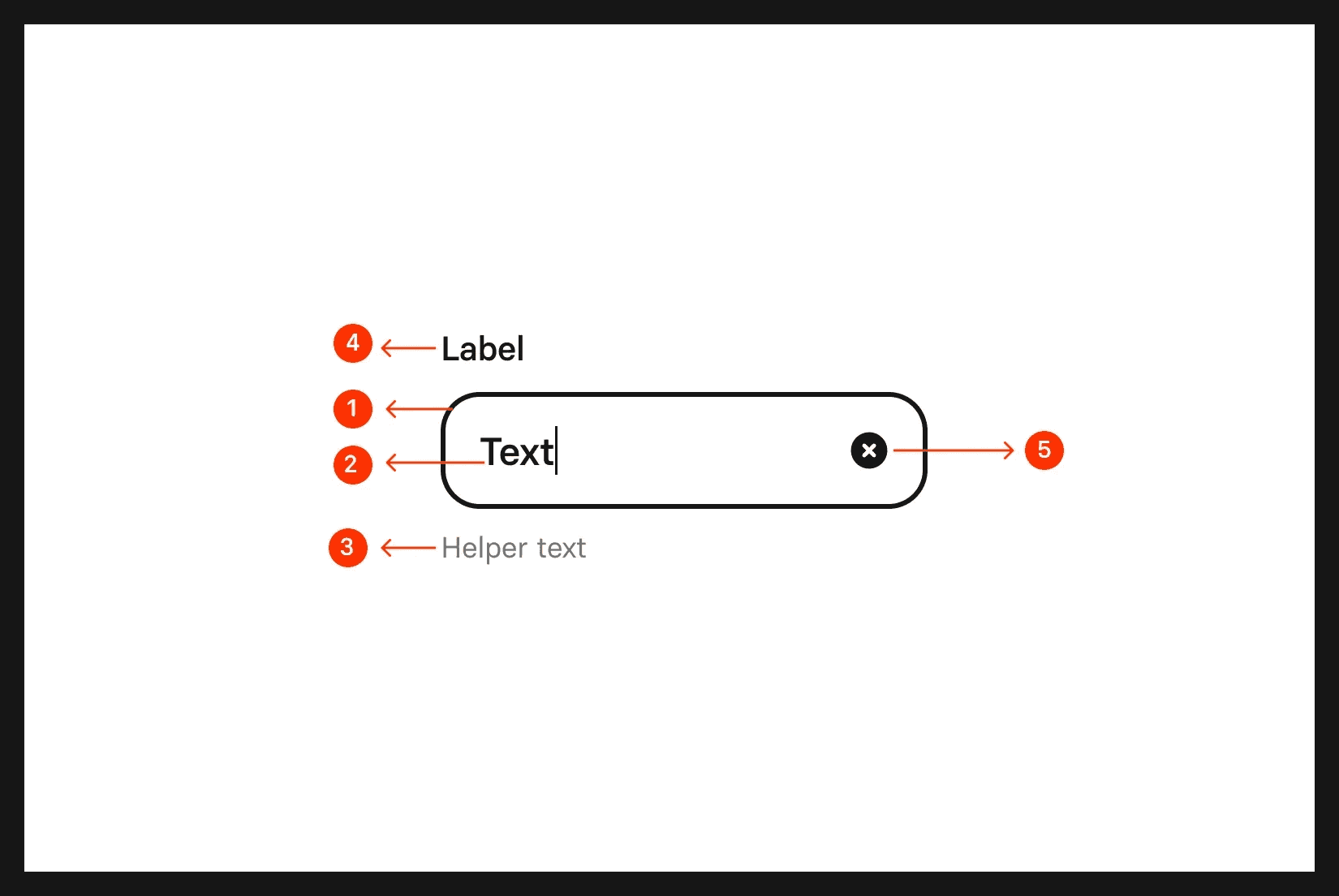
Anatomy of a text field
What are the design variants of a text field?
We studied over 17,000+ text field UI components on Mobbin, from real-world examples and found the following variants.
1. Text fields may have different container types
The most standard text field containers we've seen are filled text field.
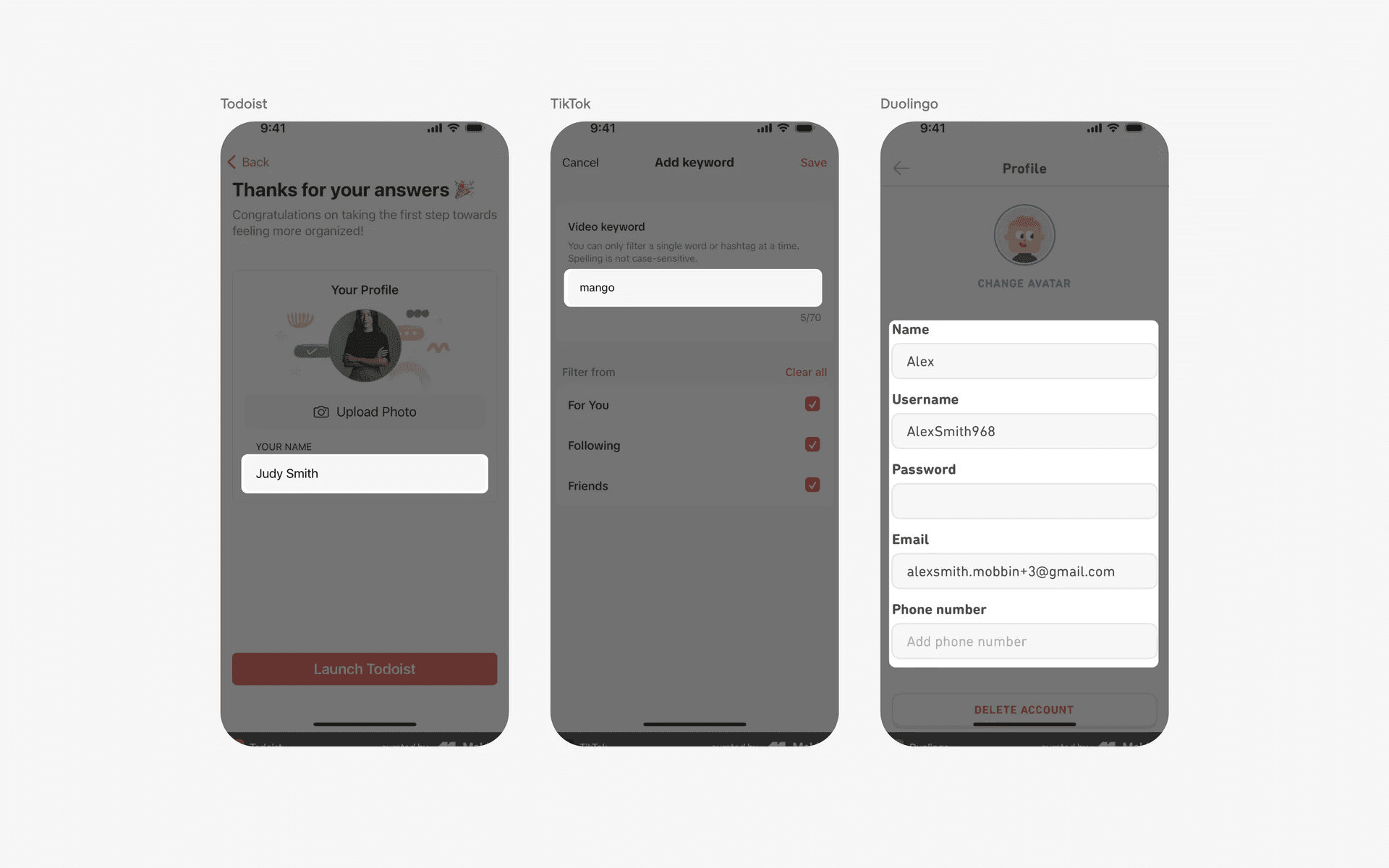
Examples of filled text fields
Alternatively, it is also common to see text fields with outlined containers.
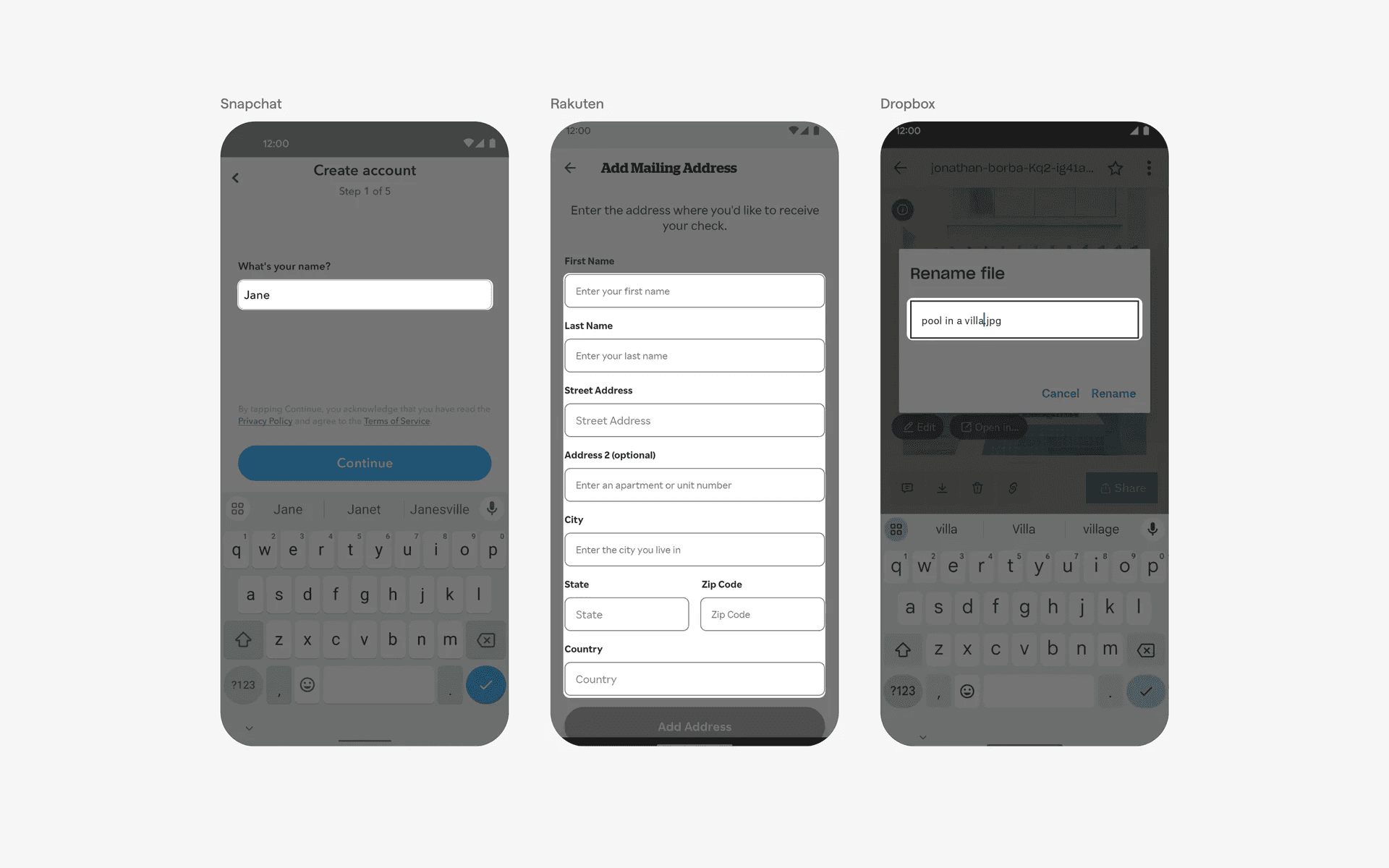
Examples of text fields with outlined containers
Finally, text fields that are outlined on the bottom edge only.
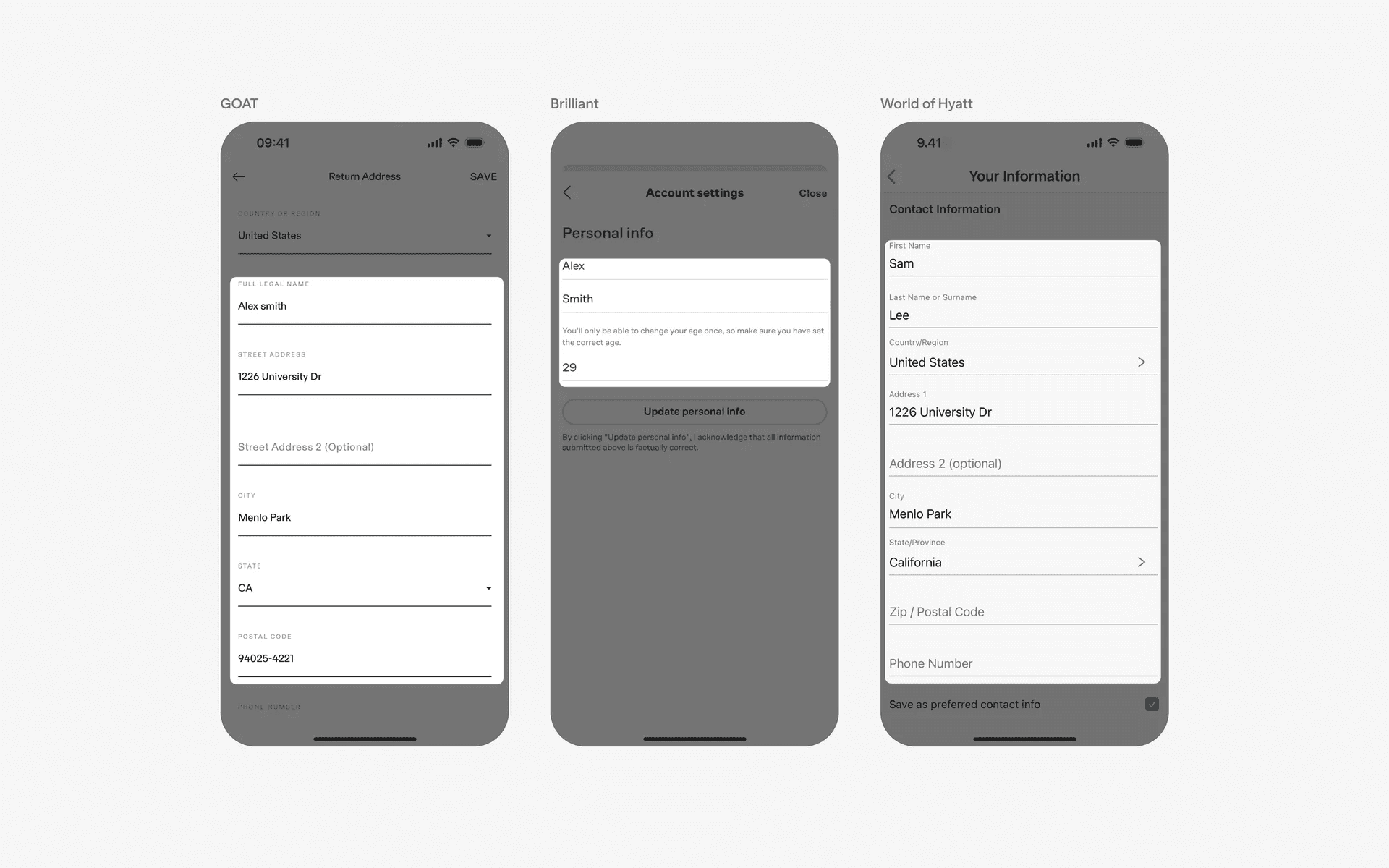
Examples of text field with bottom edge outlined containers
2. Text fields may have helper text, placeholder text, and description text
It is common for text fields to have both a description label text (i.e: "Name", "Email", "Password") and a placeholder text (i.e: "Your name", "Your email", "Minimum 8 characters").
These supporting labels are important in helping guide the users to the desired input.
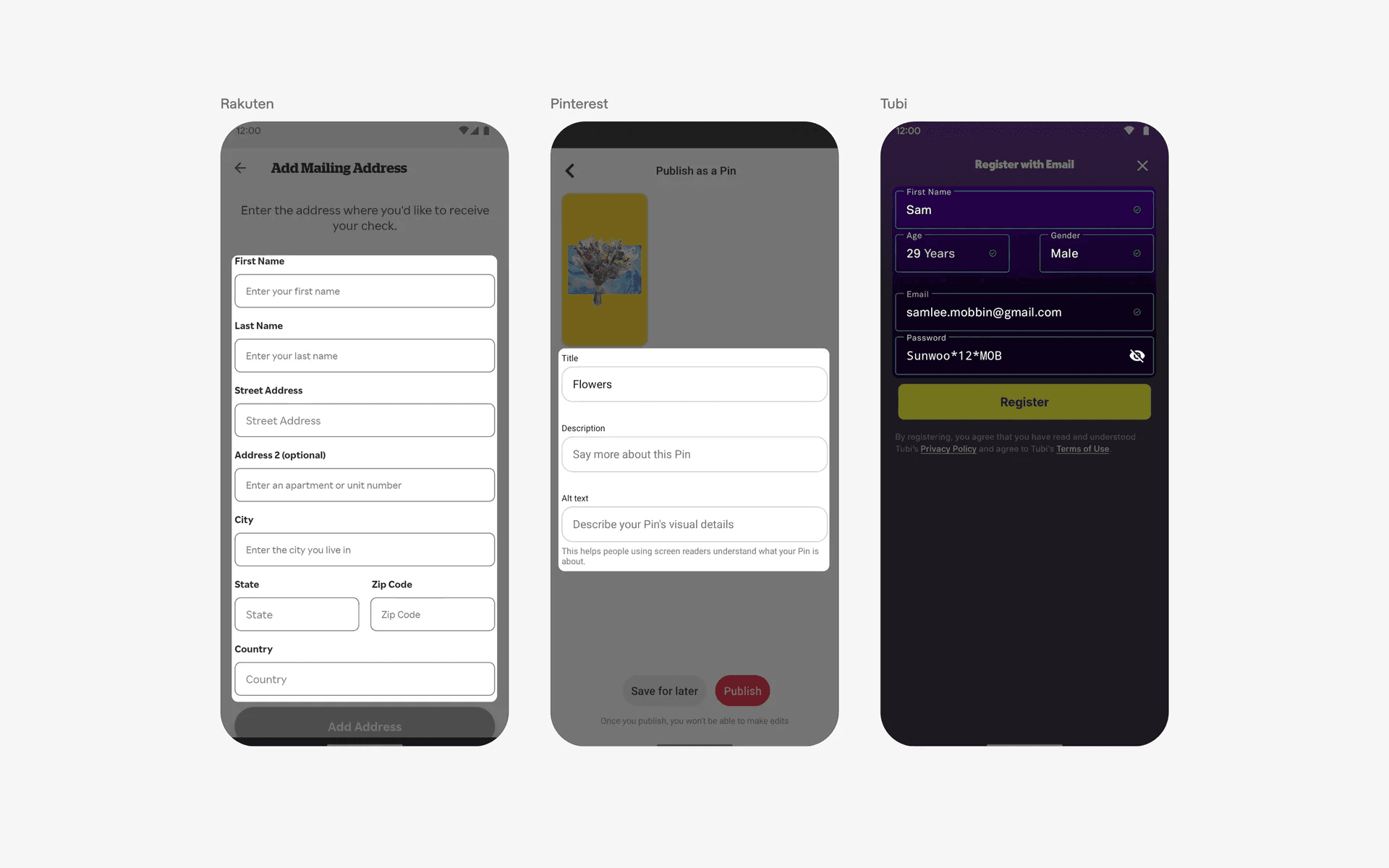
Examples of text field with description label text and placeholder text
Another important form of supporting label text is the helper text - these are also sometimes known as error text, hint text, or inline validation text.
The helper text shows up as an error message when users are typing into the input fields. The error message is often shown in red, with a leading icon. This helps guide users to enter the proper desired input, especially in important fields like card numbers, or email addresses.
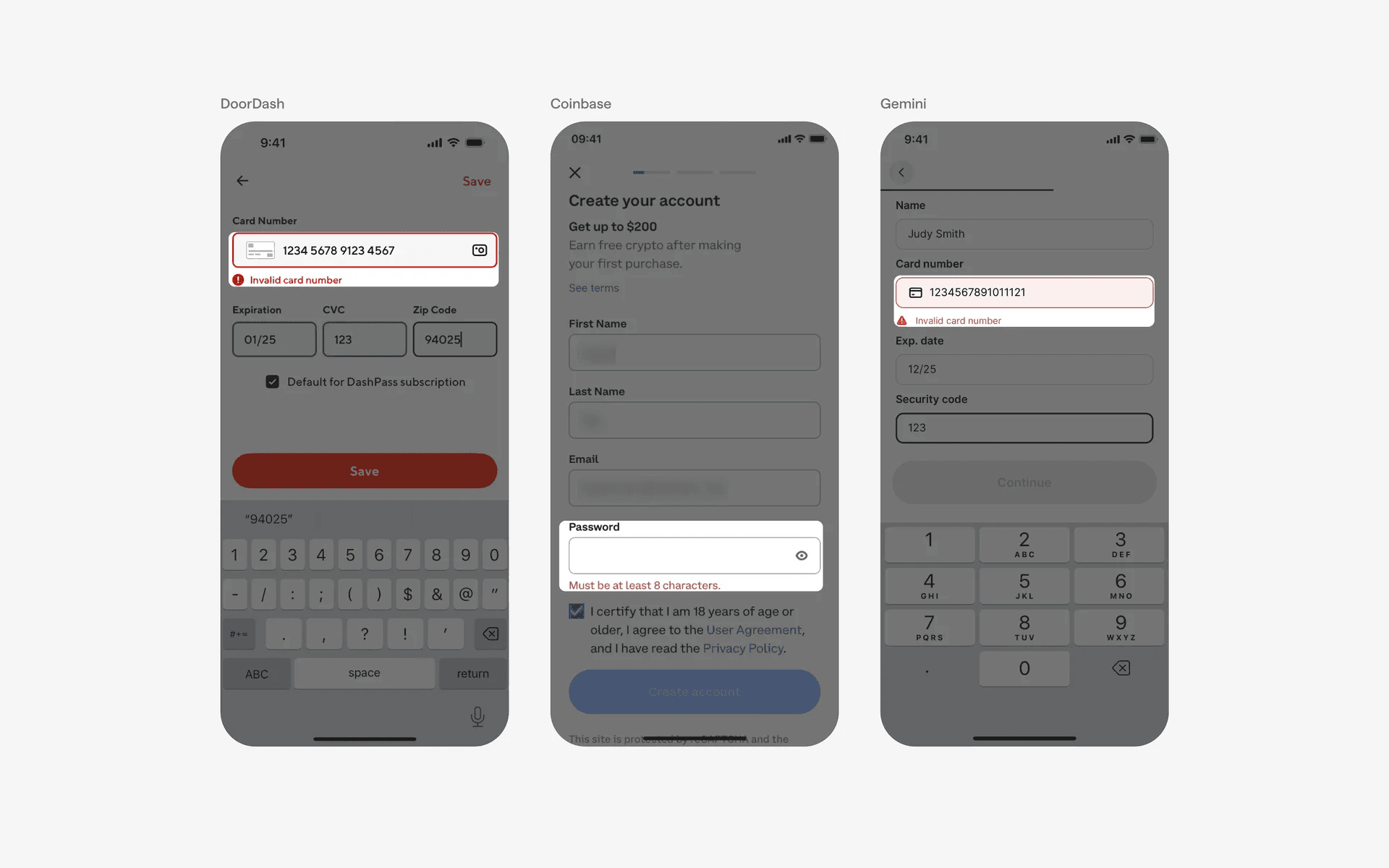
Examples of error text in a text field
3. Trailing icon or buttons in text fields
Some text fields may come with trailing icon or buttons, depending on the type of data required for a specific field.
Password fields often come with a trailing eye icon, which allow users to hide/show their password.
Credit card fields sometimes come with a camera icon, which allows users to scan and autofill their credit card number.
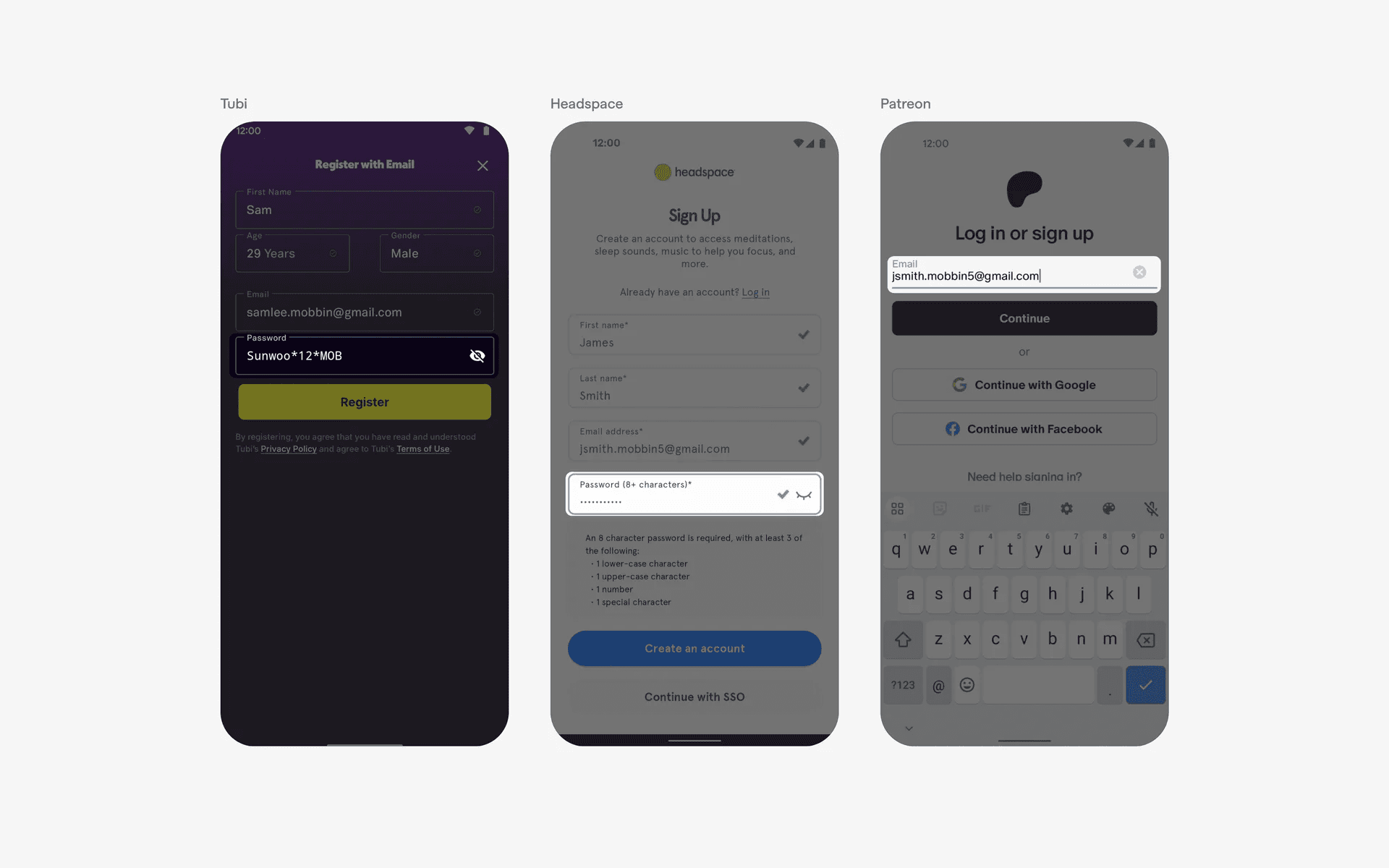
Examples of trailing icons or buttons in a text field
4. Numeric only text fields
Some text fields only accept numeric inputs, and rejects or throws an error message for any input that is not numeric in nature.
Some examples include verification code fields, phone number fields, money transfer fields.
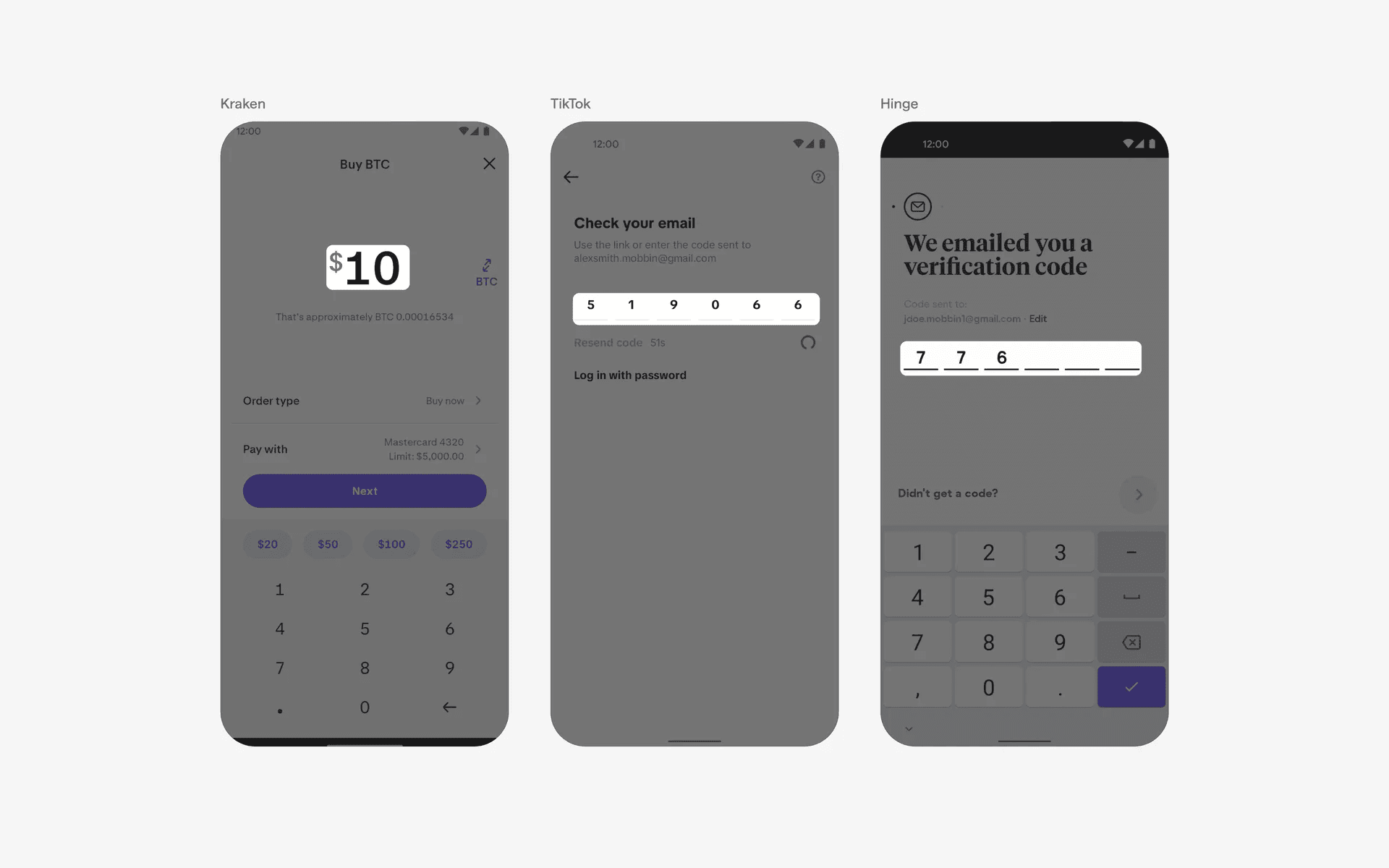
Examples of numeric only text fields
5. Grouped text fields
Grouped text fields are most commonly found in sign up pages - where the first name and last name are grouped together; or the email and password fields are grouped together.
By grouping relevant text fields together, it makes it clear to users that the input field is related to each other.
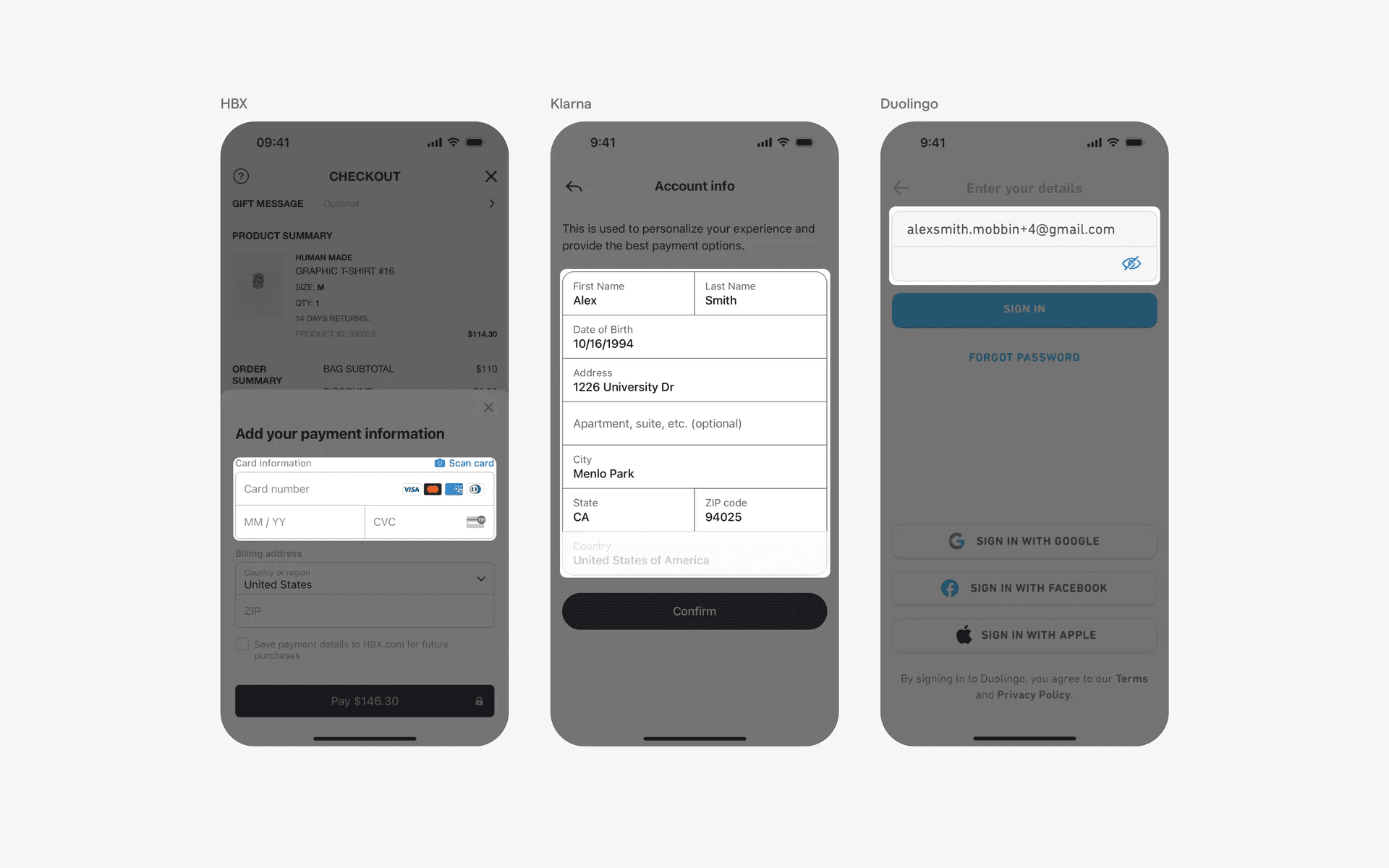
Examples of grouped text fields
6. Text area is a variant of text fields suitable for longer inputs
A text area is a design variant that is catered for longer responses - like journal entries, descriptions, or articles.
They are usually longer in height as compared to a typically text field, which has a fixed container height.
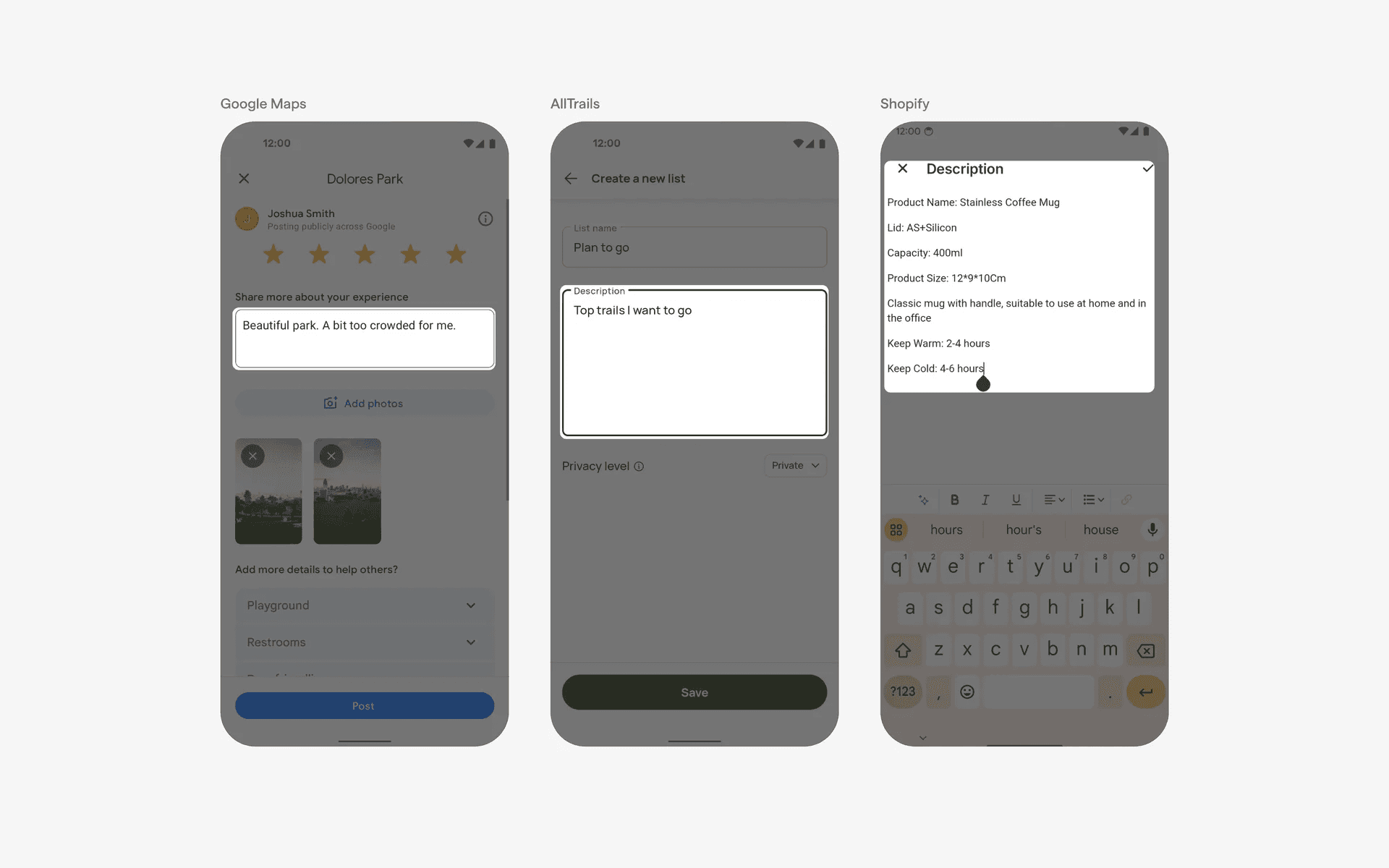
Examples of text area
When to use a text field?
1. Data entry
Text fields are typically used to allow users to enter and edit text-based information, such as usernames, passwords, or any other textual input required by the app.
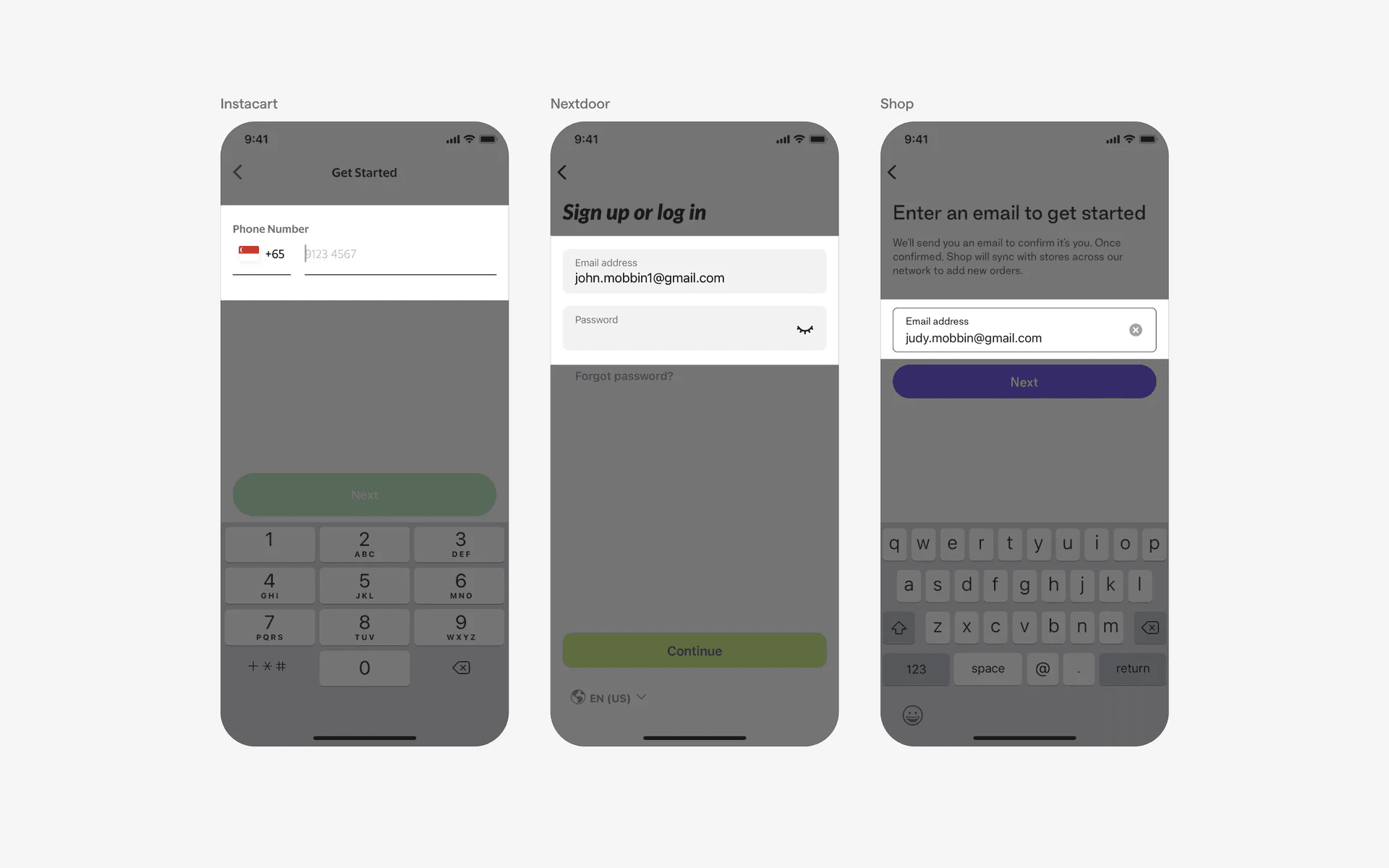
Examples of text fields used in data entry
2. Forms & survey
Text fields are often utilized in forms and surveys where users need to provide detailed information, such as addresses, contact details, feedback, or responses to specific questions.
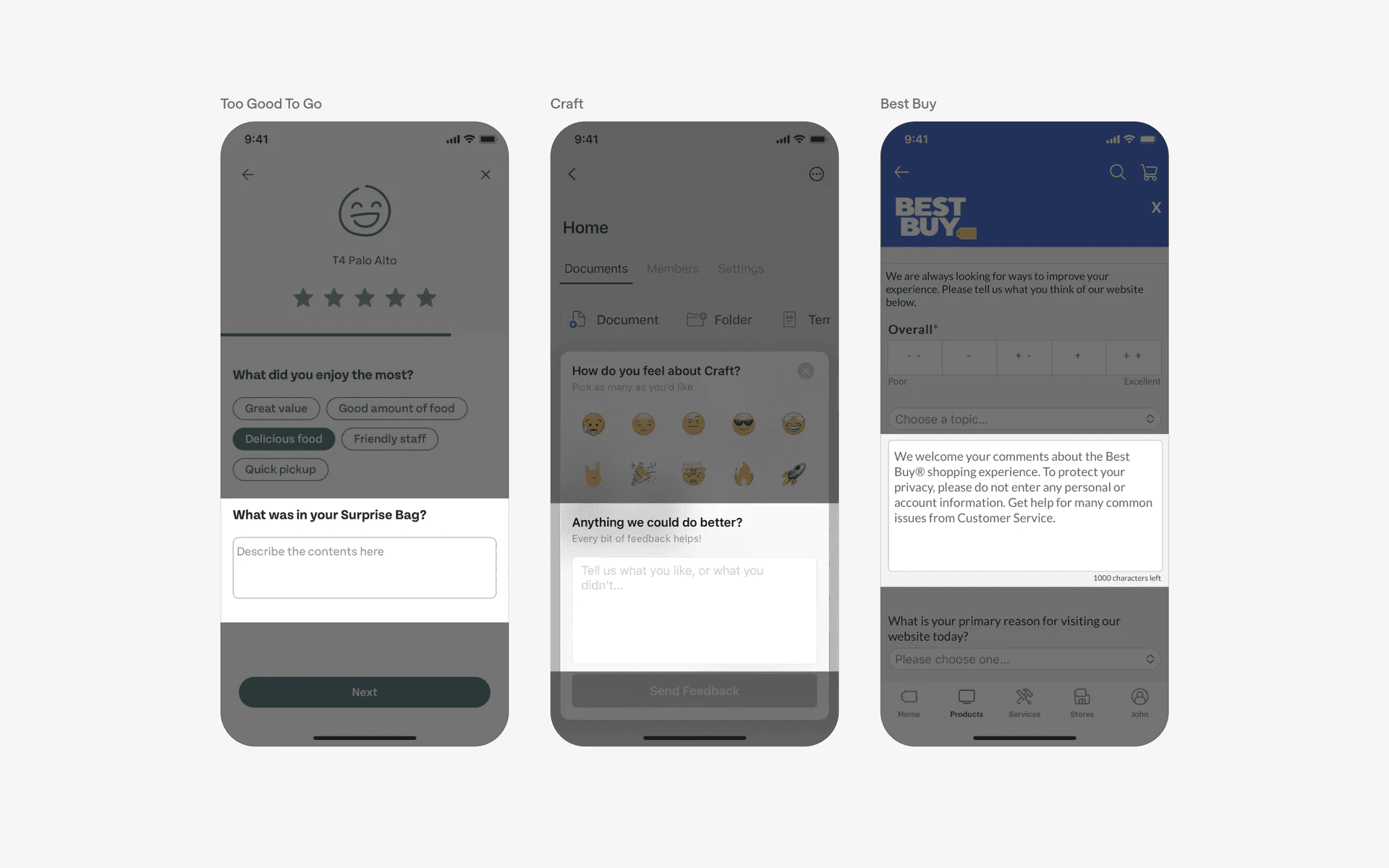
Examples of text fields used in forms & survey
3. Chat & messaging
Text fields are essential components in chat and messaging apps, enabling users to compose and send text messages to communicate with others.
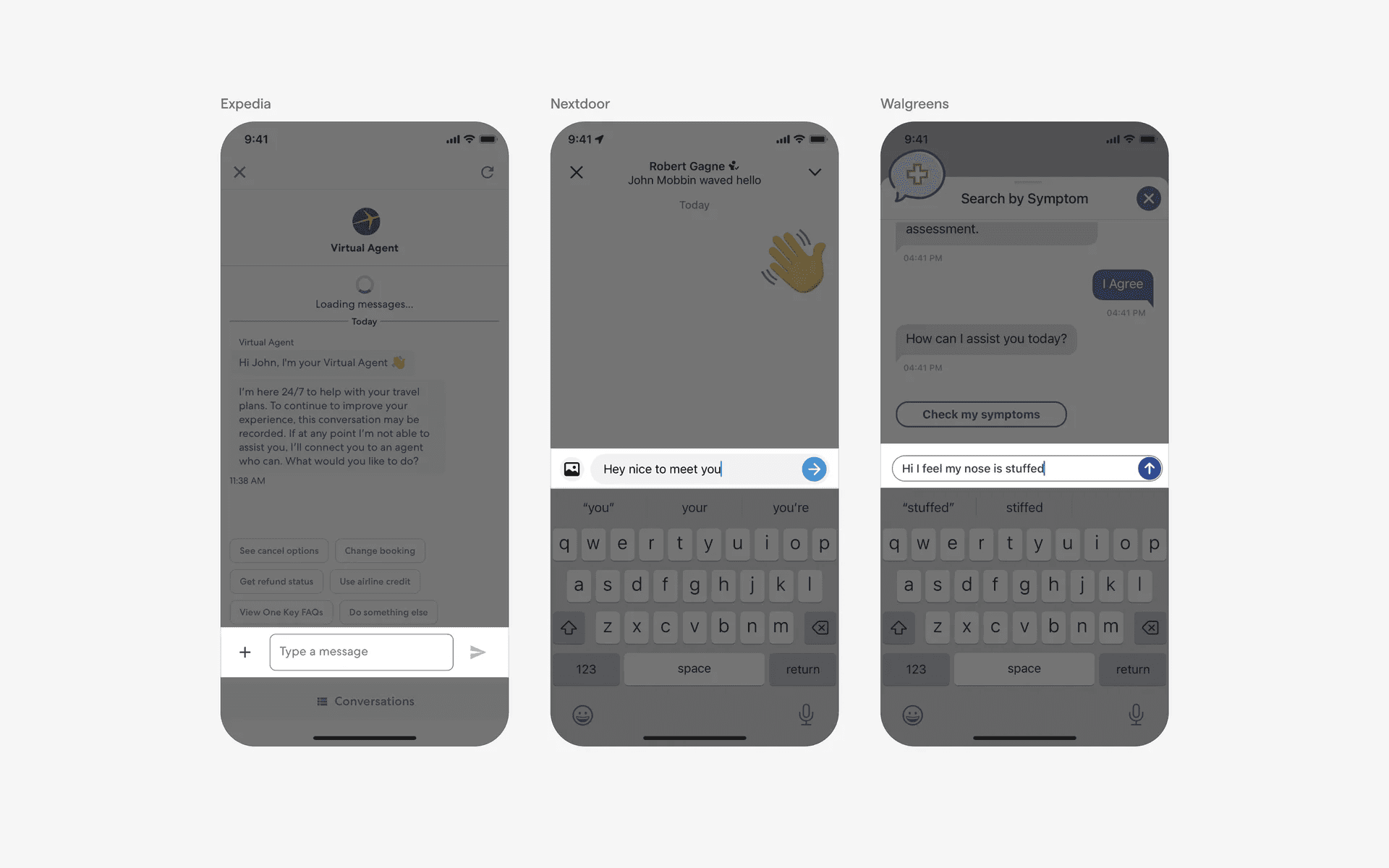
Examples of text fields used in chat & messaging
4. Note-taking & writing
Text fields are used in note-taking and writing apps, providing a space for users to jot down their thoughts, create to-do lists, or write longer-form content.
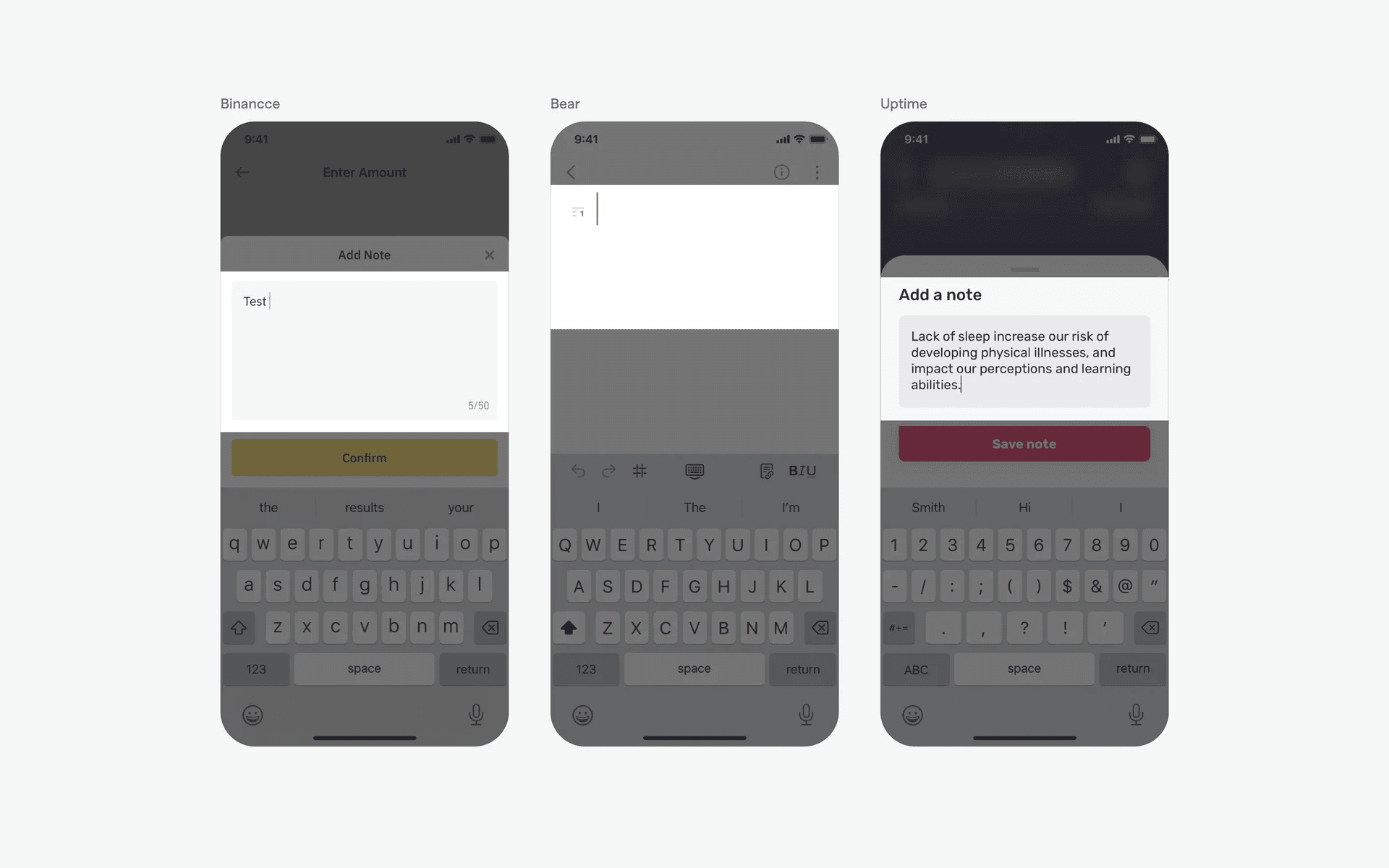
Examples of note-taking & writing
Conflicting UI elements: Search Bar
Text fields v.s. Search bars
Visually, a text field might be confused with a search bar as they both have placeholder text and containers. In fact, a search bar is a special type of text field - sometimes known as a 'search field'.
You can easily differentiate them as search bars have magnifying glass icons (and usually has 'search' in the placeholder text field)
A search bar is used to quickly search for specific information within a larger set of data. It is often used to search for specific keywords or phrases within a website or database. A text field is simply used to enter data or information into a form or document.
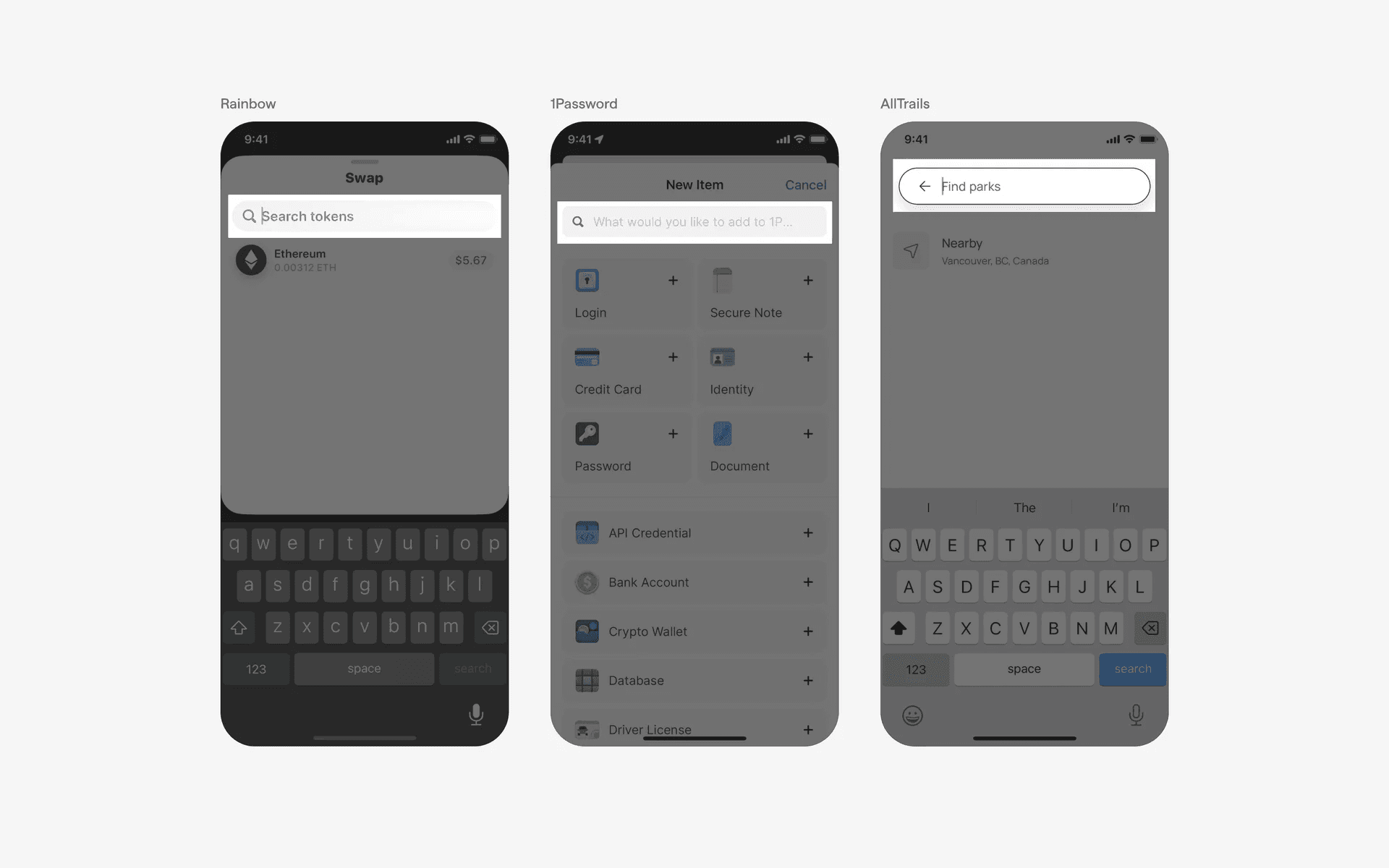
Examples of search bar