
What is a table component?
Tables are containers for displaying information. They allow users to quickly scan, sort, compare, and take action on large amounts of data.
It is commonly used for presenting data that benefits from comparison across multiple attributes.
Table items in a row or column are related to each other, as defined by the header.
It can include features like sortable columns, filters, and pagination to help users navigate large data sets.
Tables may be static or dynamic.
Static tables are hardcoded with information that does not change.
Dynamic tables are updated when there is new data, or are inputs that are editable by users.
Tables are commonly used in the following design patterns: Features & information, Size guides, Statistics & results.
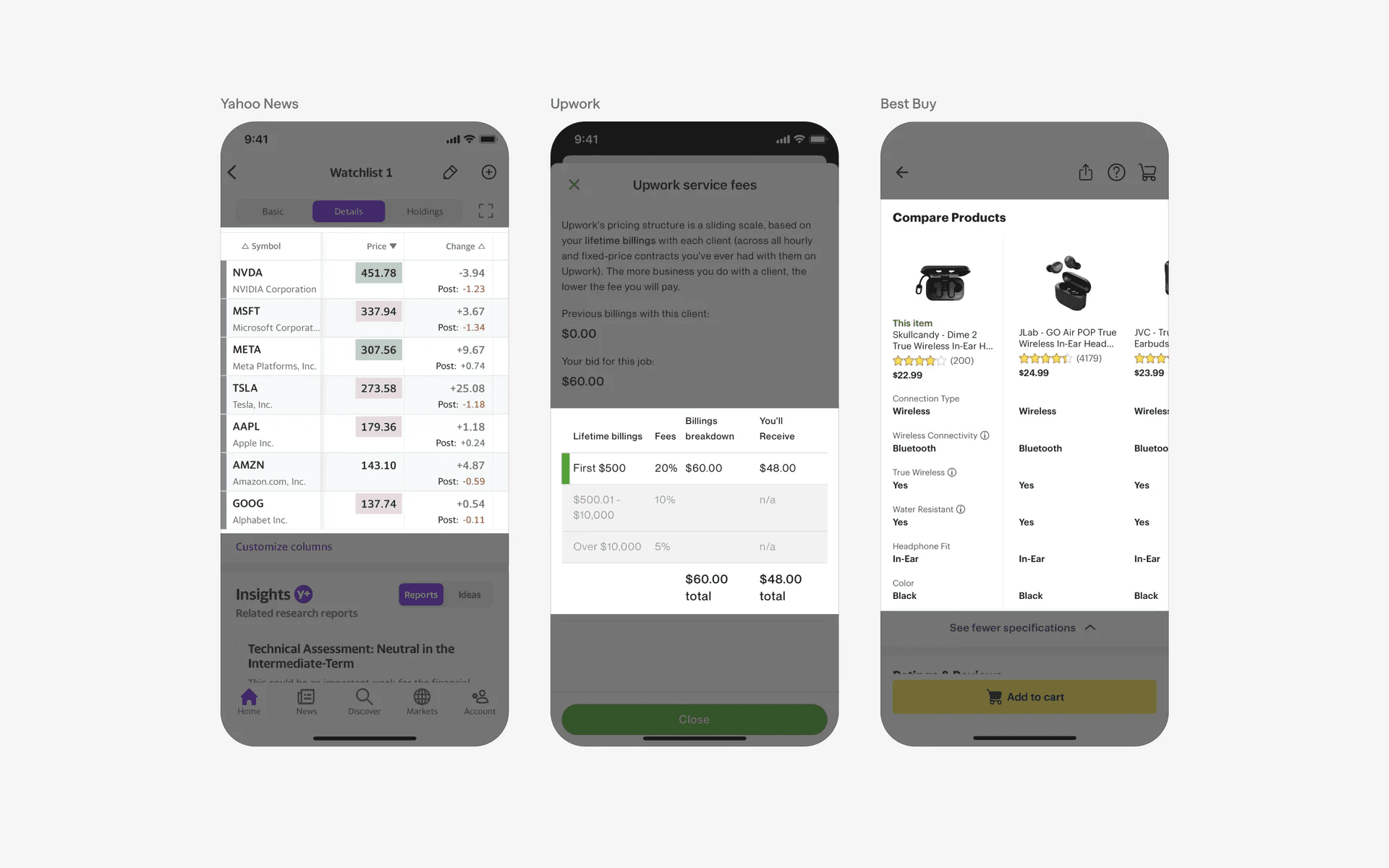
Examples of table UI
What is the anatomy of tables?
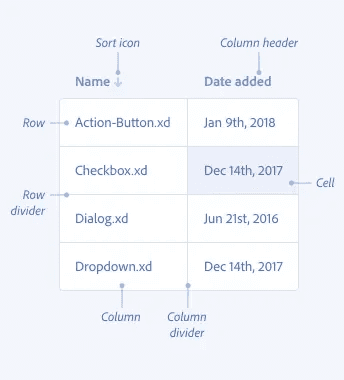
Anatomy of table UI
What are the design variants of a table?
We studied over 1,500+ table UI components on Mobbin, from real-world examples and found the following variants.
1. Tables can have text or image column headers
The most common forms of data tables have text column headers.
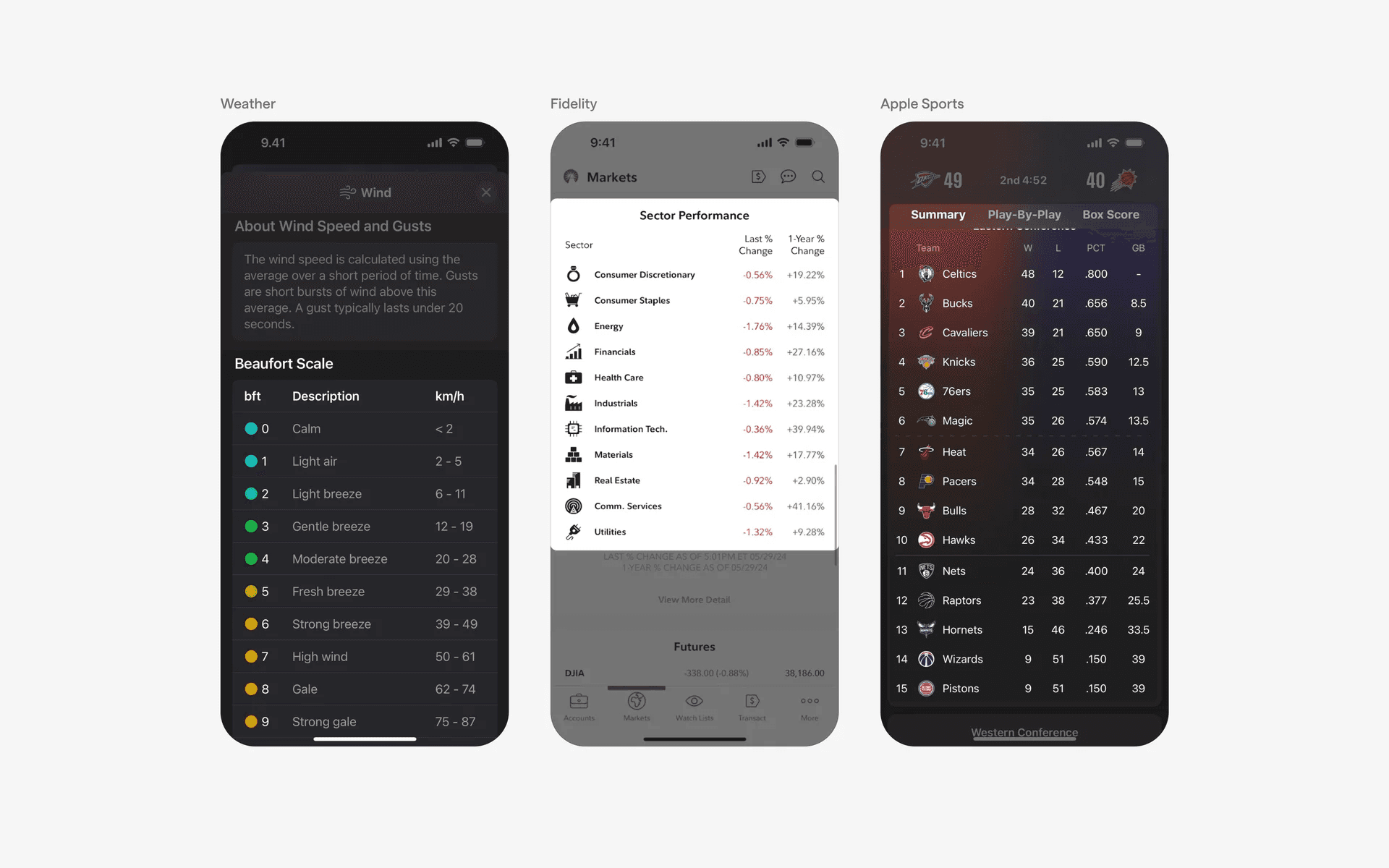
Examples of table UI with text column headers
Alternatively, some apps have chosen to use image thumbnails as column headers instead. This might enable users to better compare products against each other.
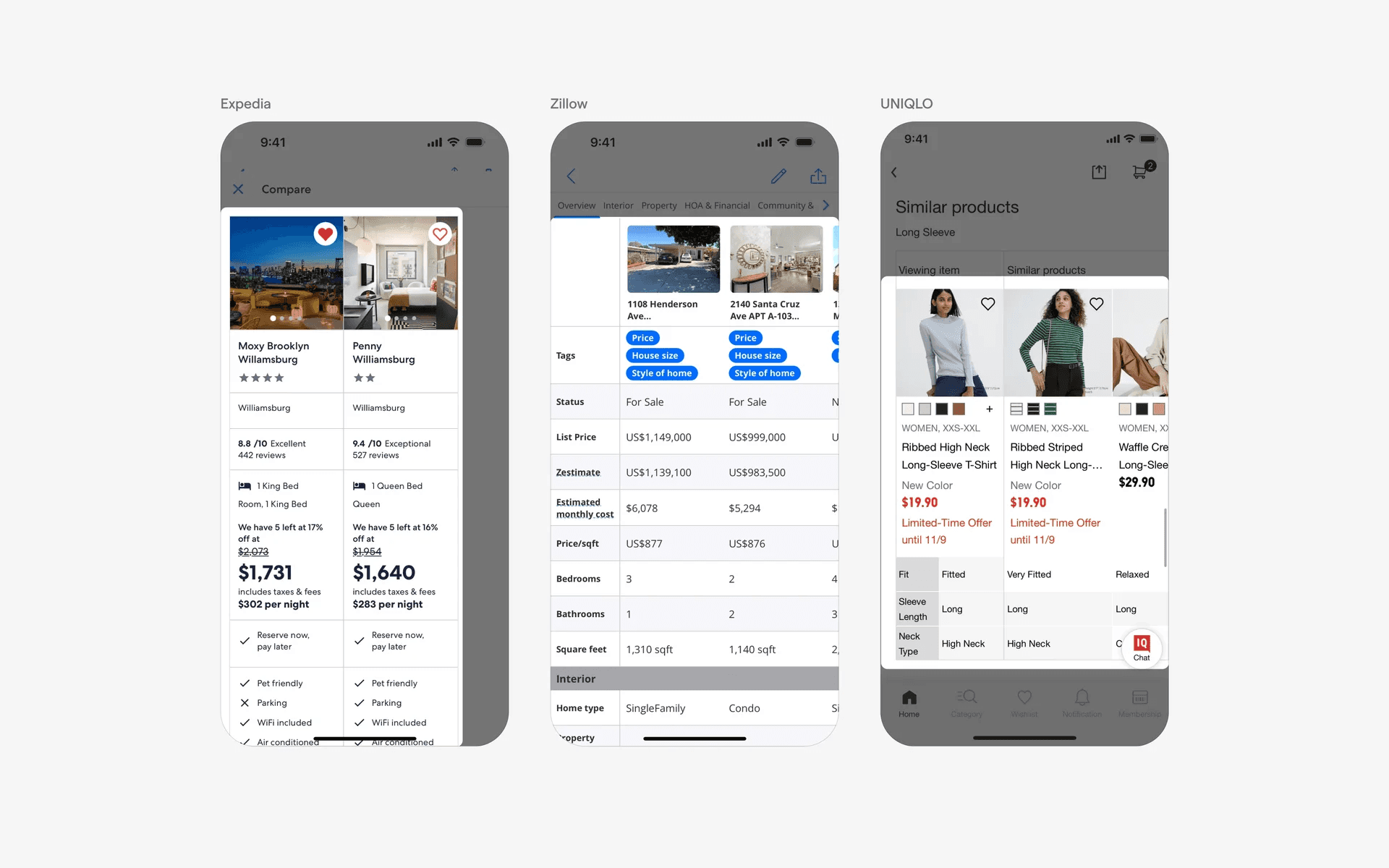
Examples of table UI with image column headers
2. Editable tables
It is common to see editable table UI design examples in note taking apps like Evernote or Notion. Designing tables is not an easy task on mobile devices since it might compromise readability or usability on small screens.
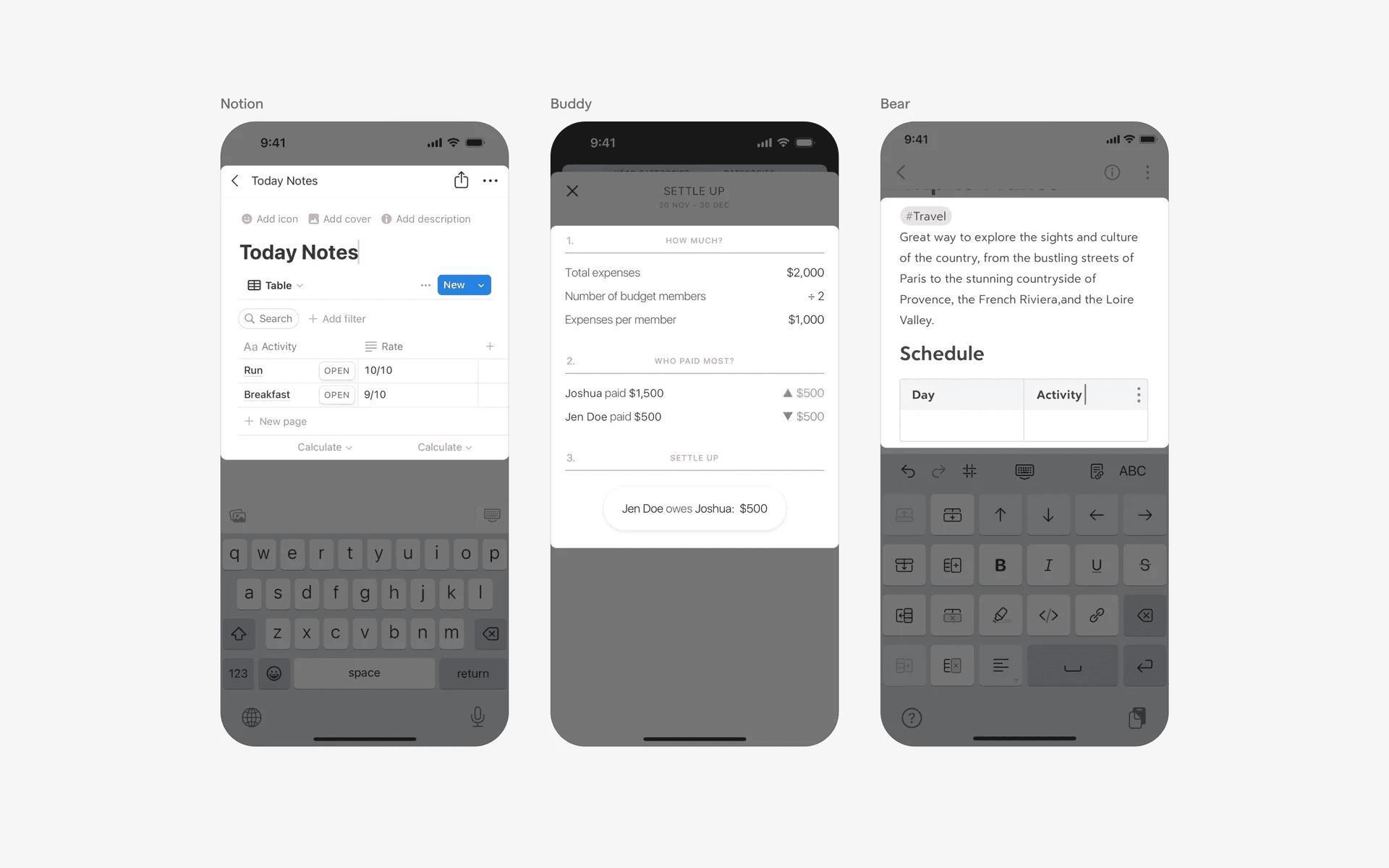
Examples of table UI of editable tables
3. Nutritional tables
The table UI design is also common in nutritional apps. These tables are often static, and look similar to what you'd expect to find in an actual food packaging.
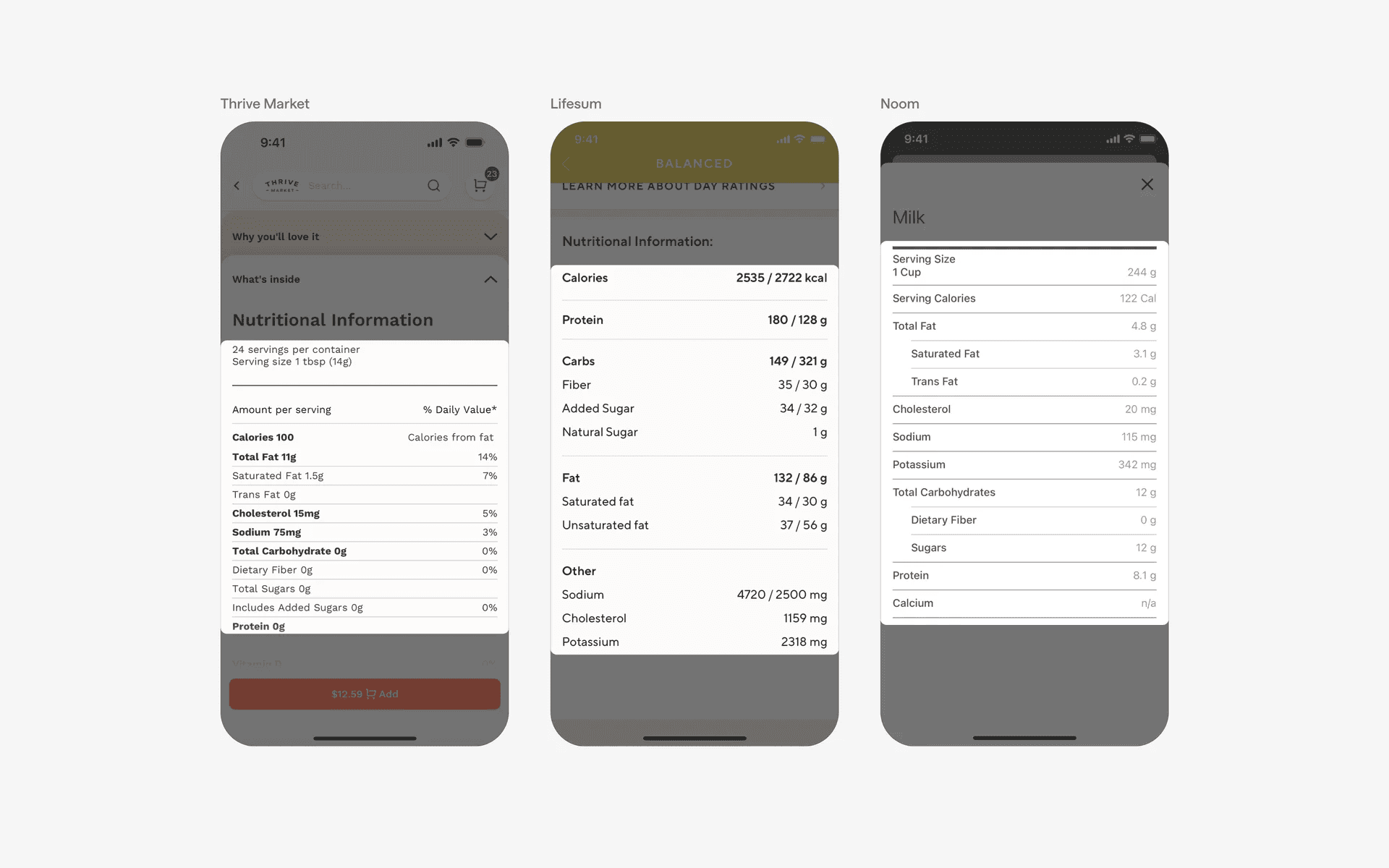
Examples of table UI in nutritional tables
When to use tables?
1. Features & information
Tables are used for showcasing multiple products or options side by side - such as pricing plans, or, numerical data like stock prices.
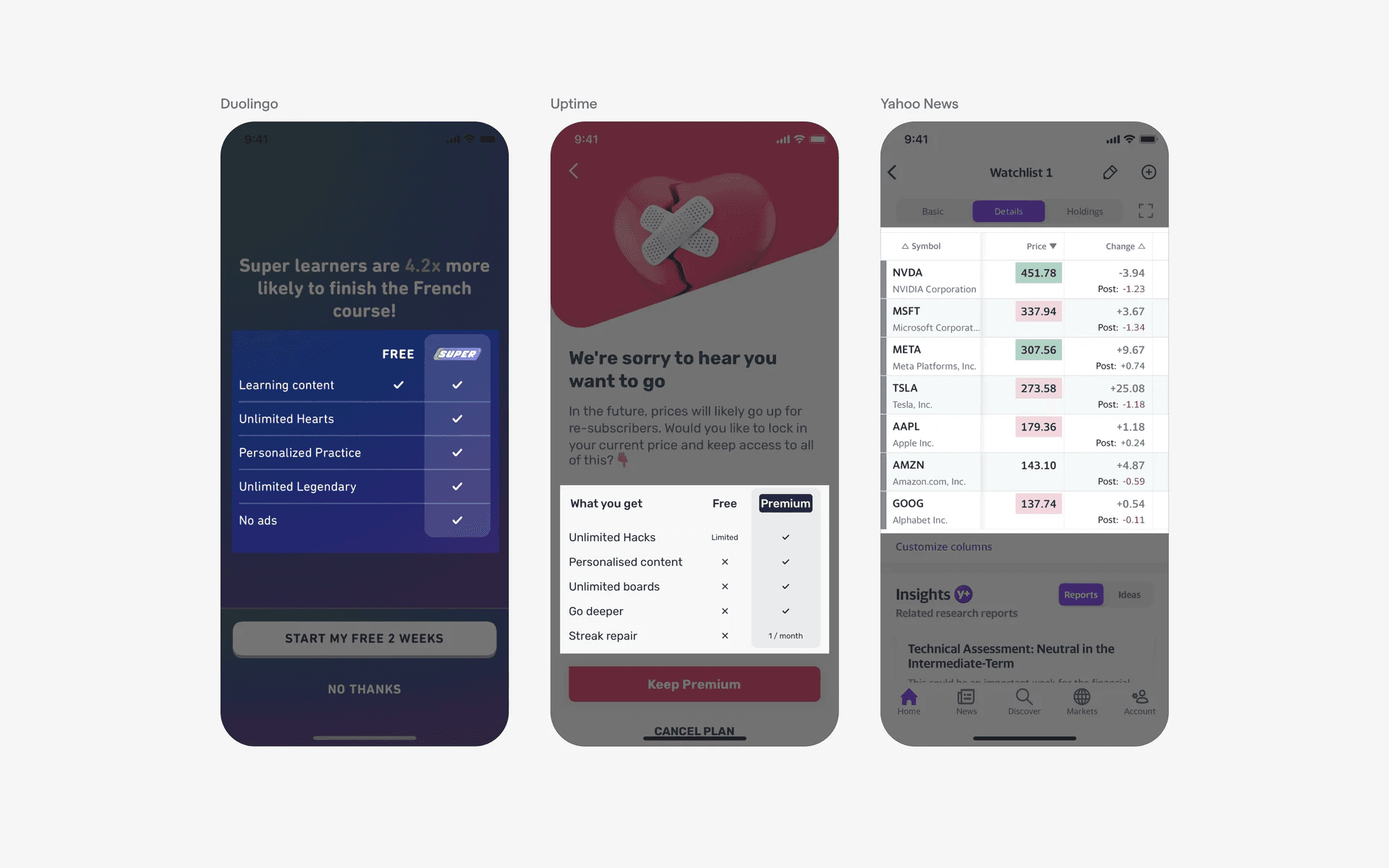
Examples of table UI in features & information sections
2. Size guides
Tables are also commonly used for size guides - it is best for displaying standardized measurements across different regions (i.e: US, EU, UK shoe sizes).
Also, it is useful for users who might need to easily cross-reference size categories to figure out what product sizes mean (i.e: S, M, L, XL).
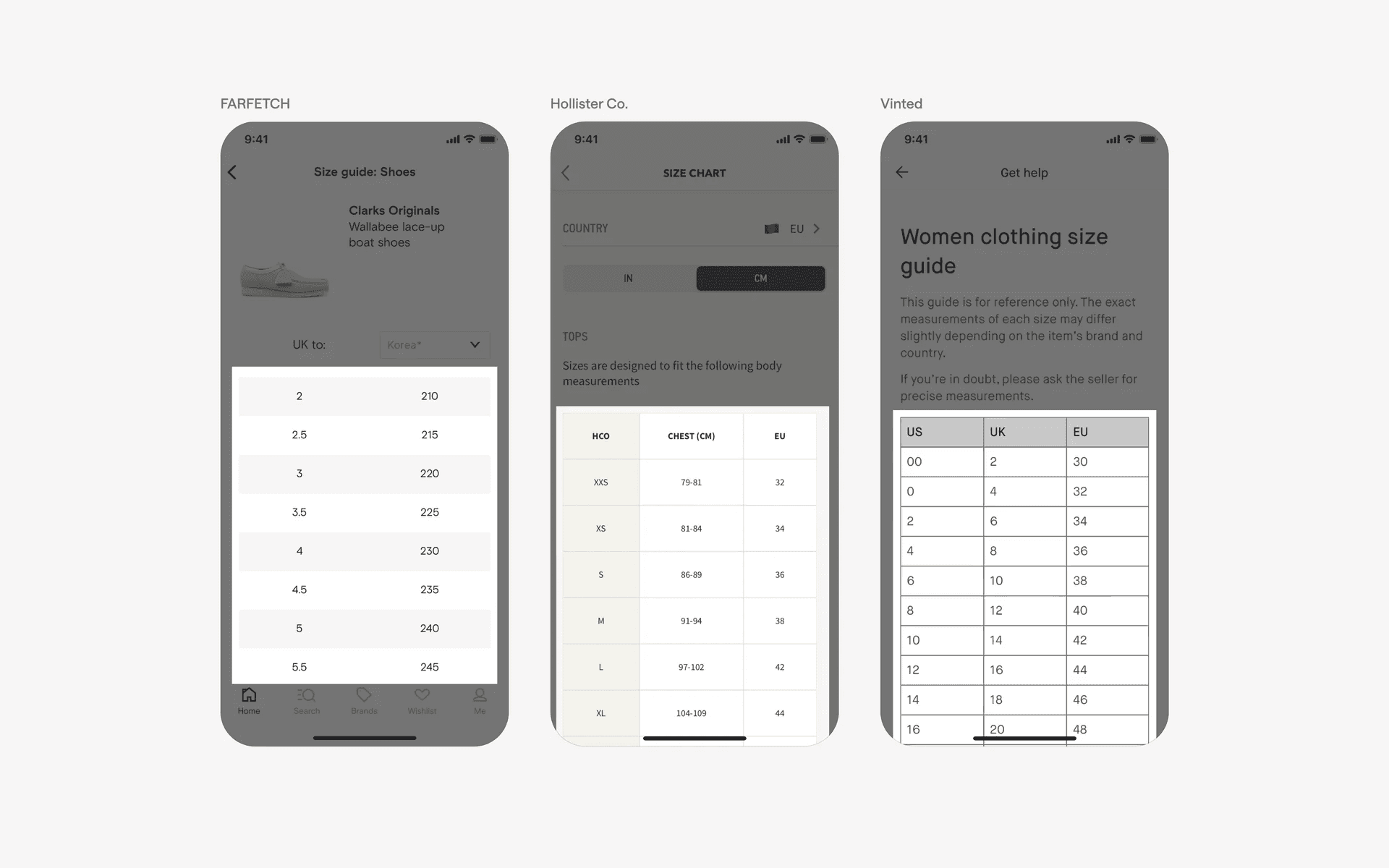
Examples of table UI in size guides
3. Sport statistics & results
Tables are ideal for showing scores, rankings, or player statistics across different teams and matches. It's also fantastic for tracking performance across games or seasons - like displaying win loss results over time.
Different data tables might be needed for different types of sports, and the statistics shown can vary quite significantly.
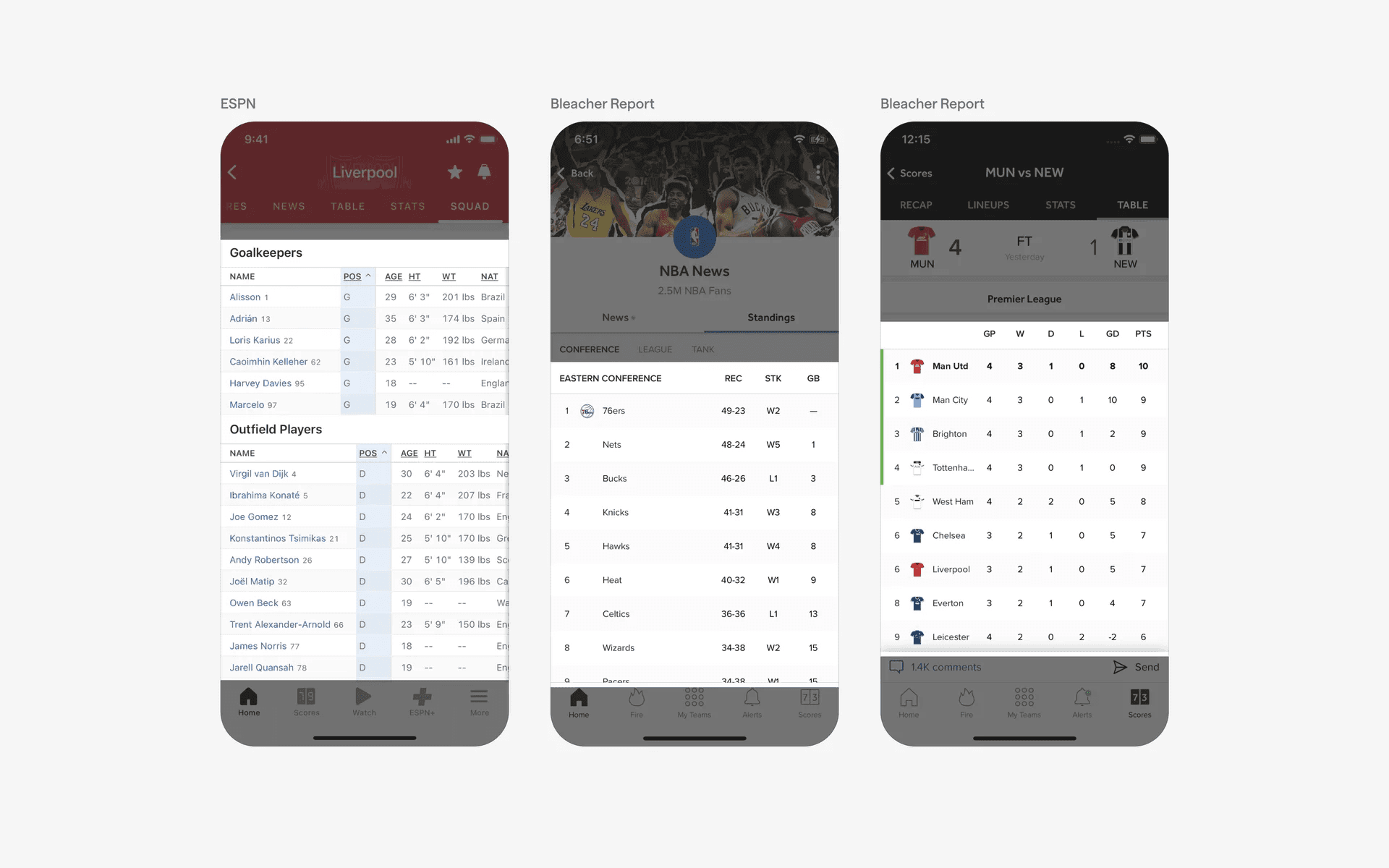
Examples of table UI in sports statistics & results
Conflicting UI elements: Stacked lists
Tables v.s. Stacked lists
Stacked lists presents content items in a linear layout and is not constrained by a strict grid of column and rows. Each item is presented as an individual unit - and it does not support complex data manipulation.
Tables are defined by rows and columns with headers representing each data attribute. The data is structured in a fixed layout to aid comparison across rows and columns. Data tables are often enhanced with interactive elements like allowing users to sort data, filter data, or having resizable columns.
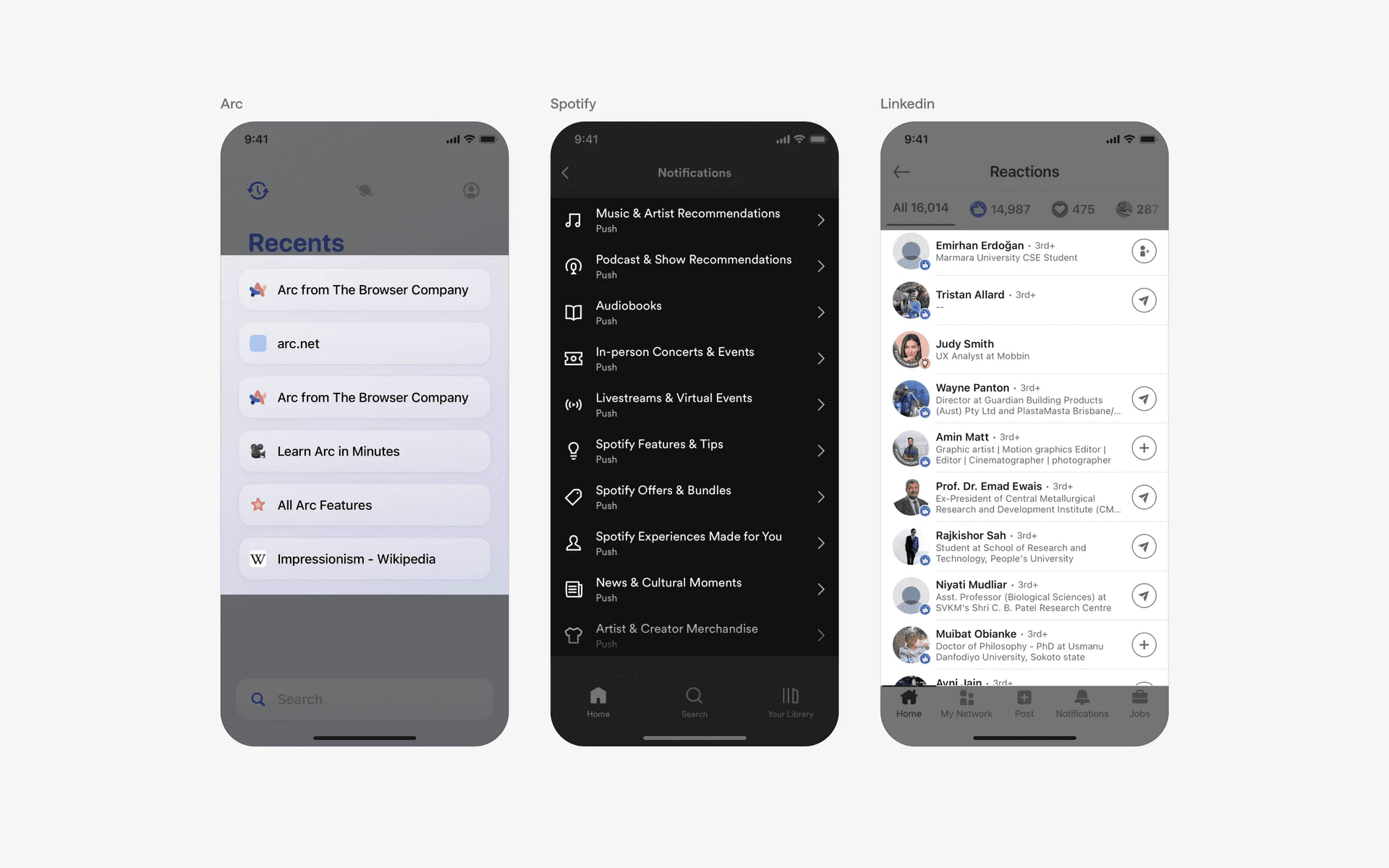
Examples of stacked lists.