Tab Bar UI
Written by

Jovin Liew
Platforms
iOS, Android
Synonyms
Bottom navigation bar, Bottom app bar
Examples
What is a tab bar component?
Tab Bar is the bottom navigation that provides access to top-level destinations.
Depending on your app's hierarchy, we've seen tab bars with anywhere between 2 to 6 items. It is not advisable to have more than 5 tab bar items in your tab bar.
Each additional tab increases the complexity of your app, which makes it harder for users to locate information.
Adding a new feature in the tab bar might bring more attention to it since it is easily discoverable - here are some examples directly from the Mobbin database.
Netflix has experimented with 3 ~ 5 tab bar items between 2019 to 2024, including "New and Hot", "Fast laughs", "Downloads", "Search" tab bar items.
Instagram has also experimented with swapping tab bar items out, depending on their product strategy. While they have always maintained 5 tab bars from 2018 to 2023, they have experimented with "Shopping" and "Reels" tabs in recent years.
If you need more navigation, consider using a drawer with a hambuger menu icon instead.
Tab bars often serve as the primary navigation mechanism in mobile apps.
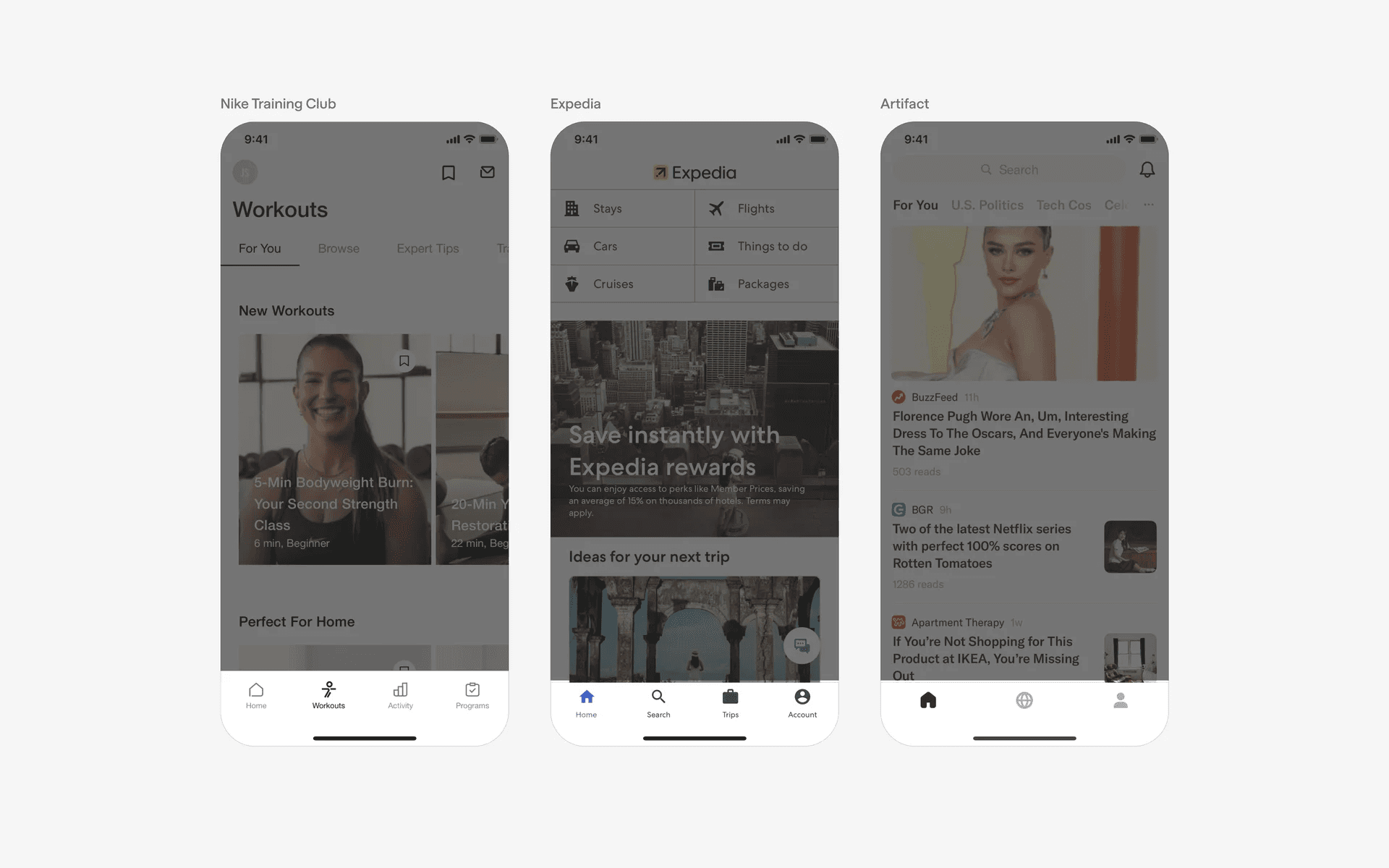
Examples of tab bar
What is the anatomy of a tab bar?
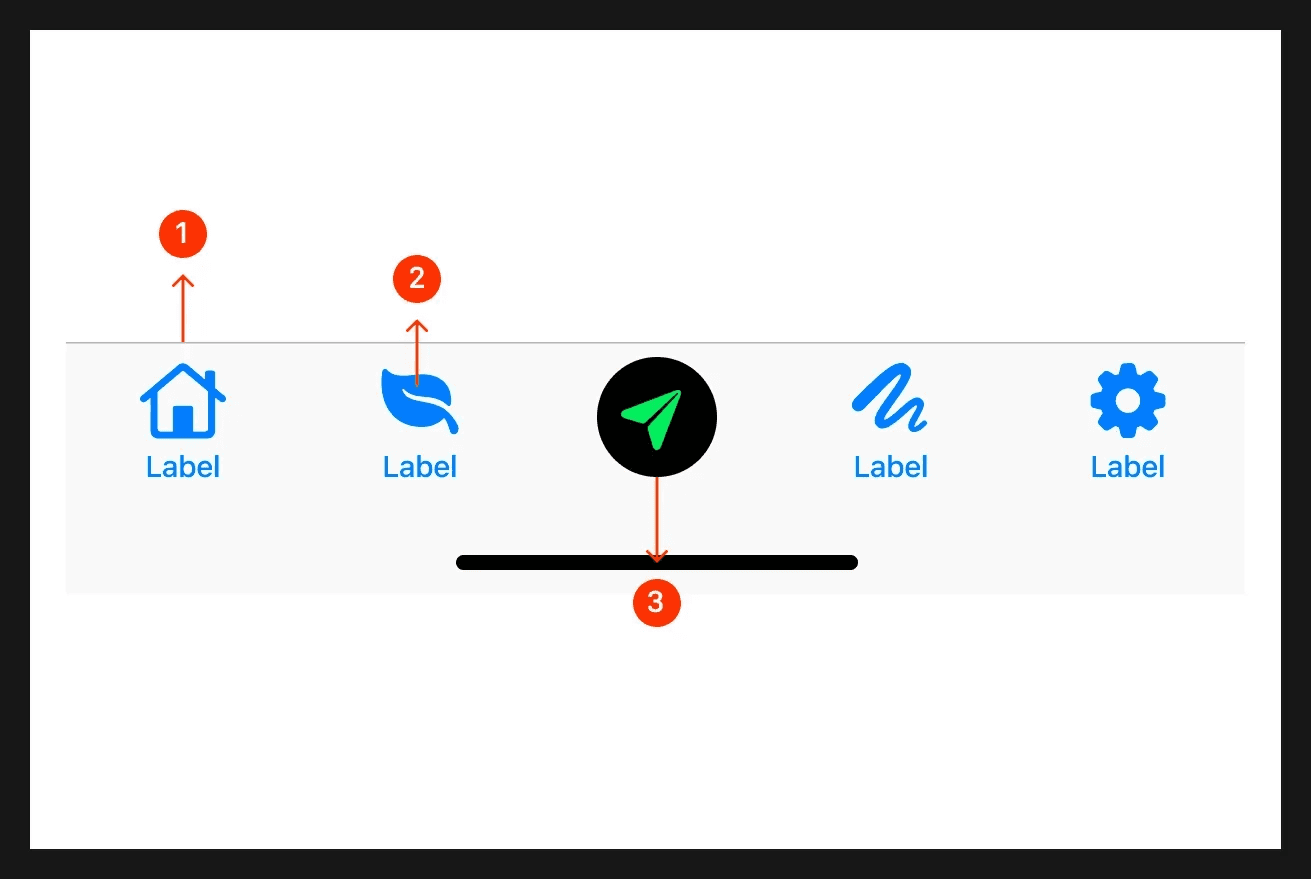
Anatomy of a tab bar
What are the design variants of a tab bar?
We studied over 3,200+ tab bar UI components on Mobbin, from real-world examples and found the following variants.
1. Tab bars can have between 2 to 6 tabs
While we don't recommend having more than 5 tab items, we've seen some apps do it in practice. For example, Sephora (2023) and Duolingo (2024) has 6 tabs.
When in doubt, our recommendation is to A/B Test it yourself and see if it makes sense for you context.
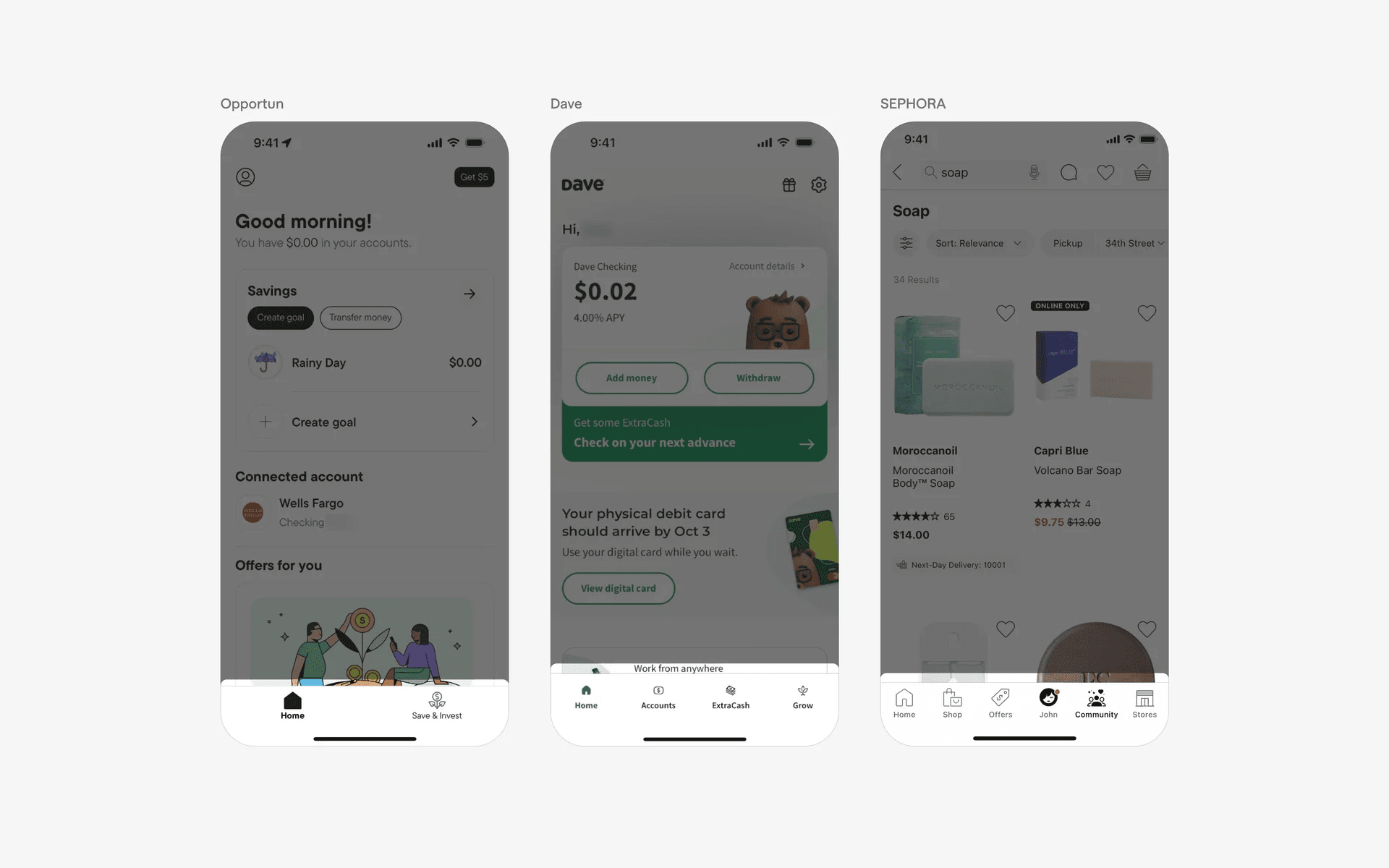
Example of tab bars with 2 to 6 items.
2. Tab bar labels are optional
While removing tab bar labels are tempting, first consider if you tab bar icons are clear enough for users to understand. Icons like "Home", "Profile", "Settings", "Inbox", and, "Notifications" are generally well known, but most icons might not be familiar with users.
Here are some examples of tab bars with both icon and labels.
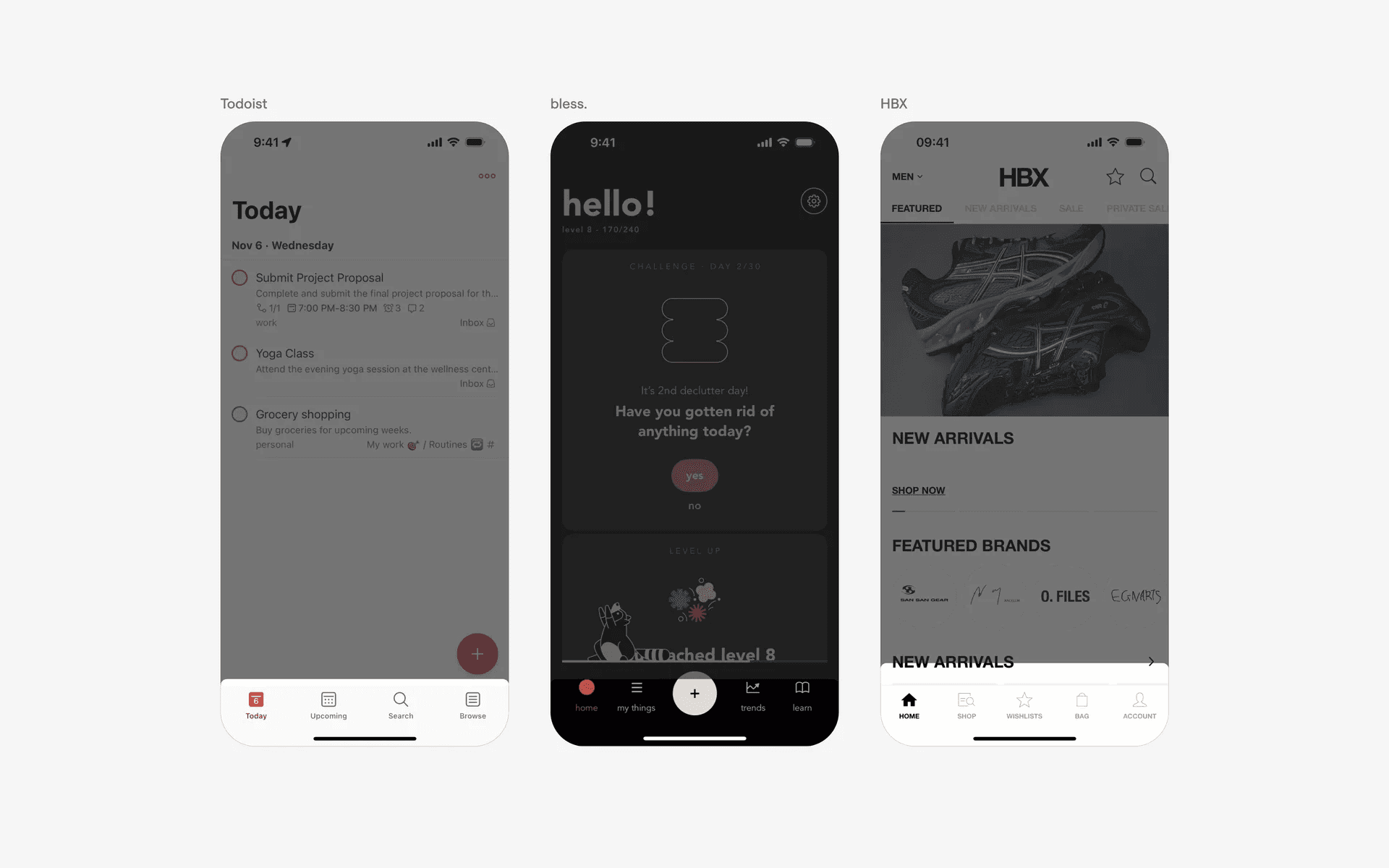
Examples of tab bar with both icons and labels.
Look at the following icons and see if you can understand them without clicking onto the page yourself.
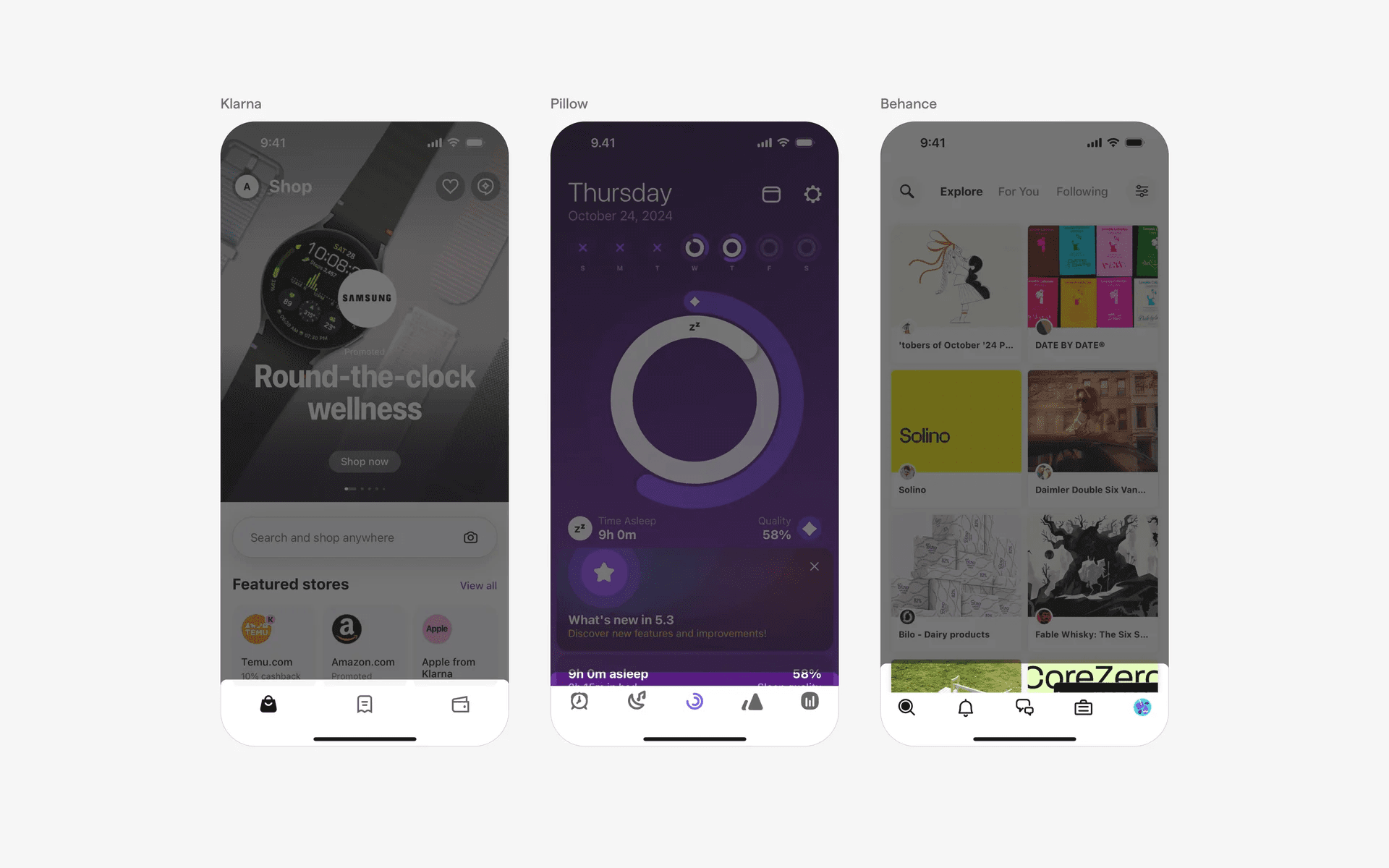
Examples of tab bar with icons only tabs.
And finally, we've also seen tab bars that have labels only.
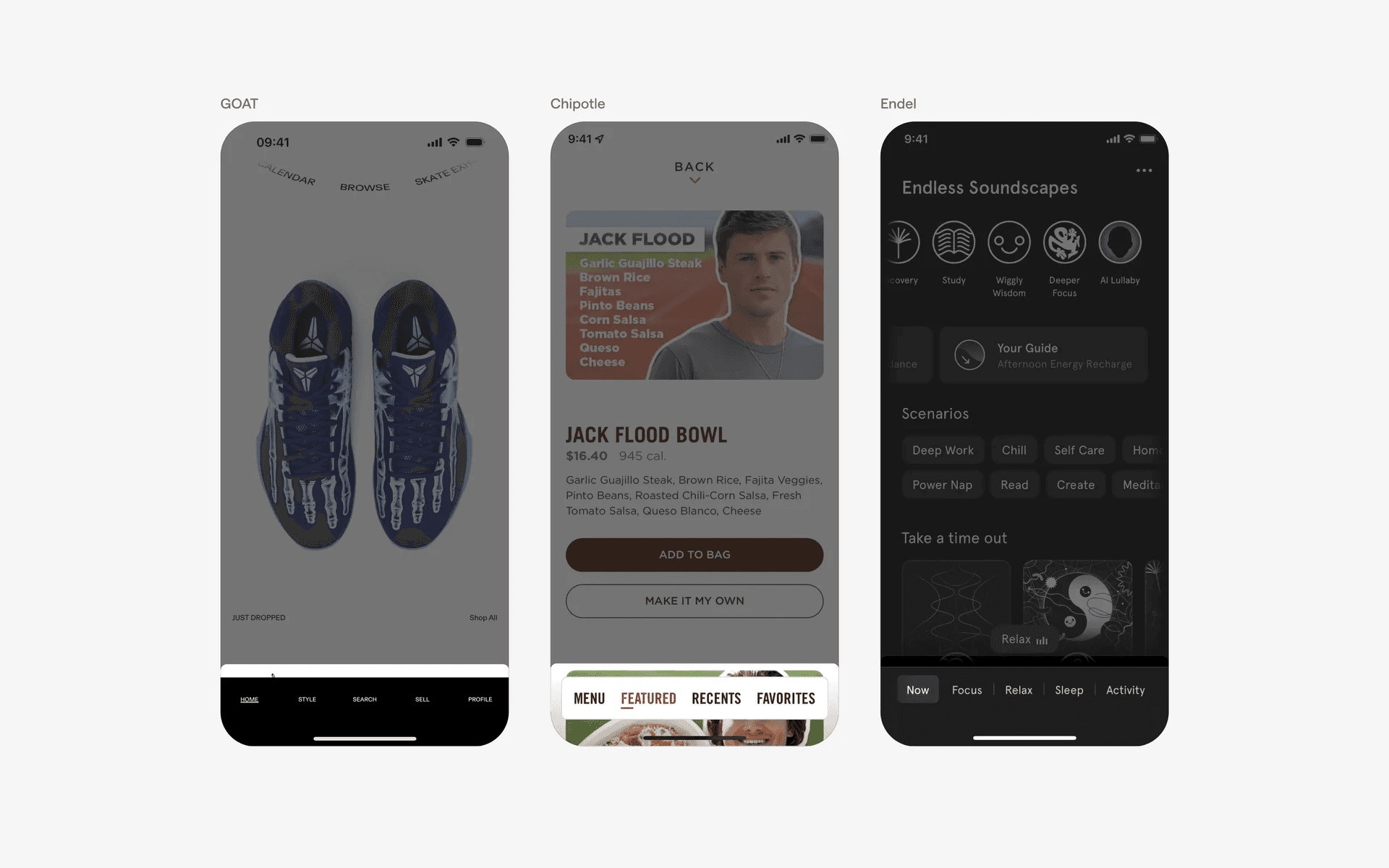
Examples of tab bar with labels only.
3. Floating tab bars: Popular design trend
We've been tracking apps since 2018, and we've observed a rise in 'floating tab bars' recently. By floating them, it creates an illusion of having more space on your mobile device.
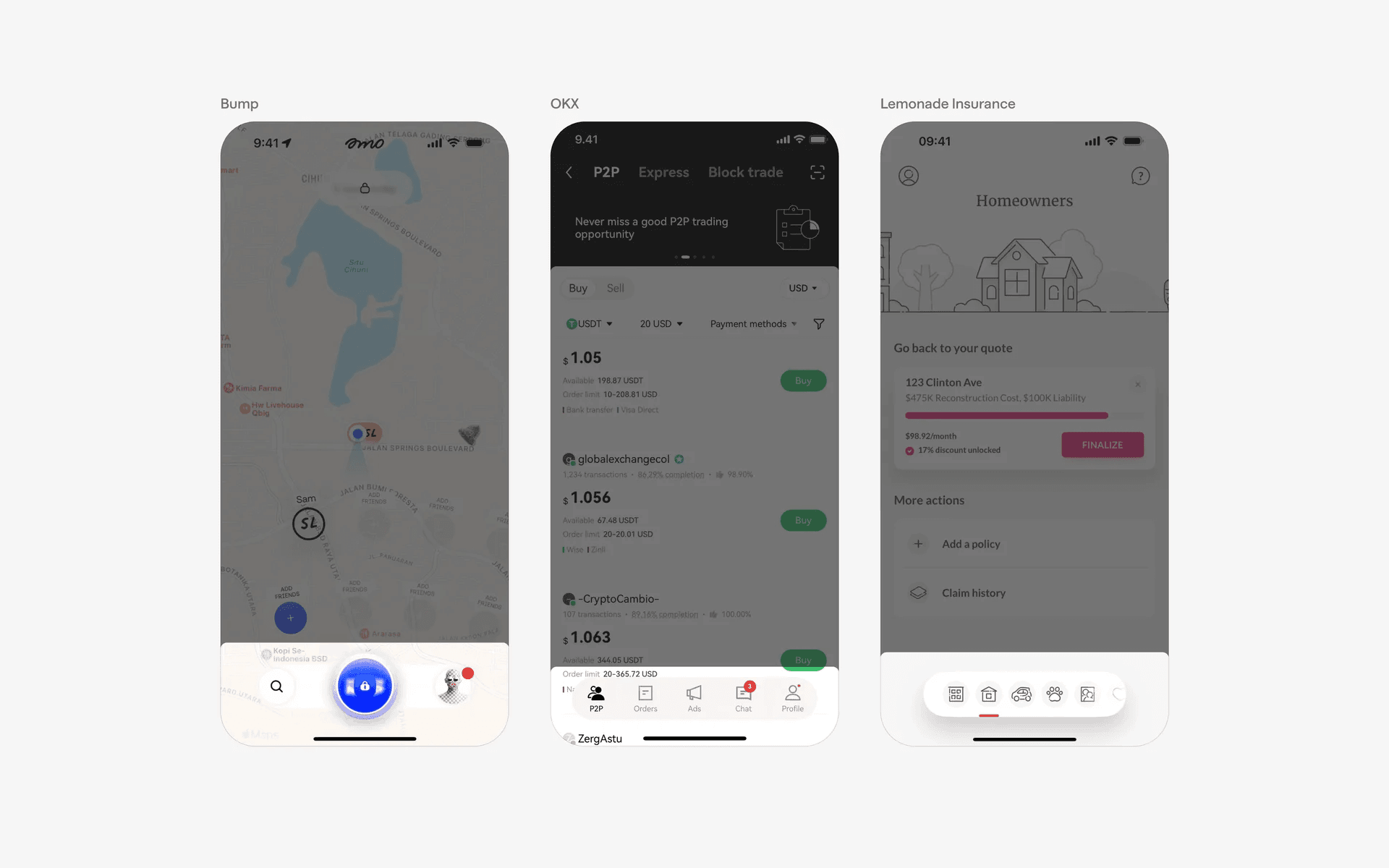
Examples of floating tab bar
4. Commonly seen: Key action button at the center of tab bar
It is also common to see a tab bar with a key action button in the center - this makes sense for tab bars with odd numbers (3 or 5 items).
By doing this, you can bring more attention to the single key action your app is optimizing for. For TikTok, it's to encourage users to upload their videos, while Wise wants users to send more money.
Here is an example of standard key action buttons.
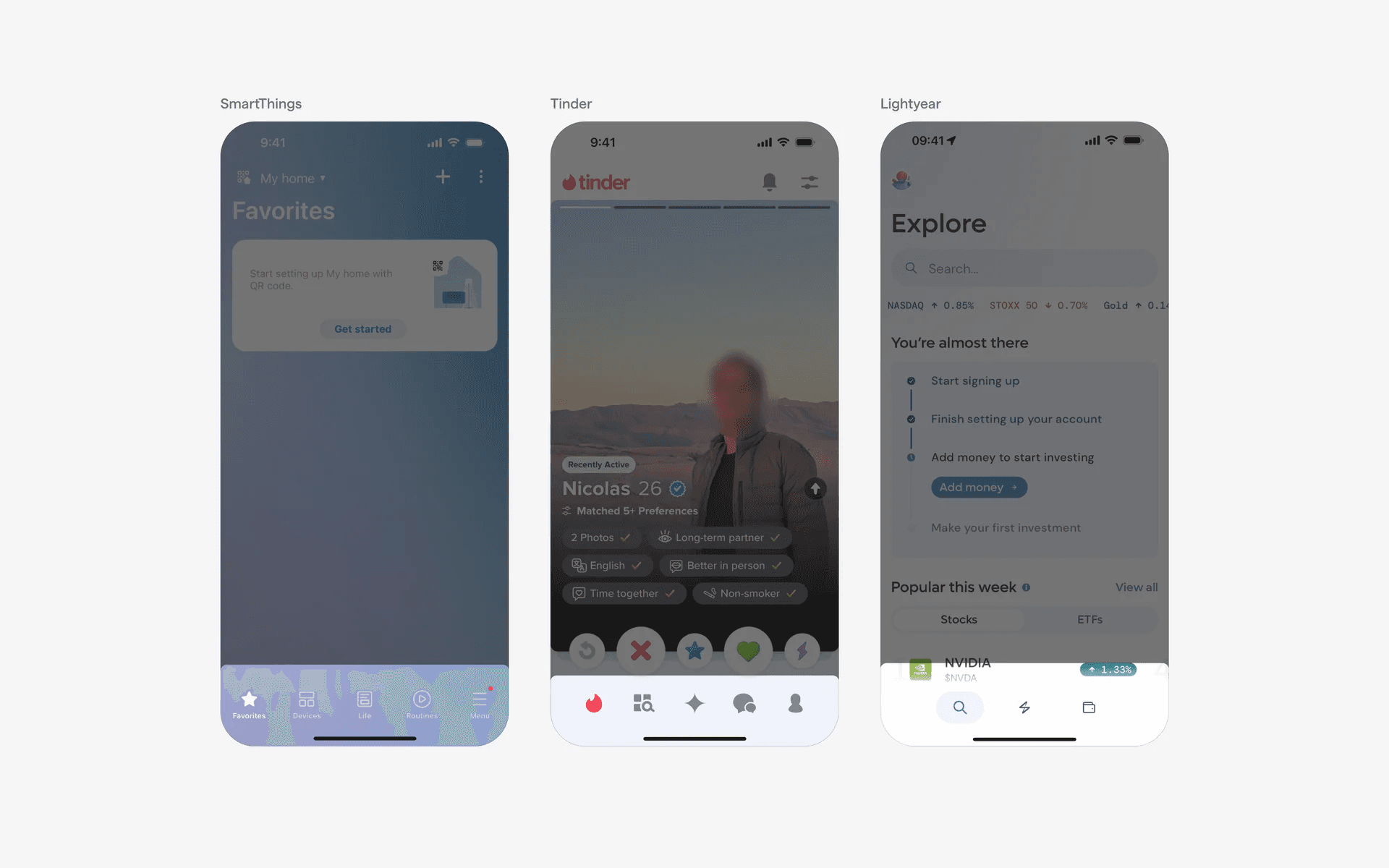
Example of standard key action buttons in tab bar
You can make it even more prominent by having a protruded key action button design.
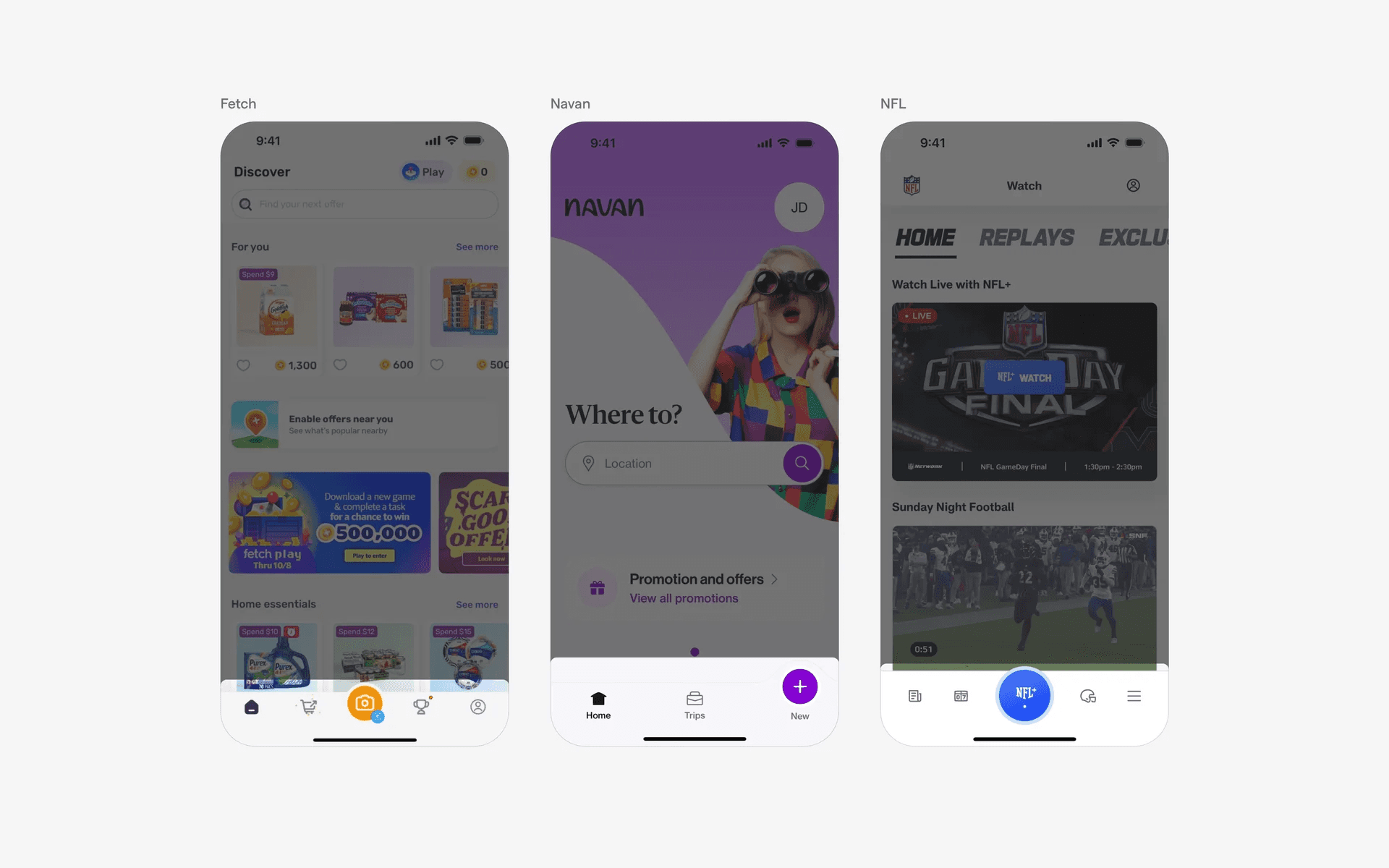
Example of protruded key action buttons in tab bar
5. Other less common variants: Curved tab bars
While every UI element has a set of 'best practices', we continually see real-world apps breaking the convention and norms. We love spotting these abnormal design patterns as they push the frontiers of what is possible in modern UI & UX design.
For example, here is a curved tab bar.
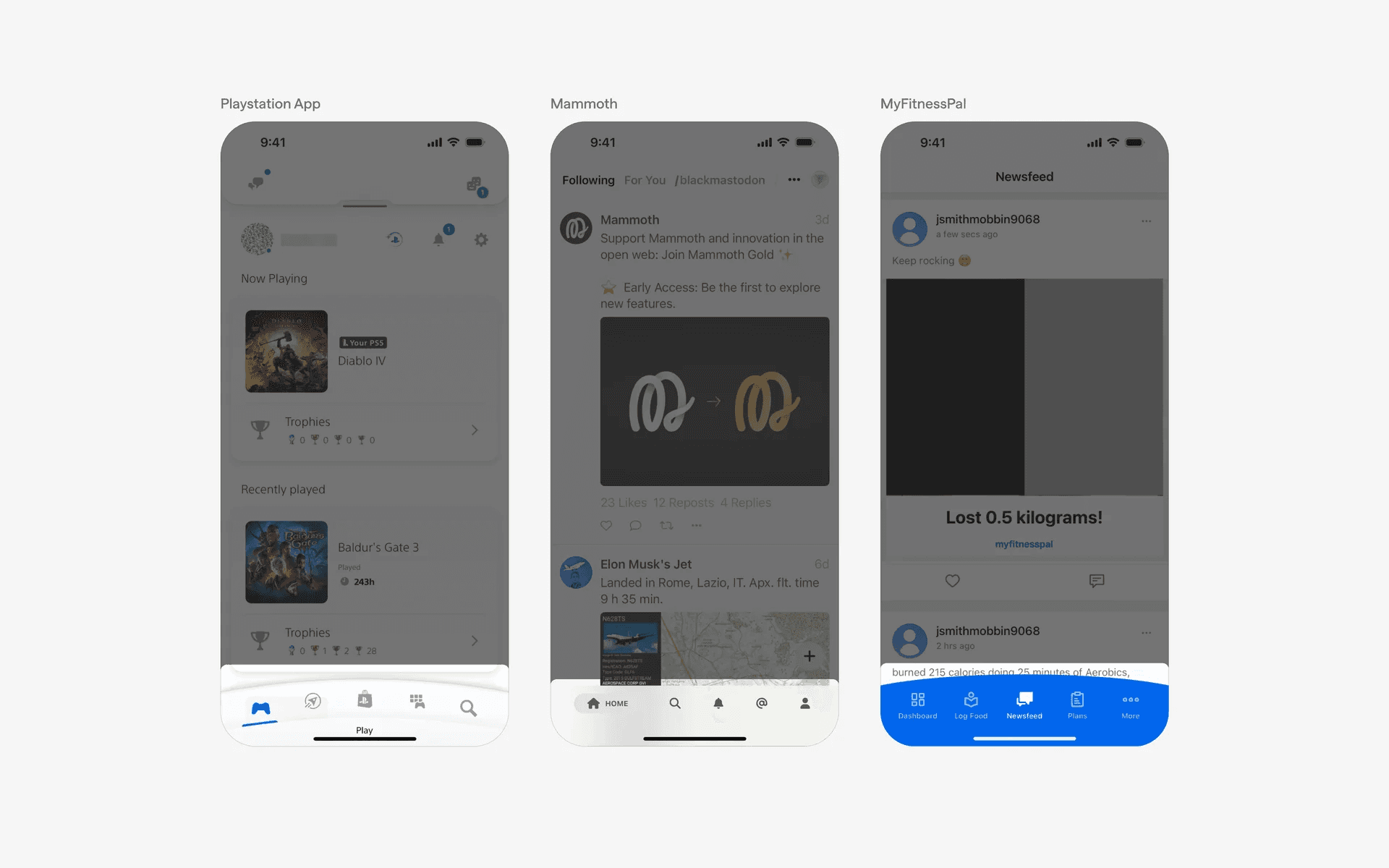
Example of curved tab bar
When to use tab bars?
1. Main navigation
A Tab bar often serves as the primary navigation mechanism in mobile apps, allowing users to switch between core sections such as Home, Search, Notifications, Messages, and Profile.
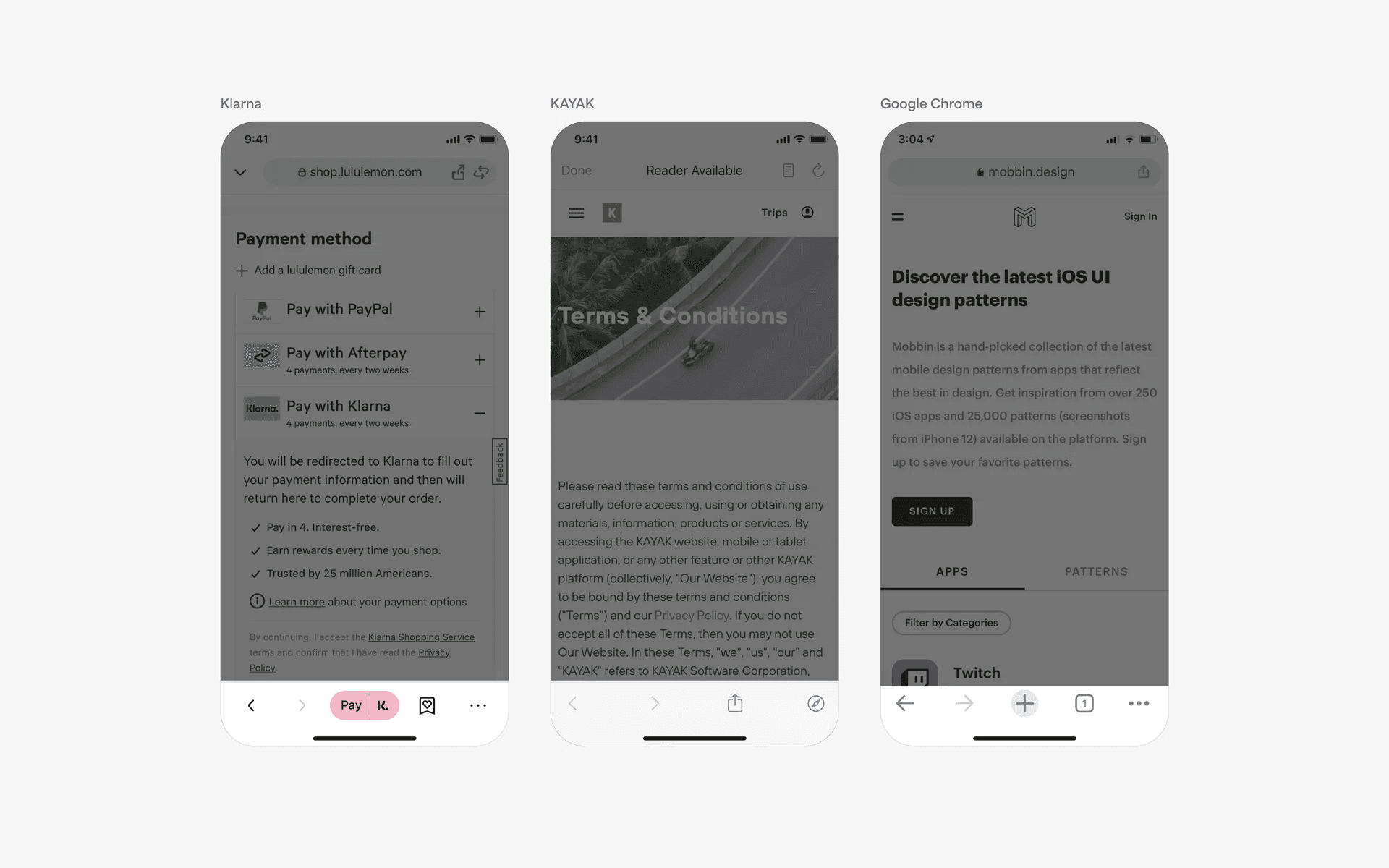
Example of tab bars used as main navigation