Stacked List UI

What is a stacked list component?
Stacked List displays a group of related content in a vertical list - it usually includes text and images.
Mobile designers tend to prefer stacked lists over table UI components.
Tables require dual axis scrolling, which makes UX more complicated on a mobile screen. Meanwhile, stacked lists are more compact, which means users only need to scroll vertically.
Overall, stacked lists provide a clean and scrollable view that is easy to read and navigate - especially on mobile devices or when displaying concise content.
Stacked lists are commonly used in the following design patterns: Navigation menus, Search results, Settings & preferences.
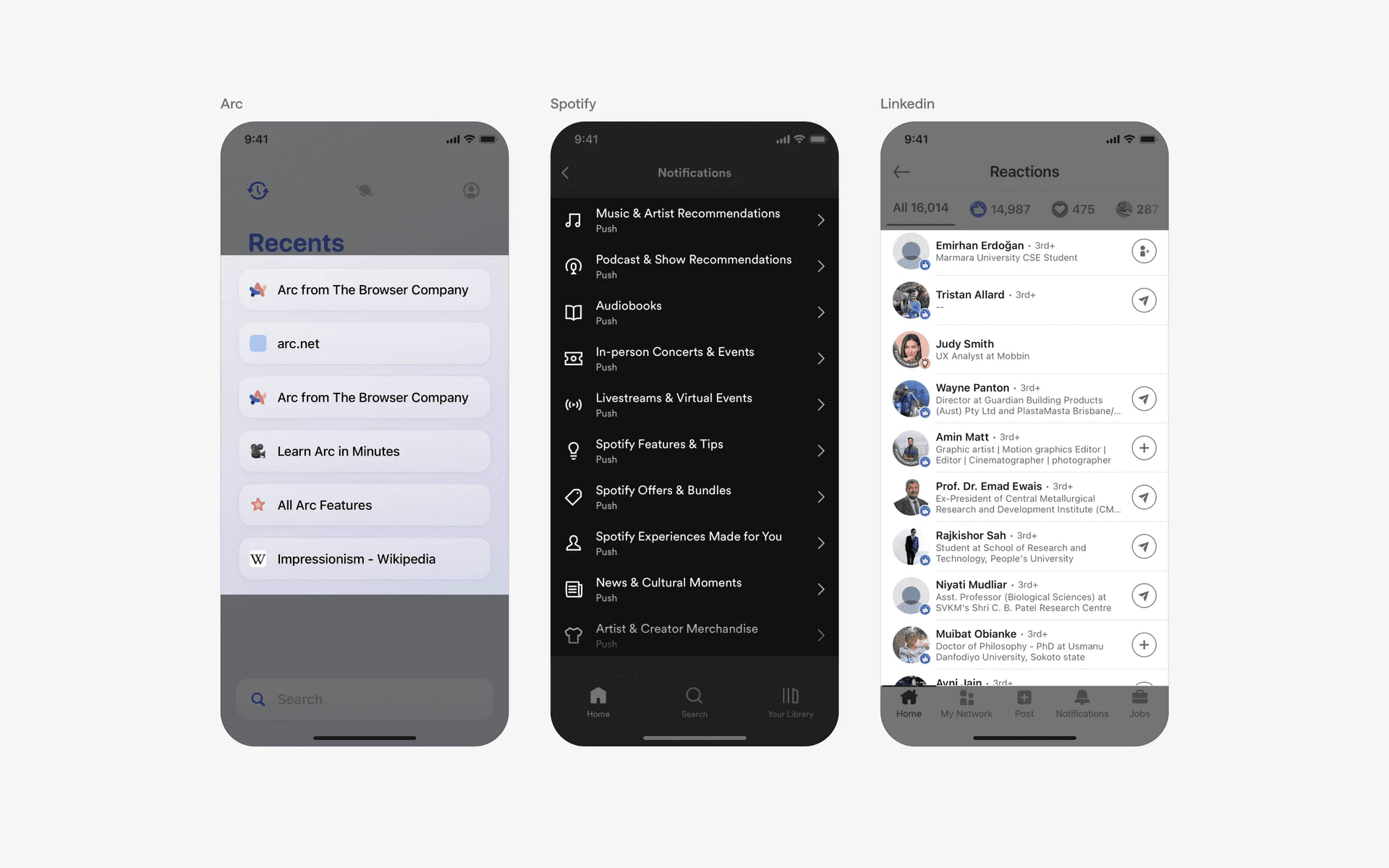
Examples of stacked lists
What is the anatomy of a stacked list?
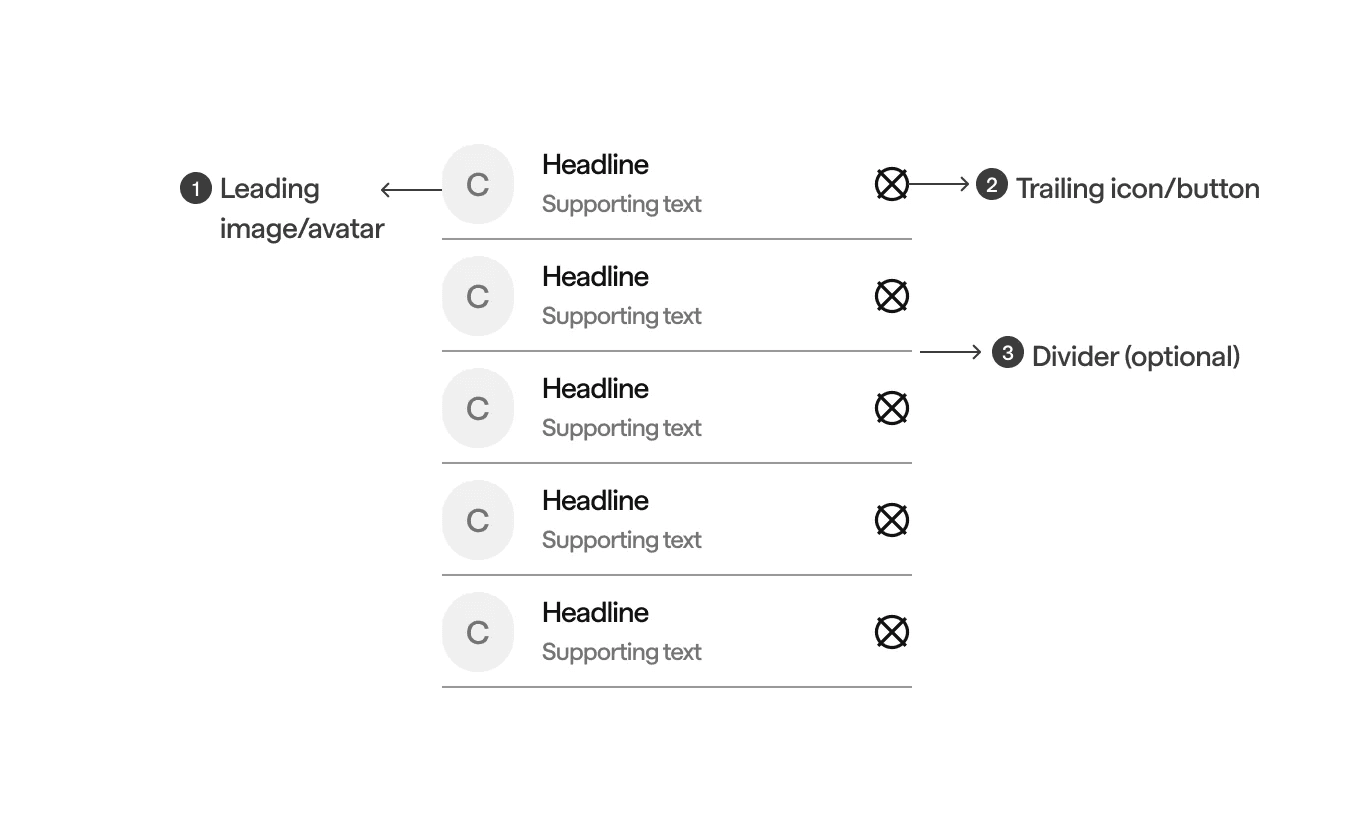
Anatomy of stacked list
What are the design variants of a stacked list?
We studied over 12,000+ stacked list UI components on Mobbin, from real-world examples and found the following variants.
1. Standard stacked lists v.s. Card-based stacked lists
Standard stacked lists have a simple layout with minimal separation between items. It is often separated by a divider component.
They are suitable for simple data with minimal formatting requirements and uniform, text-focused content. Since it is compact, it saves users time when they are trying to find items or navigate to other pages.
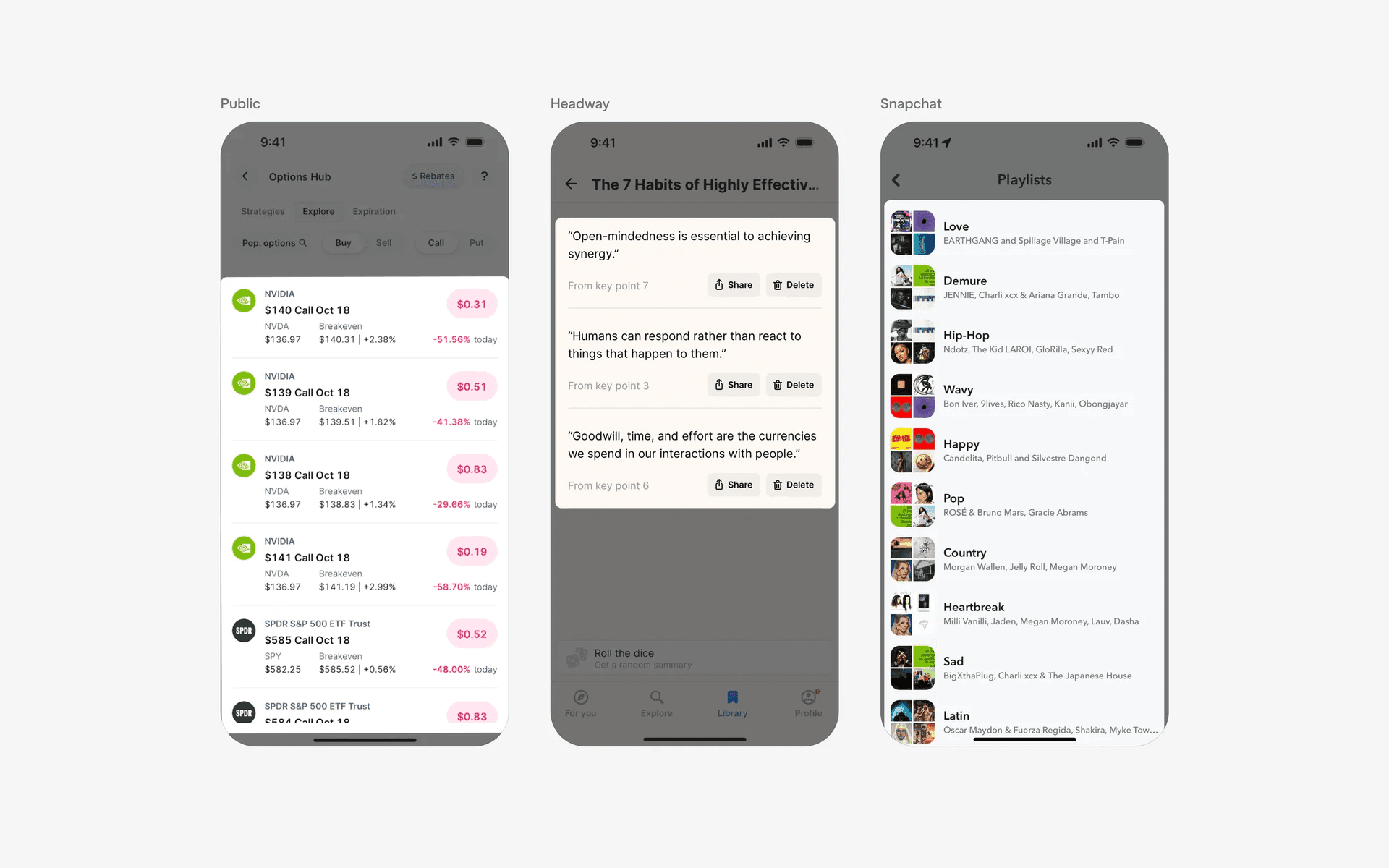
Example of standard stacked list
On the other hand, card-based stacked lists uses distinct containers or cards to visually group and separate each item in the list.
It is suitable for content that includes interactive elements like buttons or images, or, for displaying media rich content. However, this is less compact compared to the standard stacked list - and may lead to excessive scrolling.
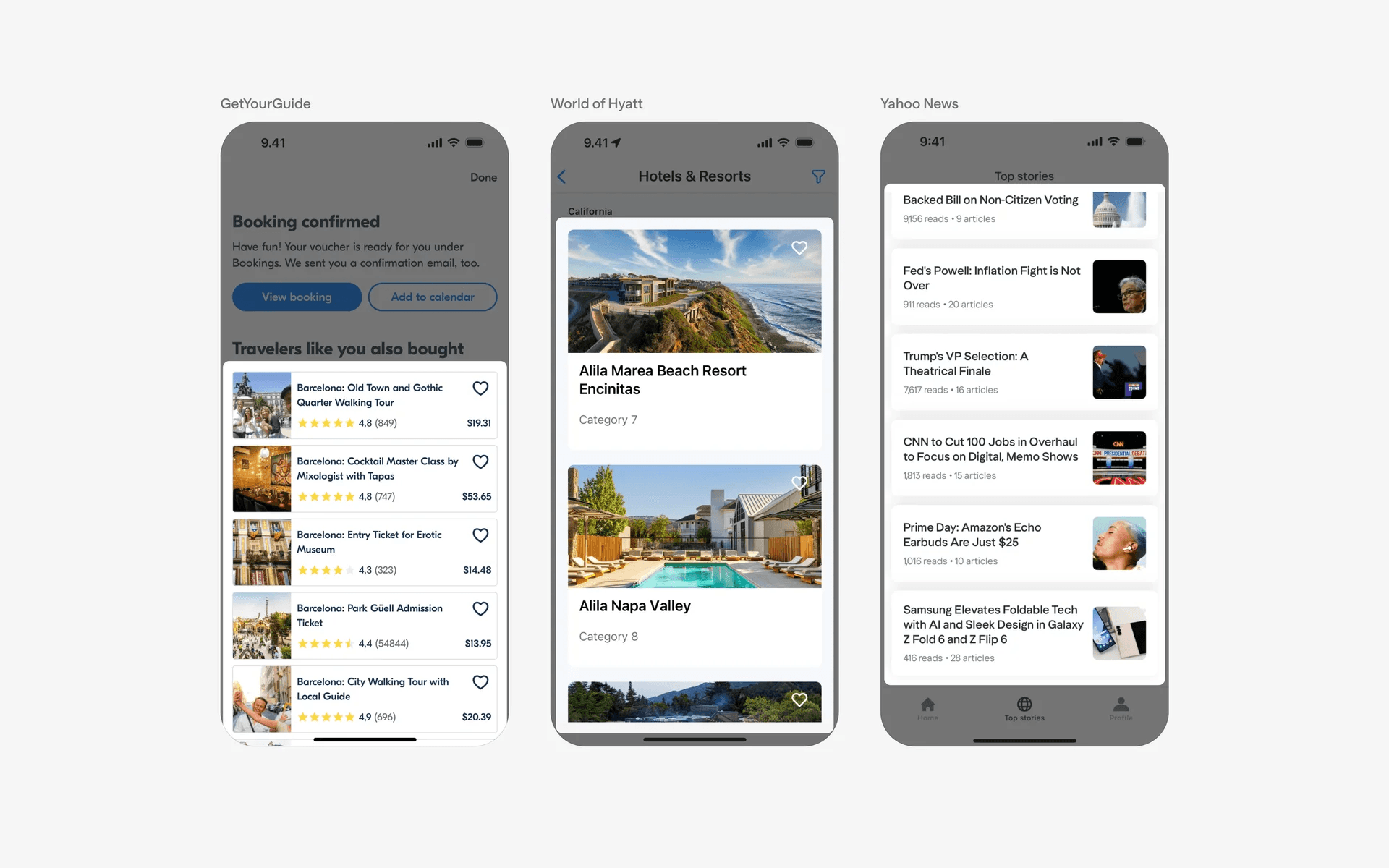
Examples of card based stacked lists
2. Thumbnails in stacked lists may increase user engagement
You can consider adding thumbnails in your stacked lists to differentiate list items from each other. Apple TV's stacked list includes a movie poster thumbnail while Uber eat's stacked list has thumbnails of how a food item might look like.
When thumbnails are used the right way, it can increase engagement or conversions - especially for apps like Uber eats or Apple TV. Users might prefer to make decisions based on what the food or TV show looks like, instead of fully relying on text descriptions.
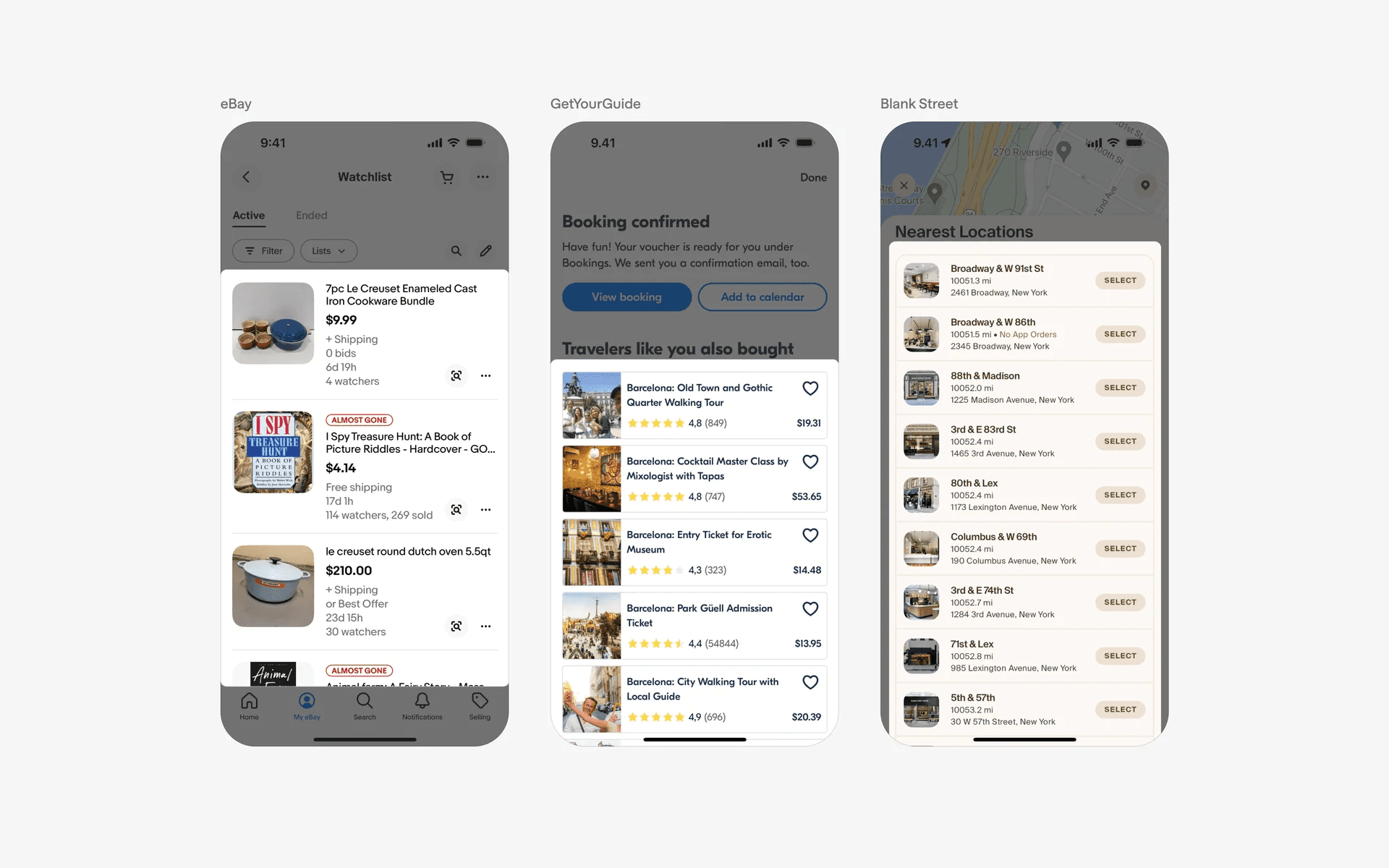
Examples of thumbnails in stacked lists
3. Icons in stacked lists could help to differentiate items
Having icons in your stacked lists may help improve readability as icons help to differentiate items on the list.
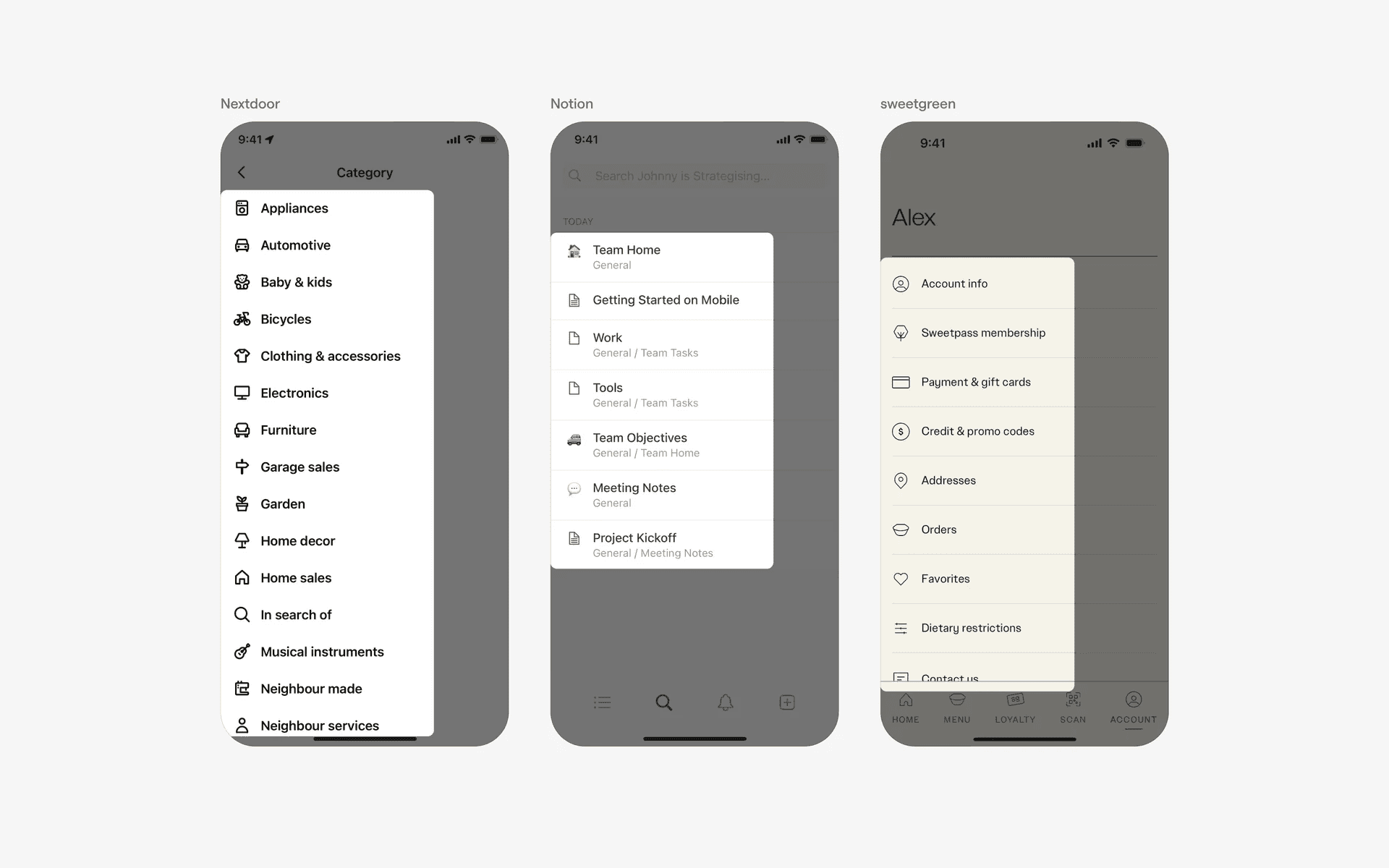
Examples of icons in stacked lists
4. Dividers are optional
Dividers could be useful in helping to visually separate items in a stacked list. However, it is not always necessary as you can achieve the same effect by skilful use of white space in between list items.
Here is an example of stacked lists with dividers between them.
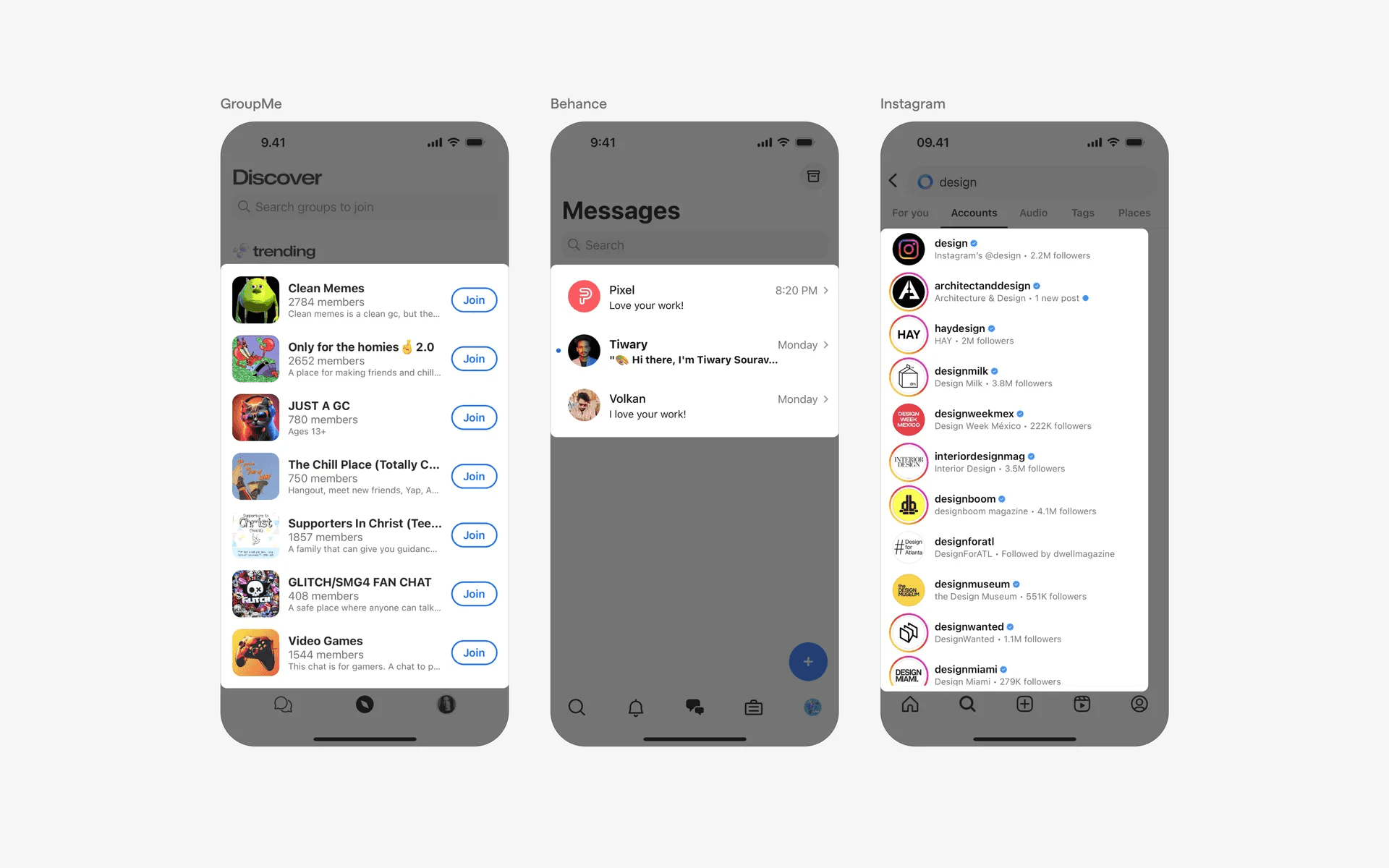
Example of stacked list with dividers
And, another example of stacked lists that opt for white space separation instead.
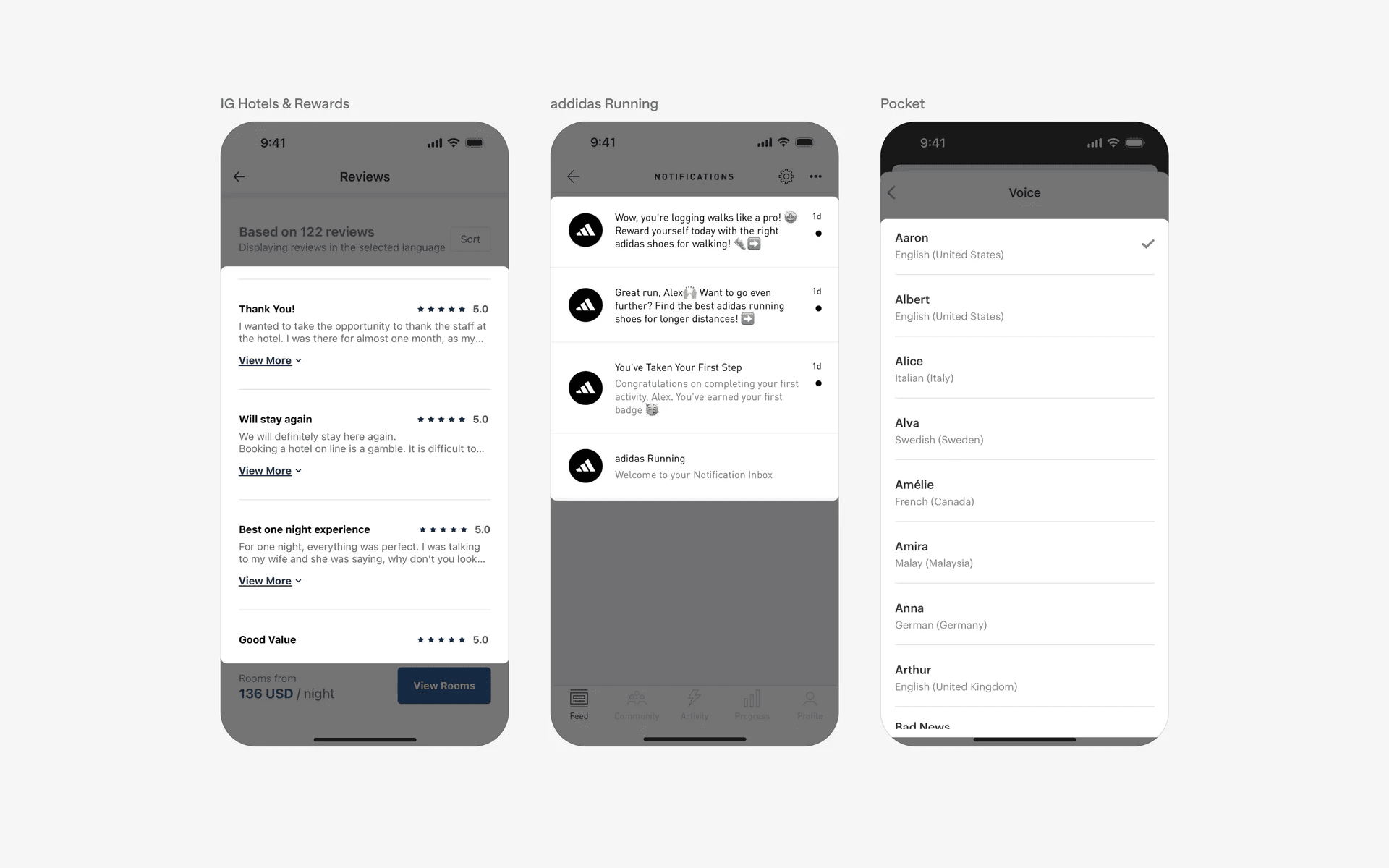
Examples of stacked list without dividers
When to use a stacked list?
1. Navigation menus
Stacked lists are often used to create navigation menus, providing users with a hierarchical structure for accessing different sections or screens within the app.
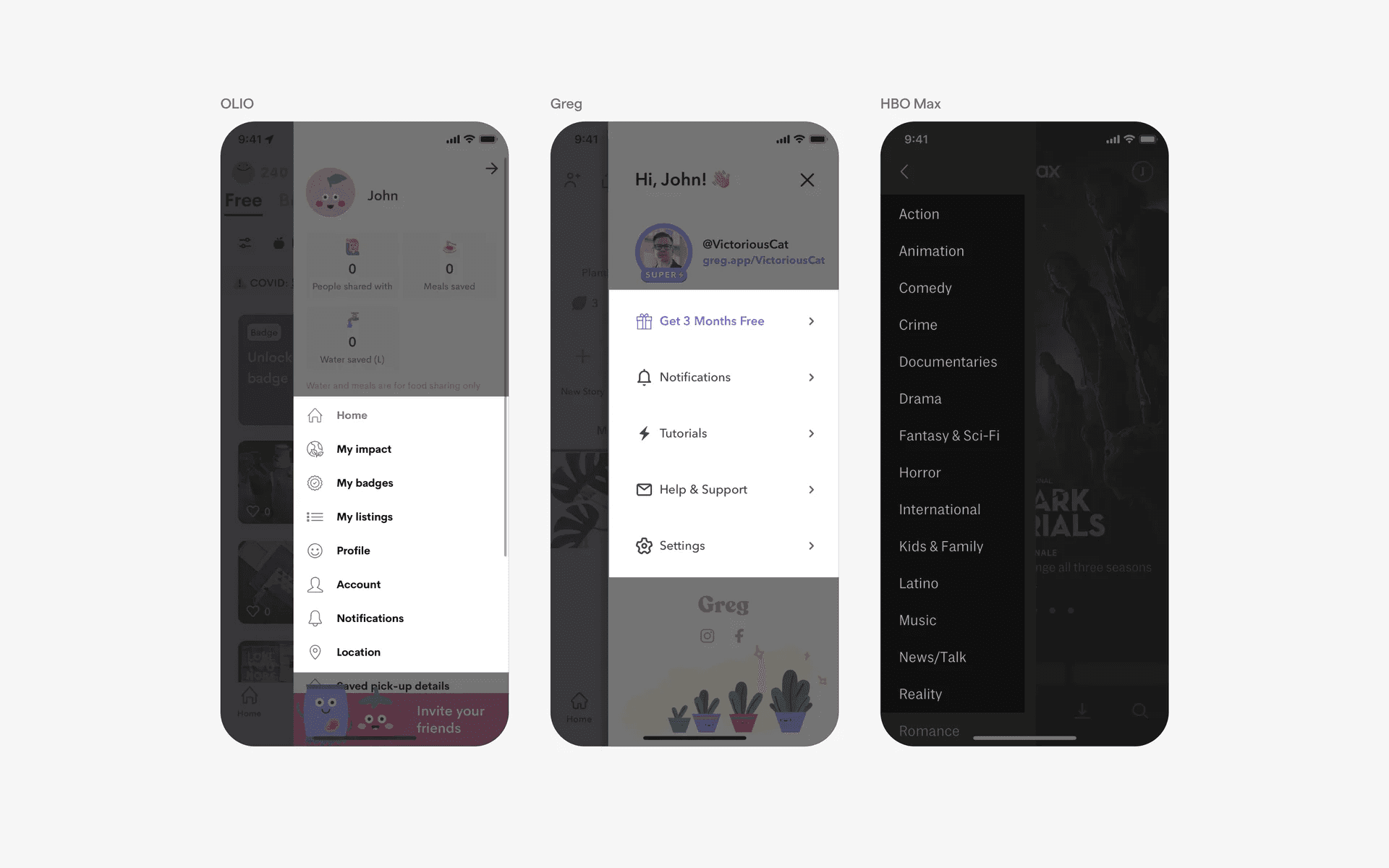
Examples of stacked lists in navigation menus
2. Search results
Stacked lists are also employed to present search results in various apps. Users can see a list of relevant items based on their search query and choose the desired result for further action.
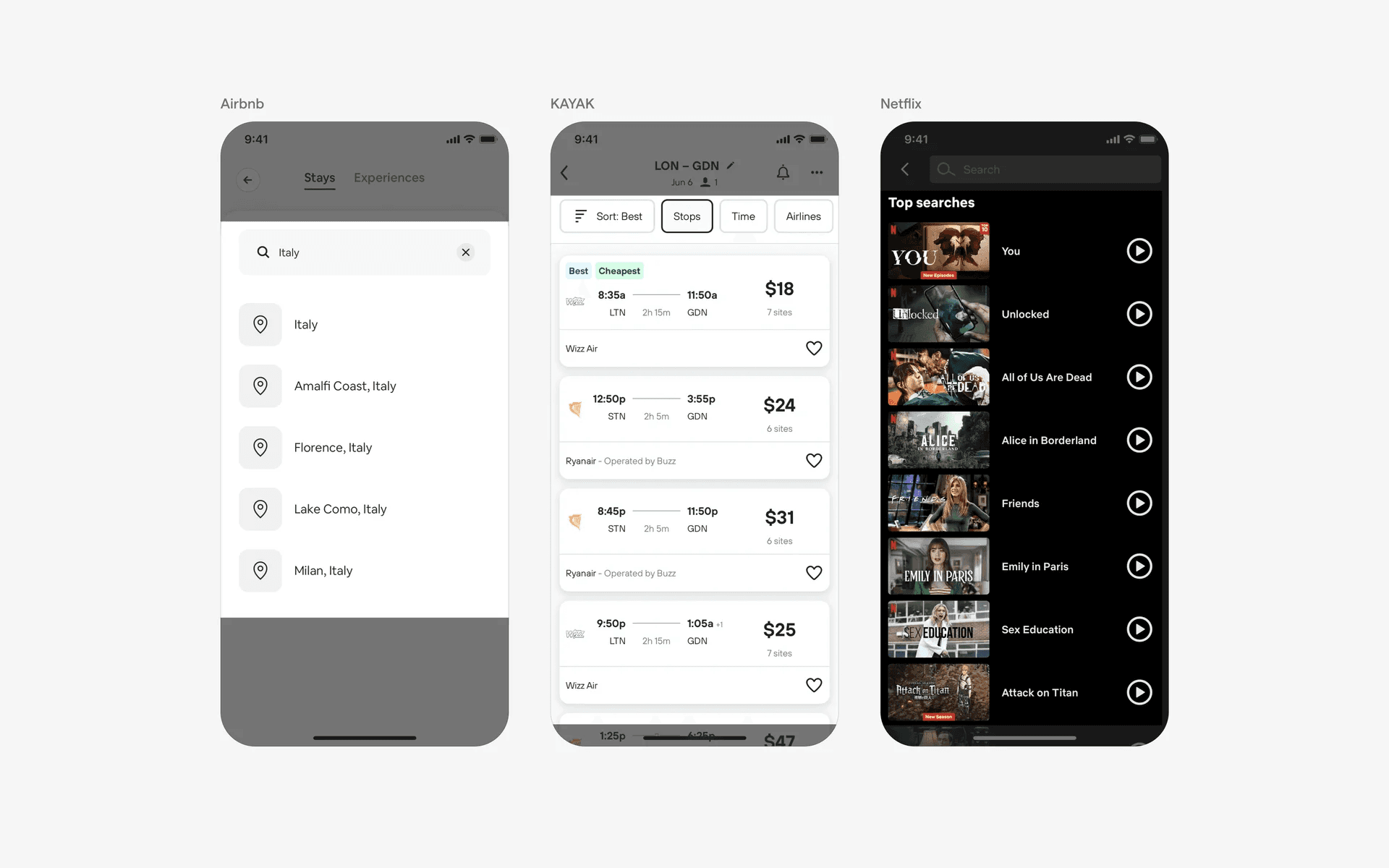
Examples of stacked lists in search results
3. Settings & preferences
Stacked lists are frequently employed to present various settings and preferences within an app. Users can scroll through the list and select individual options to configure the app according to their preferences.
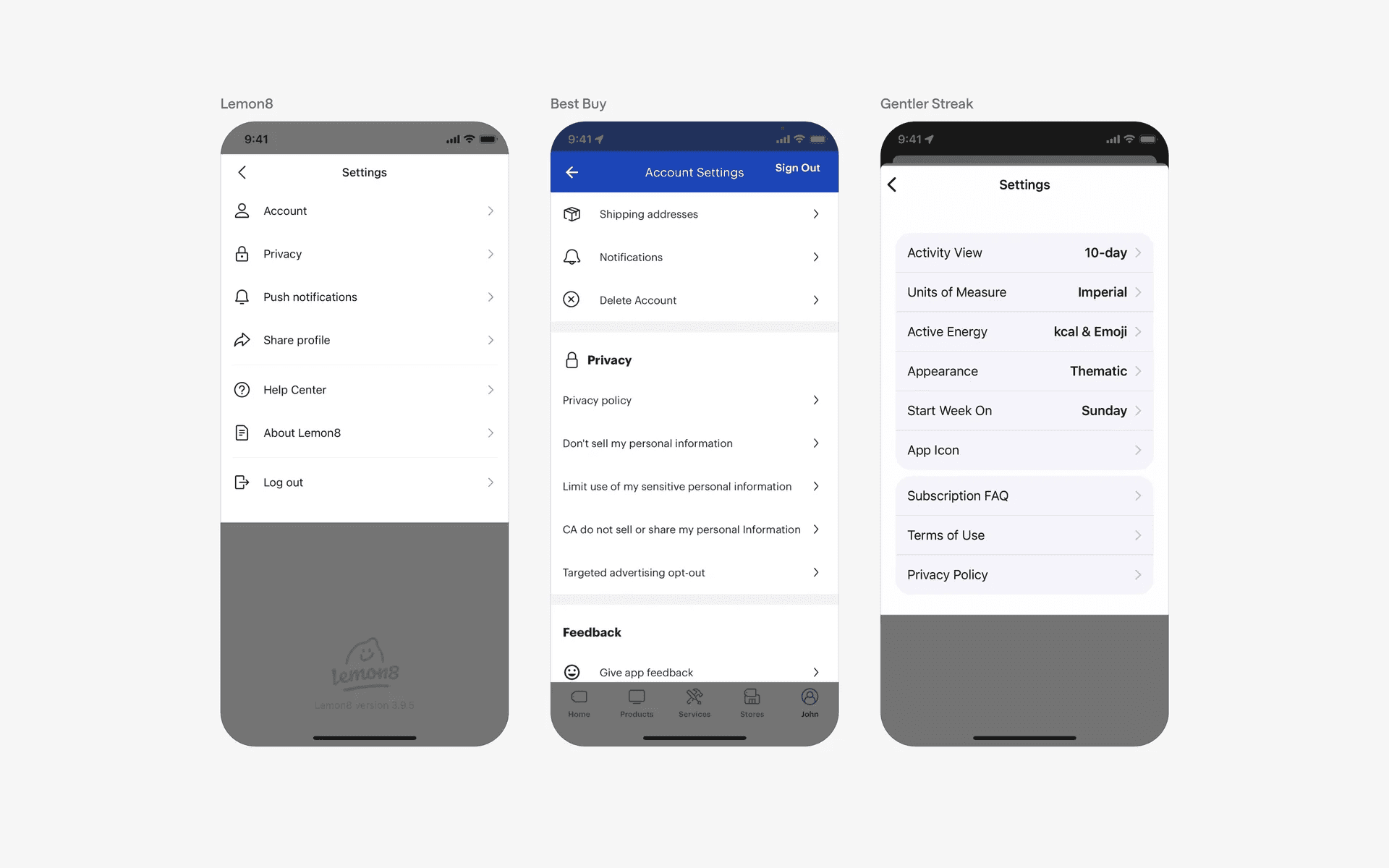
Examples of stacked lists in settings & preferences
Conflicting UI elements: Tables
1. Stacked lists v.s. Tables
Stacked lists are a type of table with a single column, making it ideal for mobile screen. It is used for simple data requirements.
Meanwhile, Tables may have unlimited amounts of columns, which results in dual axis scrolling in mobile interfaces. It is used for more complex data needs with more dimensions.
Both stacked lists and tables help to organize data into a user friendly format.