
What is a slider component?
Sliders allow users to make selections from a range of values.
The values do not have to be numerical.
There are many ways to design sliders: circular, linear, horizontal, vertical - and is being used to solve an increasingly wide range of design problems.
It is important to understand the difference between discrete sliders and continuous sliders (see table below).
Sliders are commonly found in the following design patterns: Settings & preferences, filter & sorting screen patterns.
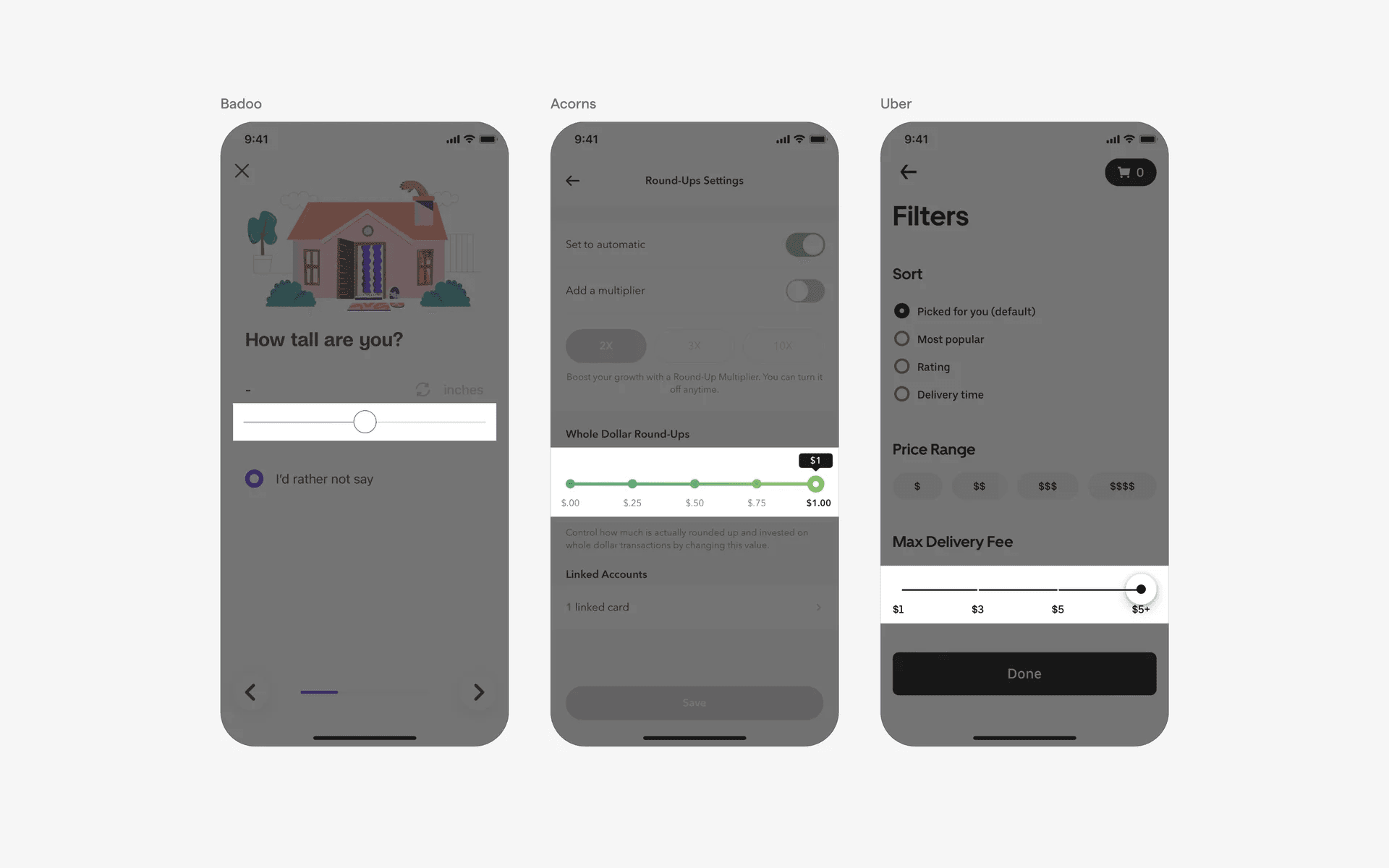
Examples of sliders
Additionally, one should understand the difference between discrete sliders and continuous sliders.
Discrete slider: Allows selection of values from specific, predefined intervals. It is best for limited, step-based options, and usually displays exact step values (i.e: 1, 2, 3) as the slider moves.
Continuous slider: Allows selection from any value within a range, including fractions. It is ideal for precise adjustments where small difference matters - such as adjusting volume or brightness. It does not usually show values, and is a smooth adjustment without visible steps.
What is the anatomy of a slider?

Anatomy of a slider
What are the design variants of a slider?
We studied over 1,800+ slider UI components on Mobbin, from real-world examples and found the following variants.
1. Continuous sliders are the most common form of sliders
The most common form of sliders we've observed are continuous sliders, it is used in virtually every type of adjusting settings, from font size selection in a reading app to the size of one's pot size in a gardening app.
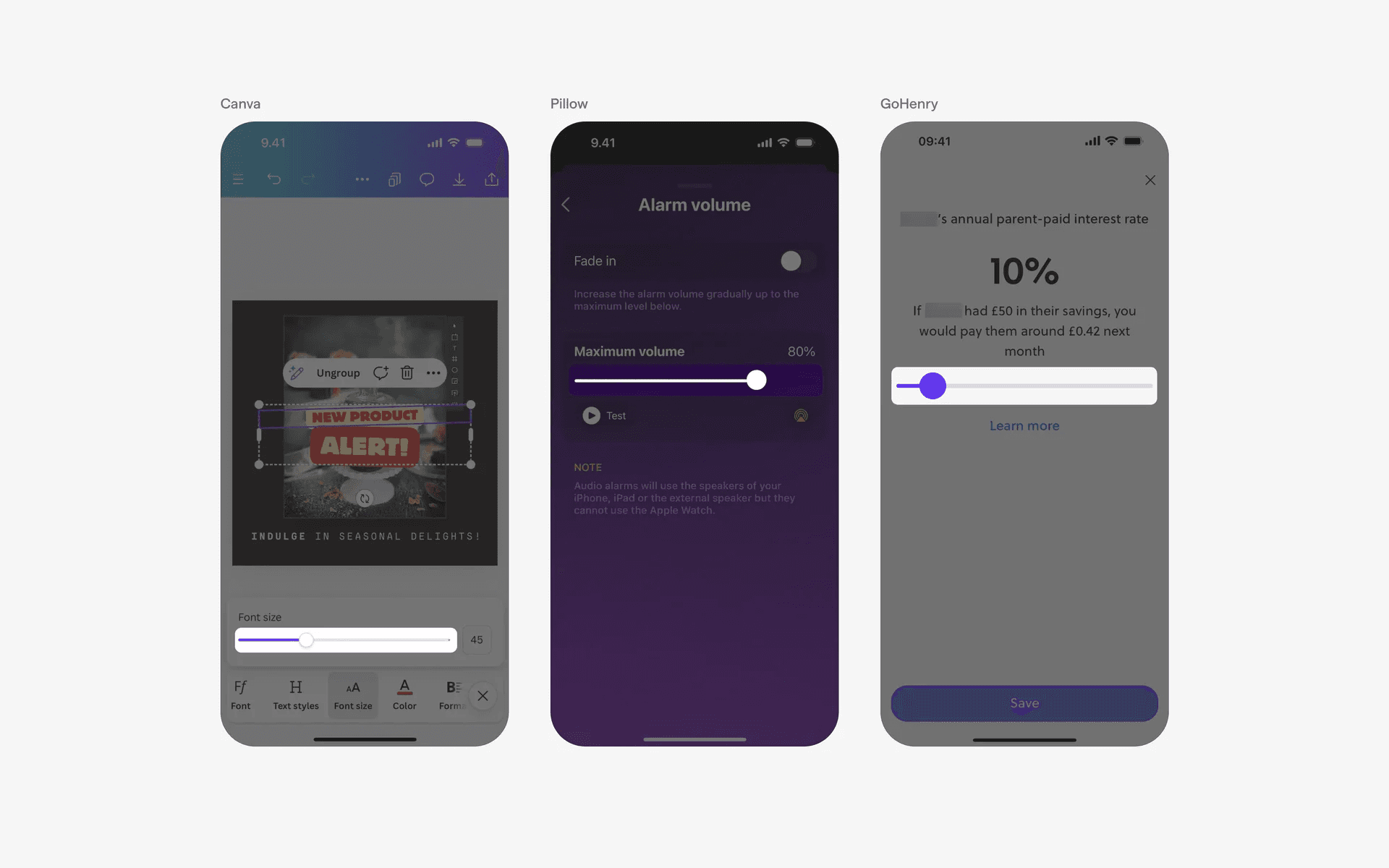
Examples of continuous sliders
2. Discrete sliders with tick marks
Some apps prefer to use discrete sliders with exact value tick marks. As a user progresses through the slider, there are usually visual cues to give real time feedback to users.
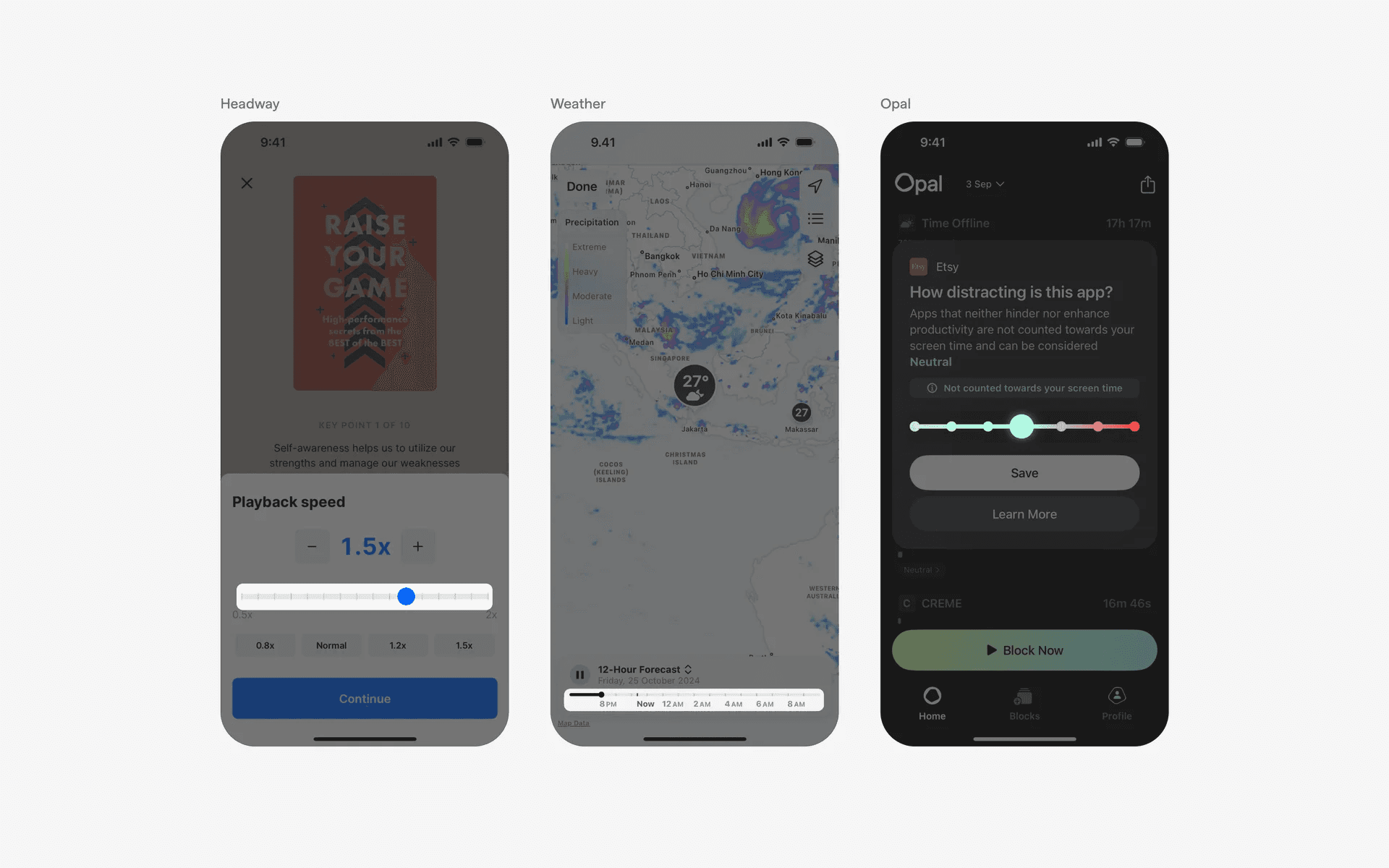
Examples of discrete sliders with tick marks
3. Sliders with value indicator
In some cases, sliders might have a value indicator that serves as real time feedback as users drags the slider handle across the track.
These are found across both discrete slider and continuous slider design variants.
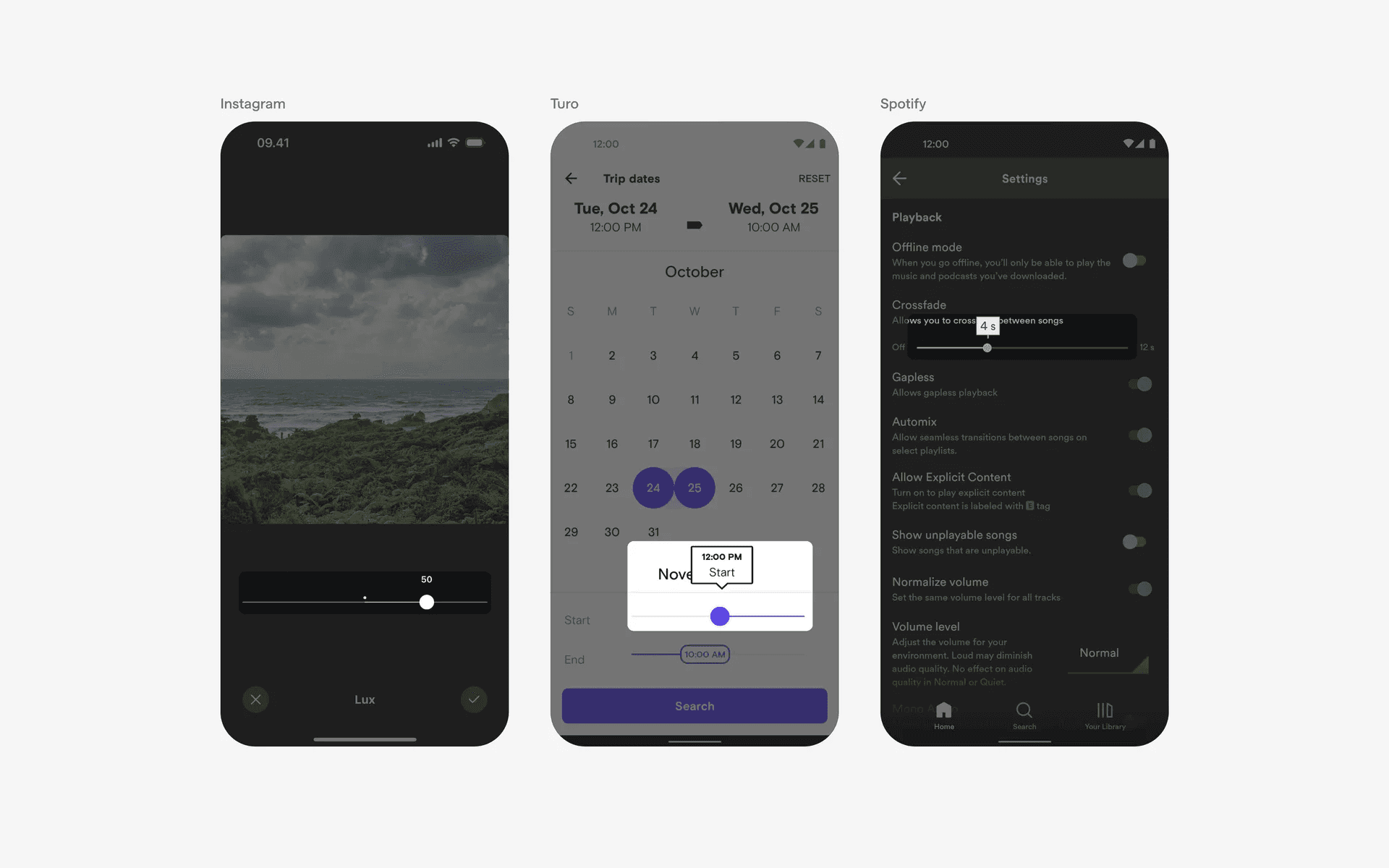
Sliders with value indicator
4. Range sliders
A rangle slider design helps users to select both minimum and maximum values. This design is commonly found in sort & filtering design patterns, especially when filtering for price ranges or age ranges.
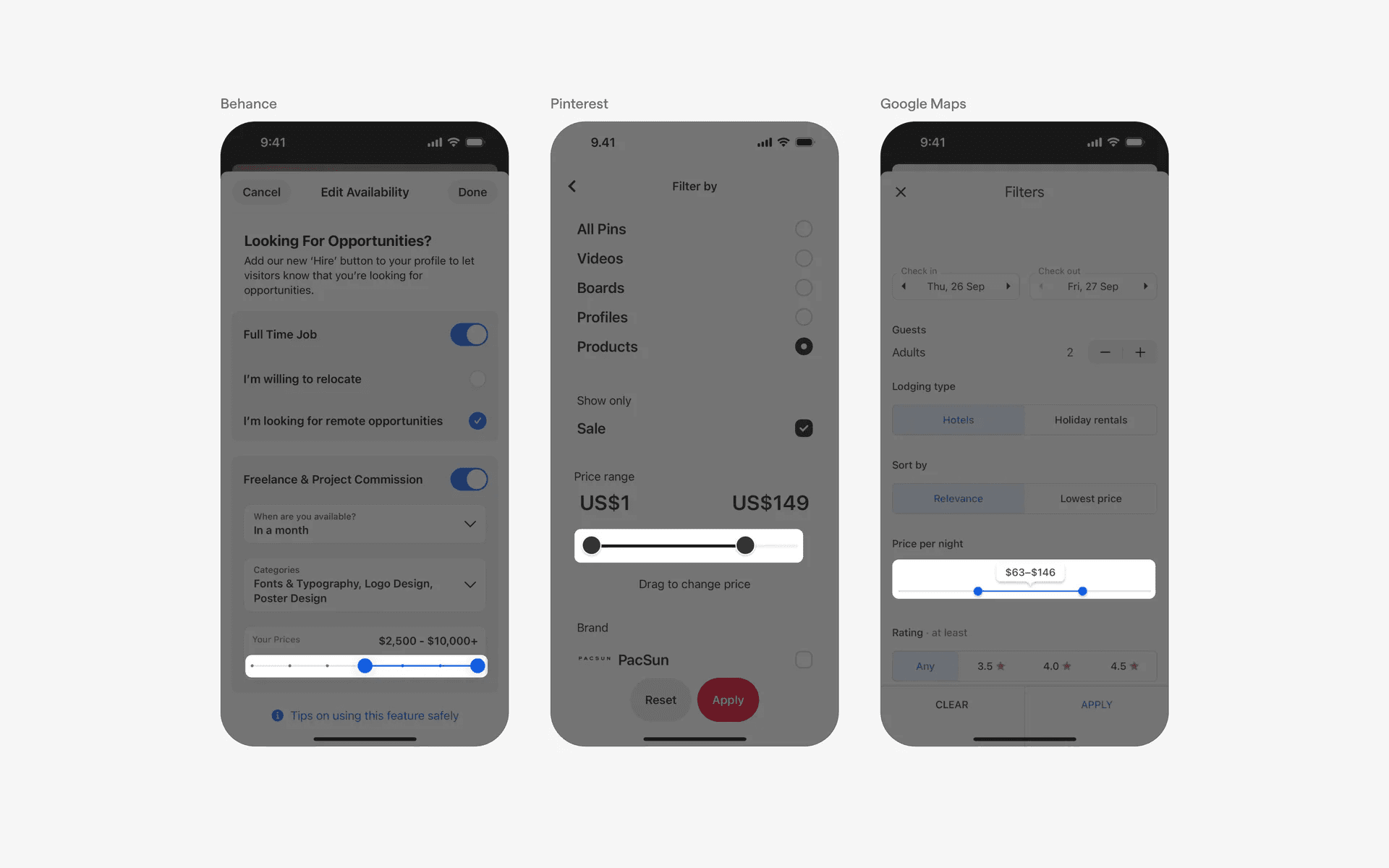
Examples of sliders with double slider thumb
5. Non-circular slider handle with wider track height
In certain apps, we've also observed the slider UI elements being used for media cropping purposes. These sliders usually have wider track height and non-circular slider handles.
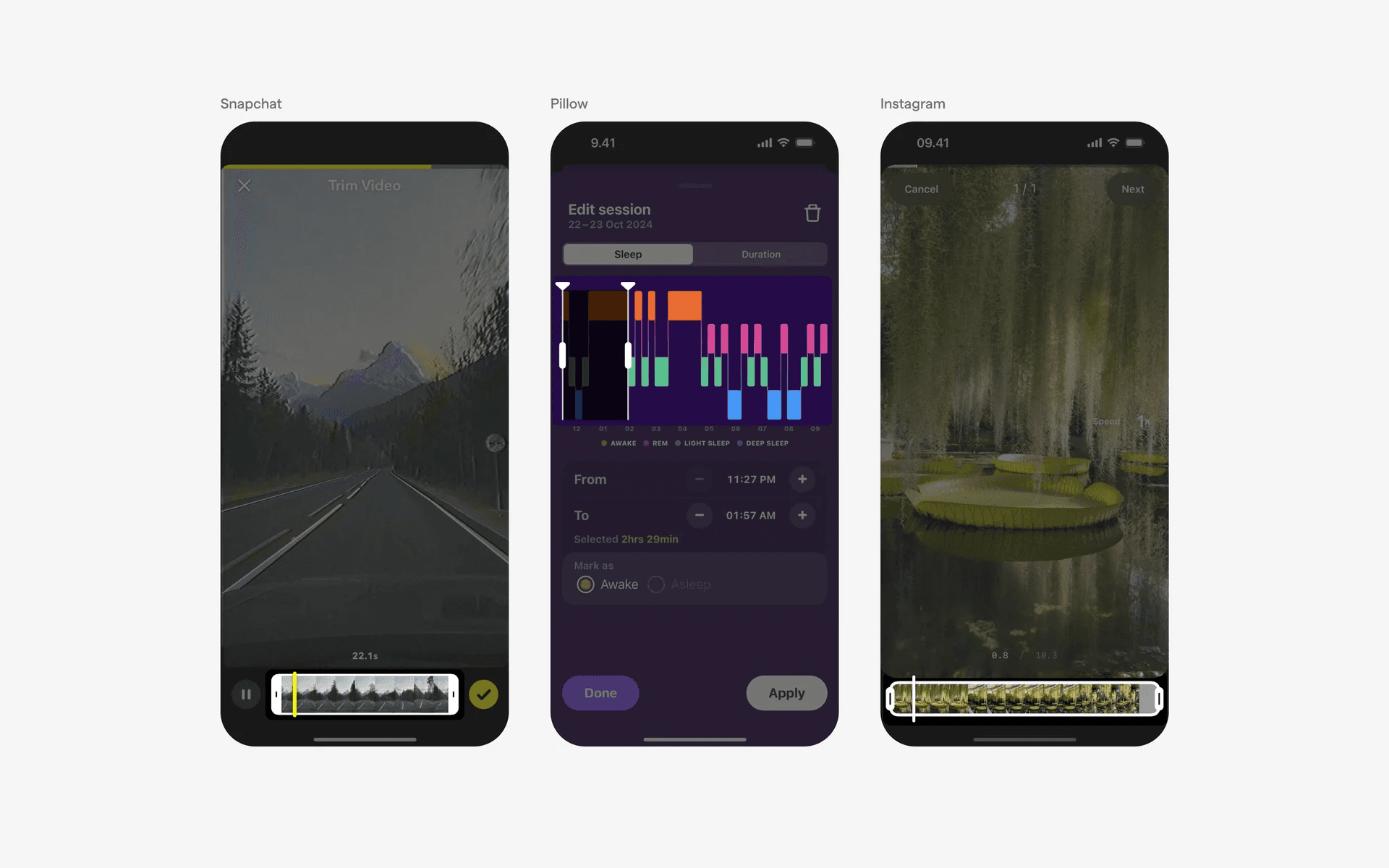
Examples of non-circular slider handle
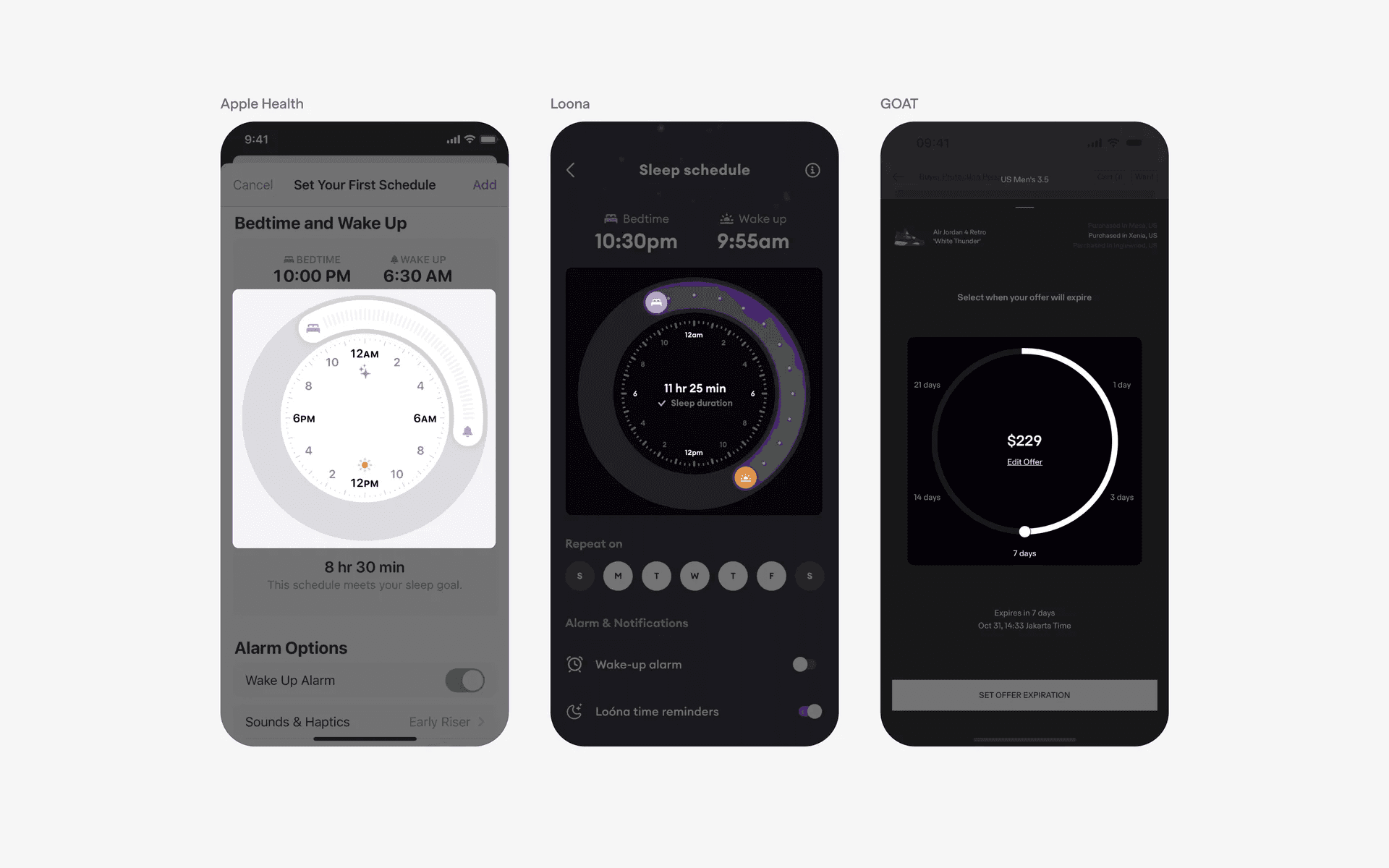
6. Sliders with non-linear track
Most slider design have linear tracks as it helps to maximize space on the interface.
However, if you'd like to make it more visually appealing, consider using a non-linear slider track (circular, or curved). This can make sliders stand out more compared to other components, and bring more attention to it.
Examples of non-linear slider track.
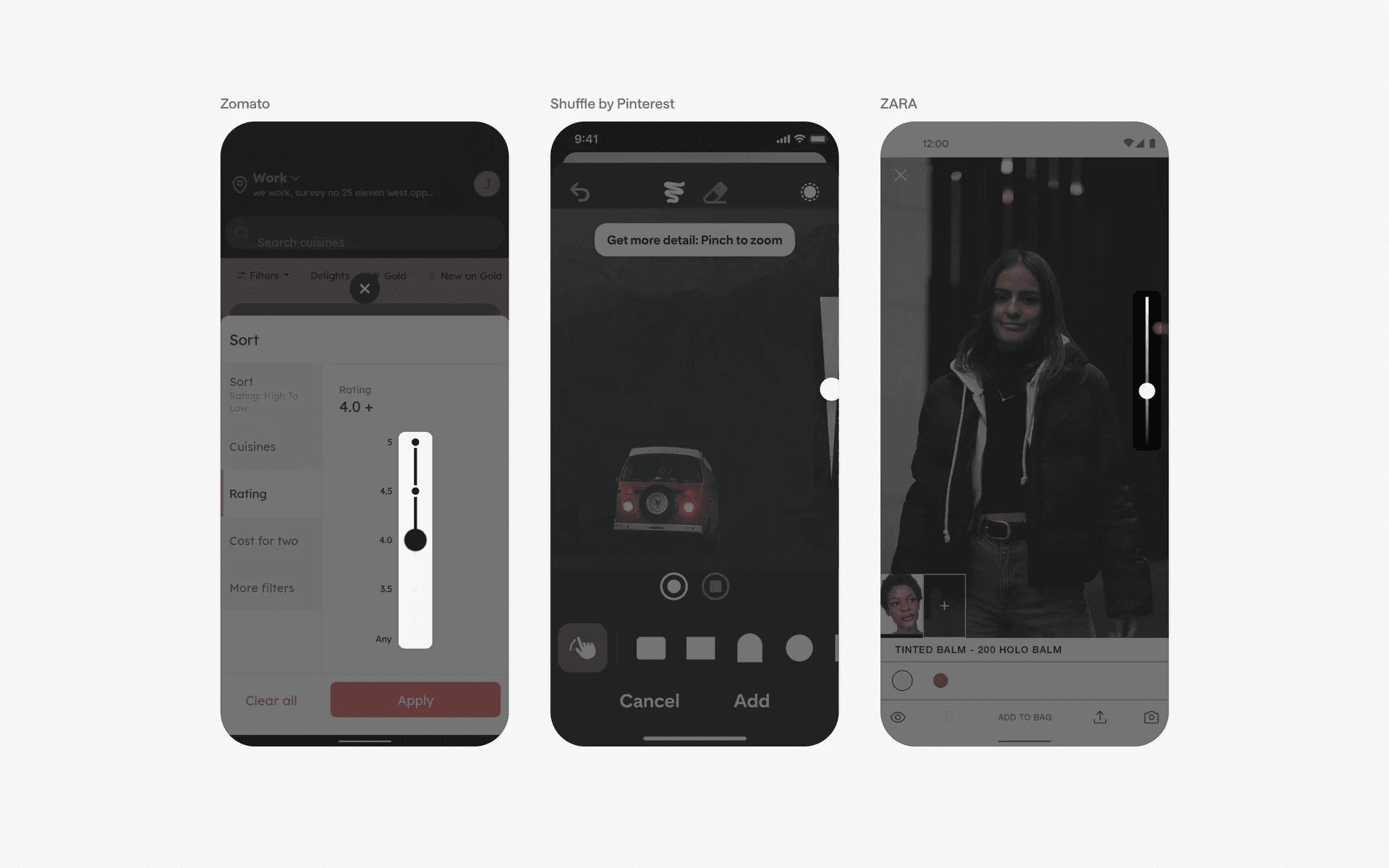
7. Sliders with vertical orientation
Most slider designs are horizontal.
However, depending on your app's needs, you can consider a vertical slider design. For example, the volume control slider and brightness control slider on iOS are both sliders with vertical orientation.
Examples of sliders with vertical orientation
When to use sliders?
1. Volume & brightness control
Sliders are often used to control the volume level and adjust the screen brightness.
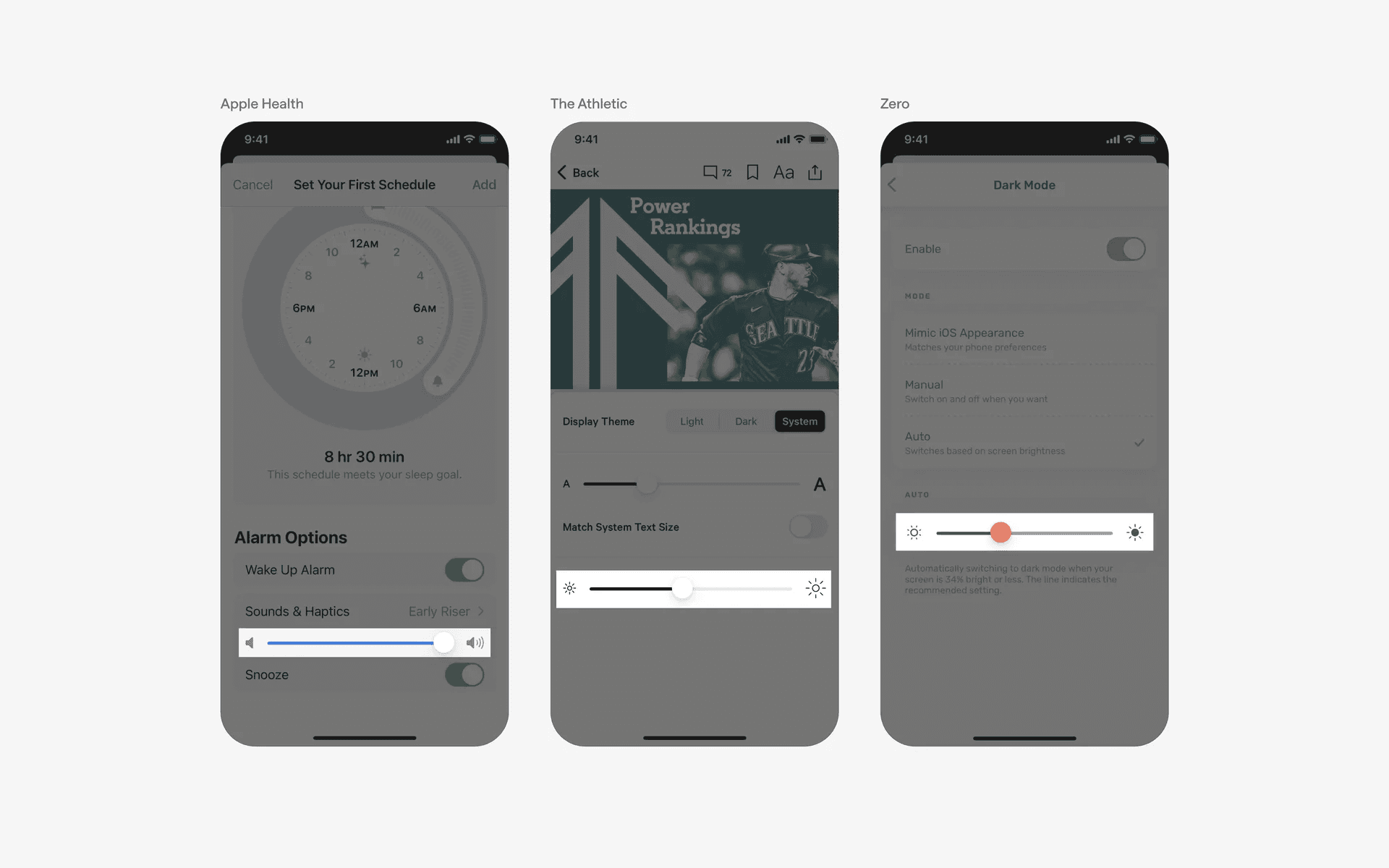
Examples of sliders used in volume control and brightness control
2. Settings & preferences
Sliders are often employed in settings screens to enable users to adjust preferences, such as notification volume, font size, or intensity levels.
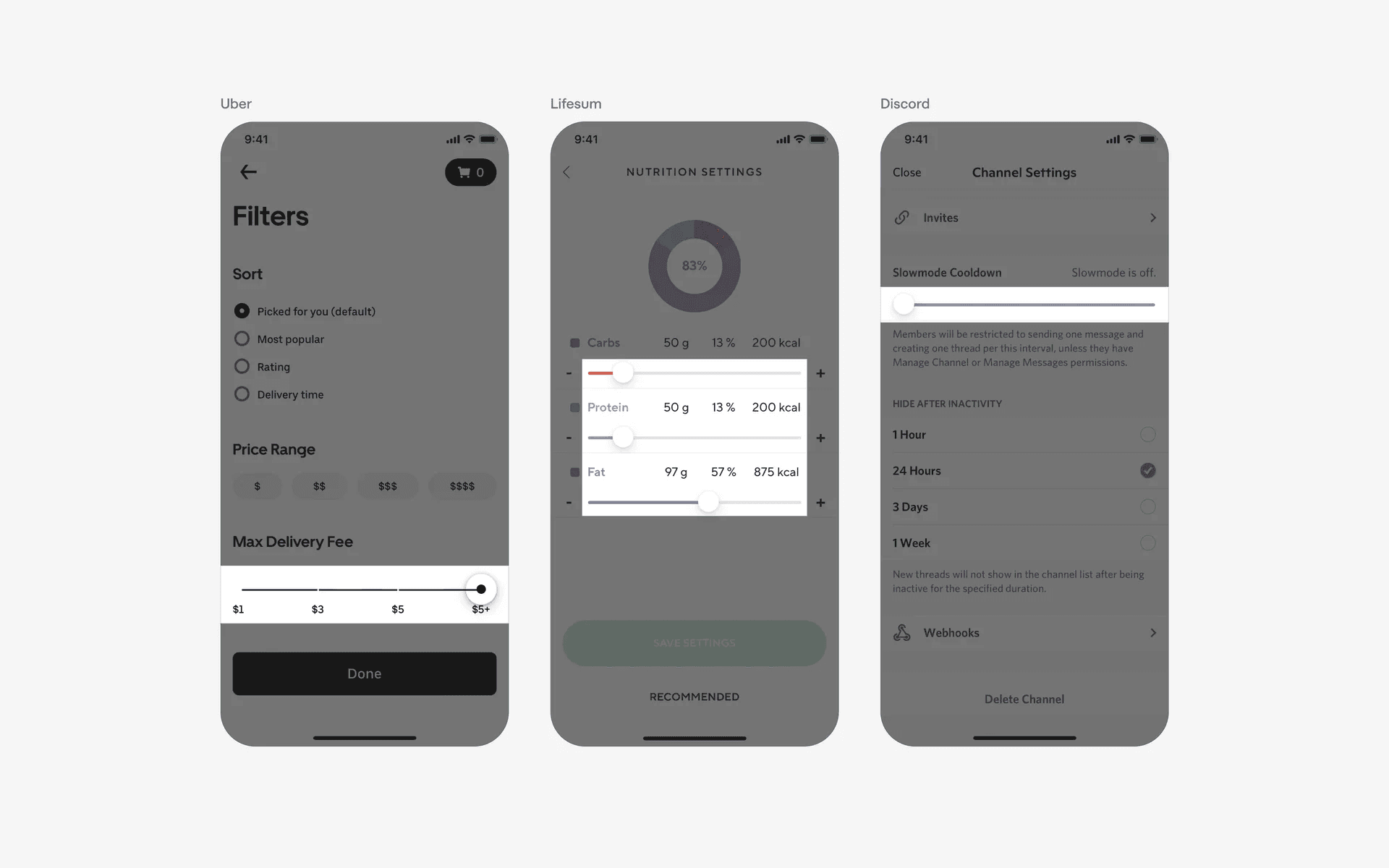
Examples of sliders used in settings & preferences
3. Range control in filter & sorting
Sliders can be used to define a range or a selection within a given range.
This is useful in apps that require users to set a specific value within a range, such as selecting a date range in a calendar app or setting a price range in a shopping app.
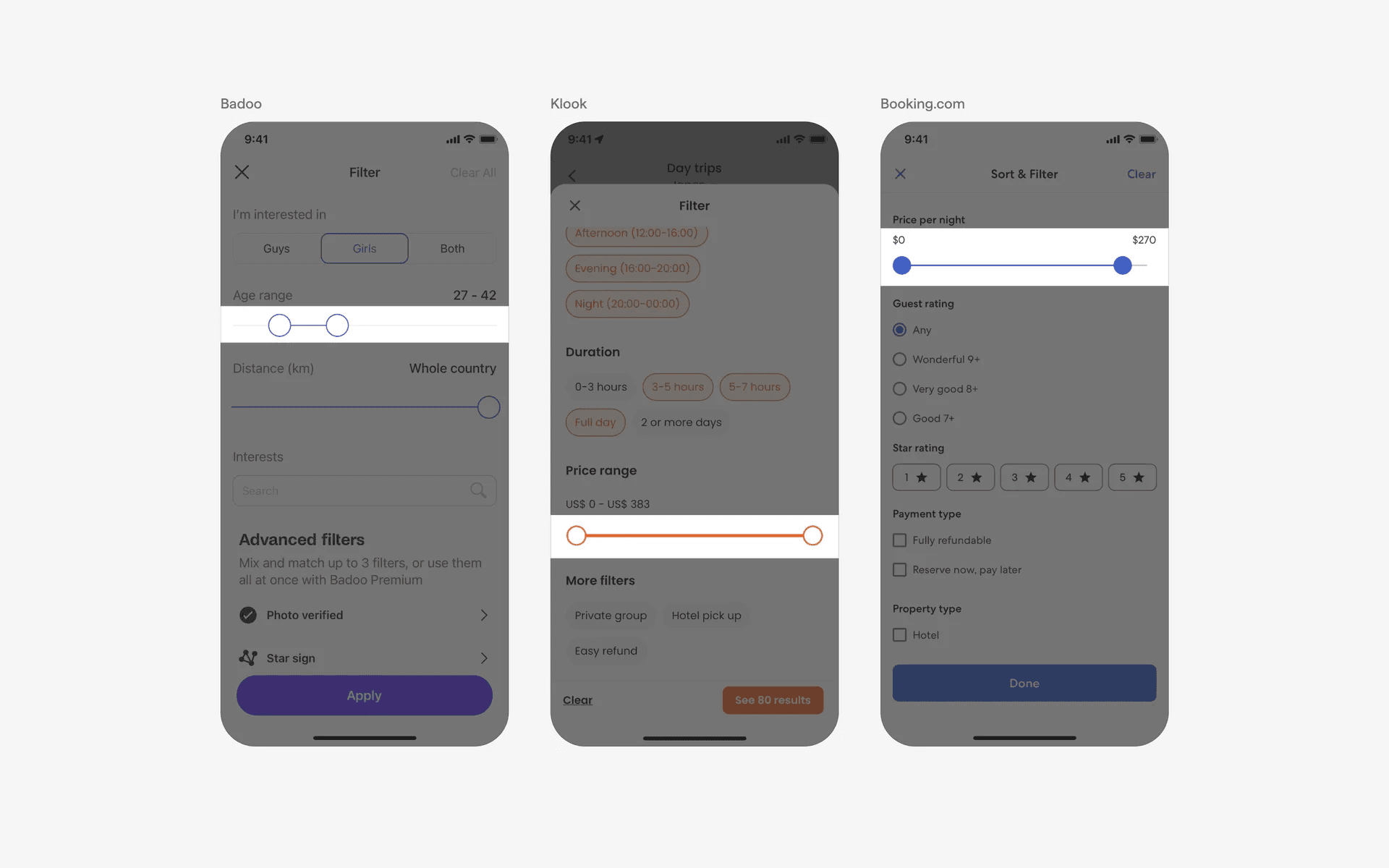
Examples of sliders used in range selection
4. Media control
Sliders can be used to control media - in songs or videos. The value selected in these sliders is time. Most importantly, the handle must be present to be considered a slider.
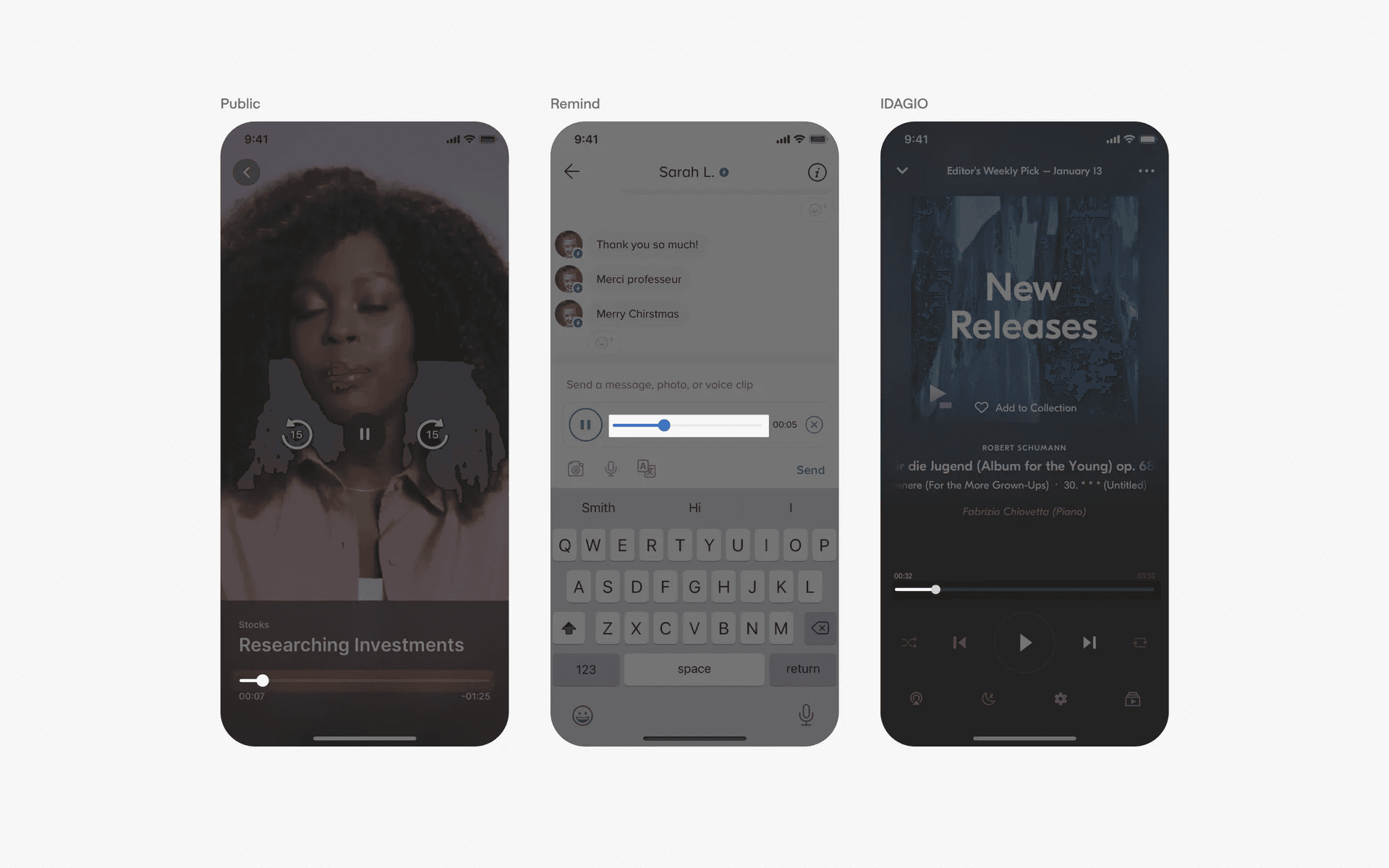
Examples of sliders in media control
5. Action control (Button)
Sliders can be also be used within a button - to complete an action by sliding across a track. For example, these slide/swipe to complete buttons can be used to place an order, or unlock a reward.
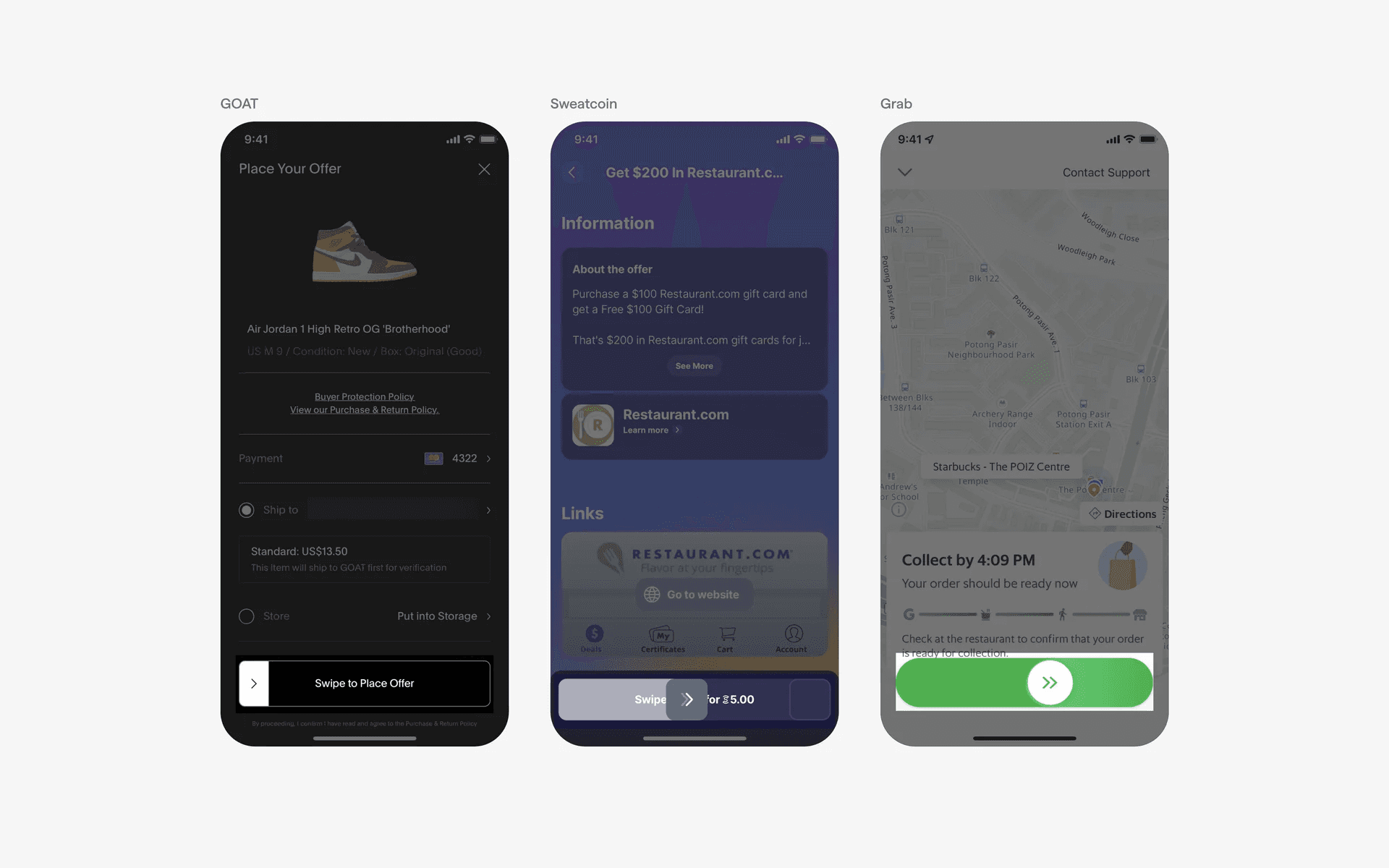
Examples of slide to action