Progress Indicator UI

What is a progress indicator component?
Progress indicators inform users about the status of ongoing processes by providing visual feedback about the progress of a task or operation.
It is commonly seen in design patterns like: File uploads, Onboarding, E-commerce checkout, Multi-stage processes, and Password strength.
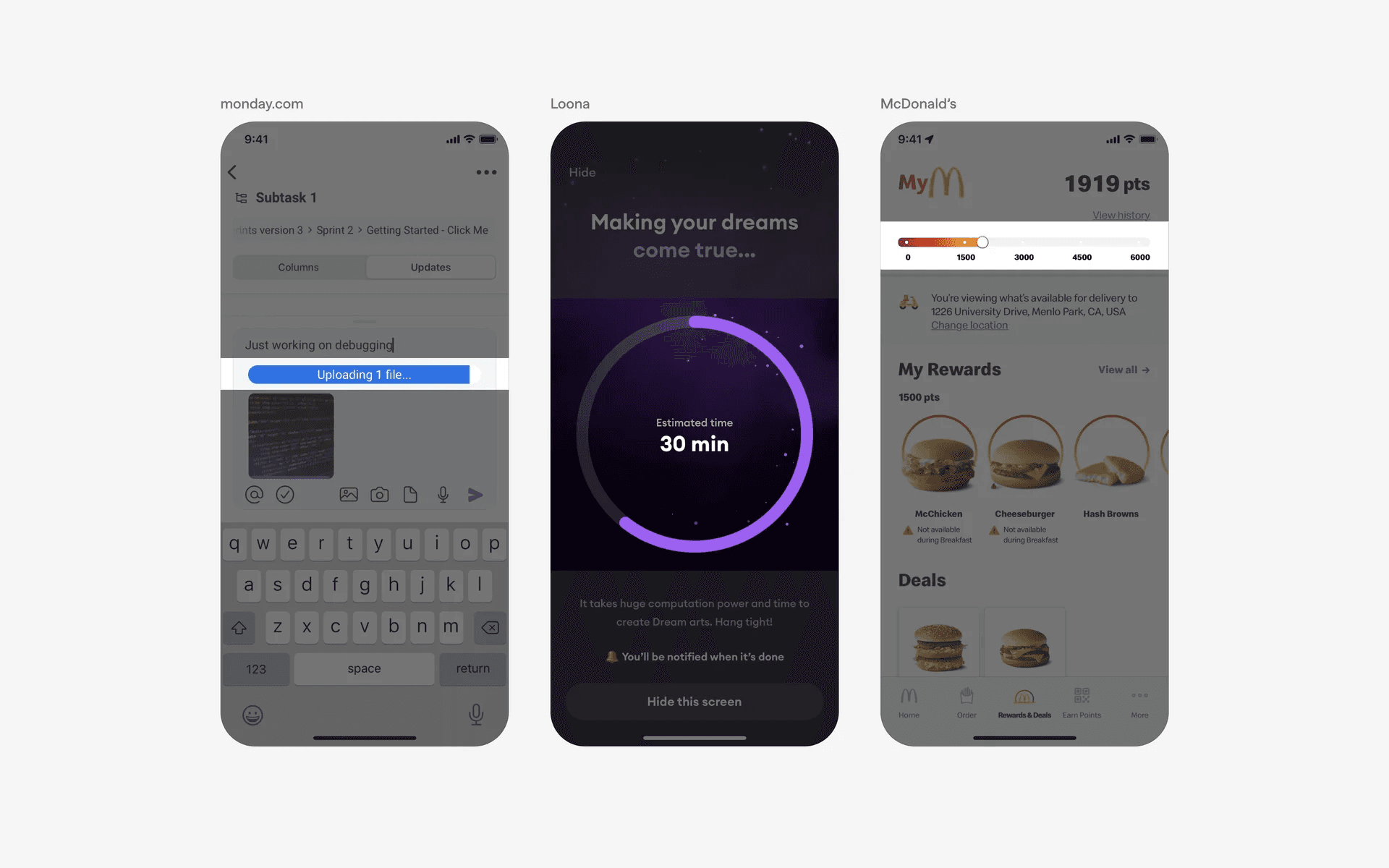
Examples of what progress indicators look like in mobile apps - both circular and linear.
One must also consider the difference between determinate and indeterminate progress indicators when designing the progress indicator component.
Determinate progress indicator: Displays a specific percentage or progress level for task completion progress. Ideal when the duration of the task is known, and it can be measured. Helps users to gauge how much longer the task will take. For example: File uploads or downloads.
Indeterminate progress indicator: Shows that a task is ongoing but without a specific progress value. Useful when the duration or end of the task is uncertain. Helps to indicate that something is happening even though progress cannot be measured. For example: Food delivery in bad weather situations.
What is the anatomy of a progress indicator?
There are two different types of progress indicators: Progress Bar and Progress Tracker.
Progress bar
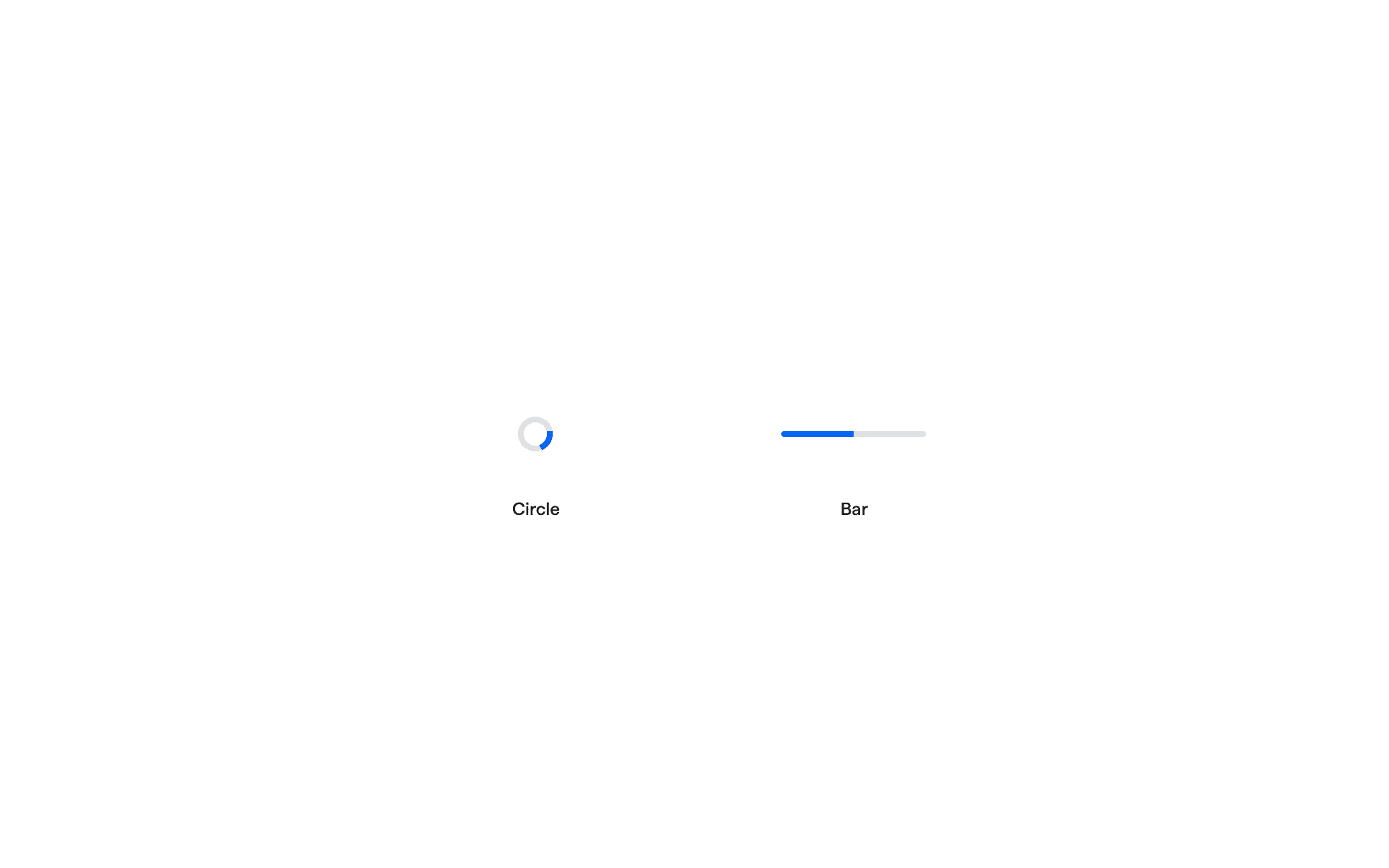
Anatomy of a progress bar.
Progress tracker
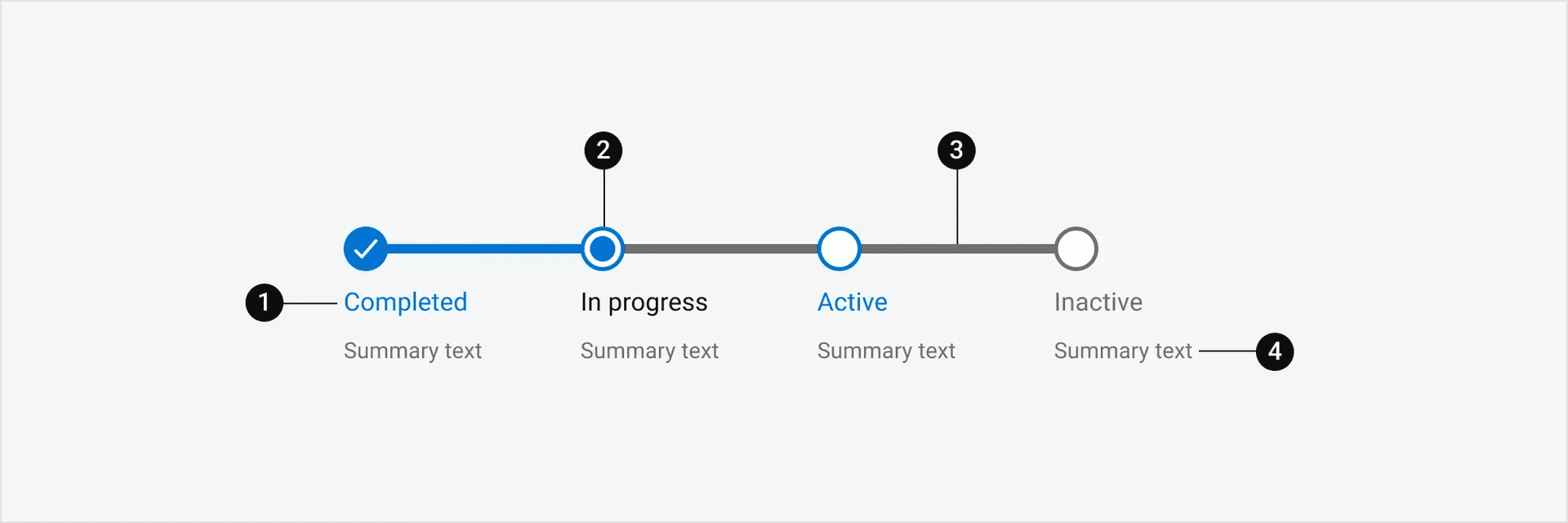
Anatomy of a progress tracker
What are the design variants of a progress bar?
We studied over 4,800+ progress indicator UI components on Mobbin, from real-world examples and found the following variants.
1. Linear progress bars
Here is an example of a classic linear progress indicator.
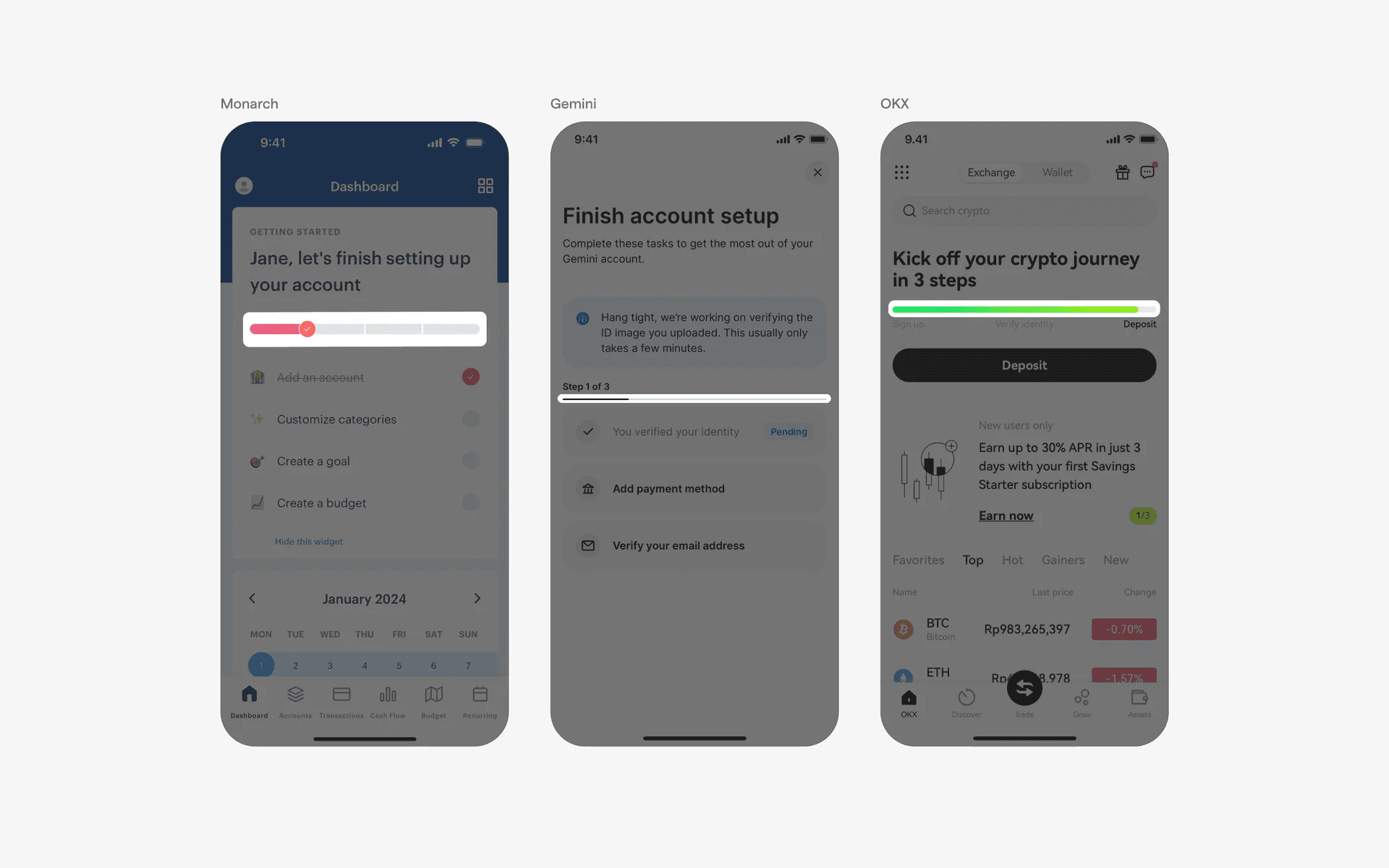
Example of linear progress indicators
Linear progress indicators sometimes come with text within the container.
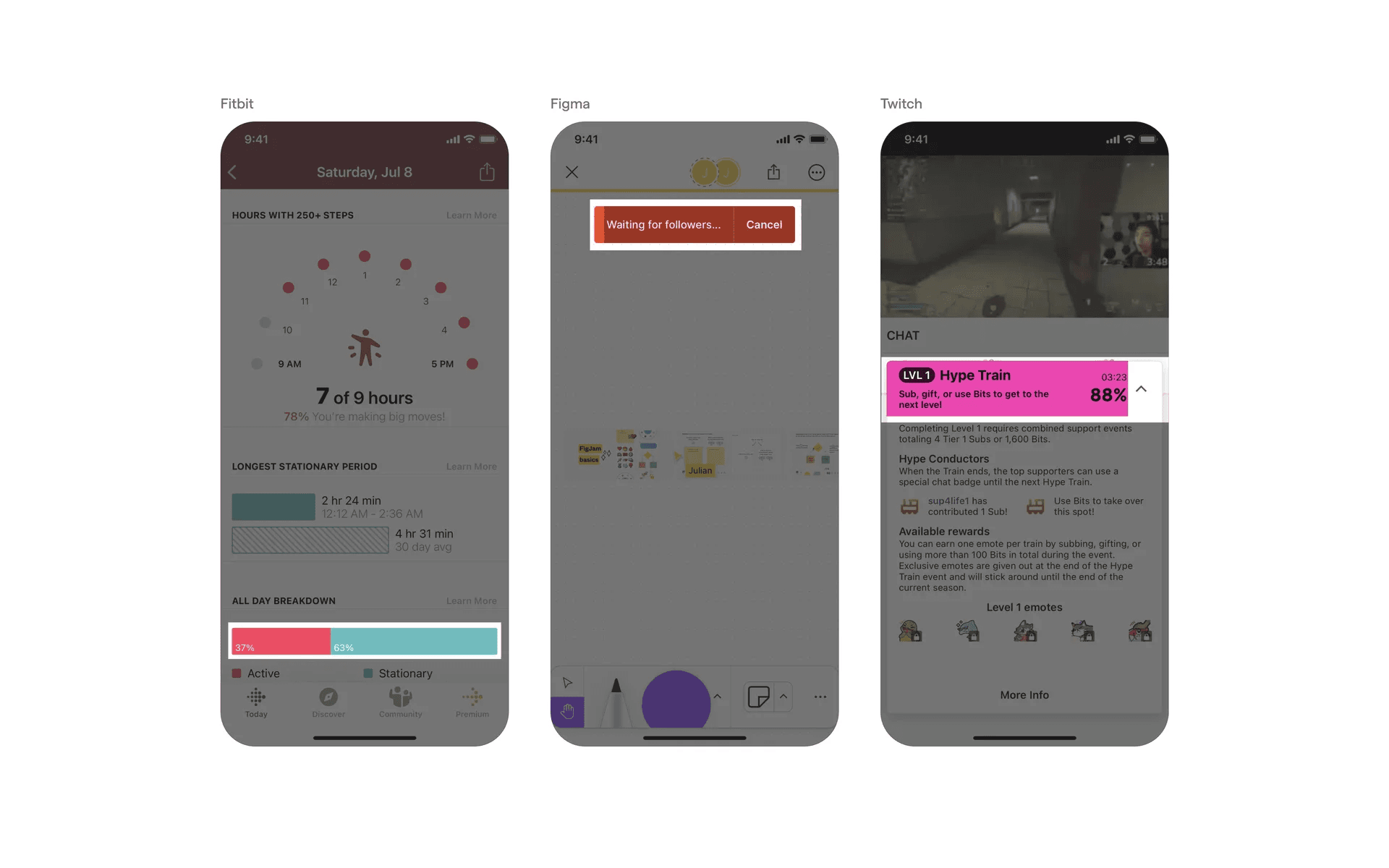
Example of linear progress indicators with text.
2. Circular progress bars
An example of circular progress indicators.
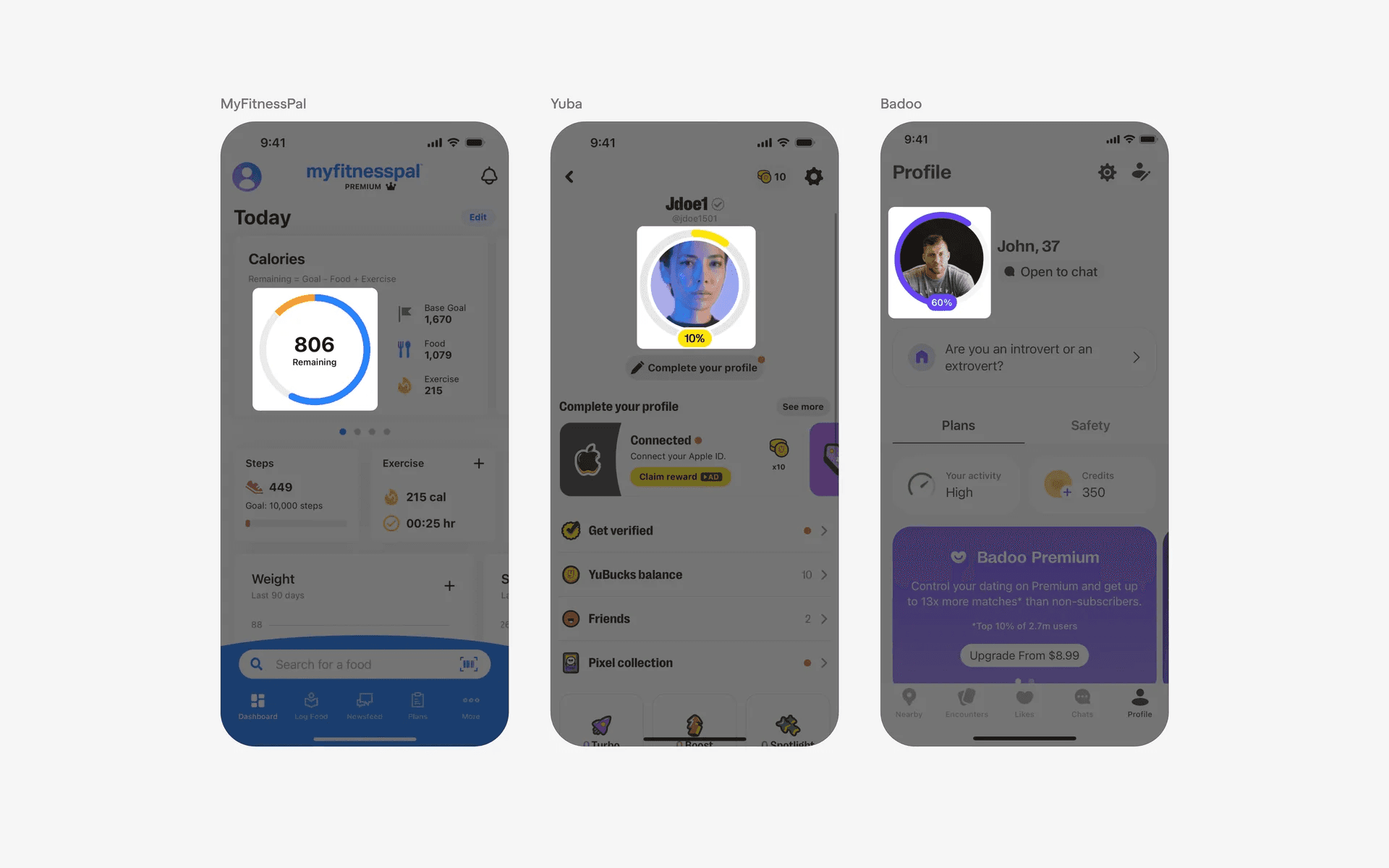
Example of circular progress indicators
What are the design variants of a progress tracker?
1. Discrete progress tracker
Progress trackers are commonly used in step-by-step wizard UI, especially when there are multiple steps left for an important flow. This helps to reassure users and keep them motivated to finish the task at hand.
Here is an example of a discrete progress tracker with status indicators.
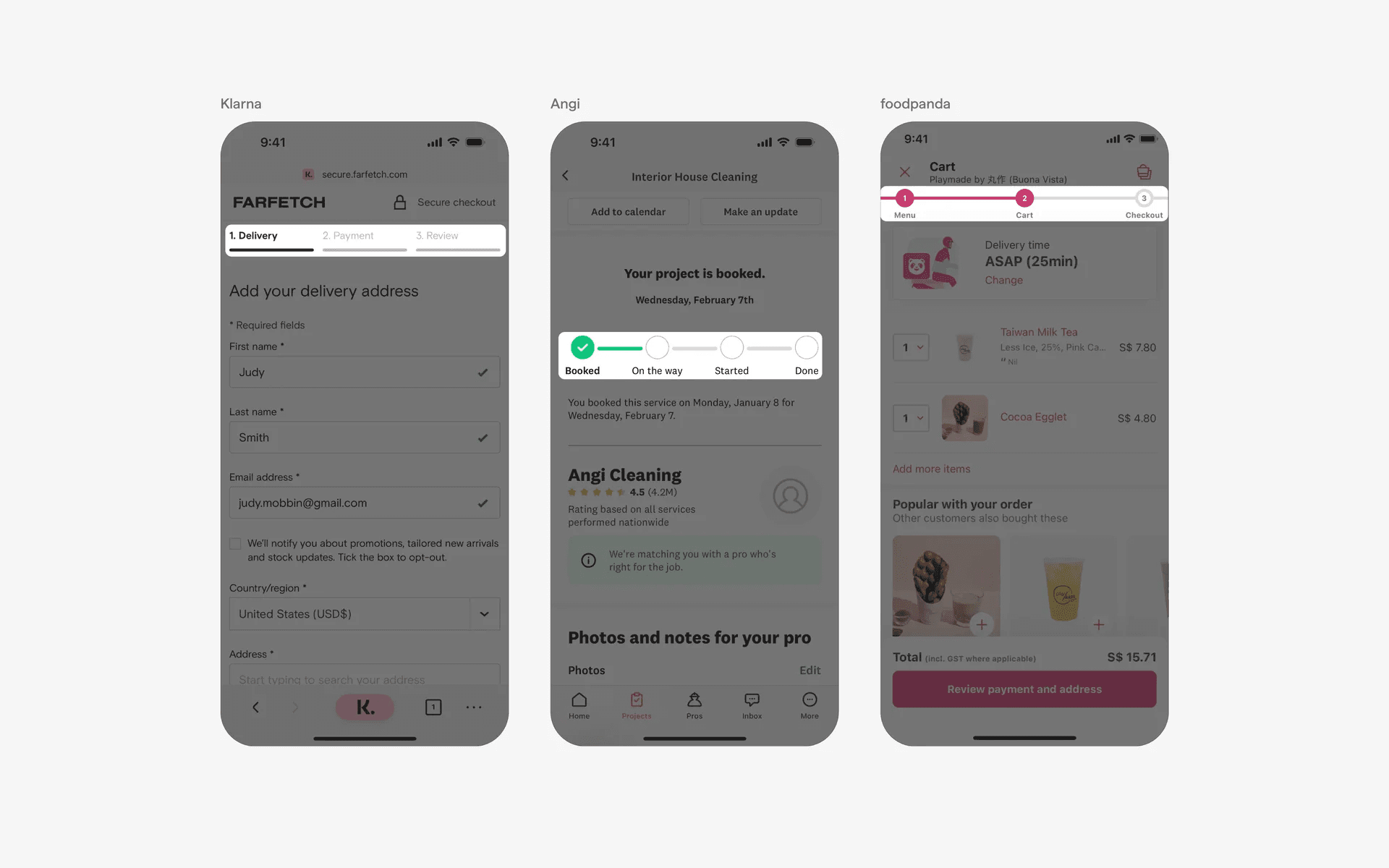
Discrete progress tracker with status indicator
Examples of discrete progress indicator with separated steps.
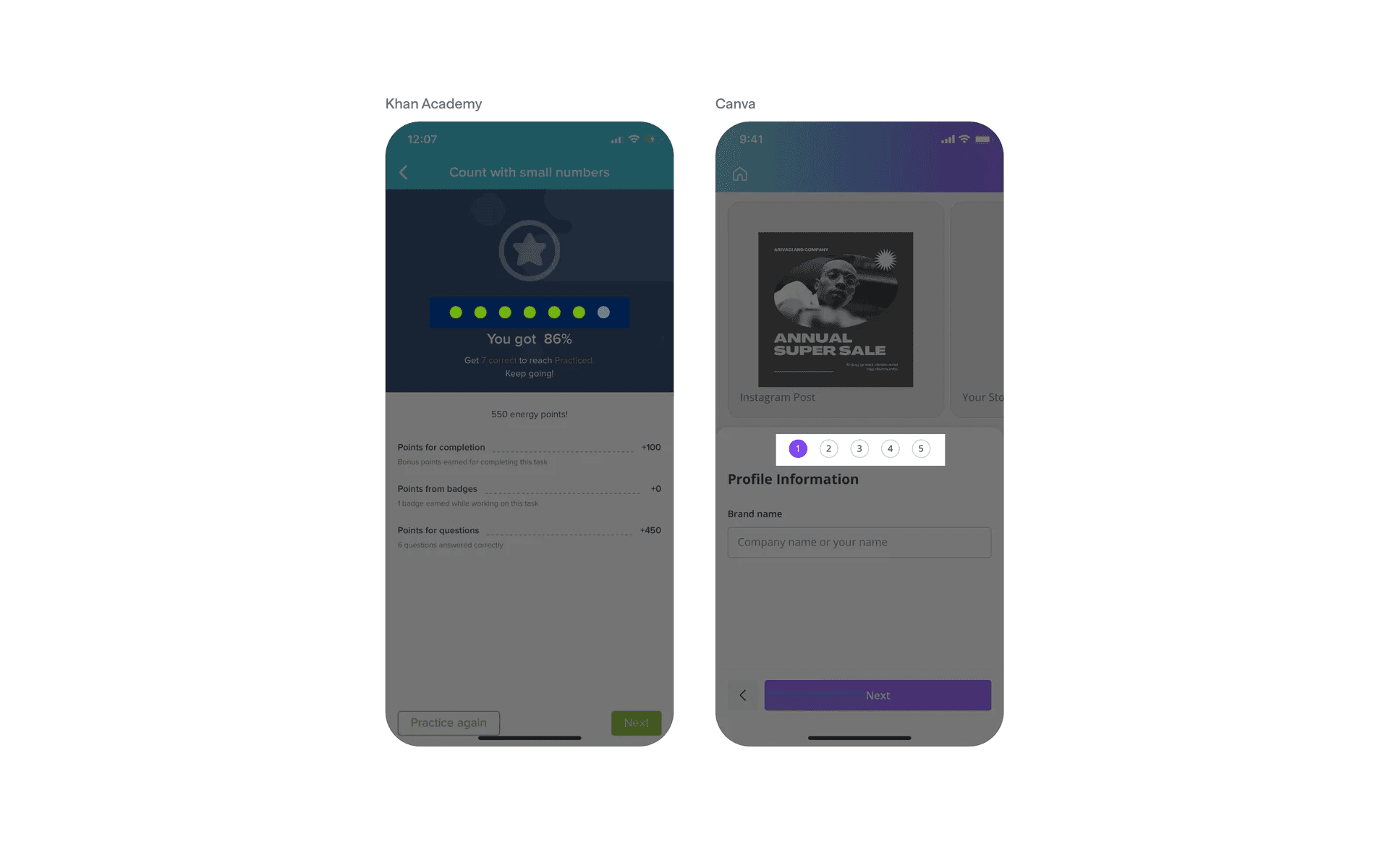
Discrete progress tracker with separated steps
Examples of discrete progress indicator with even steps - this implies that each step takes roughly equal amounts of time.
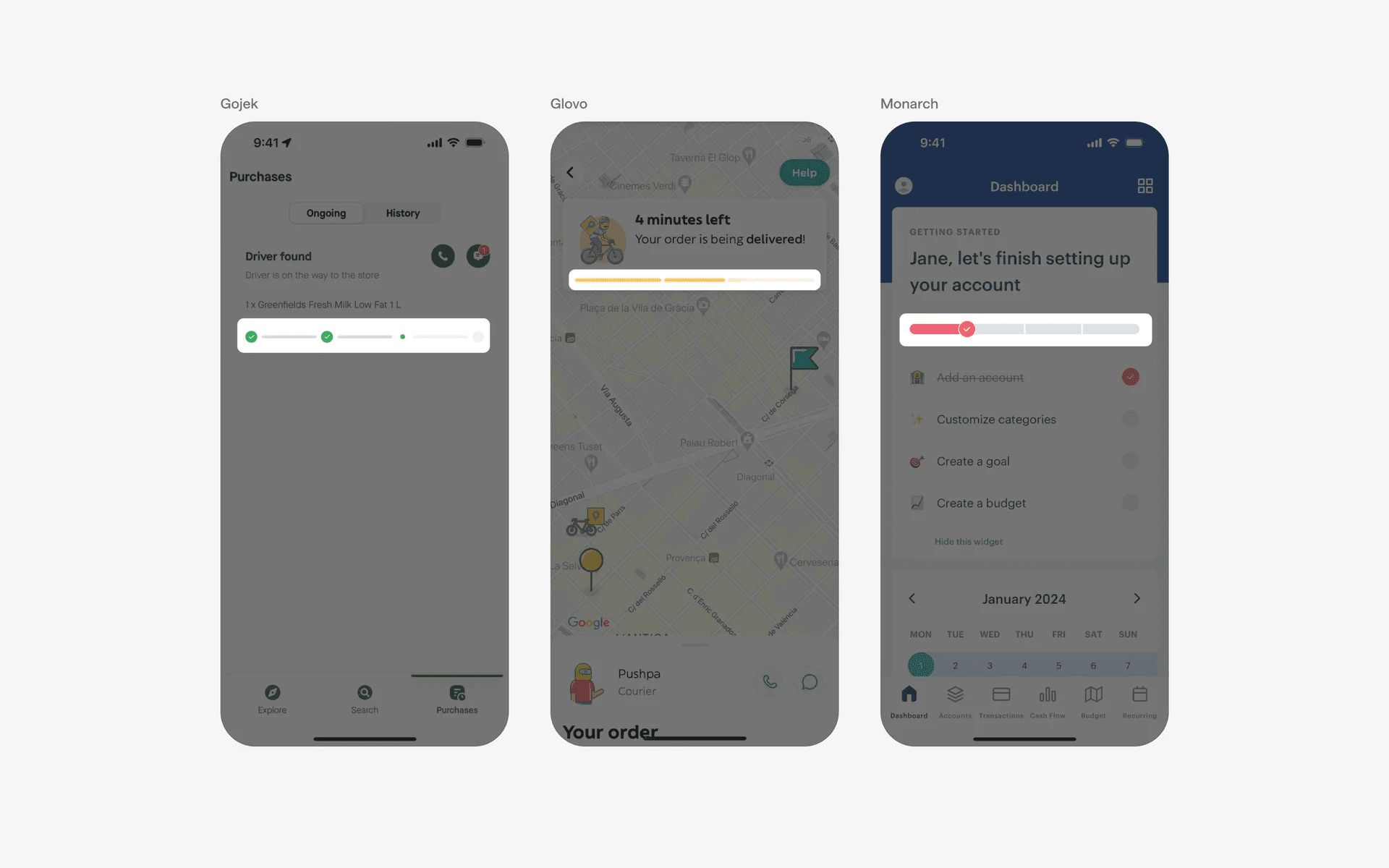
Discrete progress tracker with even steps
Examples of discrete progress indicator with uneven steps - this implies that each step might take different amounts of time. This is seen in food delivery apps like DoorDash, or payment transfer apps like Wise.
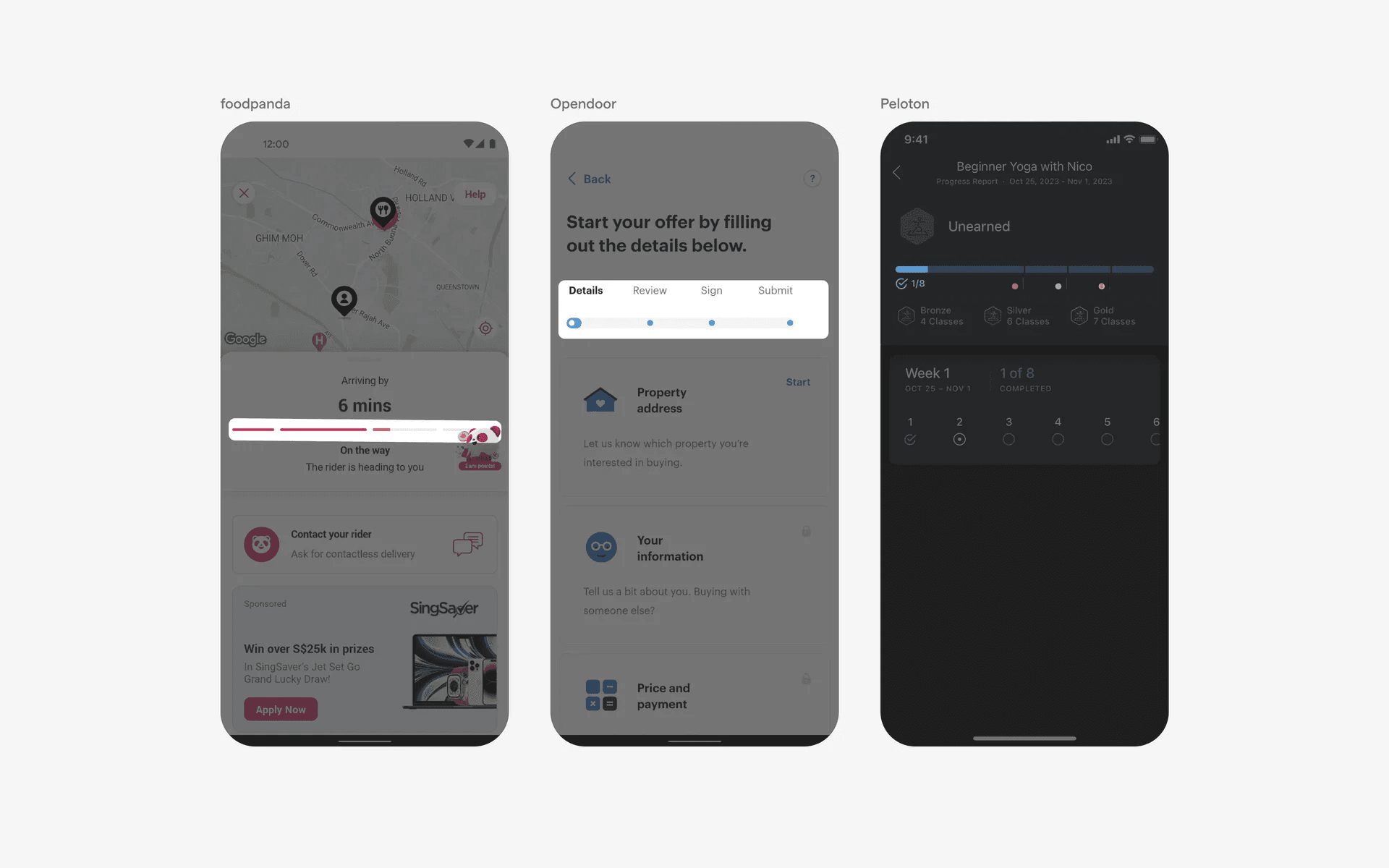
Discrete progress tracker with uneven steps
2. Continuous progress trackers
On the other hand, continuous progress trackers can leave some ambiguity when it comes to providing user assurance.
We commonly see this in onboarding flows that are long - specifically, in the health & wellness category of apps.
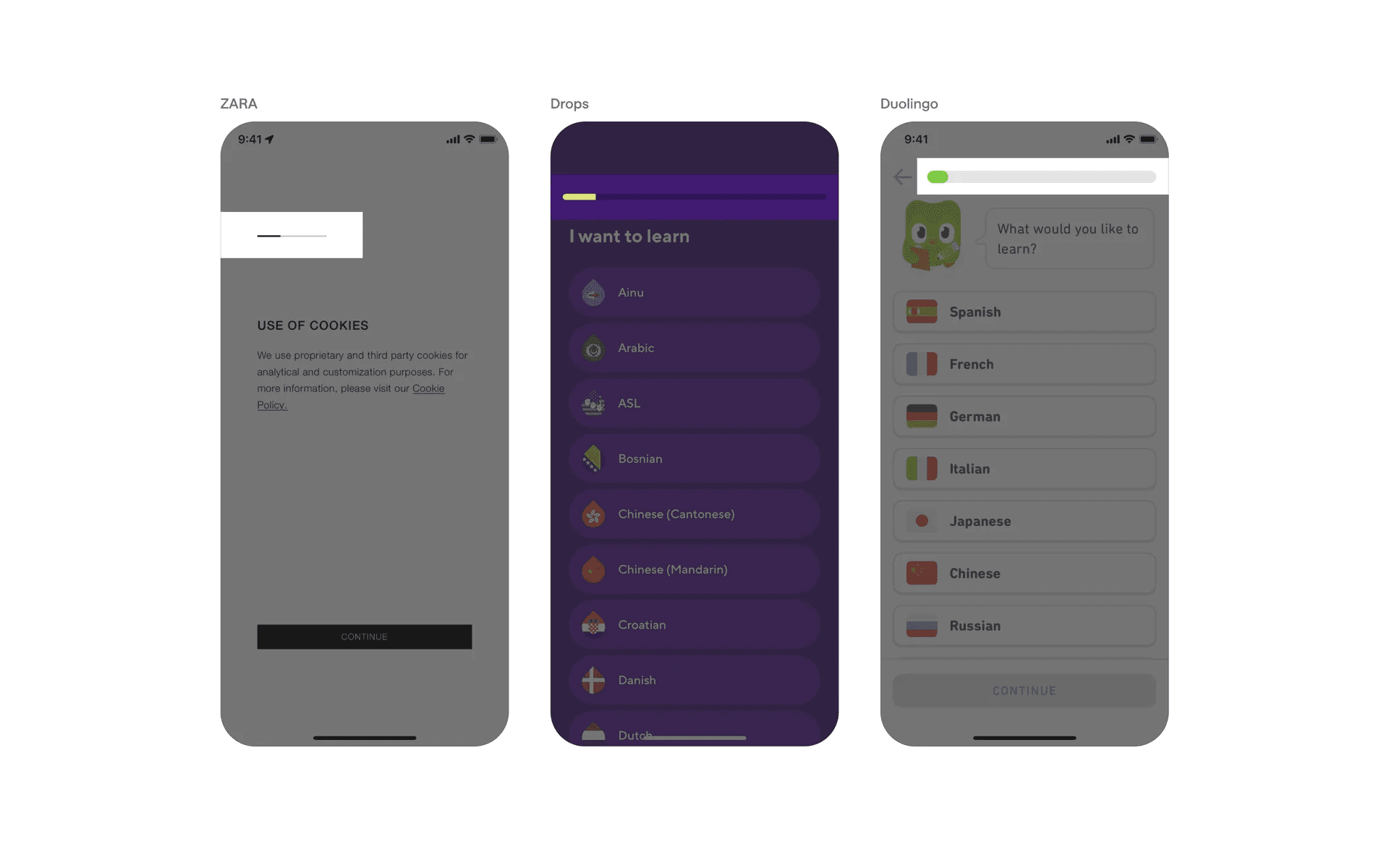
Continuous progress trackers without label
Examples of continuous progress tracker with labels, making it less ambiguous for users.
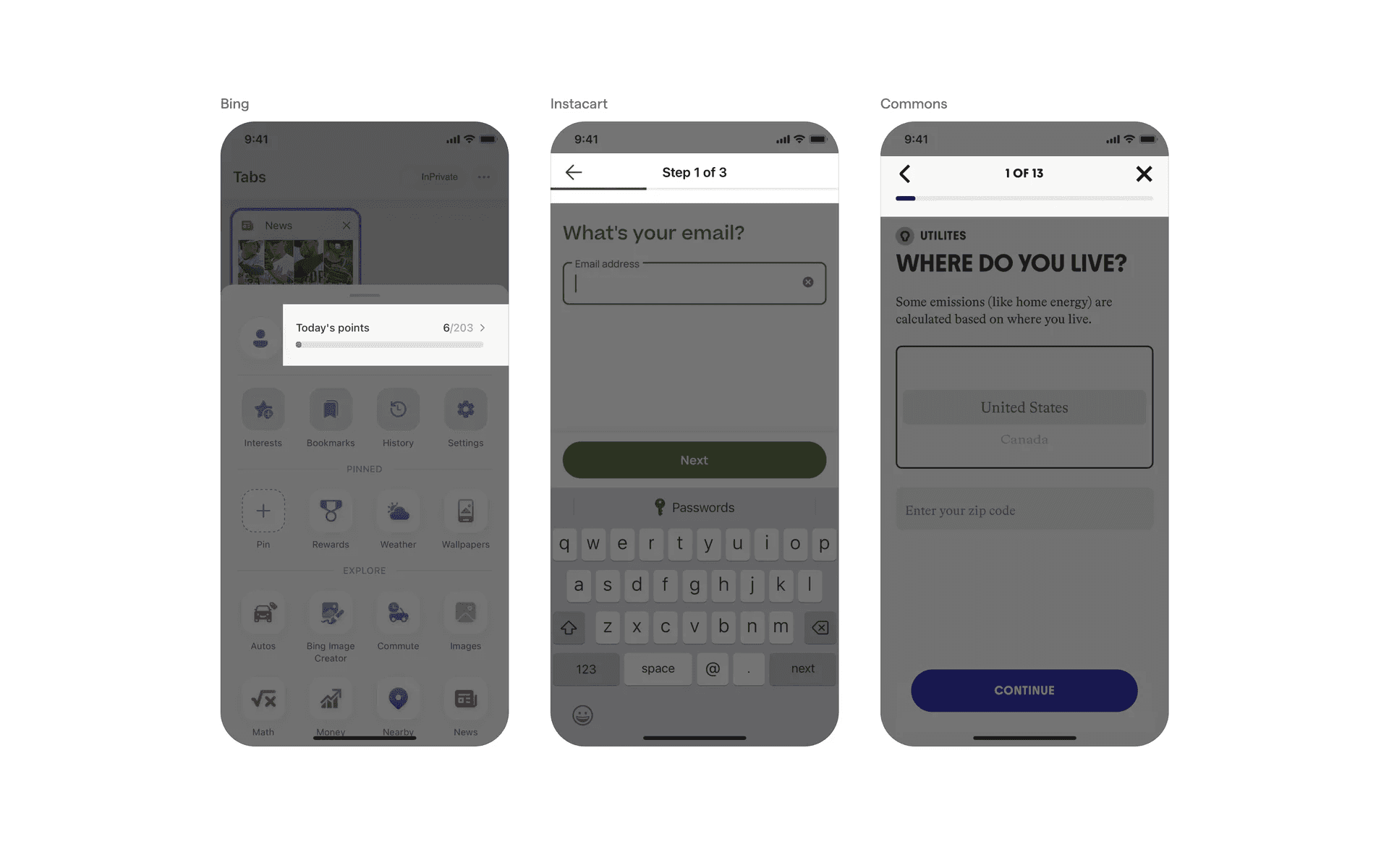
Continuous progress trackers with label
3. Vertical progress trackers
If you need more space to give clearer information for your step-by-step progress indicators, consider using a vertical progress tracker instead.
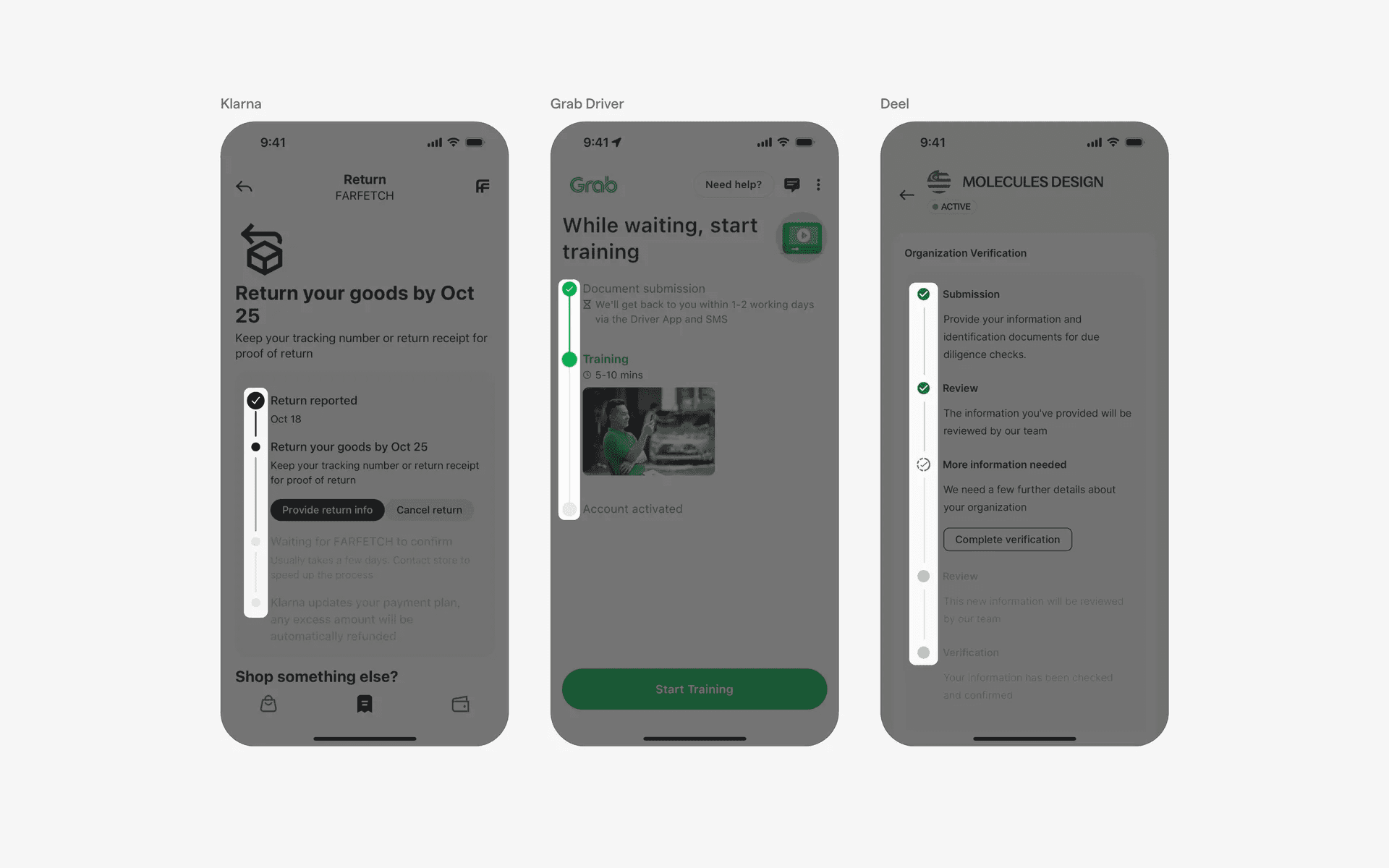
Vertical progress tracker progress indicators
When to use a progress bar?
1. File uploads & downloads
When users upload or download files, a progress indicator is often displayed to show the progress of the transfer. It helps users understand how much time is remaining or how much of the task has been completed.
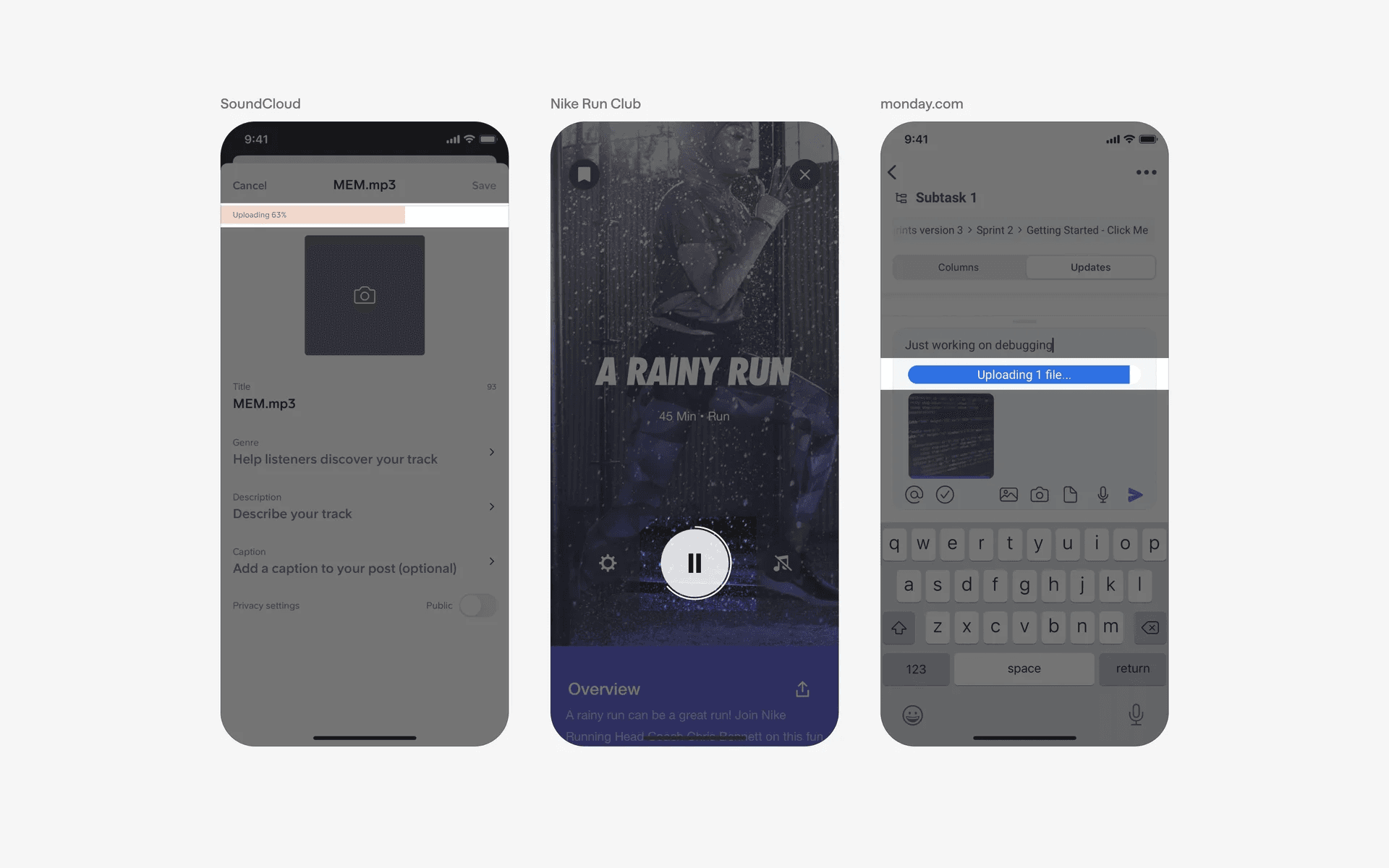
File uploads & downloads progress indicators
2. Installation or update processes
Apps often display a progress indicator during the installation or update process. This gives users an indication of the progress and reassures them that the app is functioning correctly.
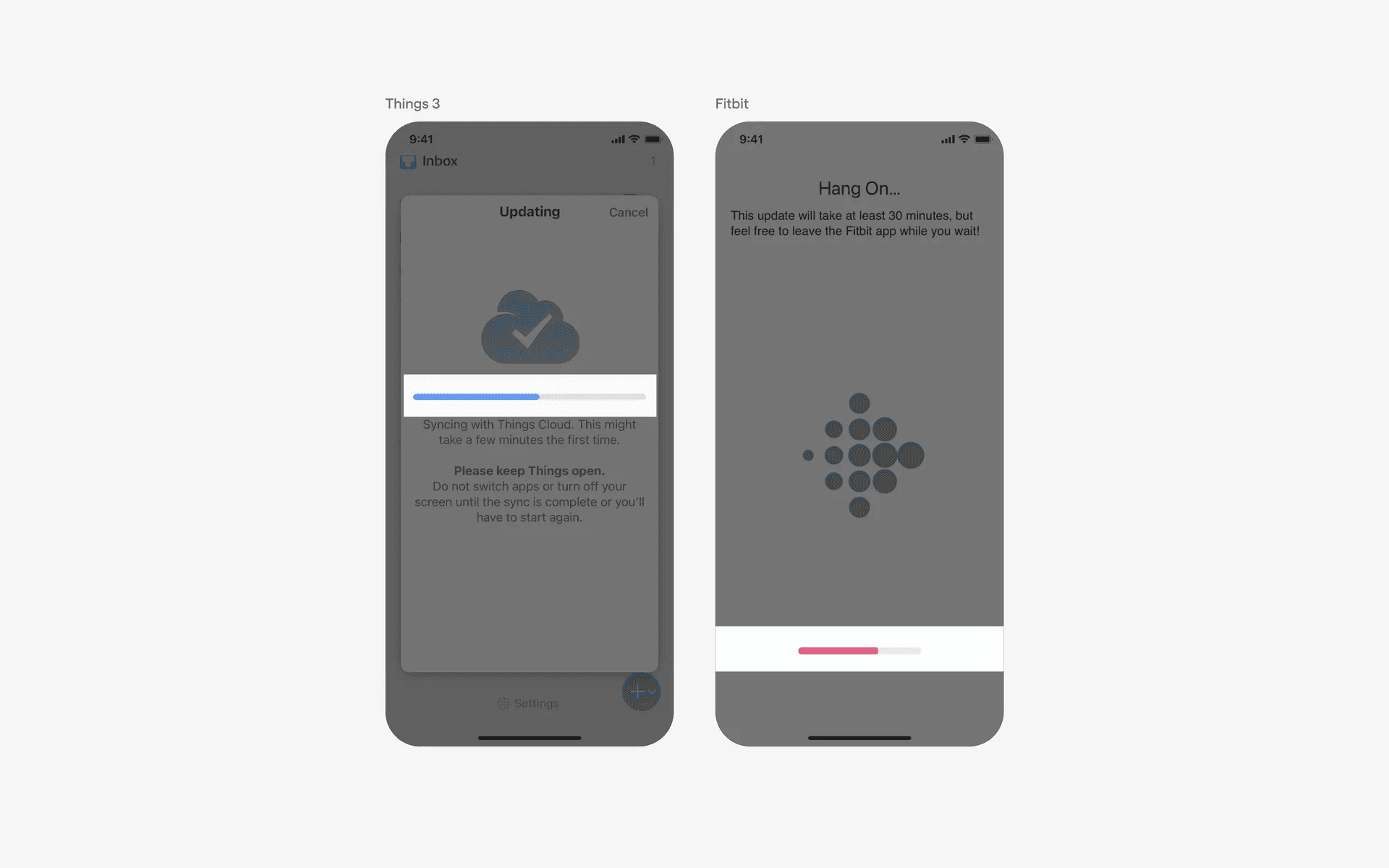
Installation or update process progress indicators
When to use a progress tracker?
1. Onboarding flows
Apps use a series of steps to guide new users through the onboarding process or user registration. The progress indicator can display the different stages such as account creation, profile setup, preferences, and more.
It helps users understand how many steps are remaining and provides a sense of accomplishment as they complete each stage.
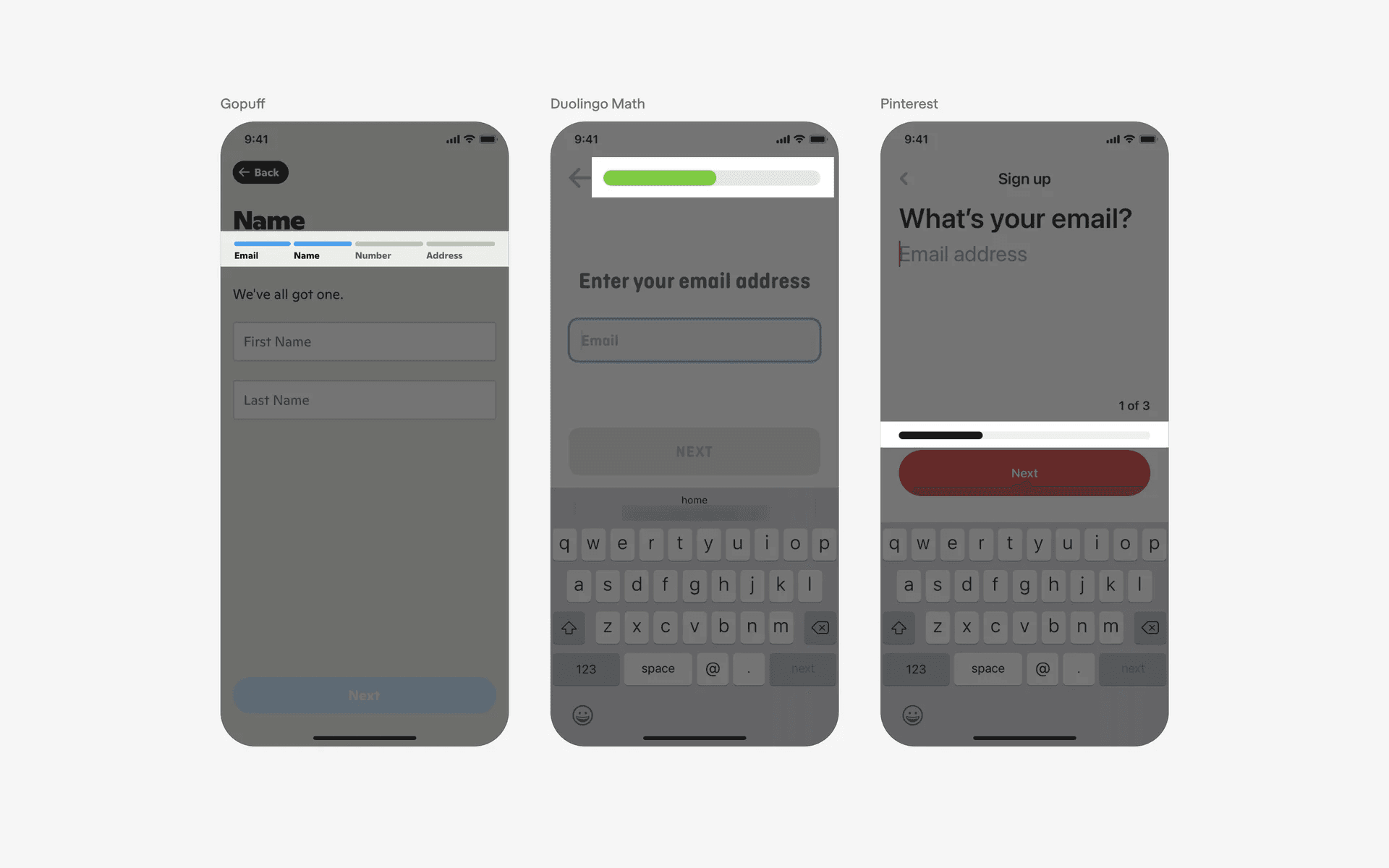
Onboarding flows progress indicators
2. E-commerce checkout
In shopping apps, the progress indicator can be used during the checkout process. It typically includes steps such as adding items to the cart, entering shipping information, selecting payment options, and confirming the order.
The progress indicator allows users to visualize their progress and helps them understand the steps required to complete the purchase.
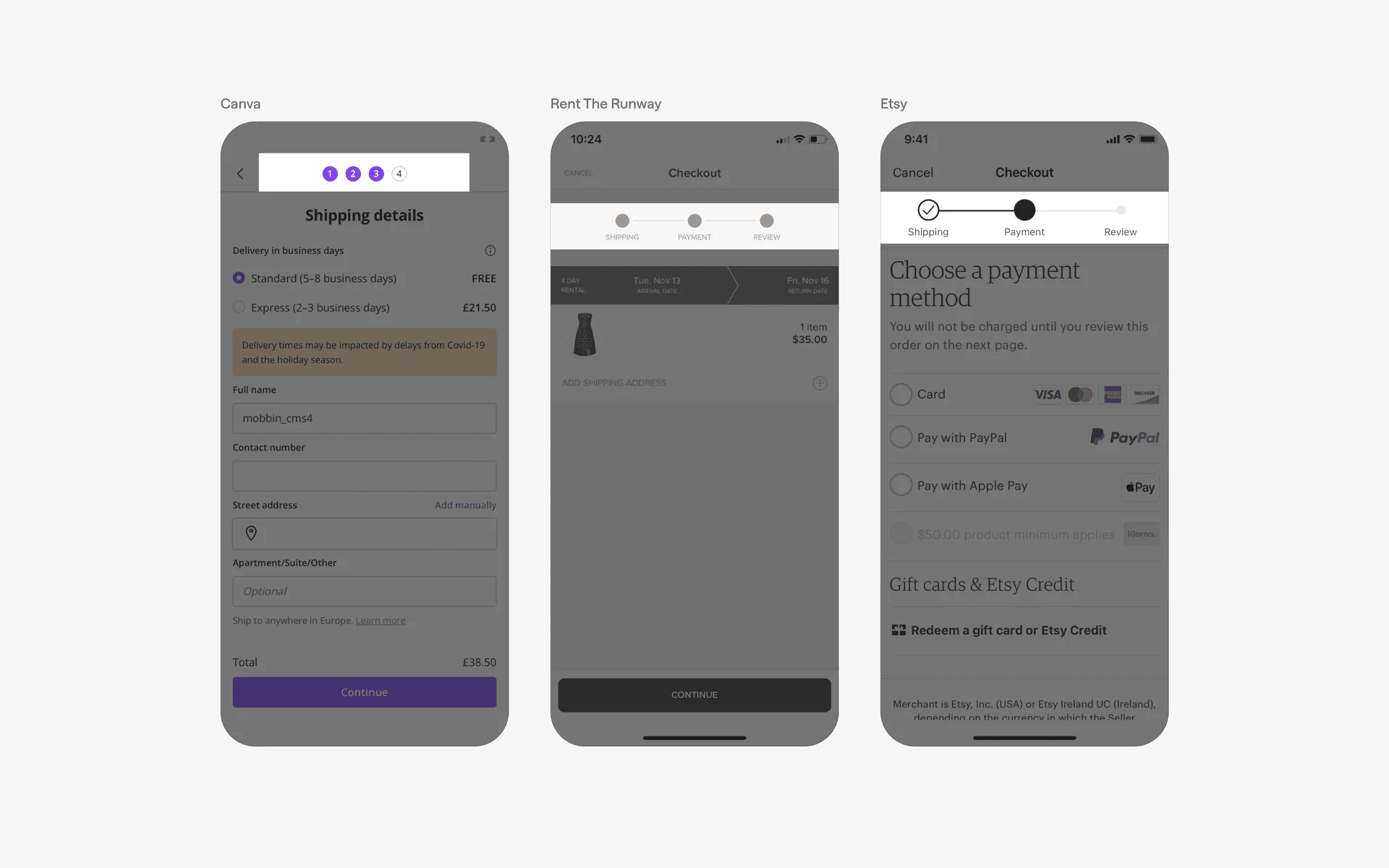
E-commerce checkout progress indicators
3. Multi-stage processes
Apps that involve multi-stage processes, such as booking a flight, ordering food, or creating an event, can benefit from a progress indicator.
It provides users with a clear understanding of the steps involved and allows them to track their progress as they move through each stage.
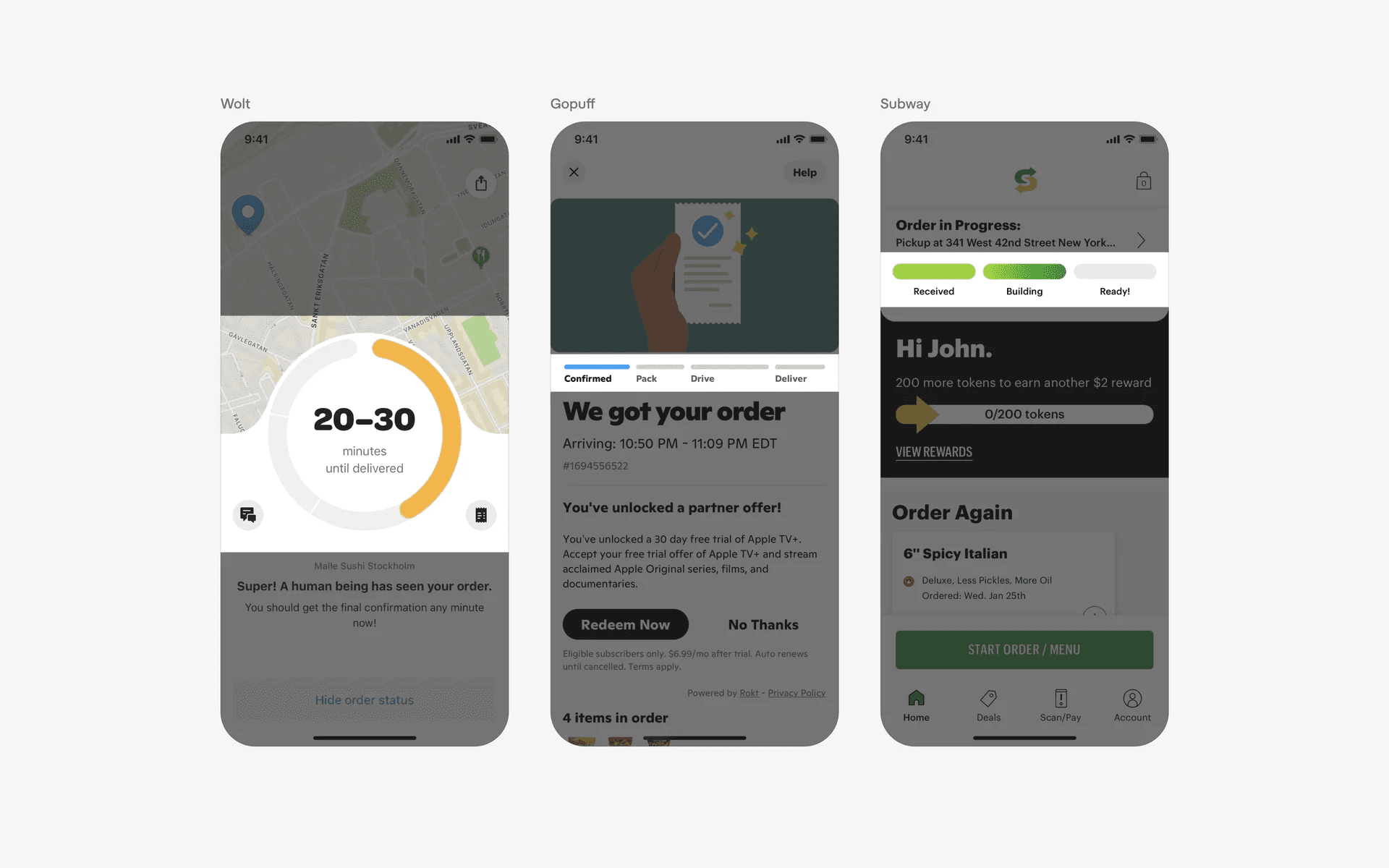
Multi-stage process progress indicators
4. Password strength
Progress indicators are also used to inform users on the strength or quality of their passwords. These are usually seen when the user is creating an account or creating a new password
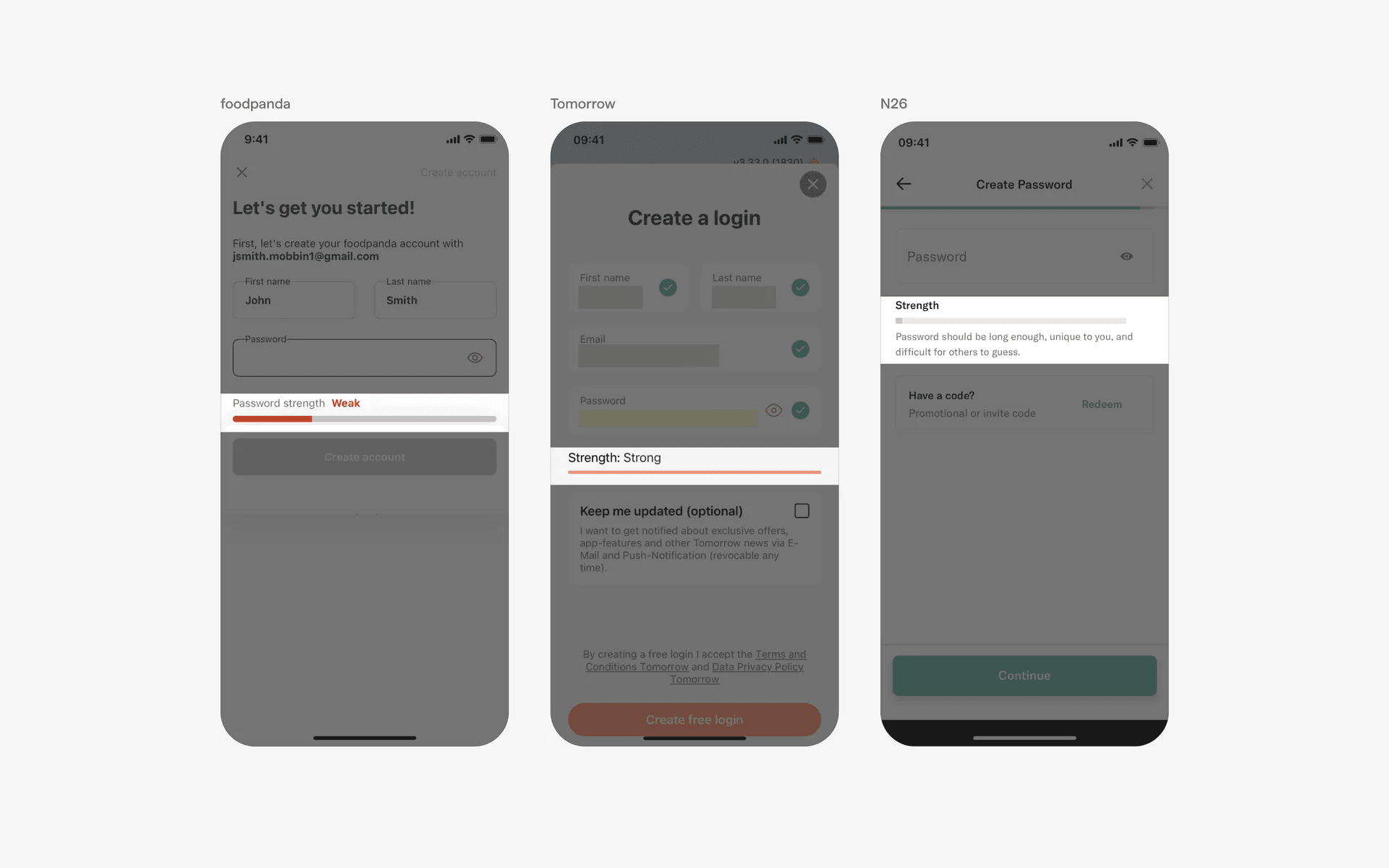
Password strength progress indicators
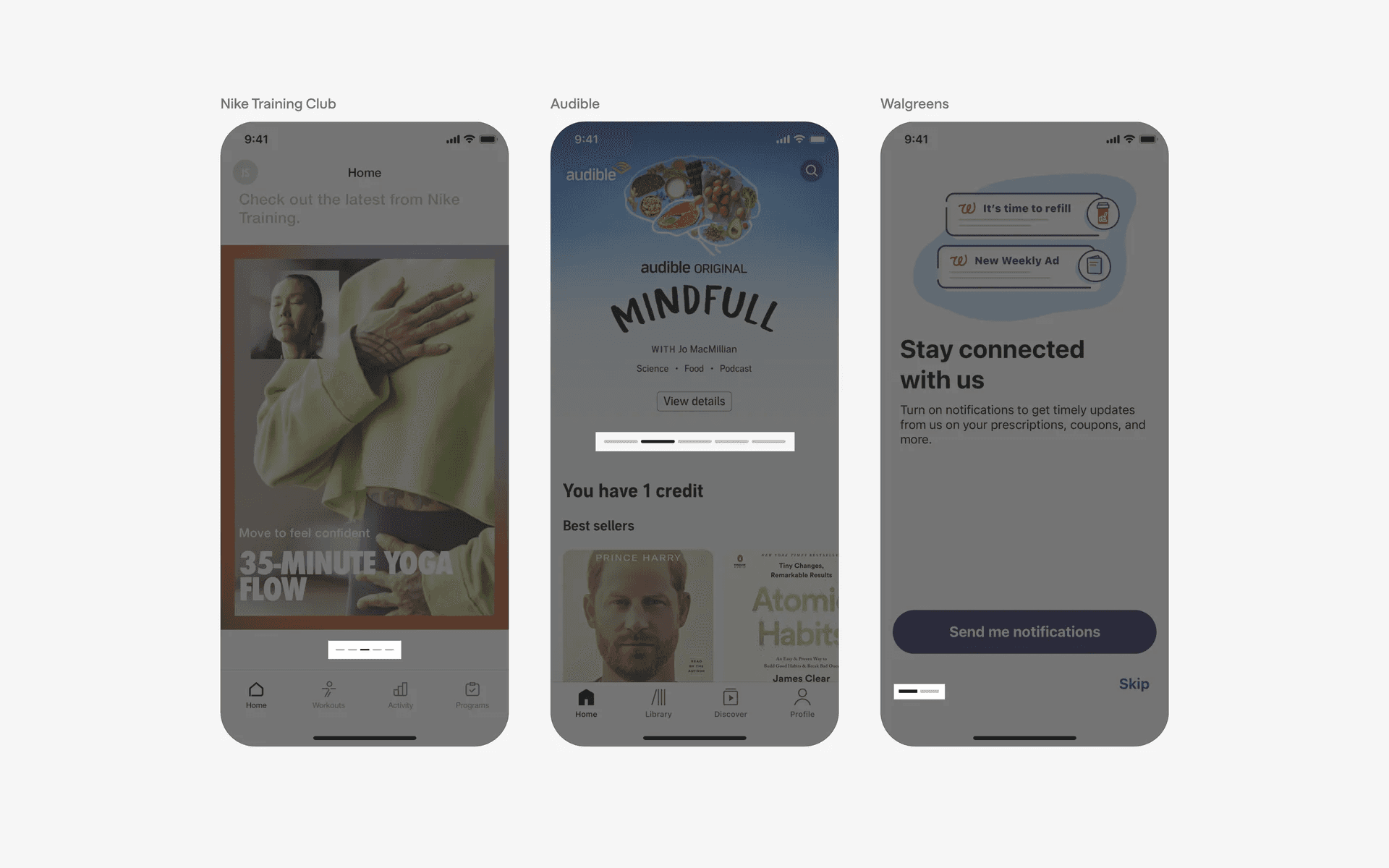
Conflicting UI elements: Loading indicators, Page control
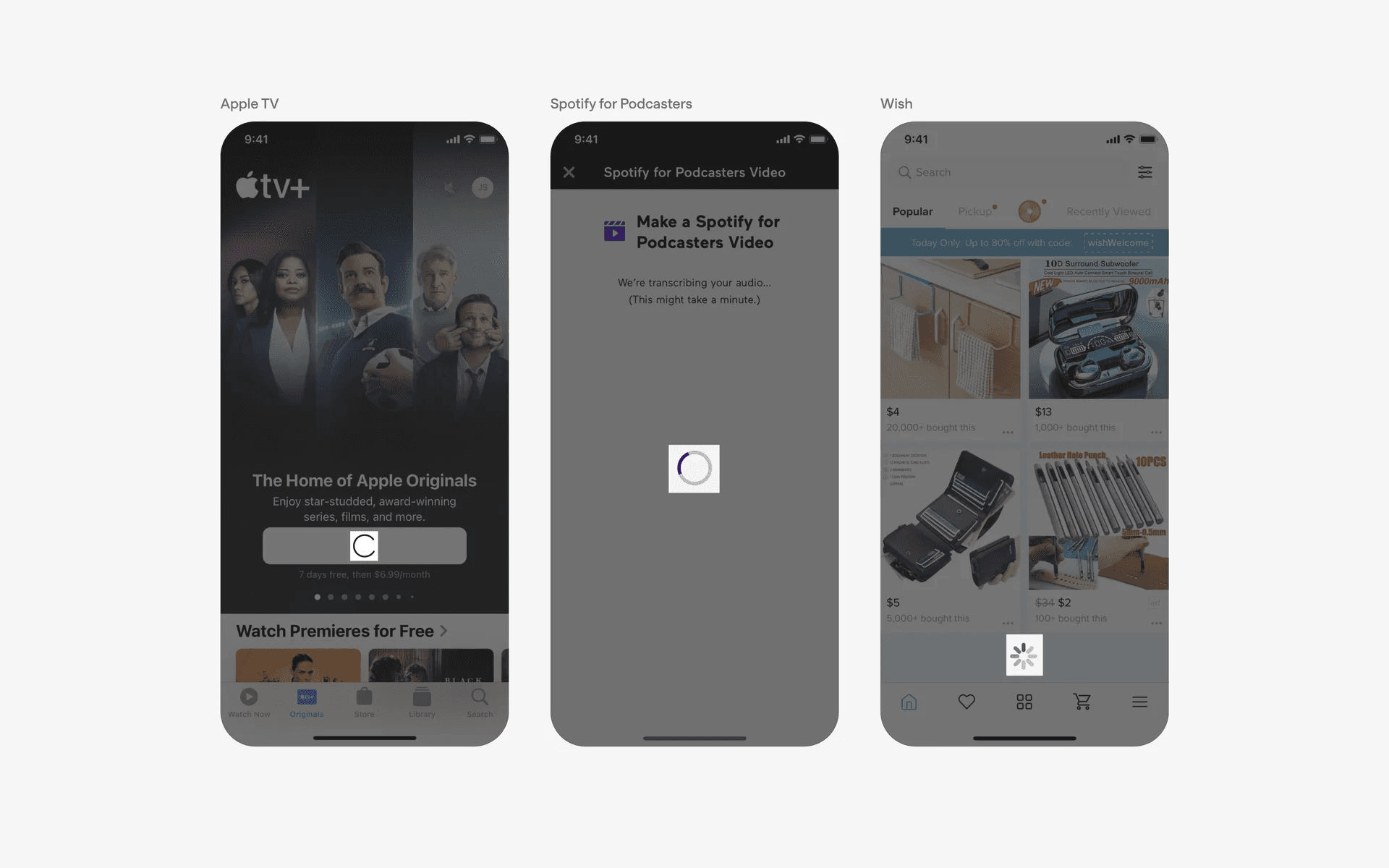
1. Progress indicator v.s. Loading indicators
Progress indicators are used to indicate the progress of a task such as a download, a file upload, or a video streaming. Additionally, progress indicators can be interacted with to be able to cancel or pause the current task.
2. Progress indicator v.s. Page control
A continuous or discrete bar variant of page control might be confused with a progress indicator.
To differentiate between the two, consider the use case. A progress indicator always represent a process or action that is ongoing, while a page control is used to organise and present content.