Dropdown Menu UI

What is a dropdown menu component?
A dropdown menu presents a list of actions, options, or links in a temporary surface. They provide navigation options and access to various features and functionalities of the app.
It displays a menu to the user - like a list of actions or options - after being triggered by a button.
This dropdown menu is a type of overlay, and is the top most element on the screen when open. This allows the user to make a selection from the dropdown options.
Selecting one of the dropdown options will direct the user to another page, or start an action.
It is anchored to the trigger.
Dropdown menus are commonly seen in the following design patterns: Contextual actions, Form input, Filtering & sorting.
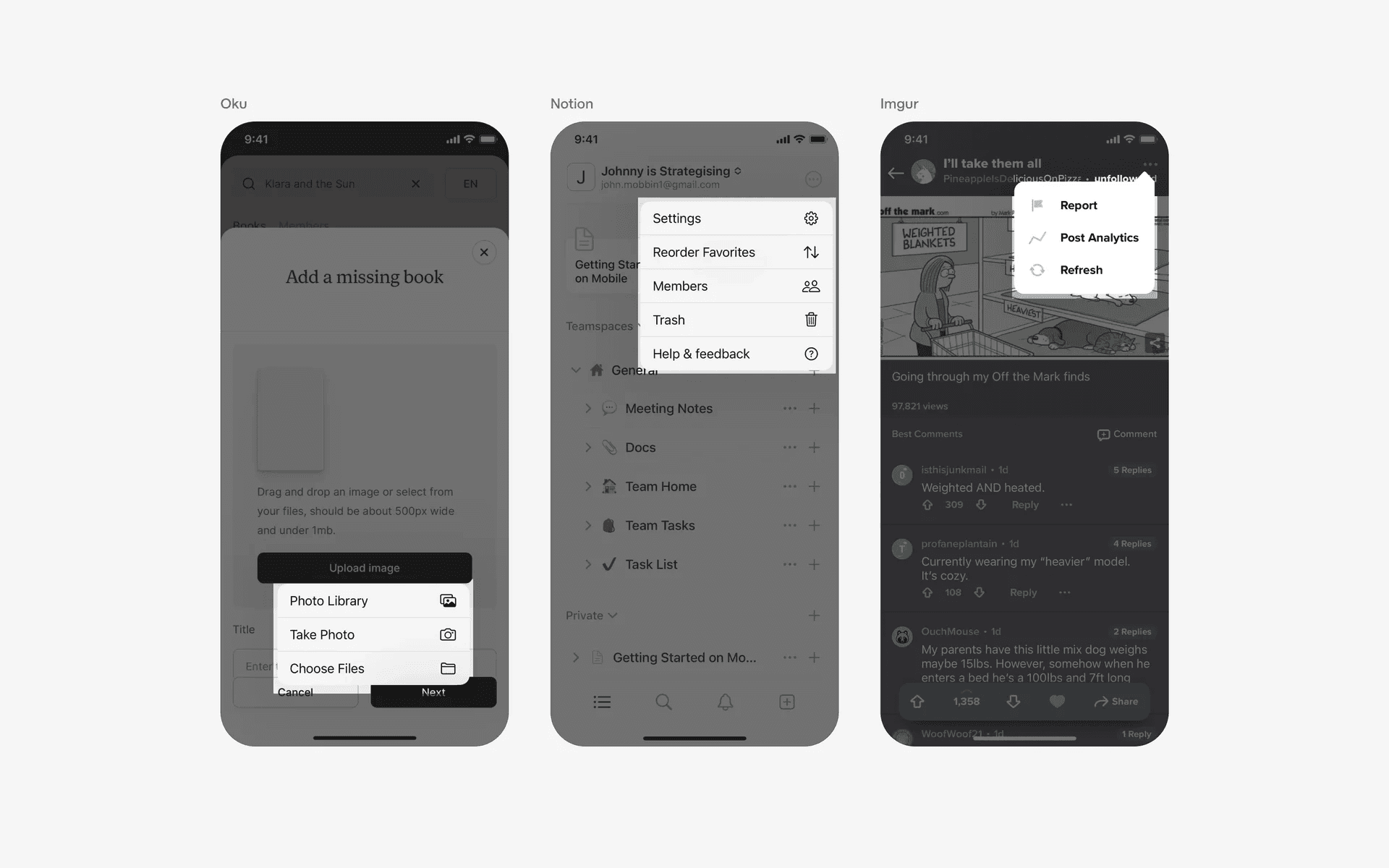
Examples of dropdown menu
What is the anatomy of a dropdown menu?
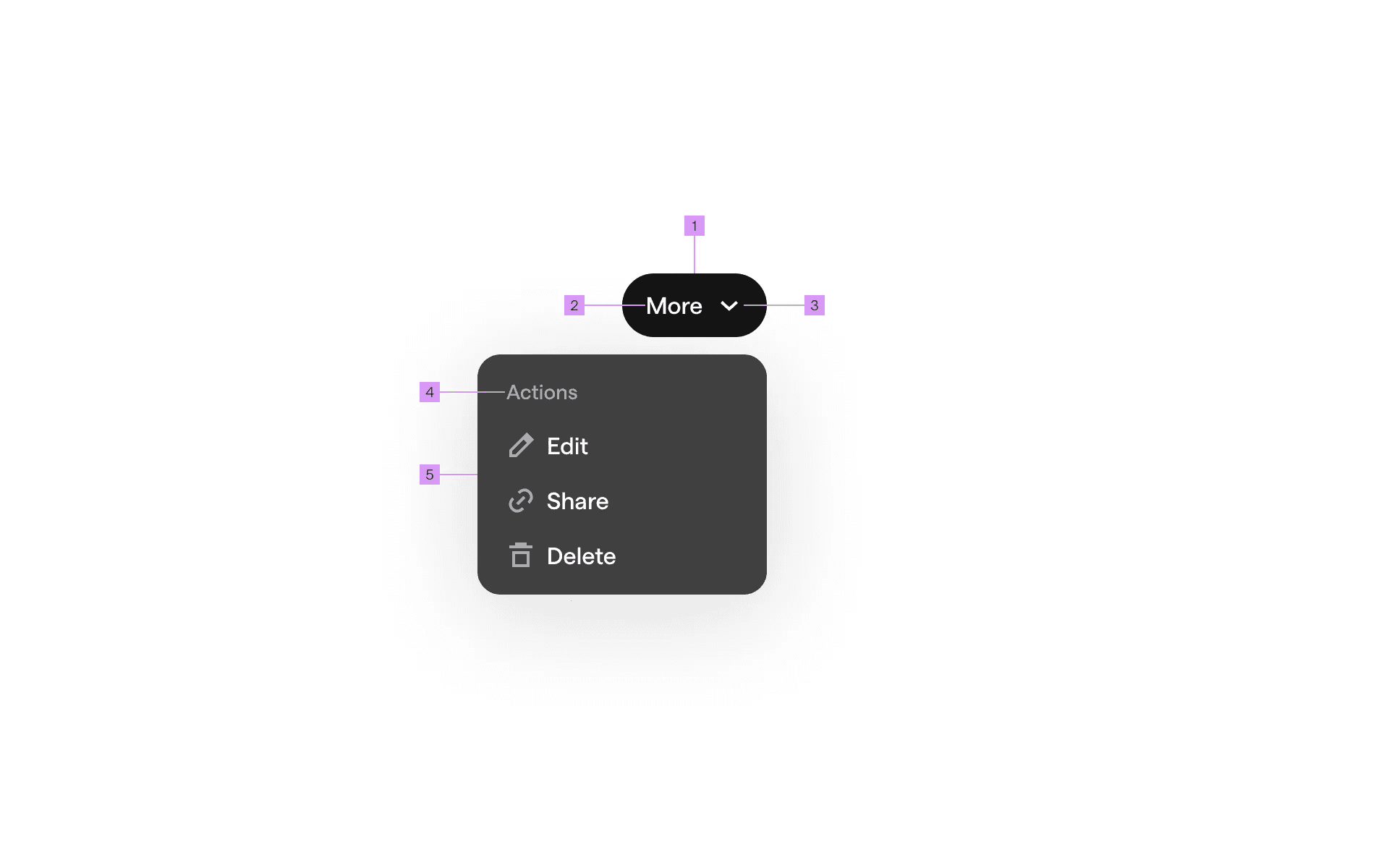
Anatomy of a dropdown menu
1
Button
2
Label
3
Icon (optional)
4
Header (optional)
5
Menu
What are the design variants of a dropdown menu?
We studied over 2,700+ dropdown menu UI components on Mobbin, from real-world examples and found the following variants.
1. Native iOS & Android dropdown menus
On iOS, a dropdown menu is also known as a pull down button. There are several design variants that we've observed.
Here are some examples of native dropdown menus with trailing icons. The icons help to visually differentiate different action options.It also features the classic frosted glass iOS look, and it comes in light and dark modes.
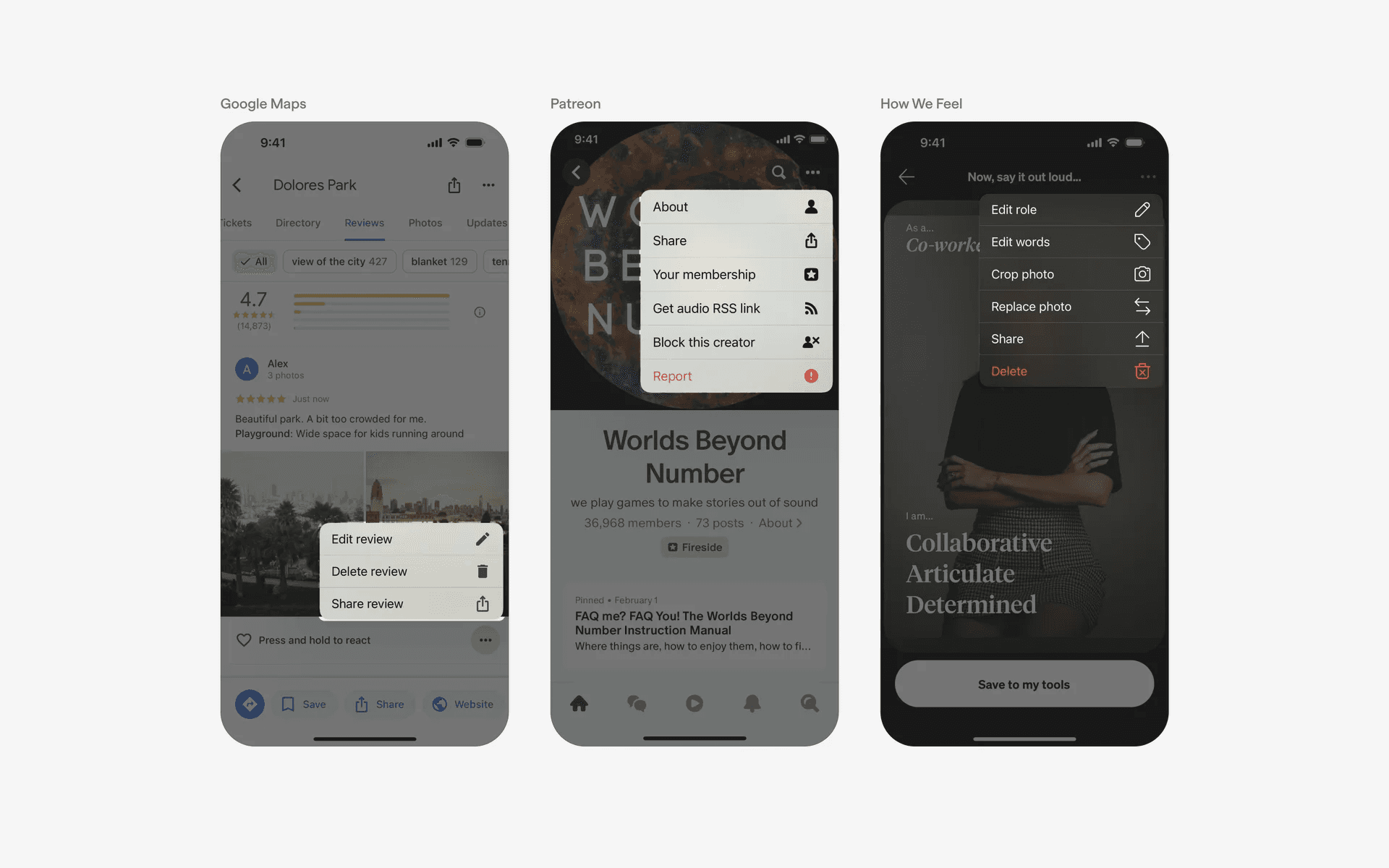
Example of native iOS dropdown menus with trailing icons
Android has their own variant of native material 3 dropdown menus.
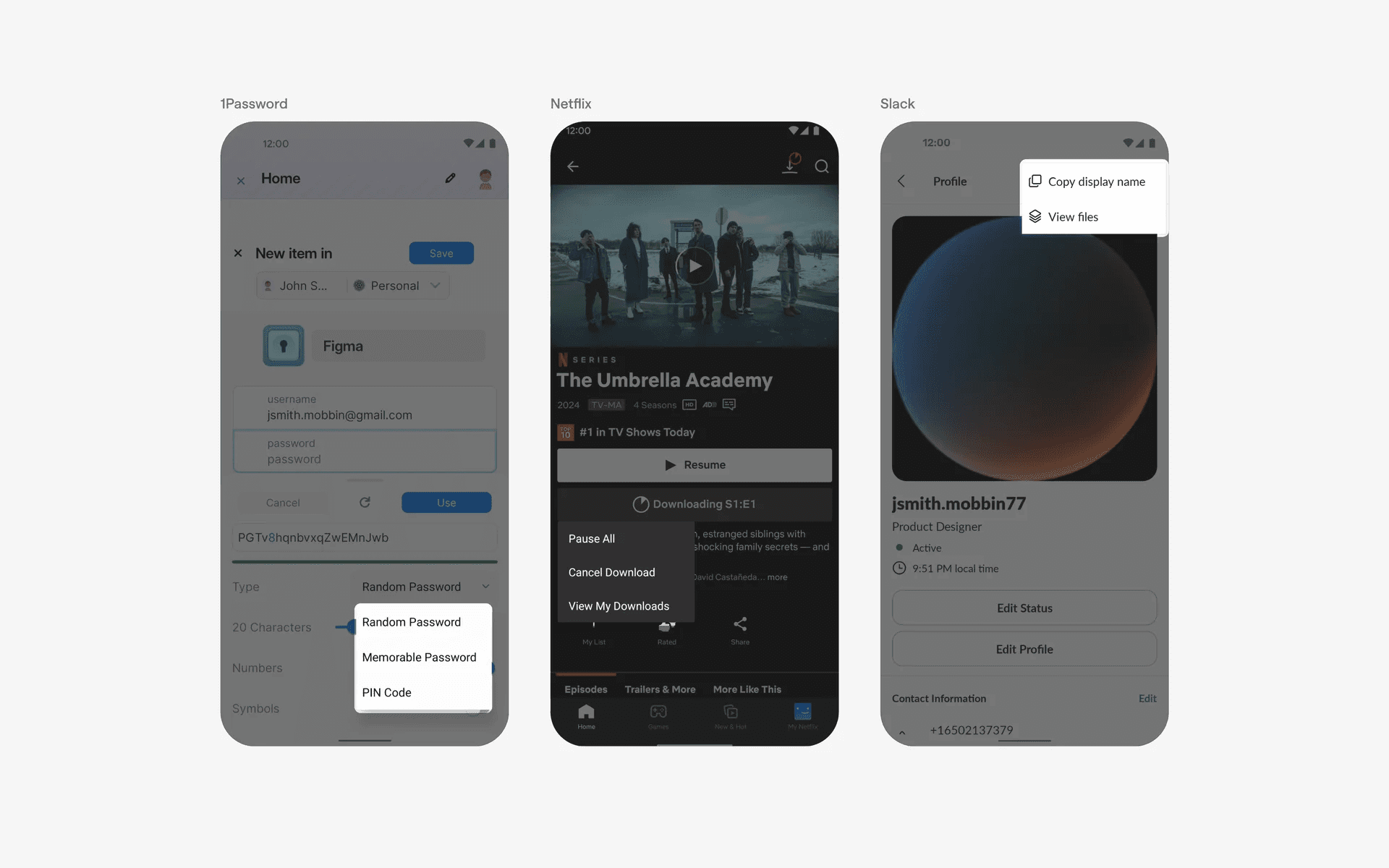
Example of native android dropdown menus
If you have too many native dropdown menu items, consider using an Accordion within the menu.
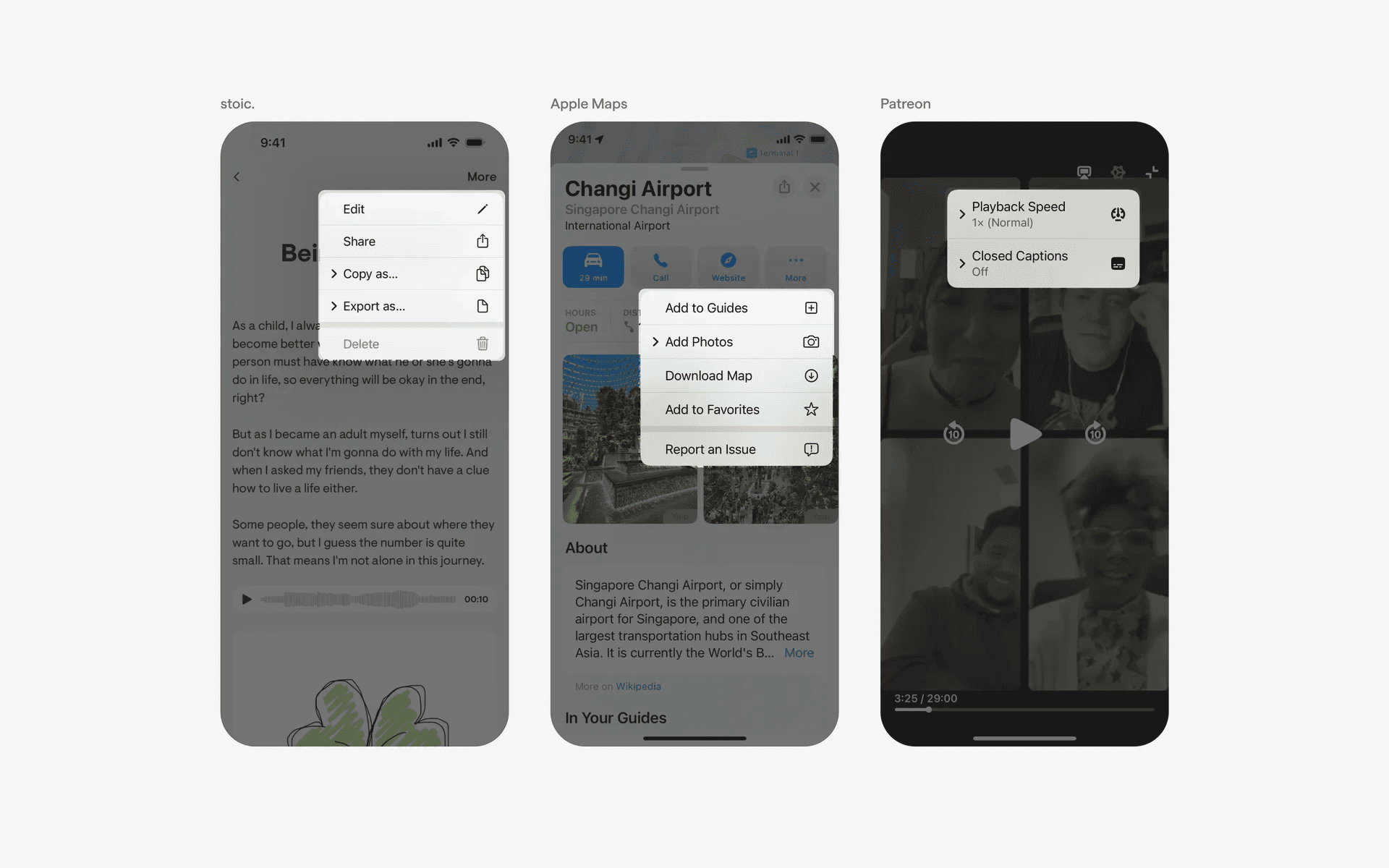
Example of native iOS dropdown menus with accordions.
Alternatively, we've seen text-only native dropdown menus.
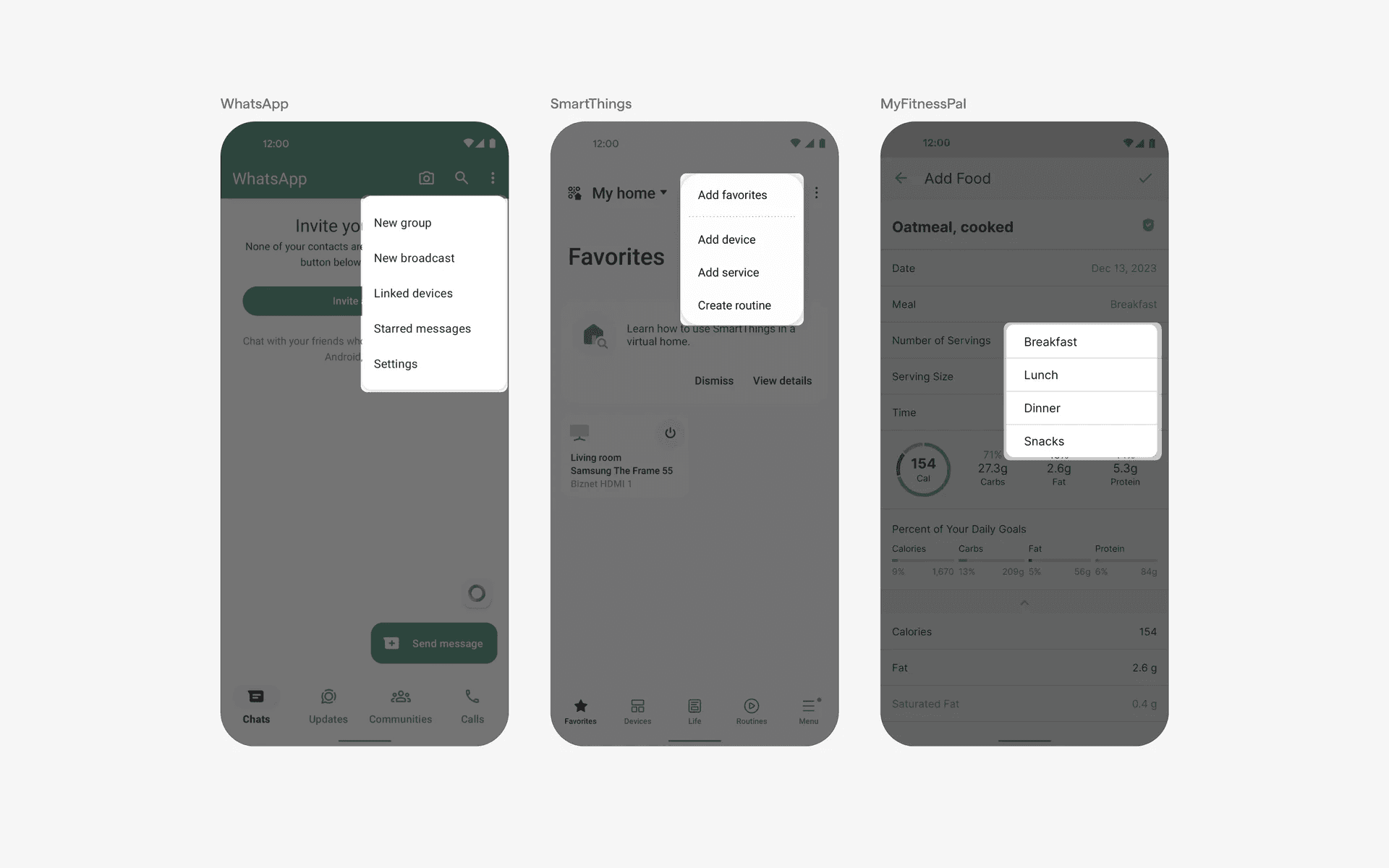
Example of native android dropdown menus with text only.
2. Dropdown menus with custom UI
Once again, it is common for iOS to introduce a design paradigm that becomes popular and widely copied by other companies.
If you'd like to make dropdown menus more branded, here are some good examples.
We've seen custom dropdown menu UI with caret tips pointing to the parent UI element.
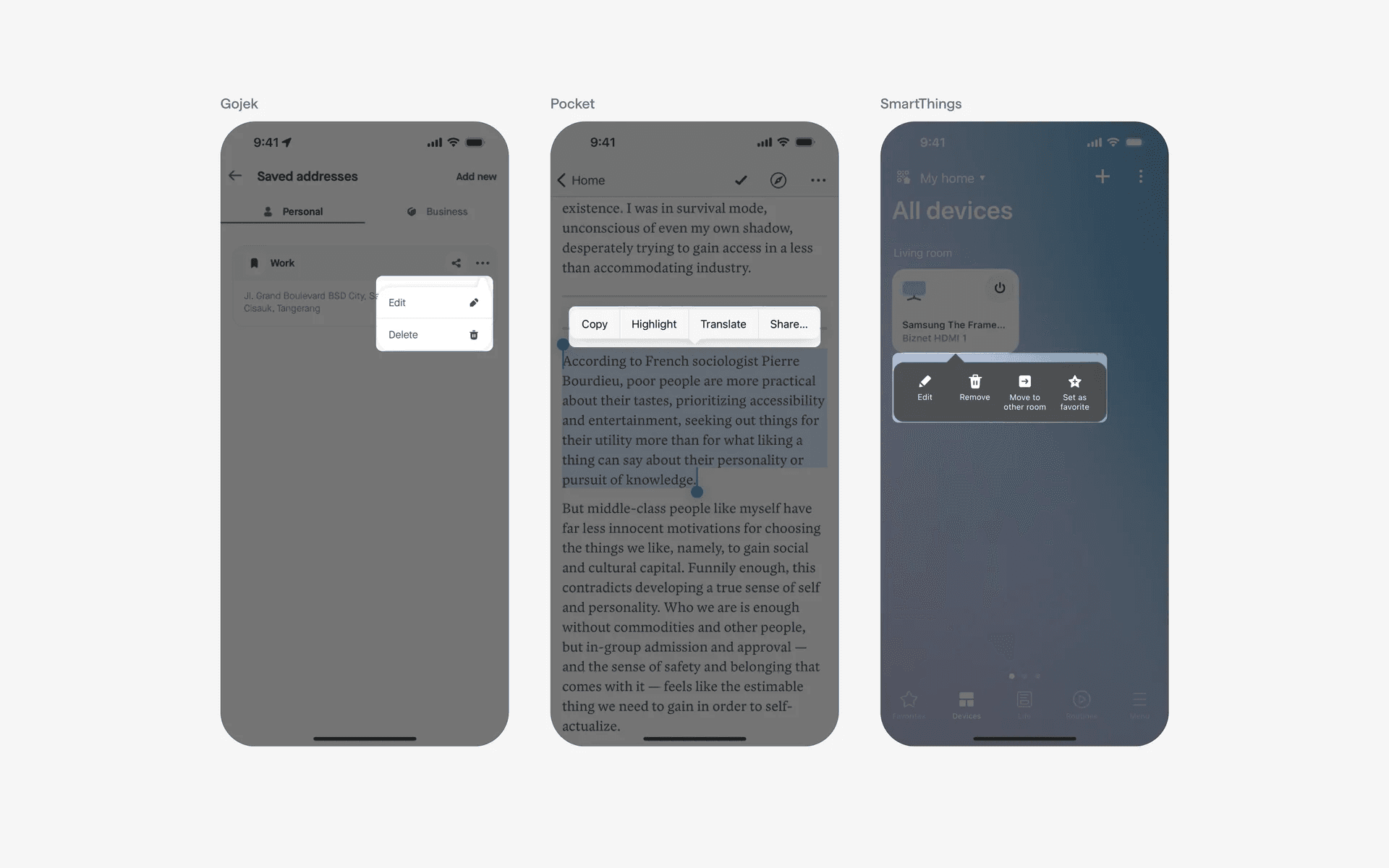
Example of custom dropdown menu with caret tips
As well as custom dropdown menu without caret tips.
Example of custom dropdown menu without caret tips
3. Single option dropdown menus
Dropdown menus usually come with multiple options. However, some designers still prefer to use dropdown menus despite only have one option.
This might be an intentional way to add friction to a certain action to avoid user abusing or misusing them. For example, 'Report', and, 'Block' actions are frequently found as standalone items in dropdown menus.
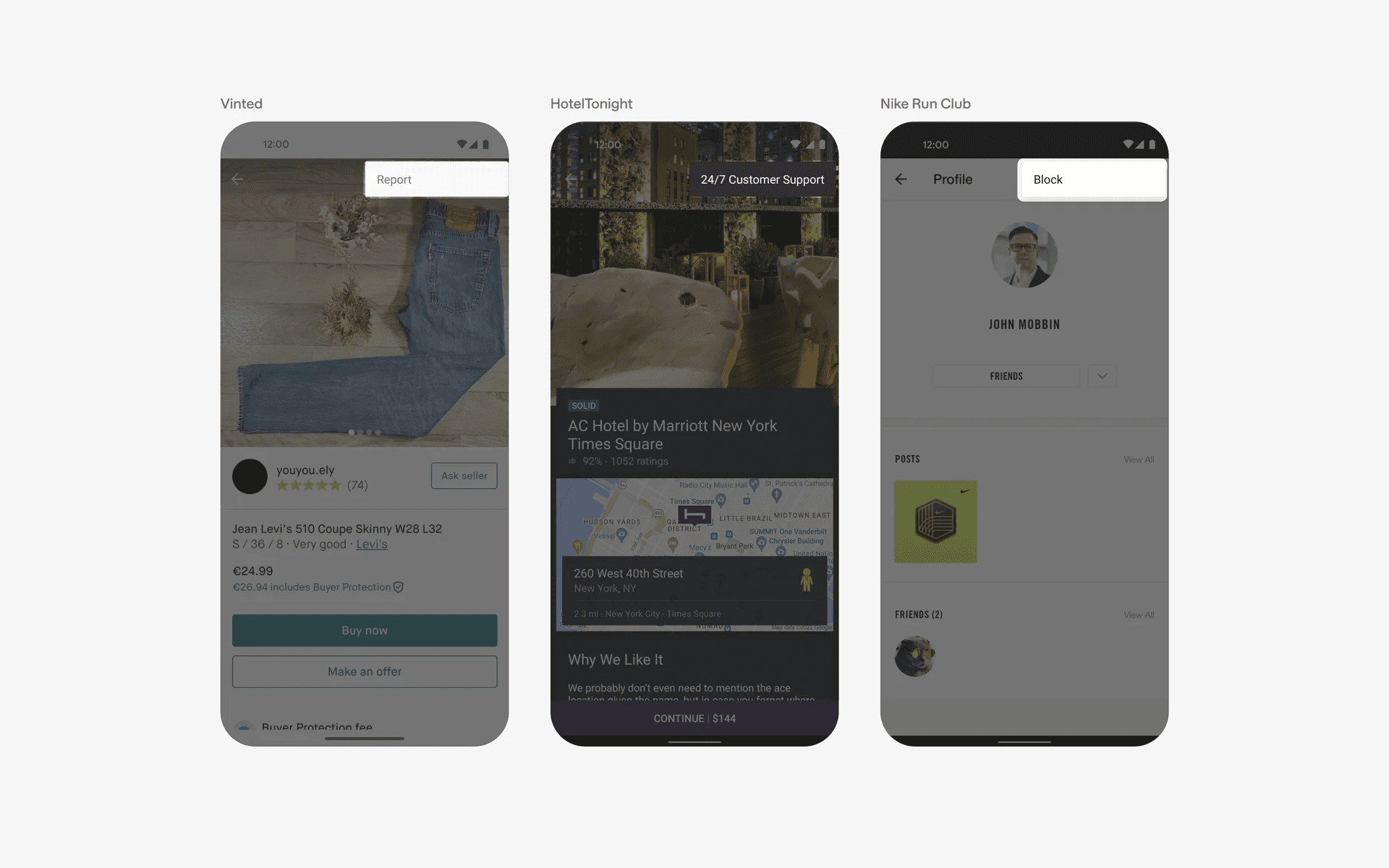
Example of single item dropdown menu
4. Other less common variants: Horizontal, Paw shaped, Full-width
If you're feeling creative, and want to break some design conventions - we've got you covered. Here are 3 less common variants of the popular dropdown menu UI component.
First, the compact & horizontal dropdown menu. This works well if you have limited screen space, and don't want the dropdown menu to cover too much of your other UI elements.
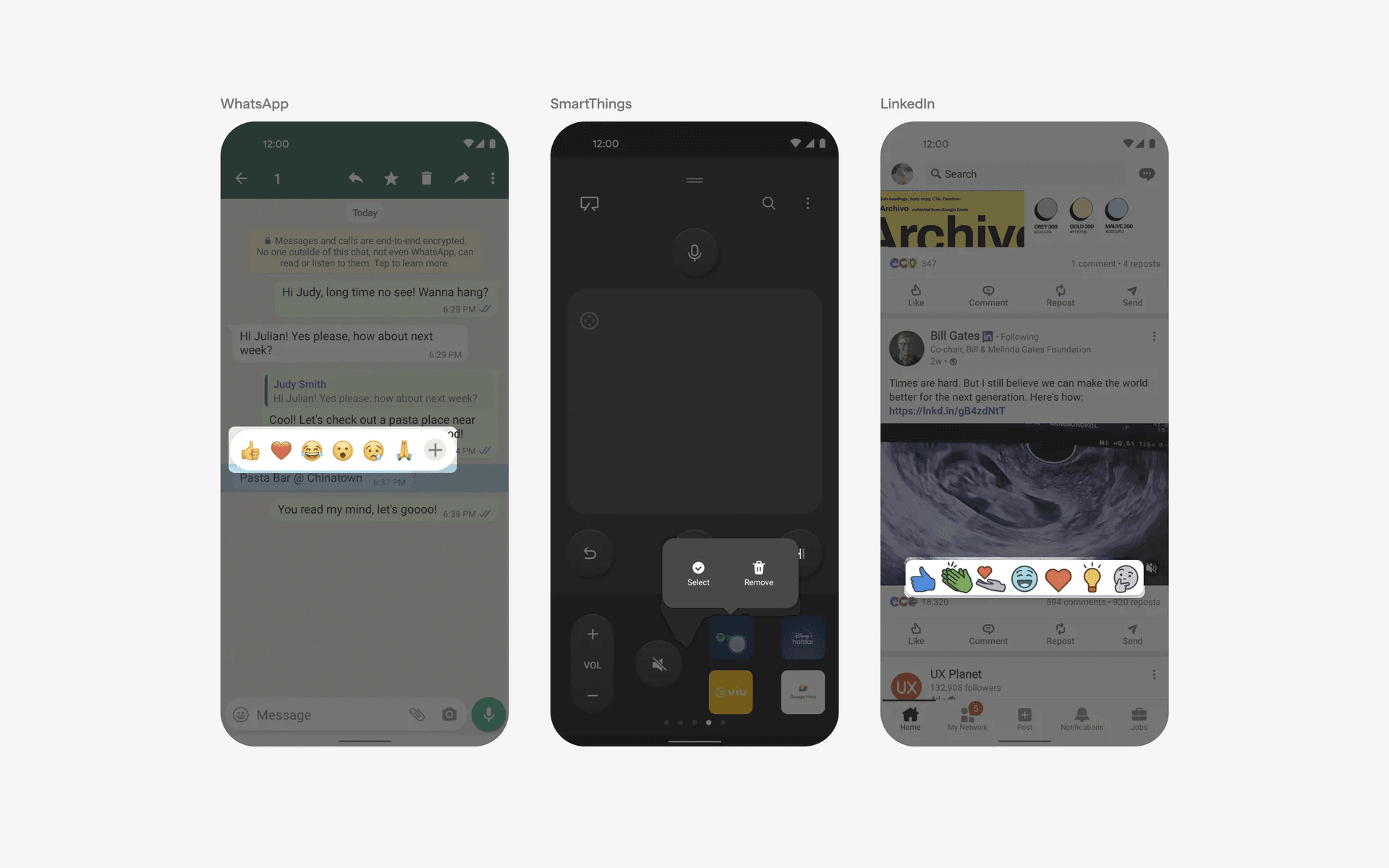
Examples of compact & horizontal dropdown menu
Second, we have the paw-shaped dropdown menu.
This usually comes with some background overlay or blur to focus users on the available action options. Paw-shaped menus only features dropdown icon.
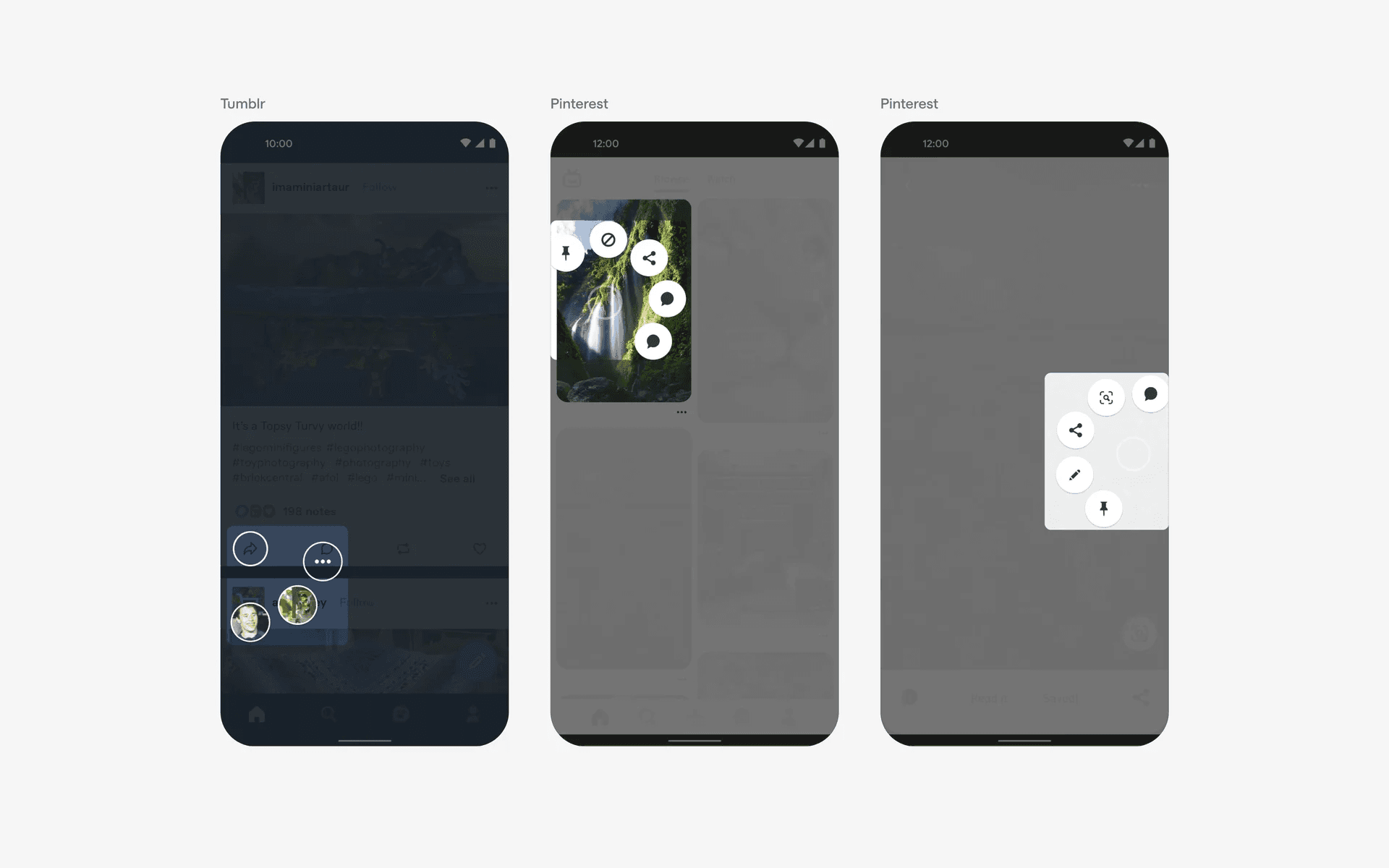
Examples of paw-shaped dropdown menu
And finally, the full-width dropdown menu from the top. This takes 'dropdown' to it's literal meaning, and is often accompanied by an animation. This works well for menus that are longer, or need more width. However, it also takes up more attention and space.
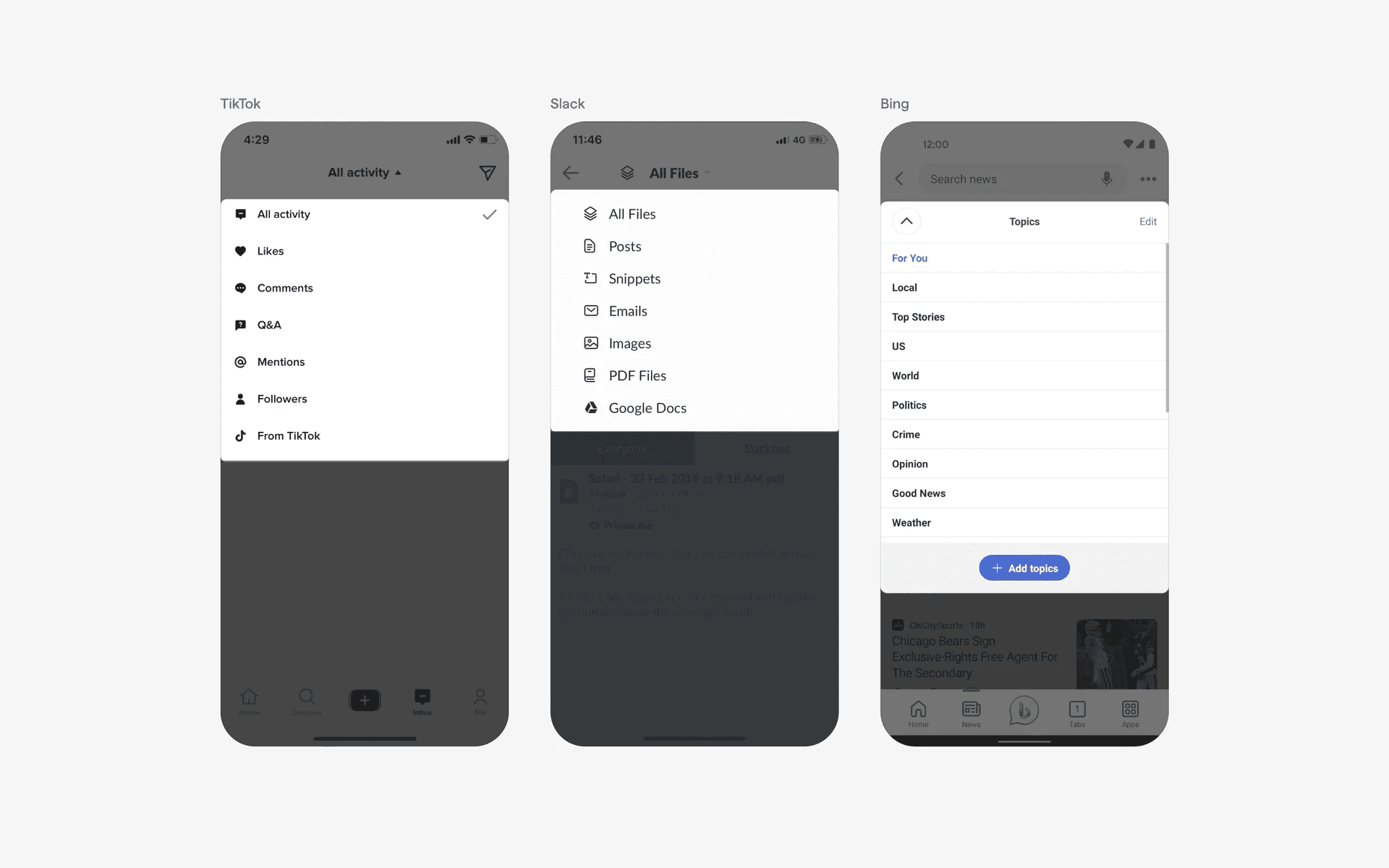
Examples of full-width dropdown menu.
When to use dropdown menus?
1. Contextual actions
In some cases, dropdown menus can be used to provide additional contextual actions related to a specific item or element in the app.
For example, a dropdown menu might appear when a user long-presses on an item, presenting options like "Edit," "Delete," or "Share.”
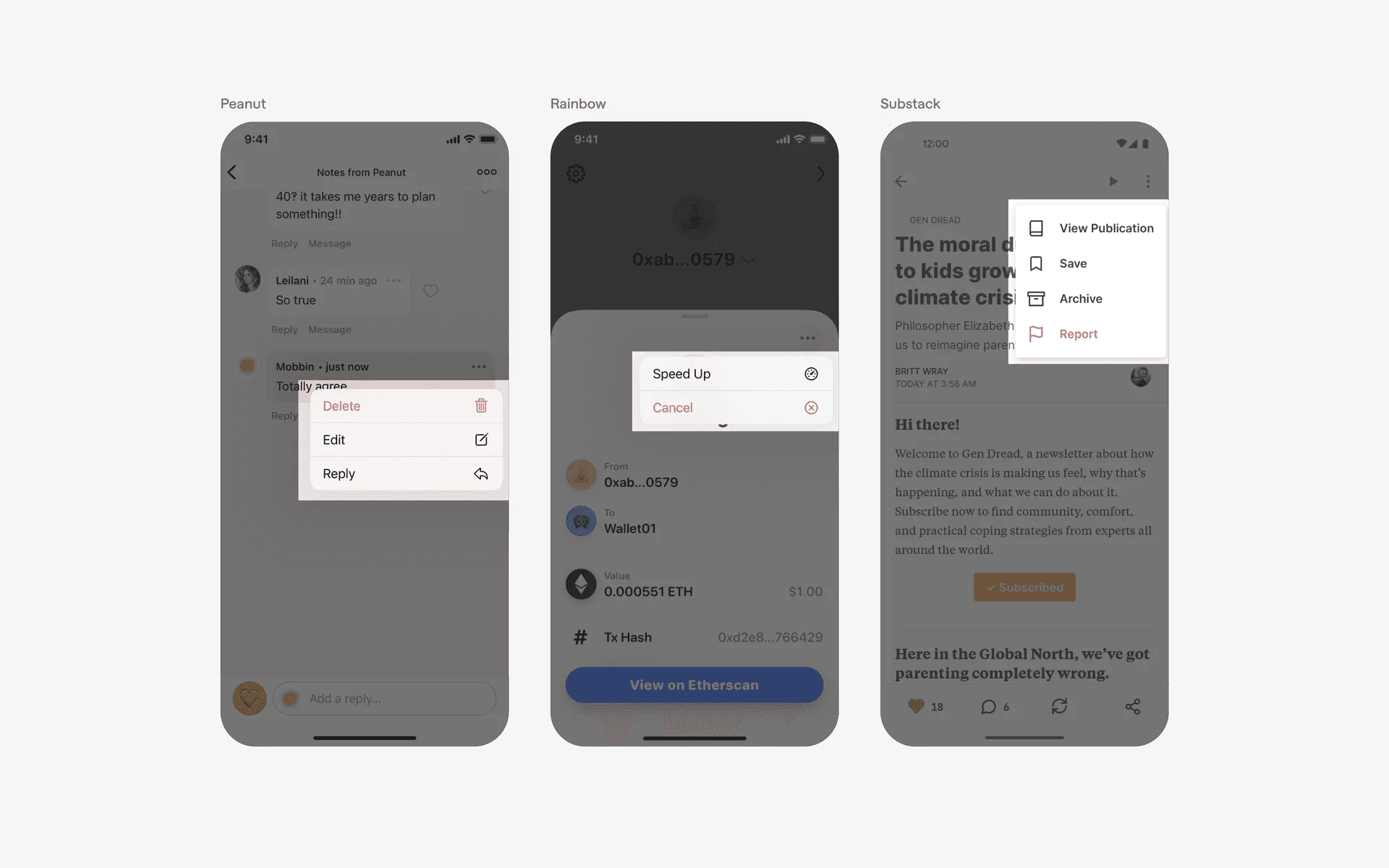
Examples of dropdown menu featuring action options
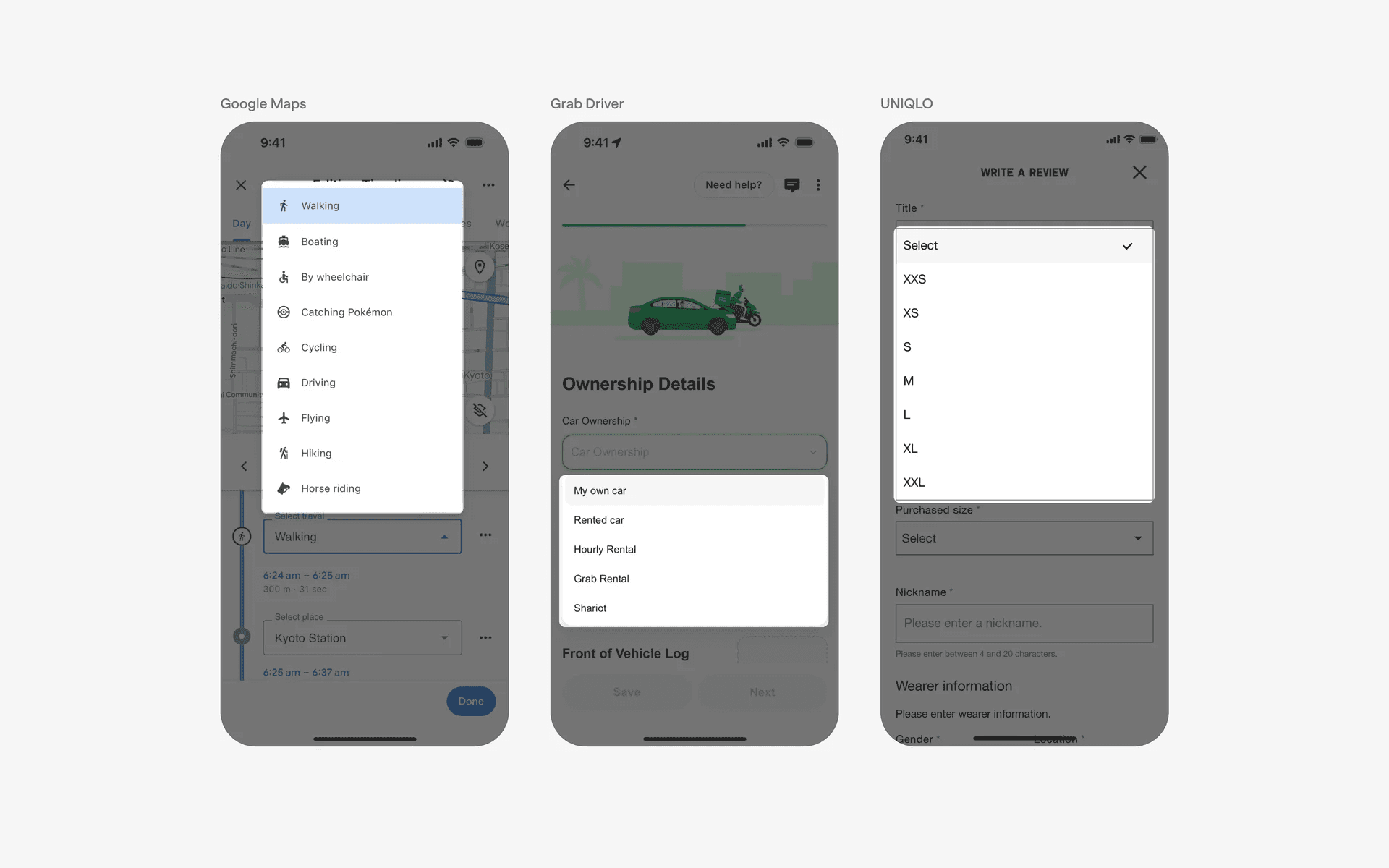
2. Form input
Dropdown menus are often used as a form input element for selecting options from a predefined list. They allow users to choose one option from a list of available choices.
For instance, a menu can be used for selecting a country, language, or category.
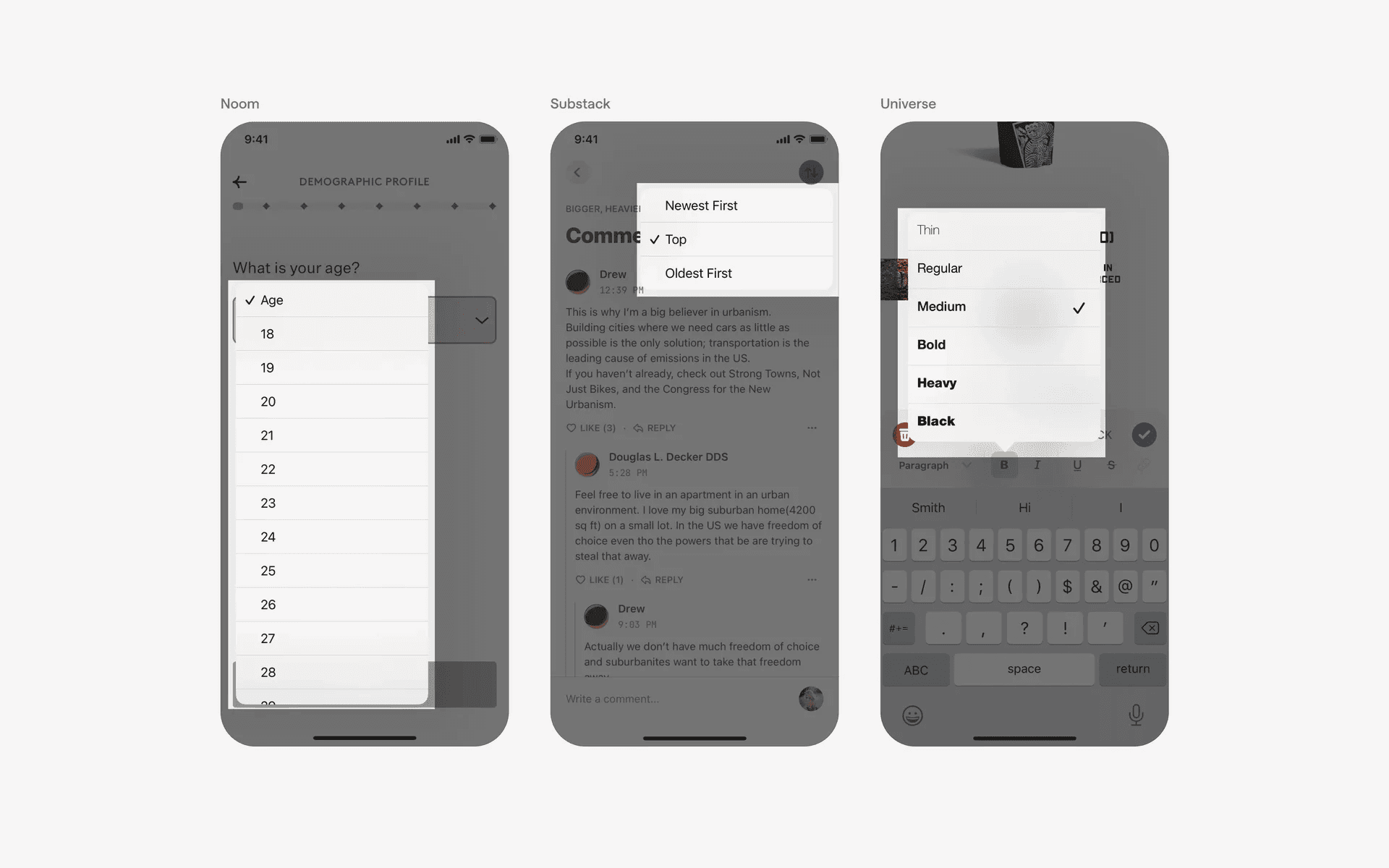
Examples of dropdown menu featuring form input fields
3. Filtering & sorting
Apps that display lists or grids of content, such as products or articles, often include dropdown menus to enable users to filter or sort the content based on specific criteria.
Users can select options like "Price: Low to High," "Date: Newest First," or "Category: Electronics.”
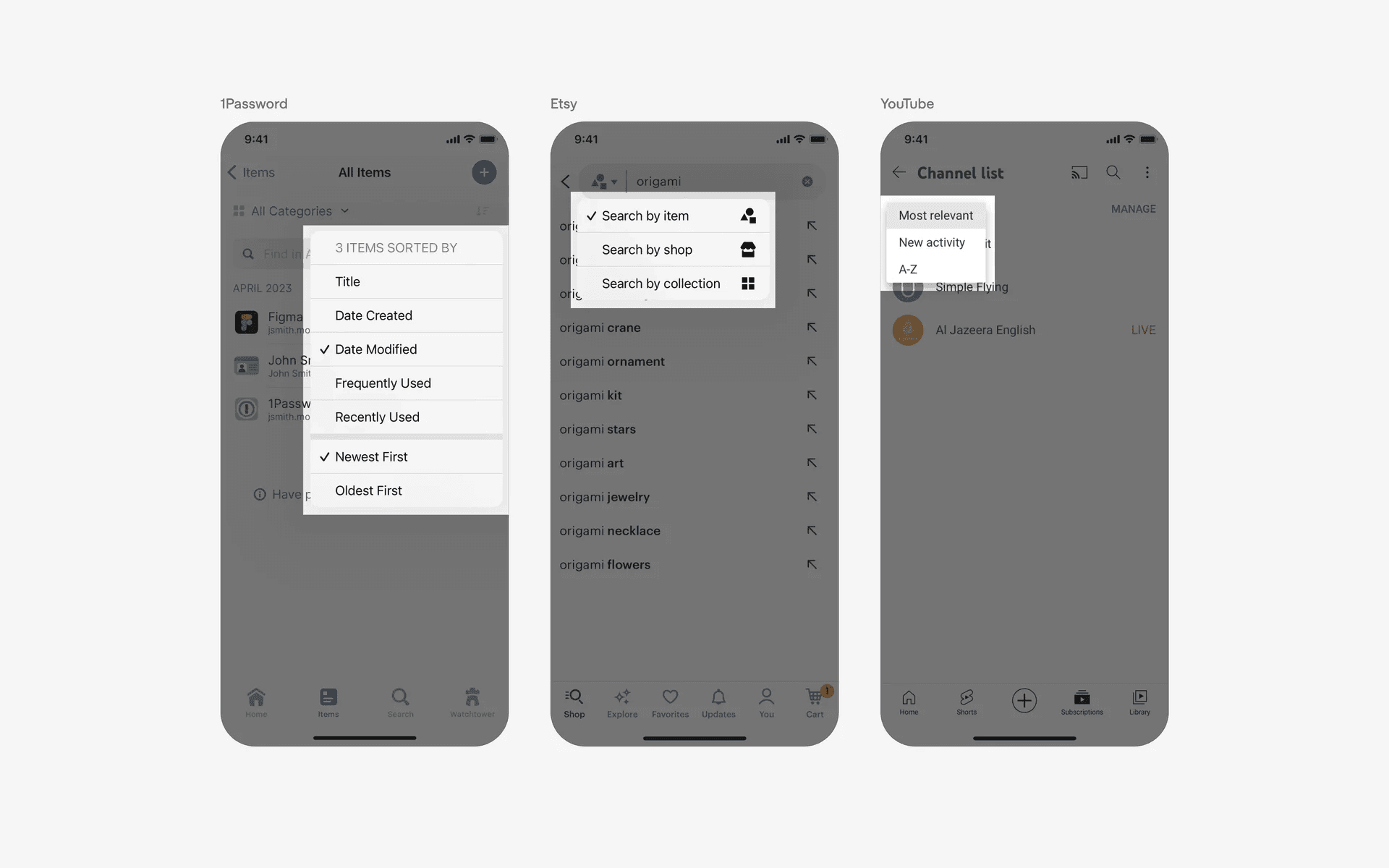
Examples of dropdown menu in filtering & sorting flows
Conflicting UI elements: Full-screen Overlay, Dialog, Tooltip, Action sheet
1. Dropdown menu v.s. Full-screen Overlay
The main difference between a dropdown menu and a full screen overlay is the visual representation and the purpose of the elements.
A dropdown menu is typically used to display a list of options while a full screen overlay is used to display additional information or options. In terms of interaction, a dropdown menu is typically activated by clicking on a control element while a full screen overlay is activated by clicking on a specific element.
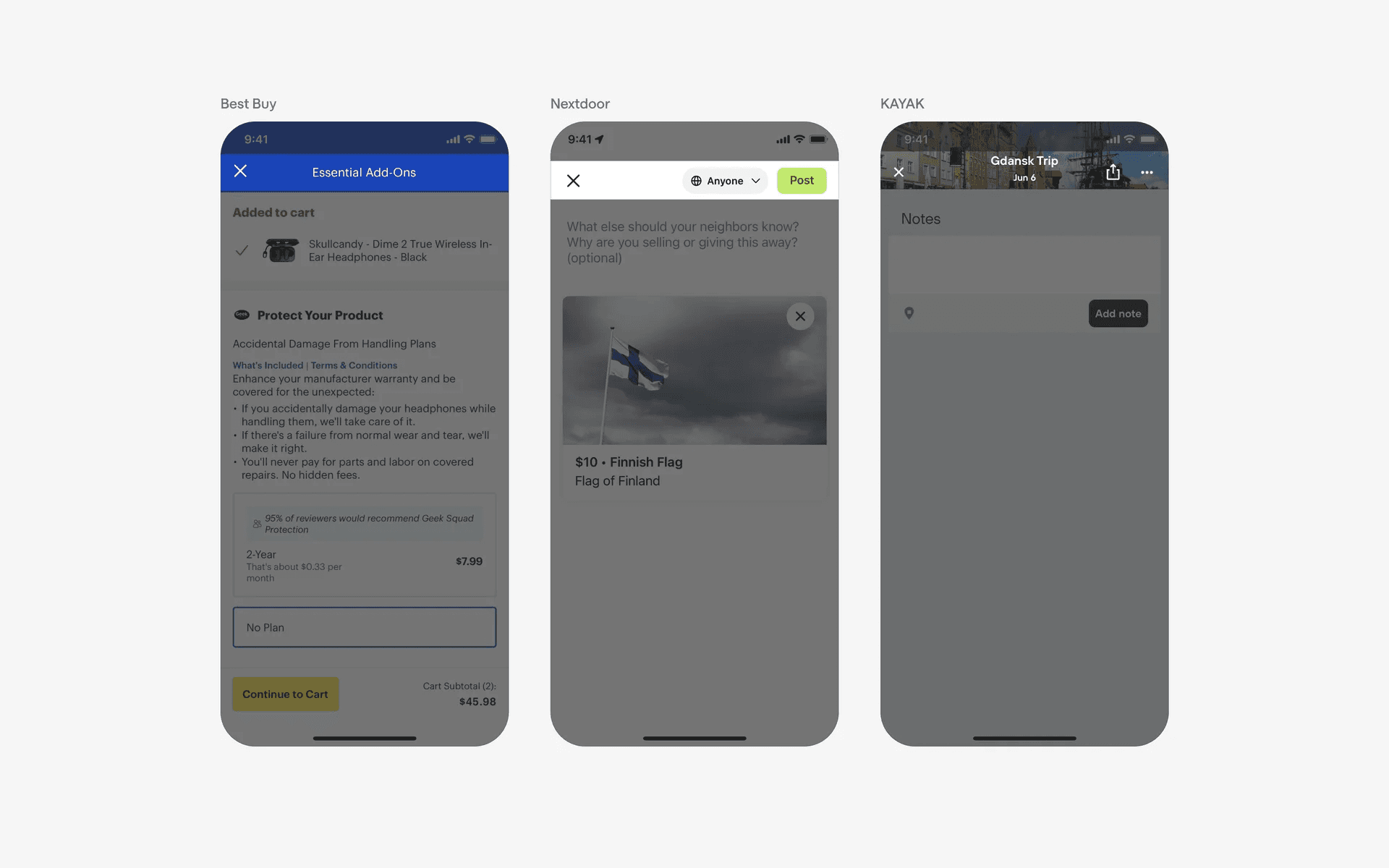
Examples of full screen overlay
2. Dropdown menu v.s. Dialog
A dialog box typically appears as a window with several interactive elements, such as text fields, check boxes, radio buttons, and buttons.
The purpose of a dropdown menu is to provide a selection of choices to the user in an efficient and organized way. A dialog box is usually used to display information or to ask for user input.
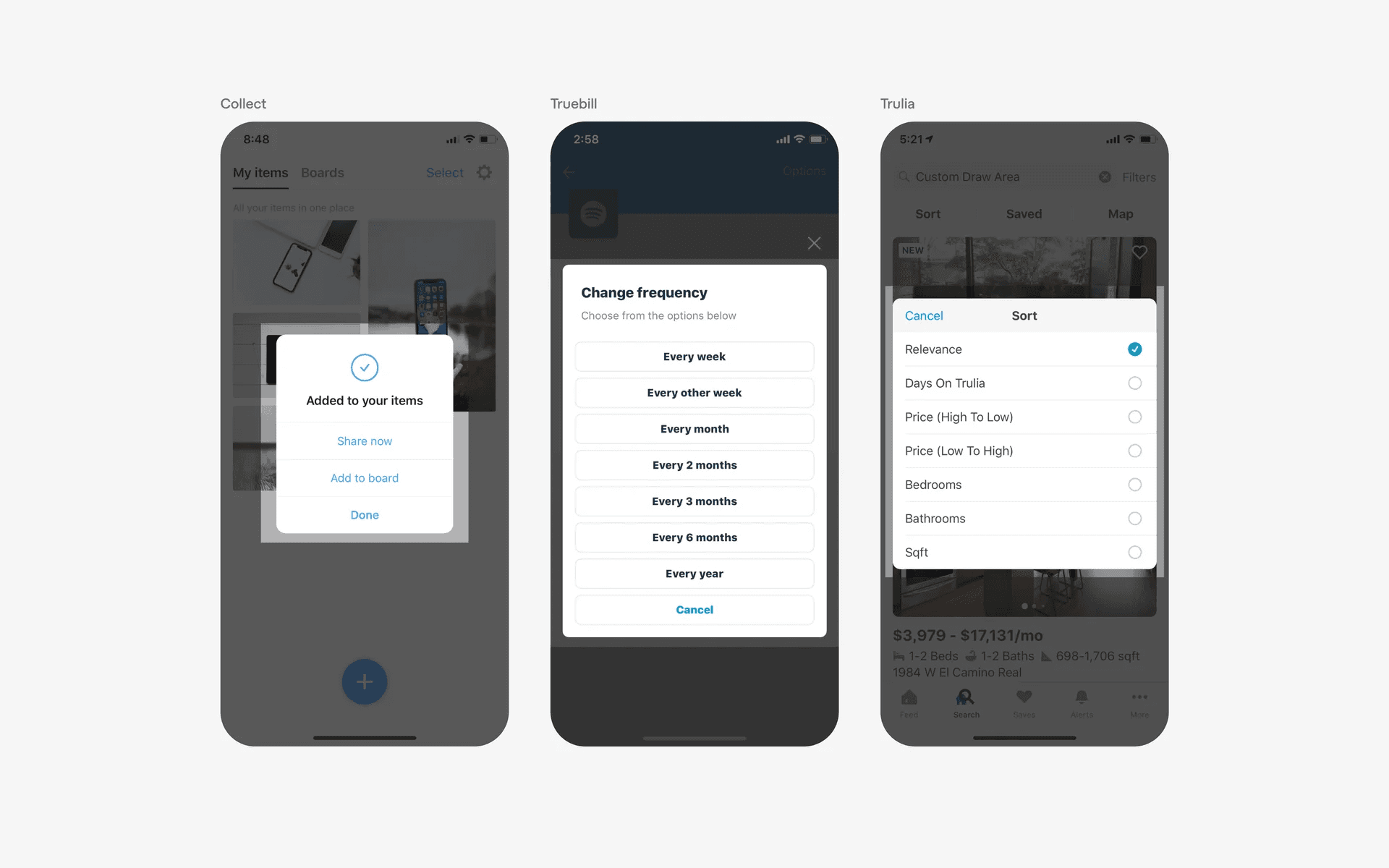
Examples of dialog
3. Dropdown menu v.s. Tooltip
The purpose of a dropdown menu is to allow the user to select from a range of options or to enter a specific value.
However, the purpose of a tooltip is to provide more information about a certain element or to prompt the user to take an action, usually no more than 2 binary actions (e.g dismiss, proceed).
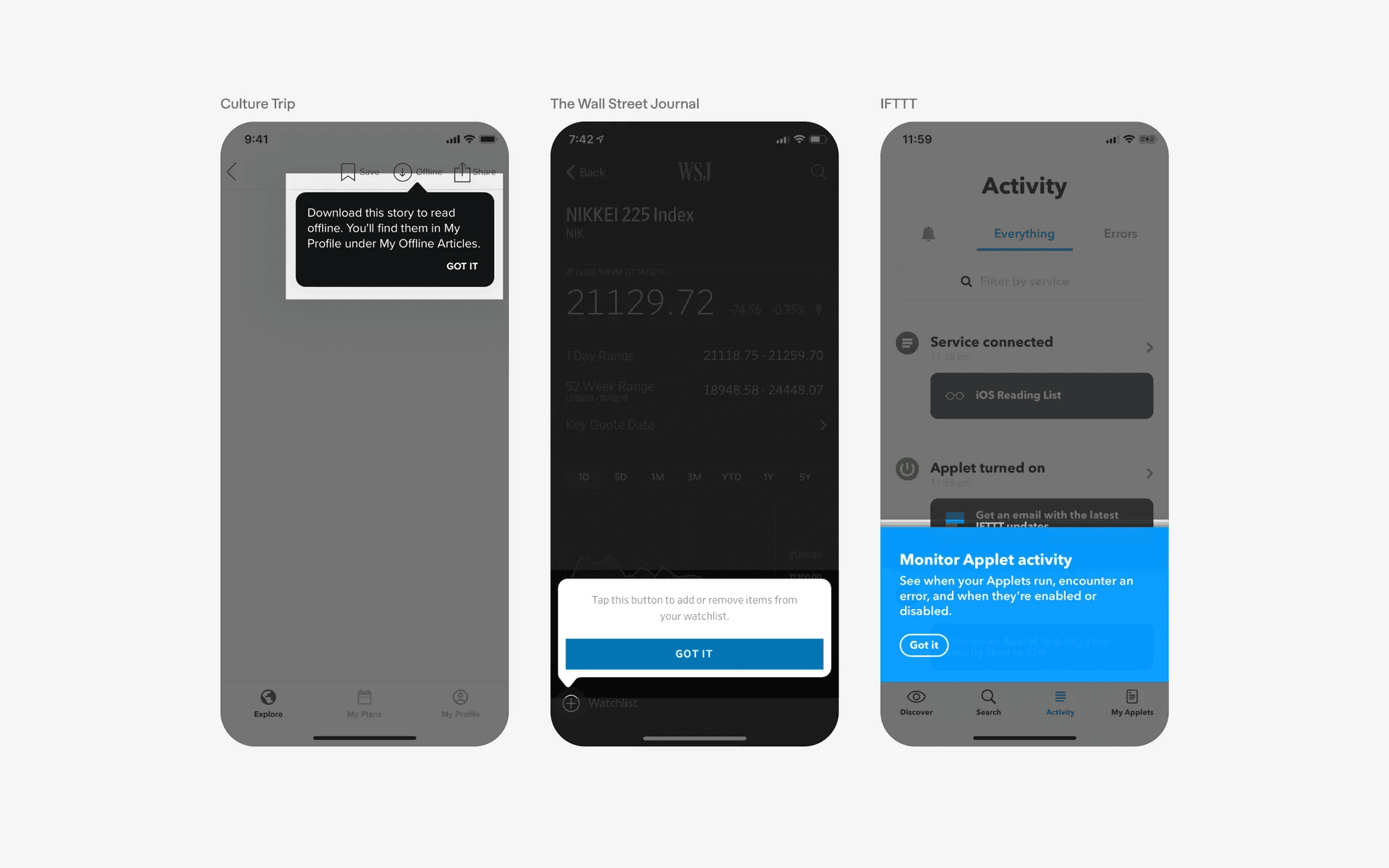
Examples of tooltip
4. Dropdown menu v.s. Action sheet
Action sheets are anchored to the bottom of the screen while menus can appear any where and often tagged to a control element.
Additionally, dropdown menus typically do not contain action buttons like cancel or dismiss, especially if they are used for form inputs or filtering.
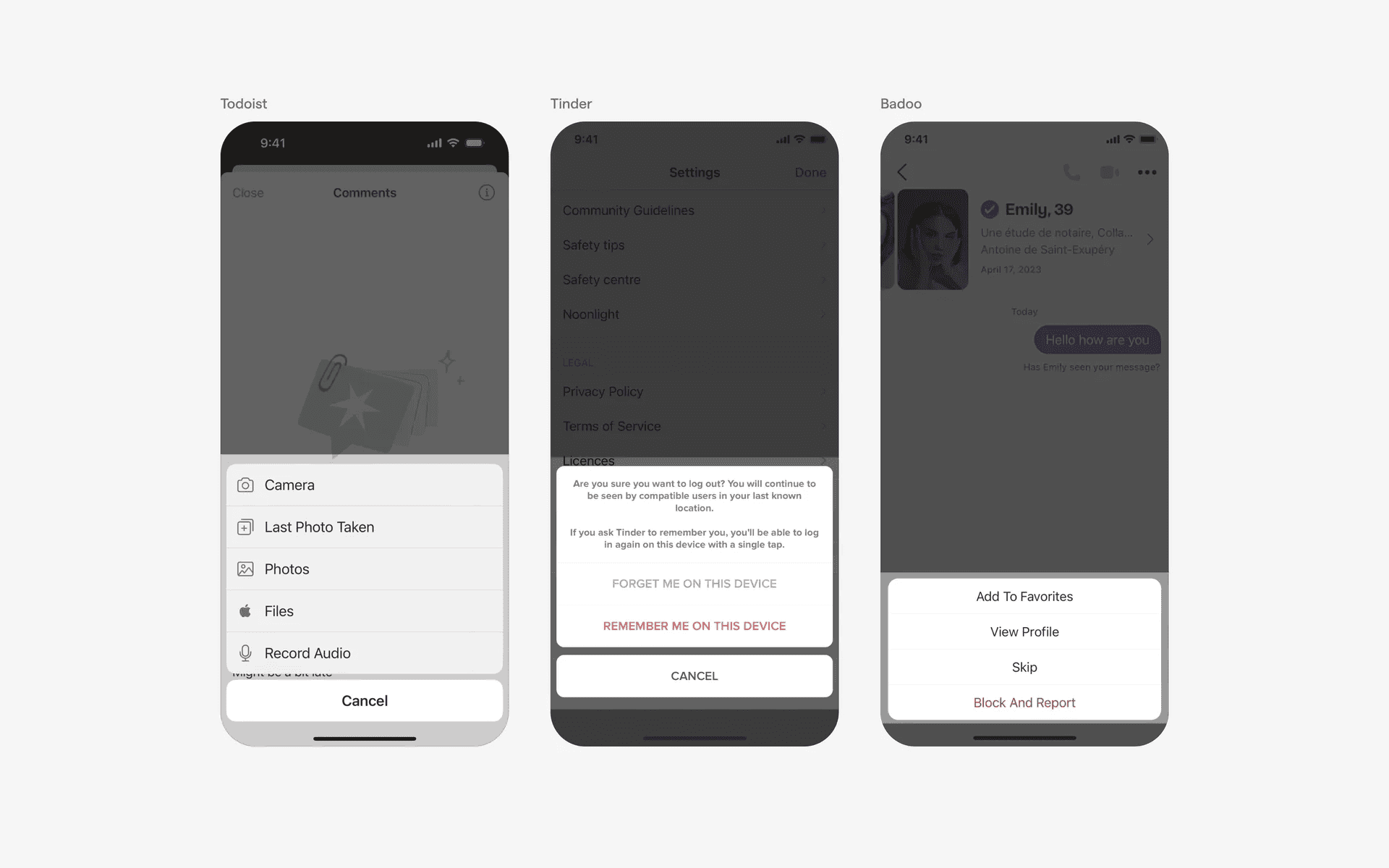
Examples of action sheet