Date Picker UI

What is a date picker component?
A date picker lets users select a single date or a date range.
It is common to see a date picker component come with a time picker component as well.
Choosing the right date picker depends on what date format is required (mm dd, yyy mm dd, etc).
There are many design variants of date pickers: Calendars, Date & time picker wheels, Lists of days, Day toggles and, Tiles. See table below.
Date pickers are commonly used in the following design patterns: Event creation, Booking or Scheduling, Reminder & Alarms.
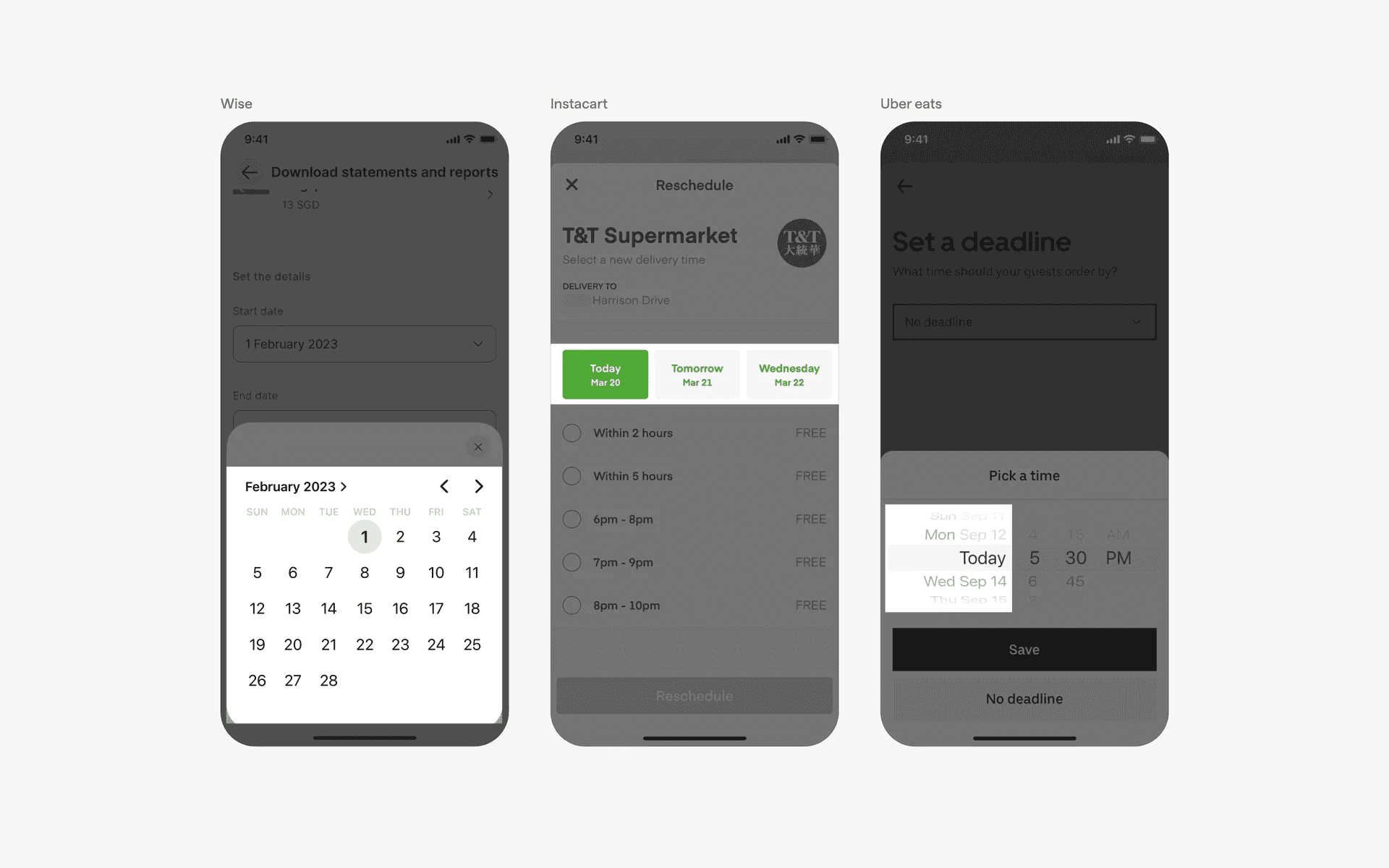
Examples of different datepicker component
Here are the common types of date pickers used in UI/UX design.
Each type serves different contexts, balancing usability, precision requirements (i.e: mm dd, yyyy mm dd, etc), and screen space constraints.
We've also included visual examples below.
Calendars: Displays a full or compact calendar view for selecting dates. Example Use Case: Booking travel or scheduling events.
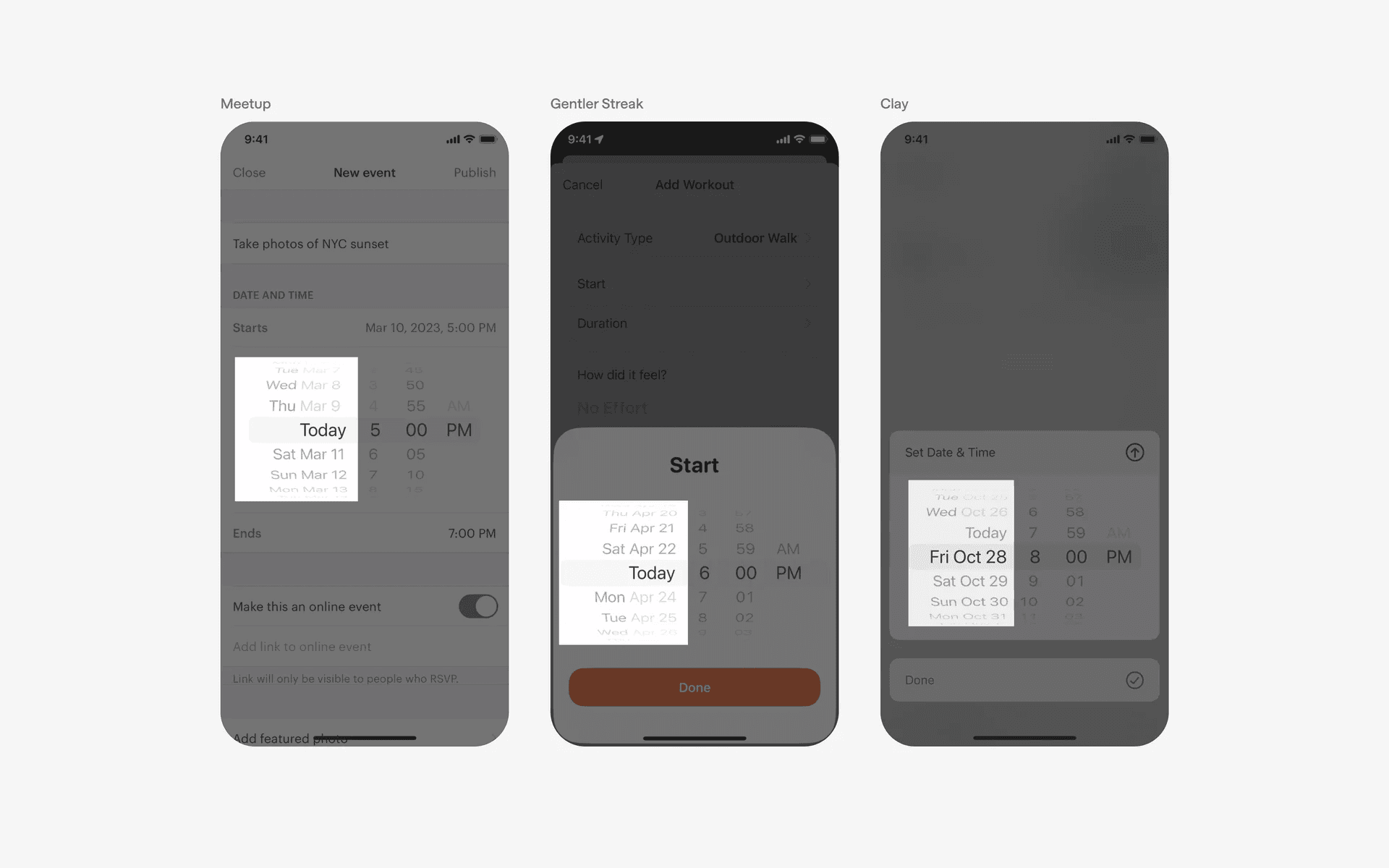
Date & Time Picker Wheels: Scrollable wheels for selecting date and time, commonly used on mobile. Example Use Case: Setting alarms or input birth date.
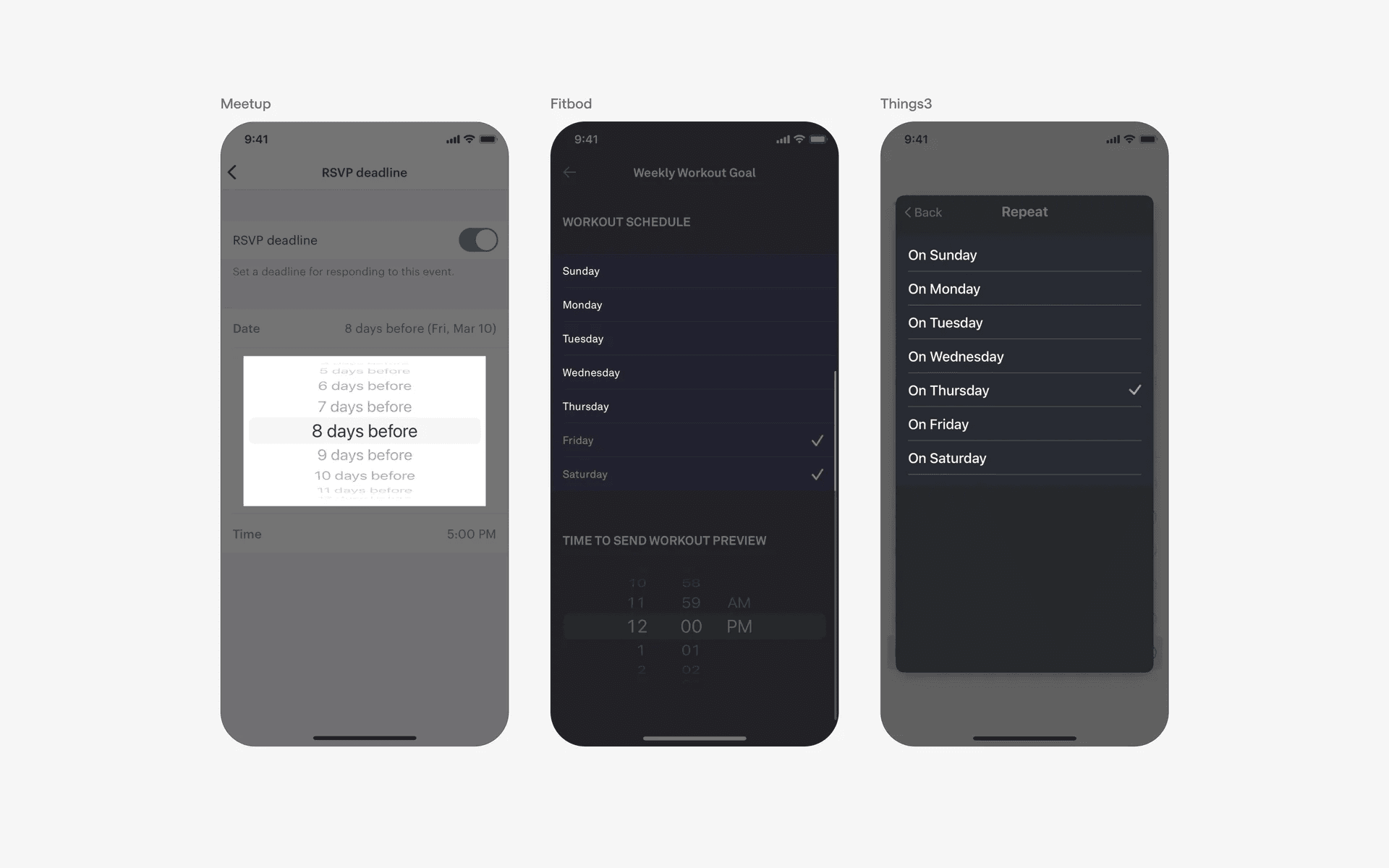
List of Days: Provides a list format for users to select a specific day. Example Use Case: Choosing days in scheduling forms.
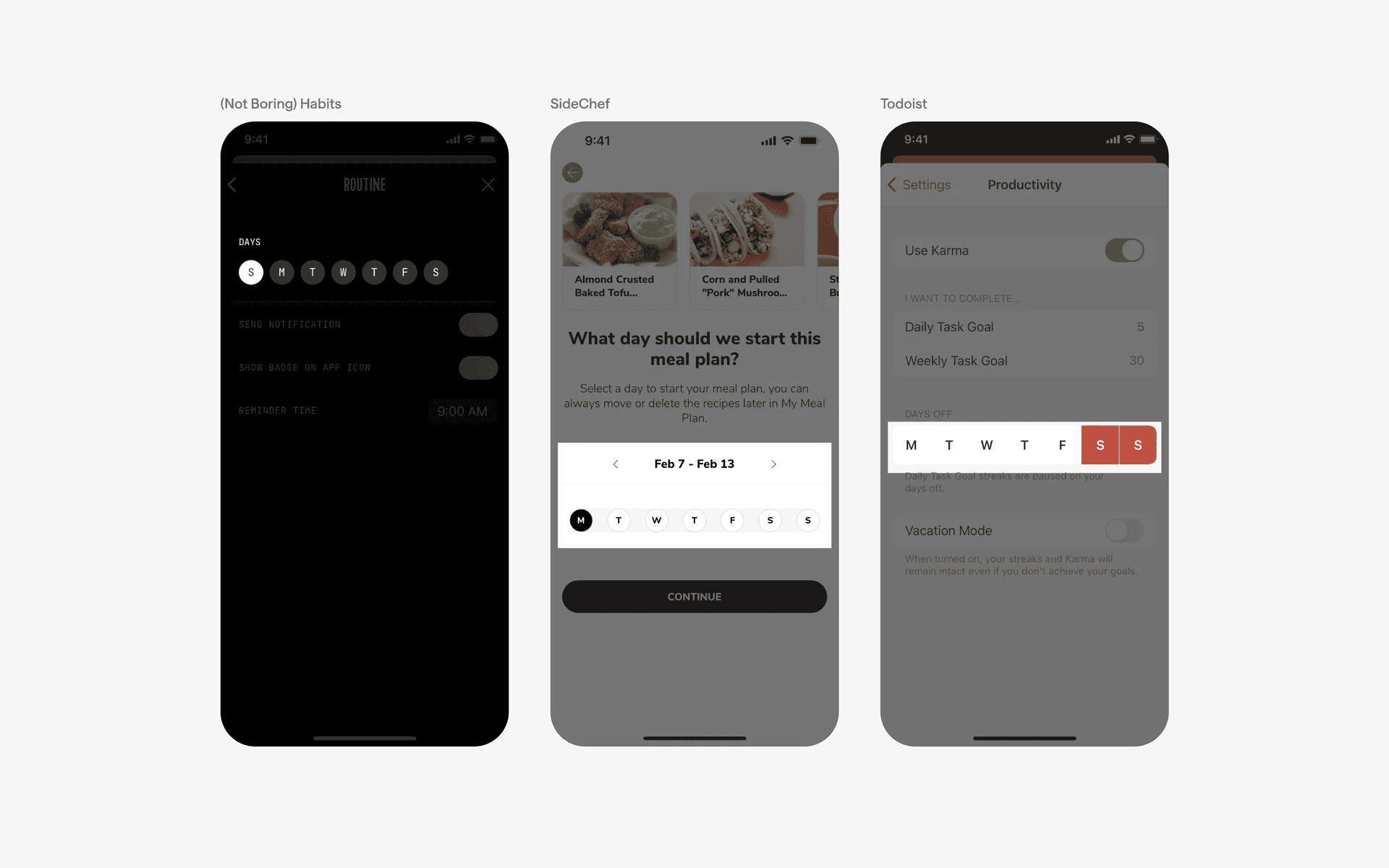
Day Toggle: Allows users to switch between different days easily, often with buttons. Example Use Case: Quick selection in mobile apps or reminders.
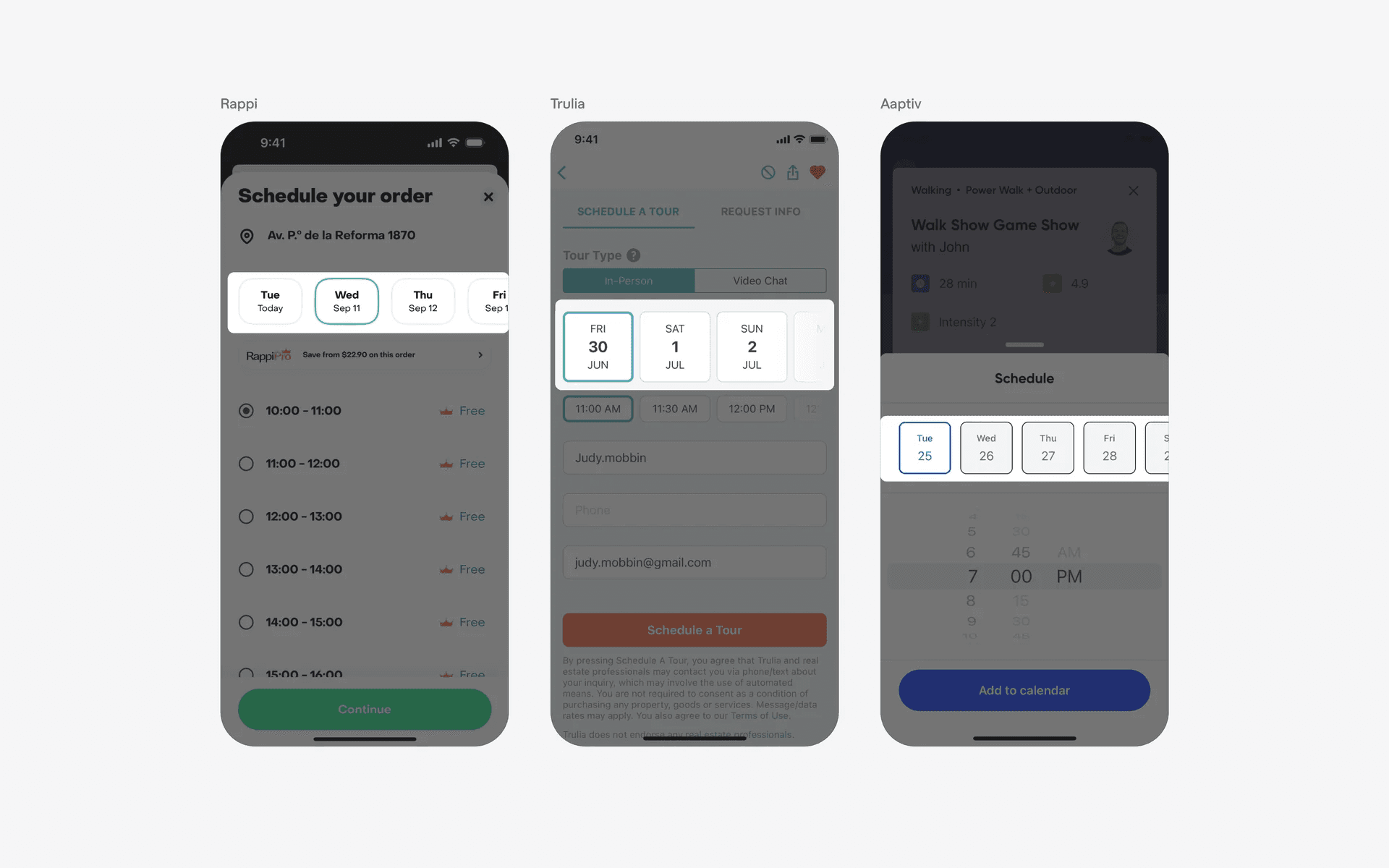
Tiles: Displays clickable date options as tiles for quick selection. Example Use Case: Selecting delivery slots or filtering options.
What is the anatomy of date pickers?
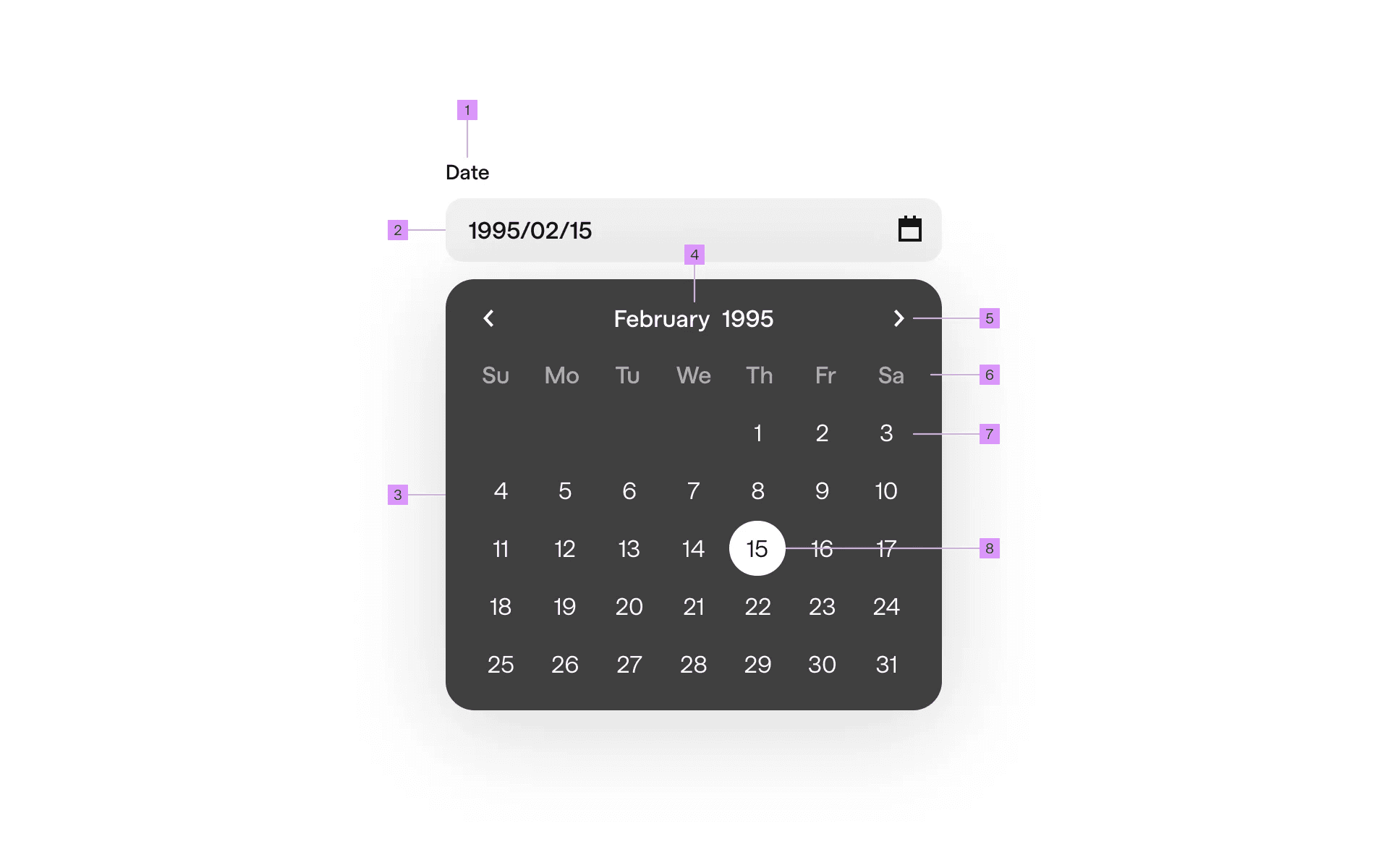
Anatomy of scroll wheel and calendar date pickers
1
Label
2
Text field
3
Calendar
4
Month/Year Button
5
Navigation Button
6
Weekday Label
7
Unselected Date
8
Selected Date
What are the design variants of a date picker?
We studied over 1,000+ date picker UI components on Mobbin, from real-world examples and found the following variants.
1. Use a calender date picker for date range selection
Calenders are one of the most common forms of date picker components. A calendar format is highly intuitive for users as most people already know how to navigate a calendar to find dates, which makes it good for usability.
It is usually used in travel and booking apps like Airbnb, Turo, Booking.com - for users to select dates of travel. Specifically, the start dates and end dates of their booking.
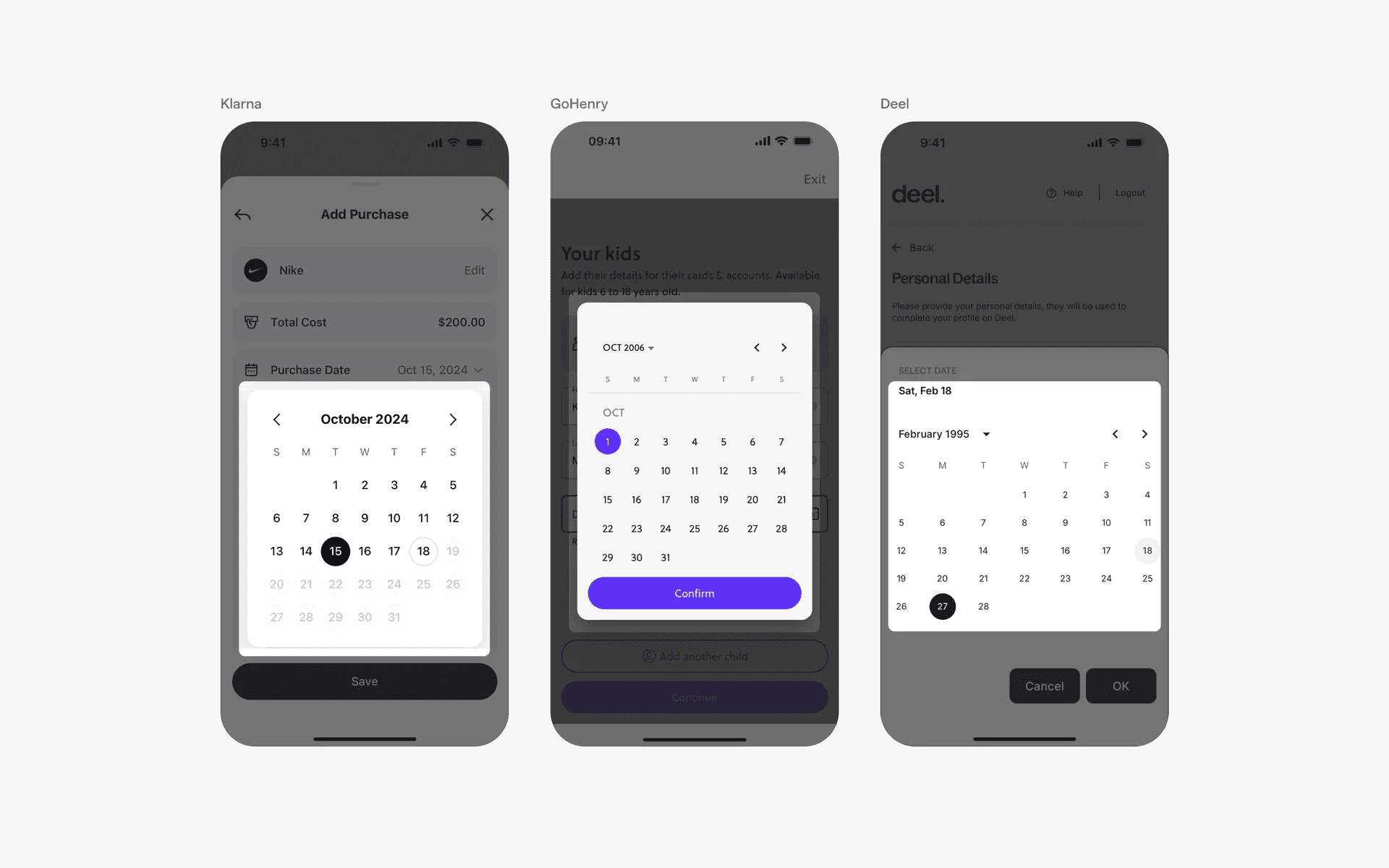
Examples of calender date picker
2. Date picker wheel for specific dates or time
If you just need a specific date or time, consider using a date picker wheel component instead. This is a common mobile design pattern - and it's also sometimes called a 'Native date picker'.
Date picker wheels are most commonly used to select birth dates while time picker wheels are used to schedule events or set alarms.
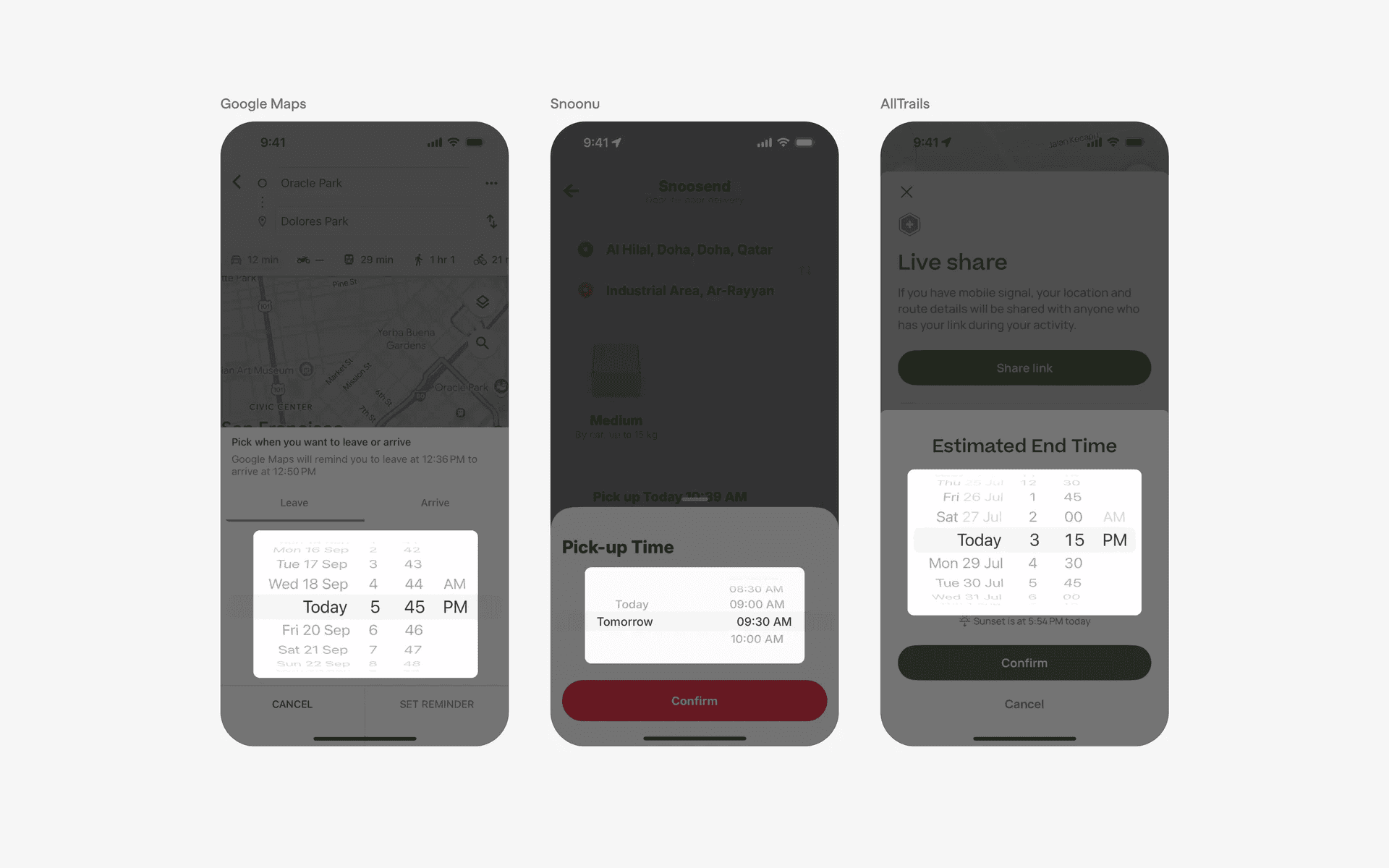
Examples of date picker wheel
Examples of time picker wheel
3. Tiles for quick date selection
By displaying clickable date options in a tile format, it reduces cognitive overload for users to come to a suggestion. This is a common design pattern for delivery apps like Uber Eats, Walmart and Instacart.
Examples of date tiles
4. Day toggle
This design allows users to quickly select specific days in a week.
Examples of day toggle
5. List of days
Similar to a day toggle, this datepicker component allows you to pick from a specific day in a week. However, it takes up more interface space.
Examples of list of days
When to use date pickers?
1. Event creation
When creating or scheduling events or inviting others to events in calendar or social apps, date pickers help users select the date and time for the event.
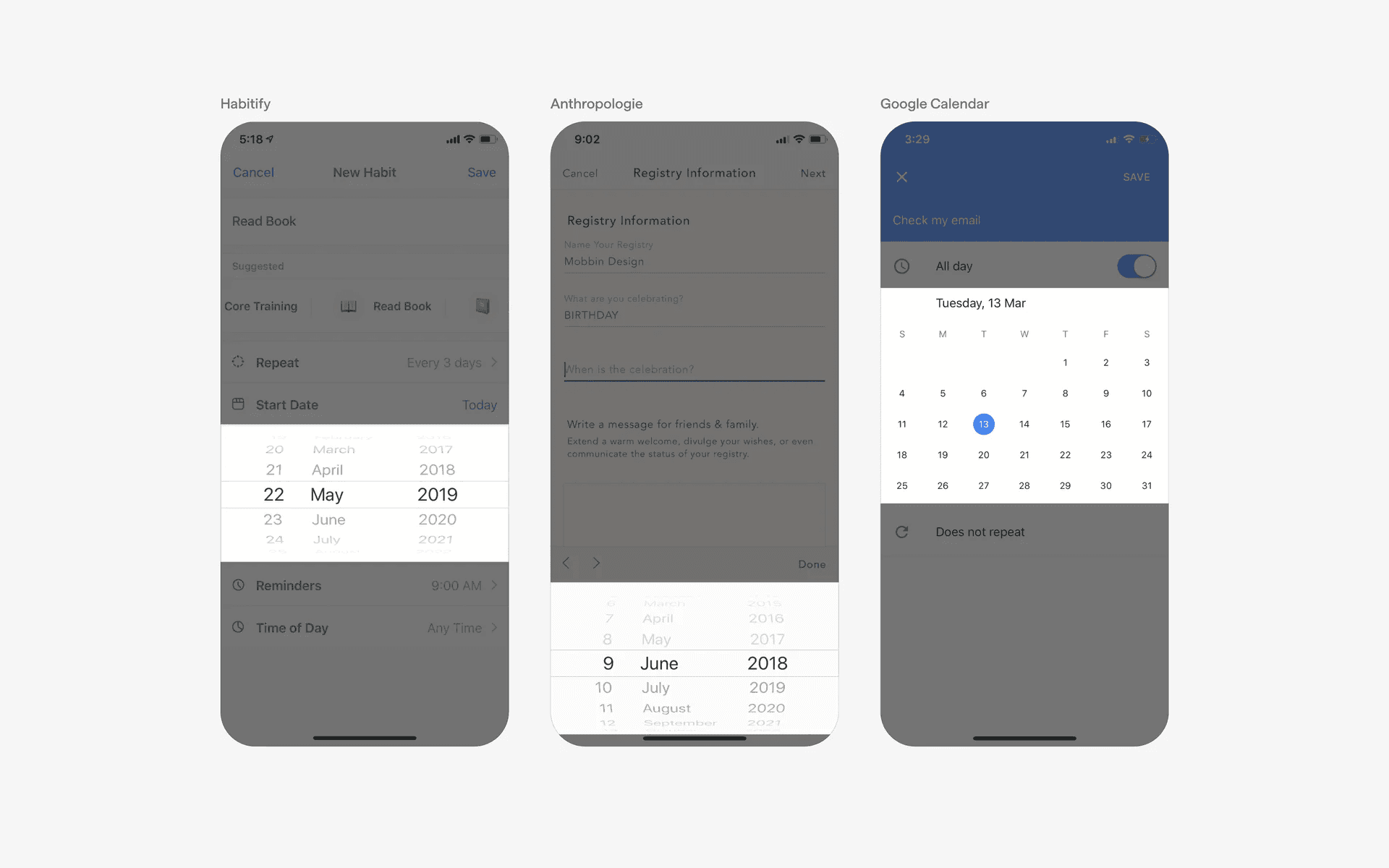
Examples of date pickers in event creation flow
2. Booking or Scheduling
In apps related to travel, hotel reservations, appointments, or event planning, date pickers are used to allow users to select their desired dates.
For example, users can choose their check-in and check-out dates for hotel bookings or select the date and time for scheduling appointments.
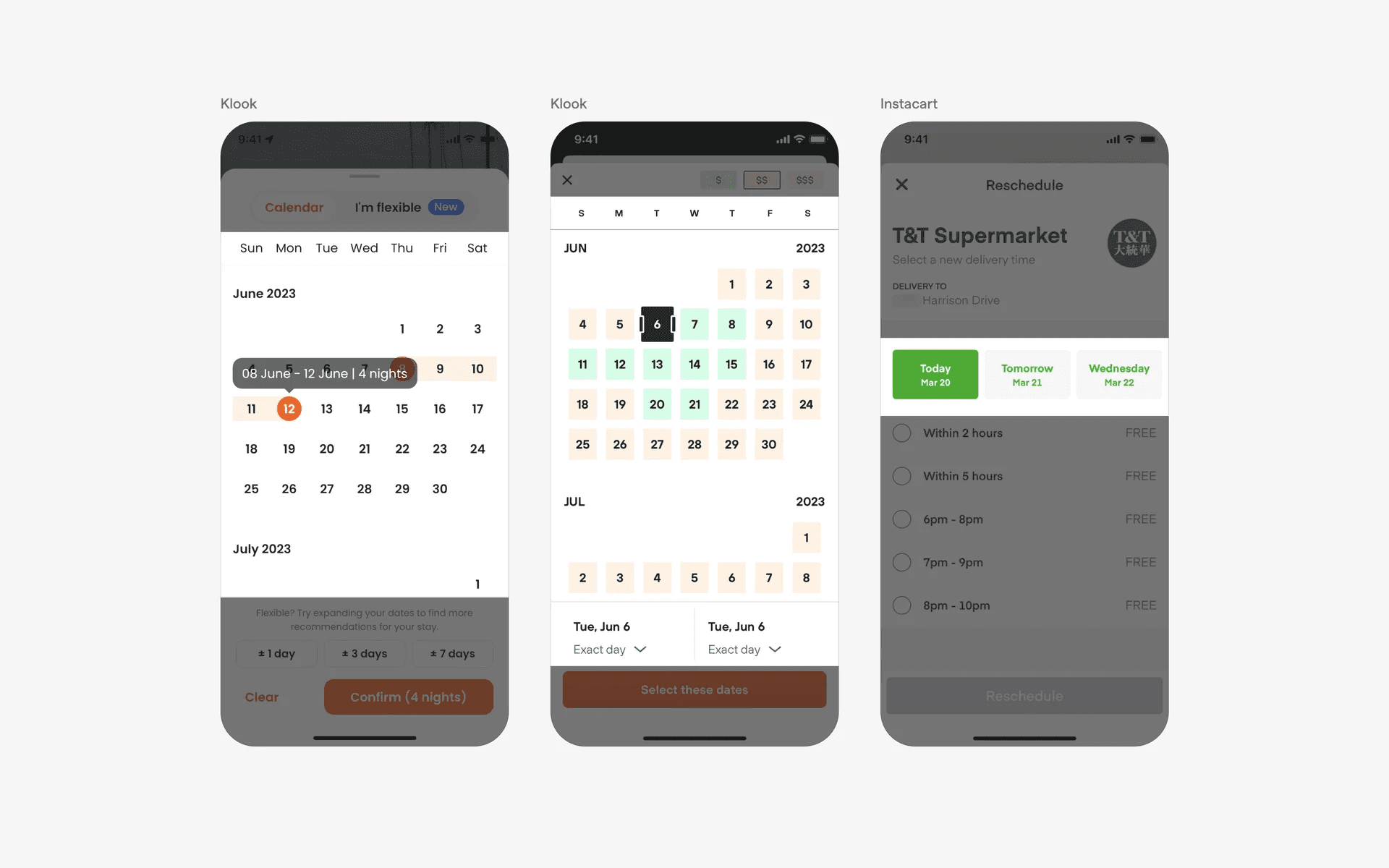
Examples of date pickers in booking or scheduling flows
3. Reminders & alarms
In apps that involve setting reminders, alarms, or countdowns, a date picker allows users to specify the date and time for the notification or event.
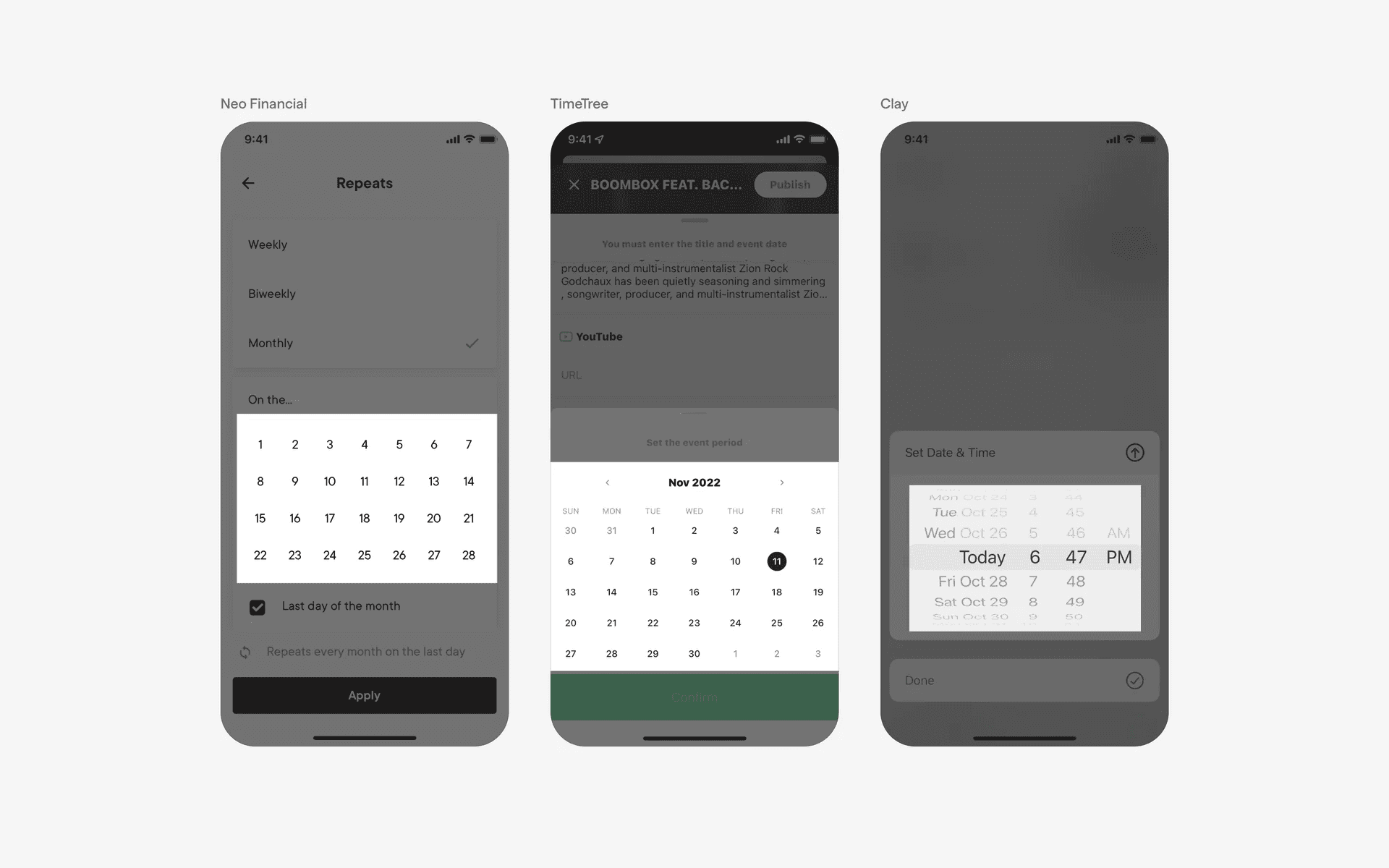
Example of date pickers in reminder & alarm flows
Conflicting UI elements: Tabs
Date picker v.s. Tabs
Not all calendar views are date pickers.
Rows of calendar dates may be used to organise content (e.g in journalling or horoscope apps). As they do not serve as a form input, we do not consider them as date pickers.
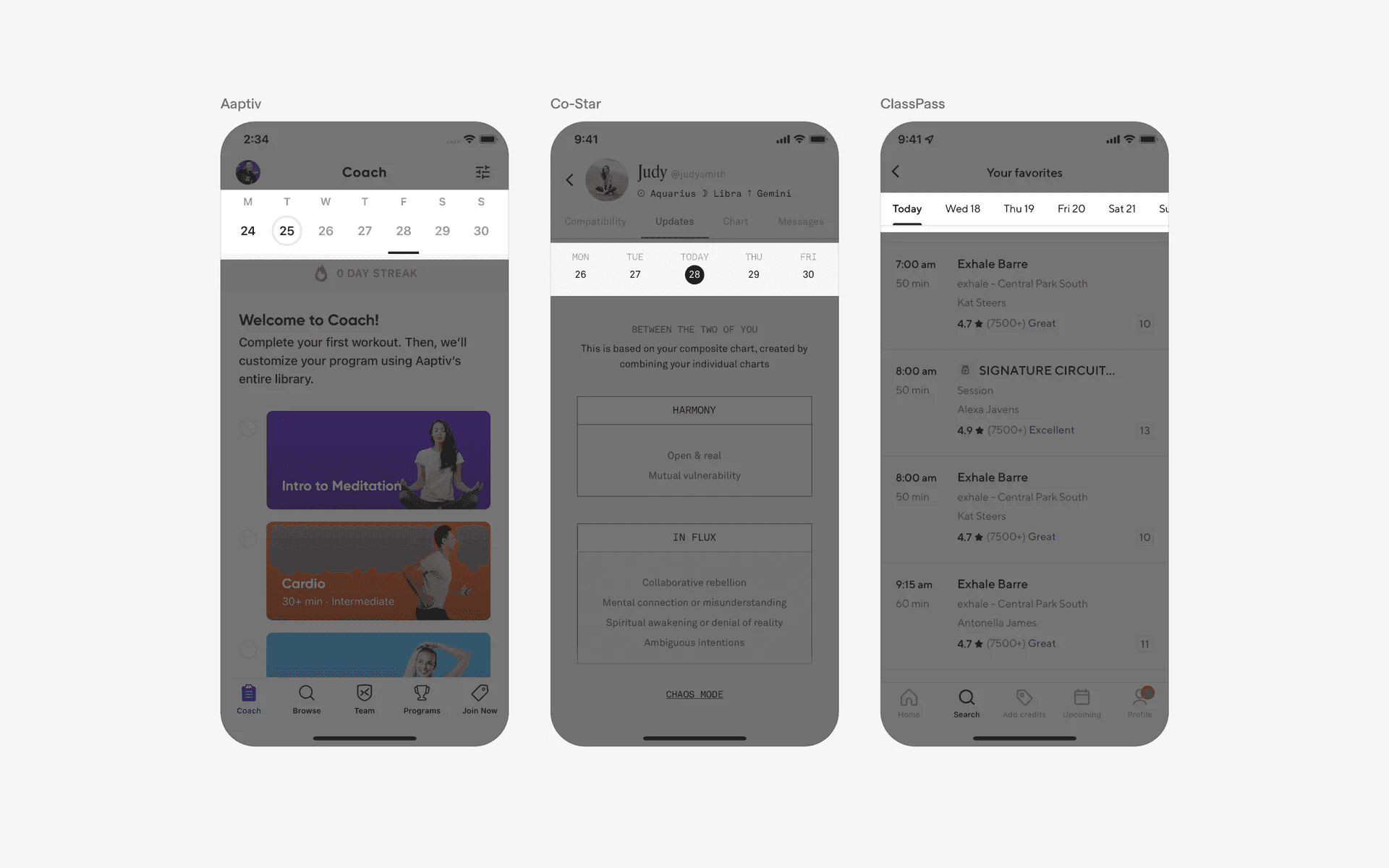
Examples of date selector tab