
What is a banner UI component?
Banner displays a prominent message and related actions.
It draws attention to specific elements, provides additional information, or guides users through the app's interface.
It allows the app to communicate with the user. It displays contextual messages like important information, notifications, alerts, or promotional messages to users.
It is advisable to have only one banner at a time to not confuse or overwhelm your users.
It usually remains persistent until dismissed or resolved. A call to action button is optional.
Banners are commonly used in the following design patterns: Promotions, Feature highlights, Error messages and Warning, Acknowledgement, Coachmark & Instructions.
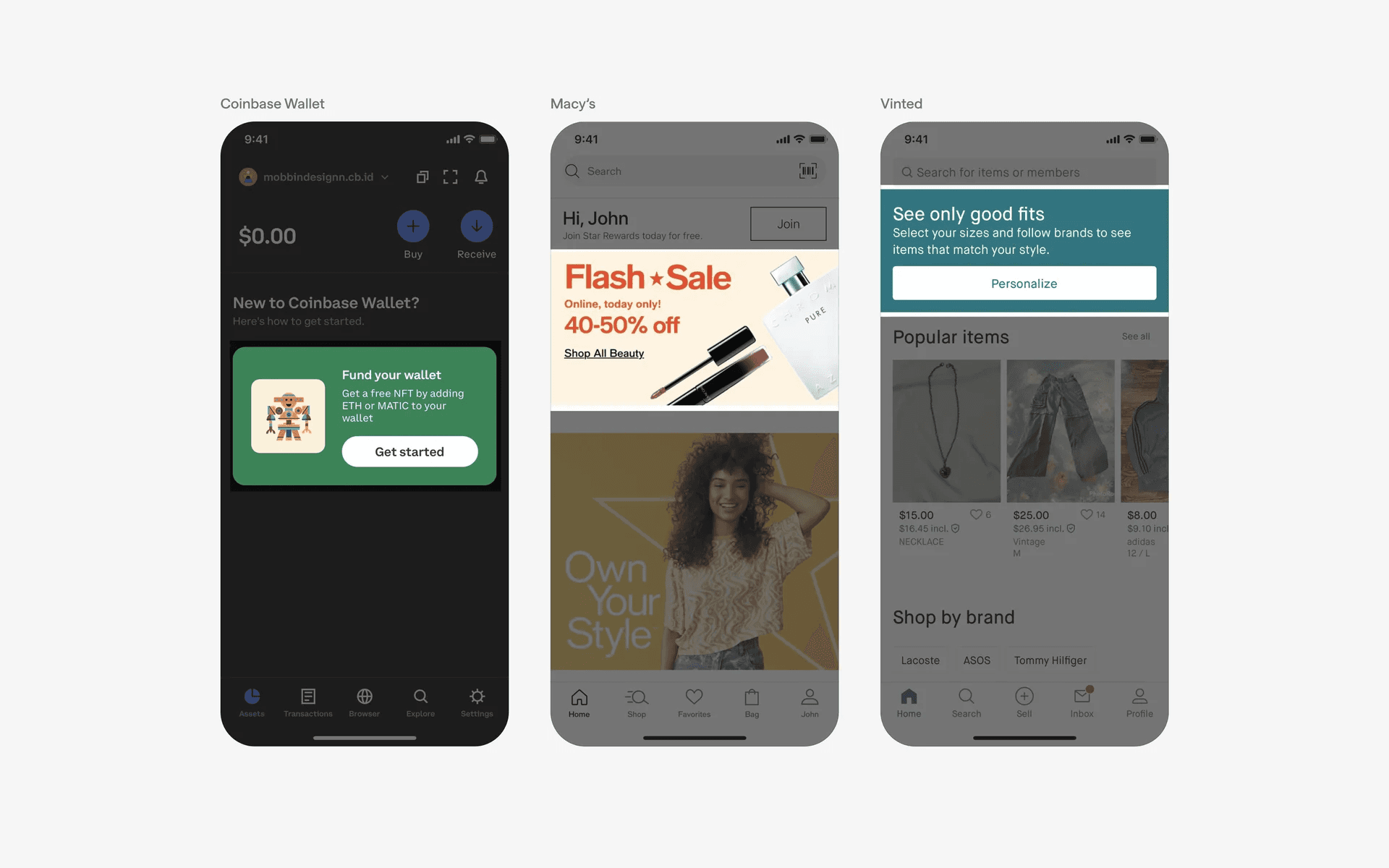
Examples of banner component
What is the anatomy of a banner?
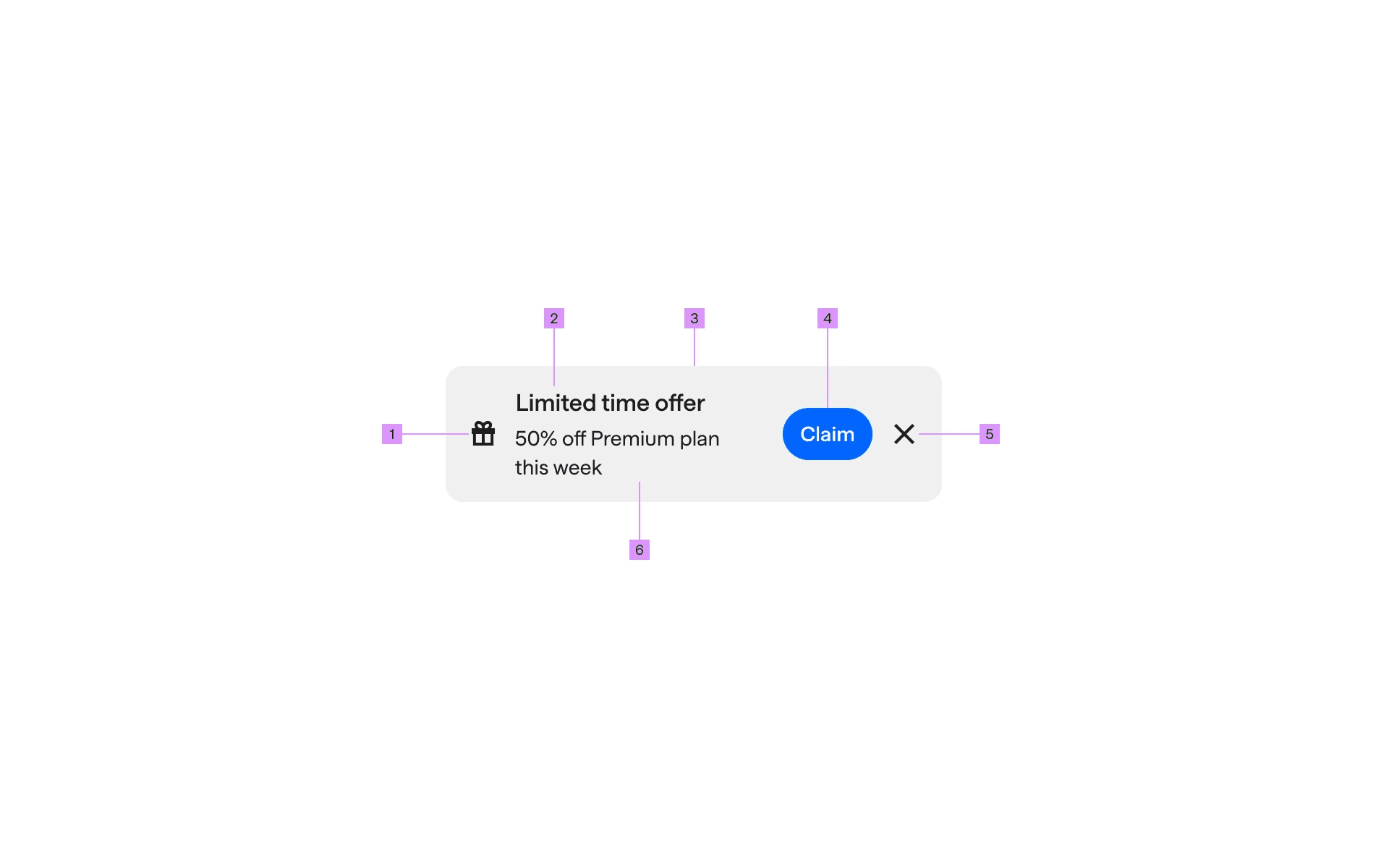
Anatomy of a banner
1
Icon (optional)
2
Title (optional)
3
Container
4
Action button (optional)
5
Close buton (optional)
6
Message
What are the design variants of a banner?
We studied over 4,200+ banner UI components on Mobbin, from real-world examples and found the following variants.
1. Banners can come with call to action buttons
A call to action button in a banner helps to bring attention to an important feature or action.
For example, Canva has a CTA button in the banner to show users what the latest product launches are. And Headway has a banner that upsells their Business plan.
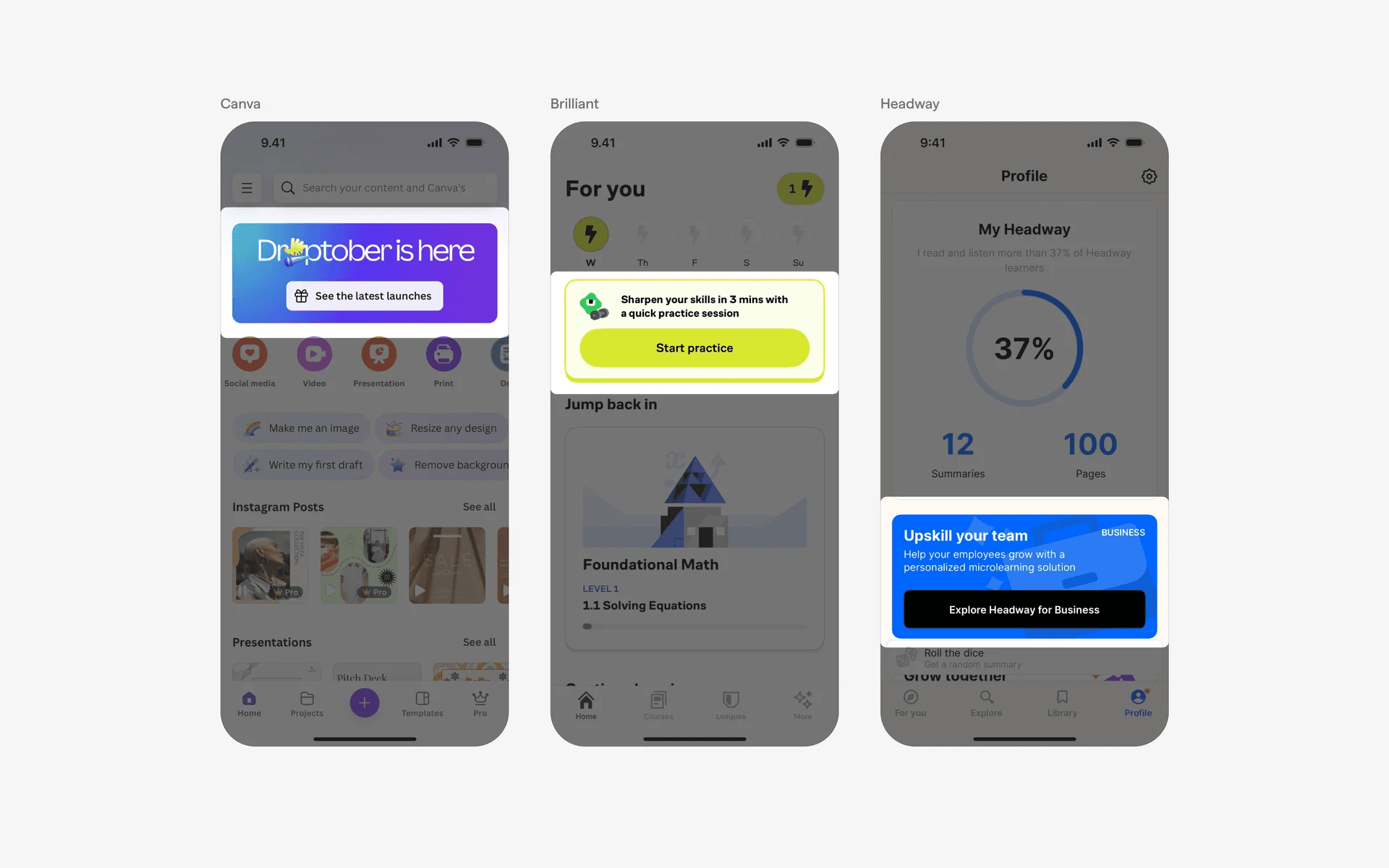
Examples of banners with call to action buttons
2. Banner container can be full width
Banners often take up the entire width of the screen. This helps the banner to stand out from the existing interface.
Here are some full width banners with CTA buttons.
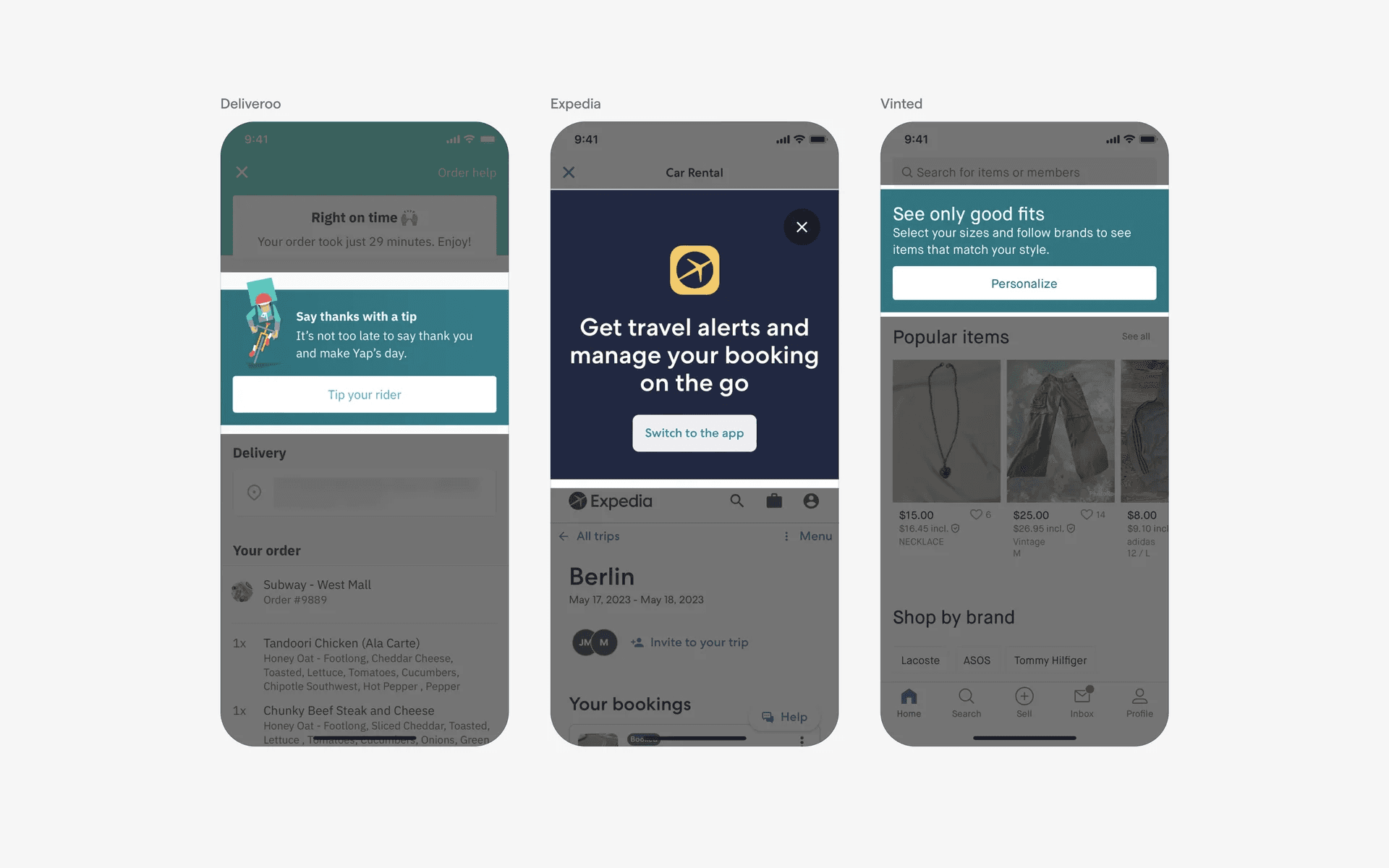
Examples of full width banner with CTA buttons.
Here are some full width banners without CTA buttons.
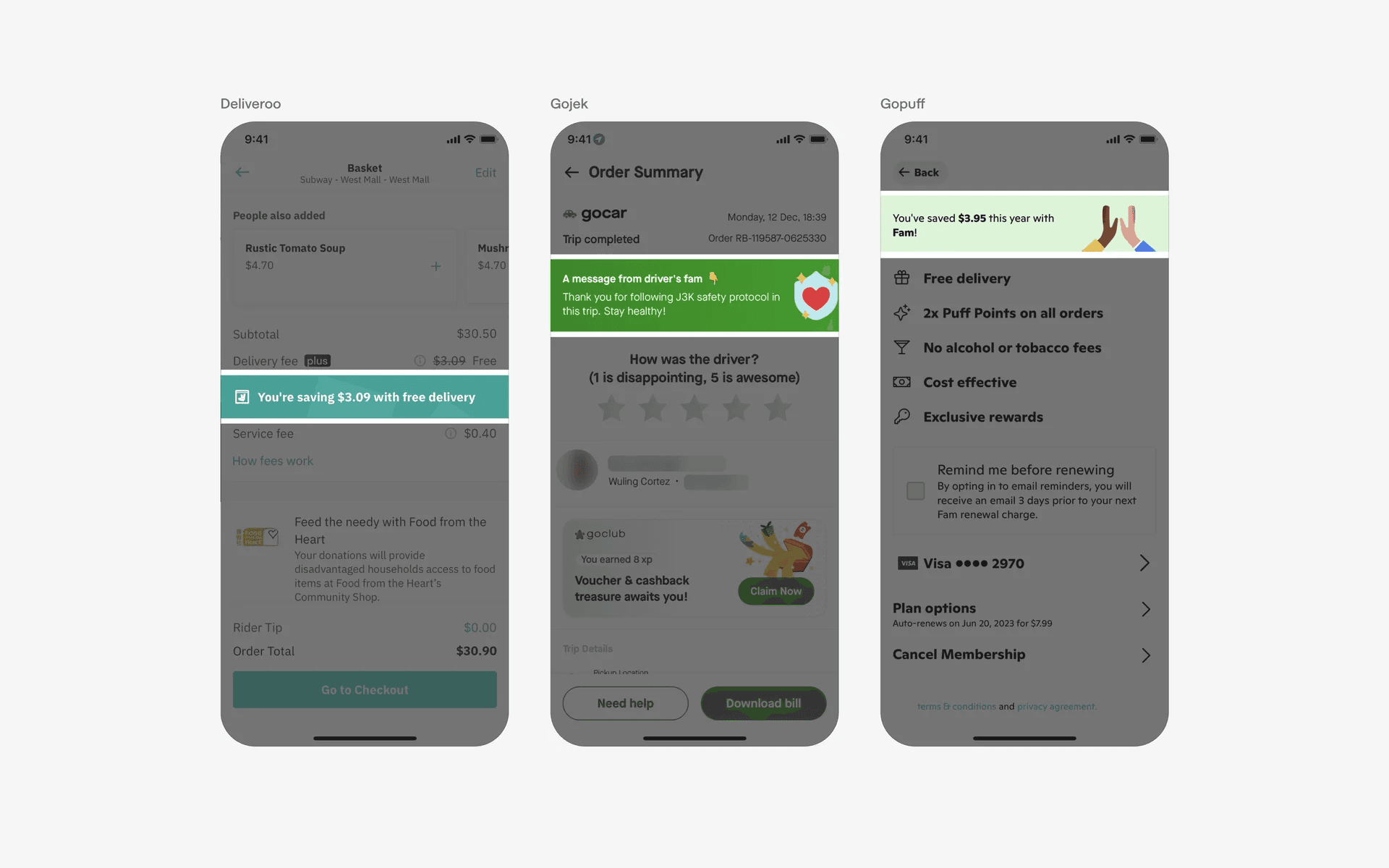
Examples of full width banners without CTA buttons.
3. Banners with alert icons
Banners can sometimes be used for error messages or alerts. This can be more effective if the banner is styled in the brand's red or yellow warning colors.
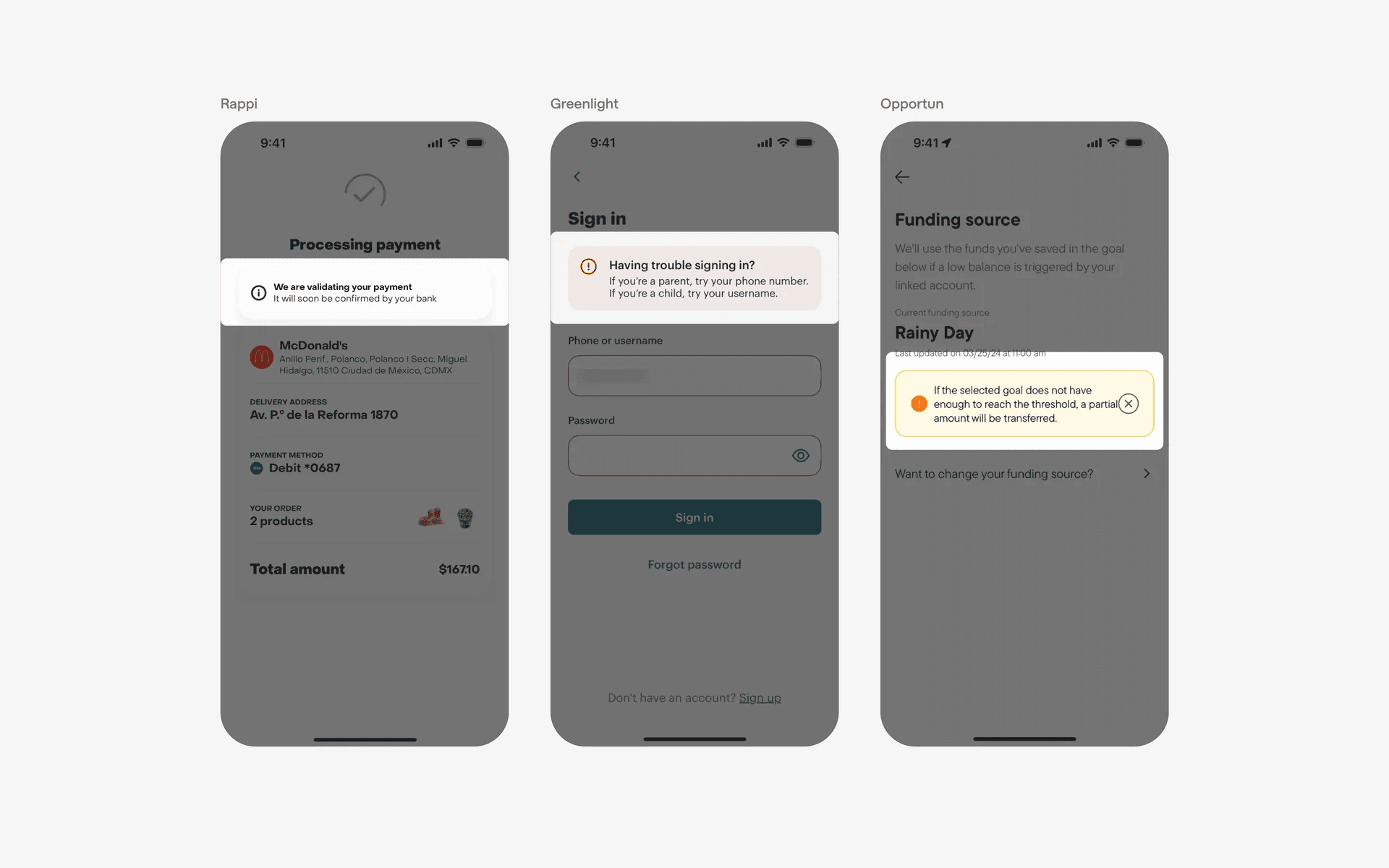
Examples of banners with alert icons
4. Floating, sticky banners for persistent messages
If you have an important message to convey, you can keep your banners present and persistent by floating it above other UI elements on your screen. And better, making it "sticky" - which means that the banner will stay in the interface even as users scroll.
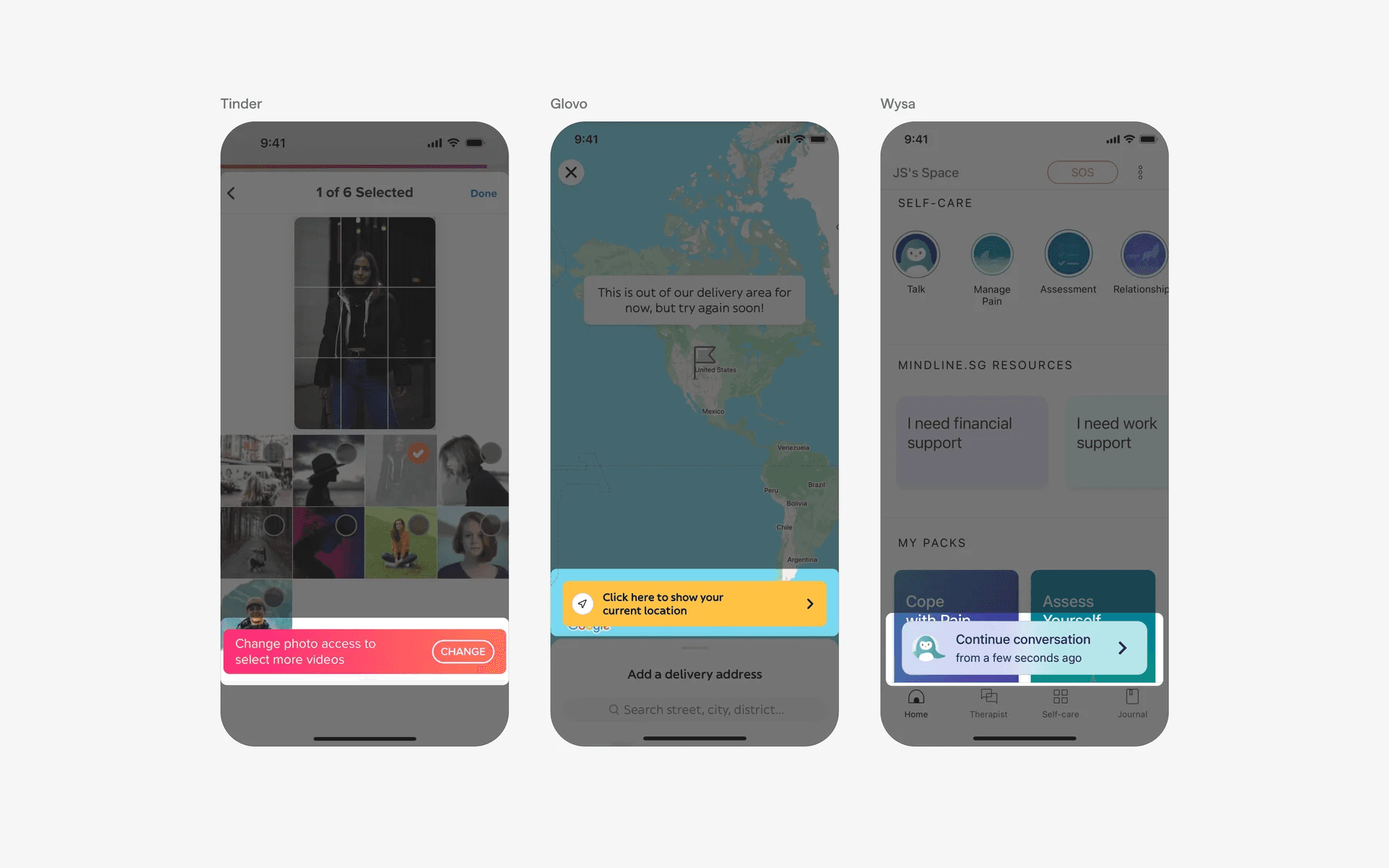
Examples of floating, sticky banners
5. Floating banner message on map interfaces
Floating banners are commonly found on map interfaces.
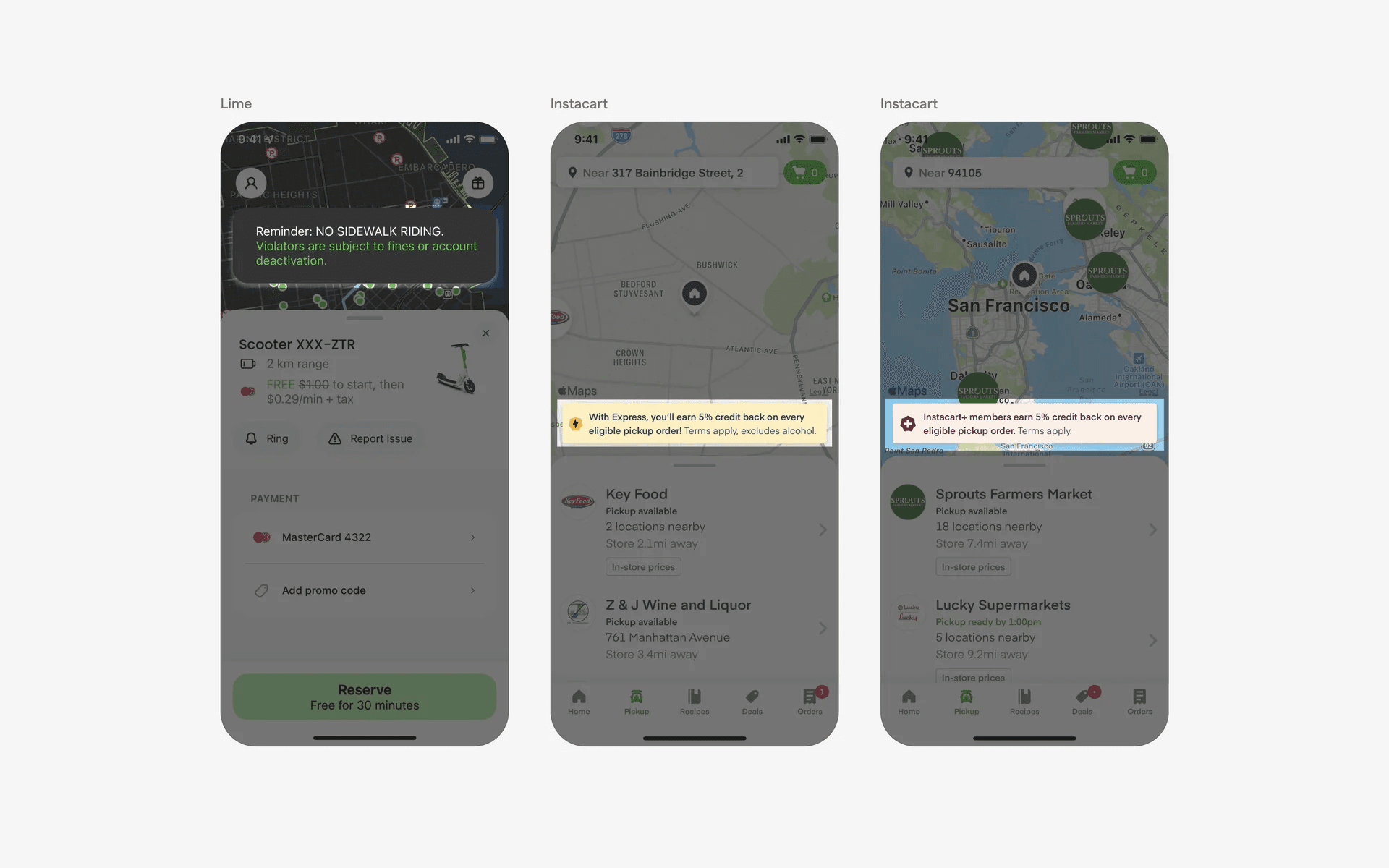
Examples of floating banner messages on map interfaces
6. Stock ticker banners in news or finance apps
Stock tickers are commonly designed in a banner format, which are commonly found in news or finance apps.
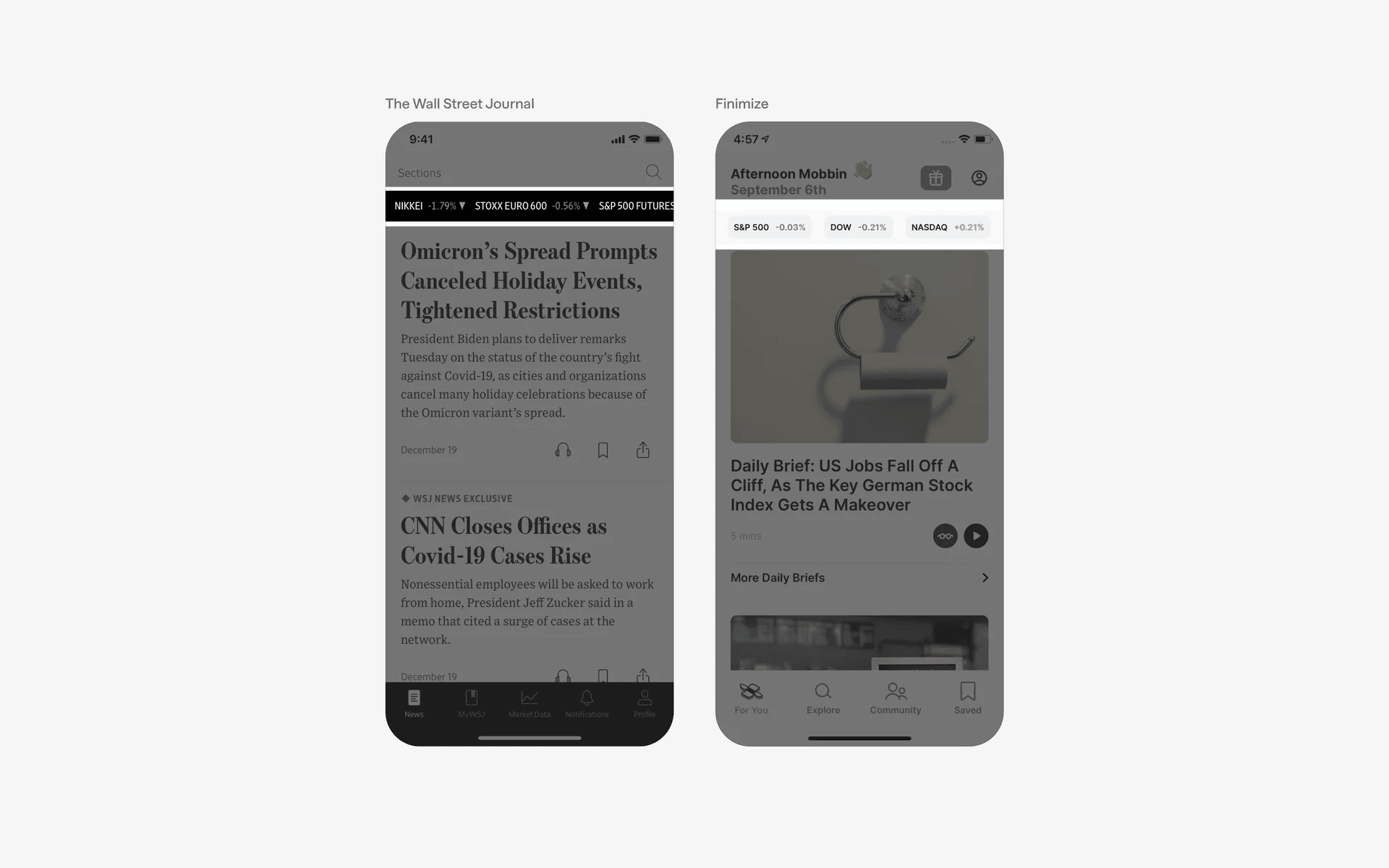
Examples of stock ticker banners in news or finance apps.
When to use a banner component?
Promotions
Apps frequently use banners to showcase promotional offers, discounts, or advertisements. These banners can be placed strategically to draw attention to specific products, services, or campaigns.
When doing this, make sure that your banner stands out from the rest of the interface - you can do so by using an eye catching color or gradient, like the examples below.
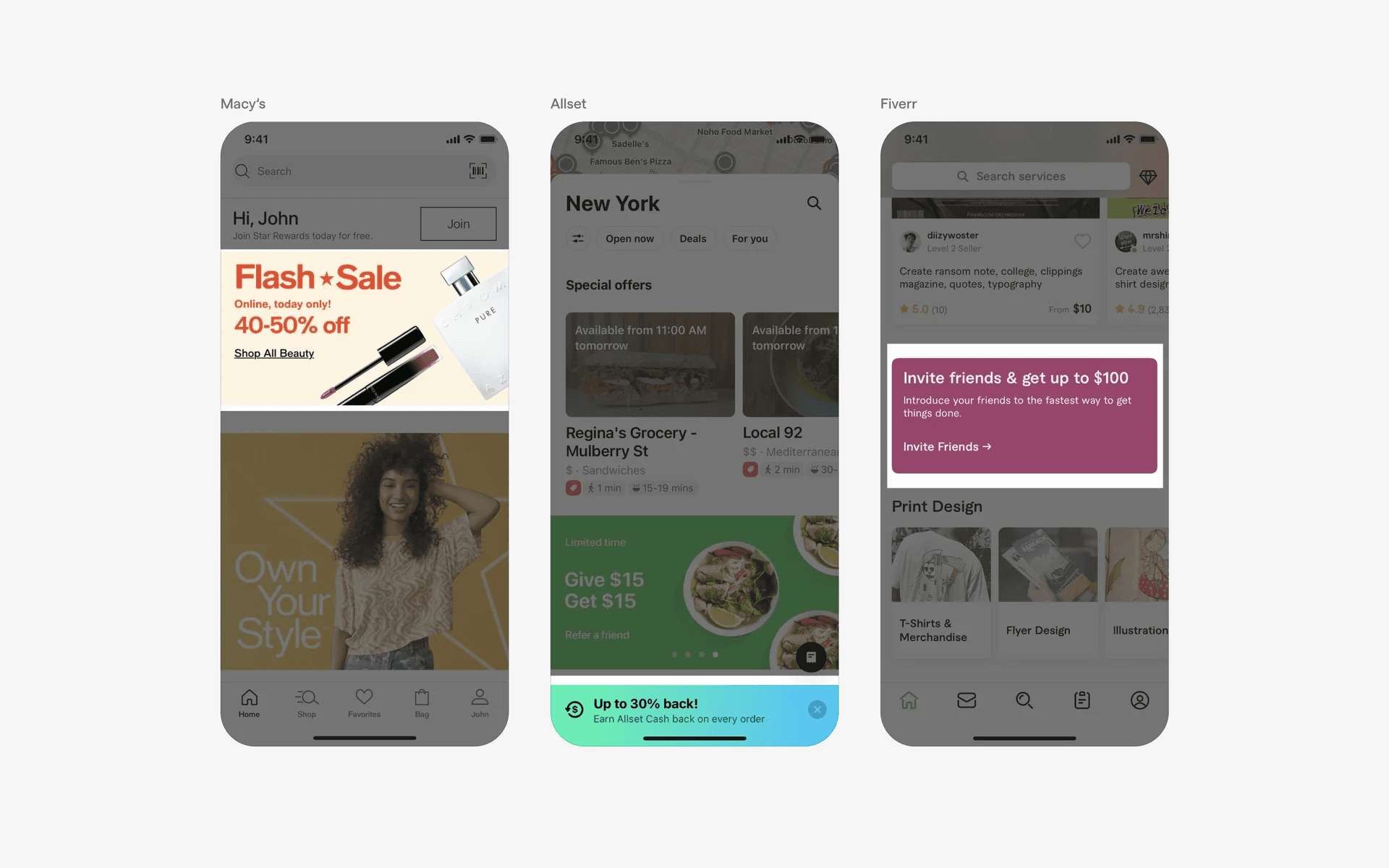
Examples of banners in promotions
Feature highlights
When an app introduces new features or updates, banners can be used to bring attention to these additions.
They can provide a brief overview or instructions on how to access and utilize the new functionality.
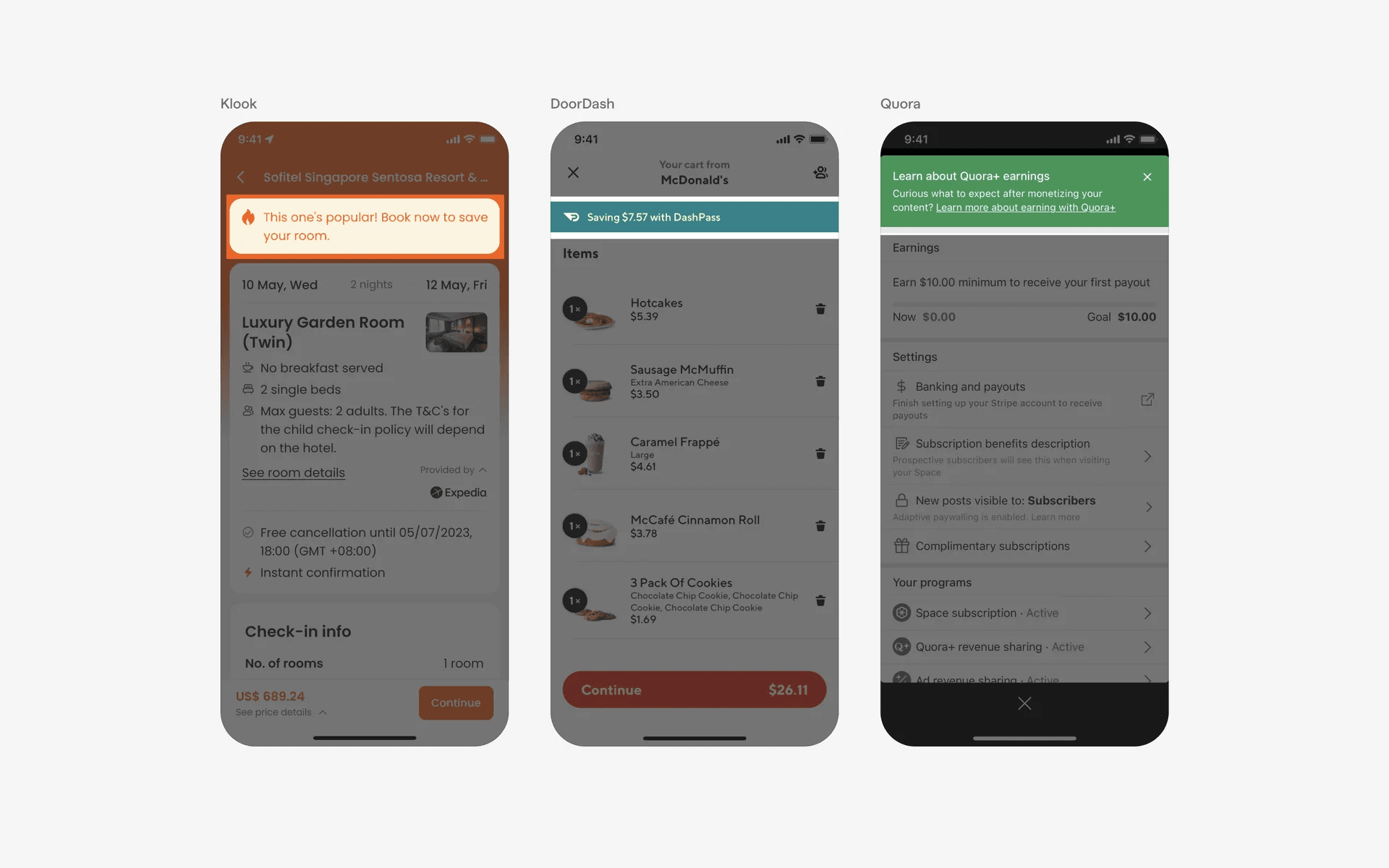
Examples of banners in feature highlights
Error messages & warning
Banners can be used to display error or warning messages.
The banner can point to the specific field or section that requires attention and provide guidance on how to rectify the issue.
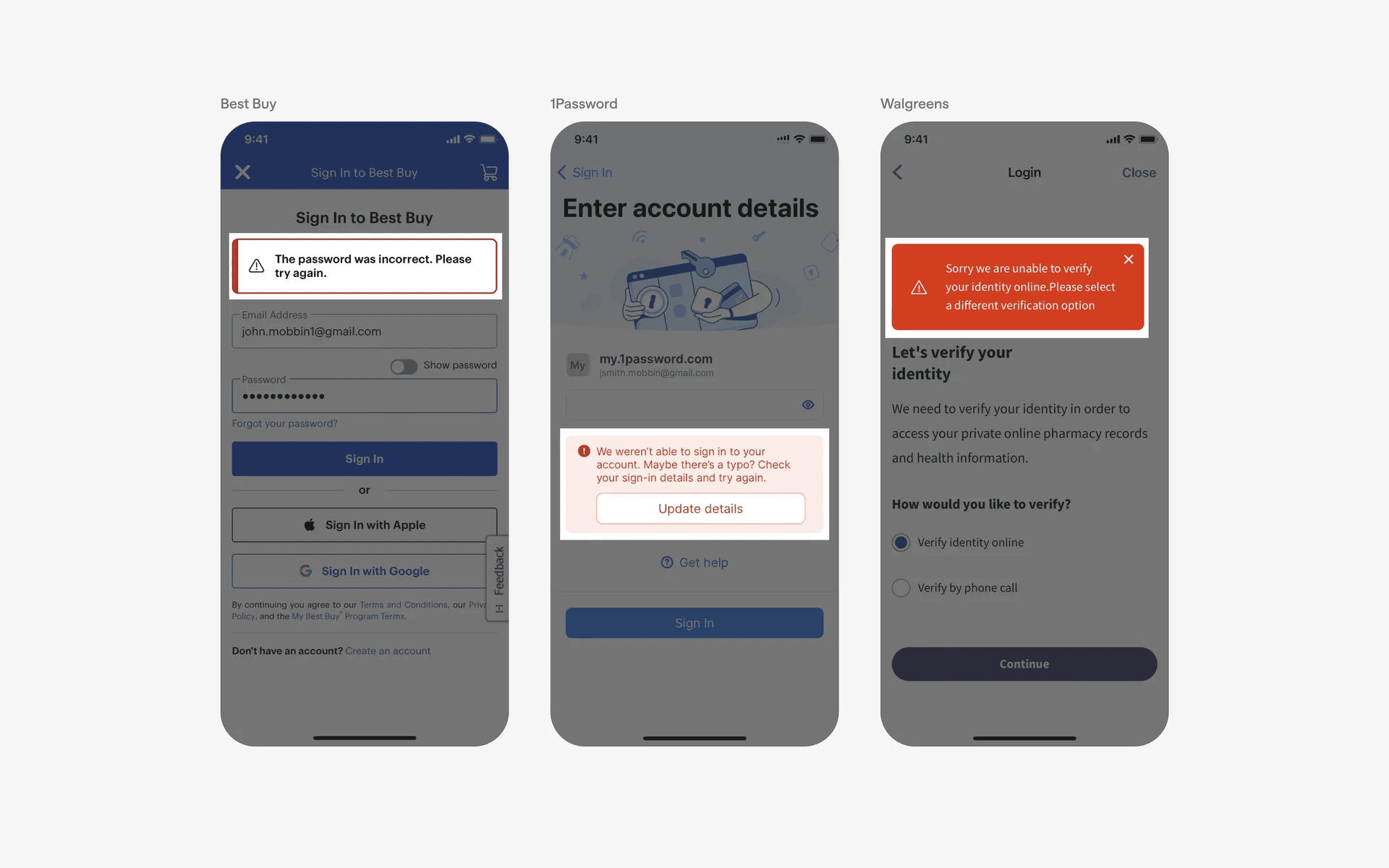
Examples of banners in error messages or warning
Acknowledgement
Banners can also be used to display success messages once a user has completed an action.
However, these containers must exist within the content instead of above the content to be considered as banners, otherwise they are toasts.
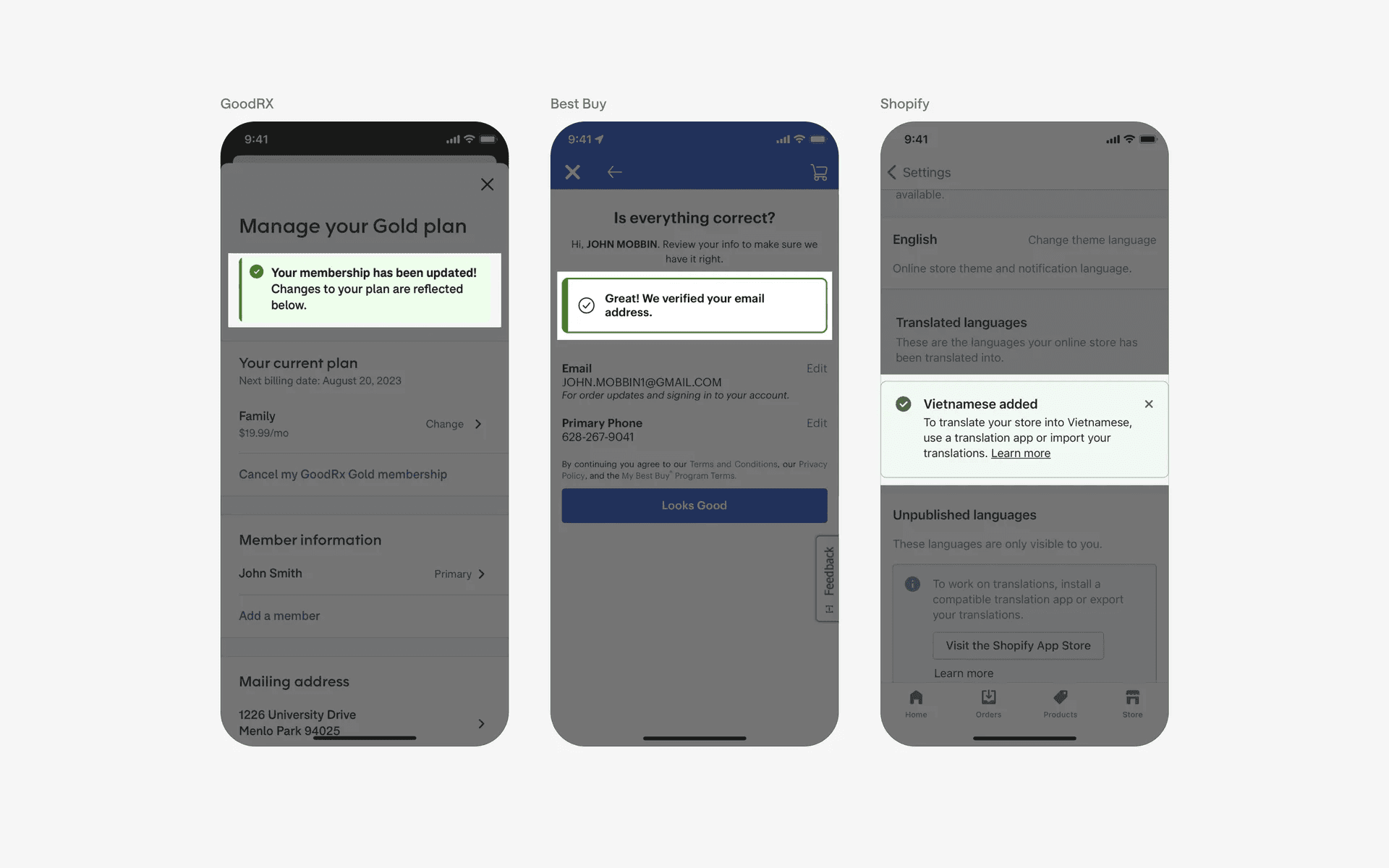
Examples of acknowledgement banners
Coach marks & instructions
Banners can be used to instructions or display help messages for users when encountering new or updated app sections.
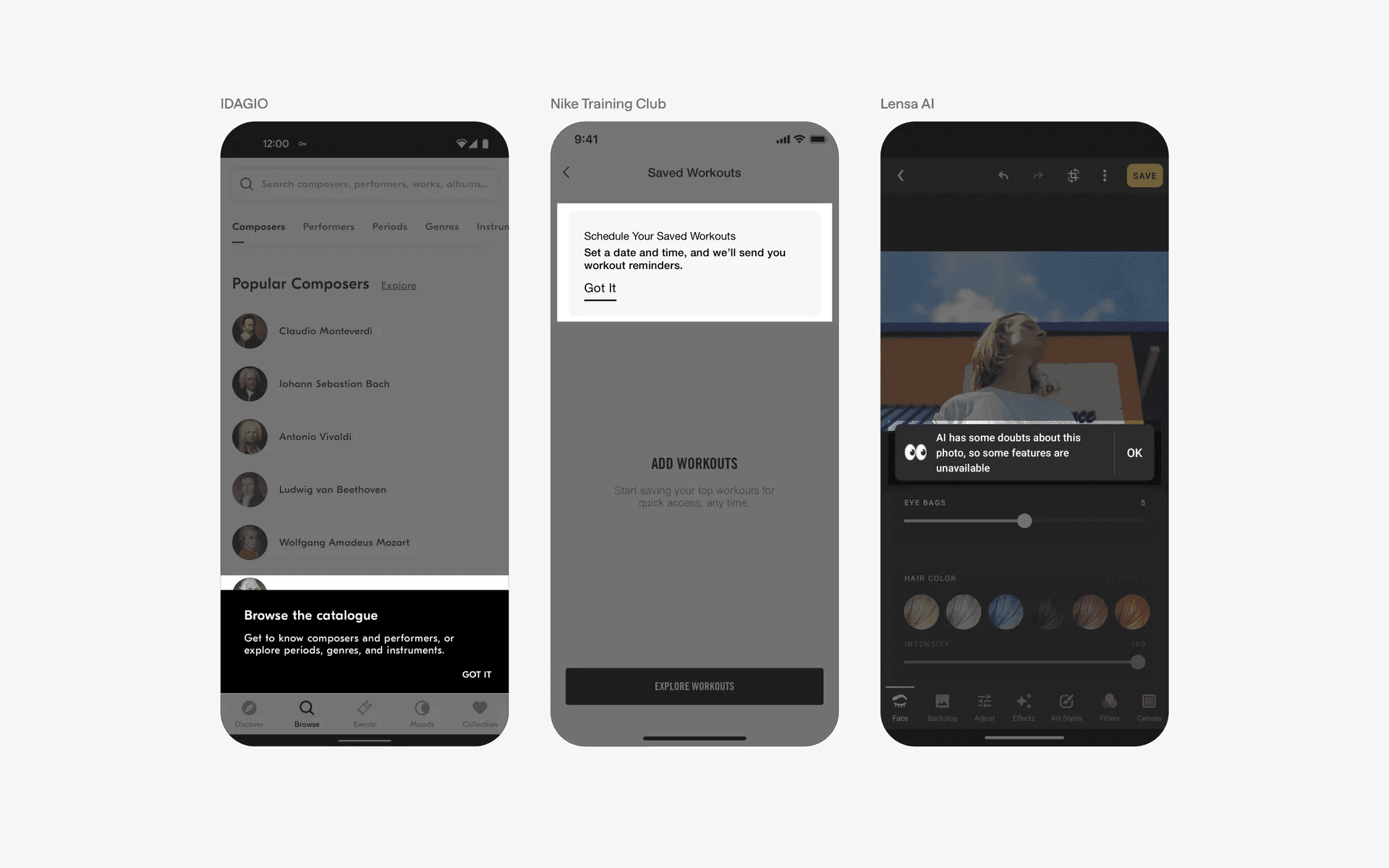
Examples of coach marks & instructions
Conflicting UI elements: Cards, Toasts
Banners v.s. Cards
Cards are used to display individual pieces of content, while banners are used to draw attention to provide important information.
Banners are often used to highlight important information, such as promotions, announcements, or calls to action.
Lastly, cards are often organised in a grid or list, while banners tend to exist on their own to provide important information and draw a user’s attention.
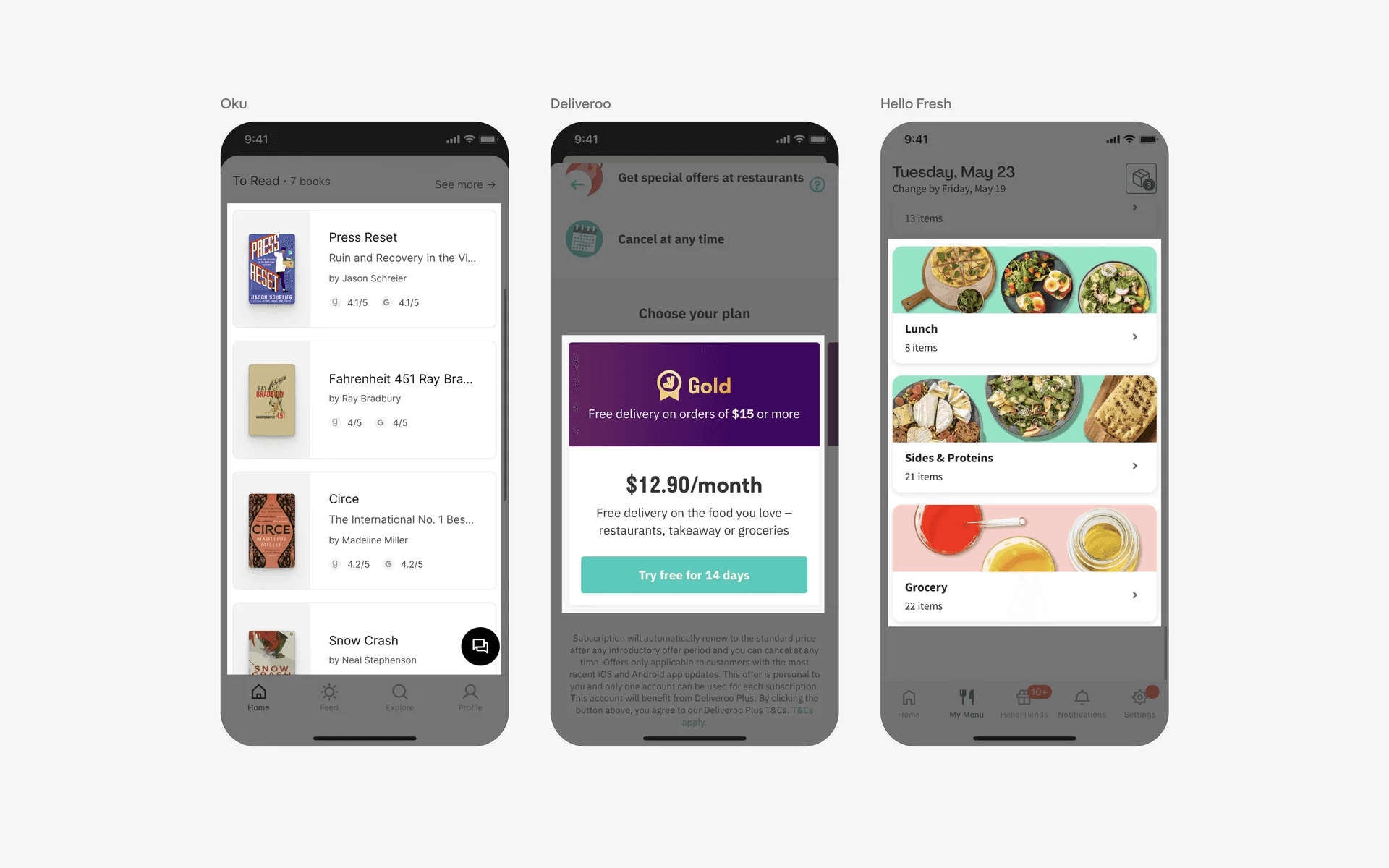
Examples of cards
Banners v.s. Toasts
Toasts are typically used to provide quick feedback to the user, such as when an action has been completed successfully or when an error has occurred.
Toast messages are often used to alert the user of something that does not require their immediate attention.
Banners are usually used to alert the user of something important that requires their attention.
Banners are often used for notifications, such as when a new message has been received, or when an update is available.
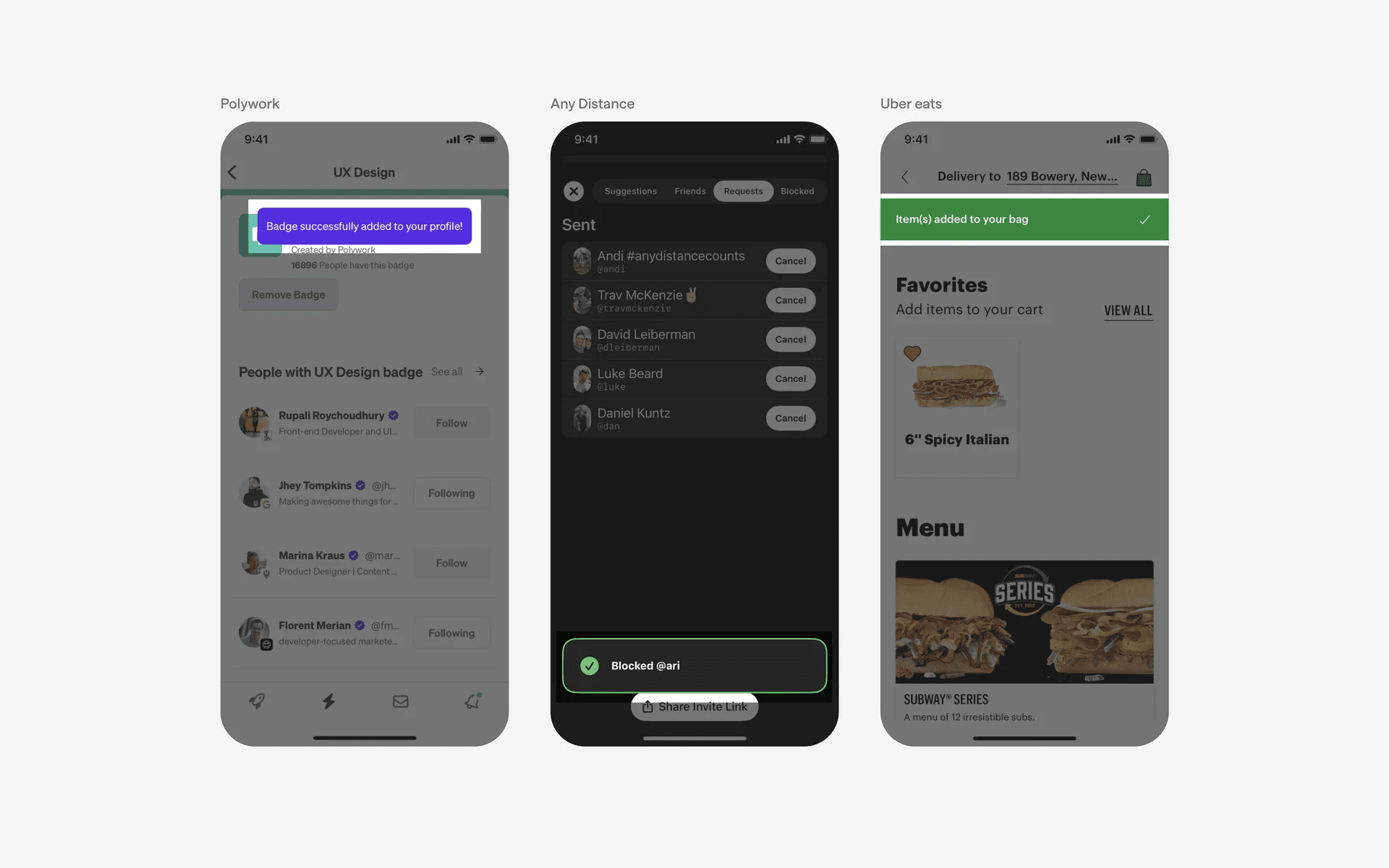
Examples of toasts