
What is a badge component?
Badges convey dynamic information, such as counts or status. A badge can include labels or numbers.
It displays additional information of an item (e.g. attributes or statuses).
They are supplementary information attached to a parent element (e.g., card, list item, etc.)
They are usually static and non-interactable.
A badge UI element is commonly seen in design patterns like Notifications, Activity indicators, Promotions.
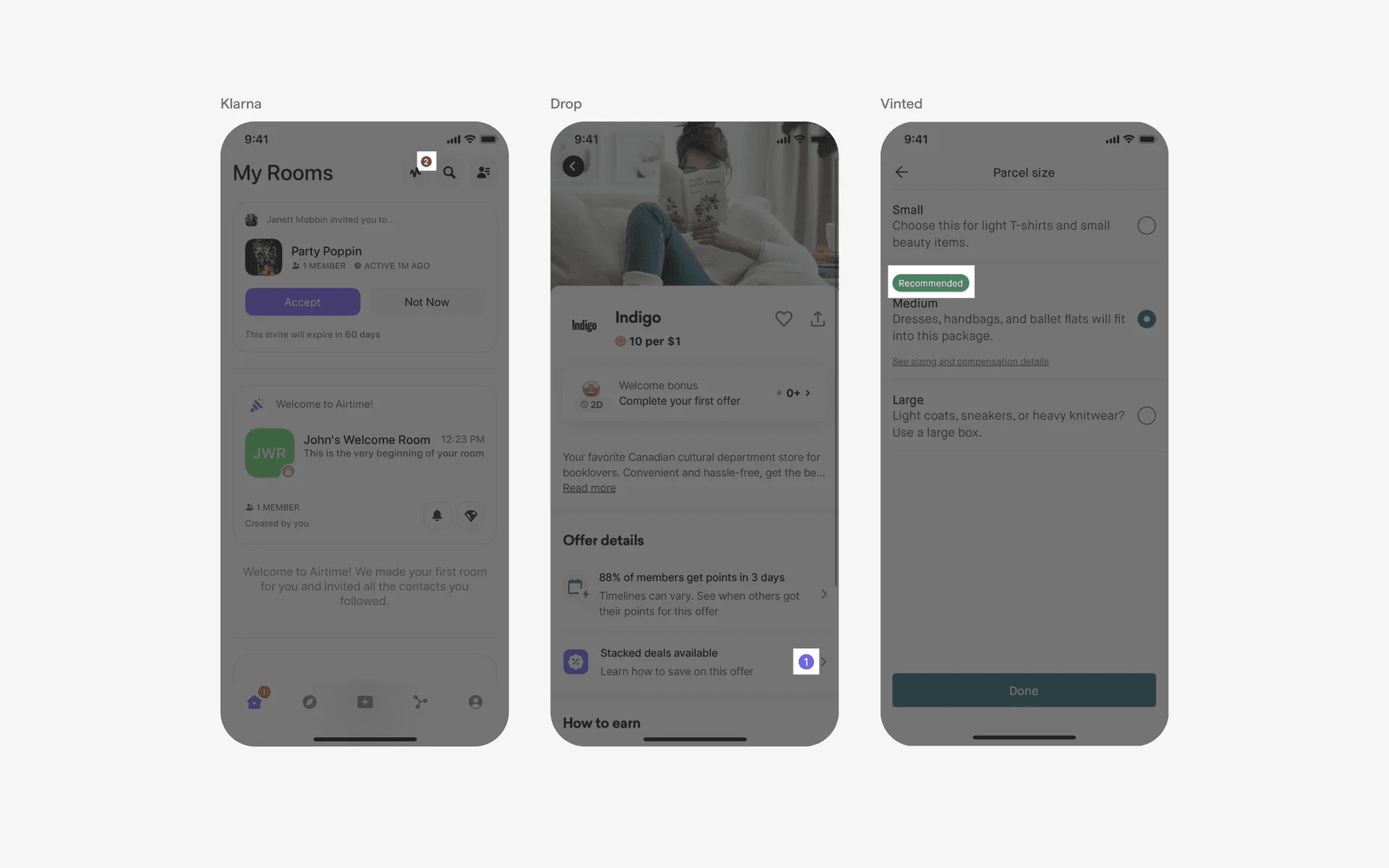
Examples of badge UI
What is the anatomy of a Badge?
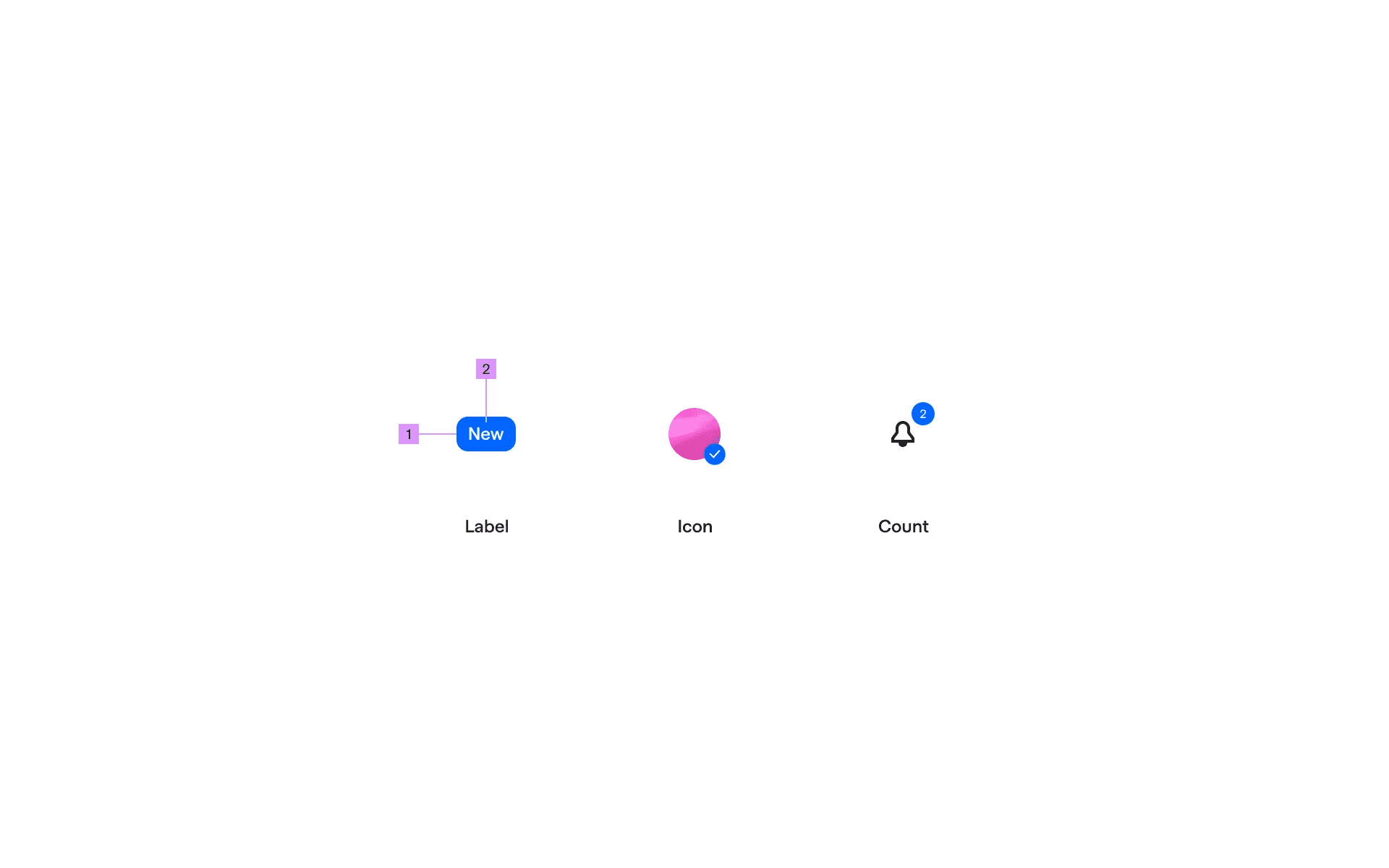
Anatomy of badge UI
1
Container
2
Label
What are the design variants of a badge?
We studied over 3800+ badge UI components on Mobbin, from real-world examples and found the following variants.
1. A badge can have different container shapes
The most common badge container shape is a pill.
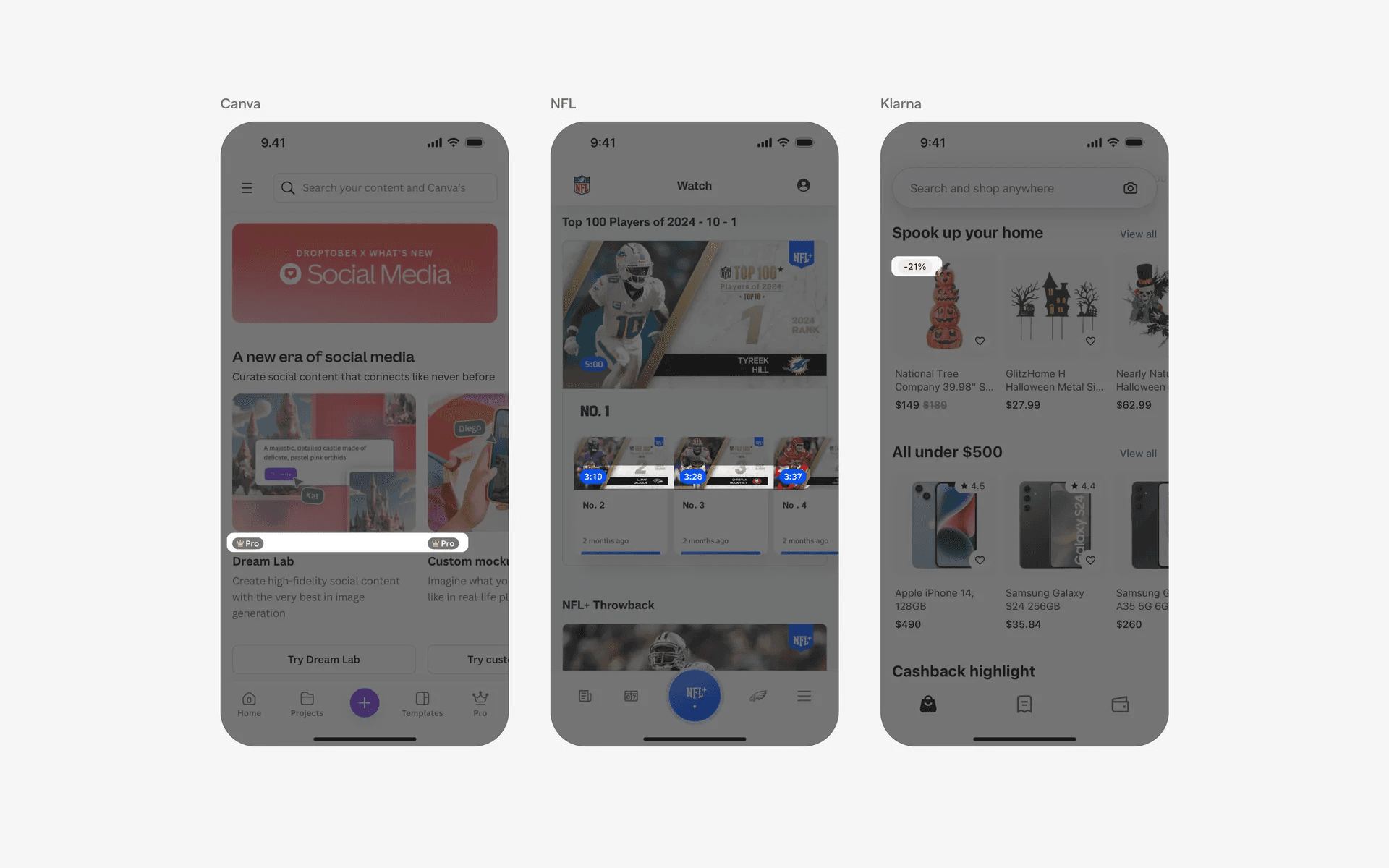
Examples of pill-shaped badge component.
Alternatively, we've also seen rounded container shapes (but not fully rounded).
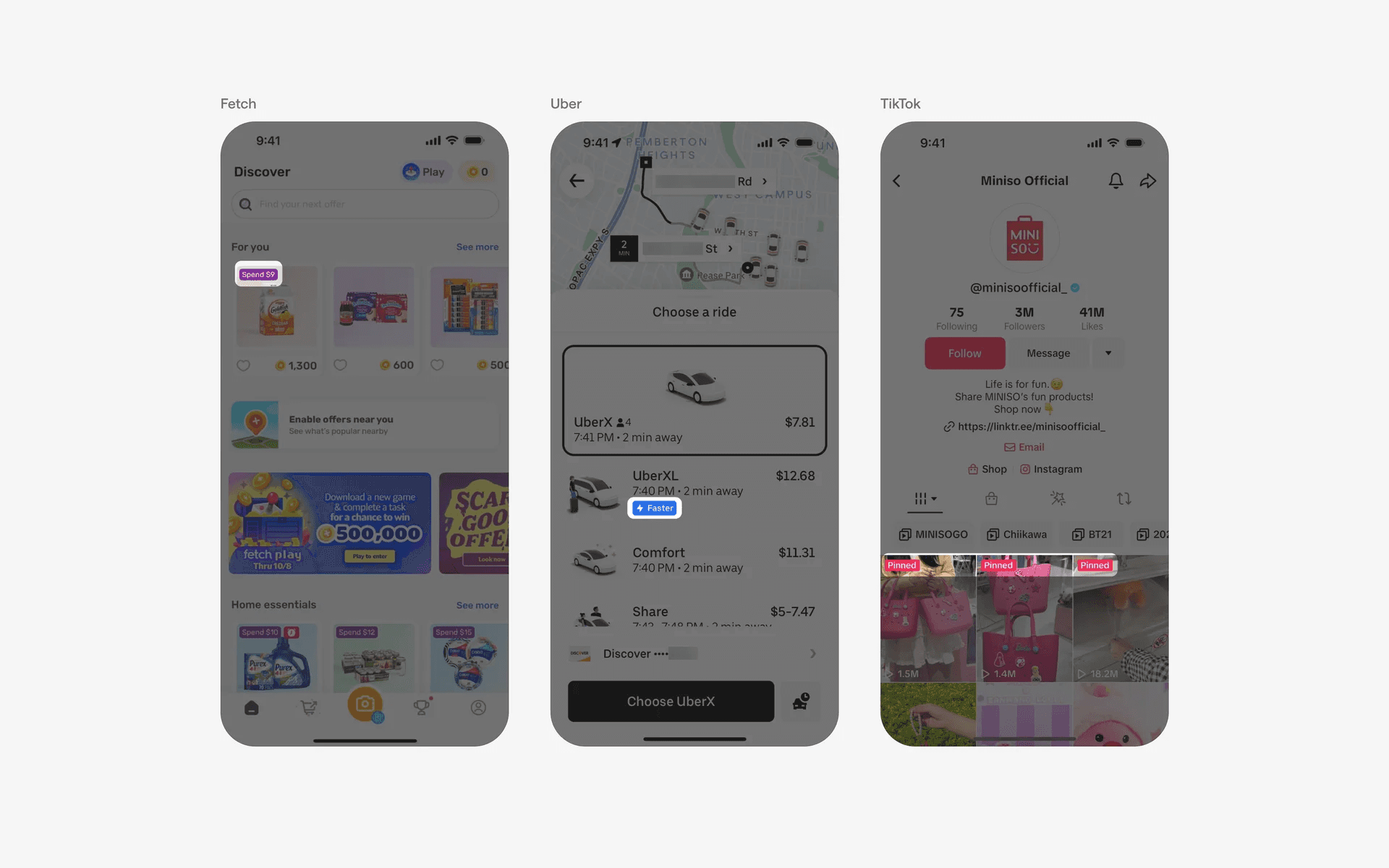
Examples of rounded badge component.
Finally, some brands like Amazon and Gojek prefer have funkier shaped badge UI.
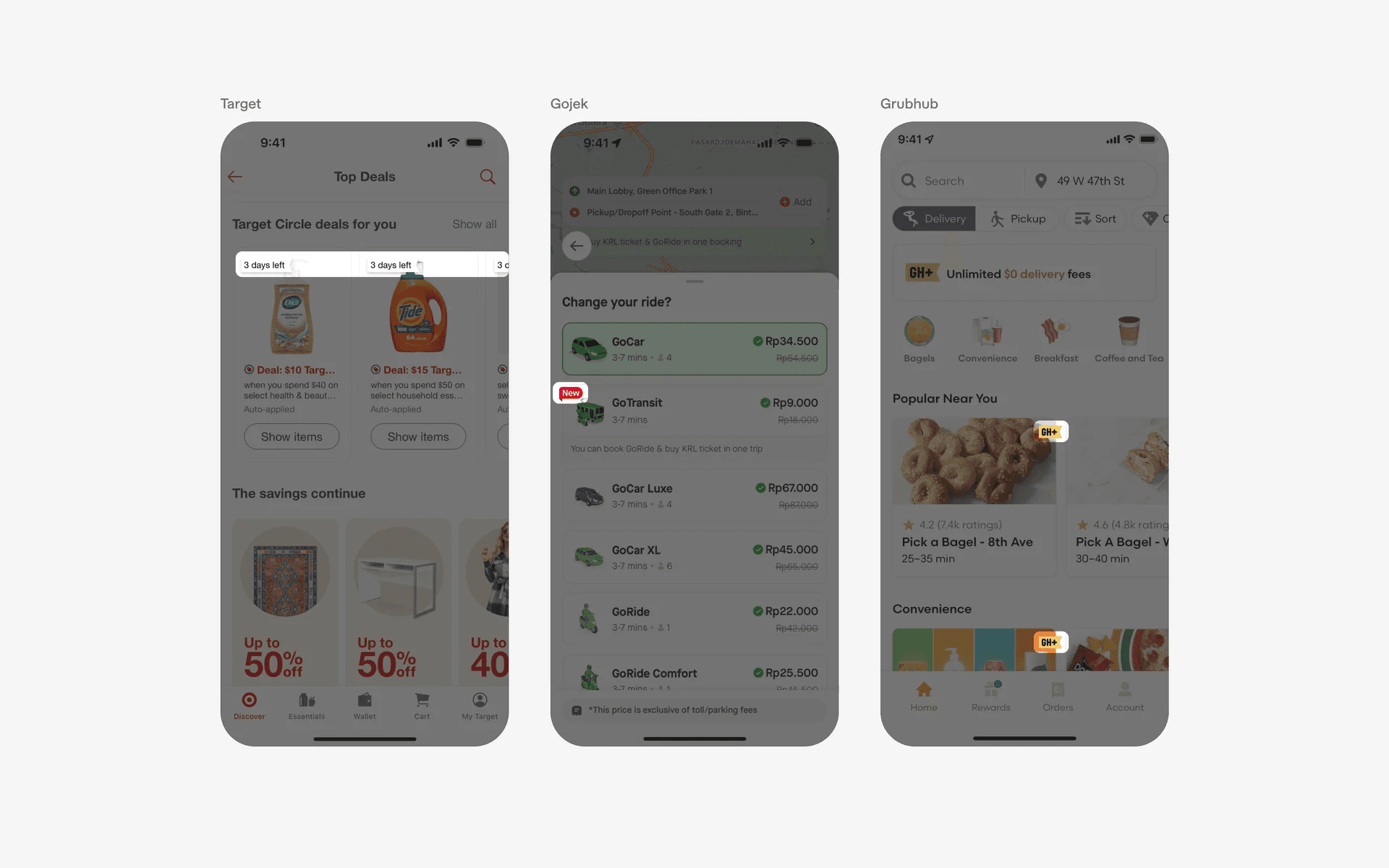
Examples of funky badge component.
2. Badge positioning relative to parent UI element
When designing badges, one should consider different approaches to positioning a badge relative to it's parent UI element.
A common approach is to position a badge in a list format.
This works well as a tag for list items, a good example would be SoundCloud's following screen - badges are used to differentiate between verified and unverified users in a list view.
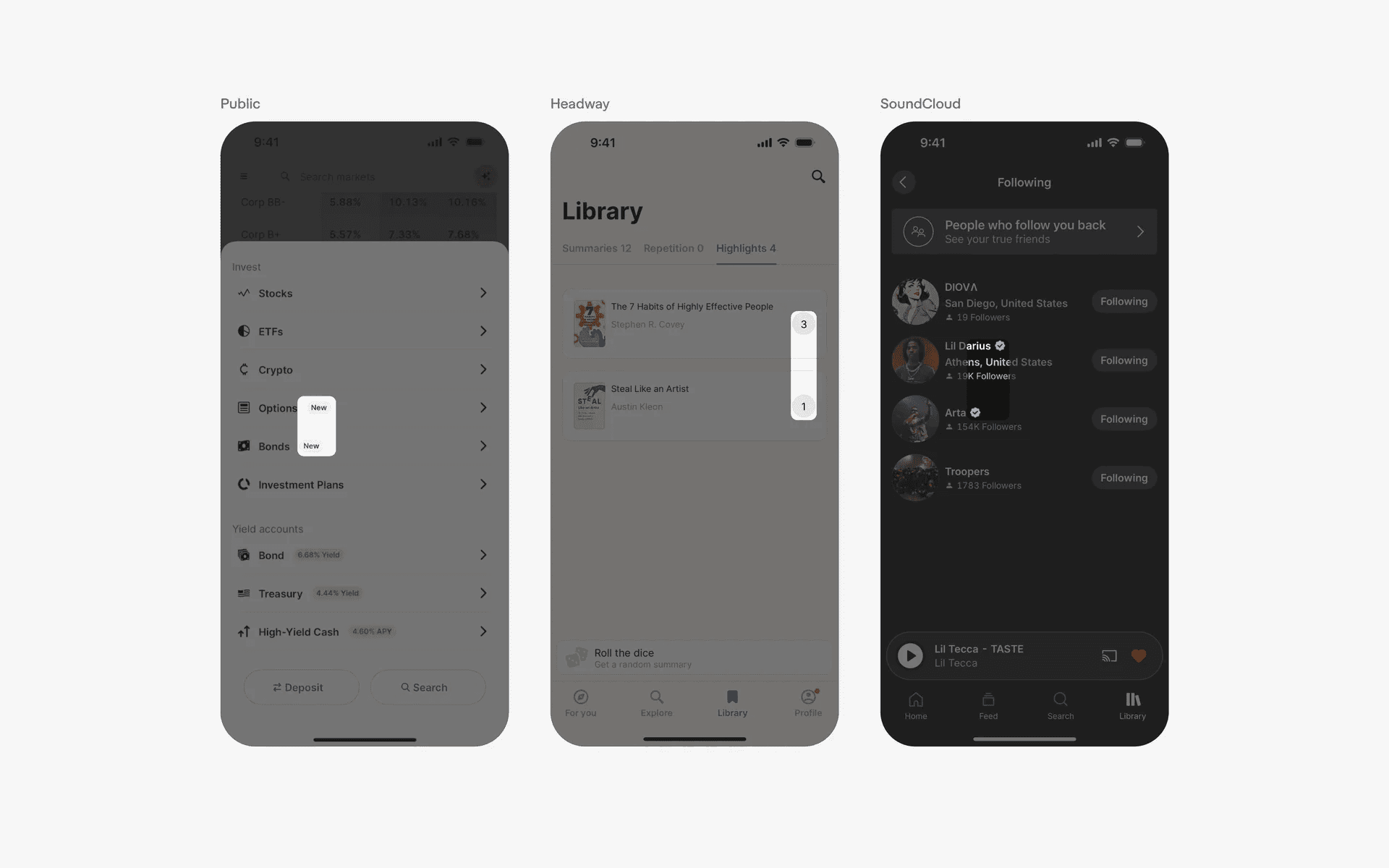
Examples of badges in list format
For notifications or incoming messages, it is common to have badge indicators on the corner of a parent UI element.
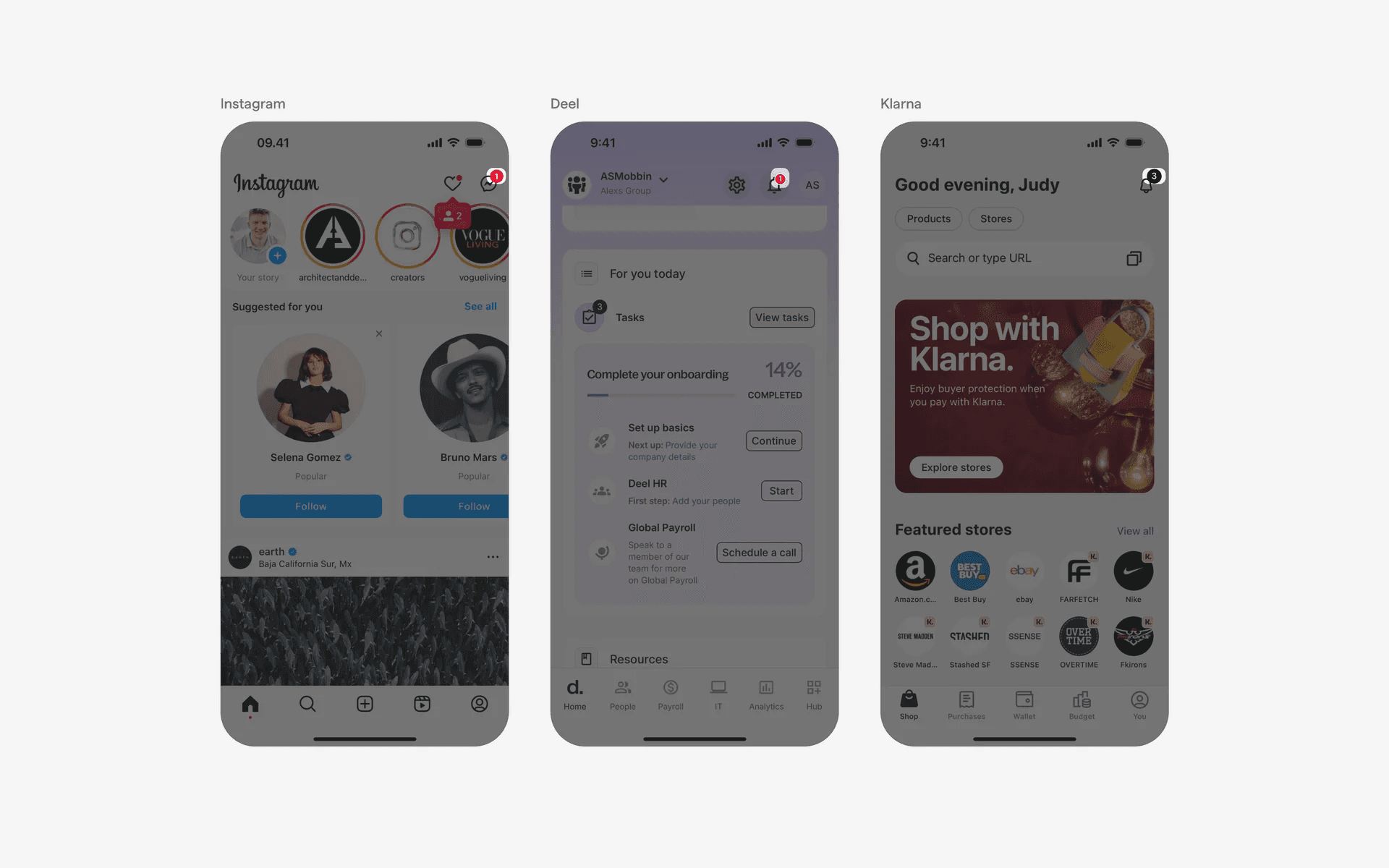
Examples of badges at corner of an element
Finally, consider embedding a badge inside the parent element itself.
This is a common design pattern for filtering chips for both mobile & web interfaces as it clearly shows how many filter options have been selected.
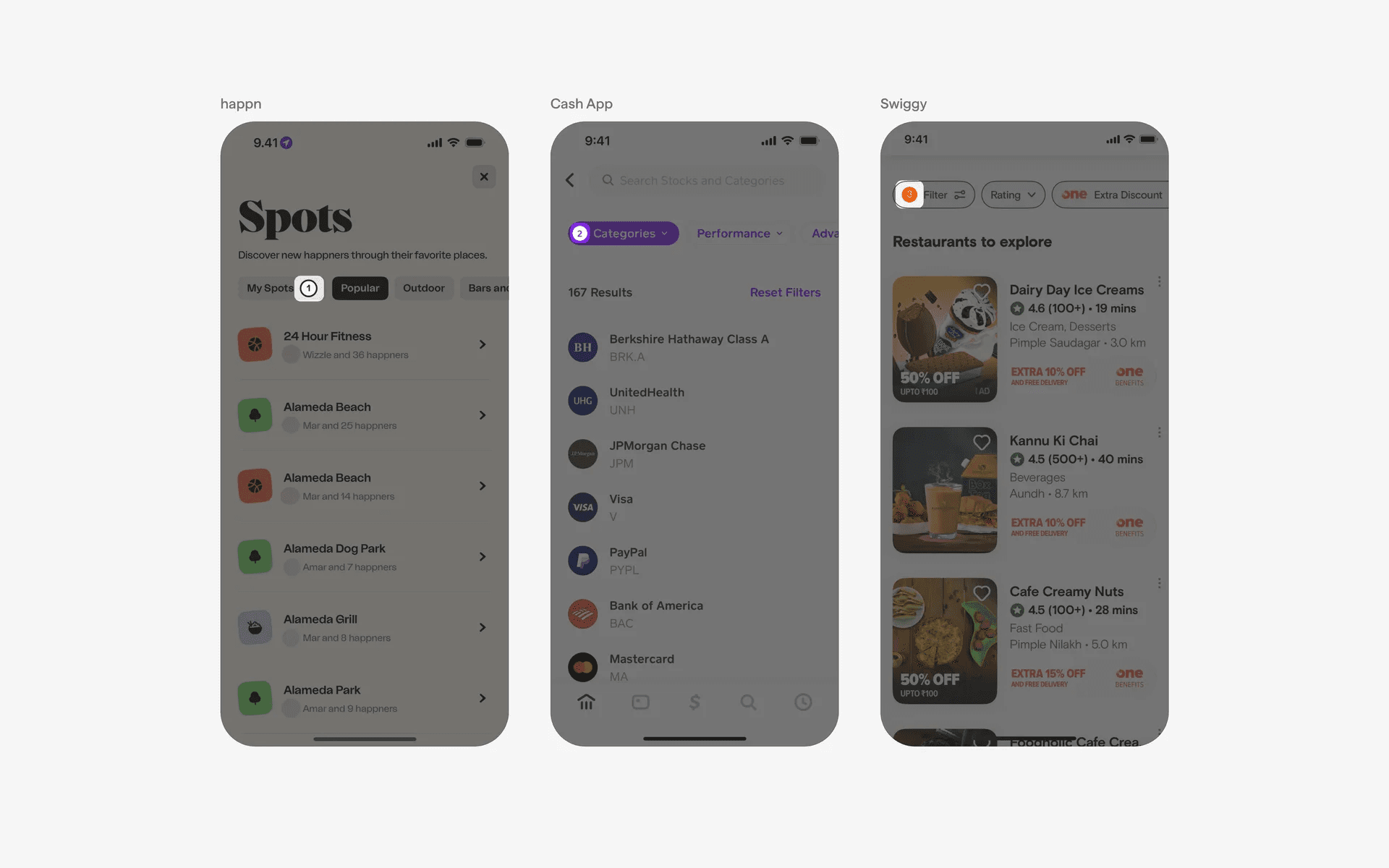
Examples of badges embedded in parent element
3. Icon-only badges
Another common UI design pattern is having icon-based badges. These serve as visual indicators to tell users additional information about the parent UI element.
For example, verification badges that indicate a 'verified profile' on social media or locked icons that indicate content locking.
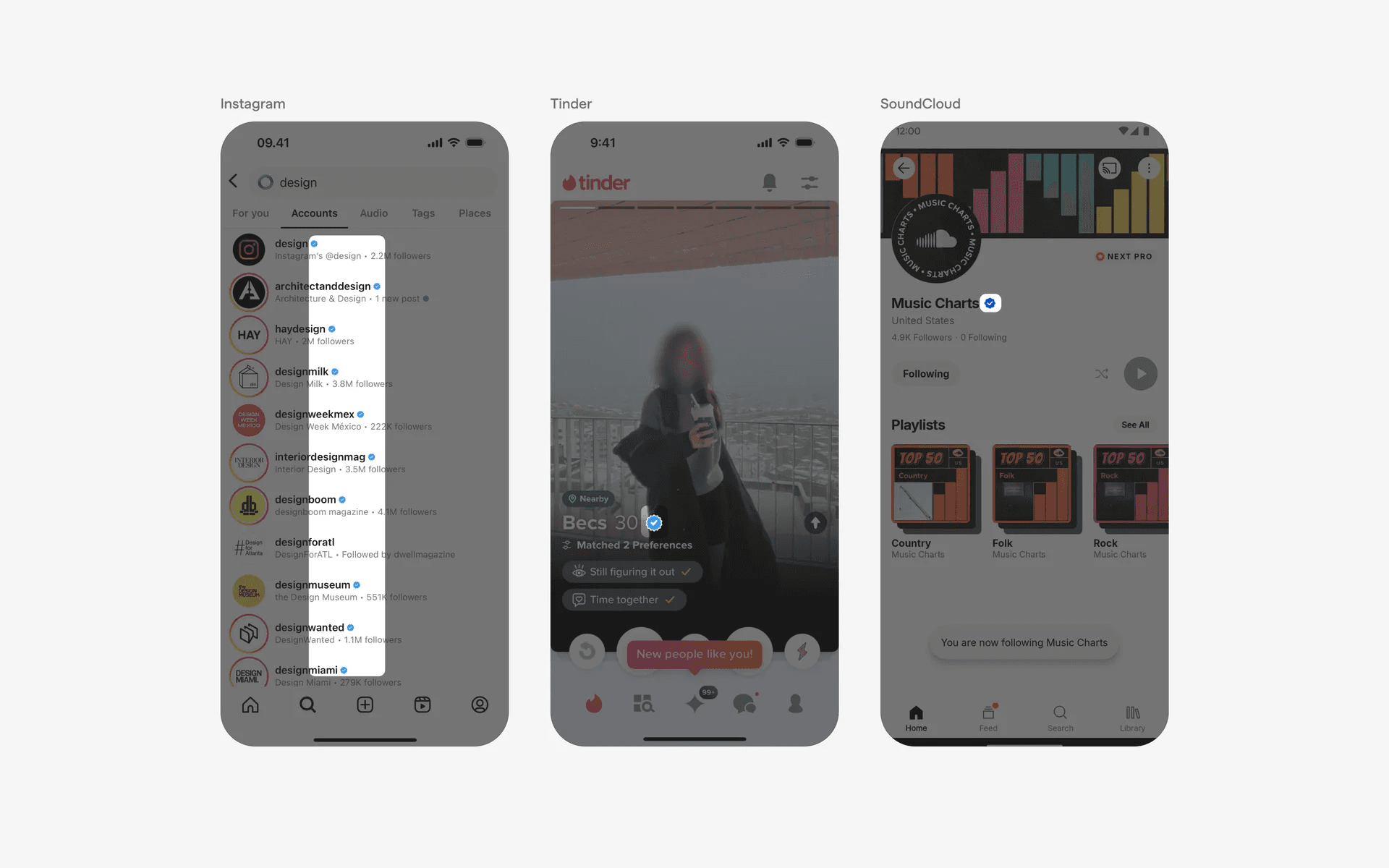
Examples of icon-only badges
When to use badges?
In-app message or notification
When there are unread or new incoming messages within the app, badges can be placed next to the message icon or within specific chat or communication features to indicate the number of unread messages.
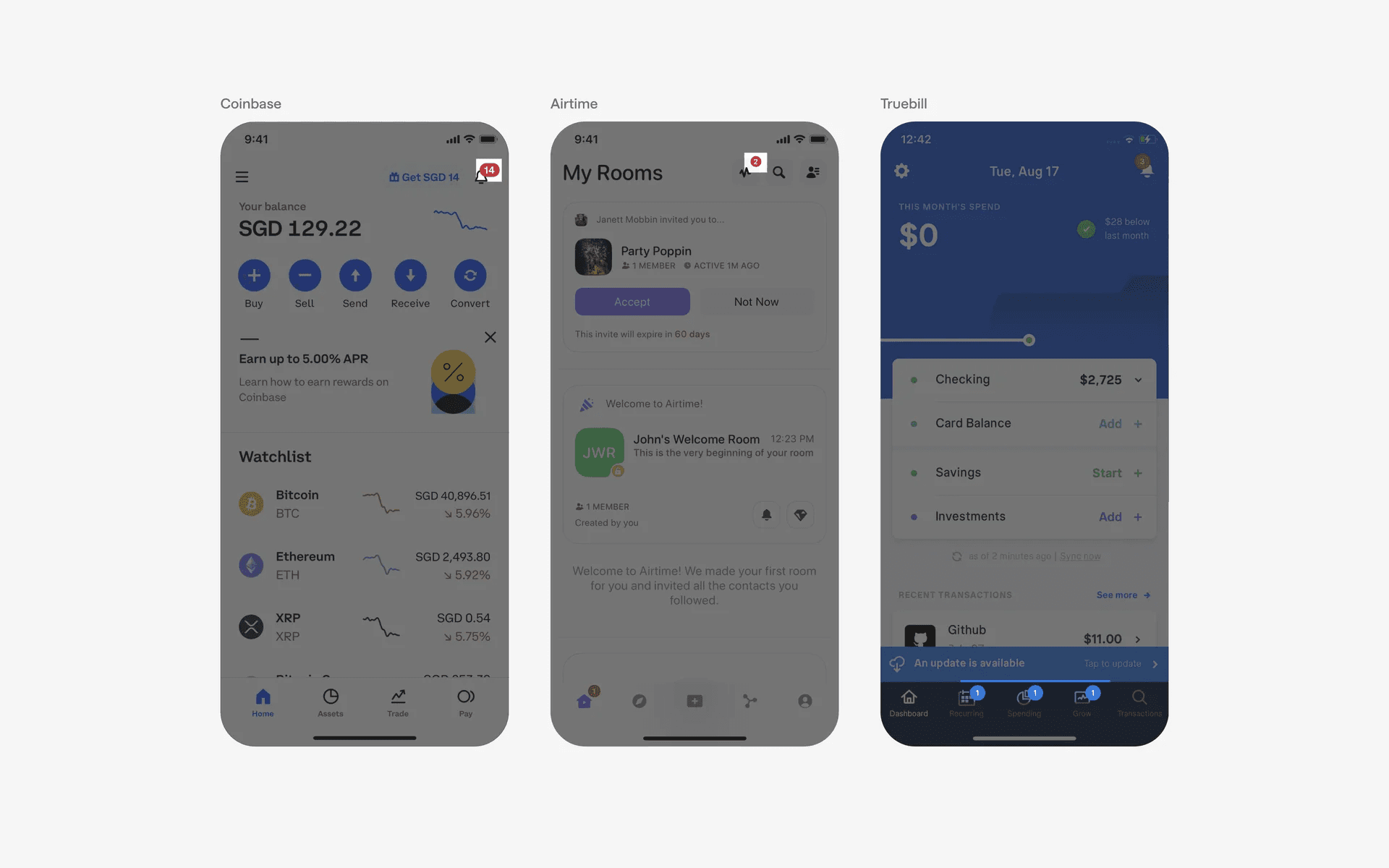
Examples of badges used in notifications
Promotions & Getting attention
Badges can be used to draw attention to updates or new items. For example, an app might display a badge on an item if there are new options or changes that require the user's attention.
It is common to see badges that say 'New', 'Most Popular', 'Buy 1, 'Get 1 Free'.
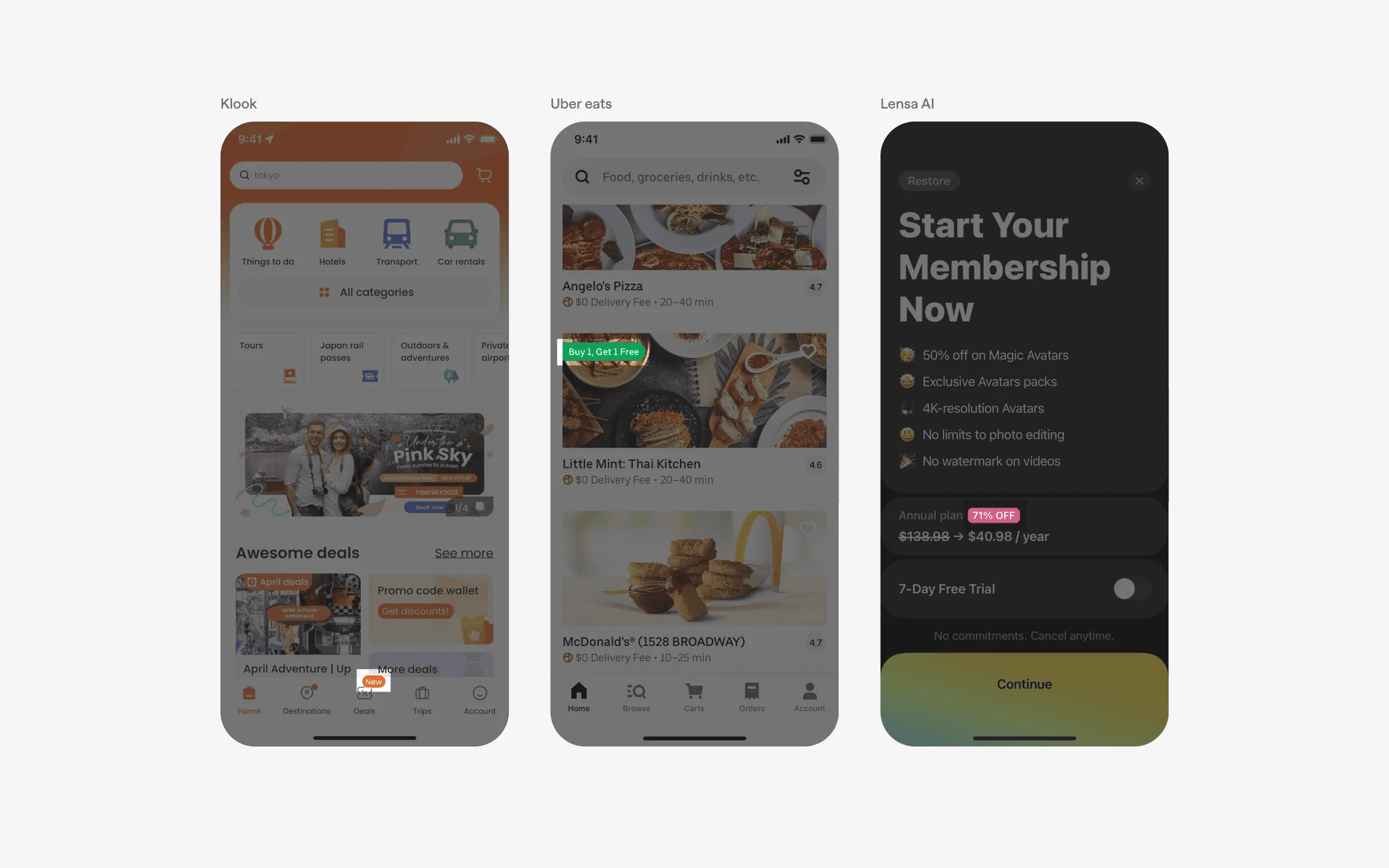
Activity indicators
Badges can be used to represent ongoing or completed activities.
For instance, in a social media app, a badge may indicate the number of likes, comments, or shares on a post.
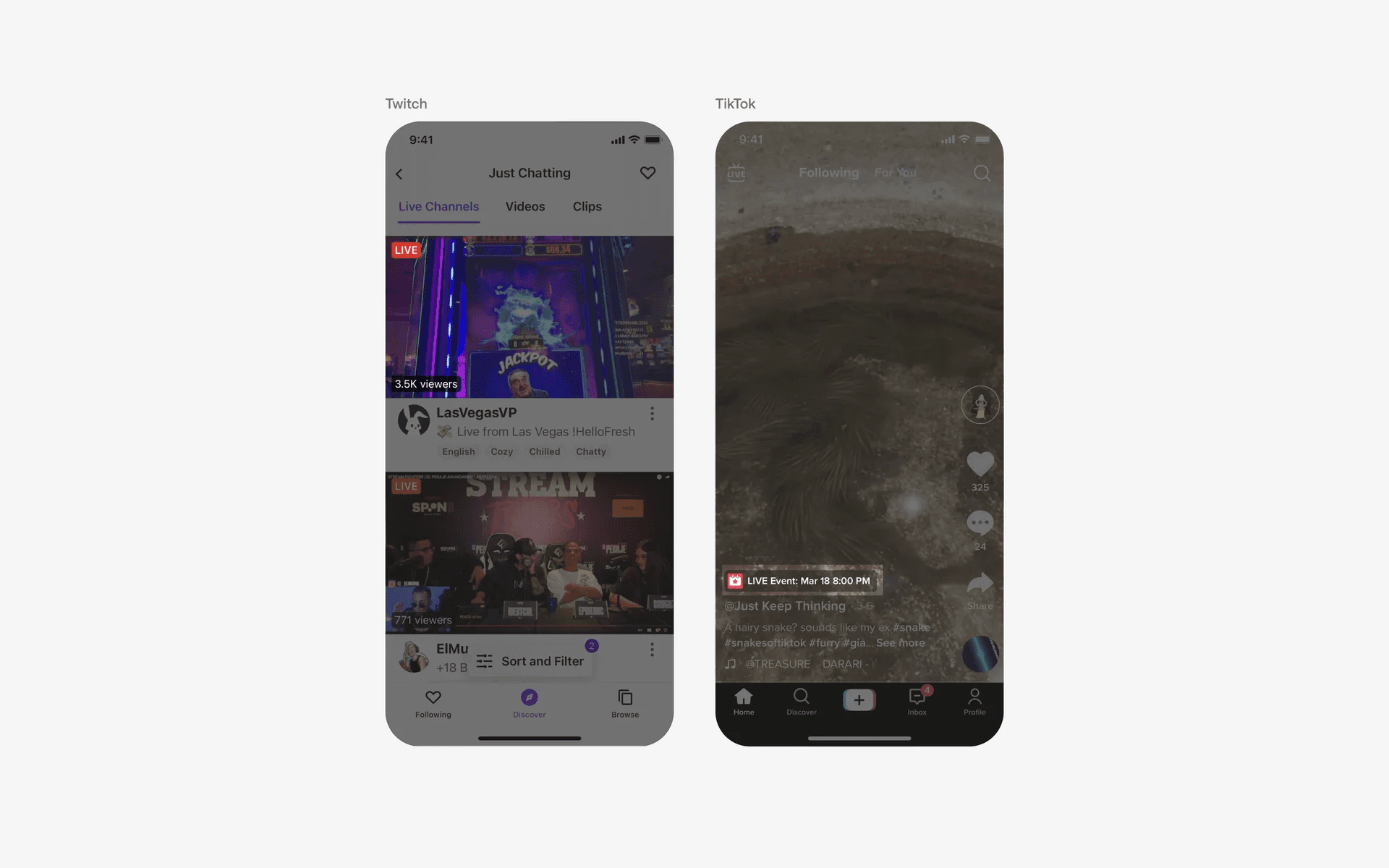
Examples of badges used as activity indicators
Conflicting UI elements: Chip, Status dot, Button, Icon
Badges v.s. Chips
A badge is used to display information or indicate a status.
Badges can be used to display a count, such as the number of items in a shopping cart, or to indicate a status, such as whether an item is featured or has been marked as important.
On the other hand, chips are interactable elements that are used to categorise, select, or even filter content.
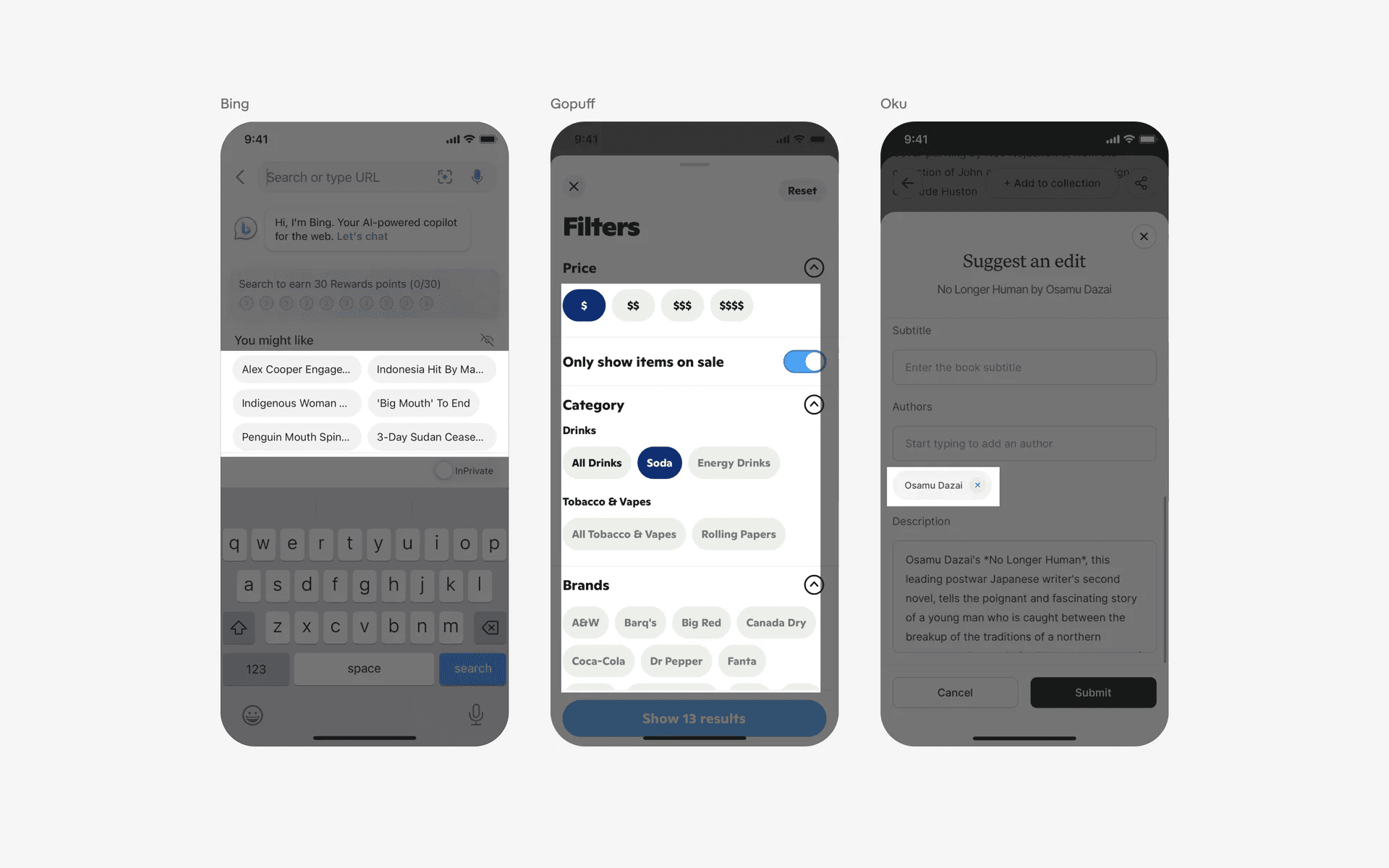
Examples of Chips
Badges v.s. Signal dots
The purpose of status dots is to convey a discrete, binary state, while count indicators are used to convey a numerical quantity. Whenever a text or number is absent, it is a signal dot.
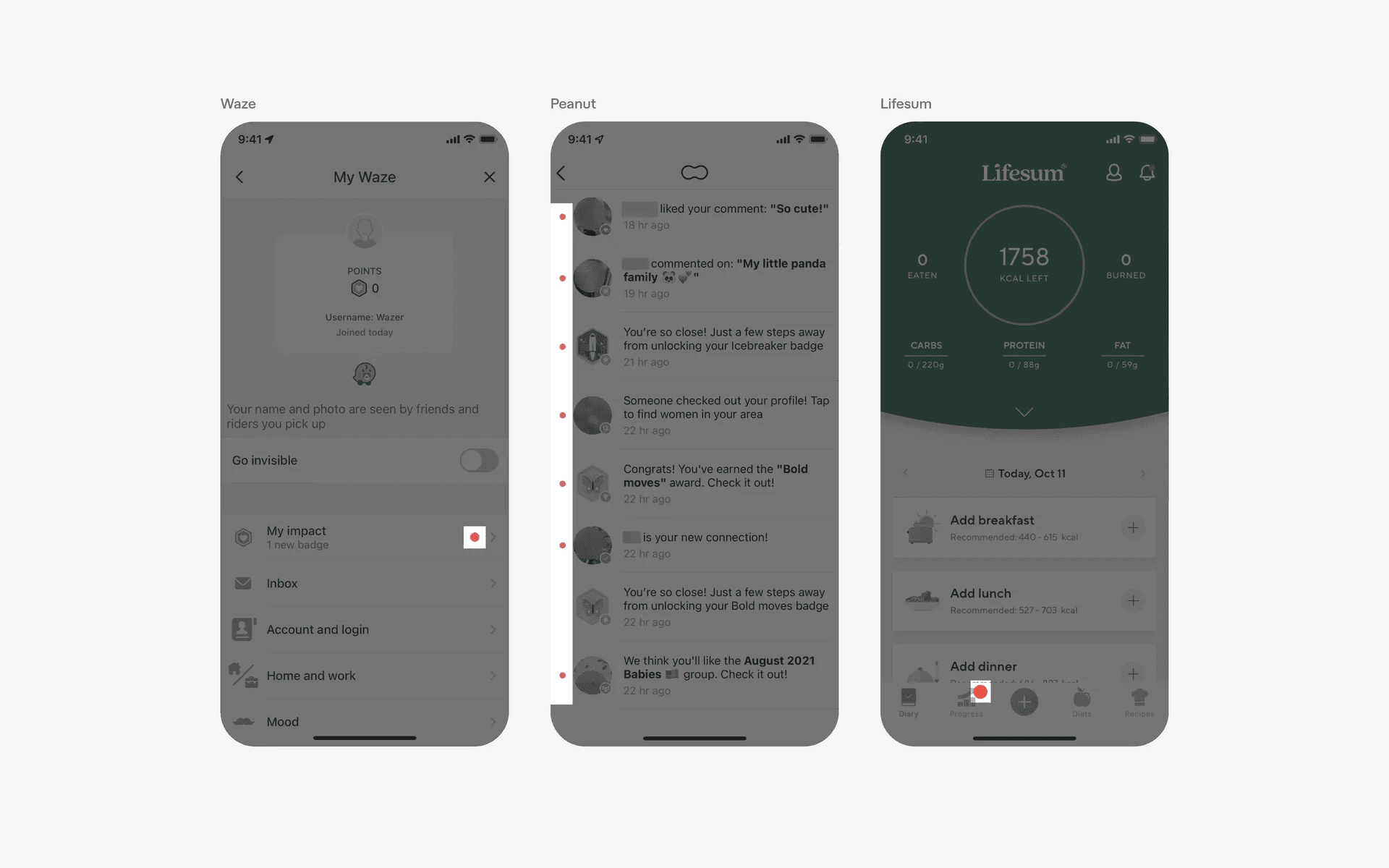
Examples of signal dot
Badges v.s. Buttons
Despite its visual appearance, buttons are used for a specific purpose which is to start or confirm an action. As such, the text they contain will be action-related (e.g add, verify, create, etc.).
On the other hand, a badge is simply used to convey information or the status of a process (e.g verified, new, recommended). Furthermore, a badge is non-interactable and does not require any user interaction or input.
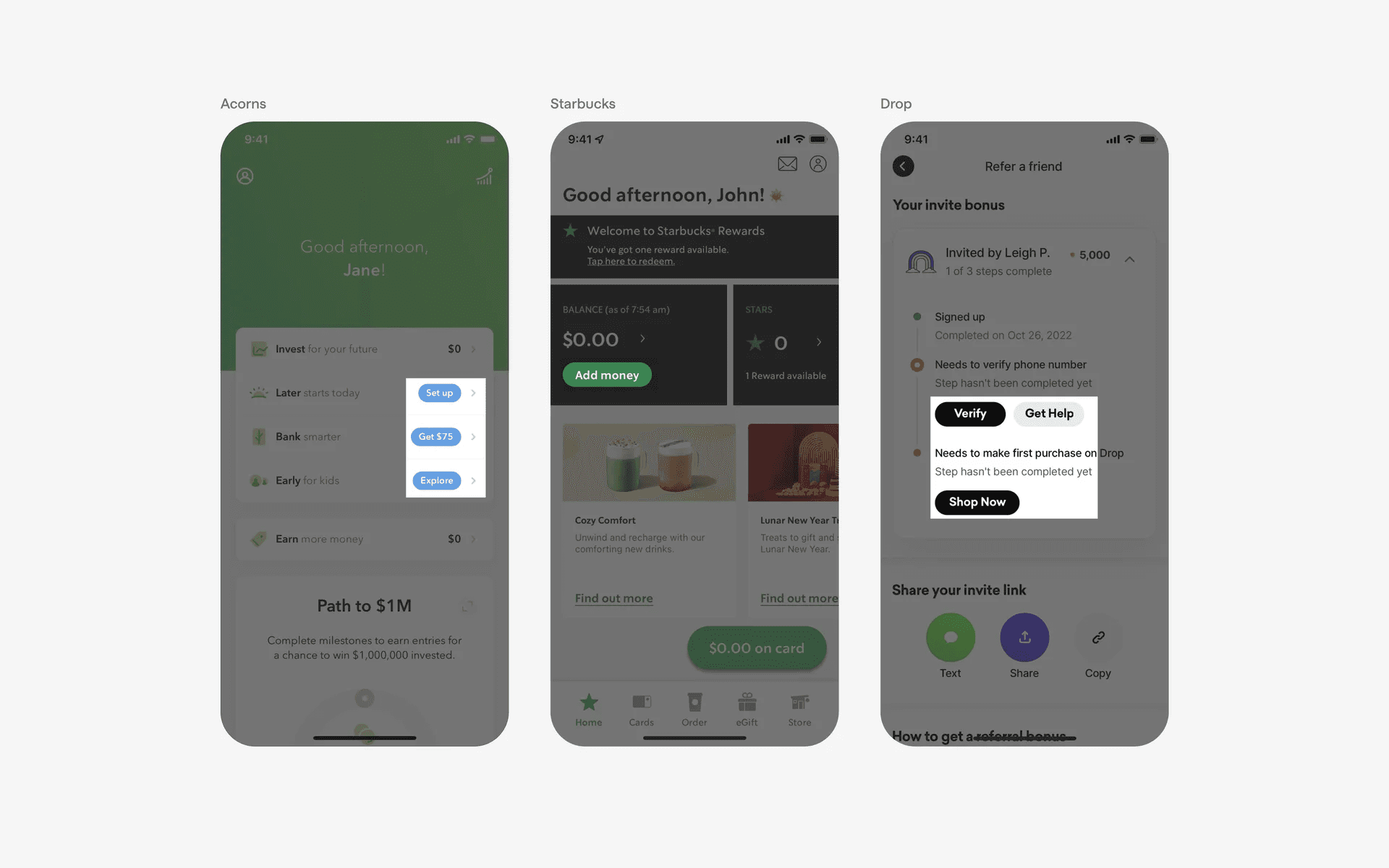
Examples of buttons
Badges v.s. Icons
Some icons may be confused with icon-only badges. However, most icons are used as supplementary design elements for decorative purposes. There are also cases where icons are interactable.
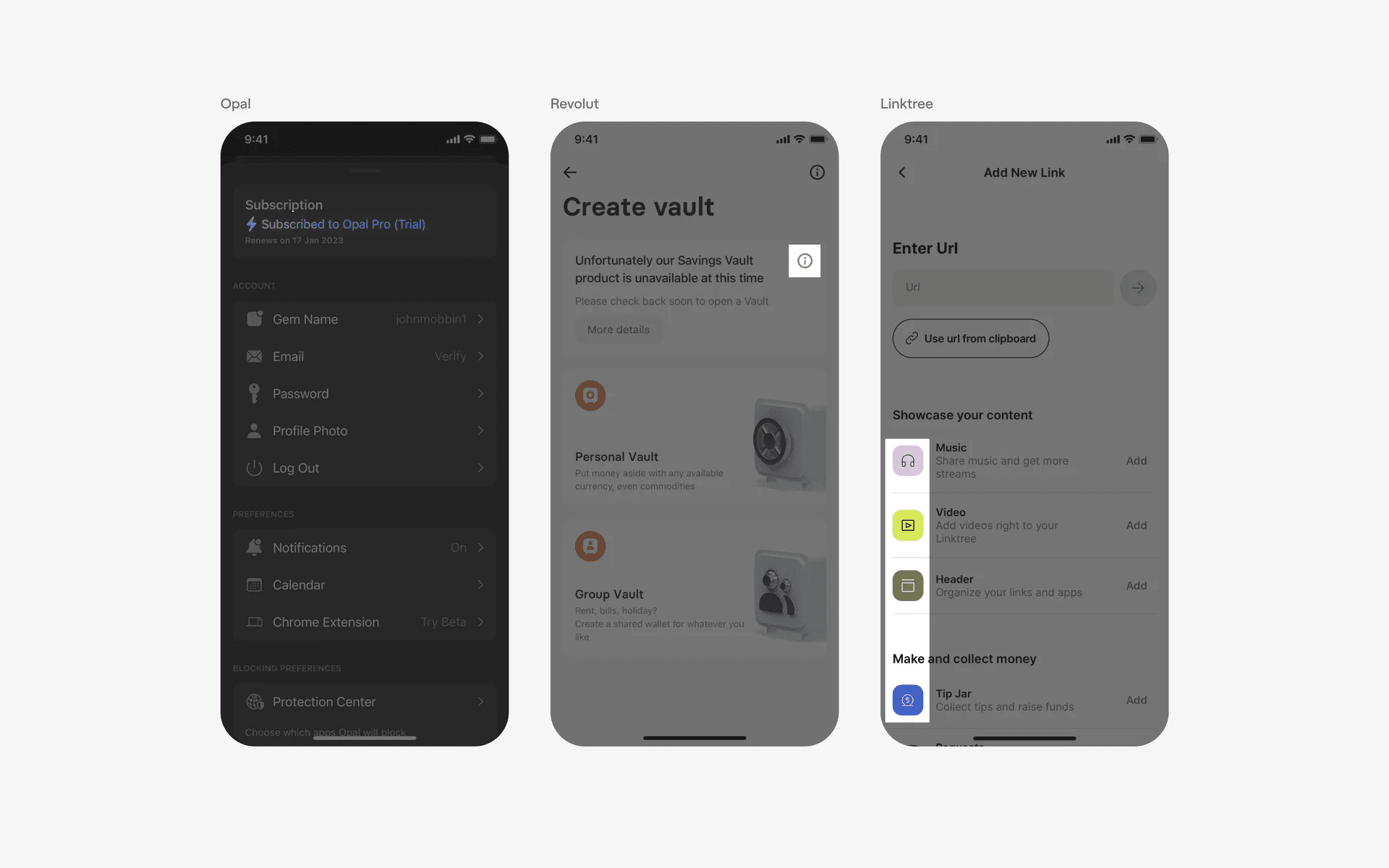
Example of Icons