Action Sheet UI

What is a action sheet UI component?
Action Sheet is a specific style of menu that presents a set of actions or options. It is a type of overlay that presents actions, or choices related to an action being taken.
The design style was originally native to iOS, but has since been popularized and replicated as a common design pattern.
It is common for destructive buttons or actions to have red text color.
We've observed some apps taking inspiration from that and designing similar non-native action sheet menus.
Note that action sheets are not connected to the edges of the screen, while bottom sheets are.
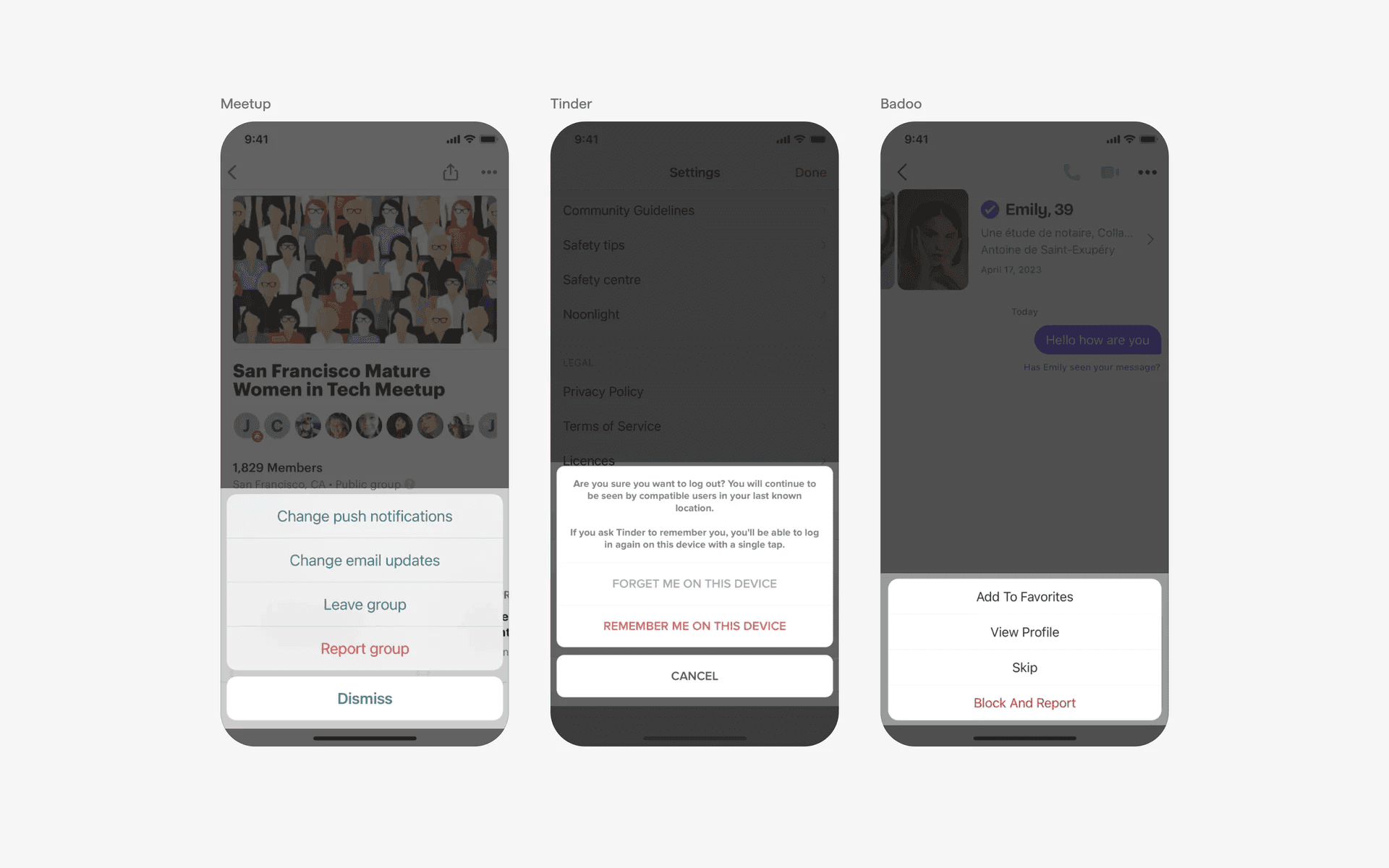
Examples of action sheets
What is the anatomy of an action sheet?
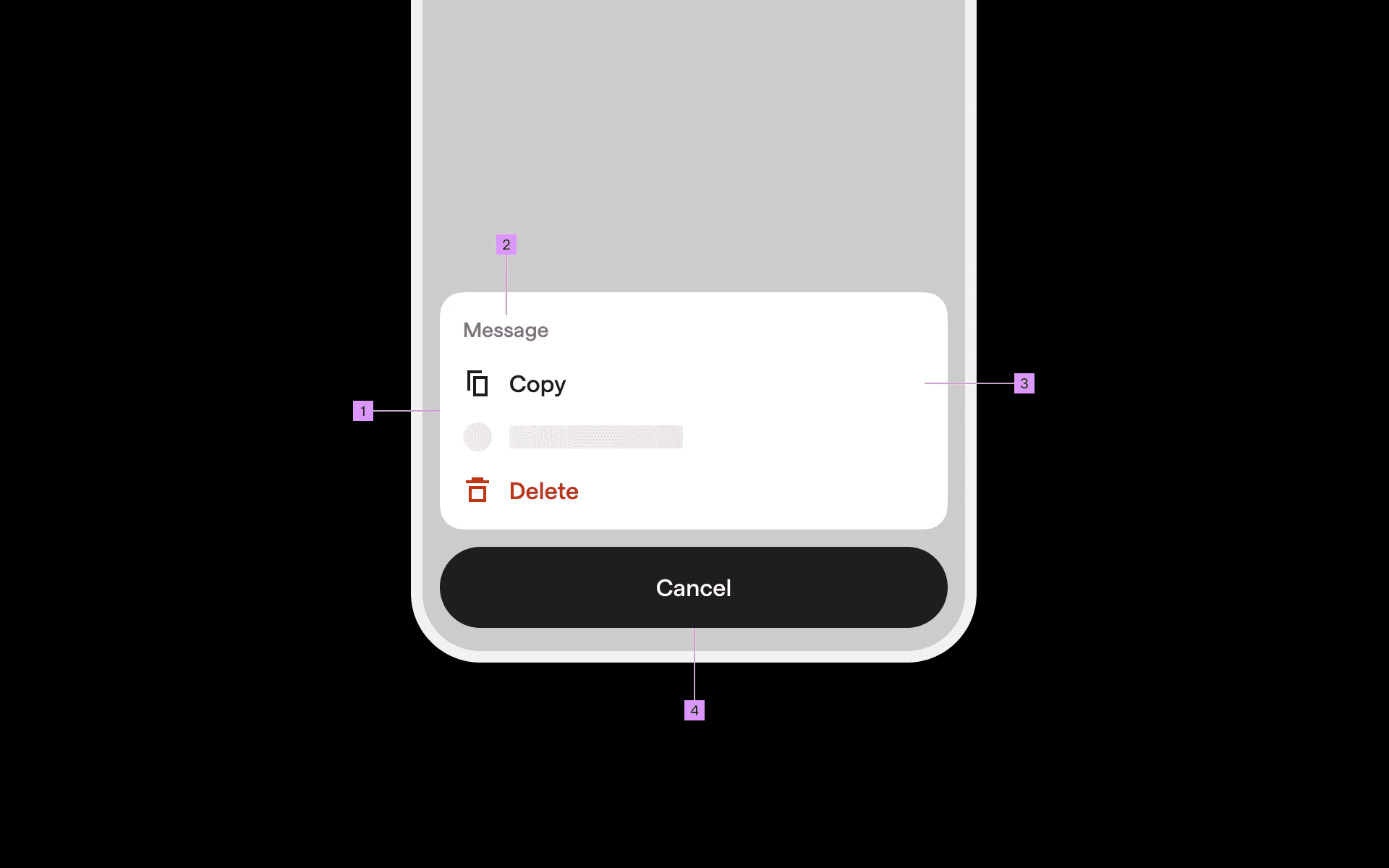
Anatomy of action sheet
1
Action sheet label
2
Action sheet options
3
Action sheet container
4
Cancel button
What are the design variants of an action sheet?
We studied over 200+ action sheet UI components on Mobbin, from real-world examples and found the following variants.
1. Varying number of action options
We recommend having less than 5 options to reduce cognitive load for users, but we've seen action sheets with more options.
Here is an action sheet example with many action options.
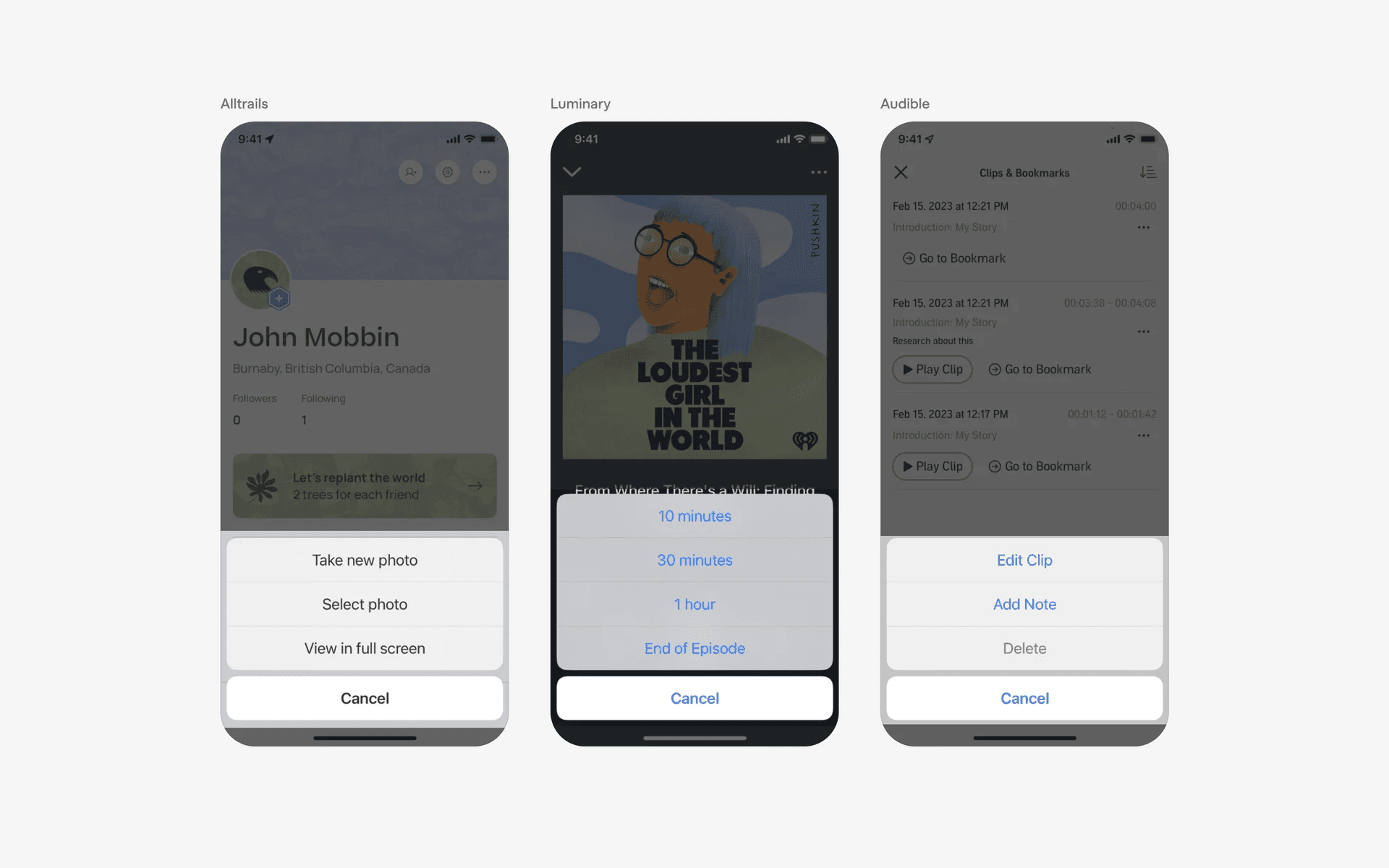
Example of action sheet with many options
And, an action sheet with only a single action option.
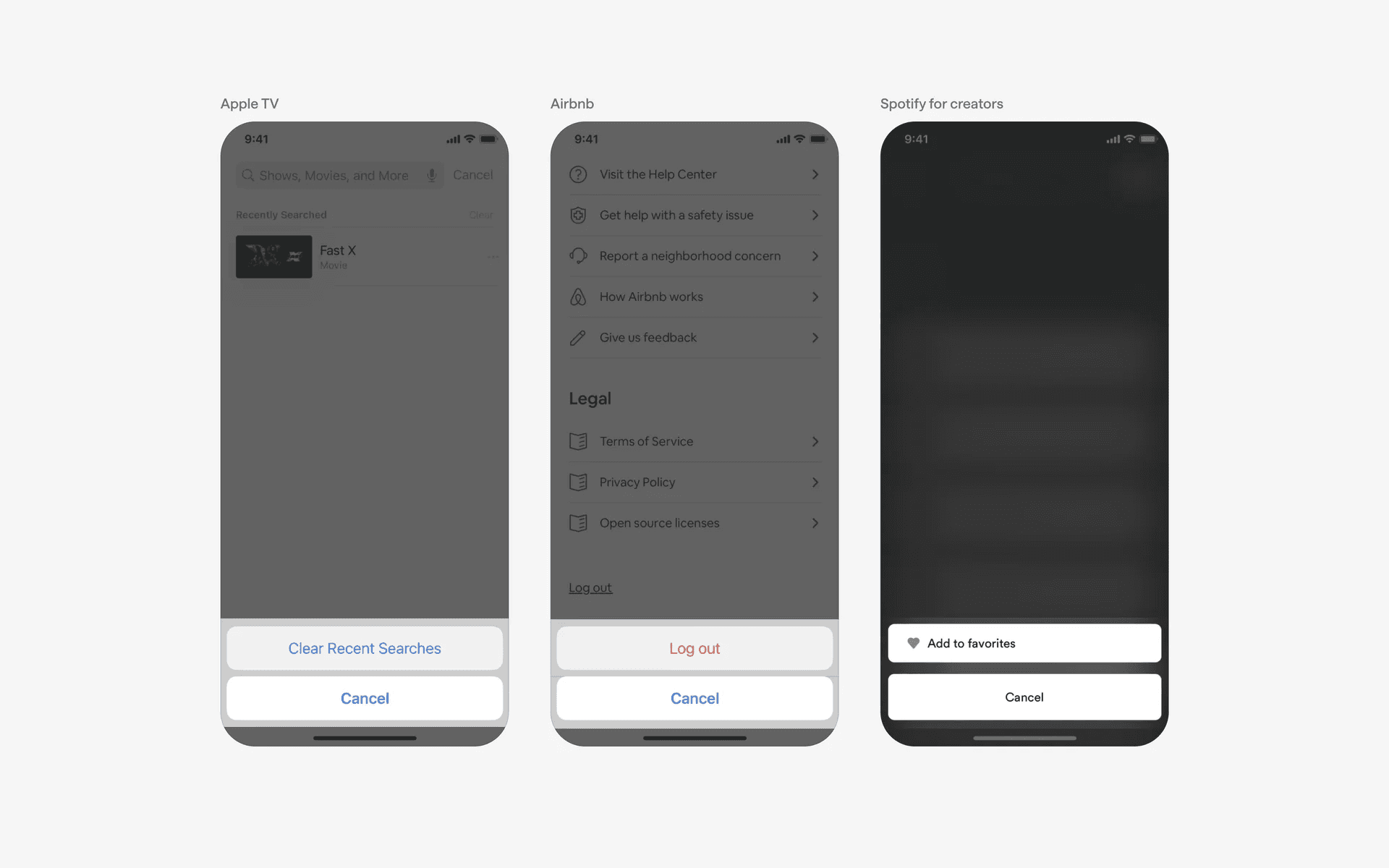
Example of action sheet with one example.
2. Give additional context with title labels
In some situations, it might be useful to introduce title labels to give users more context on what these actions apply to.
For example: "Choose an image", or, "This download will permanently be deleted from your device".
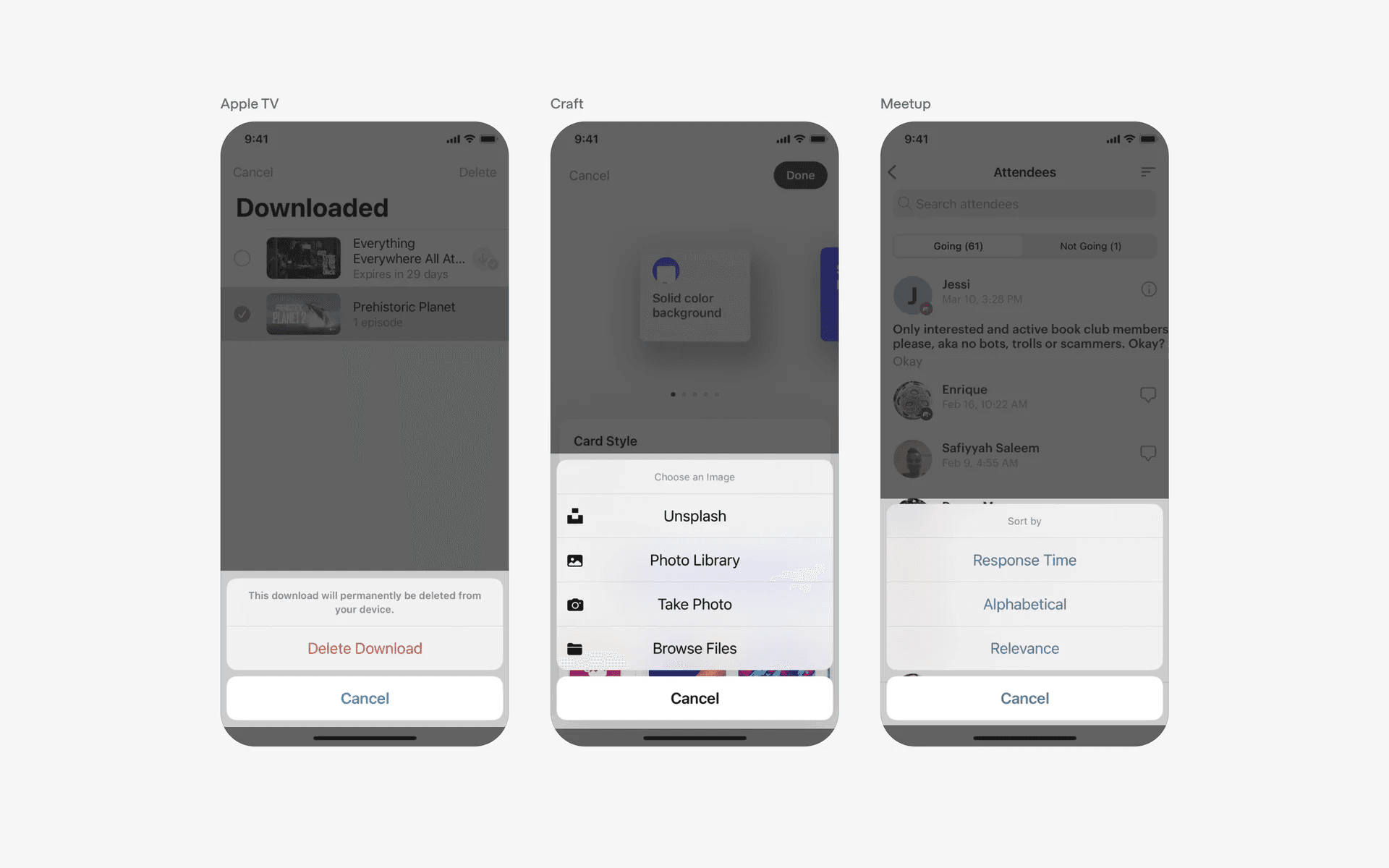
Example of action sheet with title labels
3. Action sheet cancel buttons can have different variants
Here are different copies used in cancel buttons, "Done", "Close", "Nevermind"
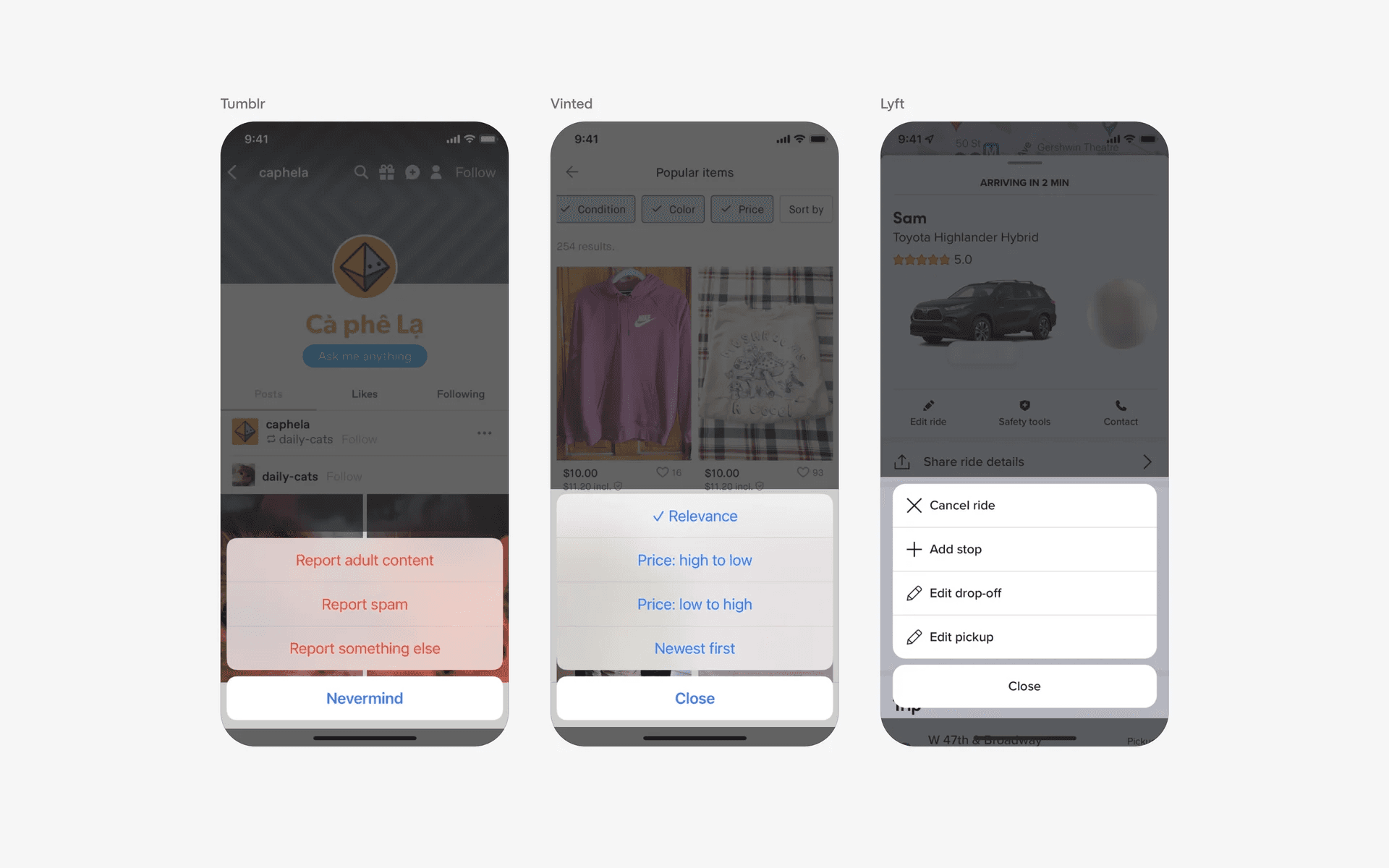
Example of action sheet with different cancel buttons
In rarer cases, action sheets without cancel buttons also exist. To exit these action sheets, the user has to treat it like an overlay and click on the background to dismiss it.
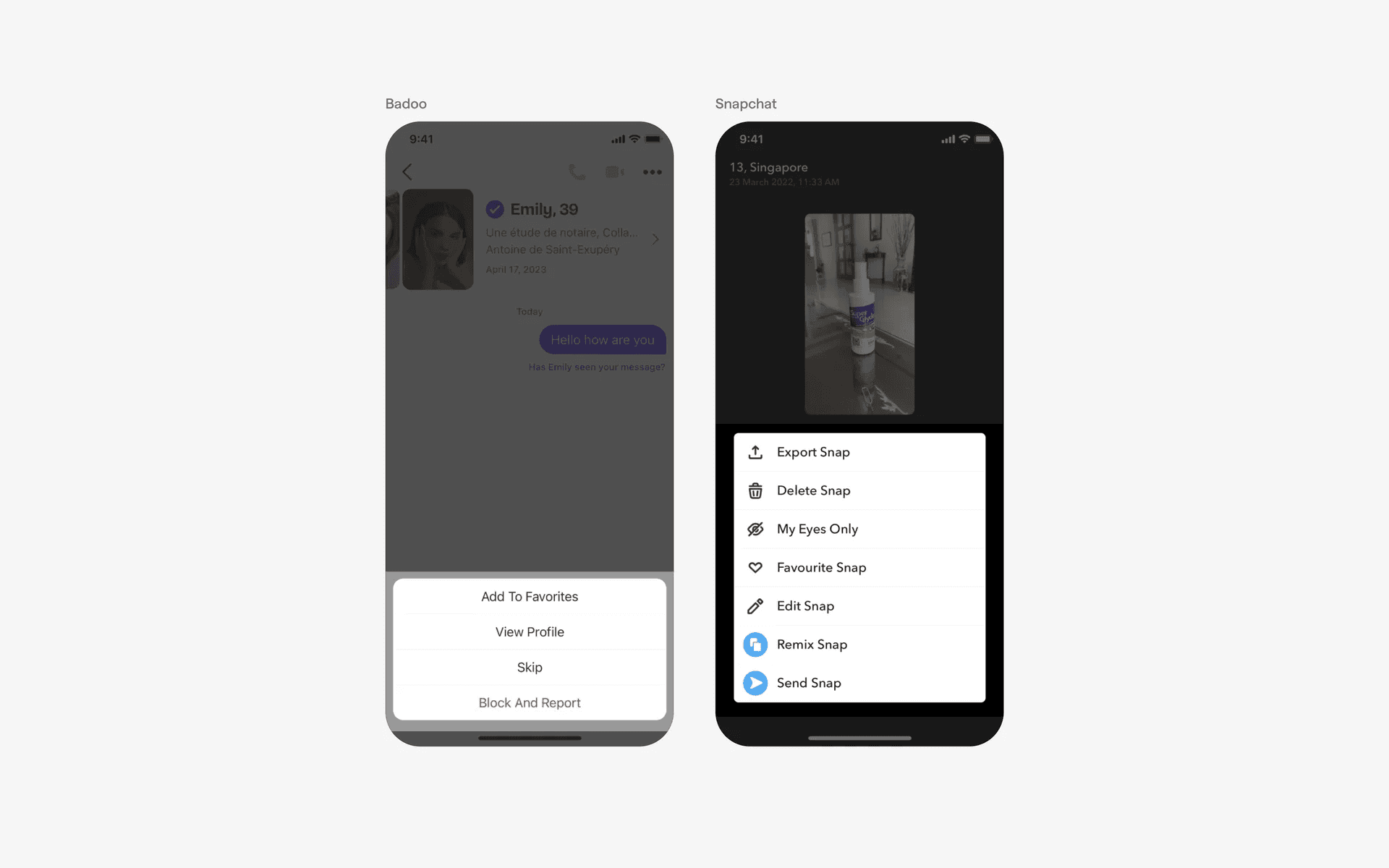
Example of action sheets with no cancel buttons.
4. Custom, non-iOS action sheet
While action sheets were introduced as the default system style on iOS, it has been so popular and useful and many apps have copied the interface style and gave it their own spin.
Here are some examples of action sheet design with custom branded UI.
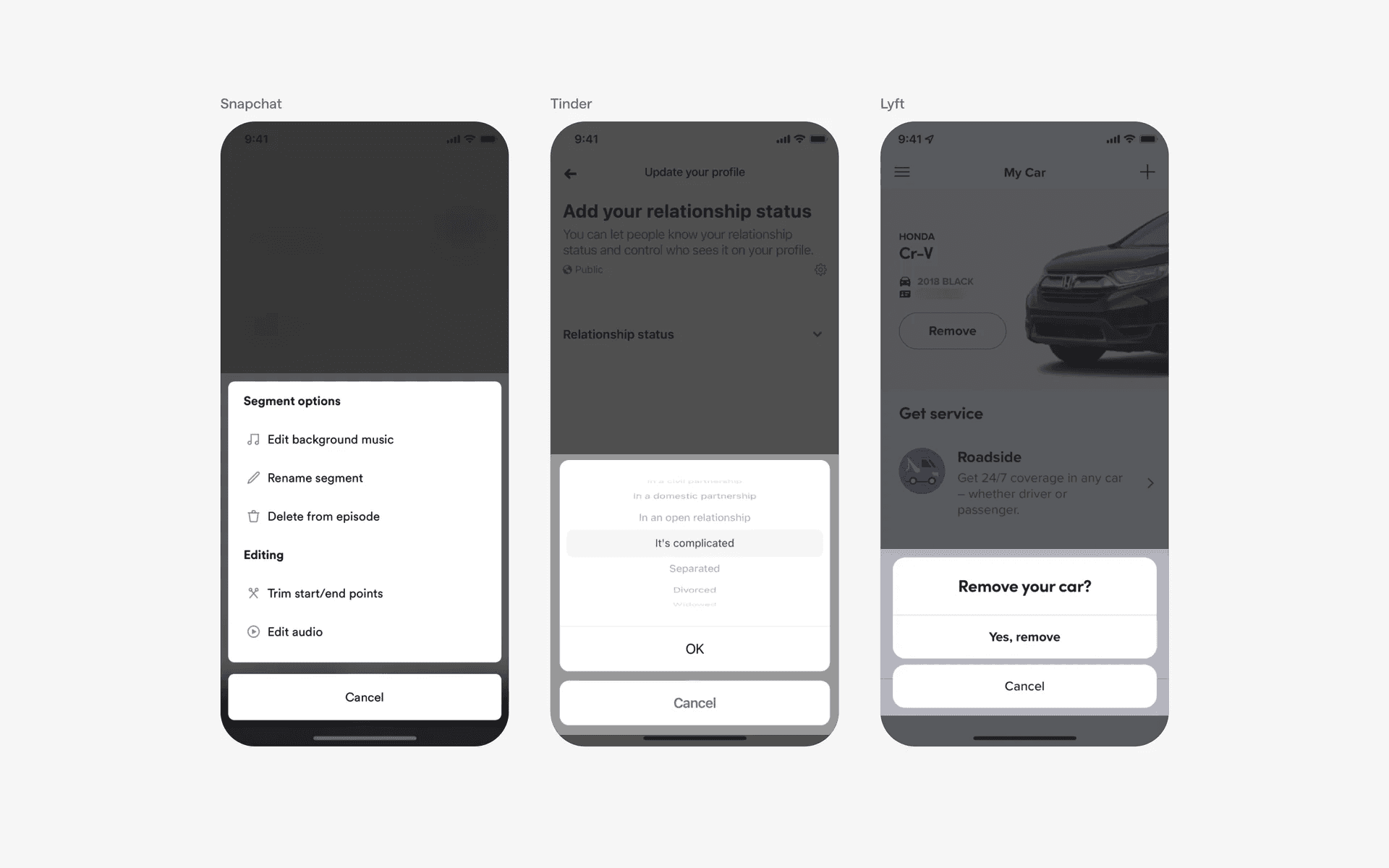
Examples of action sheet with custom branded UI
When to use a action sheet component?
Menu options
An action sheet can be used to display a set of actions or options related to a specific item or screen.
For example, in a messaging app, tapping on a message may bring up an action sheet with options like "Reply," "Forward," or "Delete.”
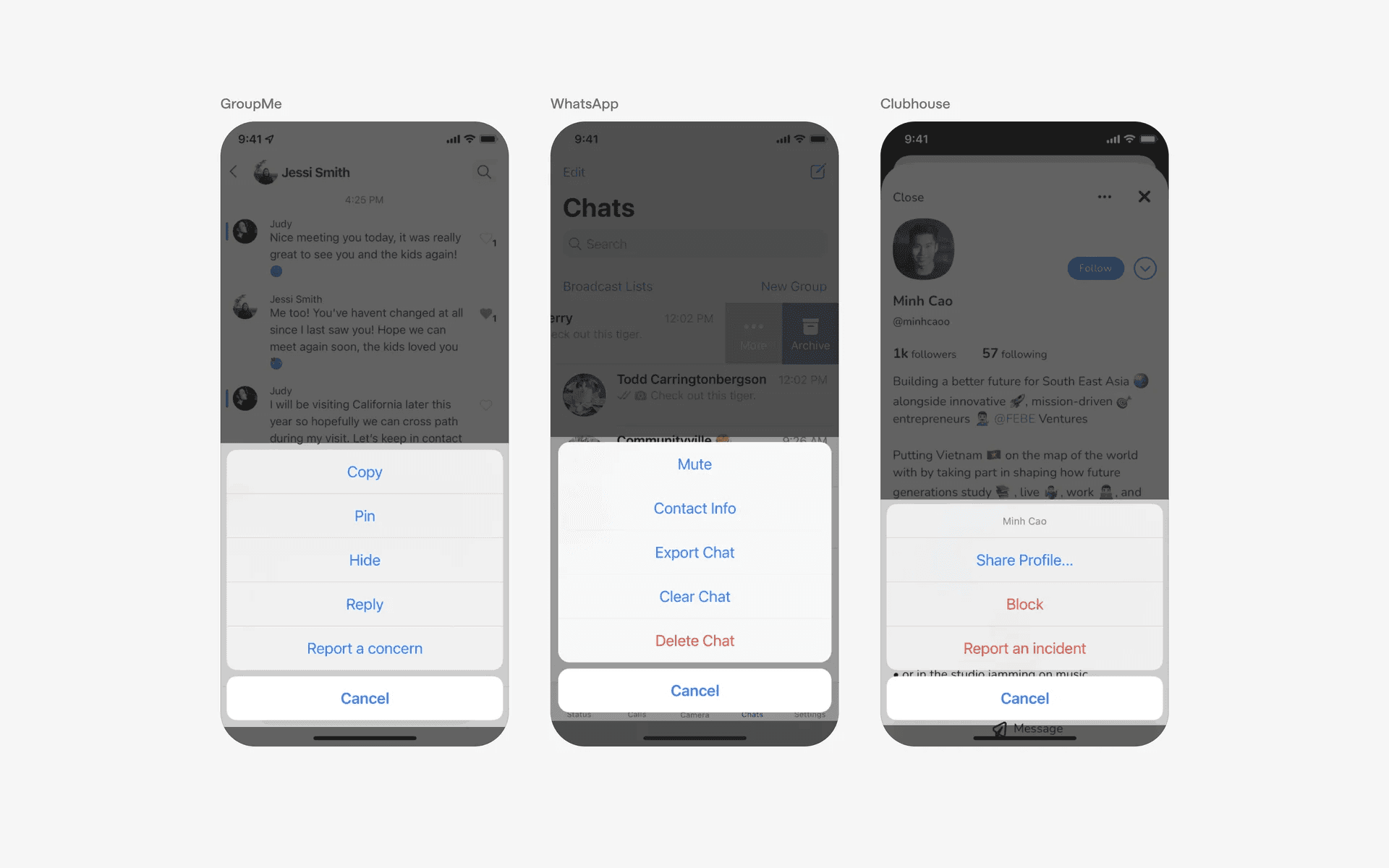
Example of action sheet in menu options - Note the red color on destructive actions like 'Block', 'Report', 'Delete'
Confirmation or alert dialogs
An action sheet can be used to display confirmation dialogs or alerts that require the user to take a specific action. You can consider using action sheet instead of a dialog.
For instance, when deleting an item or canceling a process, an action sheet can ask the user to confirm their decision with options like "Confirm" or "Cancel.” It is common for destructive options to have red text color.
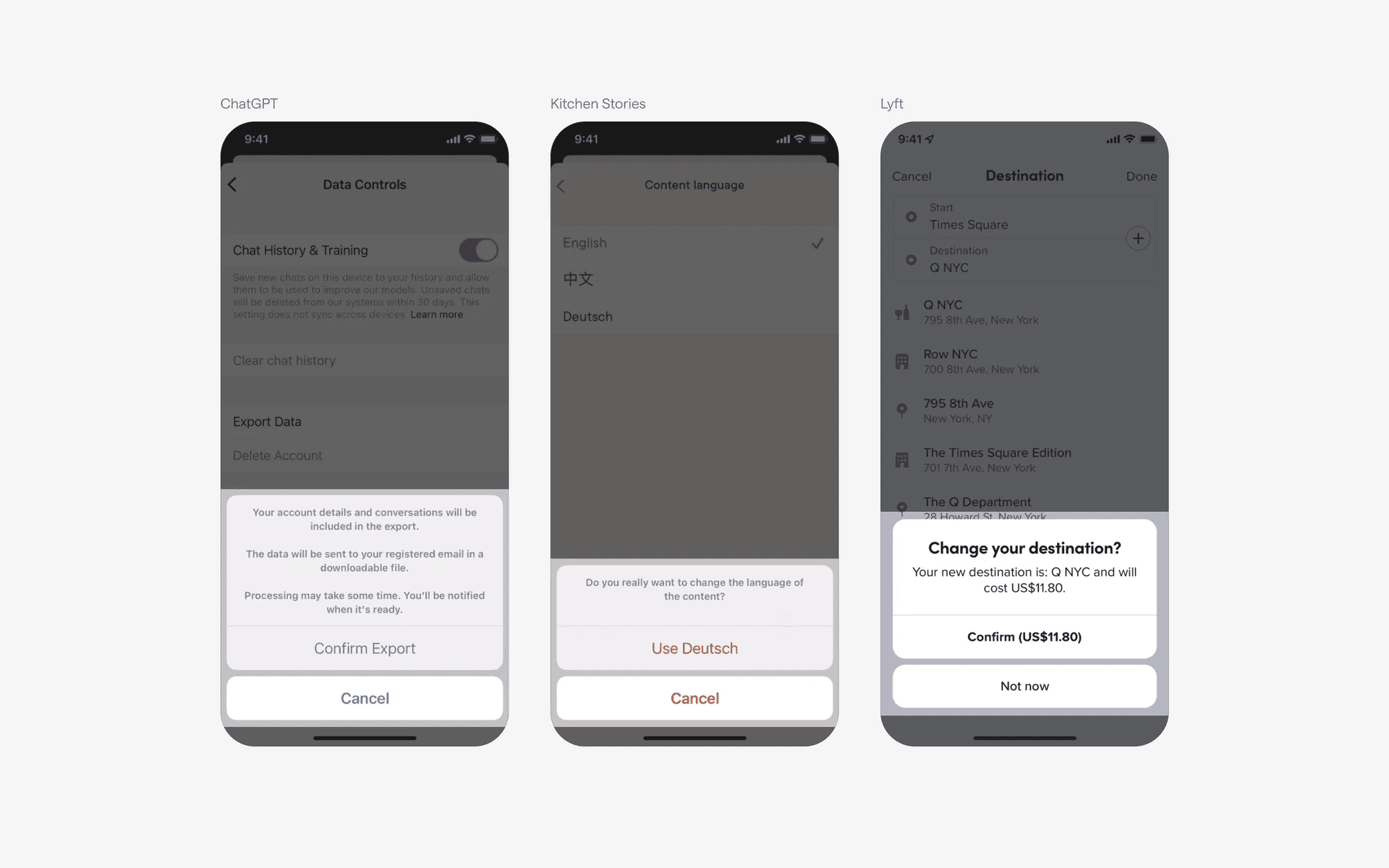
Examples of action sheet confirmation dialogs
Contextual actions
In certain contexts, an action sheet can be used to present a set of actions relevant to the current context.
For example, in a photo editing app, selecting a photo may display an action sheet with options such as "Edit," "Share," or "Delete."
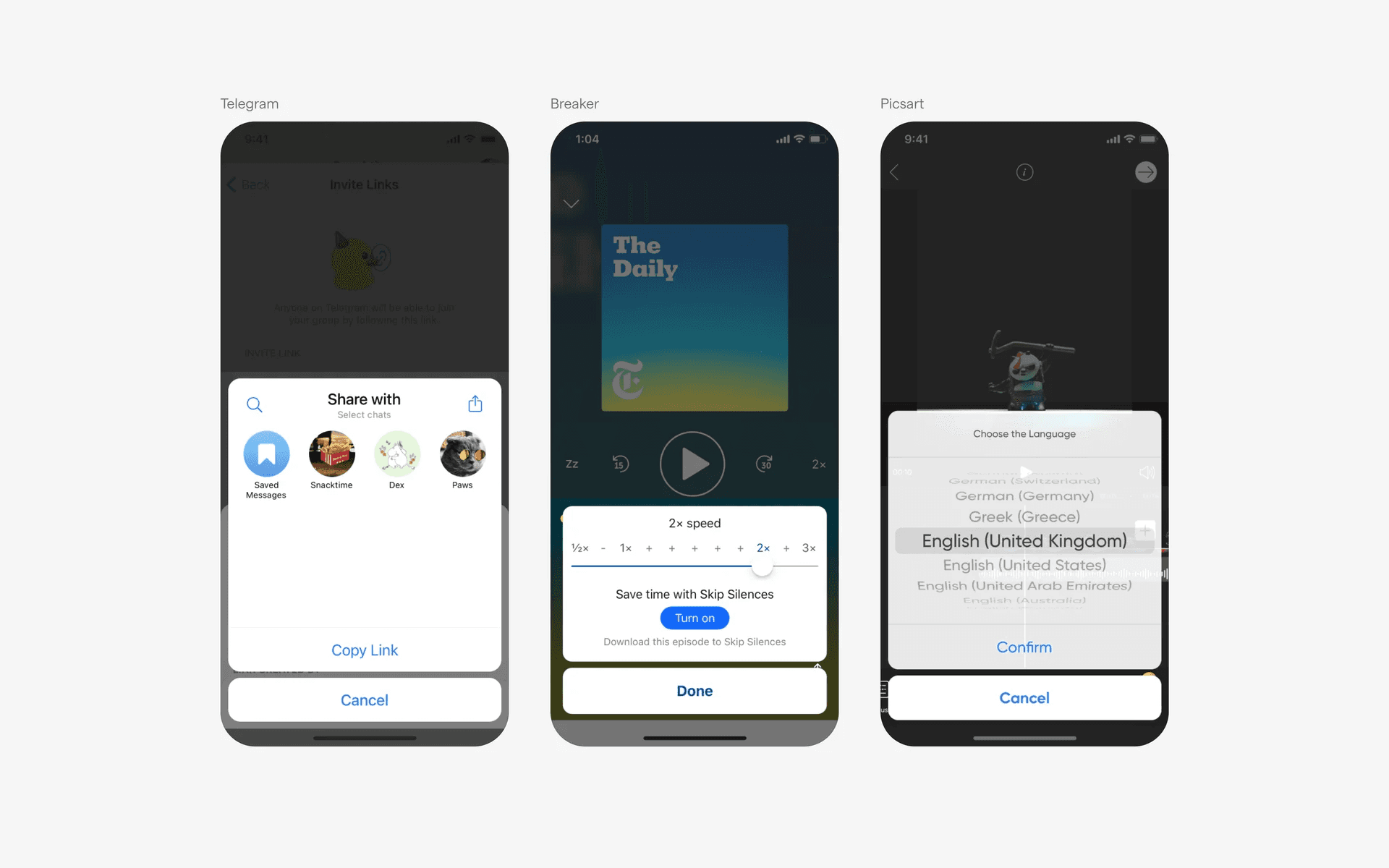
Example of action sheet in contextual actions
Conflicting UI elements: Bottom sheet
Action sheet v.s. Bottom sheet
The purpose of a bottom sheet is to provide the user with additional content related to the main content on the screen, such as additional information, feedback, and sometimes options.
Additionally, a bottom sheet can contain other buttons than a cancel button and is usually anchored to 3 sides of the screen (left, right, bottom). Once a container is anchored to the bottom it is no longer an action sheet.
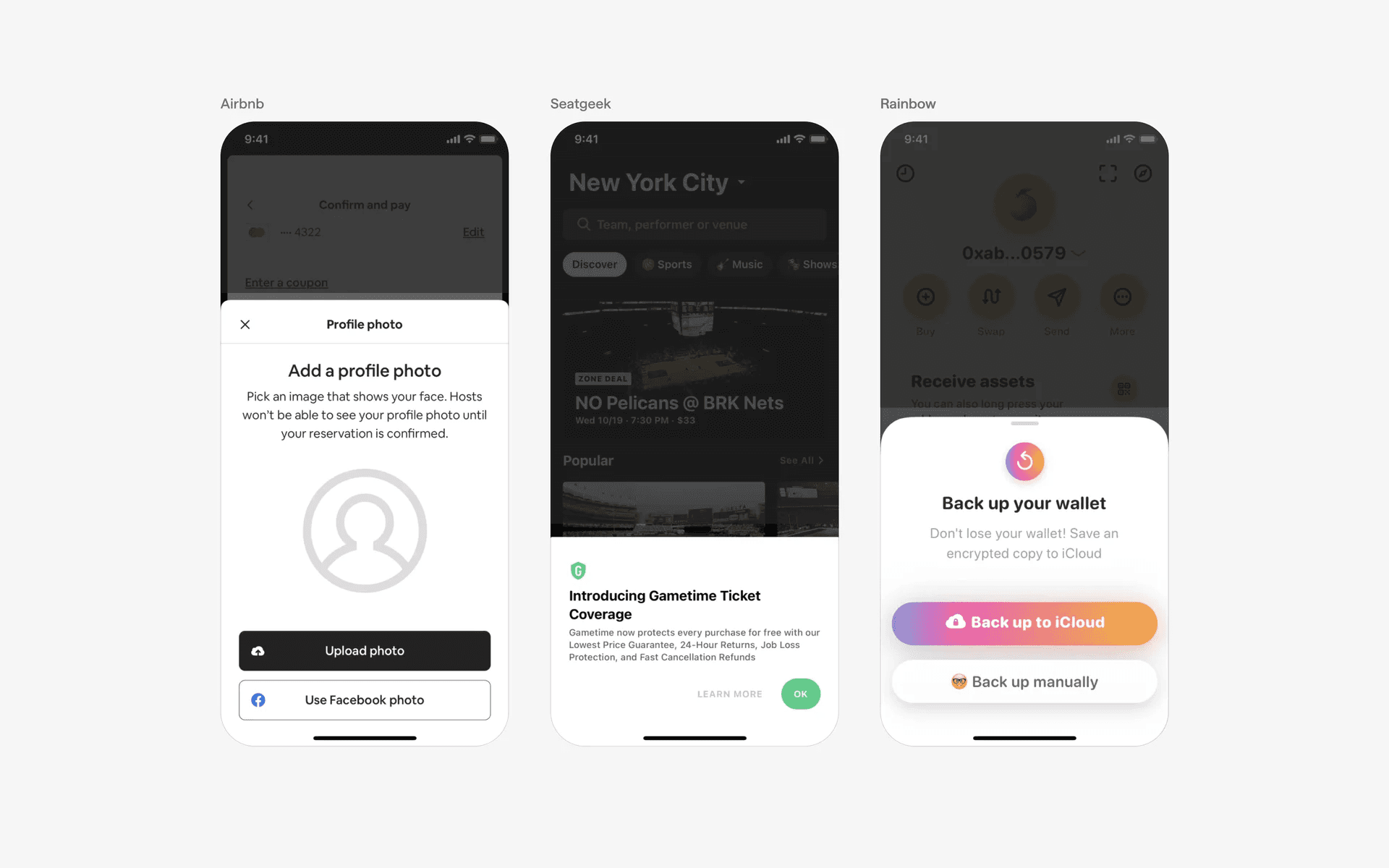
Examples of bottom sheet