Accordion UI

What is an accordion component?
Accordion is a vertical stack of collapsible containers that reveal or hide sections of content.
Users can click on the accordion headers to expand or collapse content panels, revealing more details only when they need them.
Some accordions allow only one section to be open at at time, while others support multiple open sections at the same time.
Accordion panels usually have animations to aid transitions so that the experience is smooth.
Accordions are commonly used in the following design patterns: FAQ, Product features or specifications, Filtering & sorting.
Fun fact: The term "accordion" in UI design is inspired by the musical instrument accordion, which expands and contracts to produce sound—just like how UI accordions expand to reveal content and collapse to hide it.
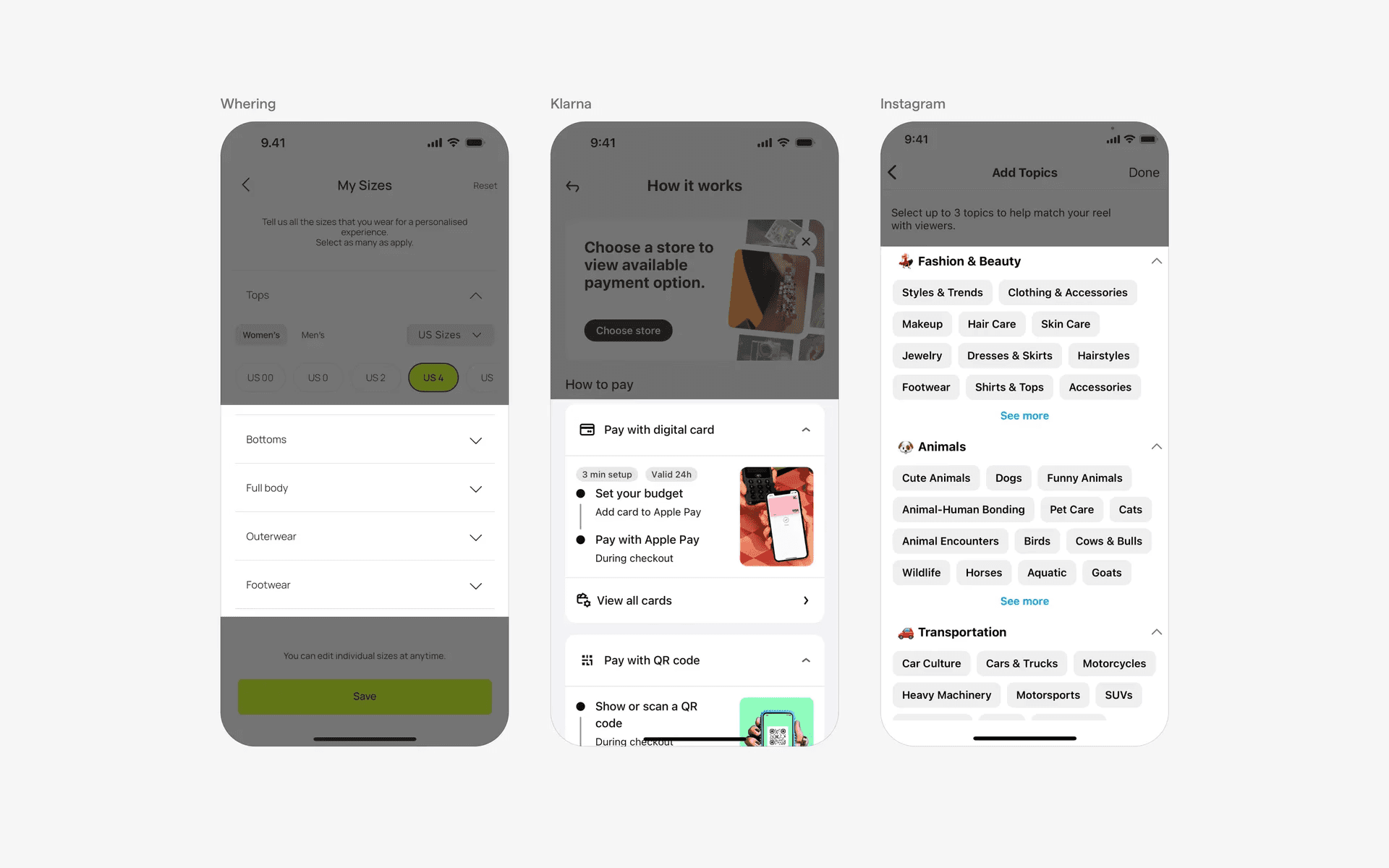
Examples of accordions
What is the anatomy of an accordion component?
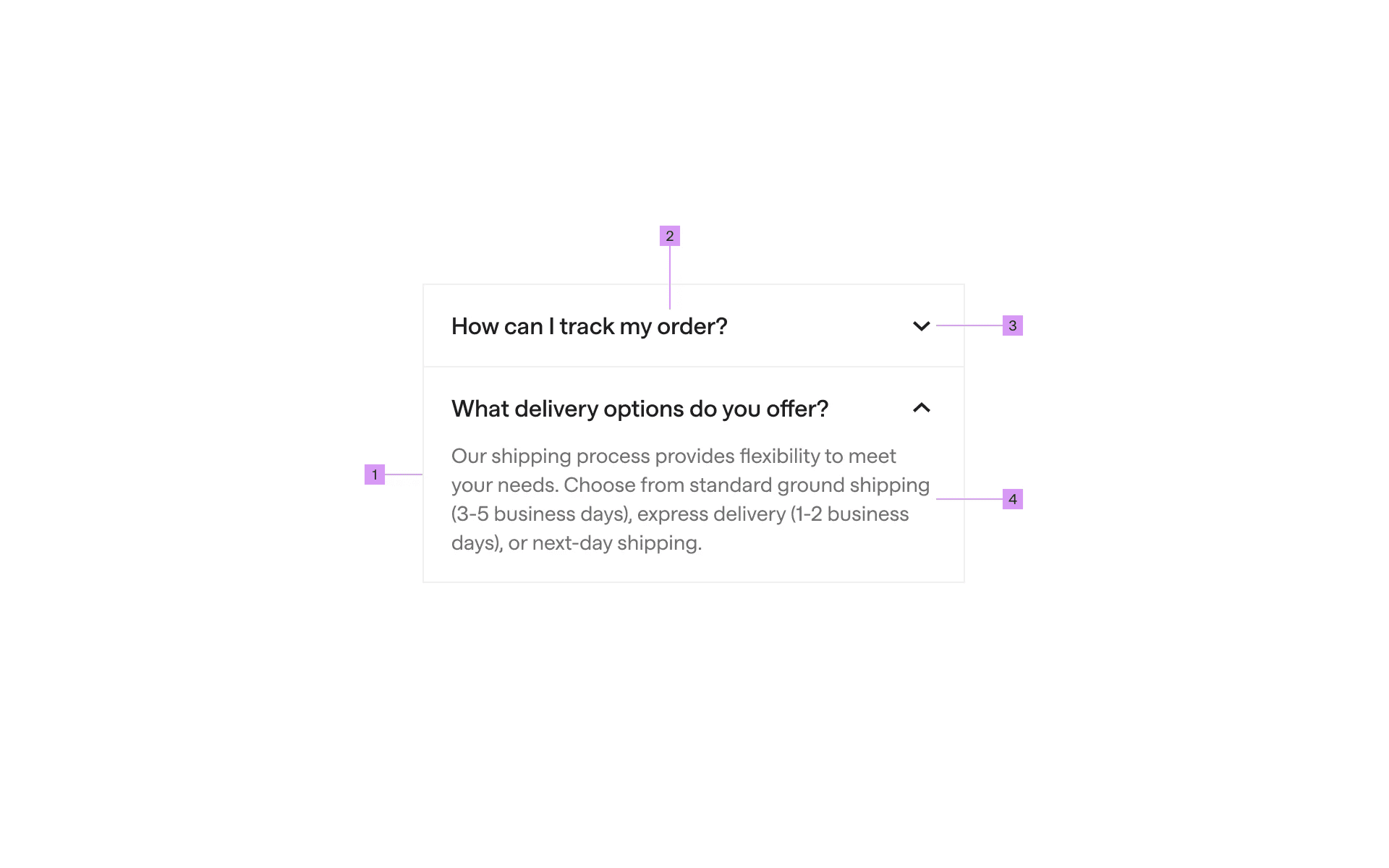
Anatomy of an accordion component
1
Container
2
Title
3
Expand/Collapse icon
4
Content
What are the design variants of an accordion?
We studied over 2,600+ accordion UI components on Mobbin, from real-world examples and found the following variants.
1. Accordions can have stacked items, or just a single standalone item.
The most common forms of accordion are a stacked list of accordion items. Multiple sections stacked above one another.
These types of accordions are best for FAQ pages as they allow apps to convey by progressive disclosure and not overwhelming the users with too much content.
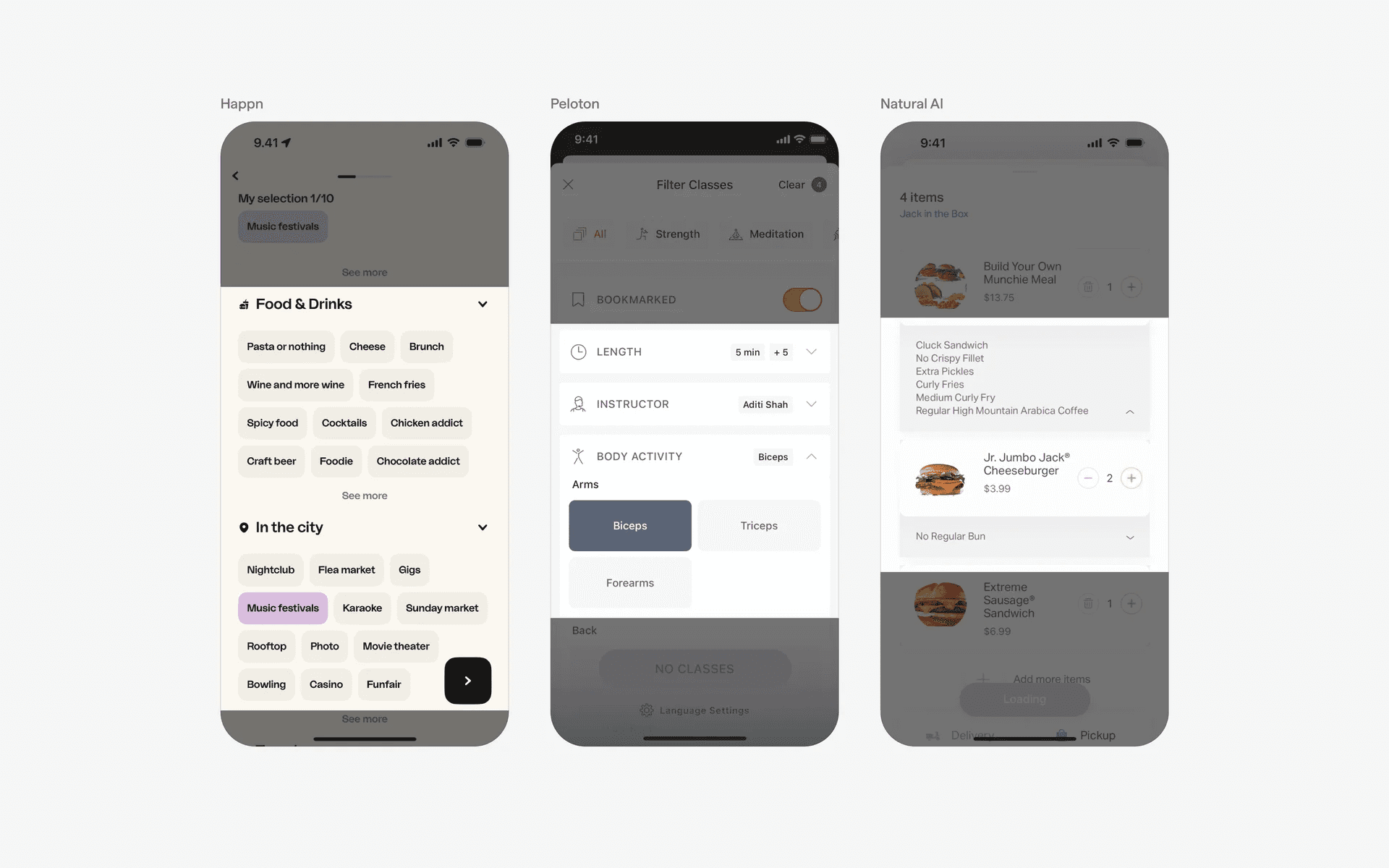
Examples of stacked accordion component
However, sometimes you'll find a solo accordion used - that is, a single accordion header and accordion item.
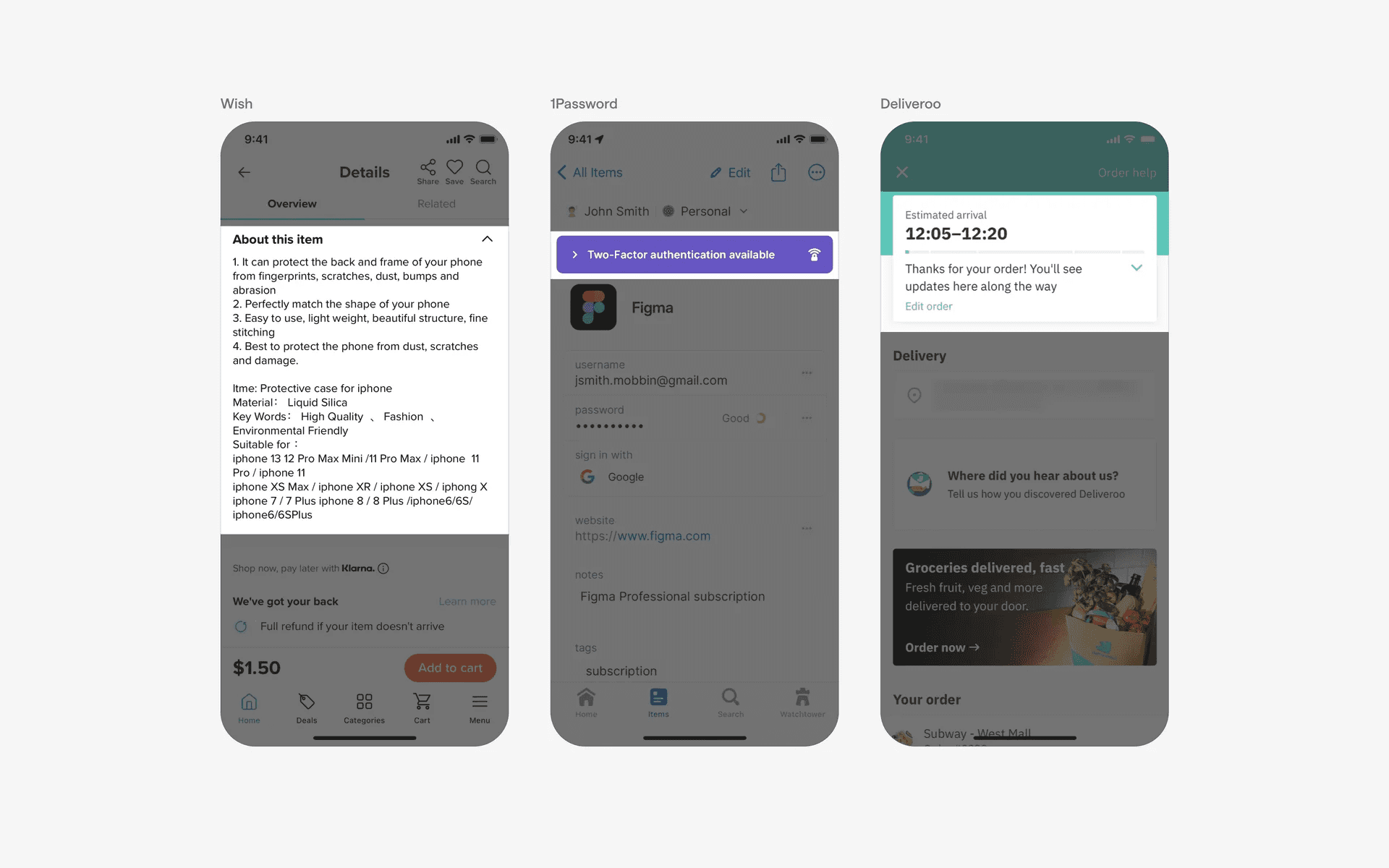
Single header accordion component
2. Accordions can have plus or chevron icons
The most commonly used icons in an accordion component is the chevron icon. Specifically, the up and down chevron icon.
By default, the chevron icon points downwards when the accordion item is hidden. When a user clicks on the accordion header, the chevron icon points upwards, exposing the accordion item.
Examples of up and down chevron icons used in accordions
Alternatively, we've also seen chevron icons pointing rightwards when the accordion item is hidden. When a user clicks on the accordion header, the chevron icon points downwards, exposing the accordion item.
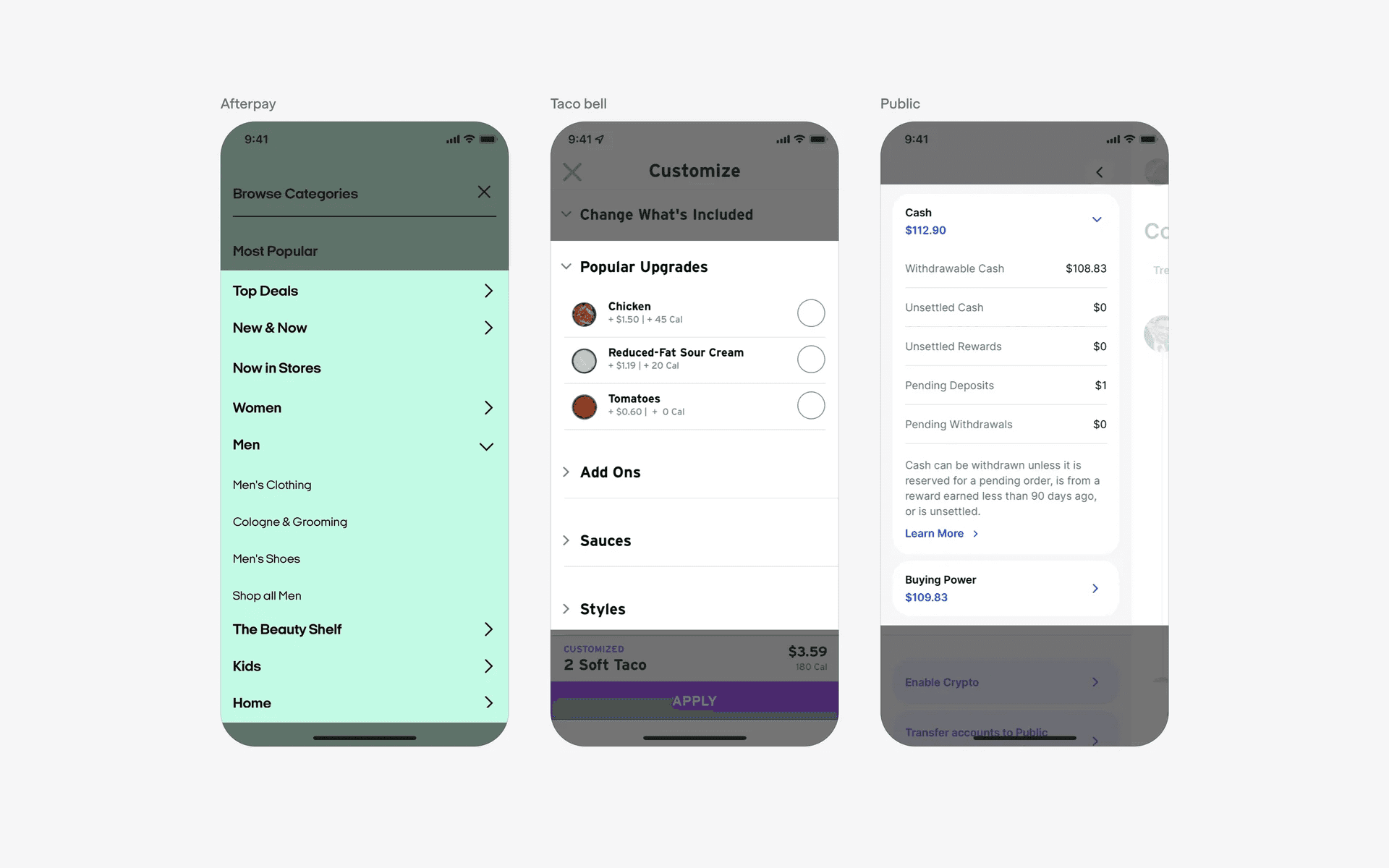
Examples of right and up chevron icons used in accordions
Finally, a more modern accordion design pattern we've seen recently is the plus icon. A collapsed state usually has a + icon, while expanded states have a - (or x) icon. At Mobbin, we use the + and x icons in our FAQ accordion design.
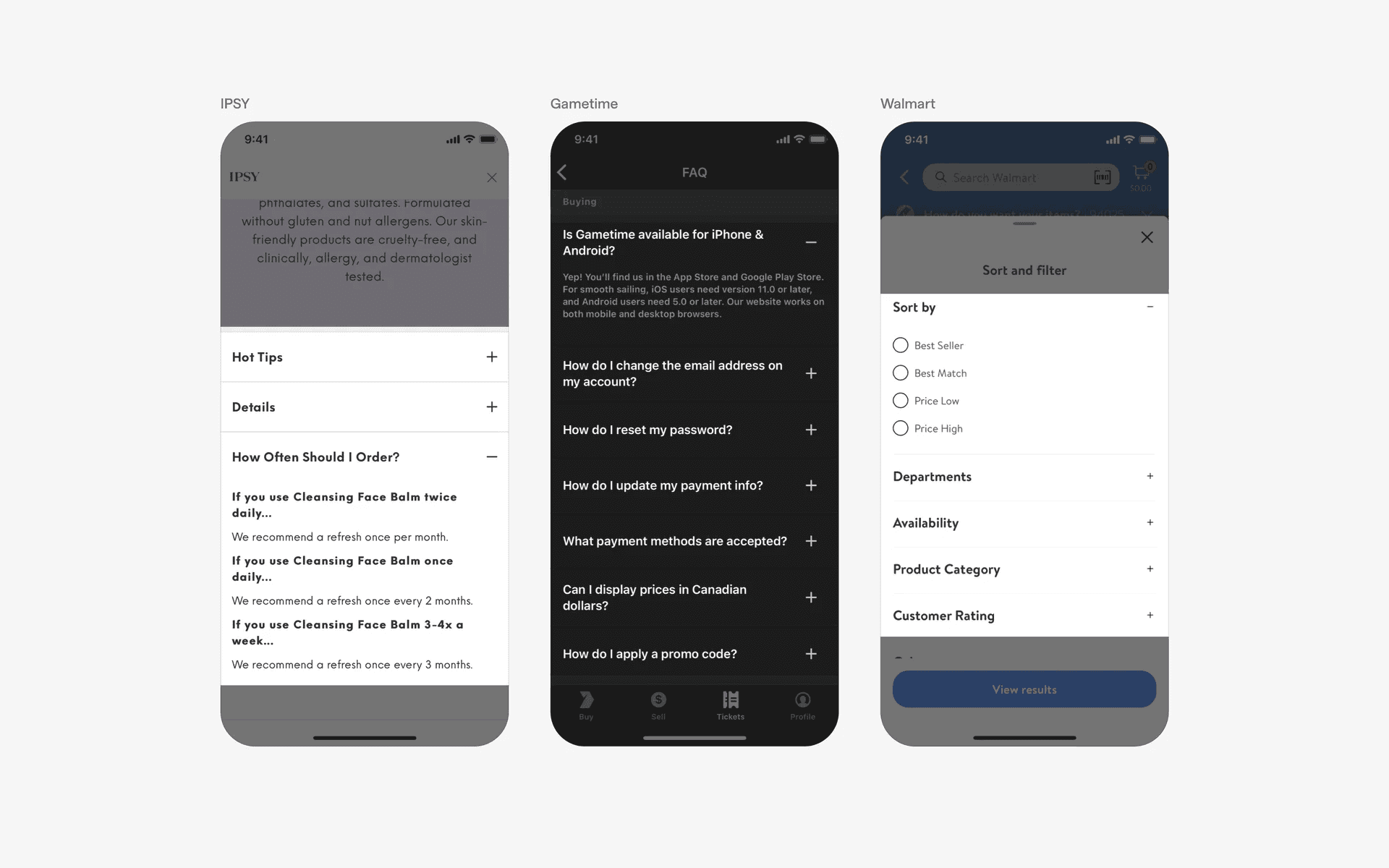
Examples of + and - icons used in accordions
3. List v.s. card accordions
The most common accordion design patterns are lists.
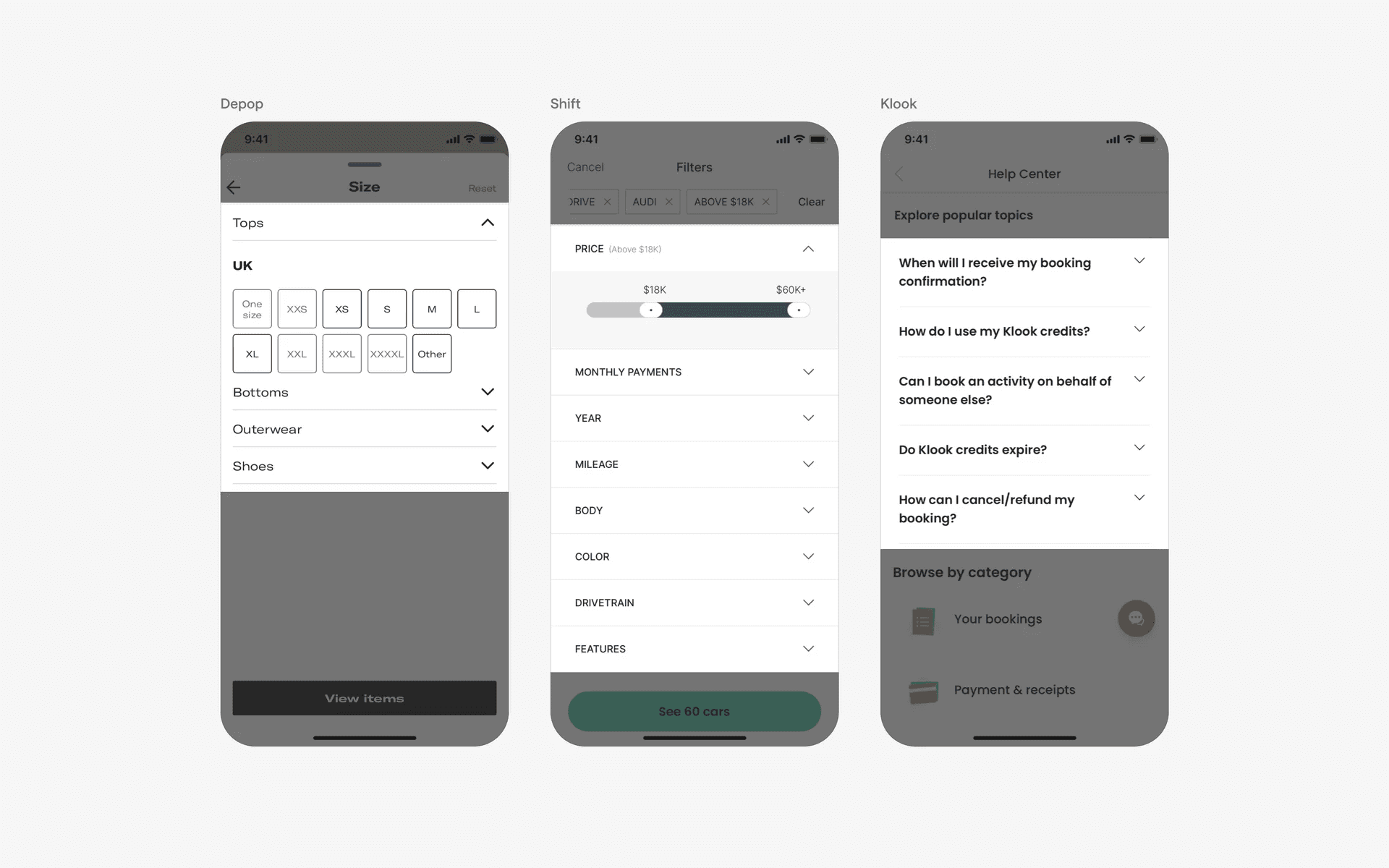
Examples of list accordions
However, we've seen a new design trend in accordions, where there is a list of expandable and collapsible cards.
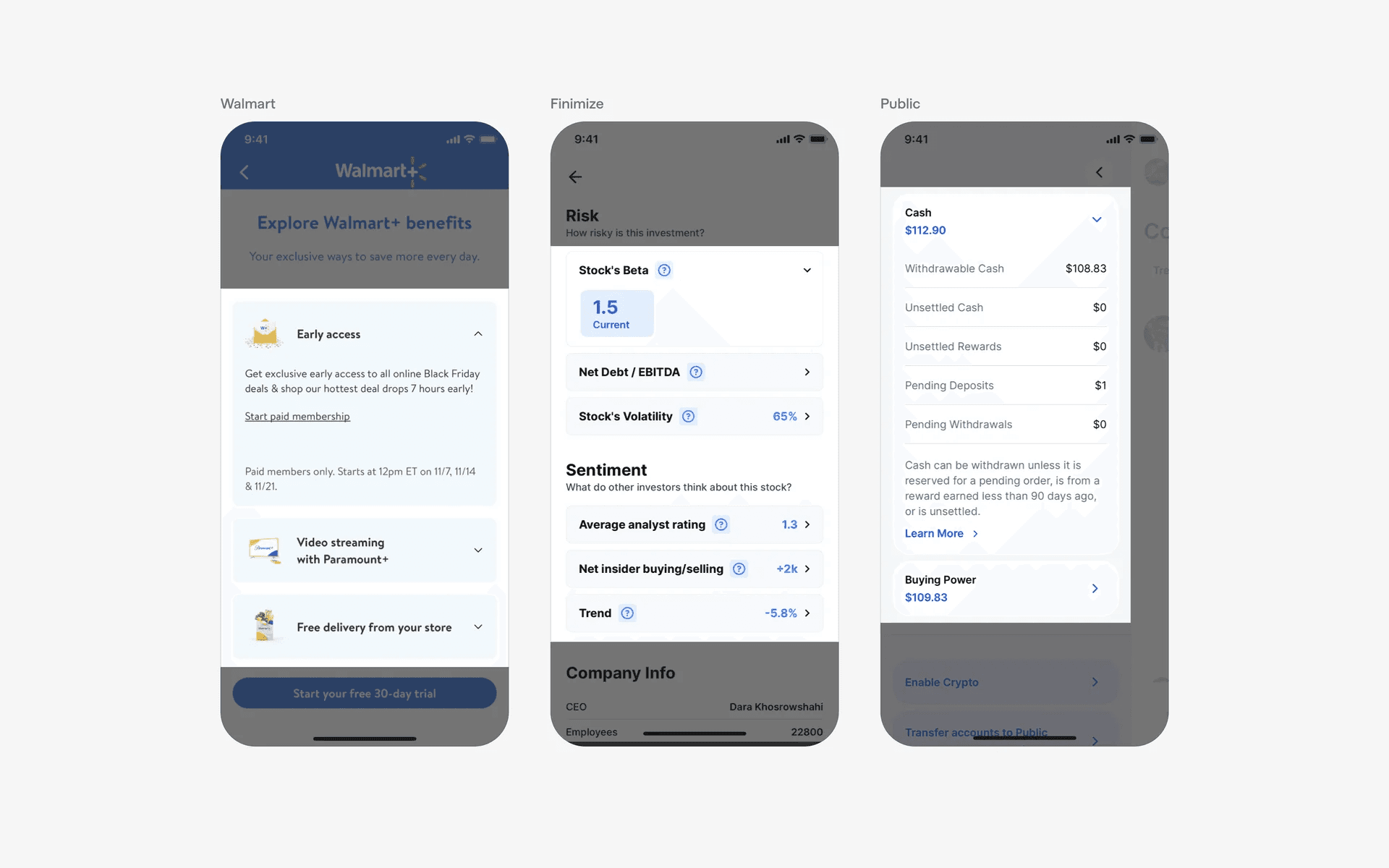
Examples of card accordion UI
When to use accordions?
FAQ page
To present a list of questions and answers. Each question serves as a collapsible header, and the corresponding answer is revealed when the user clicks or taps on the question.
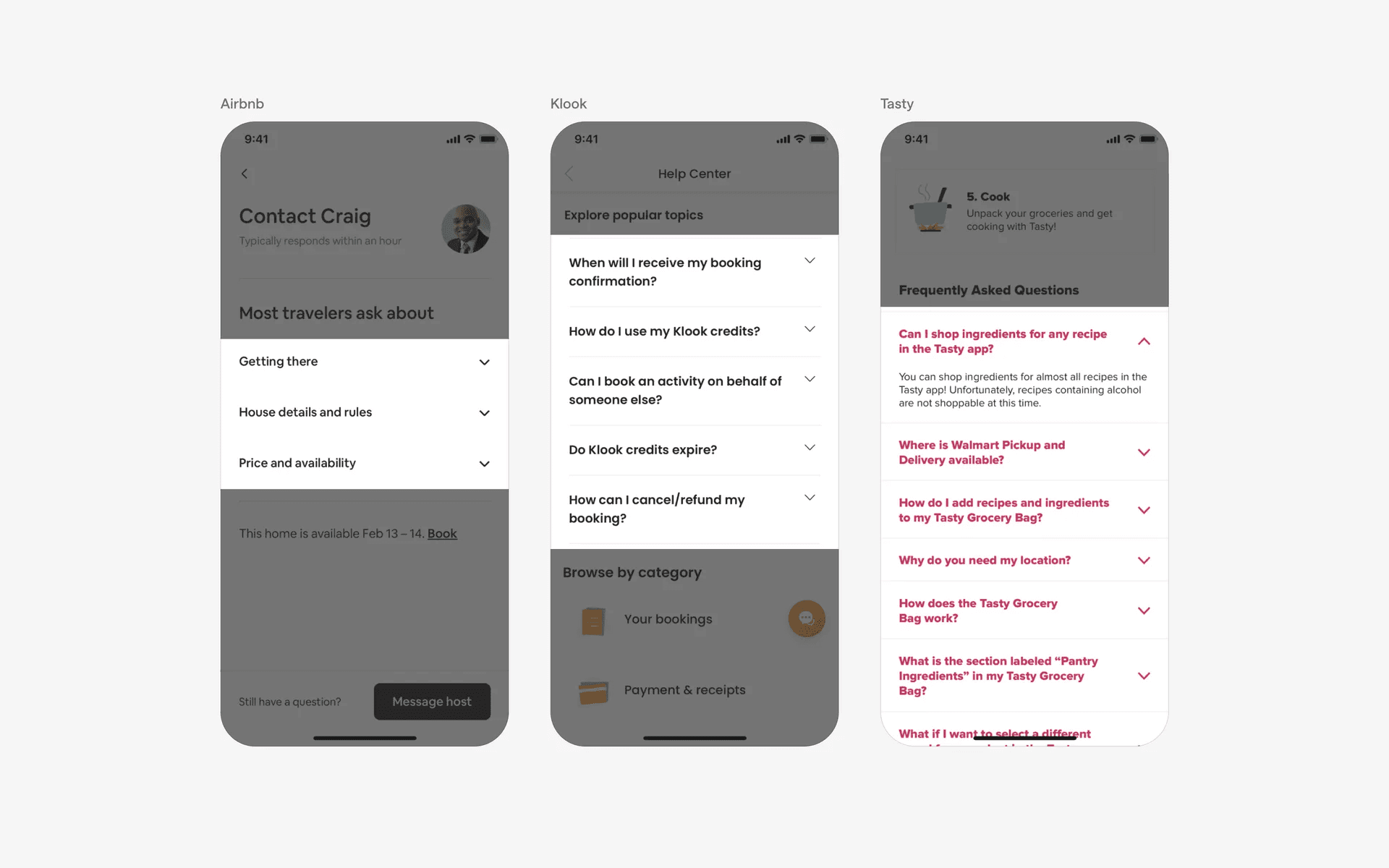
Examples of accordions in FAQ page
Filtering & sorting
Accordions are also commonly used in filtering screens - especially when there are complex filtering needs, with a ton of filter options.
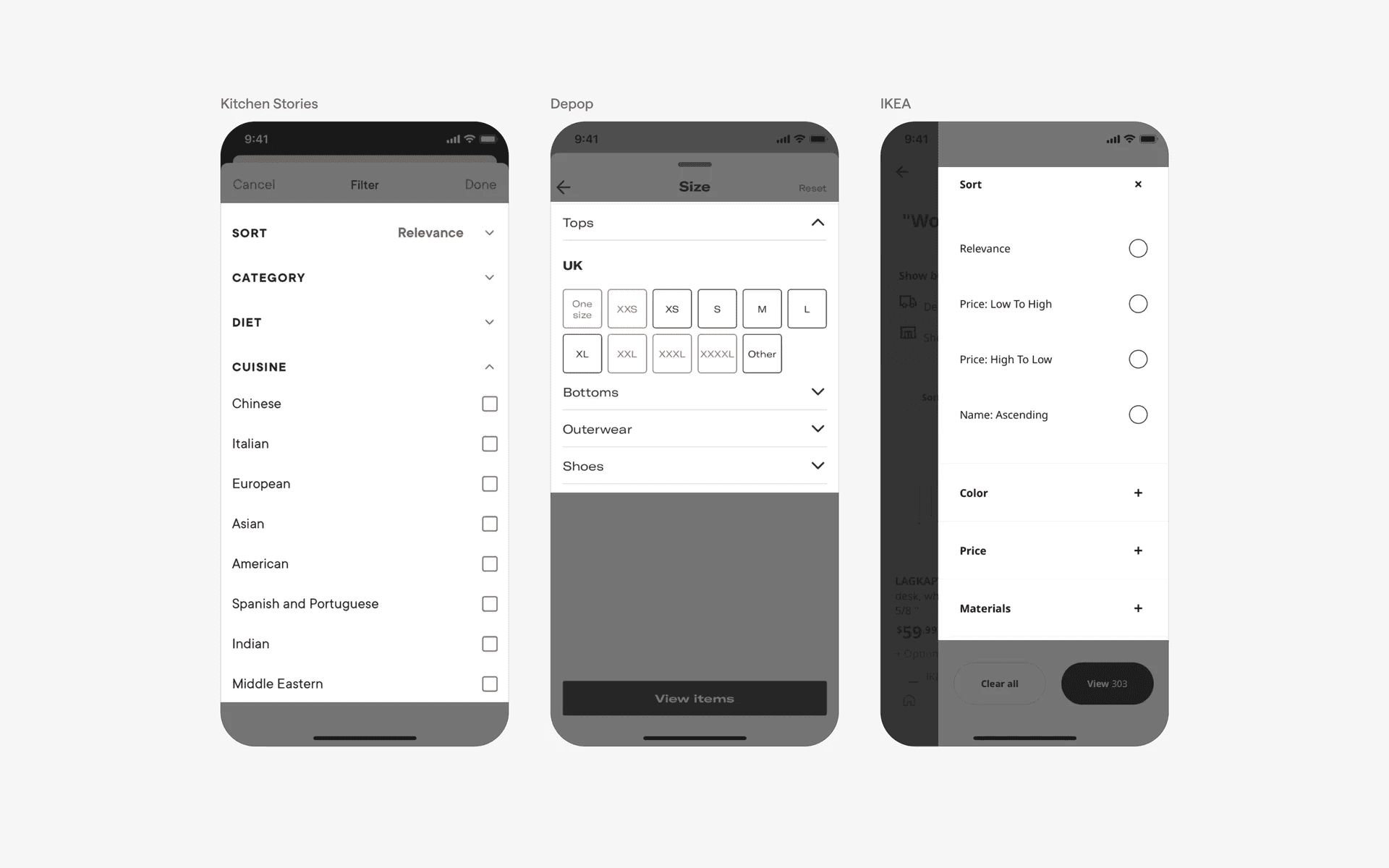
Examples of accordions in filtering & sorting screens
Product features or specifications
To display detailed information about a product's features, specifications, or options. This allows users to explore and understand the various aspects of a product without overwhelming them with excessive information.
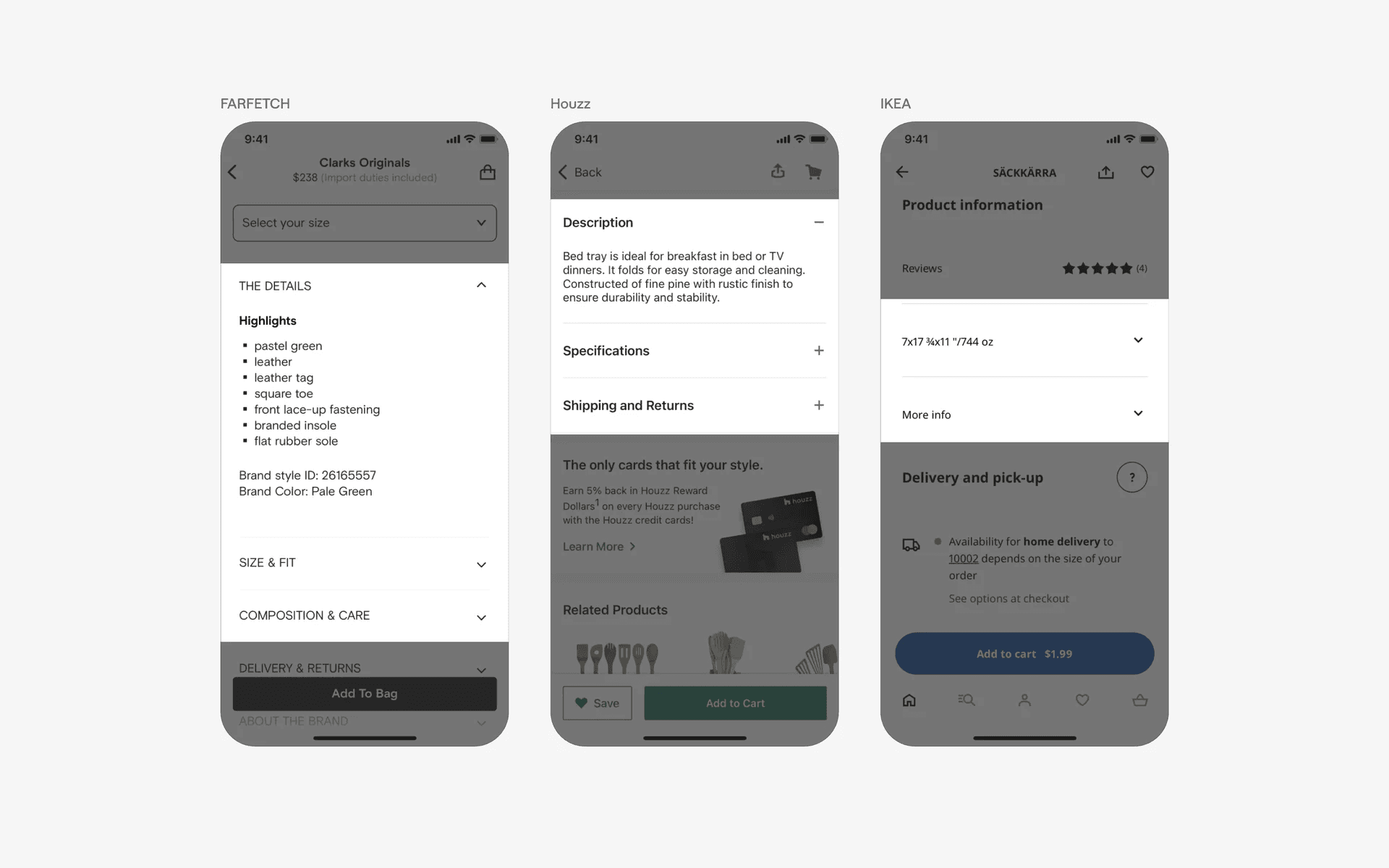
Examples of accordions in product feature sections
Conflicting UI elements: Select, Disclosure button
Accordion v.s. Select
While a select might share the same appearance as Accordion - with a chevron - they are not the same thing. Accordion displays content, while Select would displays a list of options that when expanded.
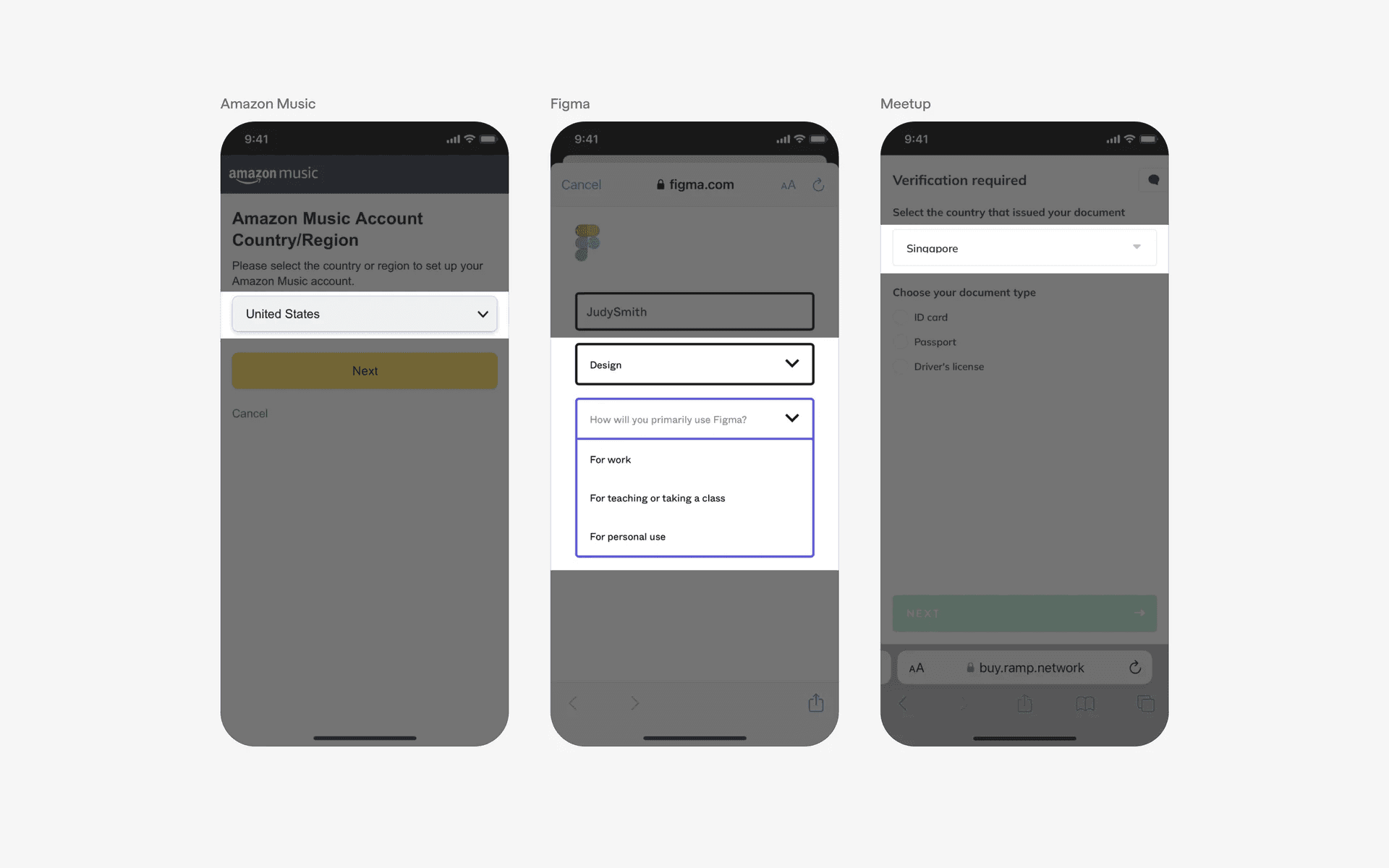
Example of Select
Accordion v.s. Disclosure button
Some disclosure buttons functions similarly to an accordion to show/hide content. However, they are not accordions because:
Disclosure buttons appears as a standalone button, and not in a header
Disclosure buttons shows partial information. On the other hand, accordions either show everything or nothing.
Disclosure buttons typically do not have a container
Disclosure buttons tend to have a text signifier as a way to expand and show content
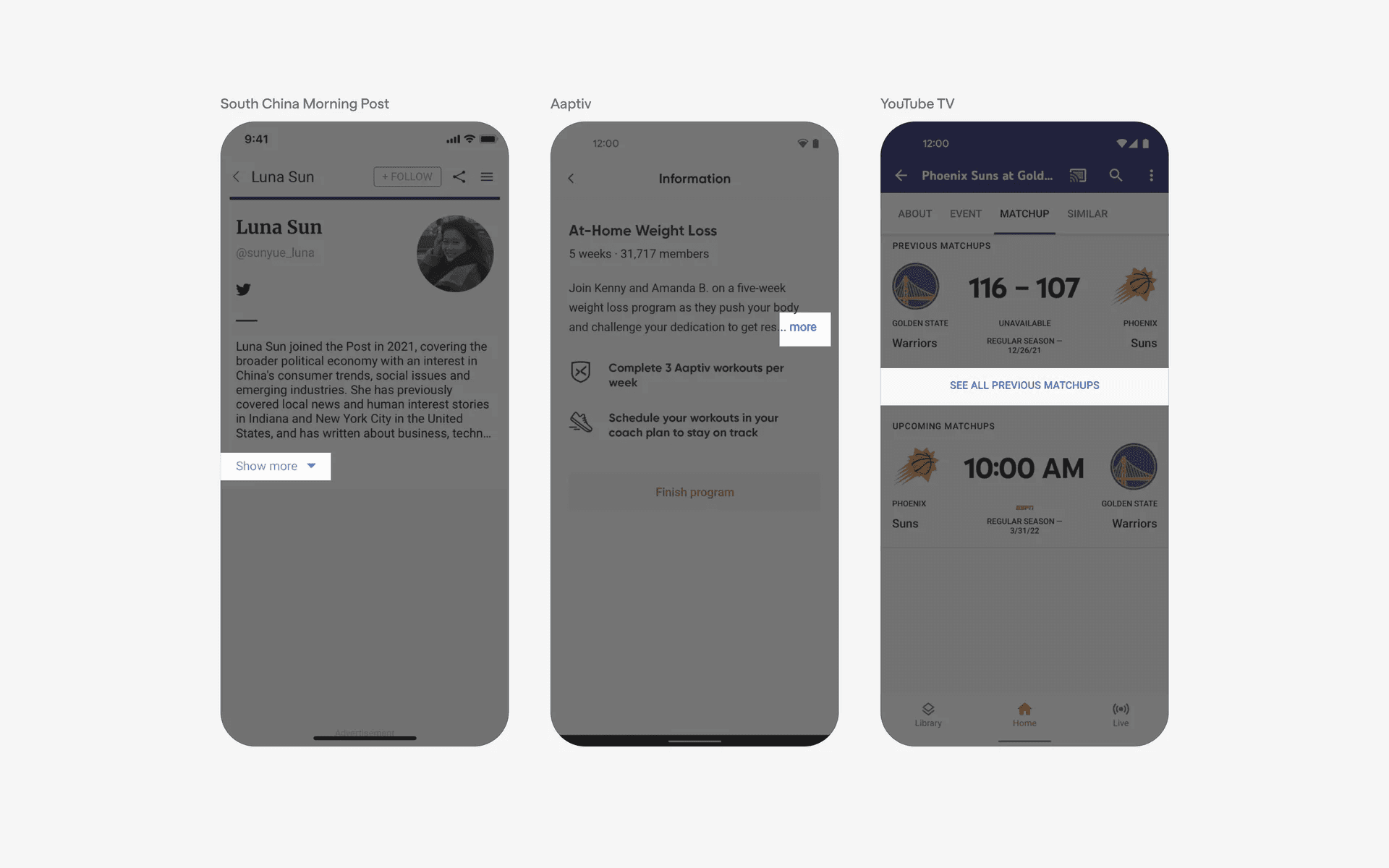
Examples of disclosure buttons