
Ruby
Meet Ruby (#E0115F), a vibrant and deeply saturated shade that commands attention. Its unique position between red and magenta gives it a striking quality, offering a bold yet sophisticated option for any design palette, making it a memorable choice for visual work.
What color is Ruby?
Ruby is a deep, vibrant red with pronounced pink undertones, giving it a distinctly warm and luxurious quality reminiscent of the precious gem.
This shade sits between a classic red and a bold magenta, possessing a high saturation that stops short of being fluorescent, creating a sophisticated and intense visual.
What is the psychological meaning of the color Ruby?
The color Ruby, #E0115F, carries the weight of its namesake gem, symbolizing power, passion, and vitality.
It communicates a sense of luxury and confidence, capable of evoking strong emotions from romantic love to assertive action.
How can I use the color Ruby in my UI design?
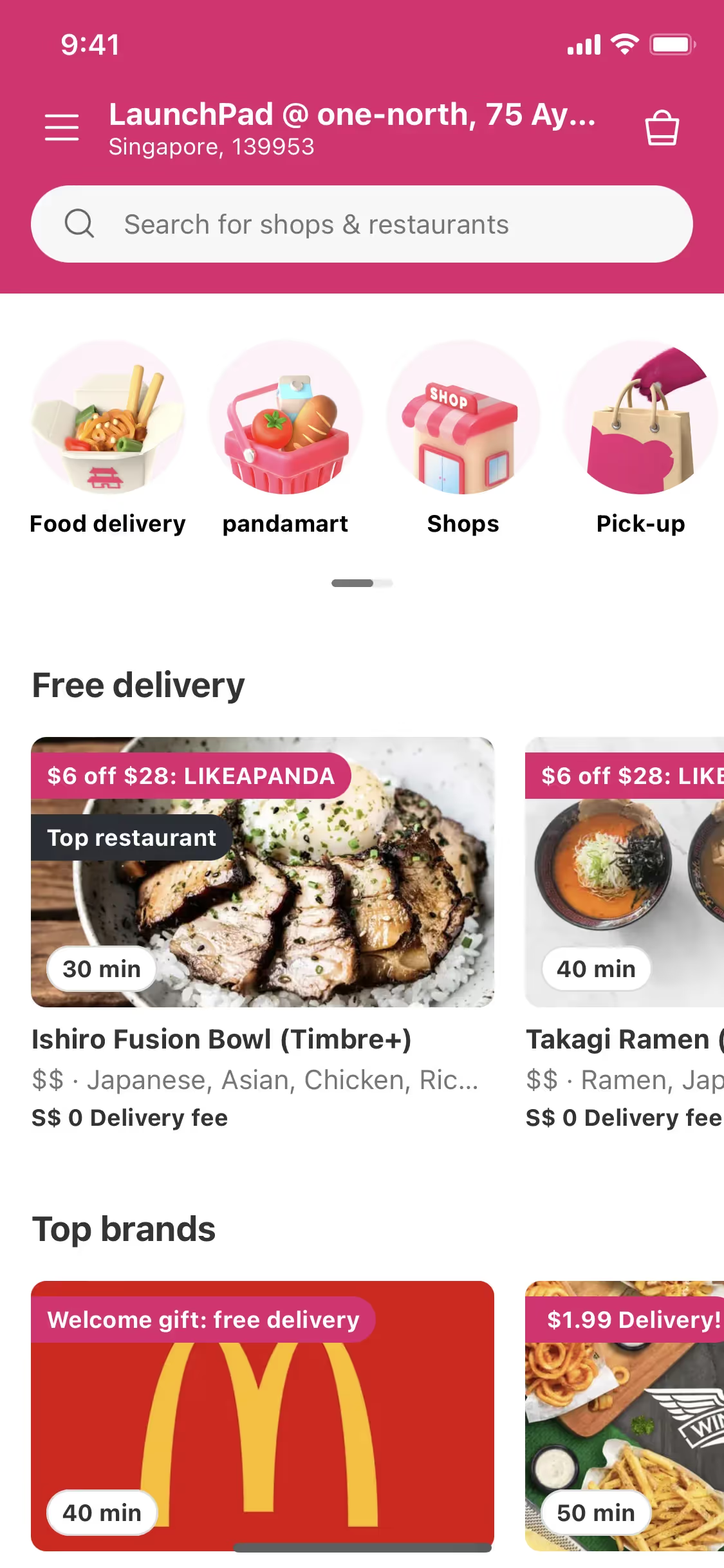
In UI design, Ruby works best as a potent accent color. Use #E0115F for key interactive elements like buttons, links, or notification dots to guide the user's eye. It creates a sharp, legible contrast against dark backgrounds and pairs cleanly with neutral palettes of white, gray, and charcoal. For a more dynamic combination, try setting it against deep teals or muted greens.
While not a dominant color across the web, Ruby's energetic quality is echoed in the branding of companies like Slack, Quibi, foodpanda, Instagram, and the Premier League. Its relative rarity can help a product stand out, suggesting confidence and a modern sensibility. The key is to apply it deliberately, making its appearance both impactful and meaningful within the interface.
To see how Ruby performs in a real design, use the tools below. You can explore curated palettes, test color contrast for accessibility, and preview #E0115F in UI components from leading applications.
Using Ruby color codes?
The most direct way to specify the color Ruby in a digital workflow is by using its hex code, #E0115F. This six-digit code is the standard for web-based projects, ensuring precise color representation on screens.
Different applications, however, require different color models. For digital work, you'll often use RGB, which mixes red, green, and blue light. For print jobs, you'll need CMYK values, which correspond to the four ink plates used in physical printing. Other formats like HSL (Hue, Saturation, Lightness) offer a more intuitive method for making color adjustments.
To simplify your process, we've converted #E0115F to a range of popular formats below. You can copy the exact code you need for your specific tool or project.
Analogous
Analogous colors are found next to Ruby on the color wheel. Grouping them together produces a unified and calm composition with minimal contrast.
Complementary
Complementary colors are opposites on the color wheel. When paired with Ruby, its complement creates a striking, high-contrast visual effect.
Split Complementary
For Ruby, a split complementary scheme uses the two colors adjacent to its direct complement, offering a vibrant yet balanced palette for designers.
Triadic
A triadic scheme pairs Ruby with two other colors, forming an equilateral triangle on the color wheel for a bold and harmonious visual effect.
Tetradic
The tetradic palette for Ruby features four colors, built from two sets of complementary colors that form a rectangle on the color wheel.
Square
A square color scheme pairs Ruby with three other colors, all equidistant on the color wheel, creating a vibrant and high-contrast palette.
Text Color
Background Color
Your Catchy Large Text Goes Here
Shades
Shades of Ruby are created by adding black, producing darker tones with added depth and weight.
Tints
Tints of Ruby are made by mixing in white, which lightens and softens the hue.
Tones
Tones of Ruby are created by adding gray, which softens the color’s saturation.
Hues
Hues are variations of Ruby's base color, differing in intensity and temperature to create distinct moods.





Never run out of inspiration again.
Use Mobbin for free as long as you like or get full access with any of our paid plans.



















