Stepper UI

What is a stepper component?
A stepper is a two-segment control that people use to increase or decrease an incremental value.
They are used to increase or decrease the value of a number (eg. number of items, date or time).
Steppers are commonly seen in e-commerce, food delivery, and shopping apps, where users need to adjust the quantity of items to add to their cart.
Steppers are commonly used in the following design patterns: Quantity selection, Date & time selection, Settings & preferences.
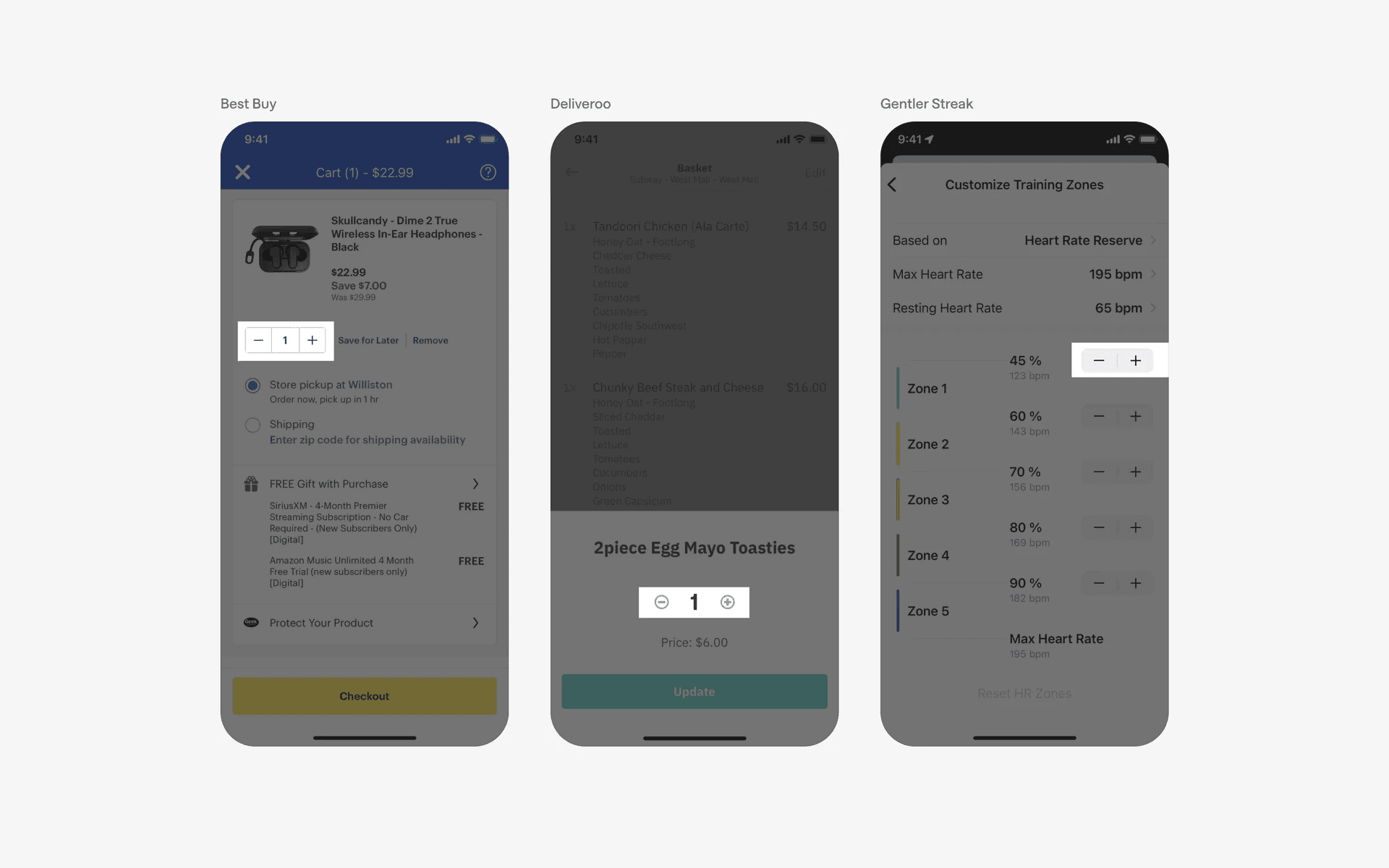
Examples of horizontal steppers component
What is the anatomy of a stepper component?
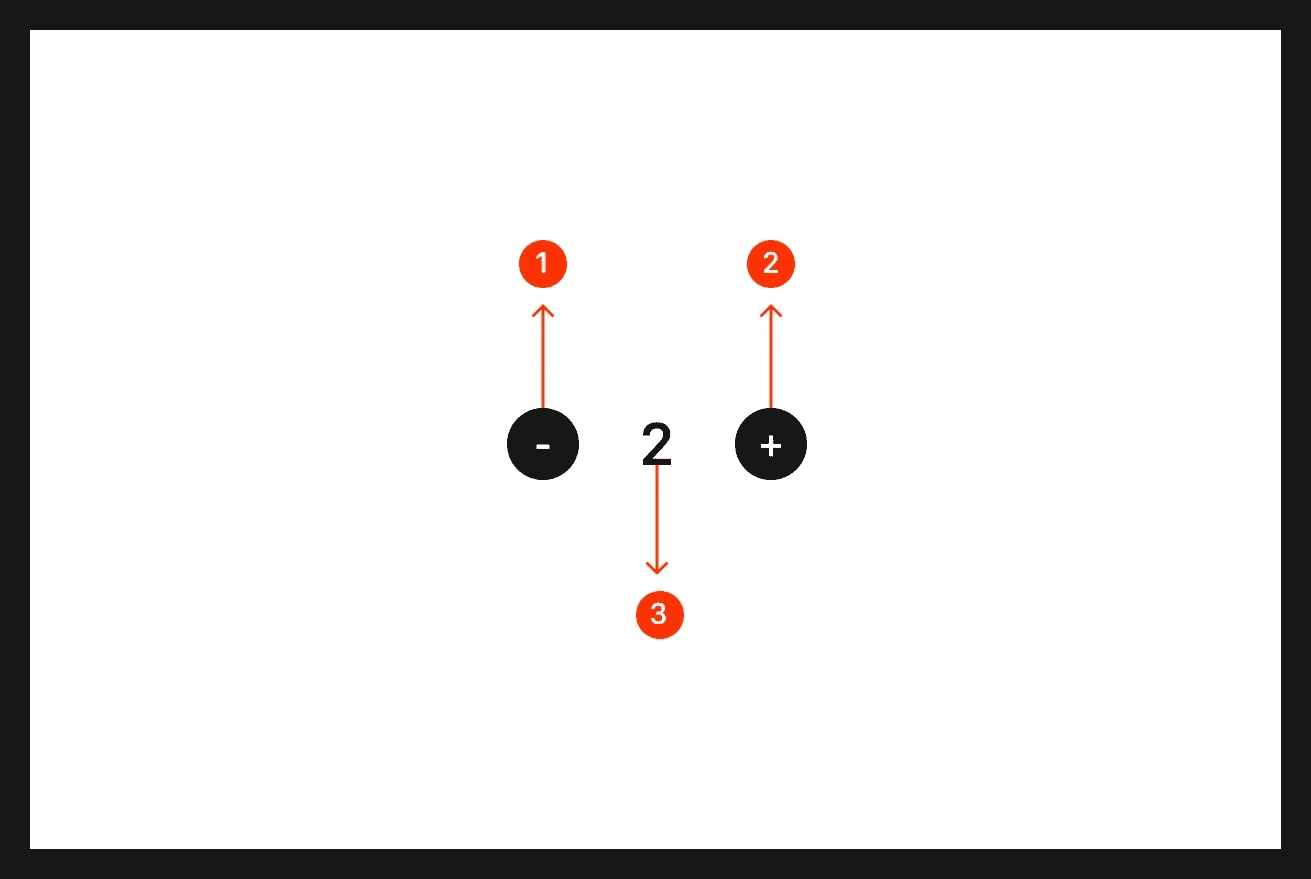
Anatomy of horizontal stepper component
What are the design variants of a stepper?
We studied over 1,000+ stepper UI components on Mobbin, from real-world examples and found the following variants.
1. Steppers can have segmented or discrete buttons
Both options are popular and it depends on your team's design system and taste.
Here are some examples of steppers with segmented buttons.
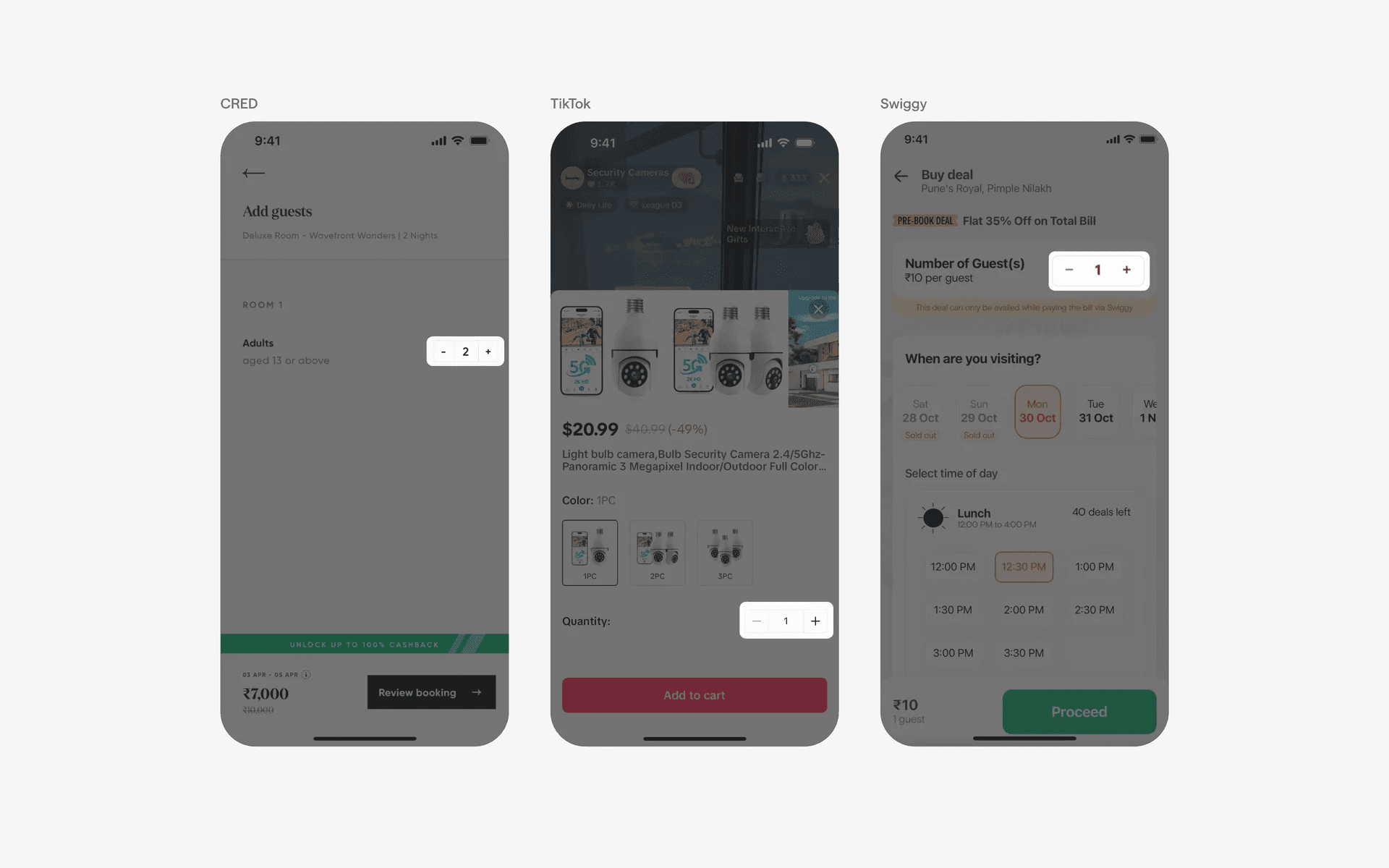
Examples of horizontal steppers with segmented buttons.
Meanwhile, steppers with discrete buttons offers a cleaner look.
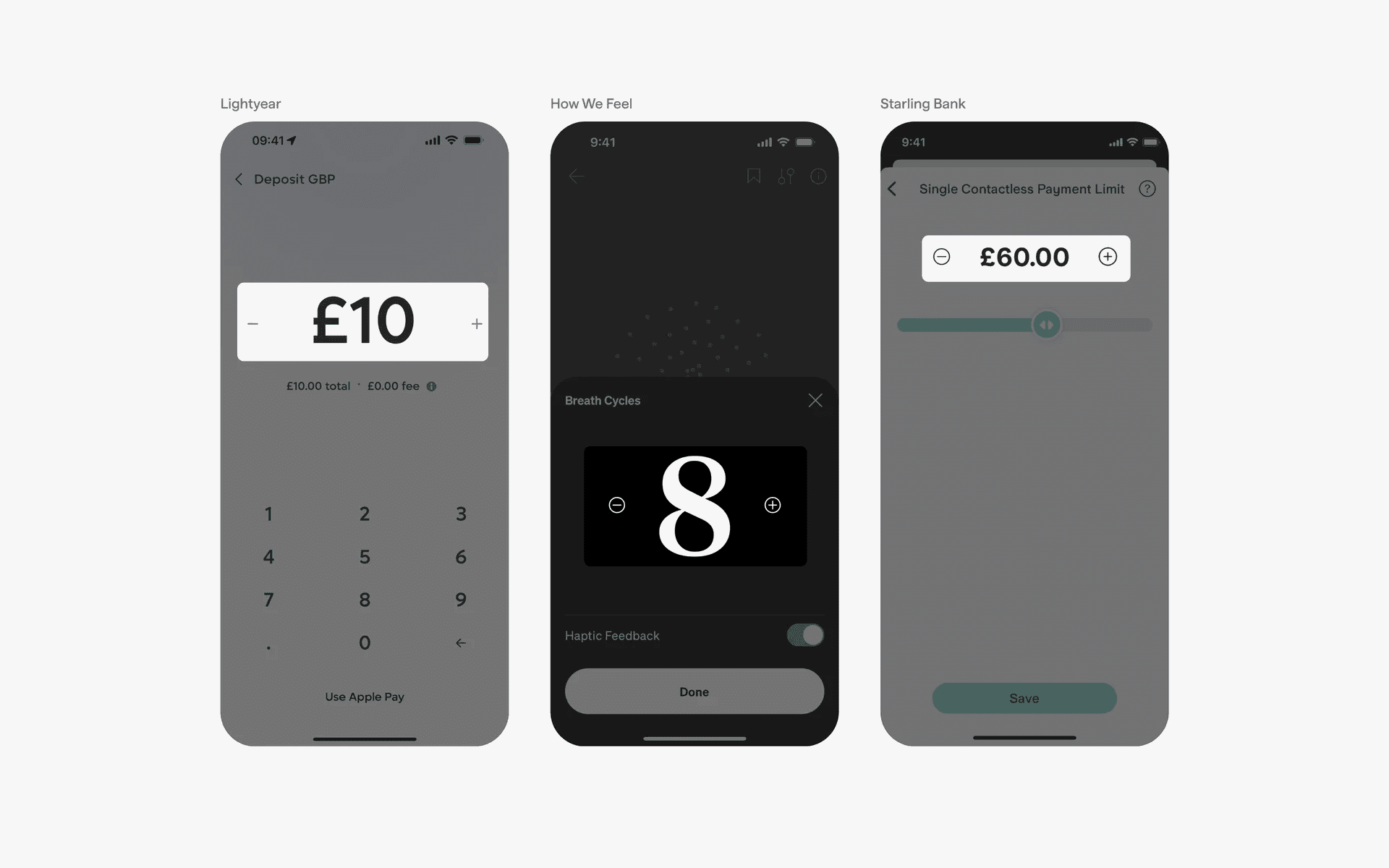
Examples of horizontal stepper with discrete buttons.
2. Steppers without decrement button
In most cases, steppers usually come with a default value - which is often the value of 1.
A decrement from 1 is 0, which leads to a weird state that developers usually want to avoid, especially for shopping or e-commerce apps. As such, some stepper components choose to remove the decrement button when the value is 1, or opt for a trash button instead.
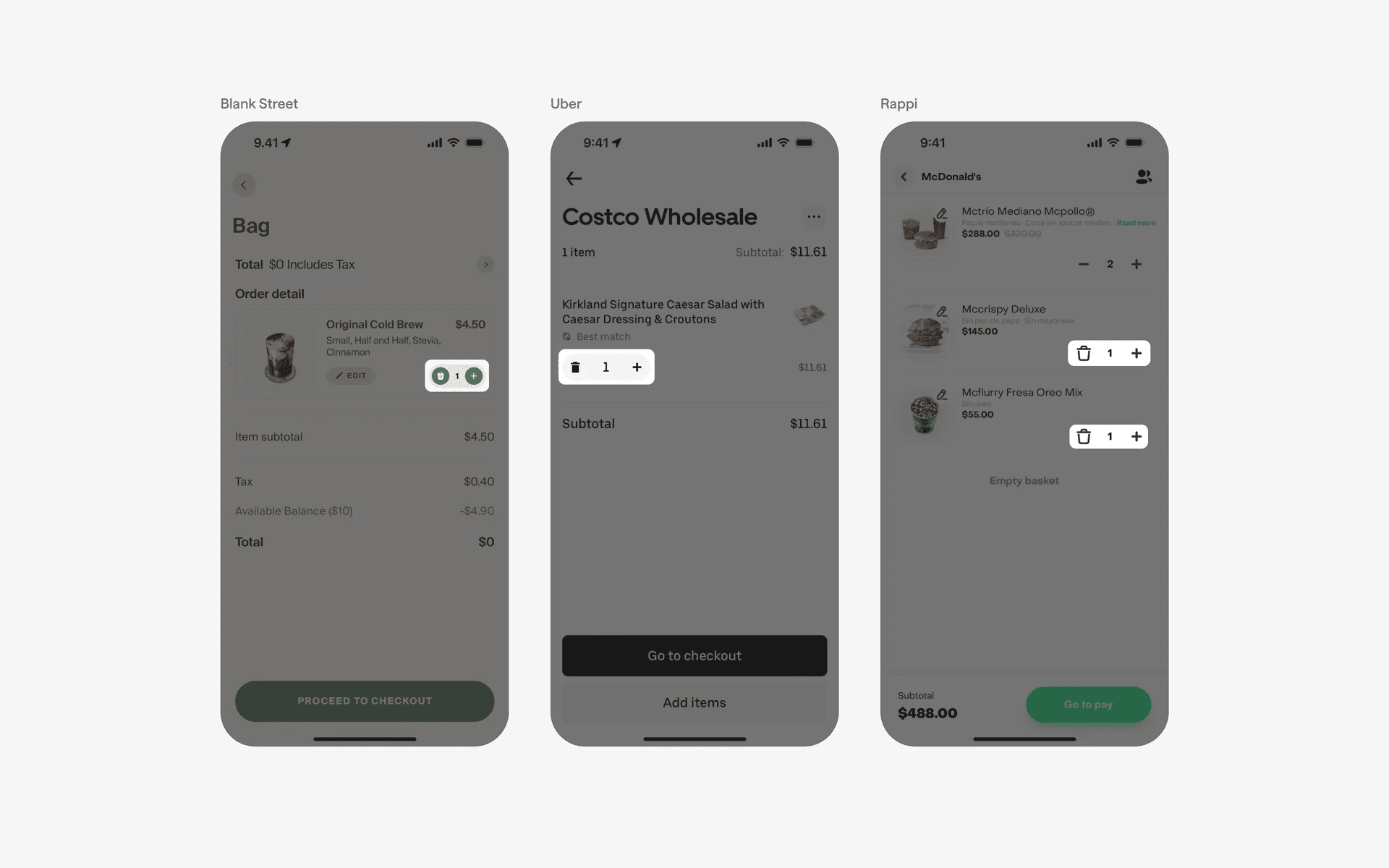
Examples of horizontal stepper without decrement button
3. Stepper without quantity labels
In some special cases, it is not necessary to even have quantity labels in between the stepper increment and decrement buttons.
For example, increasing or decreasing font sizes with the stepper component does not require a quantity label as users can understand it intuitively by seeing font sizes increase or decrease instantly.
In other cases, designers choose to put the quantity labels outside of the stepper components whenever it makes sense to. Always remember that you can break design conventions or norms if it creates a better experience for your users.
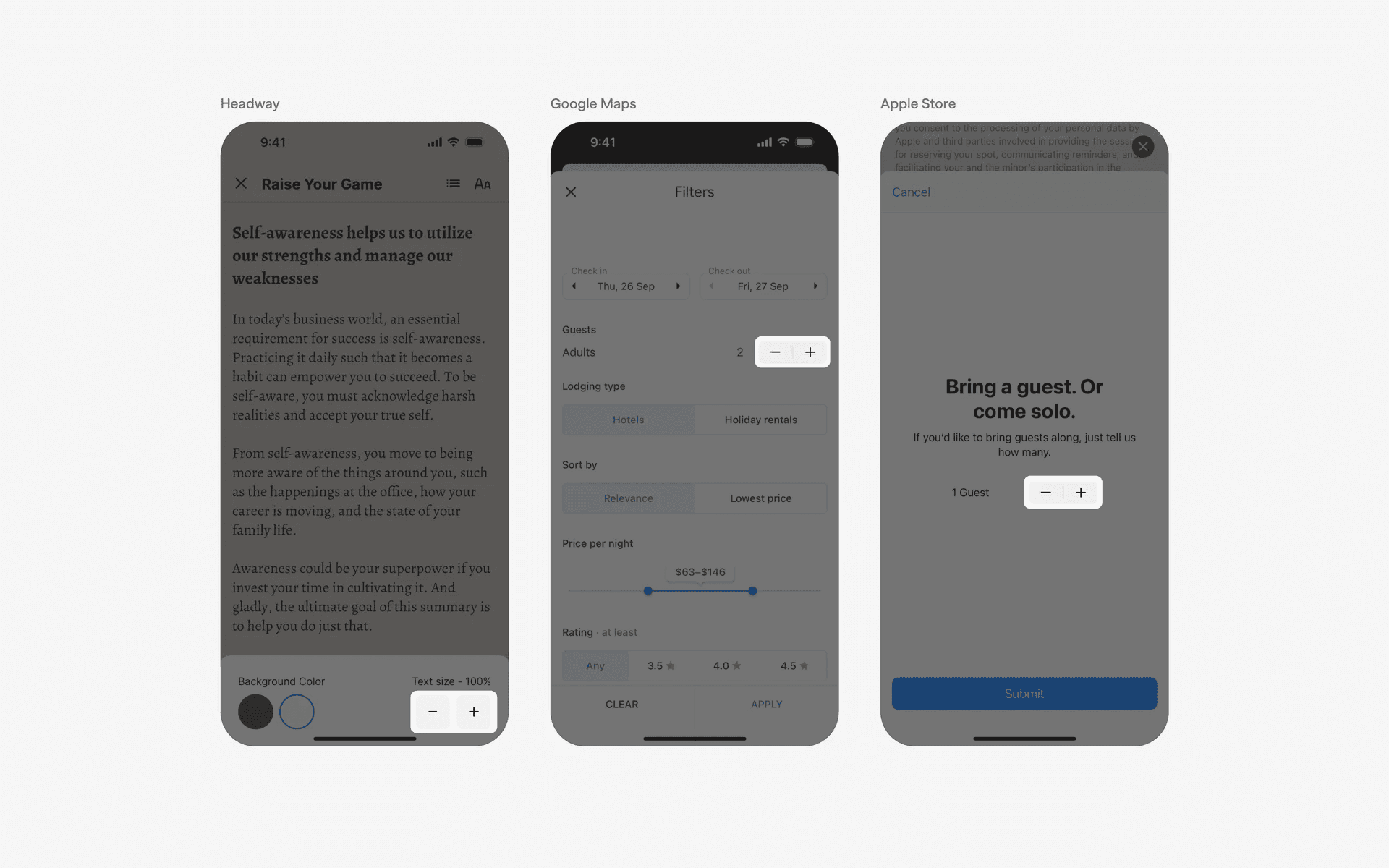
Examples of steppers without quantity labels.
4. Vertical steppers
While horizontal steppers are the most common and preferred way to styling the stepper component, you can opt for a vertical orientation instead.
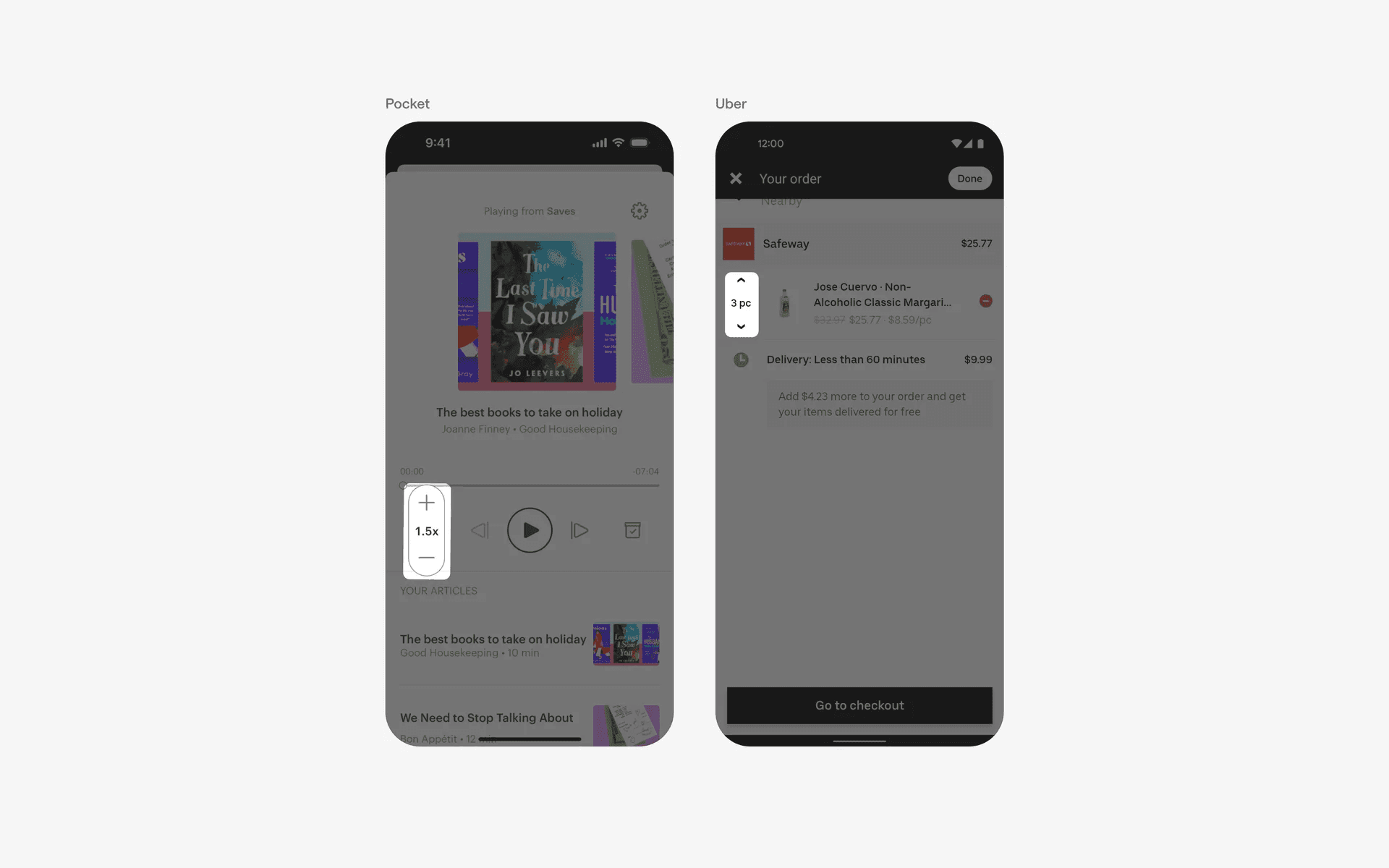
Examples of vertical steppers
When to use steppers?
Quantity selection
In e-commerce apps or any app that involves selecting a quantity of items, steppers are commonly used.
For example, when purchasing products, users can increase or decrease the quantity of items they want to add to their cart using the stepper UI element.
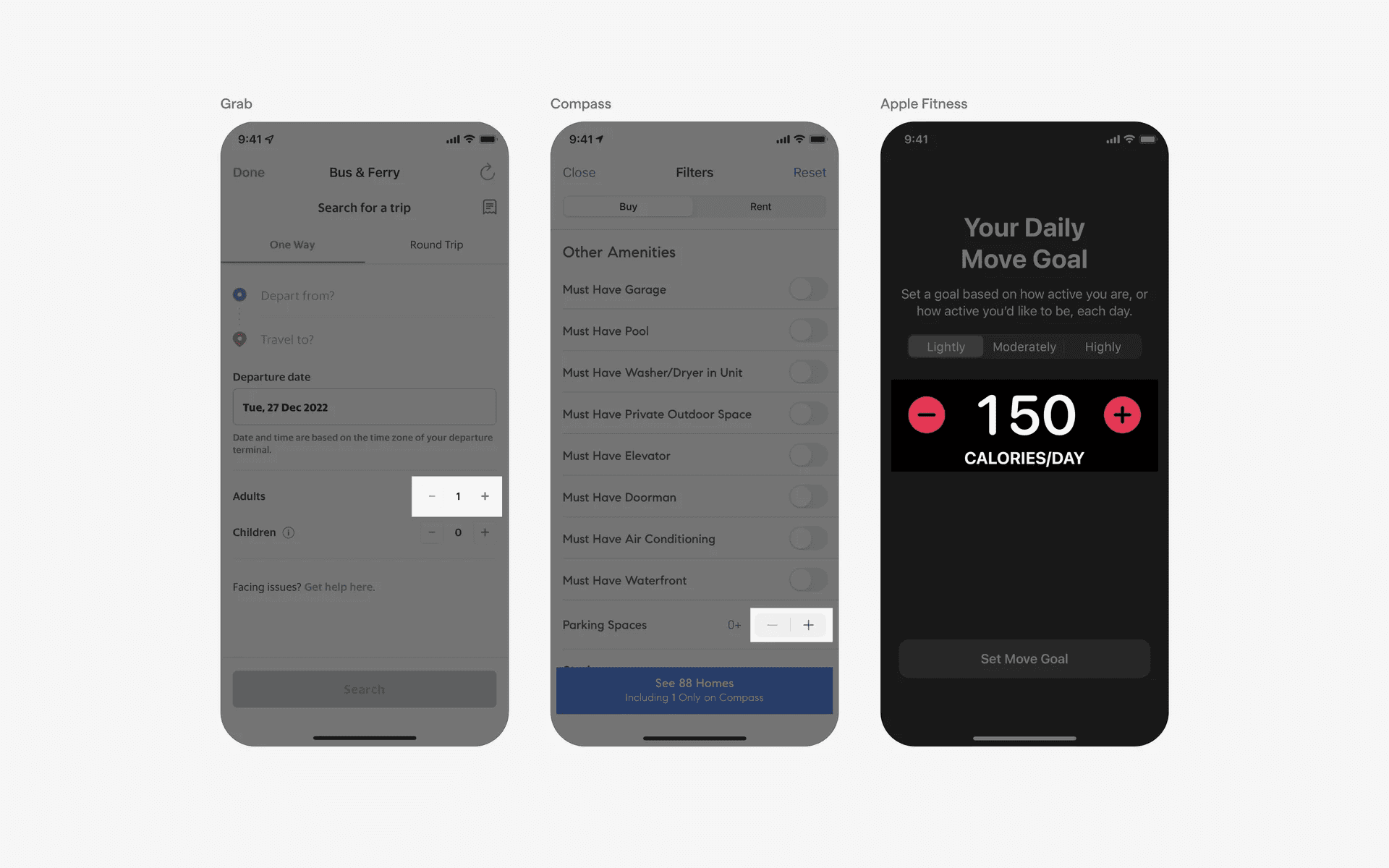
Examples of horizontal steppers used in quantity selection
Date & time selection
Steppers can be used to select dates and times in mobile apps. For instance, in a booking app, users may need to select a specific date and time for an appointment or reservation.
Steppers make it easy for users to increment or decrement the values for the day, month, year, hour, and minute.
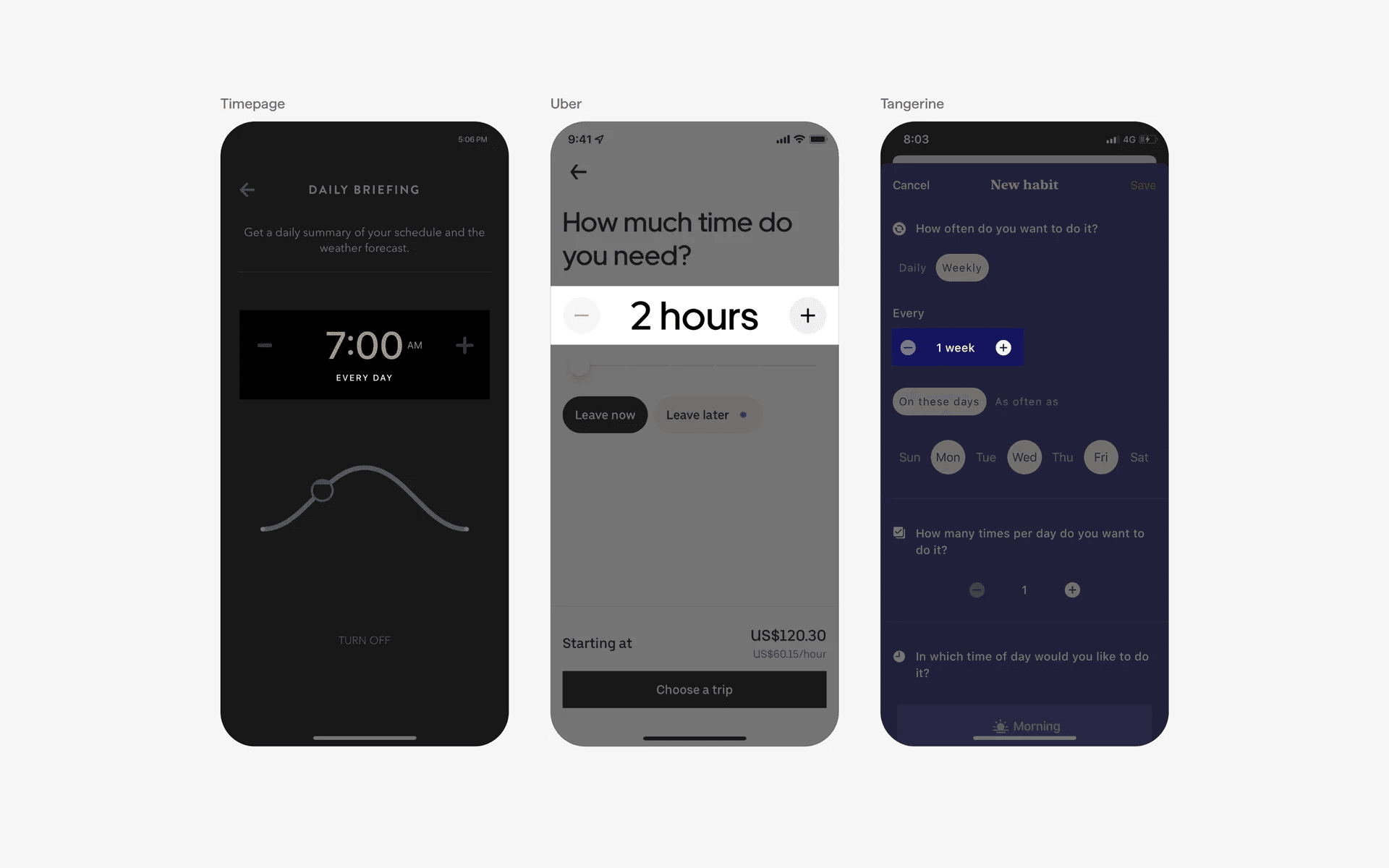
Examples of horizontal steppers used in date & time selection
Settings & preferences
Steppers can also be used in the settings section of mobile apps.
For instance, if an app allows users to adjust a specific setting or preference, such as volume or font size, steppers can provide a simple and intuitive way to increase or decrease the value.
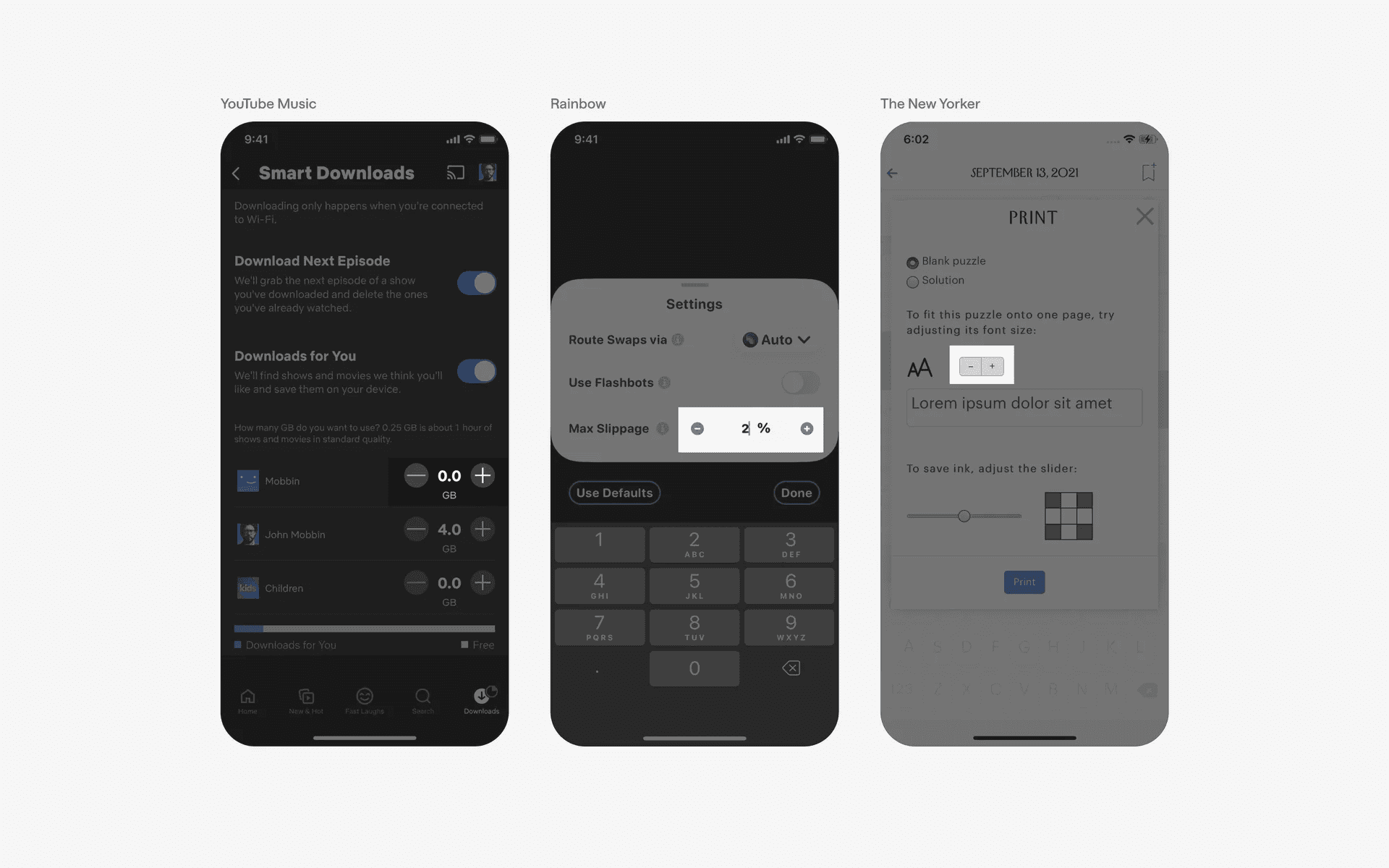
Examples of horizontal steppers used in settings & preferences