
Royal Yellow
Meet Royal Yellow (#FFE26C), a luminous shade that commands attention without being overpowering. Its striking quality lies in its rich, sun-kissed warmth, offering a vibrant yet sophisticated energy that feels both fresh and familiar in any design palette.
What color is Royal Yellow?
Royal Yellow is a bright, warm yellow with a noticeable golden undertone. It has a luminous quality that feels both energetic and inviting.
This shade avoids the sharp intensity of a pure primary yellow, possessing a softer, sun-drenched character that gives it a sophisticated warmth.
What is the meaning of the color Royal Yellow (#FFE26C)?
Royal Yellow combines the cheerful optimism of yellow with a touch of regal sophistication, inspiring feelings of confidence, creativity, and vibrant energy.
Symbolically, it echoes the luster of gold, representing wealth and success, while also channeling the intellectual clarity and warmth associated with sunlight.
How can I effectively use Royal Yellow in my UI design?
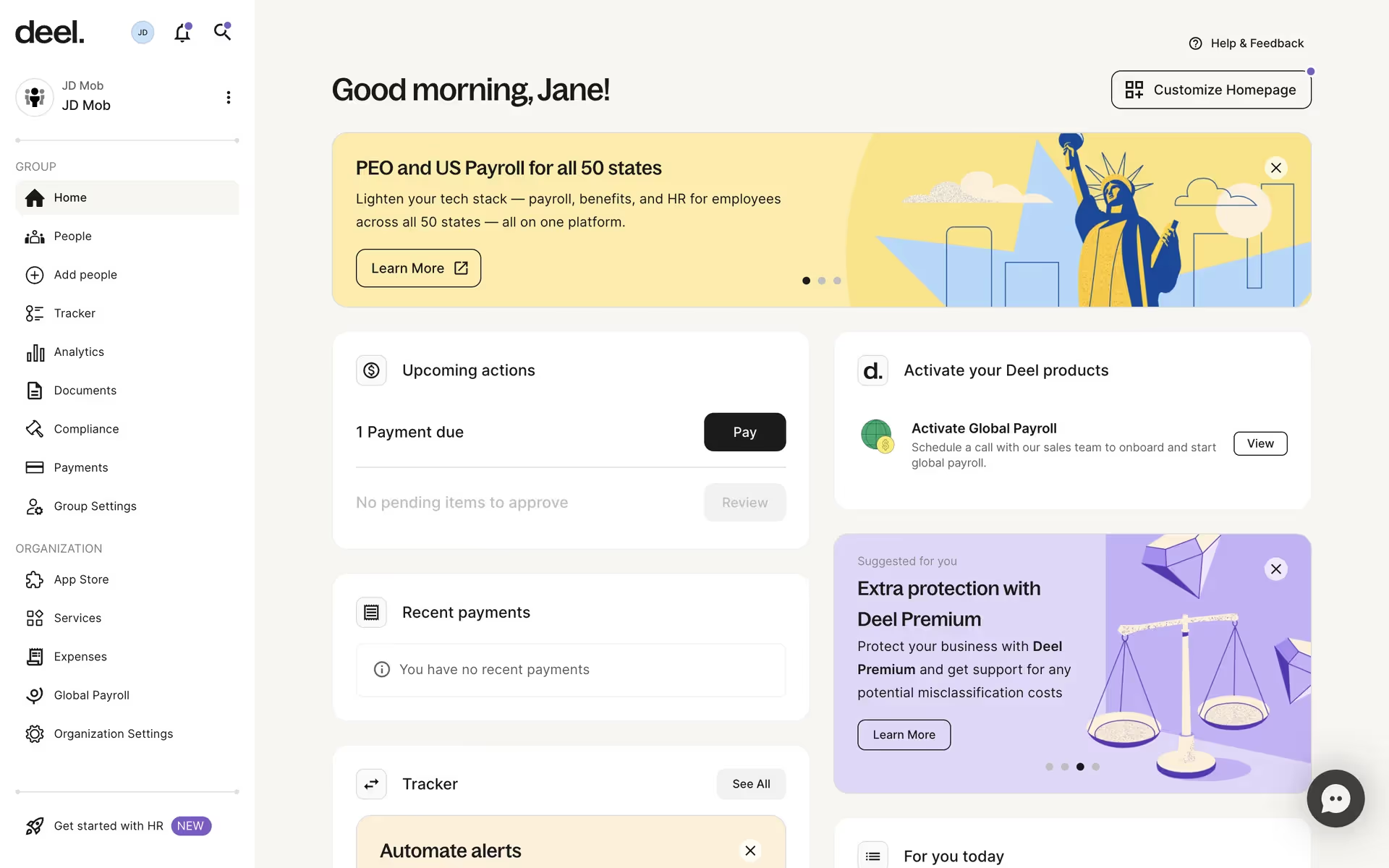
To make Royal Yellow (#FFE26C) work effectively in your designs, set it against dark, muted backgrounds like charcoal gray or deep navy for maximum contrast. It excels as an accent color for key interface elements such as buttons, toggles, and notification dots, guiding the user’s attention. Consider the 60-30-10 rule, using Royal Yellow for the 10% of your palette reserved for calls to action and highlights.
While not a widely used primary brand color, shades similar to Royal Yellow appear in the UIs of companies like Discord, Deel, and GoodRx, often to inject a bit of warmth and energy. Its infrequent use in the market presents an opportunity to build a distinct visual identity that stands apart.
Use the tools below to explore curated palettes, test color contrast for accessibility, and preview Royal Yellow in real UI components from leading brands.
How do I use the Royal Yellow color codes?
Using Royal Yellow in your project starts with its digital identifier: the hex code #FFE26C. But a hex code is just one language for color. Depending on your medium—whether digital or print—you'll need to translate it into different formats.
For screen-based work, you'll rely on RGB (Red, Green, Blue) values, which define color by mixing light. For print, you'll need the CMYK equivalent, based on cyan, magenta, yellow, and black ink. Other models like HSL (Hue, Saturation, Lightness) or LCH (Lightness, Chroma, Hue) offer more intuitive ways to make adjustments, while LAB and XYZ are designed for perceptual uniformity.
To make things simple, we've converted Royal Yellow (#FFE26C) into a full spectrum of color codes. You can find and copy the exact values you need for your project below.
Analogous
Analogous colors sit beside Royal Yellow on the color wheel. This combination produces a cohesive and calming palette, perfect for unified designs.
Complementary
Complementary colors are opposites on the color wheel. Paired with Royal Yellow, they create a striking, high-contrast visual effect that makes both colors pop.
Split Complementary
A split complementary palette for Royal Yellow pairs it with the two colors neighboring its opposite, creating high contrast with more nuance.
Triadic
A triadic scheme pairs Royal Yellow with two other colors equidistant on the color wheel, creating a vibrant palette with bold, balanced contrast.
Tetradic
Tetradic palettes offer vibrant combinations by pairing Royal Yellow with three other colors, forming two sets of complementary hues on the color wheel.
Square
The square color scheme uses four colors equidistant on the color wheel. This method produces a vibrant, high-contrast palette built around Royal Yellow.
Text Color
Background Color
Your Catchy Large Text Goes Here
Shades
Adding black to Royal Yellow creates darker shades, giving your design more depth and weight.
Tints
Tints of Royal Yellow are created by adding white, resulting in lighter, softer variations.
Tones
Tones of Royal Yellow are created by adding gray, resulting in a softer, desaturated look.
Hues
Hues are variations of Royal Yellow, differing in intensity or temperature to create distinct moods.








Never run out of inspiration again.
Use Mobbin for free as long as you like or get full access with any of our paid plans.



















