Color Picker UI

What is a color picker component?
A color picker allows users to select colors from a spectrum or palette.
It enables users to choose specific color for various purposes, such as designing graphics, or selecting colors for text, backgrounds, or other elements in an application or document.
Color pickers can range from simple to complex, depending on user needs.
There are 4 main design variants of color pickers: Color palette, color slider, color wheel, and color area.
Color pickers are commonly used in the following design patterns: Customization & personalization, Design & image editing, Filter & search.
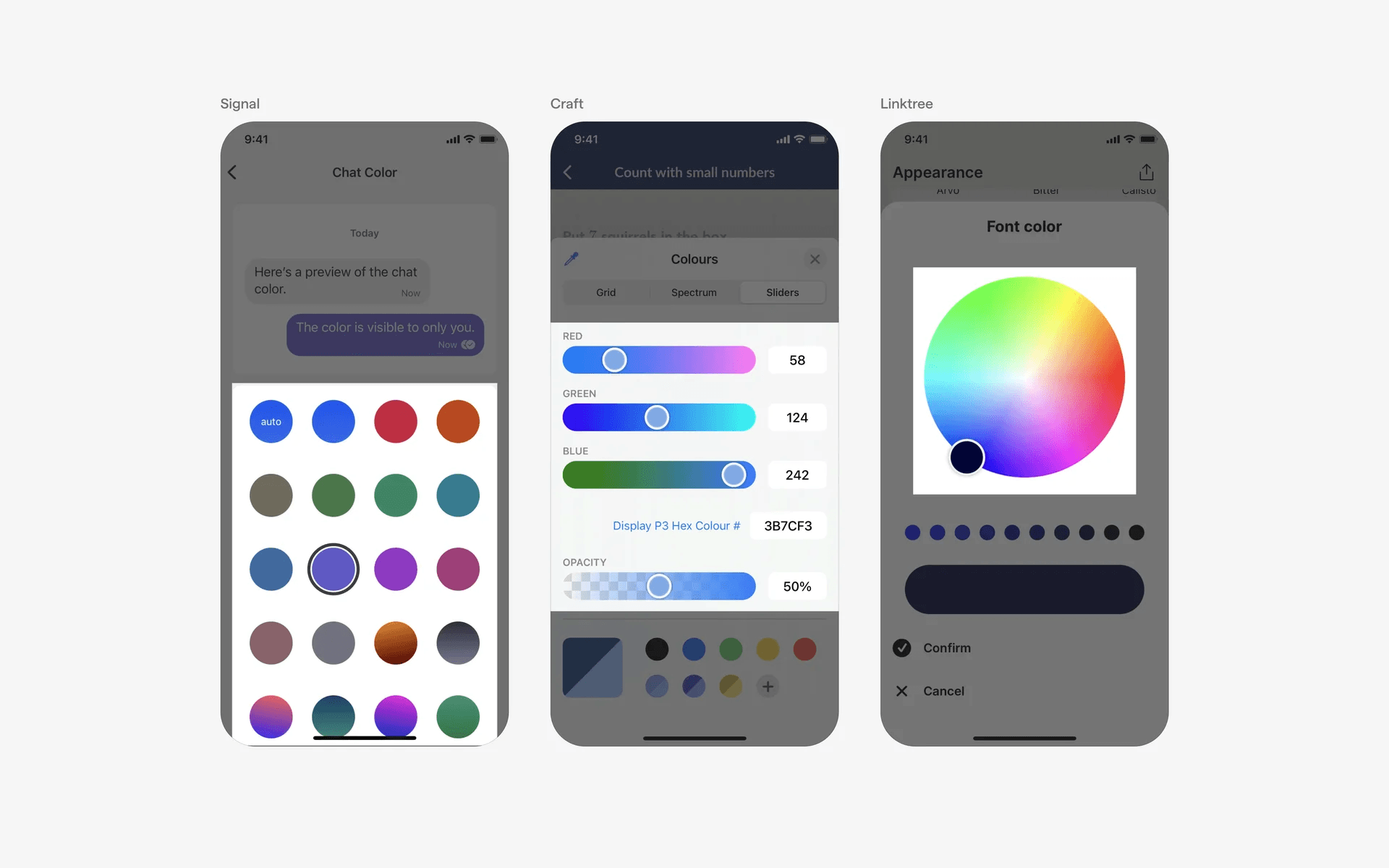
Examples of color palette, color slider & color area
What is the anatomy of color pickers?
Color palette
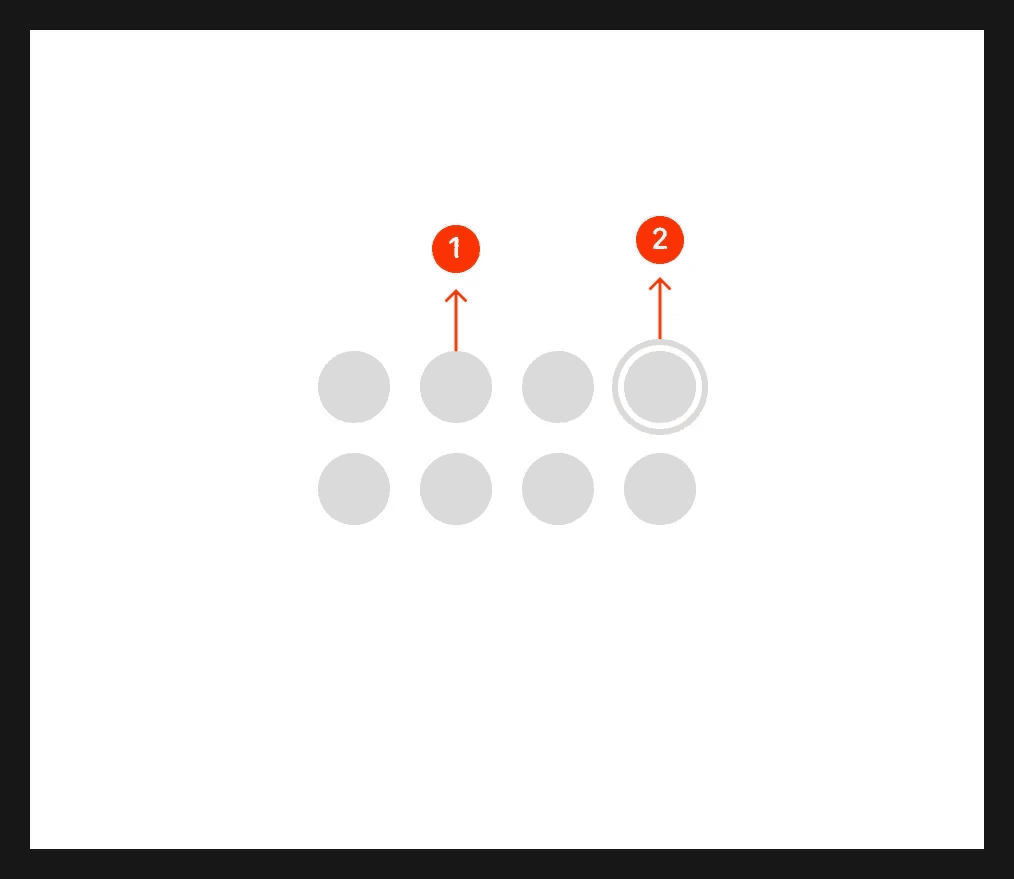
Anatomy of color palettes
Color slider
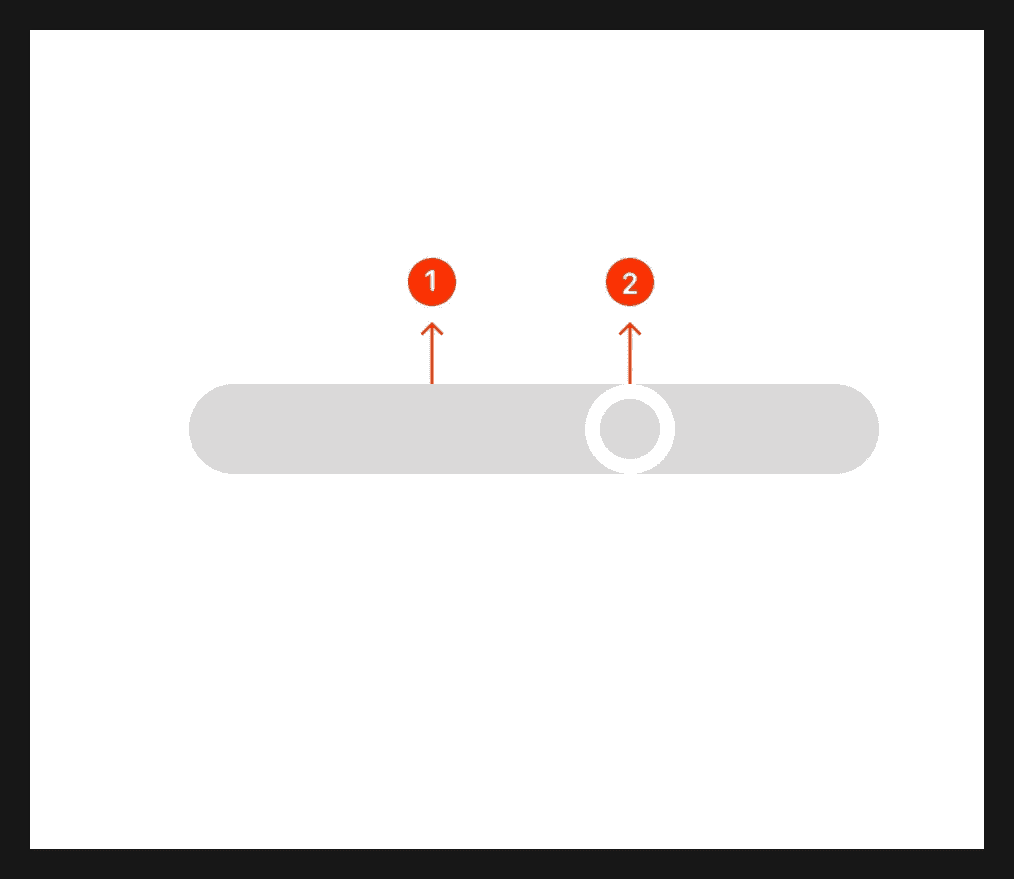
Anatomy of color slider
Color wheel

Anatomy of color wheel
Color area
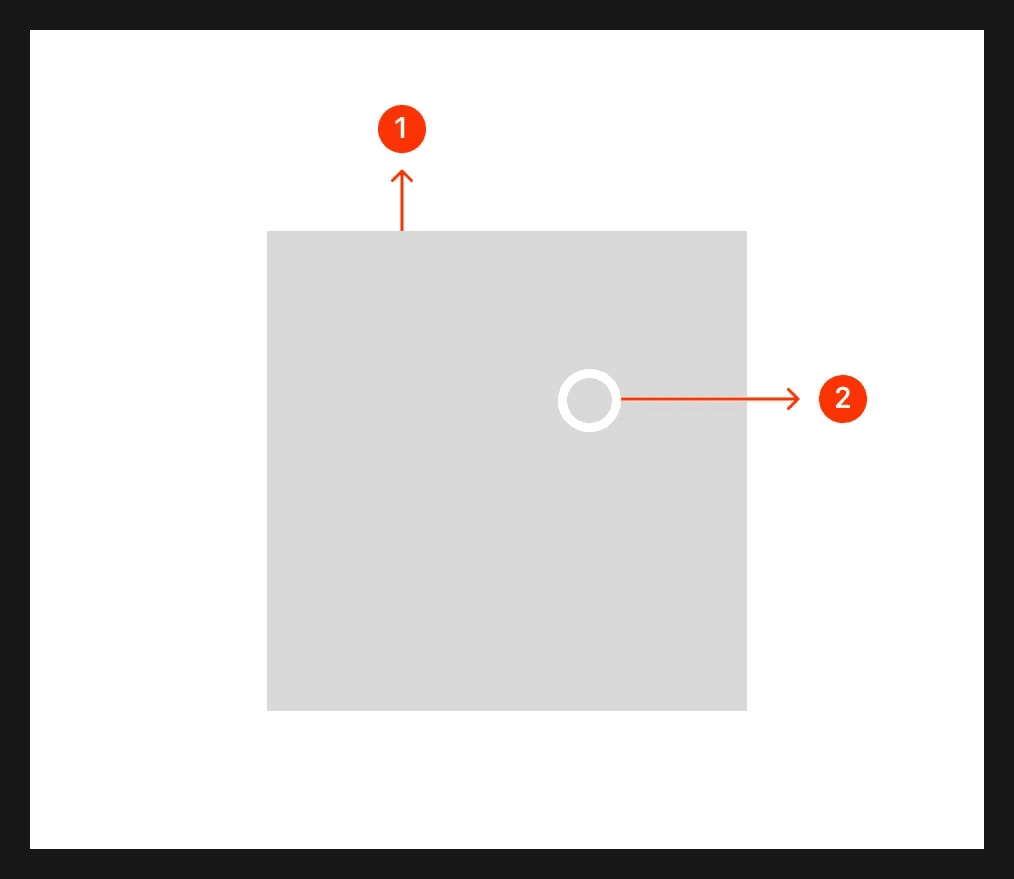
Anatomy of color area
What are the design variants of a color picker?
We studied over 1,000+ color picker UI components on Mobbin, from real-world examples and found the following variants.
1. Different types of color palettes
The most common form of color palettes are circular color swatches. To indicate selection of a specific color value, you can either use a ring as a selection indicator, or a check icon.
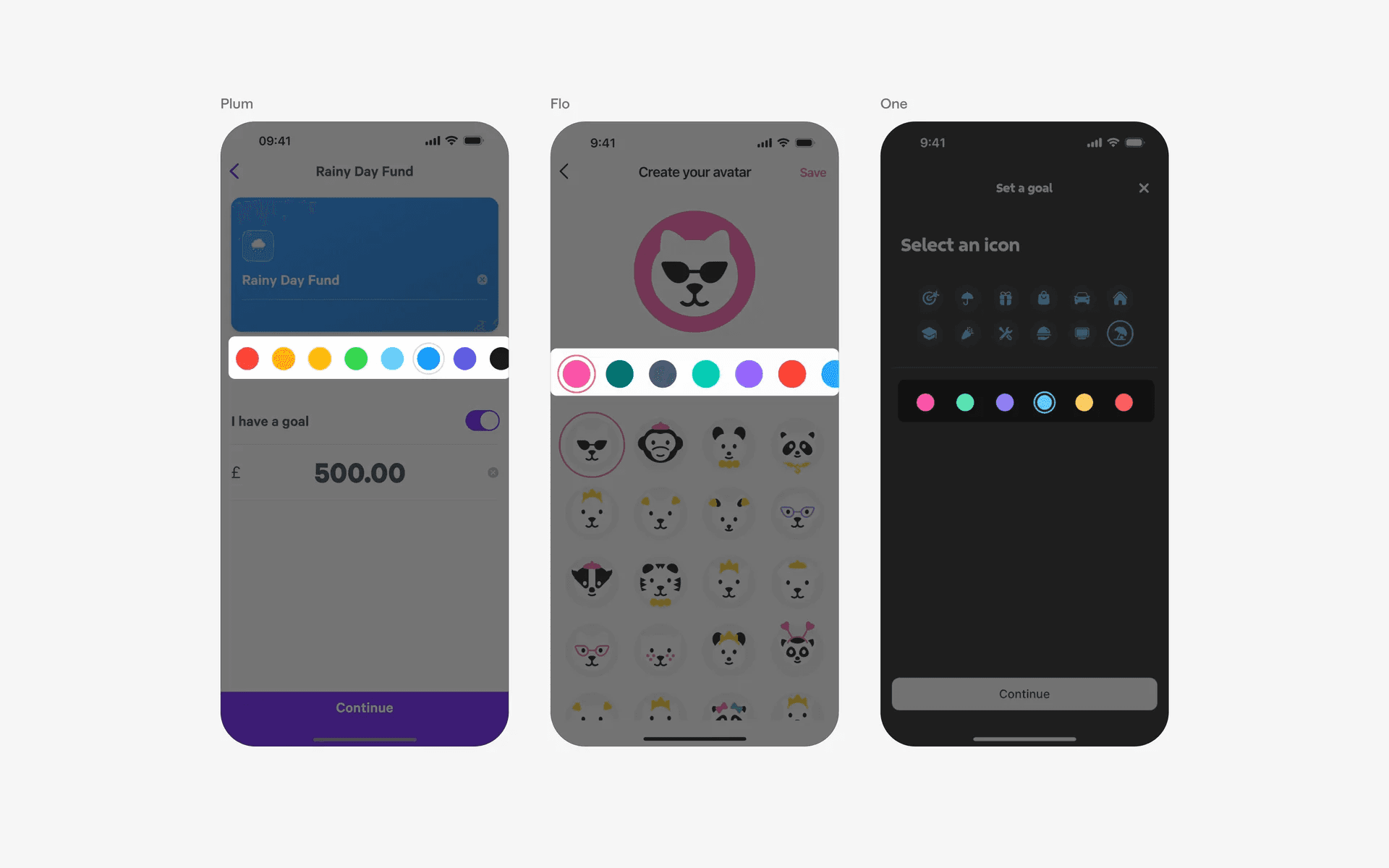
Examples of color palette with ring selection indicator
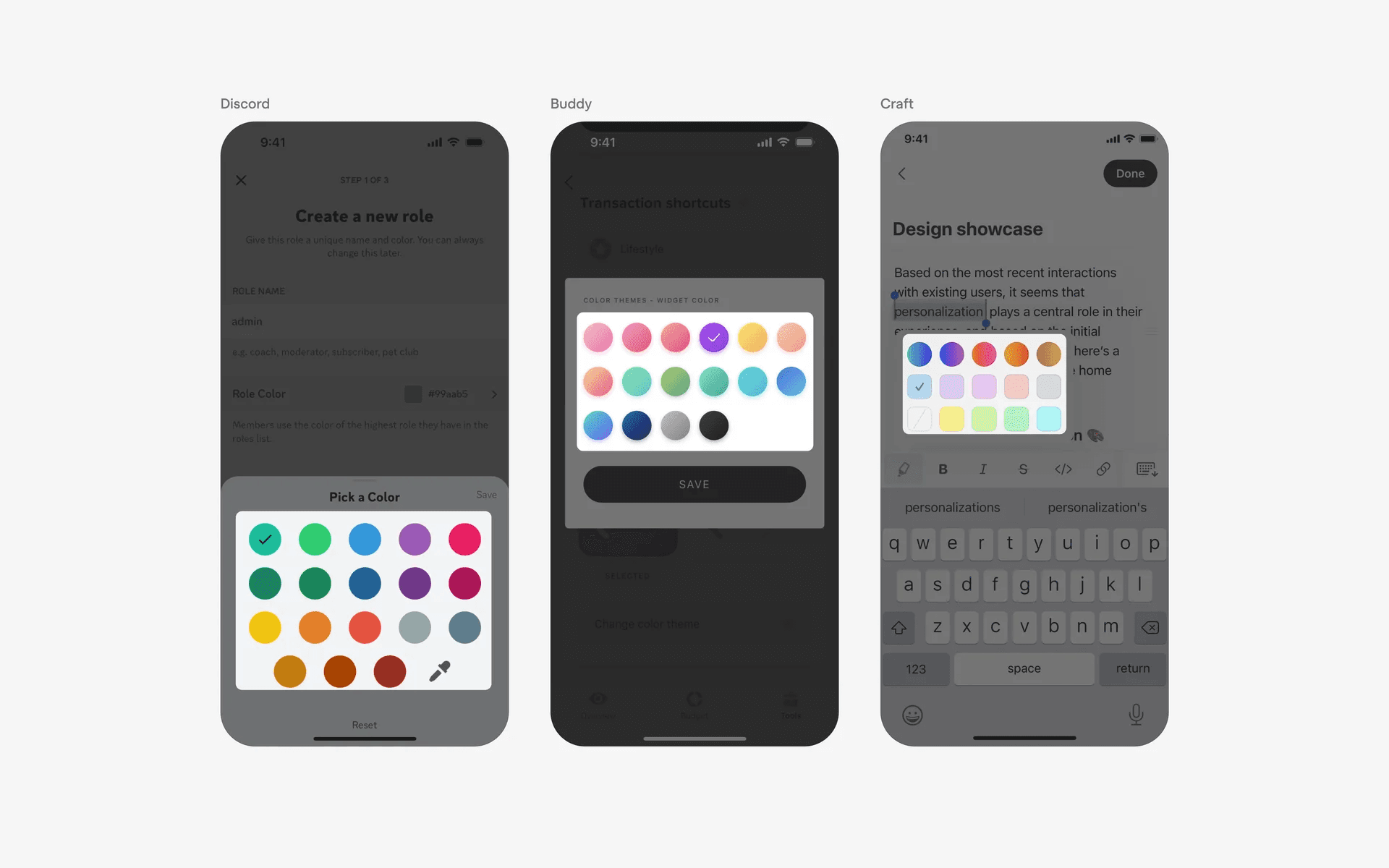
Examples of color palette with check icon selection indicator
We've also seen color picker in list or tile forms.
This design is frequently accompanied by text labels (i.e: red, yellow, green), and might be more accessible to users who might have color blindness. 4.5% of the world's population has some form of color deficiency.
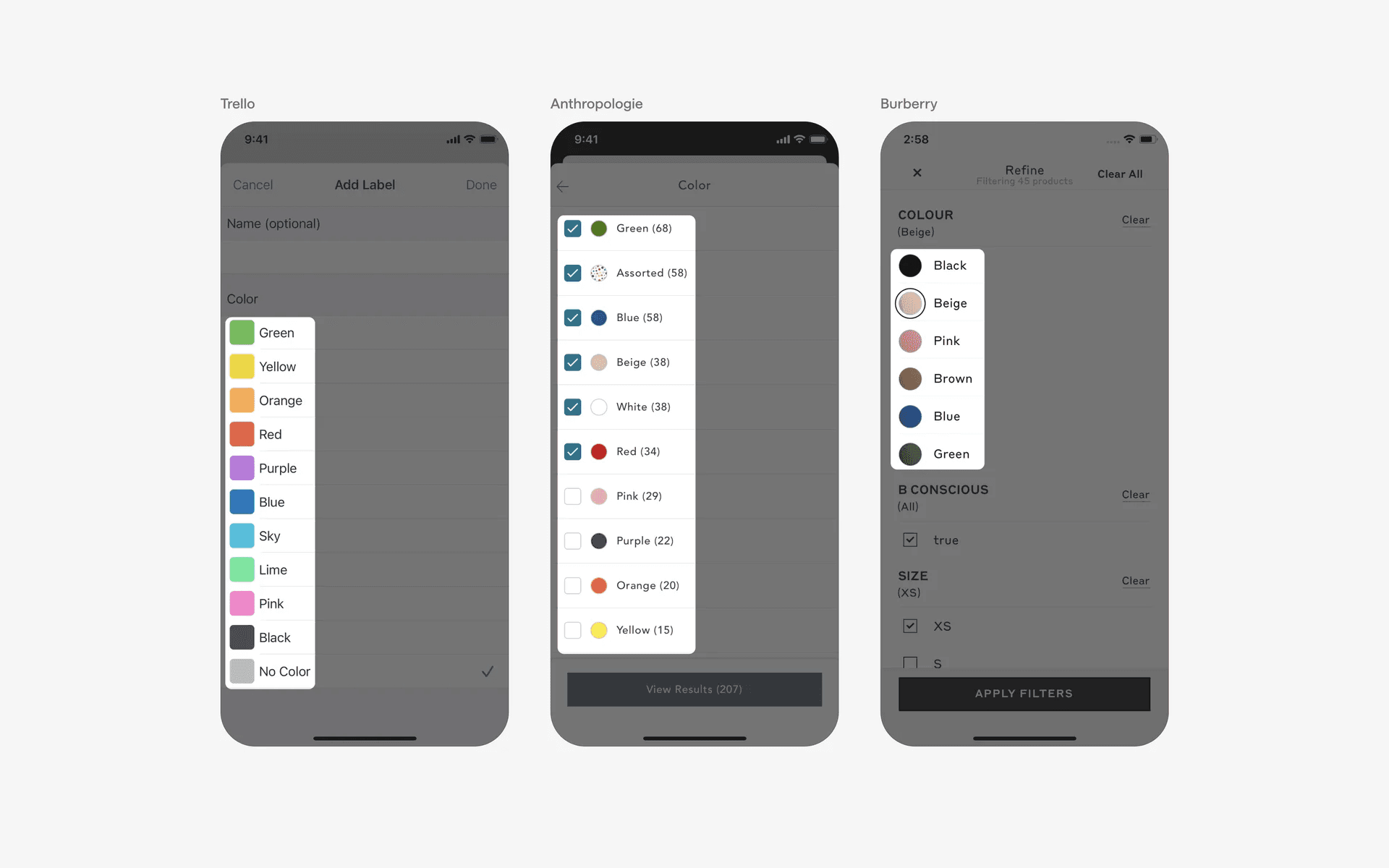
Examples of color palette in list or card form
2. Color sliders as a compact solution to pick colors
If you need to give users more granular control of color values, consider using a continuous slider as a color picker.
Another advantage of having it as a slider is being able to keep the section compact as compared to using a color wheel or color area.
You'll notice that color sliders sometimes come with an input text field that allows users to key in the color hex code.
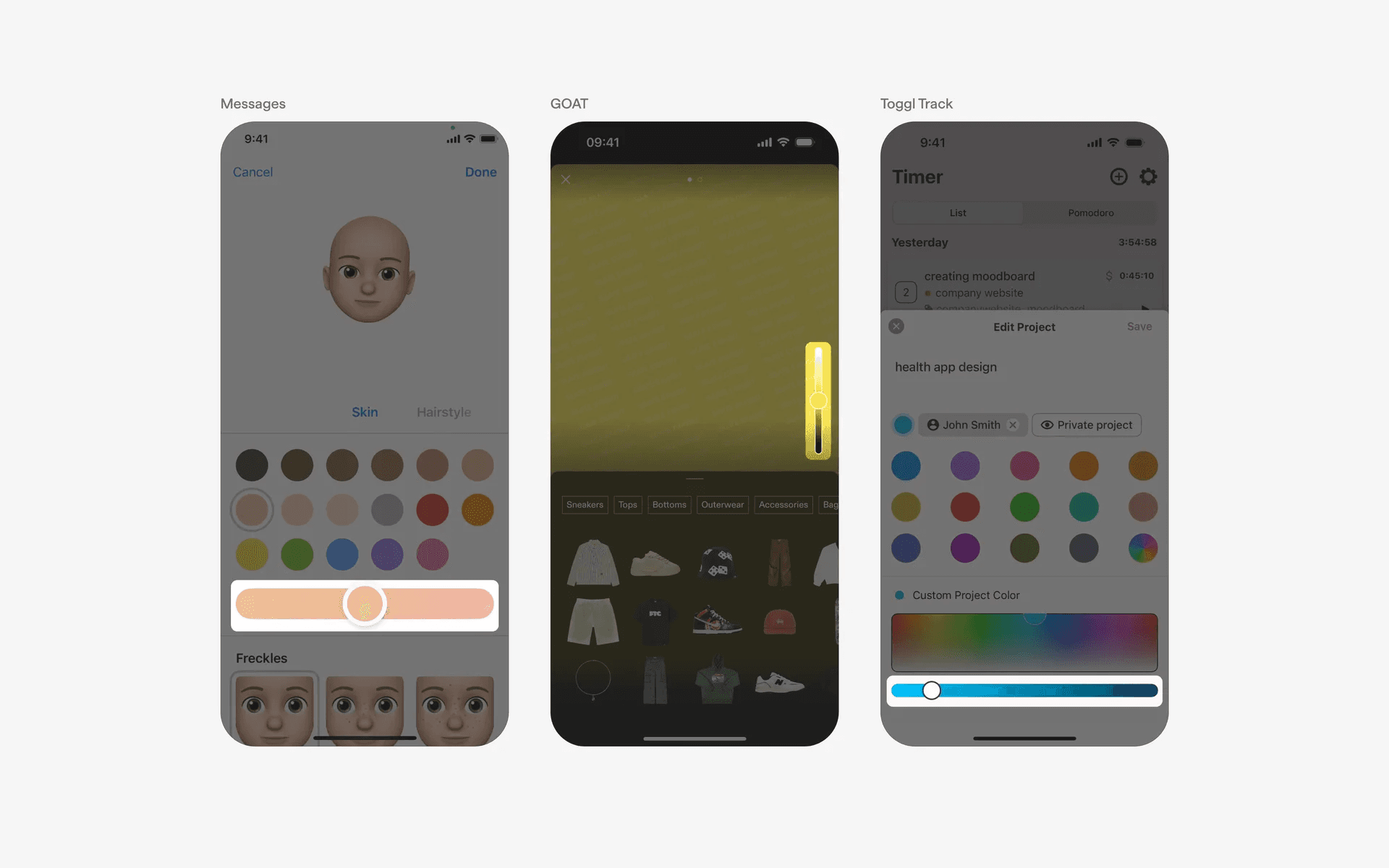
Examples of color sliders
3. Color wheels
The color wheel was invented in 1666 by Isaac Newton, who mapped the color spectrum onto a circle.
Having a color wheel picker takes up more space on the mobile interface, but should be utilized if there is a strong need for users to create the correct color combinations.
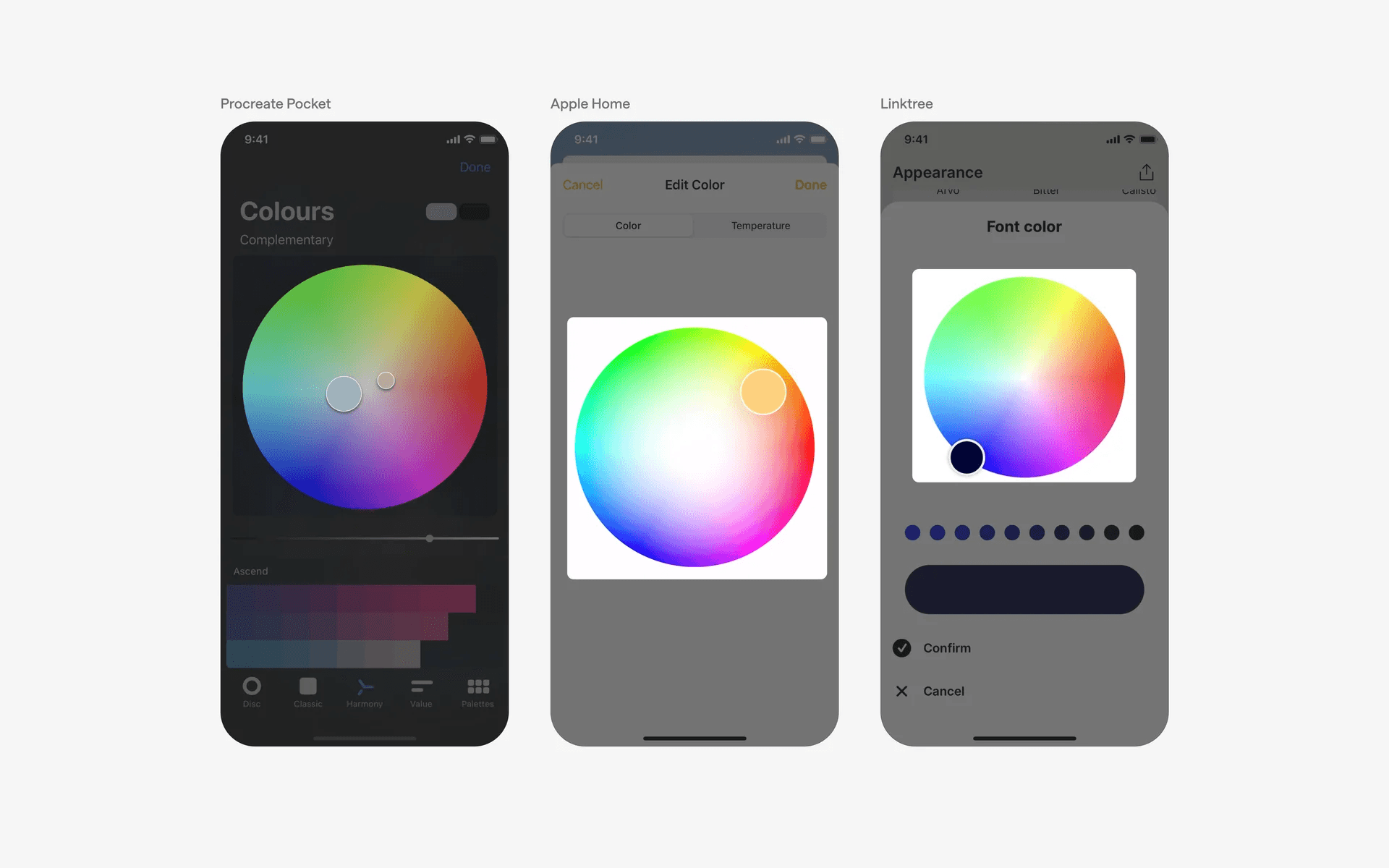
Examples of color wheels
4. Color areas
A color area allows users to visually select two properties of a color simultaneously. It's commonly used together with a color slider or color wheel.
You'll also notice that it commonly comes with a hex code input field.
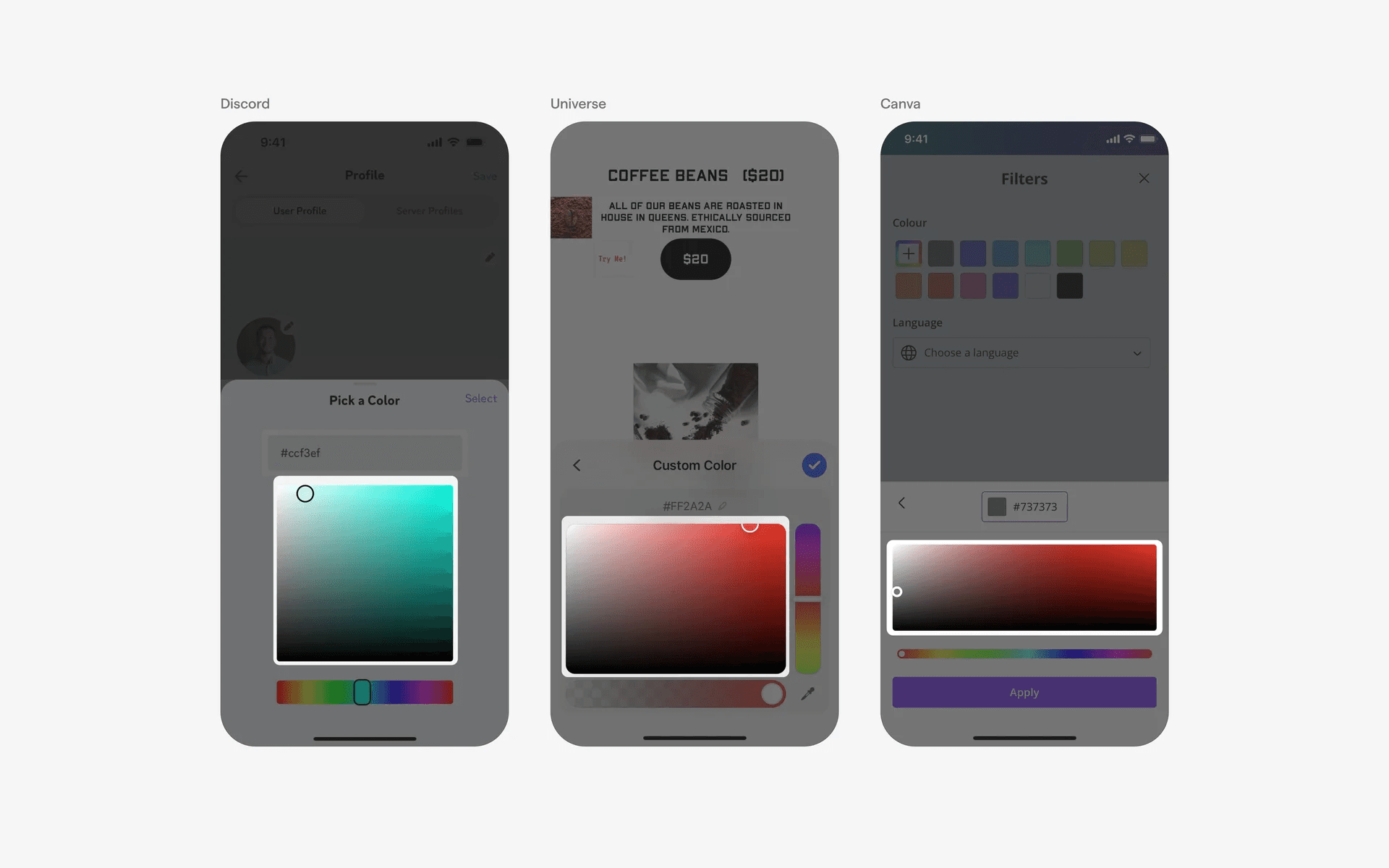
Examples of color picker
When to use color pickers?
1. Customization & personalization
Some apps offer customization options where users can create the app's appearance according to their preferences.
Color pickers are used to select custom colors for themes, backgrounds, text, or other visual elements, giving users a tailored experience.
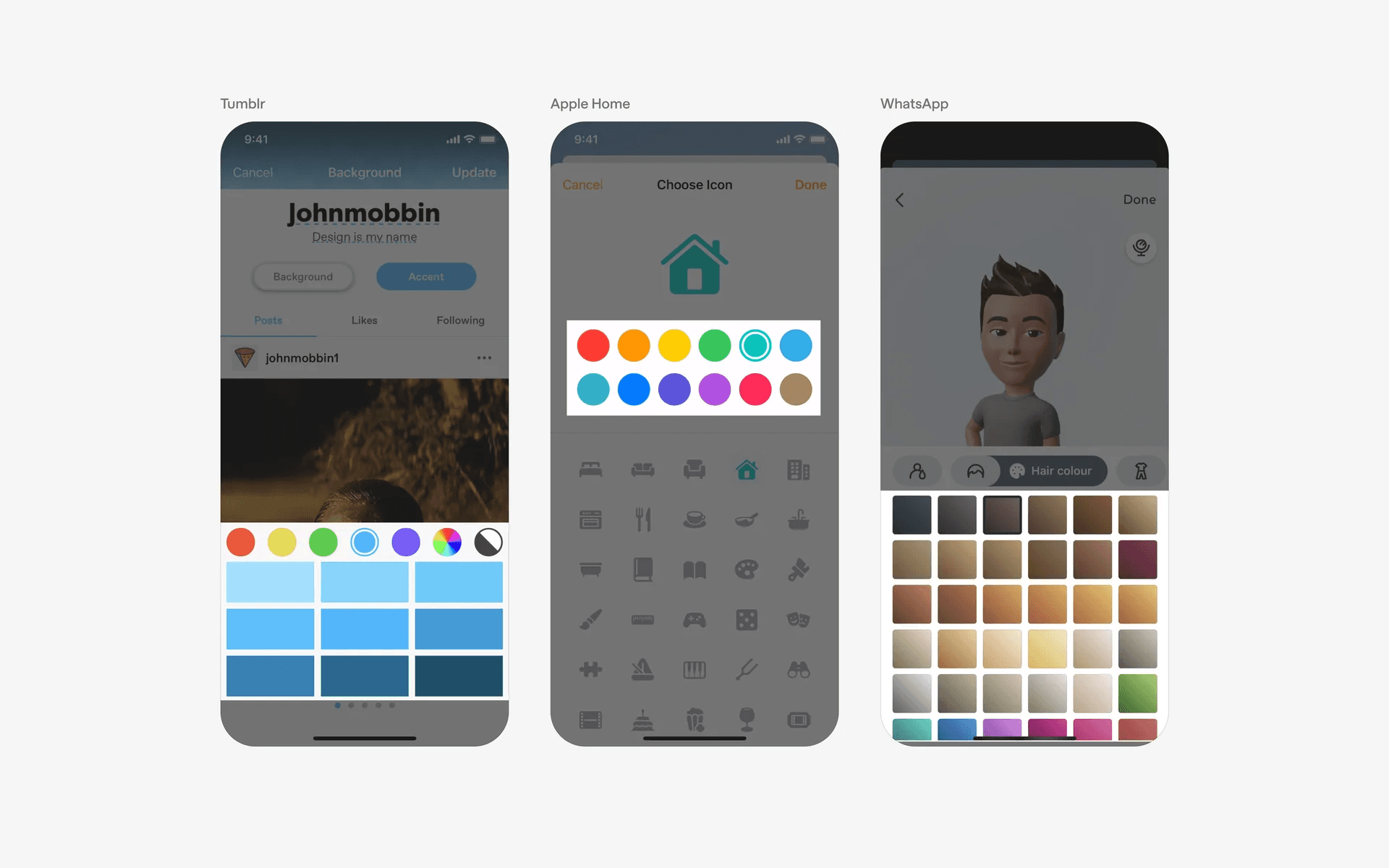
Examples of color picker in customization & personalization flows
2. Design & image editing
Apps designed for design or image editing often include color pickers to allow users to select colors for drawing, painting, or editing images.
These color pickers help users choose the perfect colors for brush strokes, fill areas, or apply filters and effects.
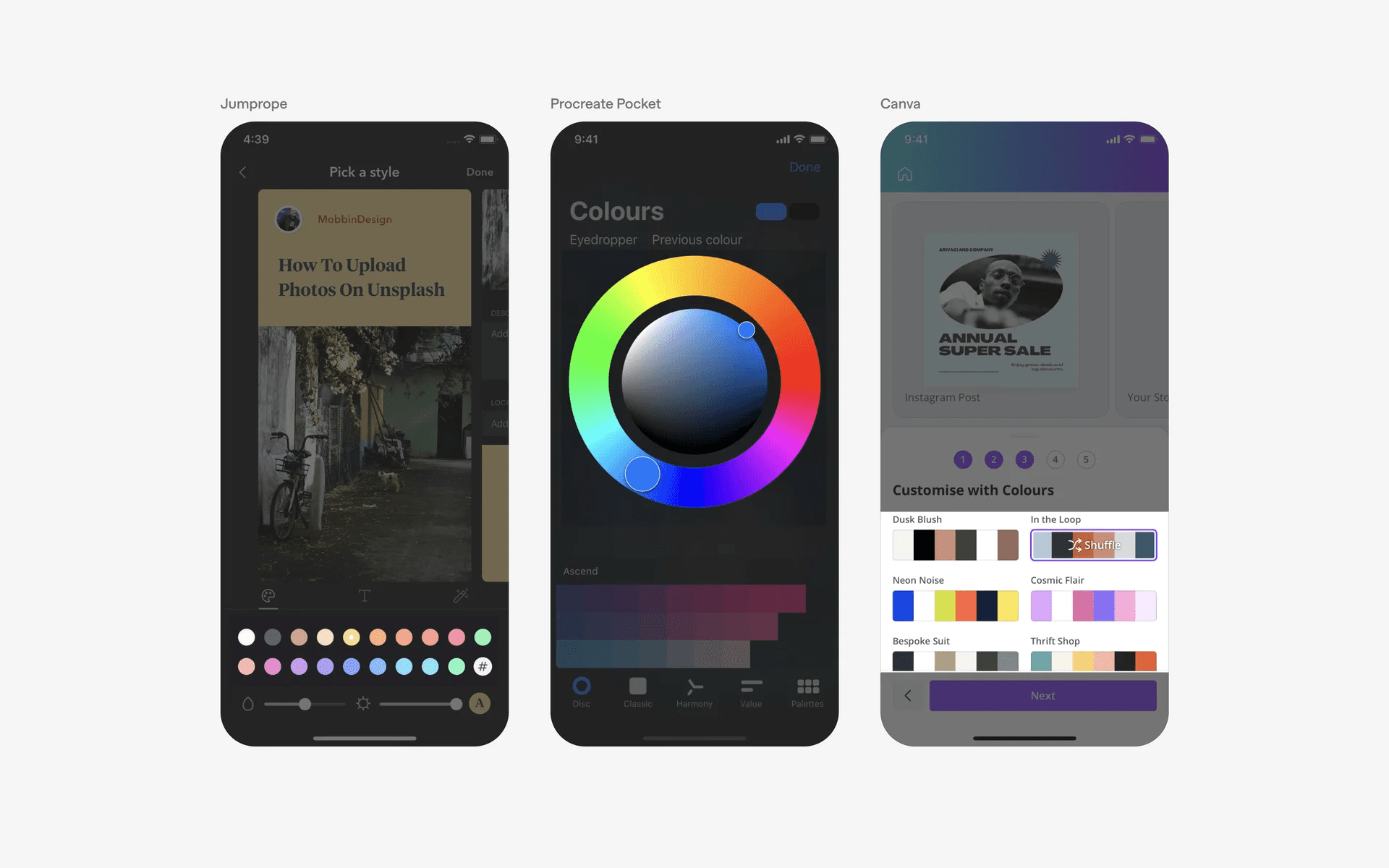
Examples of color picker in design & image editing flows
3. Filter & search
Users can select one or multiple colors from the color picker to refine their search or browse results.
This can be particularly useful when searching for items that come in different color variations, such as clothing, accessories, furniture, or artwork.
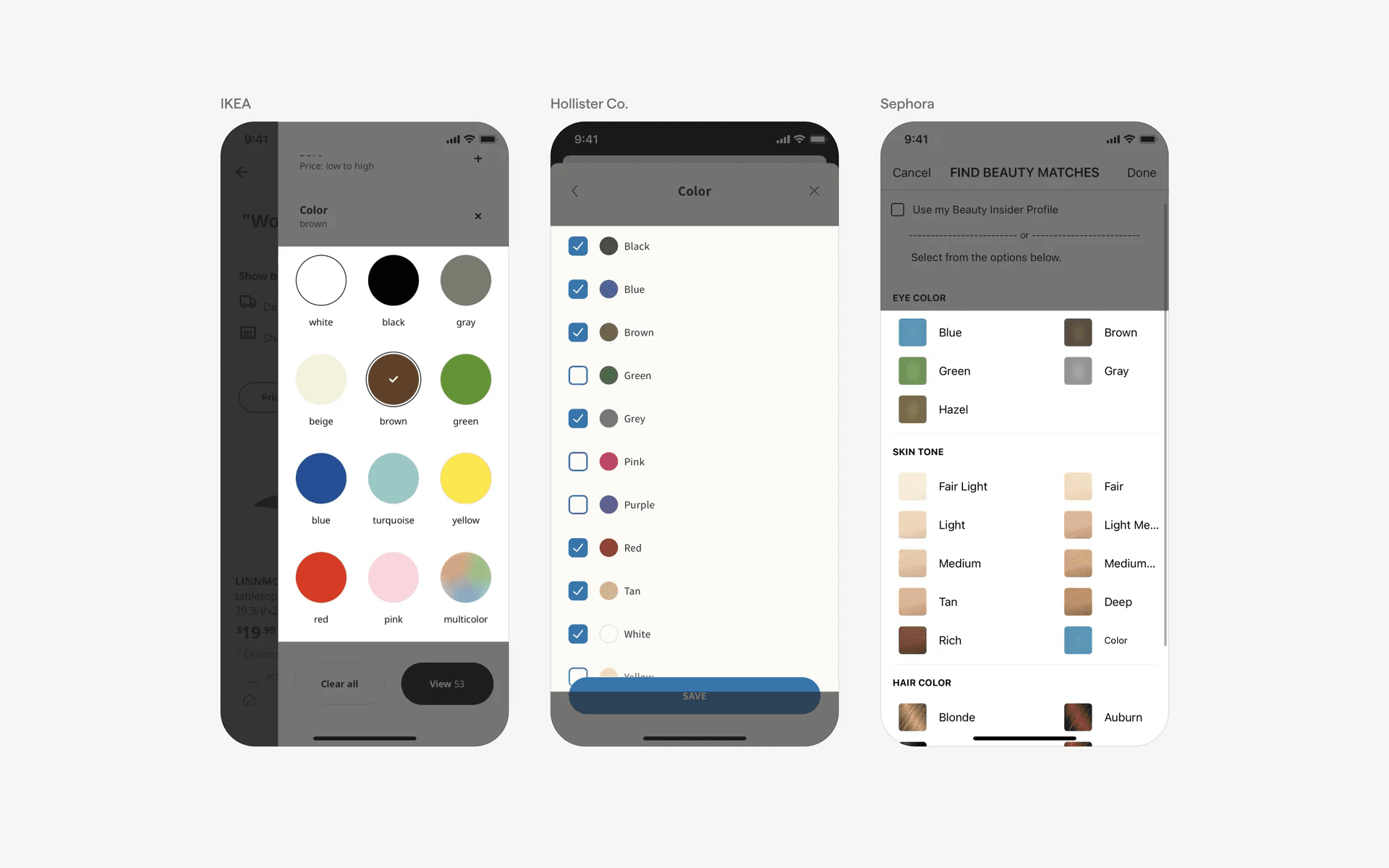
Examples of color picker in filter & search flows
Conflicting UI elements: Sliders
Color picker v.s. Sliders
Not all sliders are color pickers. Colors can be used as a scale as well (e.g high vs low, etc.). As such, consider the context in which the slider is used, especially if not the full color spectrum is visible.
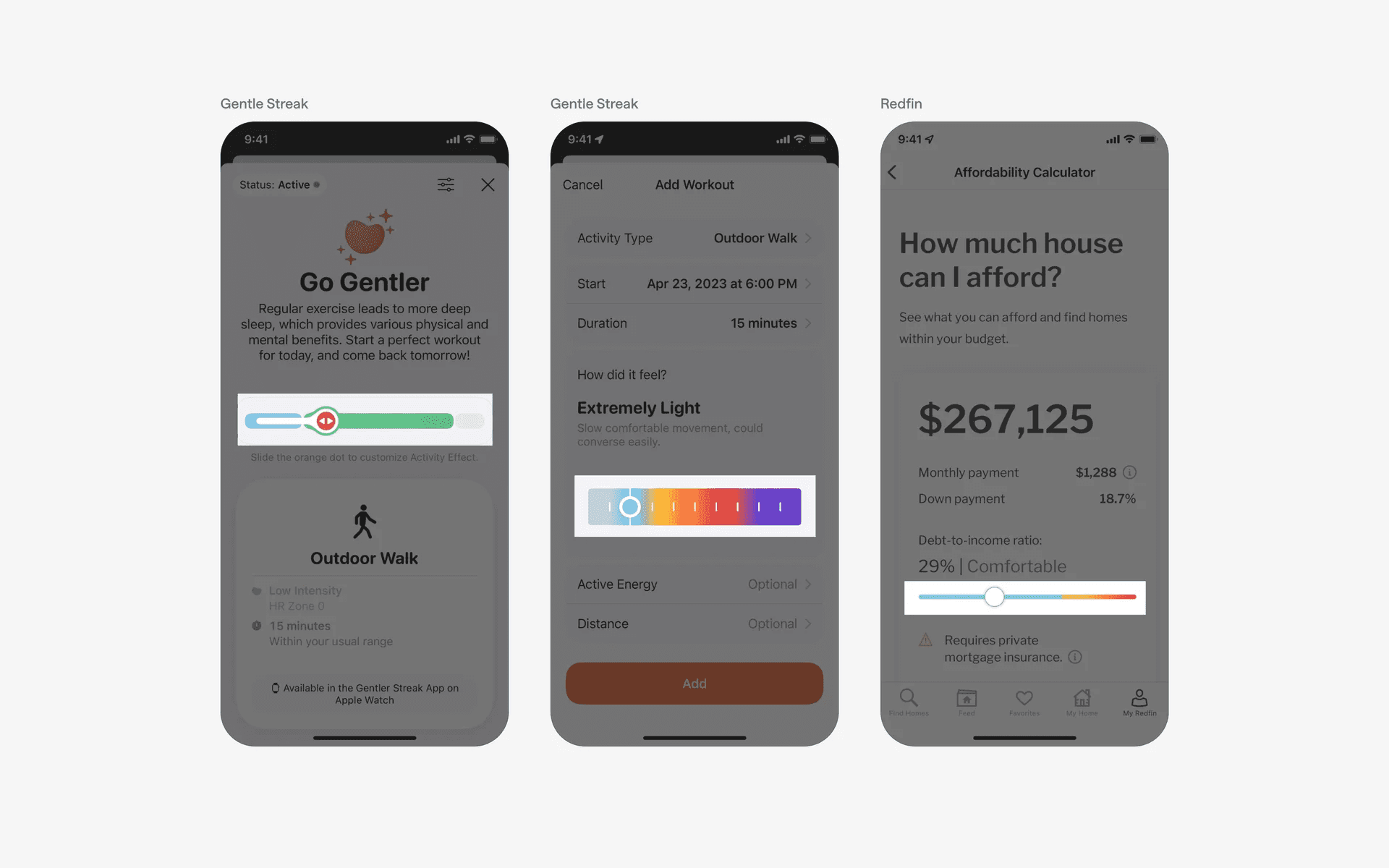
Examples of sliders that look like color pickers