
Volcano
Meet Volcano (#D07E59), a rich, earthy hue that commands attention. This distinctive shade balances the warmth of terracotta with a muted, sophisticated undertone, making it a compelling choice for interfaces that need a touch of organic yet modern character.
What color is Volcano?
Volcano is a warm, earthy shade that sits comfortably between orange and brown.
It carries a distinct terracotta feel, with rich, reddish-brown undertones that give it a grounded and sophisticated character.
What is the meaning of the color Volcano (#D07E59)?
The color Volcano, #D07E59, embodies the foundational strength and creative force of the earth, evoking a sense of grounded warmth.
Its resemblance to ancient pigments gives it a feeling of authenticity and endurance, a color with deep historical roots.
How can I use Volcano in my UI design?
In UI design, Volcano works best as an accent color to draw attention. Pair the warm #D07E59 with cool, dark counterparts like deep blues or charcoal grays for a sophisticated contrast. Applying the 60-30-10 principle, you can use Volcano for that final 10% flourish on buttons, icons, and other key interactive elements.
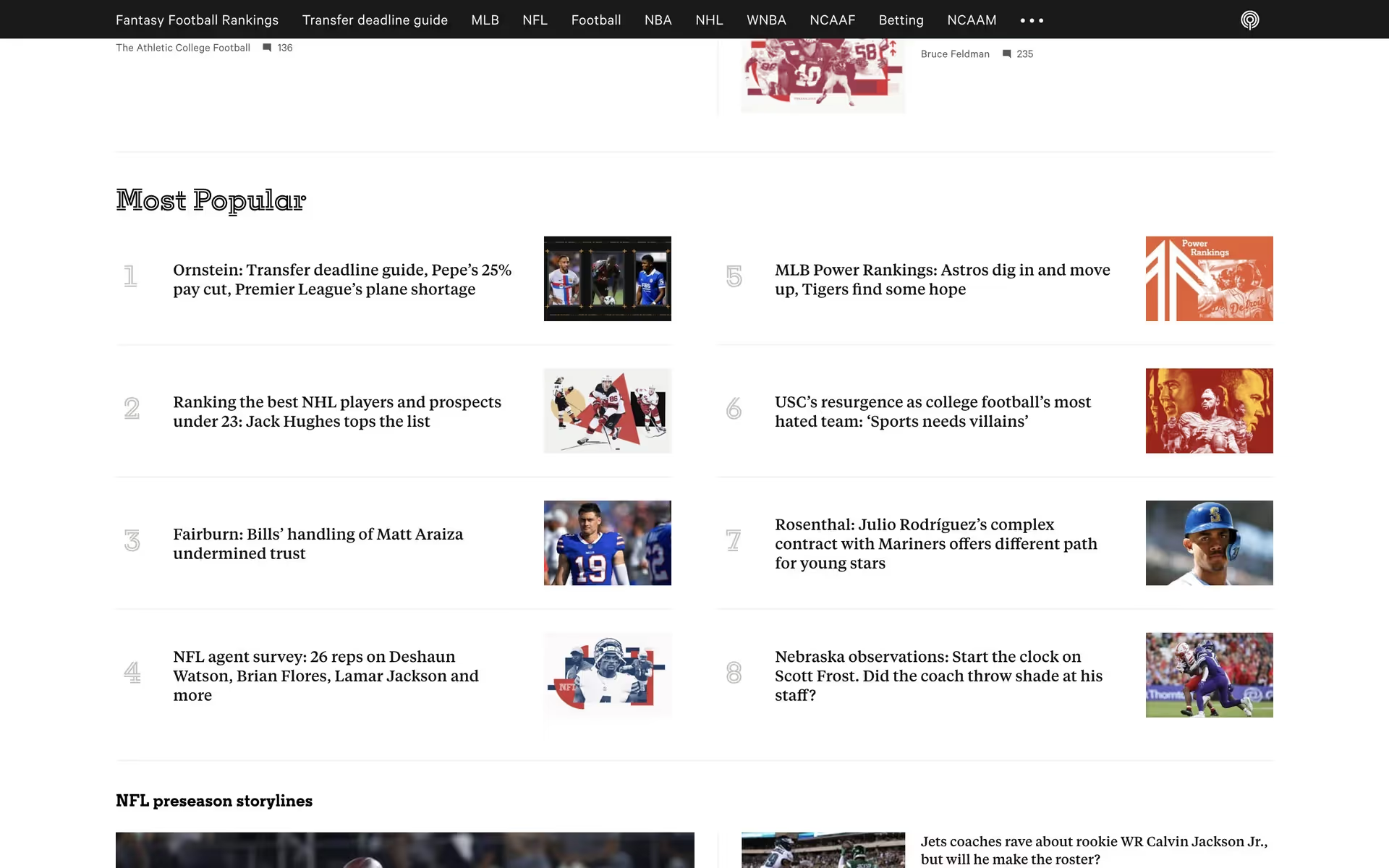
While not a color you see every day, brands like The Athletic have successfully used a similar shade to create an energetic and recognizable identity. Its relative rarity in branding can be an advantage, offering a chance to build a distinct visual style that stands out.
Use the tools below to explore curated palettes, test color contrast for accessibility, and preview Volcano in real UI components from top brands.
Using Volcano color codes
While the HEX code #D07E59 is standard for web development, your projects might require Volcano in different formats. Converting this code is essential for maintaining color consistency across various media, from digital displays to printed assets.
Each color model serves a specific purpose. RGB is the go-to for screen-based work, defining colors by mixing red, green, and blue light. For print, you'll need the CMYK values, which are based on ink. Other models like HSL offer more intuitive ways to adjust and specify color properties in your design software.
To help you get started, we've converted #D07E59 into a range of popular color formats. You can find and copy the exact codes you need for your work below.
Analogous
For Volcano, analogous colors are those found next to it on the color wheel, resulting in a cohesive and tranquil visual experience.
Complementary
To find Volcano's complementary shade, look directly across the color wheel. This pairing produces a vibrant, energetic combination with maximum visual impact.
Split Complementary
This scheme takes Volcano and pairs it with the two colors sitting next to its complement, offering high contrast with less tension.
Triadic
A triadic harmony is built from three colors equidistant on the color wheel. This approach gives Volcano a balanced yet visually striking combination.
Tetradic
A tetradic scheme for Volcano uses two pairs of complementary colors, forming a rectangle on the color wheel for a rich, balanced palette.
Square
A square color scheme uses four colors evenly spaced around the color wheel, creating a vibrant palette with strong, balanced contrast.
Text Color
Background Color
Your Catchy Large Text Goes Here
Shades
Shades are darker versions of Volcano, created by adding black to give depth and weight.
Tints
Tints lighten the base Volcano color by mixing in white, resulting in a softer appearance.
Tones
Tones are muted versions of Volcano, created by adding gray to soften its saturation.
Hues
Hues are variations of Volcano, differing in intensity and temperature to create distinct moods.

Never run out of inspiration again.
Use Mobbin for free as long as you like or get full access with any of our paid plans.



















