
Sequoia Green
Meet Sequoia Green (#2E4D46), a deep, muted green with a significant gray undertone. Its richness comes from this subtle complexity, offering a sophisticated and grounded foundation for any design palette without being overpowering. It's a color that feels both natural and refined.
What color is Sequoia Green?
Sequoia Green is a deep, cool-toned green with noticeable blue and gray undertones. It evokes the shaded foliage of its namesake tree, presenting a muted and sophisticated appearance rather than a vibrant one.
This specific shade sits on the darker end of the green spectrum, giving it a grounded and stable quality. Its low saturation contributes to its subtle, almost introspective character.
What is the meaning behind the color Sequoia Green (#2E4D46)?
Sequoia Green, with its hex code #2E4D46, channels the immense presence of its namesake trees, suggesting stability, endurance, and a profound connection to the natural world.
This deep, muted green evokes a sense of calm and balance, often associated with quiet sophistication and timeless design.
How can I effectively use Sequoia Green (#2E4D46) in my UI design?
Sequoia Green (#2E4D46) shines as a primary color for interfaces aiming for a composed, premium feel. For crisp legibility, set it against light neutrals like cream, beige, or soft grays. Applying the 60-30-10 rule, you can use it as the dominant color (60%) for a bold statement or as a secondary (30%) or accent (10%) color for more subtle applications.
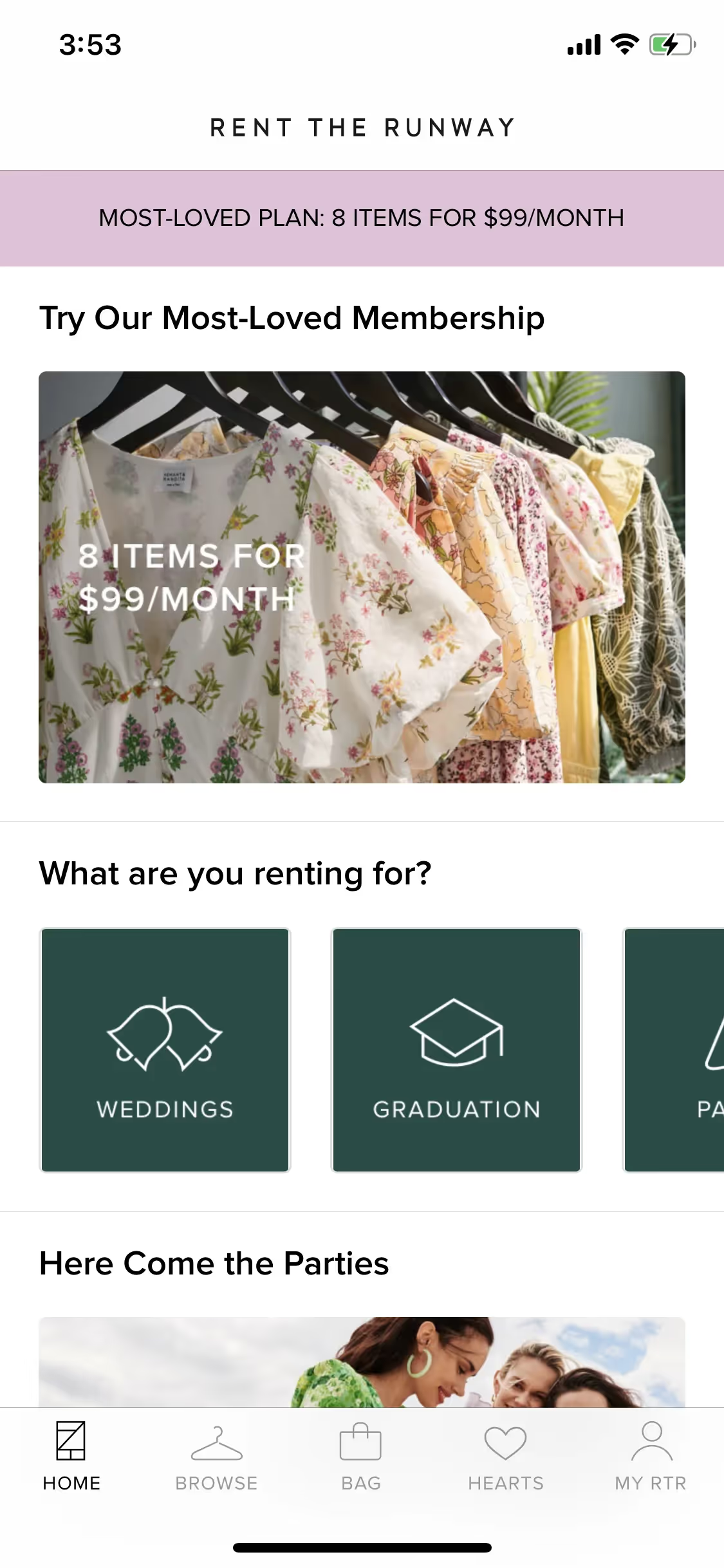
While not a common choice in the startup world, this rarity is its strength, offering a chance to build a memorable identity. Brands like Rent the Runway have used similar deep greens to project an image of quality and sophistication. For pairings, consider earthy tones like terracotta or a muted gold to add warmth and contrast to Sequoia Green’s cool depth.
Use the tools below to explore curated palettes, test color contrast for accessibility, and preview Sequoia Green in real UI components from top brands.
Using Sequoia Green color codes
Working with Sequoia Green starts with its hex code, #2E4D46. This is your go-to for web design, CSS, and most digital applications, allowing you to specify the exact color in your tool of choice.
Different mediums, however, call for different color models. You'll need RGB values for screen-based projects, which define color through light, and CMYK values for print work, which correspond to ink. Other models like HSL offer more intuitive ways to adjust lightness and saturation.
To make things easy, we've converted #2E4D46 into a full spectrum of color codes. Find the format you need below and copy it directly into your project.
Analogous
Analogous colors are neighbors on the color wheel. For Sequoia Green, these adjacent hues create a harmonious and naturally serene palette for any design.
Complementary
Complementary colors sit directly opposite each other on the color wheel. For Sequoia Green, its complement creates a striking, high-contrast visual pairing.
Split Complementary
For Sequoia Green, a split complementary palette takes the two colors next to its opposite, creating a high-contrast look with less tension.
Triadic
To create a triadic palette, select two other colors equally spaced from Sequoia Green on the color wheel for a vibrant, high-contrast effect.
Tetradic
A tetradic scheme pairs Sequoia Green with its complement, plus another set of complementary colors, creating a rich, four-color palette.
Square
A type of tetradic harmony, a square scheme places four colors equidistant on the color wheel, creating a vibrant, high-contrast palette with Sequoia Green.
Text Color
Background Color
Your Catchy Large Text Goes Here
Shades
By adding black to Sequoia Green, you create shades that add depth and gravity.
Tints
Tints are lighter variations of Sequoia Green, created by adding white for a softer appearance.
Tones
Tones are softer, desaturated versions of Sequoia Green, made by mixing in gray.
Hues
Hues are variations of Sequoia Green, differing in intensity or temperature to create distinct moods.
Never run out of inspiration again.
Use Mobbin for free as long as you like or get full access with any of our paid plans.



















