
Georgian Bay
Meet Georgian Bay (#22657F), a deep, saturated teal that finds a unique balance between blue and green. Its notable depth and muted intensity give it a sophisticated presence without demanding all the attention, making it a compelling choice for modern palettes.
What color is Georgian Bay?
Georgian Bay is a deep, cool-toned teal that rests between blue and green, with a strong blue presence that gives it a profound quality.
It possesses subtle gray undertones, muting its vibrancy for a sophisticated, almost slate-like appearance.
What is the meaning of the color Georgian Bay (#22657F)?
The color Georgian Bay, #22657F, carries a sense of profound calm and stability. It is a color of introspection and clarity, suggesting a quiet confidence and intellectual depth without demanding attention.
Symbolically, it mirrors the deep, serene waters of its namesake, representing tranquility, nature, and enduring strength. For designers, it communicates trustworthiness and a grounded, authentic quality.
How can I use Georgian Bay in my UI design?
In UI design, Georgian Bay (#22657F) shines when contrasted with warm, light colors like cream, soft peach, or sand. This creates a balanced and accessible interface. For a more complex palette, consider a split-complementary approach, pairing it with a muted yellow and a dusty rose. This adds visual interest without the harshness of a direct complementary color, making it suitable for anything from a primary brand color to a subtle accent.
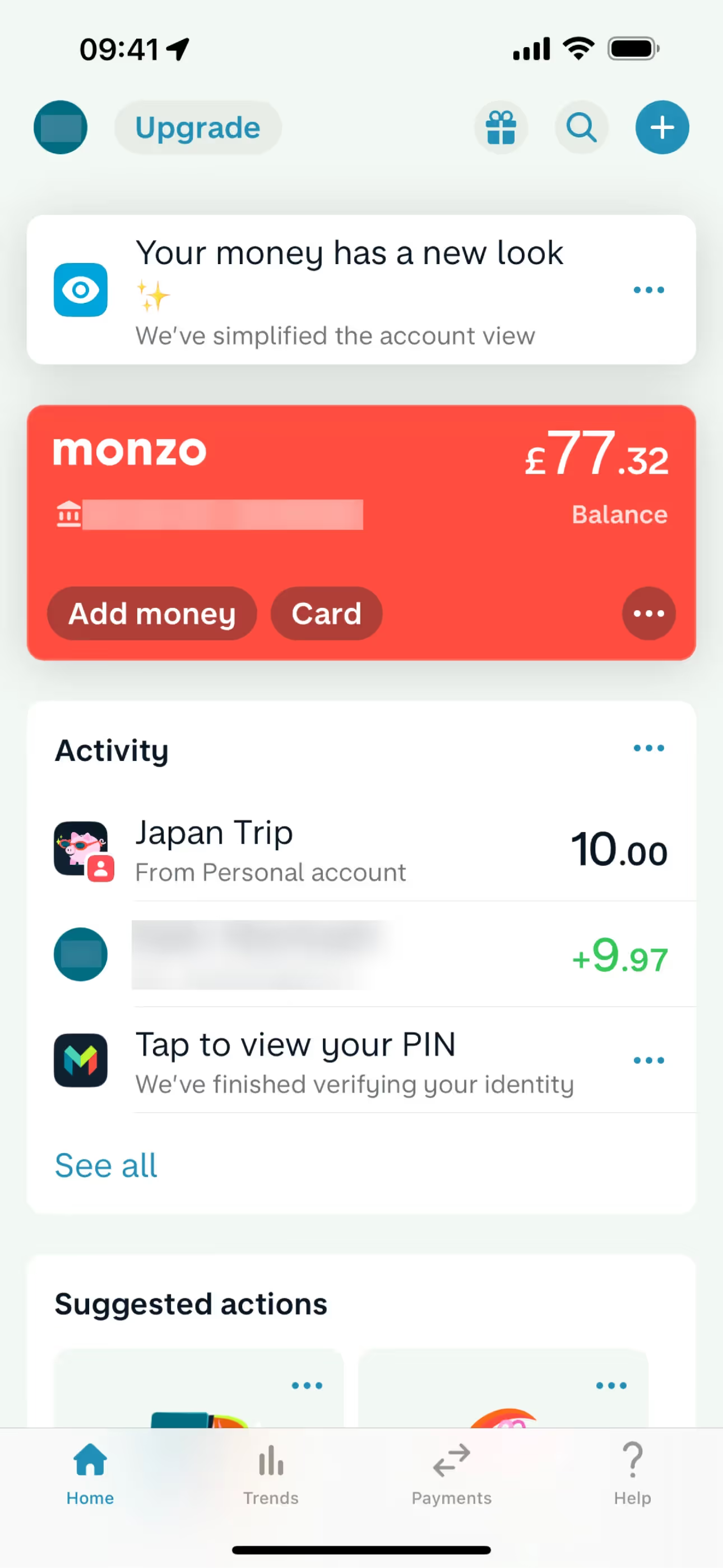
While not overwhelmingly common, you can spot similar deep teals in the branding of financial apps like Monzo. Its infrequent use is a strength; it allows a brand to stand out from the sea of tech blues and project a sense of stability and distinction.
You can use the tools below to explore curated palettes, test color contrast for accessibility, and preview Georgian Bay in real UI components from top brands.
Using Georgian Bay color codes
The hex code #22657F is your starting point for using Georgian Bay in digital designs. However, your project may require a different color model depending on the medium, whether it's a screen or a printed page.
Each color model serves a specific purpose. RGB (Red, Green, Blue) values are fundamental for digital displays, defining colors through additive light. For print work, you'll need the CMYK (Cyan, Magenta, Yellow, Key/Black) equivalent, which is based on subtractive ink mixing. Other models like HSL (Hue, Saturation, Lightness) offer an intuitive way to create tints and shades for your color palette.
To simplify your workflow, we've converted #22657F to a range of popular formats. You can find and copy the exact values you need for your project below.
Analogous
Analogous colors are found next to each other on the color wheel. Paired with Georgian Bay, they produce a serene and unified palette.
Complementary
Complementary colors are opposites on the color wheel. Pairing Georgian Bay with its complement creates a high-contrast, visually striking combination.
Split Complementary
A split complementary scheme for Georgian Bay uses the two colors adjacent to its direct complement, offering a vibrant yet balanced palette.
Triadic
A triadic color scheme for Georgian Bay involves two other colors equally spaced on the color wheel, creating a vibrant and balanced palette.
Tetradic
A tetradic color scheme for Georgian Bay uses four colors, forming two complementary pairs for a rich and balanced palette.
Square
A square color scheme uses four colors equidistant on the color wheel. This approach, using Georgian Bay, yields a bold palette with strong contrast.
Text Color
Background Color
Your Catchy Large Text Goes Here
Shades
Shades are darker versions of Georgian Bay, created by adding black to give the color more depth.
Tints
Tints of Georgian Bay are lighter values made by mixing in white for a softer feel.
Tones
Tones of Georgian Bay are created by adding gray, resulting in softer, muted variations.
Hues
Hues are variations of Georgian Bay, creating distinct visual effects by altering intensity or temperature.

Never run out of inspiration again.
Use Mobbin for free as long as you like or get full access with any of our paid plans.



















