
Apple Green
Meet Apple Green, #8DB600, a color that instantly grabs attention. Its sharp, zesty character comes from a perfect balance of yellow and green, creating a hue that feels both organic and electric, making it a distinctive choice for any visual project.
What color is Apple Green?
Apple Green is a vibrant, crisp shade of green with strong yellow undertones, giving it a distinctly warm and zesty character.
Positioned squarely between yellow and green, this color projects a bright, medium-light value that feels both natural and energetic.
What is the meaning of Apple Green (#8DB600)?
Apple Green is intrinsically linked to nature, representing freshness, vitality, and new beginnings. It often brings to mind feelings of health and youthful optimism.
Symbolically, this vibrant hue suggests harmony and environmental awareness, inspiring a sense of creative renewal and well-being.
How can I use Apple Green (#8DB600) in my UI design?
In UI design, Apple Green (#8DB600) shines as an accent color for calls-to-action, icons, and highlights. To make it pop, set it against a backdrop of clean neutrals like off-white or dark charcoal. For a more adventurous palette, consider pairing it with deep purples or navy blues to create a striking split-complementary scheme. Applying the 60-30-10 rule can help balance its intensity within your interface.
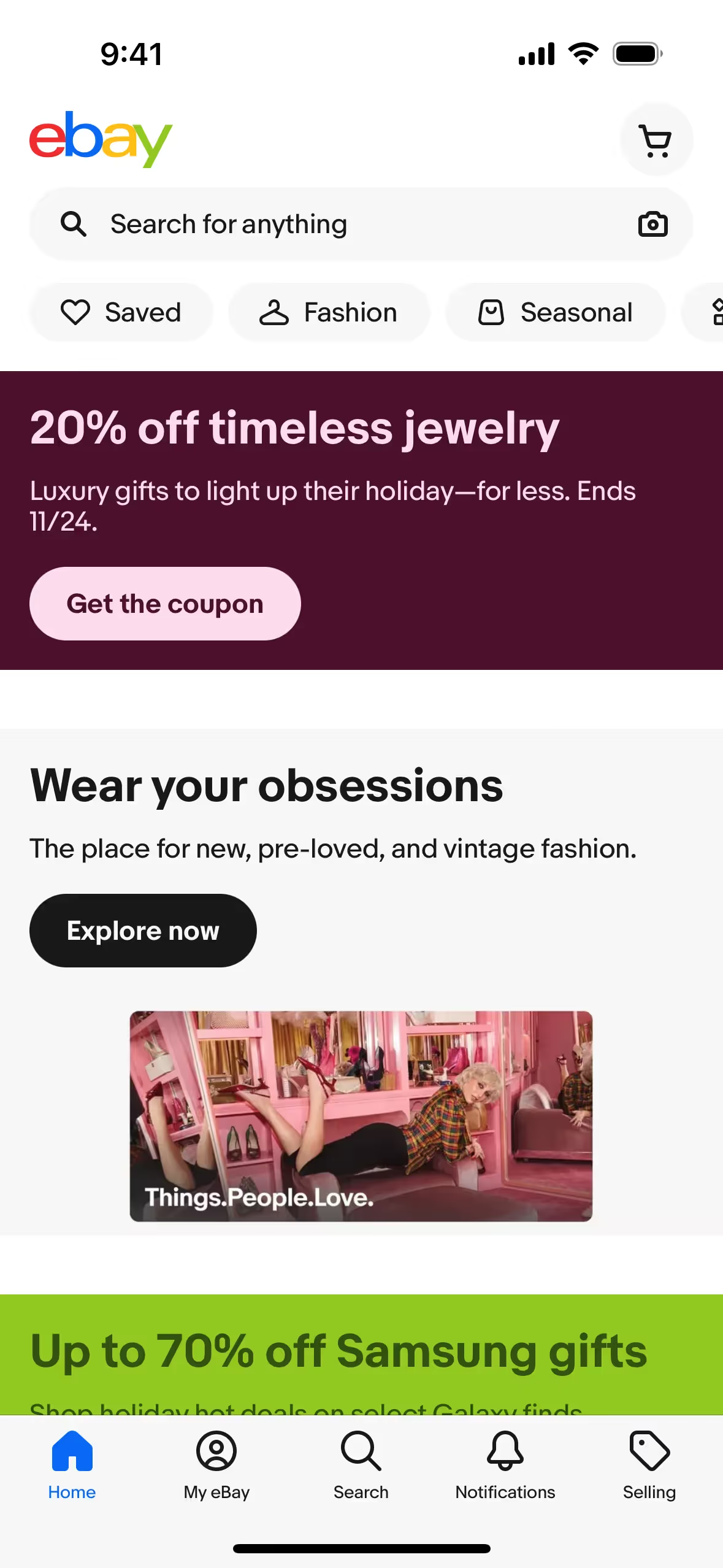
Few major brands build their entire identity around this specific shade of green, which presents an opportunity for differentiation. Companies like eBay and Imgur have successfully used similar vibrant greens to project energy and approachability, proving its effectiveness in a crowded market.
To see how Apple Green works in practice, use the tools below. You can explore curated palettes, test color contrast for accessibility, and preview #8DB600 in real UI components from well-known apps.
Using Apple Green color codes
To apply Apple Green in your projects, start with its hexadecimal code, #8DB600. This code is a web-standard representation, but for work that spans digital screens and print materials, you will need to convert it into different formats.
Each color model serves a specific purpose. For digital displays, you’ll use RGB (Red, Green, Blue) which mixes light, while CMYK (Cyan, Magenta, Yellow, Key/Black) is the standard for printed media. More specialized models like HSL, LAB, and LCH provide intuitive ways to adjust color attributes, and XYZ is used in color-managed workflows to represent colors as perceived by the human eye.
We have translated Apple Green’s #8DB600 into a range of popular formats. You can find and copy the exact values you need for your project below.
Analogous
Colors adjacent to Apple Green on the color wheel form an analogous scheme. These combinations produce a unified and peaceful effect, ideal for serene compositions.
Complementary
Complementary colors are opposites on the color wheel, creating a high-contrast pairing. When set against Apple Green, these shades produce a vibrant effect.
Split Complementary
A split complementary scheme pairs Apple Green with the two colors adjacent to its direct complement, offering high contrast with greater nuance.
Triadic
A triadic scheme pairs Apple Green with two other colors equally distant on the color wheel, creating a balanced yet striking visual effect.
Tetradic
A tetradic scheme for Apple Green involves two pairs of complementary colors, forming a rectangle on the color wheel for a rich, versatile palette.
Square
A square color scheme features four colors spaced evenly around the color wheel, offering rich contrast and a vibrant feel with Apple Green.
Text Color
Background Color
Your Catchy Large Text Goes Here
Shades
Shades of Apple Green are made by adding black, resulting in darker, weightier tones.
Tints
Tints are lighter versions of Apple Green, created by adding white for a softer feel.
Tones
Tones of Apple Green are created by adding gray, resulting in softer, more subdued variations.
Hues
Hues are variations of Apple Green, differing in intensity or temperature to create distinct moods.

Never run out of inspiration again.
Use Mobbin for free as long as you like or get full access with any of our paid plans.



















